QuestDB Nodes
QuestDB is a high-performance time-series database with SQL support and extensions like SAMPLE BY, LATEST ON, and ASOF JOIN. MaestroHub provides three connector nodes for it: Query to read rows, Execute to run DML/DDL statements, and Write to load pipeline data into a table.
Configuration Quick Reference
| Field | What you choose | Details |
|---|---|---|
| Parameters | Connection, Function, Function Parameters, Timeout Override | Select the connection profile, function, configure function parameters with expression support, and optionally override timeout. |
| Settings | Description, Timeout (seconds), Retry on Timeout, Retry on Fail, On Error | Node description, maximum execution time, retry behavior on timeout or failure, and error handling strategy. All execution settings default to pipeline-level values. |
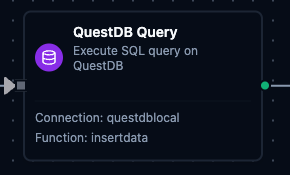
QuestDB Query Node
QuestDB Query Node
Execute SQL queries with full parameter binding against QuestDB's pgwire endpoint.
Supported Function Types:
| Function Name | Purpose | Common Use Cases |
|---|---|---|
| Execute Query | Run parameterized SQL against QuestDB | Time-series analytics, sensor monitoring, downsampling with SAMPLE BY |
QuestDB Execute Node
Execute DML/DDL statements (INSERT, UPDATE, ALTER, CREATE TABLE) and return rowsAffected instead of rows. Use it for single writes, schema changes and table maintenance.
Supported Function Types:
| Function Name | Purpose | Common Use Cases |
|---|---|---|
| Execute | Run a DML or DDL statement, with ((param)) placeholders | Single inserts, correcting readings, creating partitioned tables, dropping old partitions |
See the Execute Function for its fields.
QuestDB Write Node
Load pipeline data into a QuestDB table. Write reads the table's columns and maps the incoming data fields to them, in batches of Batch Size rows. With Create Table If Not Exists on, it creates a missing table first, and the Schema can set the designated timestamp, partitioning and WAL mode. With Allow Schema Evolution on, it adds a column when the data carries a field the table has no column for.
Supported Function Types:
| Function Name | Purpose | Common Use Cases |
|---|---|---|
| Write | Bulk-insert structured rows into a QuestDB table | Sensor ingestion from collectors, creating a partitioned table on the first write, landing transformed data |
See the Write Function for its fields and how each step works.
Output
Every QuestDB node delivers its data under result, and execution facts (success, functionId, durationMs, timestamp) under _metadata:
| Node | Expression | Description |
|---|---|---|
| Query | $node["Name"].result.rows | The result rows — one object per row keyed by column name, up to the result limits — the 20,000-row cap and the 25 MB size budget by default. $node["Name"].result.rows[0].<column> reads a value |
$node["Name"]._metadata.truncated | true when the query hit a result limit and rows holds only what fit — the first 20,000 rows at the default cap, or fewer when the size budget tripped first | |
$node["Name"]._metadata.truncatedBy | Which limit cut the result — rows or bytes. Present only when truncated is true | |
$node["Name"].result.rowCount | How many rows were delivered — the same as result.rows.length | |
| Execute | $node["Name"].result.rowsAffected | Rows the statement affected, as the driver reports it |
| Write | $node["Name"].result.rowsInserted | Rows inserted across every batch of this execution |
The call's own facts ride along under _metadata next to the four every connected node carries. A Query delivers $node["Name"]._metadata.driver (the driver name), $node["Name"]._metadata.query (the SQL that ran) , $node["Name"]._metadata.truncated — true when the query hit a result limit and the rows were cut short — and, only then, $node["Name"]._metadata.truncatedBy (rows or bytes: which limit did it). An Execute delivers _metadata.driver and _metadata.query. A Write delivers _metadata.driver, _metadata.table, _metadata.batchSize, _metadata.totalRows (the rows it was given) and _metadata.matchedColumns (the table columns the data was mapped onto), plus _metadata.skippedFields when the data carried fields the table has no column for, or _metadata.schemaEvolution when schema evolution is on and the write added them as columns; when it created the table first, it delivers _metadata.tableCreated and the _metadata.columns it created instead of matchedColumns.
truncated before you aggregateA query stopped at the row limit returns a shorter rows array that looks exactly like a complete result. Nothing fails and nothing warns, so a downstream sum, average or count is silently wrong. The limits are the connectors module's queryResultMaxRows (20,000 rows by default) and queryResultMaxBytes (25 MB by default), whichever trips first, which is why _metadata.truncated is delivered on every query — branch on it, or narrow the query, rather than assuming the read was complete; _metadata.truncatedBy says which limit did it.