DynamoDB Nodes
Amazon DynamoDB is AWS's serverless NoSQL key-value and document database. MaestroHub provides six nodes covering the single-item operations and the two multi-item reads, so a pipeline can look a record up, read a partition, write results back, or clean up — all against the table its connection profile names.
Items cross the boundary as plain JSON in both directions. You write {"deviceId": "line3"}, not DynamoDB's {"deviceId": {"S": "line3"}}, and a downstream node reads result.item.celsius rather than result.item.celsius.N.
Configuration Quick Reference
| Field | What you choose | Details |
|---|---|---|
| Parameters | Connection, Function, Function Parameters, Timeout Override | Select the connection profile (which fixes the table), the function, values for any ((parameter)) the function uses, and optionally a timeout override. |
| Settings | Description, Timeout (seconds), Retry on Timeout, Retry on Fail, On Error | Node description, maximum execution time, retry behavior on timeout or failure, and error handling strategy. All execution settings default to pipeline-level values. |
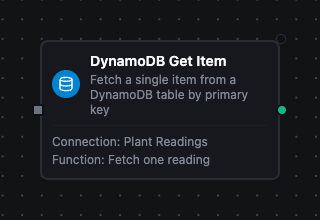
DynamoDB Get Item Node
DynamoDB Get Item Node
Fetch one item by its full primary key — the partition key, plus the sort key when the table has one.
A key that matches nothing is not an error. The node succeeds with result.found false and no item, so a pipeline branches on the lookup instead of routing it through failure handling.
Supported Function Types:
| Function Name | Purpose | Common Use Cases |
|---|---|---|
| Get Item | Read a single item by primary key, optionally projecting a subset of attributes | Enrichment lookups, device shadow reads, existence checks before a write |
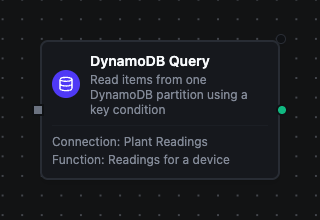
DynamoDB Query Node
DynamoDB Query Node
Read the items in a single partition, narrowed by a sort-key condition and an optional filter.
This is the efficient multi-item read: DynamoDB only reads the keys the condition selects. Reach for it whenever the partition key is known.
Supported Function Types:
| Function Name | Purpose | Common Use Cases |
|---|---|---|
| Query | Read one partition using a key condition, optionally against a secondary index and in descending sort order | Time-window reads per device, a customer's orders, newest-first feeds |
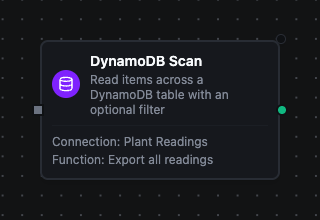
DynamoDB Scan Node
DynamoDB Scan Node
Read items across every partition, optionally narrowed by a filter expression.
A scan reads the whole table, so prefer Query when a partition key is known. Scan earns its place on exports, backfills and small reference tables.
Supported Function Types:
| Function Name | Purpose | Common Use Cases |
|---|---|---|
| Scan | Read across the table with an optional filter, paging through result.lastEvaluatedKey | Table exports, migration sweeps, auditing rows against a condition |
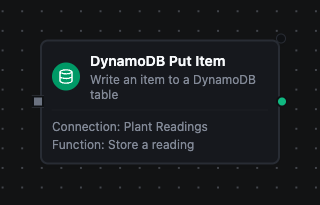
DynamoDB Put Item Node
DynamoDB Put Item Node
Write one item, replacing any existing item with the same primary key.
Add a condition expression to make the write conditional — attribute_not_exists(pk) turns a replace into an insert-only. A condition that fails is reported as a permanent error, so the node fails at once instead of draining its retries, and its On Error setting decides what happens next.
One consequence to know if the node is buffered by store-and-forward: an insert-only write whose acknowledgement was lost fails its condition on replay and dead-letters, even though the first attempt stored the item.
Supported Function Types:
| Function Name | Purpose | Common Use Cases |
|---|---|---|
| Put Item | Write a complete item, optionally guarded by a condition expression | Persisting pipeline output, upserting profiles, insert-only writes |
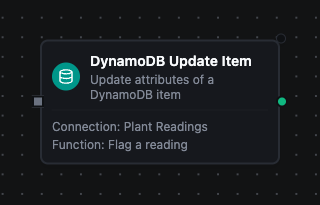
DynamoDB Update Item Node
DynamoDB Update Item Node
Change named attributes of the item at a primary key, leaving the rest untouched.
DynamoDB creates the item when it does not exist, unless a condition expression forbids it. ADD and SET arithmetic make this the node for counters and running totals.
SET and REMOVE converge when store-and-forward replays a buffered write. ADD and list_append accumulate instead, so a replayed increment counts twice. Where that matters, compute the value upstream and write SET counter = :value.
Supported Function Types:
| Function Name | Purpose | Common Use Cases |
|---|---|---|
| Update Item | Apply SET, ADD, REMOVE or DELETE clauses to one item | Status flags, counter increments, appending to a list, merging new fields |
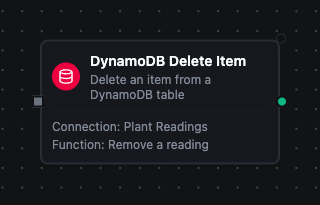
DynamoDB Delete Item Node
DynamoDB Delete Item Node
Delete the item at a primary key.
Deleting an item that does not exist succeeds and changes nothing, which makes this node safe to replay.
Supported Function Types:
| Function Name | Purpose | Common Use Cases |
|---|---|---|
| Delete Item | Remove one item by primary key, optionally guarded by a condition expression | Retention cleanup, erasure requests, compensating actions after a failed step |
Paging through a Query or Scan
Limit is sent to DynamoDB, so it bounds what the service reads rather than trimming a full result set afterwards. Two consequences worth knowing before you build a loop:
- A filter expression is applied after the items are read and before
Limit. A selective filter can therefore return far fewer items thanLimit— even zero — while more items still remain. - Because of that, an empty
result.itemsis not the end of the data.result.lastEvaluatedKeyis: it is present exactly while more items remain, and absent on the last page.
To read a whole table, feed result.lastEvaluatedKey back in as the next run's Exclusive Start Key and stop when it is absent (result.truncated says the same thing as a boolean).
Output
Every DynamoDB node delivers its data under result, and execution facts (success, functionId, durationMs, timestamp) under _metadata:
| Node | Expression | Description |
|---|---|---|
| All nodes | $node["Name"].result.table | The table the operation ran against |
| Get Item | $node["Name"].result.found | Whether an item exists at that key — a miss is a normal result, so branch on this rather than on failure |
$node["Name"].result.item | The item as plain JSON, or null when found is false. $node["Name"].result.item.<attribute> reads a value | |
| Query, Scan | $node["Name"].result.items | The matching items, one object each. $node["Name"].result.items[0].<attribute> reads a value |
$node["Name"].result.count | How many items were delivered, after any filter expression | |
$node["Name"].result.scannedCount | How many items DynamoDB examined to produce them — larger than count means a filter discarded the difference, which is the signal that an index would do the work more cheaply | |
$node["Name"].result.truncated | Whether more items remain — true exactly when lastEvaluatedKey is present | |
$node["Name"].result.lastEvaluatedKey | The cursor to resume from, absent on the last page. Feed it back as the next run's Exclusive Start Key | |
| Put Item, Update Item, Delete Item | $node["Name"].result.attributes | The item the function's Return Values setting asked for — absent when that setting is NONE, which is the default for Put and Delete |
Numbers keep their full precision across the boundary, so a 19-digit identifier or an epoch-nanosecond timestamp survives the round trip exactly.