Version: 3.0 (next)
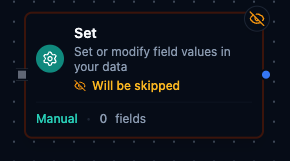
Set Node interface

Set node

Set Node

Overview​

The Set Node reshapes payloads by adding, updating, or removing fields in flight. It supports both click-to-configure field mappings and JSON-based templates, allowing teams to enrich data, normalize schemas, or inject metadata without writing custom code. Expressions are fully supported so downstream nodes receive the exact structure and values they expect.


Core Functionality​

1. Two Authoring Modes​

  • Manual mode lets you configure individual fields with dedicated names, values, and target types.
  • JSON mode accepts a JSON structure (including expressions) that merges into the payload.

2. Expression-Aware Transformations​

  • Any string field can include Maestro expressions ({{ }}) that resolve against pipeline context.
  • Expressions have access to $input, $node, $trigger and $execution.

3. Type Conversion & Validation​

  • Supported target types: string (the default for a new field), number, boolean, json, auto.
  • A value that can't be converted to its field's type fails the node, naming the field. Use auto to accept any value: it turns text that looks like a number, true/false or JSON into that type, and keeps everything else as it is.
  • Validation catches missing field names, unsupported types, or invalid JSON before execution.

4. Flexible Input Merge Strategies​

  • Include Input Data: "all" (default) clones the inbound payload before applying changes.
  • Include Input Data: "none" starts from an empty object—ideal for building new payloads.
  • Include Input Data: "selected" is reserved for selective merges; today it behaves like "all" unless the backend injects filtered data.

5. Field-Level Controls​

  • Keep Only Set Fields removes fields not explicitly configured (manual mode only).
  • Dot notation (user.profile.name) creates or updates nested objects when Support Dot Notation is enabled.

Configuration Reference​

Parameters​

ParameterTypeDefaultRequiredDescription
Modeselect"manual"Nomanual: Define fields individually. json: Provide a complete JSON structure.
Fieldsarray[]If manualArray of field definitions (name, value, type).
JSON Datastring""If jsonJSON structure with embedded {{ }} expressions.
Keep Only SetbooleanfalseNoRemove all fields from input except the ones explicitly set.
Support Dot NotationbooleantrueNoEnable nested field access with dot notation.
Include Input Dataselect"all"Noall / none / selected -- Which input fields to keep.

Manual Field Definition (fields[])​

PropertyTypeDescription
NamestringTarget field name; supports dot notation when enabled.
ValuestringLiteral value or expression resolved at runtime.
TypeselectConversion target: string (default), number, boolean, json, auto.

Settings​

SettingOptionsDefaultDescription
Timeout (seconds)numberPipeline defaultMaximum execution time for this node (1--600).
Retry on TimeoutPipeline Default / Enabled / DisabledPipeline DefaultWhether to retry on timeout.
Retry on FailPipeline Default / Enabled / DisabledPipeline DefaultWhether to retry on failure. When Enabled, shows Advanced Retry Configuration.
On ErrorPipeline Default / Stop Pipeline / Continue ExecutionPipeline DefaultBehavior when node fails after all retries.

Advanced Retry Configuration​

Only visible when Retry on Fail is set to Enabled.

FieldTypeDefaultRangeDescription
Max Attemptsnumber31--10Maximum retry attempts.
Initial Delay (ms)number1000100--30,000Wait before first retry.
Max Delay (ms)number1200001,000--300,000Upper bound for backoff delay.
Multipliernumber2.01.0--5.0Exponential backoff multiplier.
Jitter Factornumber0.10--0.5Random jitter.

Usage Examples​

Example 1: Add Production Metadata in Manual Mode​

FieldValue
Modemanual
Include Input Dataall
Support Dot Notationtrue
DescriptionAttach operator name and processed timestamp.
Manual FieldAssigned ValueType
batch.operatorNameJane Millerstring
batch.processedAt1706539200000number

The incoming payload is preserved while the node adds a nested batch object with operator details.

Example 2: Build a Fresh Payload with JSON Mode​

FieldValue
Modejson
JSON Data{"status":"ready","line":"Assembly-1","targetUnits":480}
Include Input Datanone

The output becomes exactly the JSON object above—ideal for shaping requests to a downstream connector without carrying legacy fields.

Example 3: Keep Only Essential Fields​

FieldValue
Modemanual
Include Input Dataall
Keep Only Settrue
DescriptionReturn only identifiers for audit export.
Manual FieldAssigned ValueType
orderIdPO-8721string
totalAmount1543.75number
metadata.retryCount0number

After execution, the payload contains only the configured fields: orderId, totalAmount and a nested metadata.retryCount set to 0. Every other input field is dropped.


Configuration reference​

The fields below are generated from the node's config contract, so they match what the pipeline validator enforces and what the designer's form offers.

transform.set​

FieldTypeRequiredDefaultValuesDescription
modestringnomanualmanual, jsonmanual sets the entries of fields one by one; json parses jsonData as an object and merges its keys into the output
fieldsobject[]no——Fields to set when mode is manual, applied in order; ignored in json mode. Names must be unique — the output has one slot per name. With no entries the input passes through unchanged
jsonDatastringno—accepts an expressionA JSON object as a string, with {{ }} expressions resolved before it is parsed; required when mode is json and ignored otherwise. Its keys are merged into the output
keepOnlySetbooleannofalse—true emits only the fields this node sets; false starts from the input data (per includeInputData) and sets the fields on top of it
supportDotNotationbooleannotrue—true treats a dot in a field name as a nested path (user.name sets output.user.name, creating objects on the way); false uses the whole name as one literal key
includeInputDatastringnoallall, none, selectedall starts the output from a copy of the input; none starts from an empty object. selected is accepted for saved configs but behaves as all — there is no field selection. Ignored when keepOnlySet is true