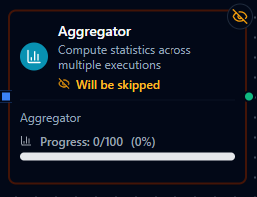
Aggregator node configuration
Aggregator Node
Overview
The Aggregator Node collects numeric values from successive pipeline executions and computes statistics—average, minimum, maximum, sum, or count—over a configurable window of values. By default, downstream nodes run on every execution and receive the running statistics so far; turn on Wait For Window to hold them back until the window is full. When the window is full, the node emits the final statistics and starts a new window.
Because the node stores only running totals (not every individual value), it is memory-efficient even for large windows and well suited for sensor roll-ups, quality summaries, and throughput metrics.
Core Functionality
What It Does
1. Windowed Aggregation
The node accumulates values until Window Size executions have been processed. On the final execution of each window, it flushes the computed statistics downstream and starts a new window.
2. Incremental Statistics Sum, min, and max are updated incrementally as each value arrives—only four numbers (count, sum, min, max) are stored in state regardless of window size. Average is derived from sum / count at flush time.
3. Flexible Value Extraction
The Value Field parameter supports Maestro expressions ({{ $node["Read Sensor"].result.temperature }}), dot-notation paths (sensor.reading), and direct field names. The extracted value is converted to a number before aggregation.
4. Downstream Gating
With Wait For Window off (the default), downstream nodes run on every execution and receive the running statistics, with _metadata.flushed set to false until the window is full. With Wait For Window on, the node skips downstream execution until the window fills, so partial-window results never trigger downstream logic.
5. Persistent State Accumulated statistics survive pipeline restarts. Each pipeline + node combination maintains an independent window, so multiple Aggregator nodes in the same pipeline track separate data.
Configuration Reference
Parameters
| Parameter | Type | Default | Required | Constraints | Description |
|---|---|---|---|---|---|
| Value Field | string | — | Yes | Must resolve to a numeric value | Expression or dot-notation path to the numeric field to aggregate (e.g., {{ $node["Read Sensor"].result.temperature }}). |
| Window Size | number | 100 | Yes | 1--10,000 | Number of values to collect before flushing aggregated results downstream. |
| Operations | multi-select | ["avg"] | Yes | At least one | Statistics to compute: avg, min, max, sum, count. |
| Wait For Window | toggle | Off | No | — | On: downstream nodes wait until the window is full. Off: downstream nodes run on every execution with the running statistics. |
Value Field Examples
{{ $node["Read Sensor"].result.temperature }}— field from a named upstream node{{ $node["Read Sensor"].result.reading }}— nested field from an upstream nodetemperature— top-level field from the node's direct inputsensor.reading— nested field via dot notation from the node's direct input
Settings
| Setting | Options | Default | Description |
|---|---|---|---|
| Timeout (seconds) | number | Pipeline default | Maximum execution time for this node (1--600). |
| Retry on Timeout | Pipeline Default / Enabled / Disabled | Pipeline Default | Whether to retry on timeout. |
| Retry on Fail | Pipeline Default / Enabled / Disabled | Pipeline Default | Whether to retry on failure. When Enabled, shows Advanced Retry Configuration. |
| On Error | Pipeline Default / Stop Pipeline / Continue Execution | Pipeline Default | Behavior when node fails after all retries. |
Advanced Retry Configuration
Only visible when Retry on Fail is set to Enabled.
| Field | Type | Default | Range | Description |
|---|---|---|---|---|
| Max Attempts | number | 3 | 1--10 | Maximum retry attempts. |
| Initial Delay (ms) | number | 1000 | 100--30,000 | Wait before first retry. |
| Max Delay (ms) | number | 120000 | 1,000--300,000 | Upper bound for backoff delay. |
| Multiplier | number | 2.0 | 1.0--5.0 | Exponential backoff multiplier. |
| Jitter Factor | number | 0.1 | 0--0.5 | Random jitter. |
Input / Output
Input
The Aggregator Node expects a JSON object containing the field referenced by Value Field. The field value must be convertible to a number (integer or float).
Output
The statistics are the node's result; the window bookkeeping is in _metadata. Only the operations selected in the configuration appear in result.
{
  "result": {
    "avg": 24.5,
    "min": 18.2,
    "max": 31.7,
    "sum": 245.0
  },
  "_metadata": {
    "count": 10,
    "windowSize": 10,
    "flushed": true
  }
}
| Field | Type | Present | Description |
|---|---|---|---|
result.avg | number | If selected | Arithmetic mean of the values so far in the window. |
result.min | number | If selected | Lowest value so far in the window. |
result.max | number | If selected | Highest value so far in the window. |
result.sum | number | If selected | Sum of the values so far in the window. |
result.count | number | If selected | Number of values so far in the window. |
_metadata.count | number | Always | Number of values in this window. |
_metadata.windowSize | number | Always | Configured window size. |
_metadata.flushed | boolean | Always | true when the window is complete; false while values are still accumulating. |
_metadata.aggregating | boolean | While accumulating | true while the window is still filling. |
Output — While the Window Fills
With Wait For Window off, downstream nodes receive the running statistics on every execution, with _metadata.flushed: false and _metadata.aggregating: true. Check {{ $node["Aggregator"]._metadata.flushed }} downstream if a step should act only on complete windows. With Wait For Window on, downstream nodes are skipped until the window is full.
Quality of the statistics
Every message carries a quality verdict in _metadata.quality. The aggregator folds the verdict of every value in its window and emits the worst as _metadata.quality (and qualityReason beside it when the deciding verdict gave one) — on a full window and on partial statistics alike. An average over a window that held one bad reading is a bad average; a UNS Publish node downstream reads that verdict automatically. The window's verdict resets with its statistics on flush.
Manual Actions
| Action | Description |
|---|---|
| View Stats | Return the current accumulated statistics and window progress without modifying state. |
| Reset | Clear all accumulated state and start a fresh window. |
Usage Examples
Example 1: Average Temperature over 10 Readings
| Field | Value |
|---|---|
| Value Field | {{ $node["Read Sensor"].result.temperature }} |
| Window Size | 10 |
| Operations | avg, min, max |
| Wait For Window | On |
Every sensor reading increments the window. After 10 readings, the node emits the average, minimum, and maximum temperatures downstream—useful for feeding a dashboard or triggering an alert if the average exceeds a threshold.
Example 2: Hourly Production Sum
| Field | Value |
|---|---|
| Value Field | {{ $node["PLC Reader"].result.unitsProduced }} |
| Window Size | 60 |
| Operations | sum, count |
| Wait For Window | On |
If the pipeline fires once per minute, a window of 60 produces an hourly total. Downstream nodes receive the cumulative sum for reporting or UNS publishing.
Example 3: Quality Metric Roll-Up from Upstream Node
| Field | Value |
|---|---|
| Value Field | {{ $node["Measure"].result.thickness }} |
| Window Size | 100 |
| Operations | avg, min, max, sum, count |
References the thickness field from an upstream node named "Measure". With Wait For Window off, every measurement passes the running statistics downstream; the 100th completes the window (_metadata.flushed: true) with all five statistics, and the next measurement starts a new window.
- Choose the smallest set of operations you need. The output stays clean and downstream expressions are simpler.
- Pair with a Counter or Condition node if you need both per-event and windowed logic in the same pipeline.
- Use View Stats during development to check accumulation progress without waiting for a full window flush.
By default, downstream nodes run on every execution. Turn on Wait For Window if they should run only when the window is complete (flushed: true).
Configuration reference
The fields below are generated from the node's config contract, so they match what the pipeline validator enforces and what the designer's form offers.
transform.aggregator
| Field | Type | Required | Default | Values | Description |
|---|---|---|---|---|---|
valueField | string | yes | — | accepts an expression | Path or expression of the numeric value to aggregate, e.g. result.temperature or {{ $node["Read"].result.value }} — every node output is {result, _metadata}, so paths start at result |
windowSize | integer | no | 100 | 1–10000 | Number of values per window, counted in executions — not a duration. The window flushes when this many values have arrived |
operations | string[] | no | [avg] | avg, min, max, sum, count | Statistics to compute over the window; each becomes a key of the output (lowercase) |
waitForWindow | boolean | no | false | — | true holds downstream nodes until the window is full; false emits the running statistics on every execution |