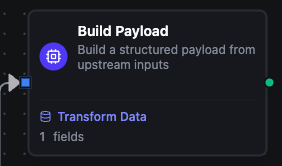
Build Payload node
Build Payload Node
Overview
The Build Payload Node assembles a structured, schema-aligned object from upstream data by evaluating direct JavaScript expressions for each field.
It is ideal when you want a strongly-typed, well-documented payload (often aligned with a UNS schema) but you still need full flexibility to compute each field from raw inputs, combined sources, or other computed fields.
Unlike template-style nodes that use {{ }} expressions, Build Payload works with plain JavaScript code and an execution engine that:
- Resolves field dependencies (via
$fields) automatically. - Reads the previous node's output as
$input, and any upstream node by name with$node["Name"]. - Performs type conversion into the field's type (
string,bool, integers, floats,datetimeand more). - Always produces one object, with one key per field.
Configuration Reference
Parameters
| Parameter | Type | Default | Required | Description |
|---|---|---|---|---|
| Field source | select | Custom | No | UNS Schema fills the fields from a UNS data schema (needs the UNS licence); Custom lets you define the fields by hand. |
| Schema (Optional) | select | — | No | Shown when Field source is UNS Schema. Picking a schema fills the field list from its attributes. |
| Field Definitions | array | [] | No | Field definitions for the payload, evaluated top to bottom. With no fields, the input passes through unchanged. |
Field Definition (fields[])
| Property | Type | Description |
|---|---|---|
| Field Name | string | Output key of the field (e.g., firstName). Names must be unique. |
| Field Type | select | Type the value is converted to: string, bool, datetime, float32, float64, int8, int16, int32, int64, uint8, uint16, uint32, uint64, bytes, decimal, duration, uuid, timeseries_ref. |
| Expression | string (JS) | JavaScript code that returns the field value. Has access to $input, $node, $trigger, and $fields. |
| Required | boolean | On: the node fails when the field has no expression, the expression throws, returns nothing, or its value can't be converted. Off: the field is set to null, the problem is listed in _metadata.errors, and the node finishes as completed with errors. |
Settings
| Setting | Options | Default | Description |
|---|---|---|---|
| Timeout (seconds) | number | Pipeline default | Maximum execution time for this node (1--600). |
| Retry on Timeout | Pipeline Default / Enabled / Disabled | Pipeline Default | Whether to retry on timeout. |
| Retry on Fail | Pipeline Default / Enabled / Disabled | Pipeline Default | Whether to retry on failure. When Enabled, shows Advanced Retry Configuration. |
| On Error | Pipeline Default / Stop Pipeline / Continue Execution | Pipeline Default | Behavior when node fails after all retries. |
Advanced Retry Configuration
Only visible when Retry on Fail is set to Enabled.
| Field | Type | Default | Range | Description |
|---|---|---|---|---|
| Max Attempts | number | 3 | 1--10 | Maximum retry attempts. |
| Initial Delay (ms) | number | 1000 | 100--30,000 | Wait before first retry. |
| Max Delay (ms) | number | 120000 | 1,000--300,000 | Upper bound for backoff delay. |
| Multiplier | number | 2.0 | 1.0--5.0 | Exponential backoff multiplier. |
| Jitter Factor | number | 0.1 | 0--0.5 | Random jitter. |
Expression Examples
Simple Field Calculations
// Capitalize a name
$input[0].result.firstName.toUpperCase()

// Calculate year
new Date().getFullYear()

// Mark adults vs minors
$input[0].result.age >= 18
Using $node for Cross-Node Data
// Read a field from a named upstream node
$node['Read Sensor'].result.temperature

// Combine data from multiple upstream nodes
$node['Fetch User'].result.name + ' (' + $node['Fetch Roles'].result.role + ')'

// Access nested data from a connector node
$node['REST Request'].result.body.items[0].id
Using $fields for Dependencies
// fullName field
$input[0].result.firstName + ' ' + $input[0].result.lastName

// greeting field that reuses fullName
'Hello, ' + $fields.fullName

// totalPrice based on other calculated fields
$fields.unitPrice * $fields.quantity
Usage Examples
Example 1: Normalize User Profile Payload
| Field | Value |
|---|---|
| Field source | Custom (define fields manually) |
Fields:
| Name | Type | Expression |
|---|---|---|
firstName | string | $input[0].result.first_name |
lastName | string | $input[0].result.last_name |
age | int32 | $input[0].result.age |
fullName | string | $fields.firstName + ' ' + $fields.lastName |
The node converts an arbitrary incoming object into a clean, typed user profile. None of the fields is Required, so a missing value becomes null and is listed in _metadata.errors instead of failing the node.
Example 2: Summarize a List of Orders
The previous node returns a list of orders as its result:
[
  { id: 'ORD-1', amount: 42.5, currency: 'USD' },
  { id: 'ORD-2', amount: 103.0, currency: 'USD' }
]
Fields:
| Name | Type | Expression |
|---|---|---|
orderCount | int32 | $input[0].result.length |
totalAmount | float64 | $input[0].result.reduce((sum, o) => sum + o.amount, 0) |
firstOrderId | string | $input[0].result[0].id |
The output is one object, { orderCount: 2, totalAmount: 145.5, firstOrderId: 'ORD-1' }. Build Payload doesn't run once per list item; to build one payload per order, place it inside a For-Each Loop and read the order with $item.
Example 3: Merge Data from Multiple Upstream Nodes
| Field | Value |
|---|---|
| Field source | Custom (define fields manually) |
Fields (all marked Required):
| Name | Type | Expression |
|---|---|---|
sensorId | string | $node['Read Sensor'].result.id |
temperature | float64 | $node['Read Sensor'].result.temperature |
operatorName | string | $node['Fetch Operator'].result.name |
lineName | string | $node['Fetch Operator'].result.assignedLine |
label | string | $fields.operatorName + ' — ' + $fields.lineName |
The node pulls data from two upstream nodes and combines them into a single, flat object. The label field uses $fields to reference previously computed fields. Because every field is Required, the node fails if either upstream value is missing.
When to Use Build Payload
Use the Build Payload node when you need:
- A strongly-typed, schema-aligned payload in the middle of a pipeline.
- Complex field calculations using full JavaScript rather than inline
{{ }}expressions. - To merge data from multiple upstream nodes into a single, well-structured object.
Configuration reference
The fields below are generated from the node's config contract, so they match what the pipeline validator enforces and what the designer's form offers.
functions.instance.data
| Field | Type | Required | Default | Values | Description |
|---|---|---|---|---|---|
fields | object[] | no | — | — | Fields of the payload, evaluated top to bottom; a later field may read an earlier one as $fields.<name>. Names must be unique — the output has one slot per name. With no entries the input passes through unchanged |