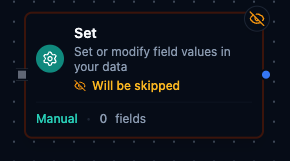
Overview
The Set Node reshapes payloads by adding, updating, or removing fields in flight. It supports both click-to-configure field mappings and JSON-based templates, allowing teams to enrich data, normalize schemas, or inject metadata without writing custom code. Expressions are fully supported so downstream nodes receive the exact structure and values they expect.
Core Functionality
1. Two Authoring Modes
- Manual mode lets you configure individual fields with dedicated names, values, and target types.
- JSON mode accepts a JSON structure (including expressions) that merges into the payload.
- Any string field can include Maestro expressions (
{{ }}) that resolve against pipeline context.
- Expressions have access to
$input, $node, $pipeline.
3. Type Conversion & Validation
- Supported target types:
auto, string, number, boolean, json, array.
- Optional
Ignore Type Conversion Errors lets you continue when conversions fail (defaults to strict mode).
- Validation catches missing field names, unsupported types, or invalid JSON before execution.
Include Input Data: "all" (default) clones the inbound payload before applying changes.Include Input Data: "none" starts from an empty object—ideal for building new payloads.Include Input Data: "selected" is reserved for selective merges; today it behaves like "all" unless the backend injects filtered data.
5. Field-Level Controls
Keep Only Set Fields removes fields not explicitly configured (manual mode only).- Dot notation (
user.profile.name) creates or updates nested objects when Support Dot Notation is enabled.
Configuration Reference
Parameters
| Parameter | Type | Default | Required | Description |
|---|
| Mode | select | "manual" | No | manual: Define fields individually. json: Provide a complete JSON structure. |
| Fields | array | [] | If manual | Array of field definitions (name, value, type). |
| JSON Data | string | "" | If json | JSON structure with embedded {{ }} expressions. |
| Keep Only Set | boolean | false | No | Remove all fields from input except the ones explicitly set. |
| Support Dot Notation | boolean | true | No | Enable nested field access with dot notation. |
| Ignore Type Errors | boolean | false | No | Continue execution if a type conversion fails. |
| Include Input Data | select | "all" | No | all / none / selected -- Which input fields to keep. |
Manual Field Definition (fields[])
| Property | Type | Description |
|---|
| Name | string | Target field name; supports dot notation when enabled. |
| Value | string | Literal value or expression resolved at runtime. |
| Type | string | Optional conversion target (auto, string, number, boolean, json, array). |
Settings
| Setting | Options | Default | Description |
|---|
| Timeout (seconds) | number | Pipeline default | Maximum execution time for this node (1--600). |
| Retry on Timeout | Pipeline Default / Enabled / Disabled | Pipeline Default | Whether to retry on timeout. |
| Retry on Fail | Pipeline Default / Enabled / Disabled | Pipeline Default | Whether to retry on failure. When Enabled, shows Advanced Retry Configuration. |
| On Error | Pipeline Default / Stop Pipeline / Continue Execution | Pipeline Default | Behavior when node fails after all retries. |
Advanced Retry Configuration
Only visible when Retry on Fail is set to Enabled.
| Field | Type | Default | Range | Description |
|---|
| Max Attempts | number | 3 | 1--10 | Maximum retry attempts. |
| Initial Delay (ms) | number | 1000 | 100--30,000 | Wait before first retry. |
| Max Delay (ms) | number | 120000 | 1,000--300,000 | Upper bound for backoff delay. |
| Multiplier | number | 2.0 | 1.0--5.0 | Exponential backoff multiplier. |
| Jitter Factor | number | 0.1 | 0--0.5 | Random jitter. |
Usage Examples
| Field | Value |
|---|
| Mode | manual |
| Include Input Data | all |
| Support Dot Notation | true |
| Notes | Attach operator name and processed timestamp. |
| Manual Field | Assigned Value | Type |
|---|
batch.operatorName | Jane Miller | string |
batch.processedAt | 1706539200000 | number |
The incoming payload is preserved while the node adds a nested batch object with operator details.
Example 2: Build a Fresh Payload with JSON Mode
| Field | Value |
|---|
| Mode | json |
| JSON Template | {"status":"ready","line":"Assembly-1","targetUnits":480} |
| Include Input Data | none |
| Ignore Type Errors | false |
The output becomes exactly the JSON template above—ideal for shaping requests to a downstream connector without carrying legacy fields.
Example 3: Keep Only Essential Fields
| Field | Value |
|---|
| Mode | manual |
| Include Input Data | all |
| Keep Only Set | true |
| Notes | Return only identifiers for audit export. |
| Manual Field | Assigned Value | Type |
|---|
orderId | PO-8721 | string |
totalAmount | 1543.75 | number |
metadata.retryCount | 0 | number |
After execution, the payload contains only the configured fields. metadata.retryCount populates with 0 when absent but leaves existing values untouched because Keep Missing is true.