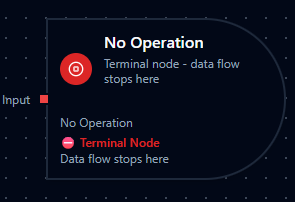
No Operation node
No Operation Node
Overview
The No Operation Node provides an explicit, documented way to terminate a pipeline branch once its work is complete. It accepts inbound packets, performs no transformation, and signals to every collaborator that execution is meant to stop at that point.
Treat it as a visual checkpoint for intentional ends: close alternate condition paths, halt work queues after error remediation, or document manual review steps without wiring additional logic.
Core Functionality
1. Terminal Behavior
- Single
inputport with no outputs—anything arriving is considered handled. - Prevents unintentional fall-through by signaling the pipeline branch is complete.
2. Standard Settings Support
- Inherits the platform's standard settings for retries, error handling, and documentation.
Retry on FailandOn Errorremain available for consistency, even though failure is rare.- Documentation settings let you annotate why the branch stops, improving readability in shared environments.
Configuration Reference

Parameters Configuration
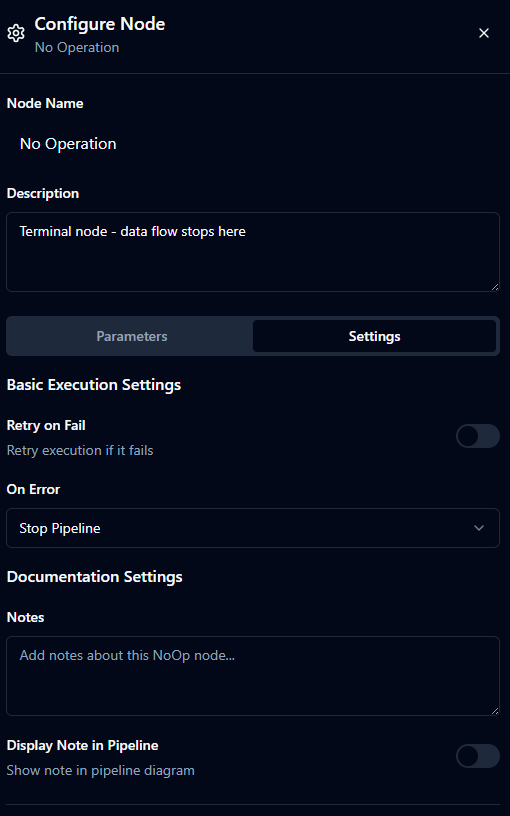
Settings Configuration
Parameters (Dynamic Data)
| Field | Type | Default | Description |
|---|---|---|---|
| Parameters | object | {} | Required to remain empty. The node performs no work, so leave parameters as {}. |
Settings (Static Configuration)
| Field | Type | Default | Description |
|---|---|---|---|
| Retry on Fail | boolean | false | Rarely needed, but available if you want the platform to retry unexpected infrastructure errors. |
| On Error | string | "Stop Pipeline" | "Stop Pipeline" halts the branch, "Continue Execution" records the error and considers the branch complete, "Retry Node" replays the node according to retry rules. |
| Notes | string | "" | Internal documentation that explains why the branch ends here. |
| Display Note in Pipeline | boolean | false | Shows the note on the canvas so operators can see the intent without opening the node. |
Usage Examples
Example 1: End Scrap Handling Branch
| Field | Value |
|---|---|
| Parameters | {} |
| On Error | Stop Pipeline |
| Notes | Terminate branch after scrap classification. |
| Display Note in Pipeline | true |
Place a No Operation node after the “scrap” path of a quality check. The empty parameters confirm nothing else runs, while the visible note tells operators that the part leaves the flow here.
Example 2: Halt After Error Notification
| Field | Value |
|---|---|
| Parameters | {} |
| Retry on Fail | false |
| On Error | Continue Execution |
| Notes | Stop after dispatching alert. |
Use this configuration at the end of an alerting branch. Once the upstream node sends a production-floor notification, the No Operation node cleanly terminates the branch without bubbling errors back into the main line.
Example 3: Wait for Parallel Sensor Checks
| Field | Value |
|---|---|
| Parameters | {} |
| Sync Mode | wait_all |
| Wait Timeout | 60s |
| On Error | Retry Node |
Coordinate multiple sensor diagnostics by connecting each branch into the No Operation node with wait_all. The node waits for every reading before closing the branch, and Retry Node ensures transient orchestration hiccups reattempt automatically.