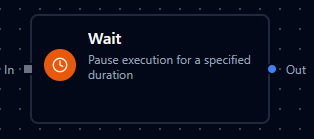
Wait node
Wait Node
Overview
The Wait Node suspends pipeline execution for a configurable duration and then forwards the incoming payload. It is ideal for throttling downstream systems, sequencing dependent actions, or adding short-lived timers without leaving the Maestro orchestration environment. The node keeps lightweight state throughout the delay and appends timing metadata to the outbound packet so operators can audit intentional pauses.
Core Functionality
1. Flexible Duration Input
- Accepts literal durations such as
1000msor5s, with a range of 1 ms to 60 s. - Supports Maestro expressions (for example
{{ $input.waitTime }}) that resolve at runtime, enabling dynamic delays per execution. - Expression syntax is validated during configuration; runtime values are re-parsed and clamped to the 60-second ceiling.
2. Stateful Waiting
- Manages the process by keeping track of how long it should wait, the exact moment the wait started, and whether it’s still waiting or has already finished.
- Honors cancellations: when a pipeline run is stopped, the wait ends immediately and propagates a cancellation error.
- Resetting or reloading the node clears stored state, ensuring the next execution starts fresh.
3. Standard Settings Compatibility
- Respects the shared retry, error handling, and documentation settings used across Maestro nodes.
- The node is set to process incoming data immediately by default, which is the preferred sync mode when you’re using waits.
4. Validation Safeguards
- Rejects empty duration strings, malformed values, and durations longer than 60 seconds.
- Disallows
$historyusage in expressions to avoid expensive lookups. - Applies identical validation at design and runtime, preventing deployment of invalid waits.
Configuration Reference
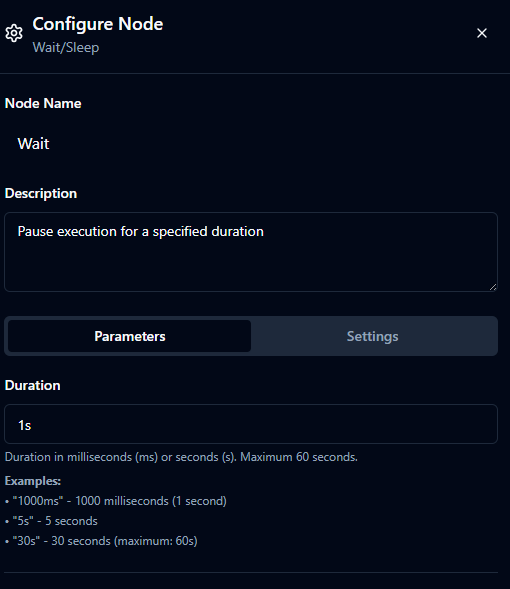
Parameters Configuration
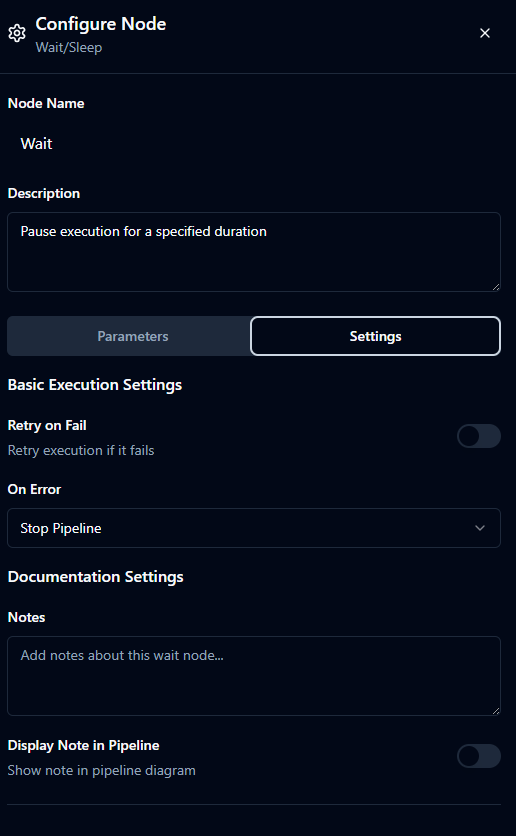
Settings Configuration
Parameters (Dynamic Data)
| Field | Type | Default | Description |
|---|---|---|---|
| Duration | string | "1s" | Required delay such as 750ms or 10s. Expressions can supply values at runtime but must resolve between 1ms and 60s. |
Settings (Static Configuration)
| Field | Type | Default | Description |
|---|---|---|---|
| Retry on Fail | boolean | false | Rare safety net that repeats the wait if infrastructure errors occur. |
| On Error | string | "Stop Pipeline" | "Stop Pipeline" halts the branch, "Continue Execution" records the error and proceeds, "Retry Node" reruns the wait using retry rules. |
| Notes | string | "" | Describe why the pause exists so teammates leave it intact. |
| Display Note in Pipeline | boolean | false | Shows the note directly on the canvas for operators. |
Usage Examples
Example 1: Cool Down Between Assembly Jobs
| Field | Value |
|---|---|
| Duration | 5s |
| Notes | Pause to avoid overheating station. |
| Display Note in Pipeline | true |
Insert this wait after a welding robot finishes a batch. The five-second pause lets the fixture cool before the next job arrives.
Example 2: Catch-Up Buffer Before Quality Check
| Field | Value |
|---|---|
| Duration | 1.5s |
| On Error | Continue Execution |
| Notes | Give vision system time to reset optics. |
Use this shorter pause ahead of an inline vision inspection. If the wait encounters an error, the branch still advances so the line does not deadlock.
Example 3: Retry Cooldown for Packaging Line
| Field | Value |
|---|---|
| Duration | 250ms |
| Retry on Fail | true |
| On Error | Retry Node |
When a packaging arm misfires, loop through error handling and include this wait to provide a quarter-second buffer before attempting the move again.