![ControlLogix Server]() Allen-Bradley ControlLogix Server Guide
MaestroHub plays a ControlLogix controller: HMIs and PLC MSG instructions read the tags your pipelines set, and their writes start pipelines.
- Status
- Beta
- Protocol
- EtherNet/IP · CIP, unconnected (UCMM) and connected (Class 3)
- Default port
- 44818 (TCP)
- Services
- Read Tag · Write Tag · fragmented · Read Modify Write
Most MaestroHub connectors reach out to a device. This one works the other way round: MaestroHub emulates an Allen-Bradley ControlLogix 5500 controller and listens for EtherNet/IP. An HMI, a SCADA client or another PLC connects to it as it would to a real controller and reads or writes its tags by name. You declare the tags; pipelines give them values; a write from outside can start a pipeline.
The server is checked against independent EtherNet/IP clients (pycomm3 and pylogix over connected messaging, the libplctag library and cpppo client over unconnected messaging, and MaestroHub's own EtherNet/IP codec) and against the published CIP and Logix data access specifications, but it has not yet been read or written by a physical PLC or HMI, FactoryTalk or Ignition. See What is and is not checked.
Overview
The ControlLogix Server connector provides:
- A tag server: the tags you declare, each a BOOL, SINT, INT, DINT, LINT, REAL or LREAL, as a scalar or an array, answered by name and not case-sensitive
- The CIP tag services: Read Tag, Read Tag Fragmented, Write Tag, Write Tag Fragmented and Read Modify Write Tag, sent unconnected (directly or routed to the emulated CPU's slot, a MSG path ending
1,0) or over a CIP connection (Forward Open or Large Forward Open), one at a time or several in a Multiple Service Packet - What clients ask on connect: ListIdentity, ListServices, the Identity object, the controller's name and the tag list (the Symbol object), so tag browsers list the declared tags
- Set Server Tag: a pipeline sets the value clients read
- Read Server Tag: a pipeline reads what a tag holds now, and who wrote it
- Receive Tag Writes trigger: an outside write to a writable tag starts a pipeline
- A guarded port: one chosen listen address, outside writes off by default, a writable flag per tag, a source allowlist, a connection cap and an idle timeout
CIP has no authentication
EtherNet/IP and CIP have no sign-in. Anyone who reaches the port can read every declared tag, and, when outside writes are allowed, write every tag marked writable. Before you serve anything:
- Set the Listen Address to the interface on the control network. The default,
127.0.0.1, serves this host only; MaestroHub never listens on every interface unless you type0.0.0.0. - Set Allowed Sources to the HMIs and PLCs that may connect. A TCP connection cannot fake its source address, but anything on an allowed address can still connect.
- A proxy on this host makes every client local. Behind a sidecar, a port forward (
kubectl port-forward,ssh -L) or a TCP proxy on the same host, every client arrives from this host's own address. This host gets no pass: it is held to Allowed Sources and the caps like any other source (only the health check, which proves it is the check, is let through), so do not list127.0.0.1unless you mean every client of such a proxy. - Keep Allow Outside Writes off unless a client must write, and mark only the tags it must write as writable.
- Do not drive equipment from a write trigger without a check in the pipeline: a write here proves only that something on an allowed address sent it.
Which clients work
The server answers unconnected messages (UCMM, the EtherNet/IP SendRRData command) and connected ones (Class 3 explicit messaging: Forward Open or Large Forward Open, then SendUnitData), and on connect it answers ListIdentity, ListServices, the Identity object and tag browsing (the Symbol object's instance list). Proven against independent clients in containers:
| Client | How it connects | Proven |
|---|---|---|
pycomm3 LogixDriver (1.2.14) | Forward Open, Multiple Service Packet | Identity, controller name, tag list with types and dimensions, reads (with fragmented ones), single and multi-tag writes, a refused write |
| pylogix (1.1.6) | Large Forward Open | Reads, multi-reads, writes, a refused write, GetTagList |
| libplctag | unconnected, plc=ControlLogix&use_connected_msg=0, path 1,0 | Reads and writes |
| cpppo EtherNet/IP client | unconnected, routed (--route-path 1/0) or direct (-S) | Reads and writes |
These follow the same connect sequence and services, but have not been run against this server, so treat them as expected to work until your first connection does:
- FactoryTalk View and FactoryTalk Linx (PanelView Plus): ListIdentity, the Identity object, a Forward Open and Multiple Service Packet reads, the tag list for browsing.
- Ignition's Allen-Bradley Logix driver: the same sequence, browsing the tag list.
- A PLC MSG instruction, CIP Data Table Read or Write, connected or not, with a path to this host's address and then
1,<slot>.
ListIdentity is answered over TCP only: the server does not answer UDP 44818 broadcasts, so a network browse (FactoryTalk Linx or RSLinx RSWho, a discovery tool) does not find it. Add it by address instead: in FactoryTalk Linx or RSWho, add an Ethernet device (or an EtherNet/IP driver entry) with this host's address. The server listens on IPv4 only; an IPv6 client cannot connect.
A client that also asks for structures (templates, class 0x6C) or program-scoped tags finds none: the server has controller-scoped tags of the types above only.
A tag has no value until it is set
Every tag starts without a value. A client's read of it is refused with CIP status 0x0C (object state conflict), so an HMI shows a communication error instead of a zero that looks like a measurement. A tag gets its value from Set Server Tag in a pipeline, or from an outside write. The values live in memory: after MaestroHub restarts, every tag is unset again until a pipeline sets it.
Ports, Docker and replicas
- 44818 is EtherNet/IP's port, and a PLC MSG instruction always connects there. A connection whose port is taken is refused with the name of the connection or the kind of program that holds it.
- MaestroHub in Docker: inside a container, set the Listen Address to
0.0.0.0and publish the port ("44818:44818/tcp"), or the HMIs cannot reach it. - Kubernetes with several connectors replicas: the server runs on the replica that owns the connection, and the tag values live there. With connection ownership on, the connection logs once which replica clients must reach.
Connection Configuration
Creating a ControlLogix Server Connection
Open Connect → Connections, choose New Connection and pick Allen-Bradley ControlLogix Server.
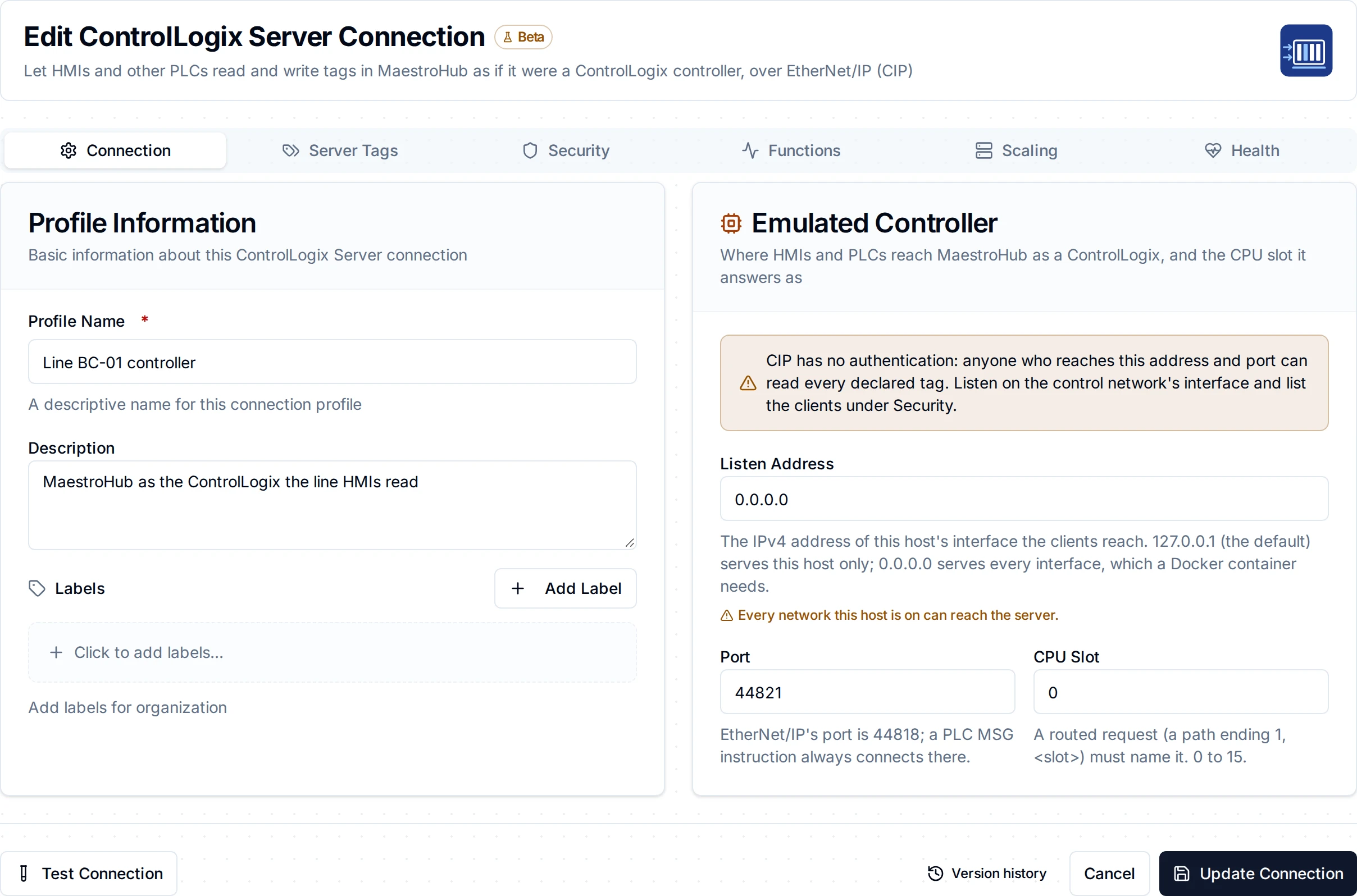
The listen address, port and CPU slot, with the warning that CIP has no authentication
1. Profile Information
| Field | What to enter |
|---|---|
| Name | A name that says what the HMIs see, such as Line 3 MaestroHub controller |
| Description | Optional notes |
2. Connection
| Field | Default | Description |
|---|---|---|
| Listen Address | 127.0.0.1 | The IPv4 address of this host's interface that the clients reach, such as 192.168.10.5. 127.0.0.1 serves this host only; 0.0.0.0 serves every interface (needed in Docker). |
| Port | 44818 | The TCP port to listen on. |
| CPU Slot | 0 | The chassis slot this emulated CPU answers as. A routed request (a MSG path ending 1,<slot>, a libplctag path 1,0) must name it, or it is refused with Connection Manager status 0x01/0x0312. A request with no route is always answered. |
3. Server Tags
| Field | Default | Description |
|---|---|---|
| Tags | none | The tags this server answers for, and nothing else. Each has a name (a Logix tag name: letters, digits and underscores, not starting with a digit, at most 40 characters, not case-sensitive), a data type (BOOL, SINT, INT, DINT, LINT, REAL or LREAL), elements (1 for a scalar, or the array size up to 65535; a BOOL is a scalar only) and writable. |
| Allow Outside Writes | off | Let clients write the tags marked writable. Off: every write is refused with CIP status 0x0F (privilege violation), and reads still work. |
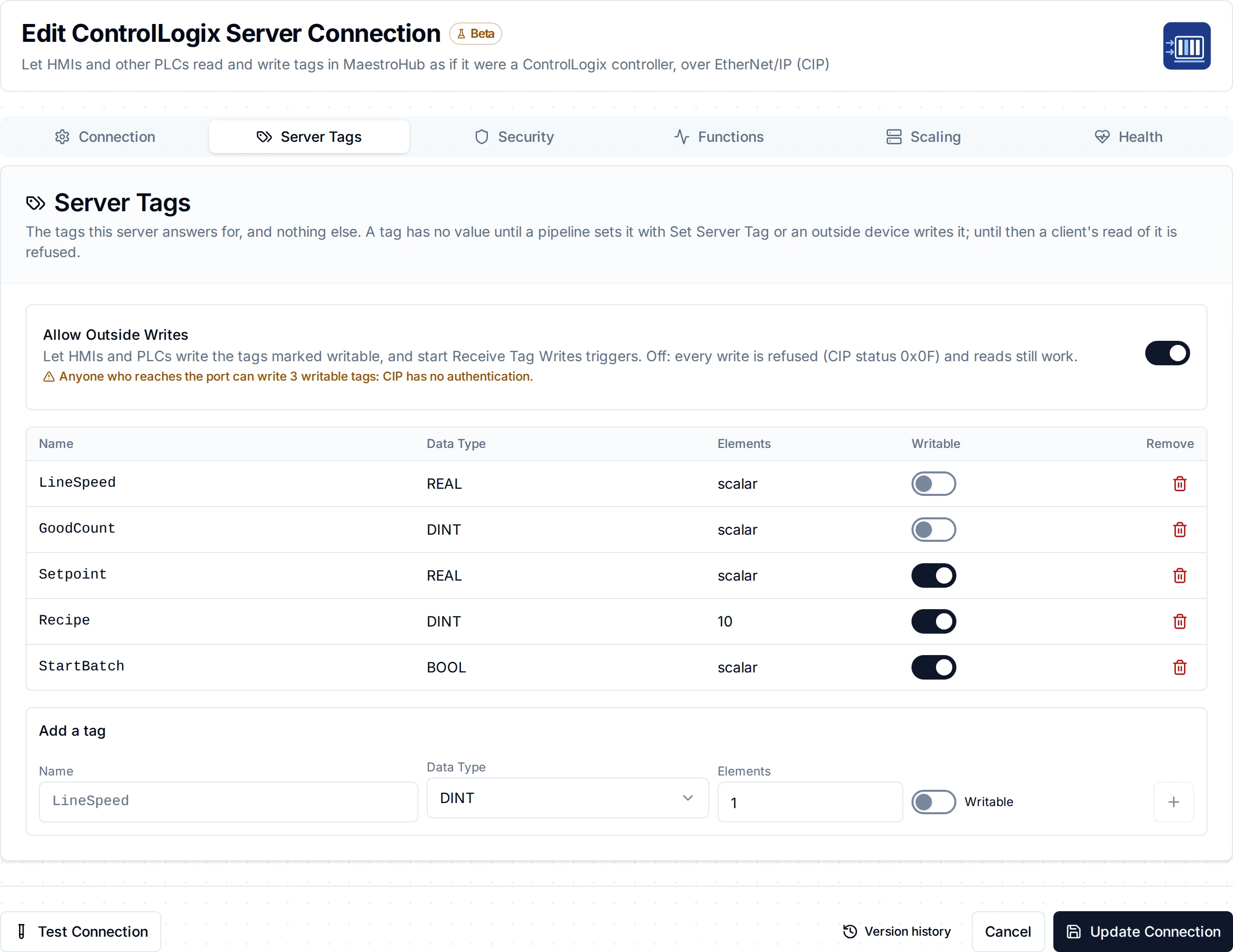
The served tags, outside writes on: each tag has its data type, elements and writable switch
A BOOL array is not offered: a ControlLogix packs BOOL arrays 32 bits to a DWORD, which this server does not emulate. Use SINT or DINT elements instead.
4. Security
| Field | Default | Description |
|---|---|---|
| Allowed Sources | all | CIDR ranges or addresses, separated by commas or new lines, e.g. 10.20.0.0/16, 10.4.9.2. A connection from elsewhere is closed before anything is read, and counted. This host's own addresses get no pass: behind a proxy or port forward on this host every client arrives from here (the health check proves itself instead). An IPv4-mapped IPv6 range must be /96 or longer. |
| Max Connections | 16 | The most client connections held at once; one beyond it is closed and counted. Each holds at most 8 CIP connections (Forward Opens), so the server holds at most 8 × (Max Connections + 1): the one above the cap is kept for the health check's own connection. |
| Max Connections per Client | 4 | The most connections one client address holds at once, so one client cannot take every slot. At most Max Connections. |
| Idle Timeout | 120s | A client connection that sends nothing for this long is closed. |
Testing the Connection
Test Connection connects to the server's own address and registers an EtherNet/IP session through it, so a pass means the port is bound and a session is answered. On a saved connection that is already running, the test uses the running server instead of binding the port a second time; if you have edited the form, it says which edits it did not test (the running server has the saved settings). It says how many tags are served and whether outside writes are off. MaestroHub cannot see whether your HMIs reach this address; the Health tab shows the last request served.
Function Builder
Creating ControlLogix Server Functions
Open the connection's Functions tab and choose New Function.
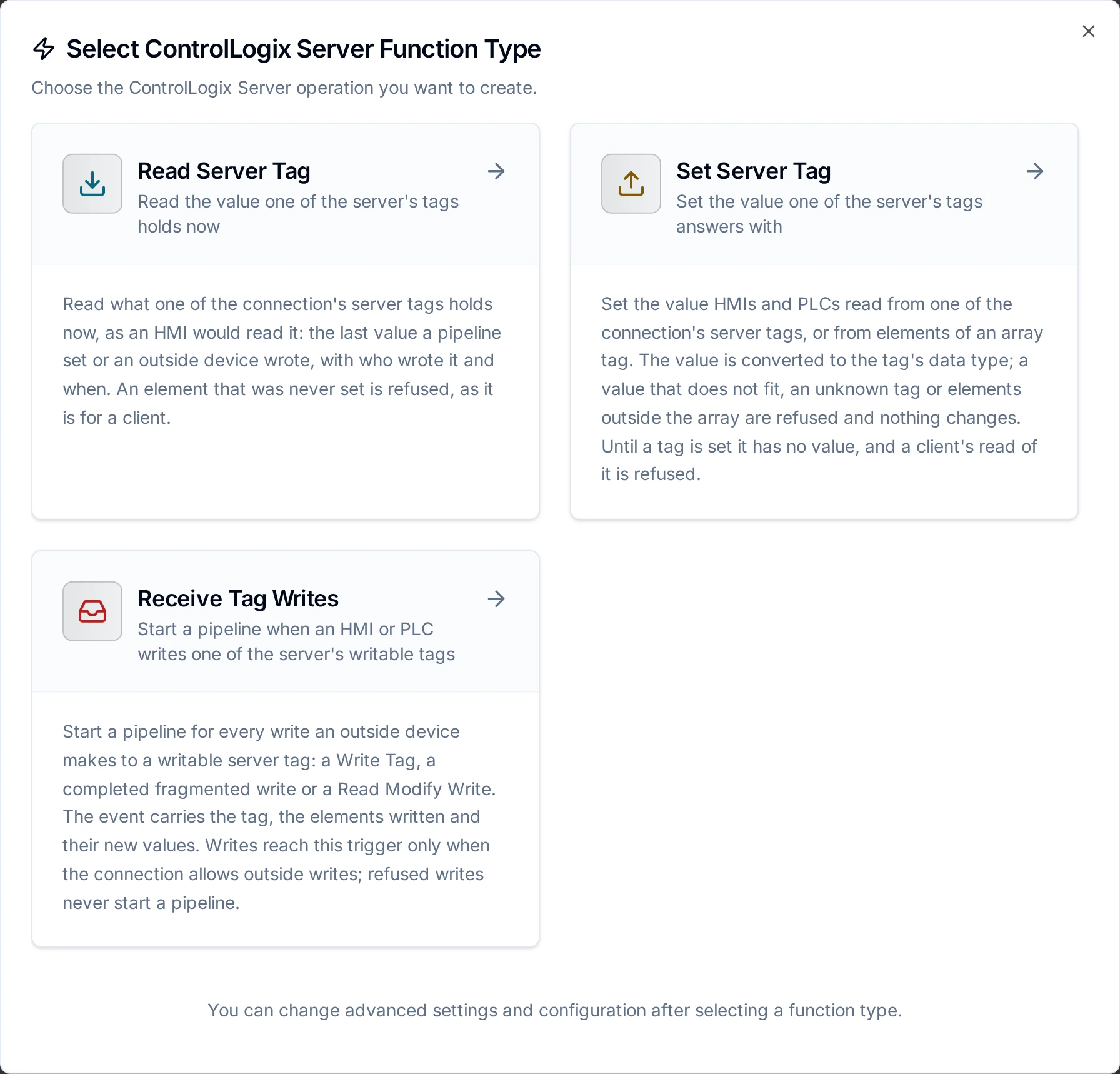
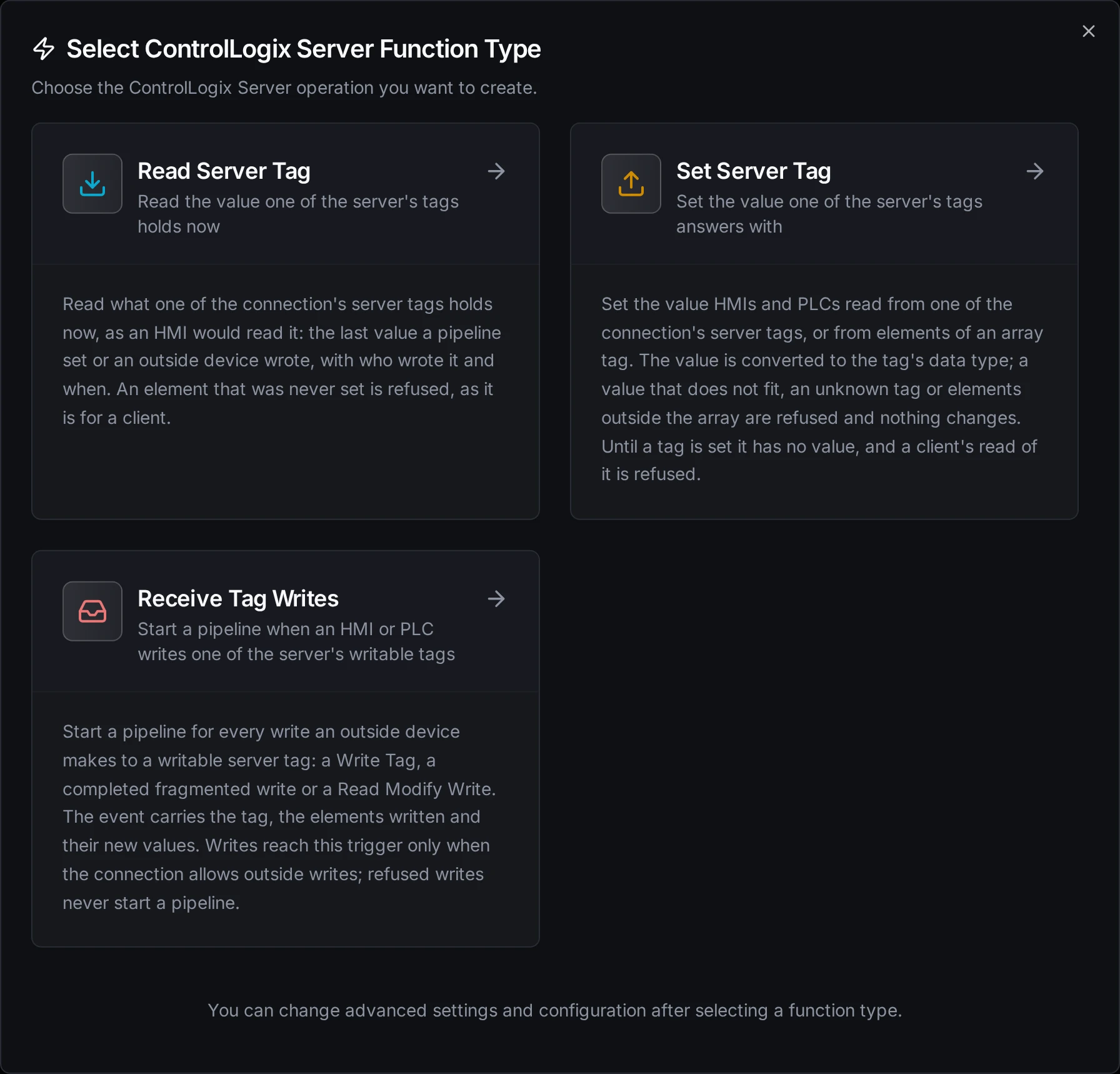
Three function types: Set Server Tag, Read Server Tag and the Receive Tag Writes trigger
Set Server Tag (logixserver.setTag)
Sets the value clients read from one tag, or from elements of an array tag. The value is converted to the tag's data type; a value that does not fit, an unknown tag or elements outside the array are refused and nothing changes.
| Parameter | Default | Description |
|---|---|---|
| Tag | required | A tag declared on the connection. Templatable. |
| Index | 0 | The first array element to set; 0 for a scalar. Templatable. |
| Value | required | A number, or true/false, 1/0, on/off for a BOOL. For several elements a list, [1, 2, 3] or 1, 2, 3, set from Index on. Templatable: ((speed)). |
| Timeout | 10s | Deadline for the call. |
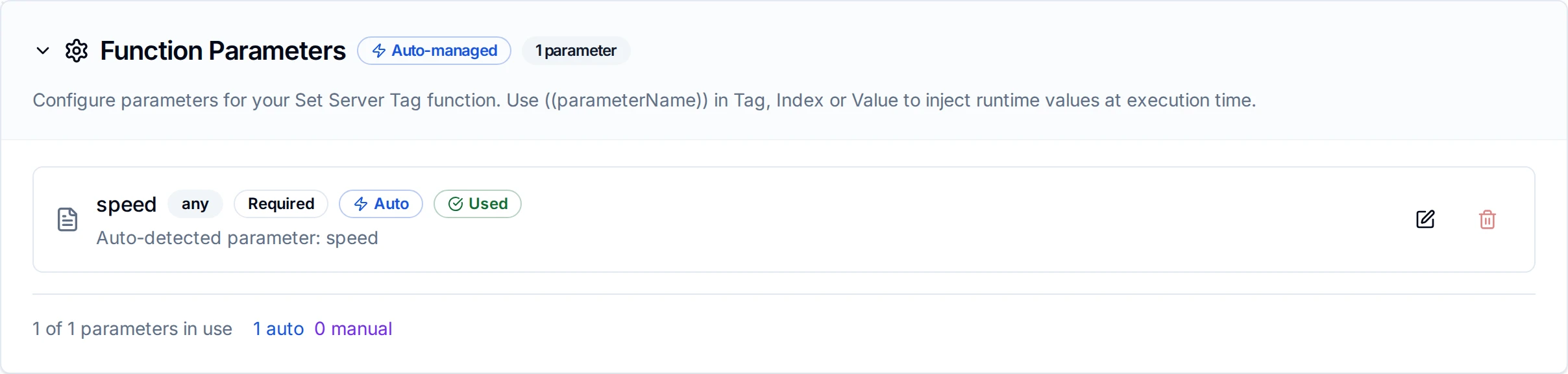
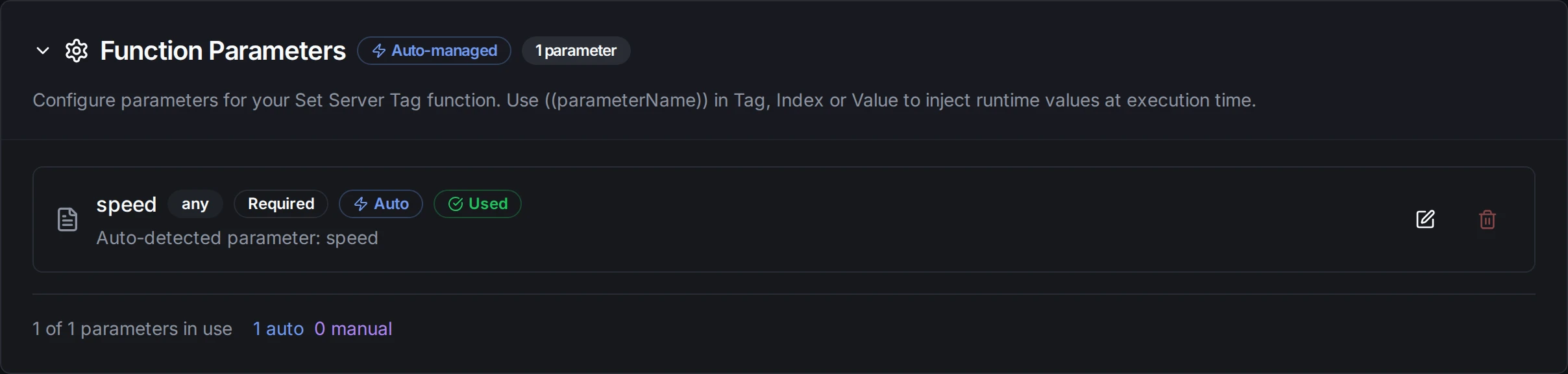
Parameters detected from ((placeholders)) in the value
Read Server Tag (logixserver.getTag)
Reads what a tag holds now, as a client would read it, with who last changed it. An element that was never set is refused.
| Parameter | Default | Description |
|---|---|---|
| Tag | required | A tag declared on the connection. Templatable. |
| Index | 0 | The first array element to read. Templatable. |
| Count | 1 | How many elements; 1 returns one value, more a list. |
| Timeout | 10s | Deadline for the call. |
Receive Tag Writes (logixserver.writes)
A trigger function: one pipeline run per outside write to a writable tag. A write counts once it has landed: a Write Tag, the last fragment of a Write Tag Fragmented, or a Read Modify Write. A refused write never starts a pipeline.
| Parameter | Default | Description |
|---|---|---|
| Tags | every writable tag | Only writes to these tags, separated by commas. Each must be declared and writable, or the function is refused when it starts. |
When Allow Outside Writes is off, the trigger is accepted but can never fire, and the connection's log says so when the function starts.
There is no limit per client: one client that writes in a loop starts a run per write, and the runs the pipeline cannot take are dropped and counted (overload drop), whichever client sent them. Keep Allowed Sources to the clients that must write.
Pipeline Integration
- Allen-Bradley ControlLogix Server Set Server Tag (
connected.logixserver.setTag) and Read Server Tag (connected.logixserver.getTag): see the ControlLogix Server nodes. - Allen-Bradley ControlLogix Server Receive Tag Writes Trigger (
trigger.logixserver): see the trigger page.
Common Use Cases
Publish line values to an existing HMI
An HMI or SCADA client that reads a ControlLogix, over connected (Class 3) or unconnected messaging, can read MaestroHub's tags in place of a controller: pycomm3 and pylogix are proven against it, FactoryTalk and Ignition follow the same sequence. A pipeline reads the line's sensors over any connector and sets LineSpeed, GoodCount and Temperature with Set Server Tag.
Take setpoints from a PLC's MSG instruction
A ControlLogix or CompactLogix on the line writes a recipe array to MaestroHub with a CIP Data Table Write MSG. Mark the Recipe tag writable, allow outside writes, and a Receive Tag Writes trigger stores each new recipe in the UNS.
Start a batch from an operator's button
An HMI button writes StartBatch = 1. The trigger starts the batch pipeline, which sets StartBatch back to 0 with Set Server Tag once it has taken over.
What is and is not checked
What stands behind the connector today:
- Every byte it answers follows the ODVA EtherNet/IP and CIP specifications and Rockwell's Logix 5000 data access manual (1756-PM020); the statuses it answers are those of the ControlLogix server specification it is built from.
- It is read and written by independent clients: pycomm3 and pylogix over connected messaging, libplctag and cpppo unconnected, all in containers, and MaestroHub's own EtherNet/IP codec, which is used against real controllers. Each service and each refusal is covered: unknown tags, elements beyond a tag, the wrong data type, writes with outside writes off (over a connection and in a Multiple Service Packet too), writes to tags not marked writable, oversized frames, idle connections, the connection caps, Forward Opens past the caps or of the wrong kind, connections that time out, and routes to another slot.
What is not yet proven, and is the reason for the Beta mark:
- It has not been read or written by a physical PLC (a MSG instruction), a physical HMI, FactoryTalk or Ignition.
Not in this version: Class 1 (I/O) connections, structures (UDTs, the template object) and strings, BOOL arrays, program-scoped tags, keeping values across a restart, and TLS (CIP Security).
Troubleshooting
| Symptom | Cause and fix |
|---|---|
| Connect fails: "already used by the logixserver connection …" | Another server-mode connection holds the port on this address. Give this one another port or address, or stop that one. |
| Connect fails: "already in use by another program" | Another process listens there, often RSLinx or another EtherNet/IP server on 44818. Stop it or choose another address. |
| Connect fails: "is not an address of this host" | The Listen Address belongs to another machine or an interface that is down. Use one of this host's addresses, or 0.0.0.0 in Docker. |
| The HMI shows a communication error on one tag | The tag has no value yet (status 0x0C): no pipeline has set it since MaestroHub started. Or the name is not declared (status 0x04), or an index is past the array (status 0x05). |
Every write fails with status 0x0F | Allow Outside Writes is off, or the tag is not marked writable. |
A write fails with status 0xFF/0x2107 | The client writes another data type than the tag's: match the HMI tag's type to the declared one. |
A MSG fails with 0x01/0x0312 | The path's last slot is not the connection's CPU Slot. |
| A client cannot connect at all | Its address is not in Allowed Sources, or it already holds Max Connections per Client (refusals are counted, and logged with the address once a minute per address). Or a firewall or an unpublished Docker port blocks 44818. |
A Forward Open fails with 0x01/0x0113 | The client already holds 8 CIP connections on one TCP connection: it leaks connections (it opens without closing). Restart the client; the server drops a connection after its timeout without requests. |
A Forward Open fails with 0x01/0x0103 | The client asked for a Class 1 (I/O) connection: only Class 3 (explicit messaging) is served. |
| Values are gone after a restart | Expected: values live in memory. Set them again from a pipeline at start, for example with a cron trigger. |