Saia PCD Integration Guide
Read and write the media of Saia PCD controllers over Ether-S-Bus, the protocol PG5 itself speaks to them.
- Status
- Beta
- Controllers
- Saia PCD1, PCD2, PCD3, PCD7 · gateway stations
- Transport
- Ether-S-Bus, UDP 5050
- Operations
- Read Device · Read Block · Write Device · Read Station
- Triggers
- None: poll with a Schedule trigger
Saia PCD controllers (Saia-Burgess, now Honeywell) run HVAC, energy management and infrastructure, mostly in Europe. They keep their data in media: registers, timers, counters, flags, inputs, outputs and data blocks. MaestroHub reads and writes these media by address, such as R100 or F2000, over Ether-S-Bus: one S-Bus telegram in one UDP datagram to the PCD's port 5050. This guide covers the connection, the addresses and data types, the float formats, the four function types, and how the matching nodes fit into the Pipeline Designer.
What stands behind the connector today:
- Two recordings of real PCDs talking to Saia's own PG5: a PCD2.M480 (2005, Wireshark's own sample capture) and a PCD1.M2220 (2017). All 951 telegrams are replayed through MaestroHub's code: every request of a command MaestroHub sends (264 of them) is built byte for byte as PG5 built it, and every reply decodes.
- Two S-Bus servers that other people wrote, each in its own container: digimat.saia, whose client has been used on real PCDs, for registers, timers, counters, flags, inputs, outputs, floats in both formats, the state, station number and firmware reads and its refusals; and MBLogic's SBusServer for registers, flags, inputs and outputs.
- Wireshark's S-Bus dissector read every telegram MaestroHub sent in those sessions without complaint, including the data-block and clock reads no server serves.
What is not proven yet:
- It has not read or written a real PCD. The recordings show what real PCDs answer to PG5, not to MaestroHub.
- Data-block reads rest on Wireshark's dissector alone: no recording and no server has one. Data-block writes and clock writes are not offered.
- The address ranges and the IEEE float instructions differ by CPU and firmware; Saia's public sources are from 2000. A PCD refuses an address it does not have.
- How a gateway PCD behaves with several clients: only a real one shows how it drops telegrams.
Overview
The Saia PCD connector provides:
- Registers, timers and counters: read and written, as whole numbers or (registers) floats
- Flags and outputs: read and written, as bits; inputs: read
- Data blocks: read, element by element
- Floats per value: in the PCD's own FFP format by default, or as IEEE
- Many values a telegram: up to 32 registers or 128 bits in one telegram, for reads and for writes
- Block reads: many named points in one node, merged into as few telegrams as fit
- The station's own facts: the state of its CPU, its PCD type, firmware version and clock
- Gateway stations: serial stations behind a gateway PCD, reached by their station number
Terms used in this guide
| Term | Meaning |
|---|---|
| PCD | A Saia controller: PCD1, PCD2, PCD3, PCD7. PG5 is Saia's programming software. |
| S-Bus, Ether-S-Bus | Saia's protocol. On Ethernet, each request is one UDP datagram to the PCD's port 5050, and the PCD answers with one datagram. |
| Medium | Saia's word for a kind of memory: registers (R, 32 bits each), timers (T), counters (C), flags (F), inputs (I), outputs (O), data blocks (DB, numbered arrays of 32-bit values). |
| Station | The S-Bus address of a PCD, 0 to 254. A PCD answers only telegrams for its own station number. |
| Gateway PCD | A PCD that passes telegrams from its Ethernet port to the serial stations on its S-Bus line. One IP address reaches them all; the station number picks the PCD. |
| FFP | "Motorola fast floating point", the PCD's own 32-bit float format and the one its float instructions use. Newer CPUs can also hold IEEE 754 floats, when the program uses the IEEE instructions. |
Not supported
| What | Why |
|---|---|
| Serial S-Bus (a serial port on the MaestroHub host) | Not in this version. A gateway PCD reaches serial stations over Ethernet. |
| Writing a data block, setting the clock | No recording and no server shows them; they wait until a real PCD has. |
Writing one bit inside a register (R100.5) | S-Bus can only rewrite the whole register, which would undo a change the PCD's program makes in between. Read it, or write the whole register as DWORD. |
| STRING values in registers | No source says how a PCD lays characters out in registers. |
| Text media, display registers, run, stop and clear commands | Not in this version. |
| Station discovery by broadcast | Not in this version. Set the station number. |
| A trigger | A PCD does not send data on its own. Poll it with a Schedule trigger. |
What happens on connect
UDP has no connection. MaestroHub opens a UDP socket of its own and reads the PCD's status, the request PG5 itself repeats every second. Any answer counts, also a refusal: it proves a PCD with this station number answers at this address.
A PCD says nothing at all to a telegram for another station, or to a damaged one. So a wrong station number fails exactly as a PCD that is off does: no answer from station n. Check the station number first when a connection does not come up.
Every telegram is sent with a sequence number. When no answer comes within the Response Timeout, the same telegram is sent again, with the same sequence number, up to Attempts times in all, as PG5 does. MaestroHub takes a reply only from the PCD's address and port, and only with the sequence number of the telegram waiting for it; a late answer to an earlier telegram is dropped. One telegram is on its way at a time.
Connection Configuration
Creating a Saia PCD Connection
Navigate to Connections → New Connection → Saia PCD and fill in the form. It has four tabs: Connection, Functions, Scaling and Health. The Functions, Scaling and Health tabs unlock after the connection is saved.
1. Profile Information
| Field | Default | Description |
|---|---|---|
| Profile Name | - | A descriptive name for this connection profile (required). Must be unique across all connections. |
| Description | - | Optional description for this connection |
| Labels | - | Key-value pairs to categorize and organize the connection |
Example Labels
building: north-wing: Buildingsystem: ahu-3: Air handling unitenvironment: production: Deployment environment
2. Ether-S-Bus
| Field | Default | Meaning |
|---|---|---|
| Address | (required) | PCD host name or IP address, e.g. 192.168.1.30. For a serial station, the gateway PCD in front of it |
| Port | 5050 | UDP port of the PCD's Ether-S-Bus, 1 to 65535. 5050 is the standard port |
| Station | 0 | The PCD's S-Bus station number, 0 to 254. Behind a gateway PCD, the number of the serial station the telegrams are for |
| Connection Timeout | 5s | Maximum time to reach the PCD and read its status when the connection starts (1s to 5m) |
| Response Timeout | 500ms | How long one telegram waits for the PCD's answer before it is sent again (100ms to 1m). 500 ms is Saia's own default |
| Attempts | 3 | How many times a telegram is sent, with the same sequence number, before the station is reported silent (1 to 10). 3 is Saia's own default |
Ether-S-Bus must be enabled on the PCD's Ethernet port in PG5's Device Configurator, and the PCD's station number is set there too.
Each function has its own Timeout (default 30m) that bounds the whole operation. Within it, each telegram waits at most the Response Timeout for its answer, Attempts times.
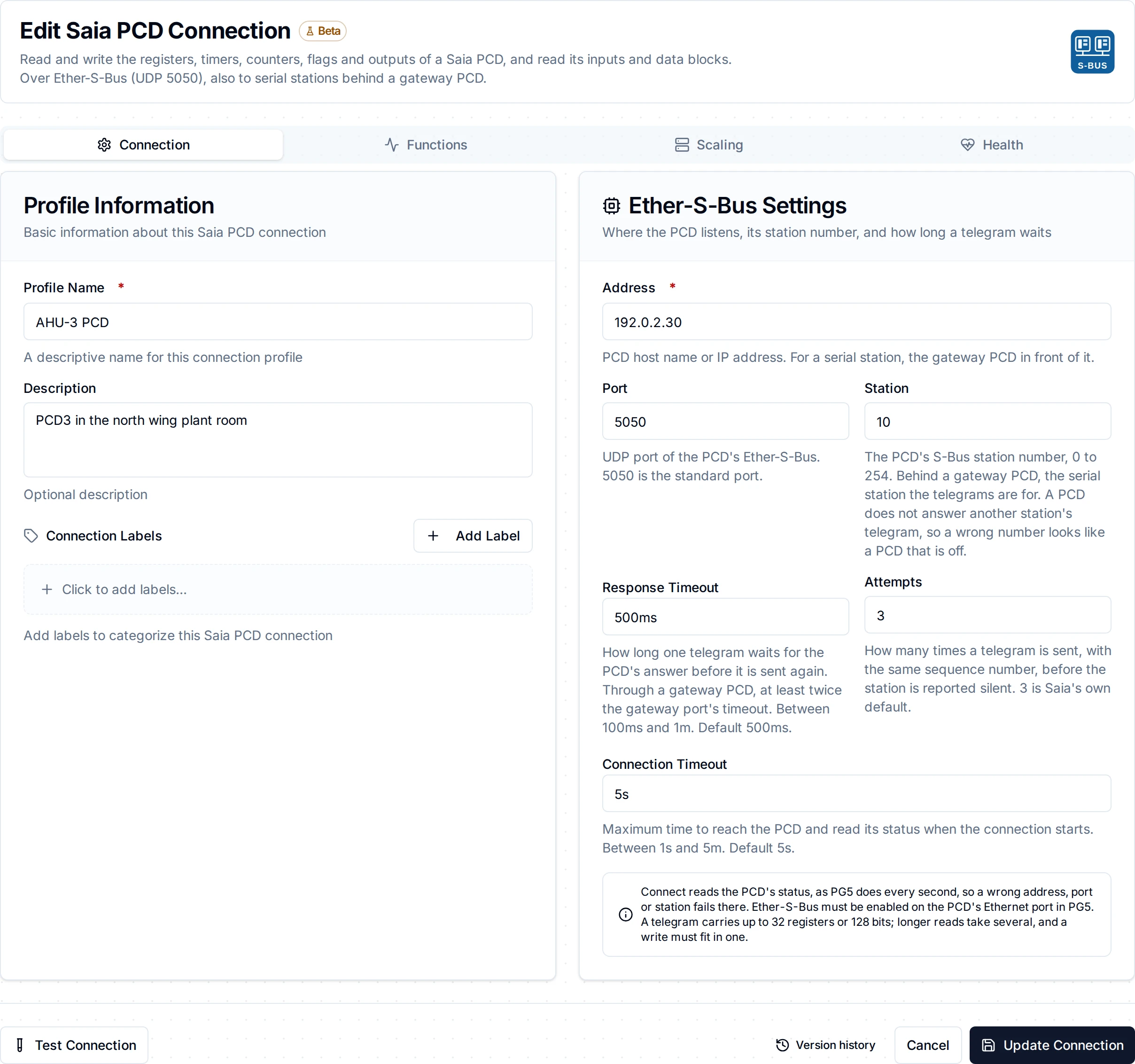
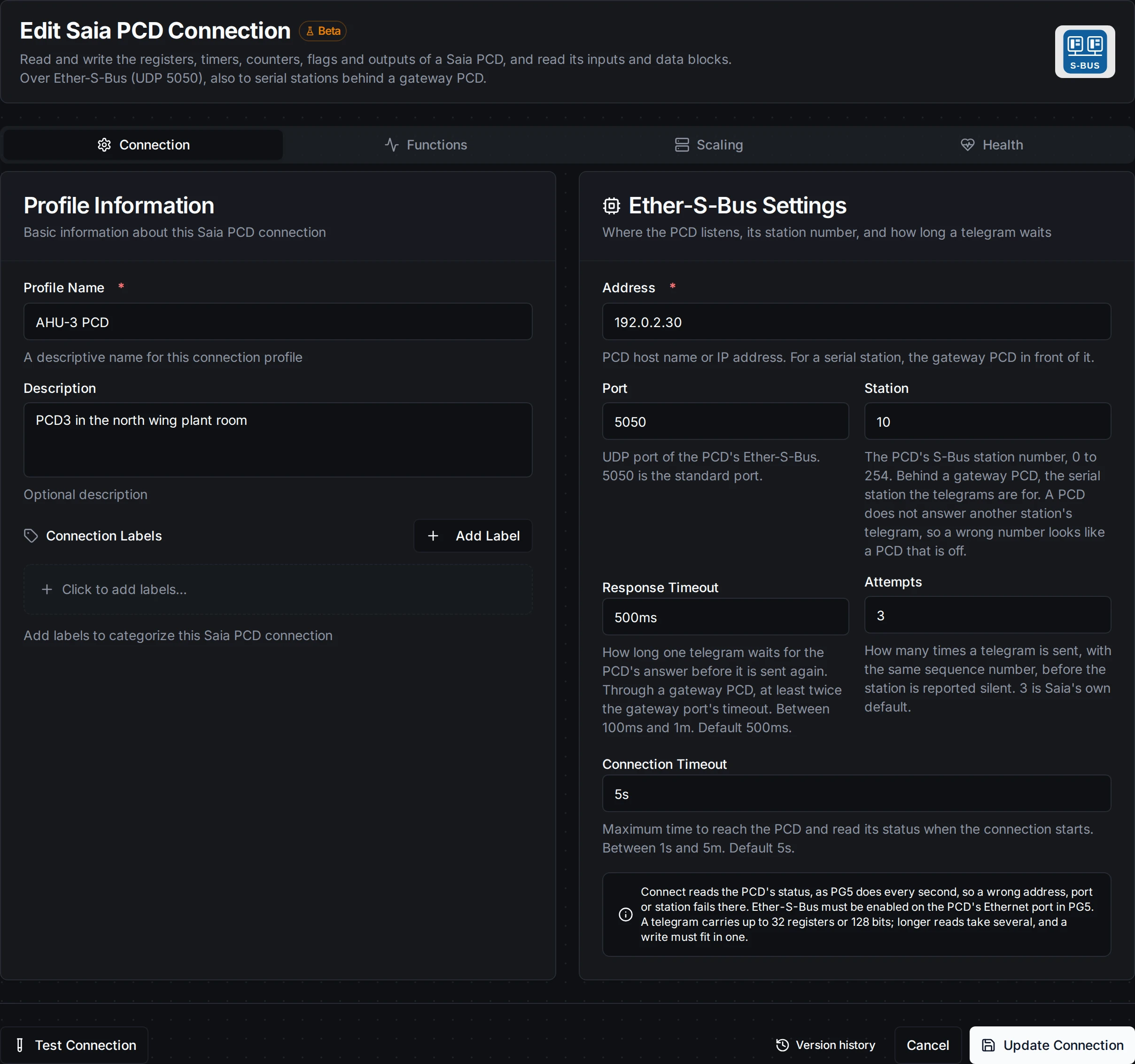
The Connection tab: the PCD's address, port and station number, and the waits
Gateway stations
A gateway PCD passes a telegram from its Ethernet port to the serial S-Bus line behind it and waits for the serial station's answer itself. Set Address to the gateway PCD and Station to the serial station's number. Use one MaestroHub connection per station.
A telegram through a gateway takes longer: the gateway waits for the serial station on its own port (the gateway master port, GMP). Saia's rule is that the external master, here MaestroHub, waits at least twice the GMP timeout, and with several masters (1.5 × GMP timeout) × the number of masters. For a GMP timeout of 250 ms and two masters, set Response Timeout to at least 750 ms. A PCD1 gateway buffers one telegram and a PCD2 gateway four; more masters than buffers lose telegrams, which shows as an occasional no answer.
Testing the Connection
Click Test Connection at the bottom of the form to try the current settings before saving. It connects as described in What happens on connect. Once the connection runs, its health probe reads the PCD's status again and reports the round trip. When the PCD does not answer, the session is closed and opened again.
Function Builder
Creating Saia PCD Functions
After the connection is saved:
- Open the connection and navigate to the Functions tab
- Click New Function to open the function type selection dialog
- Choose Read Device, Read Block, Write Device or Read Station
- Fill the Basic tab (name, description, labels) and the Configuration tab (operation-specific parameters)
- Use the Test button to run the function against the live PCD before saving. Testing a Write Device function writes to the PCD
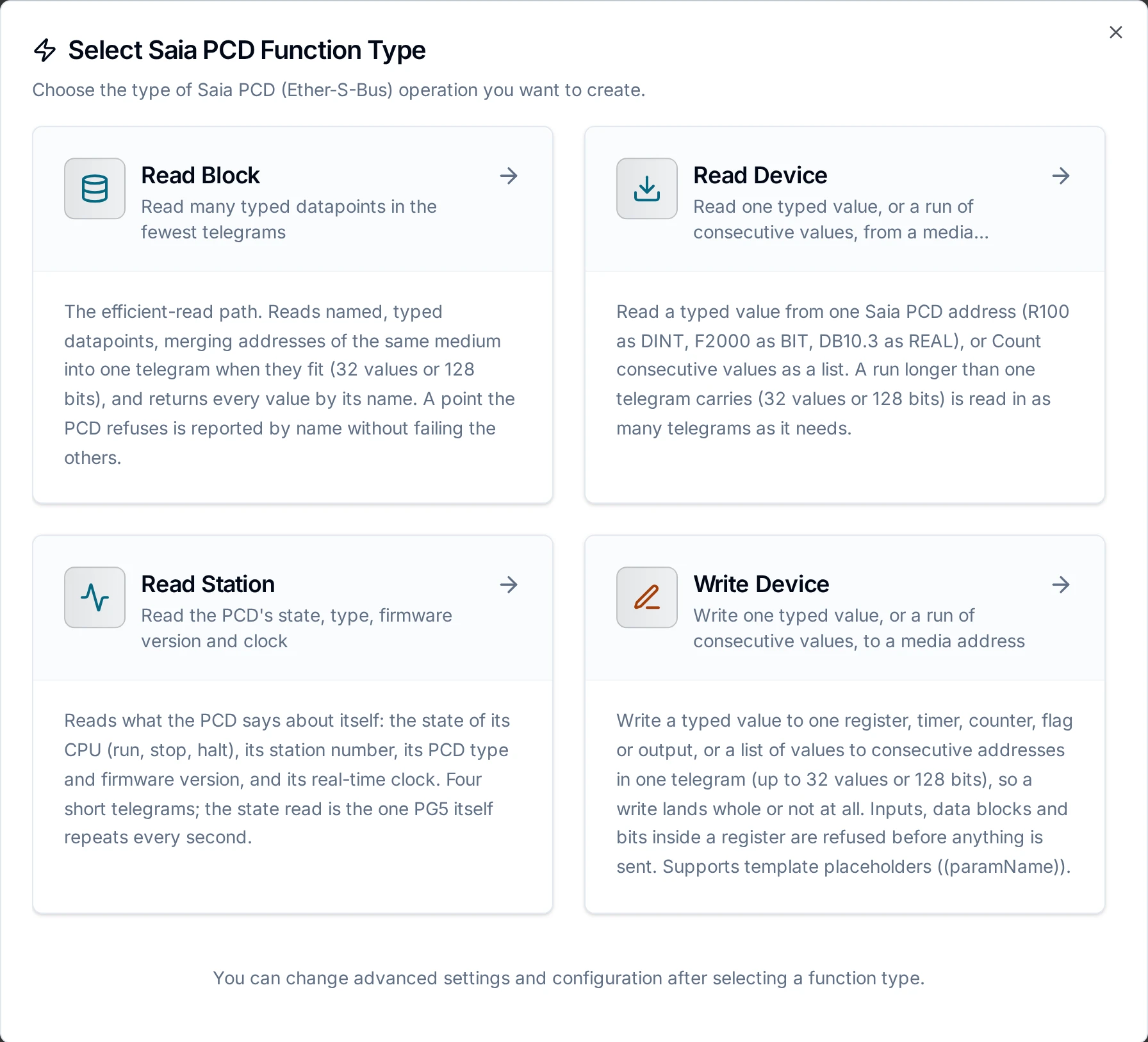
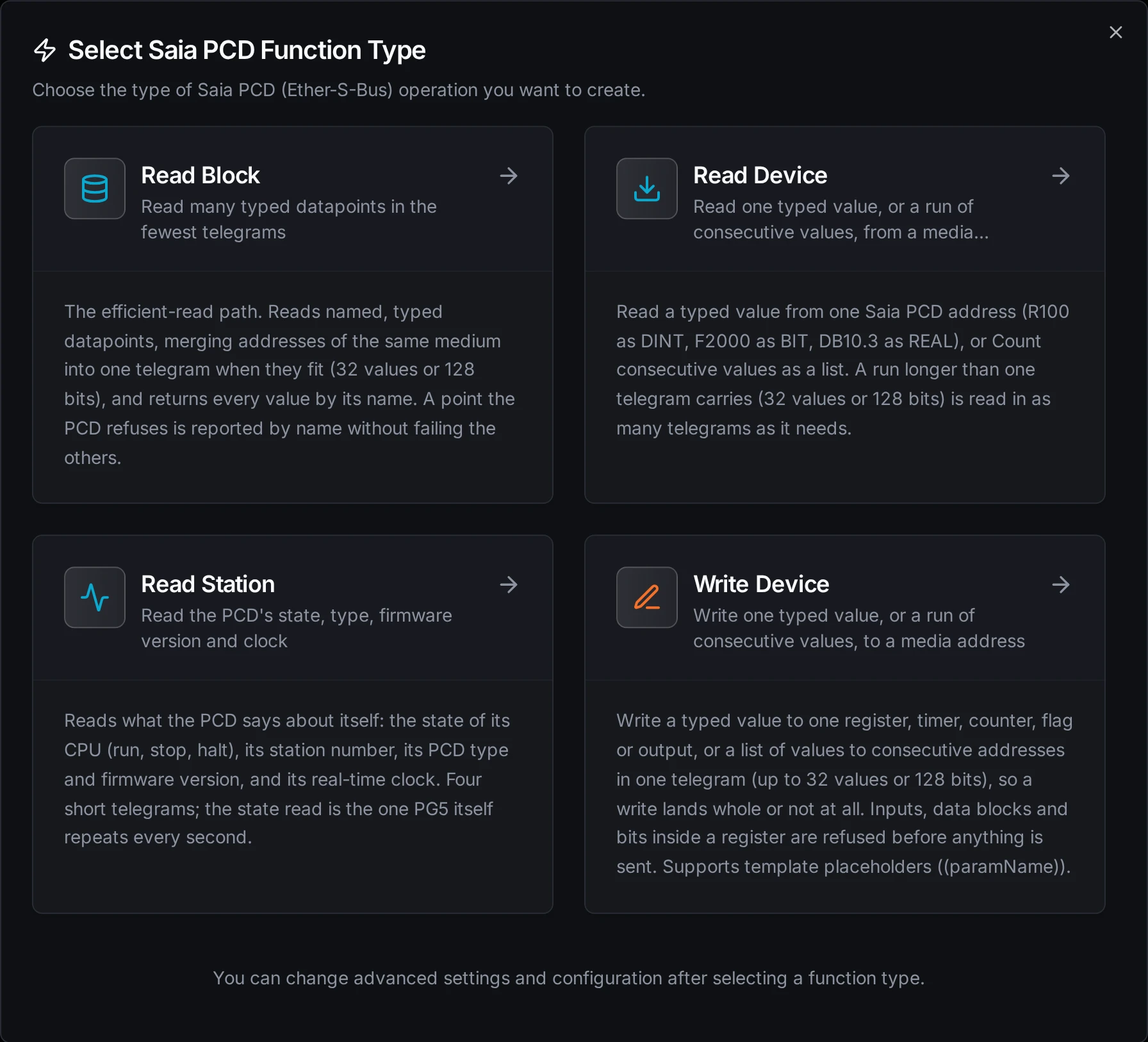
Three reads and one write
Addresses
Every function names its data by address, in either letter case. Numbers are decimal, 0 to 65535, the most a telegram can name; which of them a PCD has depends on its CPU and its configuration, and a PCD refuses an address it does not have.
| Address | What it names | Data types | Can be written |
|---|---|---|---|
R100 | Register 100 | DINT (default), DWORD, REAL | Yes |
T5 | Timer 5 | DINT (default), DWORD | Yes |
C3 | Counter 3 | DINT (default), DWORD | Yes |
F2000 | Flag 2000 | BIT | Yes |
I8 | Input 8 | BIT | No: the PCD's input modules set it |
O32 | Output 32 | BIT | Yes |
DB10.3 | Element 3 of data block 10 | DINT (default), DWORD, REAL | No: data blocks are read-only in this version |
R100.5 | Bit 5 of register 100 (bit 0 is the least significant, bits 0 to 31) | BIT | No: write the register as DWORD |
DB10.3.5 | Bit 5 of element 3 of data block 10 | BIT | No |
Leave Data Type empty for the medium's own: BIT for a flag, input, output or a bit inside a register, DINT for the rest.
| Data Type | A read returns | A write takes |
|---|---|---|
DINT | A whole number, -2147483648 to 2147483647 | The same range |
DWORD | The 32 bits as a number, 0 to 4294967295 | The same range |
REAL | A 32-bit floating-point number, in the Float Format | A number with an FFP form (below), or any 32-bit float for IEEE |
BIT | true or false | true or false, 1 or 0, on or off |
Results give the address back in one standard form: r100 comes back as R100, R007 as R7.
Float formats: FFP and IEEE
A PCD's float instructions keep a float in FFP ("Motorola fast floating point"): 24 bits of mantissa, then the sign and a 7-bit exponent. It is the default on every PCD. Newer CPUs (PCD2.M480, PCD2.M5, PCD3) also have IEEE instructions; a program that uses them holds IEEE 754 floats. One program can hold both, so the format is chosen per function, and per point in a block read, not once for the connection.
| Float Format | Use it for |
|---|---|
ffp (default) | A register written by the PCD's float instructions (FADD, FMUL, …) |
ieee | A register written by the IEEE instructions (EFADD, DIFP, …) |
The same 32 bits read in the other format give another number, so a value that looks wrong by a large factor usually means the other format.
An FFP number holds magnitudes from about 2.7e-20 to about 9.2e18, with the precision of an IEEE single. A value outside that range (other than 0) has no FFP form and is refused before anything is sent; it is never rounded or clipped.
Read Device (saia.read.device)
Purpose: Reads one typed value from an address, or Count consecutive values as a list.
| Parameter | Default | Meaning |
|---|---|---|
| Device | (required) | An address from the table above, e.g. R100, F2000, DB10.3 |
| Data Type | empty | BIT, DINT, DWORD or REAL; empty for the medium's own |
| Float Format | ffp | ffp or ieee, for REAL |
| Count | 1 | 1 to 1000. 1 returns the value; more returns a list |
| Timeout | 30m | Bound on this operation (1s to 1h) |
One telegram reads at most 32 registers, timers, counters or data-block elements, or 128 flags, inputs or outputs. A longer read is sent as several telegrams, one after the other. A run of bits inside registers goes on into the next register after bit 31: R100.30 with Count 4 gives R100.30, R100.31, R101.0 and R101.1.
Read Block (saia.read.block)
Purpose: Reads many named points in the fewest telegrams, and returns every value by its name. Use it to read a plant room's temperatures, setpoints and alarm flags in one node.
| Parameter | Default | Meaning |
|---|---|---|
| Data Points | (required) | A list of points. Each point has a name, the key of its value in the result, a device such as R100 or F2000, an optional dataType and, for REAL, a floatFormat. Each name is used once. A point without a name is named by its address |
| Timeout | 30m | Bound on this operation (1s to 1h) |
Points of the same medium (and the same data block) are read in one telegram, with what lies between them, when they fit (32 values or 128 bits). When the PCD refuses a telegram that served several points, MaestroHub asks for each of those points on its own, so an address the PCD does not have does not take its neighbours with it.
A point that is not an address, or whose data type its medium does not hold, is refused when the function is saved. A point the PCD refuses is reported by name in the result's errors, and the other points are still read. The node fails only when the station does not answer at all.
Write Device (saia.write.device)
Purpose: Writes one value to an address, or a list of values to consecutive addresses in one telegram.
| Parameter | Default | Meaning |
|---|---|---|
| Device | (required) | A writable address: a register (R200), timer (T5), counter (C3), flag (F2000) or output (O32) |
| Data Type | empty | BIT, DINT, DWORD or REAL; empty for the medium's own |
| Float Format | ffp | ffp or ieee, for REAL |
| Value | (required) | A number, or true/false for a bit. A JSON list such as [1, 2, 3] writes consecutive addresses in one telegram. Supports ((paramName)) templates |
| Timeout | 30m | Bound on this operation (1s to 1h) |
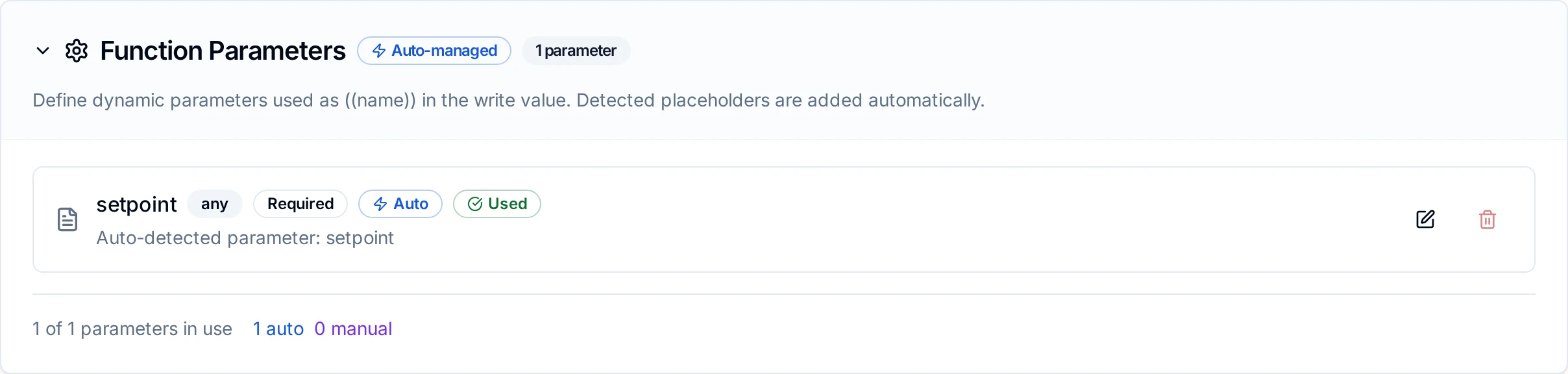
A Write Device function whose value is the ((setpoint)) parameter, filled by the pipeline
The write rules:
- A list goes in one telegram, so a write lands whole or not at all: at most 32 registers, timers or counters, or 128 flags or outputs. A longer list is refused; split it into several functions.
- Inputs cannot be written. The PCD's input modules set them, and S-Bus has no command that writes one. A write to an input is refused before anything is sent.
- Data blocks cannot be written in this version, and neither can one bit inside a register: S-Bus rewrites the whole register, which would undo a change the PCD's program makes in between. Write the whole register as
DWORDwhen you mean to. - Nothing is sent when a value does not fit its type:
2147483648as aDINT,-1as aDWORD,1e30as an FFPREAL,maybeas aBIT.
A write is never buffered for later delivery: a setpoint that arrives an hour late is a new decision, not the old one. A pipeline run started by a late (replayed) input does not execute the write unless the node allows late input. A write that got no answer may be sent again by the node's Retry on Fail: writing the same values twice leaves the PCD in the same state. A write the PCD refused (NAK 1, 2 or 3) is not retried.
Read Station (saia.read.station)
Purpose: Reads what the PCD says about itself, in four short telegrams: the state of its CPU, its station number, its PCD type and firmware version, and its real-time clock. It has no parameter but its Timeout.
The state is run, stop or halt, or the letter the PCD reports for another state. The clock is the PCD's local date and time, as it keeps it, without a time zone. A PCD without a real-time clock refuses the clock read; the result then has no clock, and the rest is still reported. Any other refusal fails the read.
Using Parameters
The Value field supports ((parameterName)) placeholders; they appear in the Function Parameters block, where you set each one's type, whether it is required, and a default. For example, Value ((setpoint)) writes the node's setpoint parameter to the register the function names. A filled-in value is checked when the function runs, and nothing is sent when it does not fit.
Pipeline Integration
Use the functions you configure here as nodes inside the Pipeline Designer. Each function type has its own node:
- Saia PCD Read Device (
connected.saia.read.device): executes asaia.read.devicefunction - Saia PCD Read Block (
connected.saia.read.block): executes asaia.read.blockfunction - Saia PCD Write Device (
connected.saia.write.device): executes asaia.write.devicefunction - Saia PCD Read Station (
connected.saia.read.station): executes asaia.read.stationfunction
A PCD does not send data on its own: to poll one, drive the reads from a Schedule trigger.
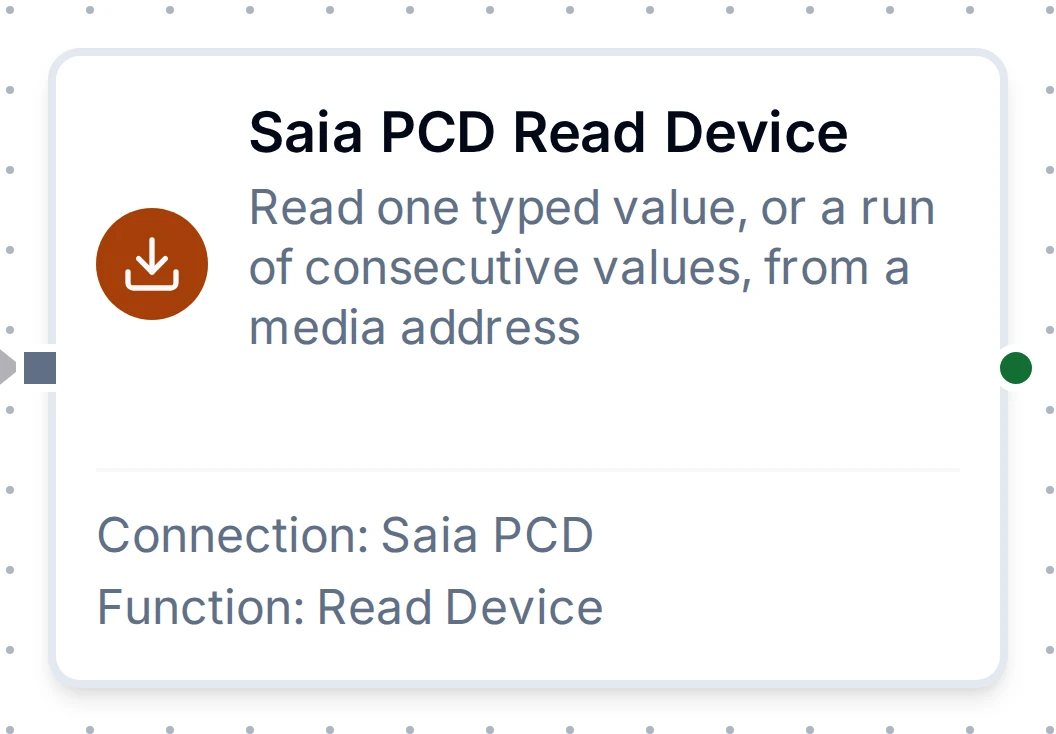
The Read Device node with its connection and function
For node-level details (output structure, execution settings), see the Saia PCD Nodes page.
For orchestration strategies that mix PCDs with other data sources, see the Nodes page.
Common Use Cases
Building values to a historian or the UNS
A Read Block of an air handling unit's temperatures (R100 as REAL), setpoints and alarm flags (F2000) on a Schedule trigger, routed to a historian or the Unified Namespace. Registers next to each other share a telegram, so a block of related points costs few round trips.
Setpoints from an energy management system
A parameterized Write Device function (Value: ((setpoint)), Data Type REAL) fed from an energy management system or an operator form, with a Condition node checking the range first. A list such as [21.5, 19.0, 23.0] writes a schedule of setpoints to consecutive registers in one telegram.
Watching a PCD's health
A Read Station on a schedule records whether each PCD's program runs, its firmware version for an inventory, and how far its clock has drifted.
Troubleshooting
Error Reference
The texts below leave out the saia: that most messages start with.
| What you see | Meaning | Retried? |
|---|---|---|
no answer from station n at …: the PCD is off or out of reach, or station n is not its station number | No answer to any of the attempts. A PCD says nothing to a telegram for another station, so this is also what a wrong Station looks like | Yes |
station n refused the request: NAK 1, no reason given: the PCD does not have the address, does not carry out the command, or will not take the value | The PCD refused, for example an address past the end of its registers | No |
station n refused the request: NAK 2, a password is required | The station is protected by a password; this connector does not log in | No |
station n refused the request: NAK 3, the PGU port is in reduced protocol | The PCD's port is set to the reduced protocol | No |
station n refused the request: NAK 4, the PGU port is already in use | Another client, often PG5, holds the PCD's PGU port | Yes |
… is an input, which is read-only | A write to an input. Nothing was sent | No |
… is in a data block; data blocks are read-only in this version | A write to a data block. Nothing was sent | No |
… is one bit of a register, which cannot be written alone | A write to a bit inside a register. Nothing was sent | No |
… is too large for FFP / … is too small for FFP | The float has no FFP form. Nothing was sent | No |
… is a flag, one bit: read it as BIT, not DINT | The data type does not fit the medium. Refused on save | No |
… values for R…; one write carries at most 32 registers | The list does not fit one telegram. Nothing was sent | No |
… run past R65535, the last a telegram can name | The run of values goes past the last address. Nothing was sent | No |
not connected to the PCD | The connection is not up | Yes, after reconnect |
"Retried?" says whether the node's Retry on Fail setting sends the request again. A refusal by the PCD for the request itself, and a request MaestroHub refuses before sending, give the same answer every time, so they are not retried.
Connection Issues
| Symptom | Possible Cause | Solution |
|---|---|---|
Test Connection fails with no answer from station n | A wrong Station, the wrong Address, Ether-S-Bus not enabled on the PCD's port, or a firewall in the way of UDP 5050 | Check the station number in PG5's Device Configurator first; then that the PCD answers UDP 5050 from the MaestroHub host |
| Values that are wrong by a large factor | The register holds the other float format | Switch Float Format between ffp and ieee |
Occasional no answer through a gateway | The gateway's waits, or more masters than the gateway has buffers | Raise Response Timeout by Saia's rule (see Gateway stations), and let fewer masters share the gateway |
NAK 1 on an address you expect to exist | The PCD's media are smaller than the address: their size depends on the CPU and its configuration | Check the address against the PCD's program and its media in PG5 |