DNP3 Integration Guide
Monitor and read points from RTUs, relays and gateways over DNP3, operate outputs, freeze counters and keep the device clock set.
- Status
- Beta
- Transports
- TCP 20000 · TLS 19999 · serial line
- Role
- Master, one outstation per connection
- Operations
- Read · Poll · Operate · Freeze · Assign Class · Restart · Time
- Triggers
- Monitor Points, once per reported point
DNP3 (IEEE 1815) is the telecontrol protocol of electric and water utilities. MaestroHub connects as the master to one outstation: an RTU, a protection relay, or a gateway that concentrates many devices. This guide covers connection setup for TCP, TLS and serial lines, the startup sequence, the ten function types, and how the matching nodes and trigger slot into the Pipeline Designer.
The connector is checked against three independent DNP3 outstation implementations and against the Wireshark DNP3 dissector, but it has not yet been run against a physical device or a physical serial line. See What is and is not checked.
Overview
The DNP3 connector provides:
- A live process image: the latest report of every point the outstation sends, with its DNP3 flags, a quality band and the device's timestamp
- Monitor Points trigger: start a pipeline for every point the outstation reports
- Read Points: the latest known value of the points you list, with quality and age, never a made-up 0
- Polls on demand: integrity poll, event poll, current values, and a direct read of chosen points
- Controls: relay operations and analog set-points by select-before-operate, direct operate, or direct operate without acknowledgement, sent at most once
- Counter freeze, class assignment and restart
- Device attributes: what the device says about itself (maker, model, versions, point counts)
- Time synchronisation: when the outstation asks for it and on demand, written in the device's time zone
- TCP, TLS and serial lines: TLS 1.2+ with mutual authentication; serial lines tolerate line noise
How DNP3 delivers data
A DNP3 outstation holds points, each addressed by its type (binary input, analog input, counter and so on) and its index within that type. For each point it keeps a current value, and it records a change as an event in one of three event classes.
The master collects data in three ways, and MaestroHub uses all three:
- An event poll asks for the waiting events. MaestroHub confirms them, and only then does the outstation discard them, so an event is not lost when a response is.
- An integrity poll asks for the waiting events and then for the current value of every point.
- With unsolicited responses on, the outstation sends events on its own, without waiting for a poll.
MaestroHub keeps the latest report of every point in a process image for the connection, and pipelines use that image in two ways:
- Monitor Points is a trigger. It starts a pipeline for every point the outstation reports.
- Read Points returns the latest known value of the points you list, with its quality and age, without asking the device.
What happens on connect
After the TCP (or TLS) connection is up, or the serial port is open, MaestroHub asks the outstation for its link status. An outstation answers only the master address it is configured for, so a connection whose Outstation Address or Master Address is wrong fails here, with a message that names both.
Then the startup sequence runs, in this order:
- Silence unsolicited reporting (on by default): the outstation is asked to stop sending events on its own, so that nothing arrives out of order during startup.
- Clear the restart indication, if the outstation reports that it restarted.
- Integrity poll (on by default): every waiting event, then every point's current value, so the process image is complete straight away.
- Time synchronisation, if the outstation asks for the time and Time Synchronisation is not
off. - Enable unsolicited responses, if that switch is on.
A startup request that gets no answer is sent again, up to three times in all: some outstations lose the first request after a connect. If the outstation refuses a step it does not support (unsolicited responses, for example), the connection stays up, and the connection log says which step was refused and what to change.
While the connection runs, MaestroHub polls for events at the Event Poll Interval and repeats the integrity poll at the Integrity Poll Interval. It also reacts to what the outstation reports in every response:
| The outstation reports | MaestroHub |
|---|---|
| It restarted | Runs the startup sequence again |
| Its event buffer overflowed (events were lost) | Runs an integrity poll, and says so in the connection log |
| It needs the time | Synchronises the time, when Time Synchronisation is not off |
Connection Configuration
Creating a DNP3 Connection
Navigate to Connections → New Connection → DNP3 and configure the form. The form is organized into seven tabs: Connection, Startup, Polling & Timers, Security, Functions, Scaling, and Health. The Functions, Scaling, and Health tabs unlock after the connection is saved.
1. Profile Information
| Field | Default | Description |
|---|---|---|
| Profile Name | - | A descriptive name for this connection profile (required). Must be unique across all connections. |
| Description | - | Optional description for this DNP3 connection |
| Labels | - | Key-value pairs to categorize and organize the connection |
Example Labels
site: pump-station-4: Sitedevice: rtu-1: Specific outstationenvironment: production: Deployment environment
2. Outstation
| Field | Default | Meaning |
|---|---|---|
| Transport | tcp | tcp = a TCP connection to the outstation or its gateway, with or without TLS. serial = a serial port on the MaestroHub host |
| Address | (required for TCP) | Outstation host name or IP address |
| Port | 20000 | 20000 is the DNP3 default; 19999 is registered for DNP3 over TLS |
| Outstation Address | (required) | The outstation's DNP3 link address, 0 to 65519. There is no standard default: take it from the device's configuration |
| Master Address | (required) | The link address MaestroHub uses, 0 to 65519. An outstation answers only the master address it is configured for |
| Device Time Zone | UTC | The zone the outstation's clock runs in. DNP3 times carry no zone; MaestroHub converts them from this zone to UTC, and writes time synchronisation in it |
Neither link address has a default on purpose: a wrong guess does not fail loudly, it produces a connection the outstation silently ignores.
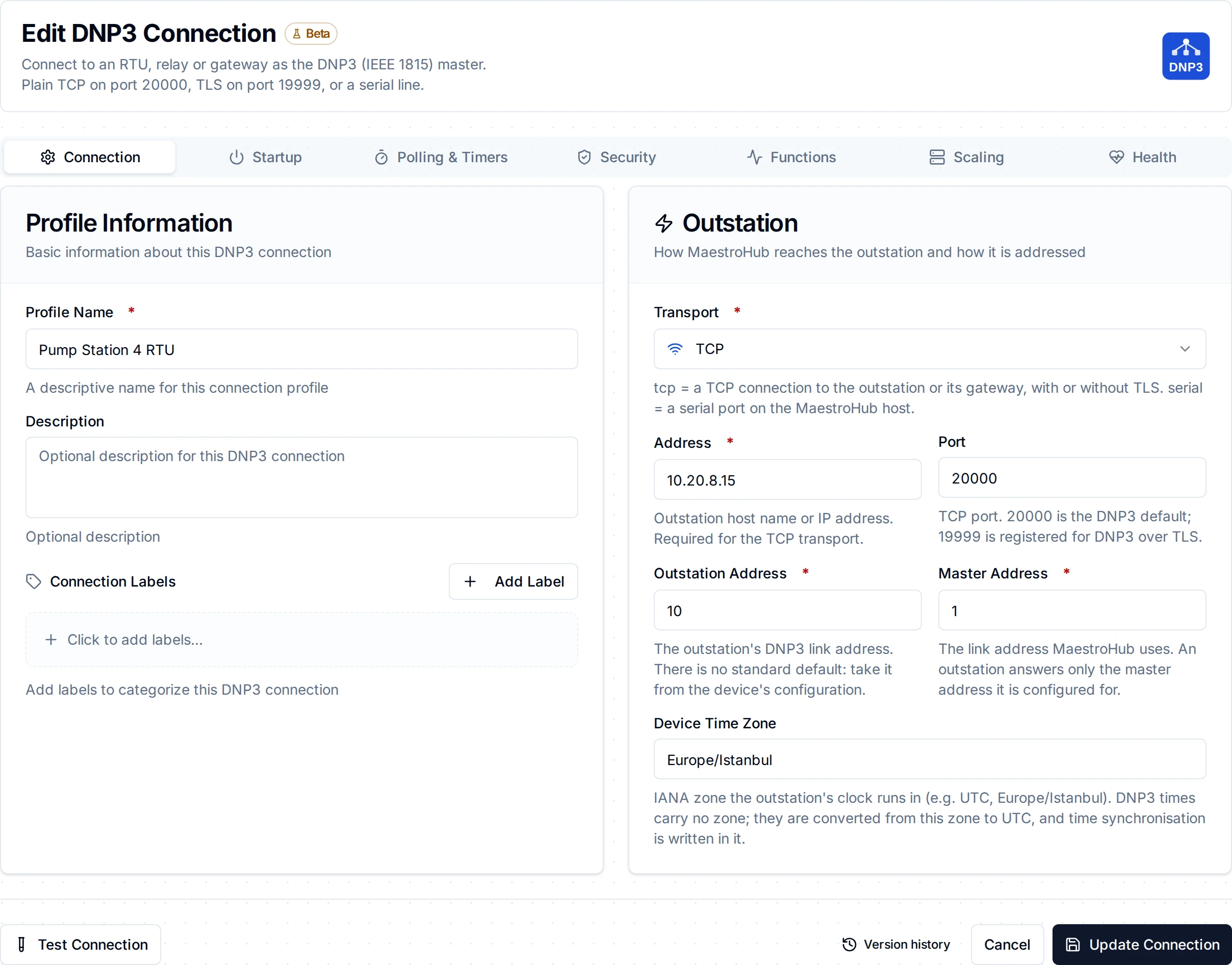
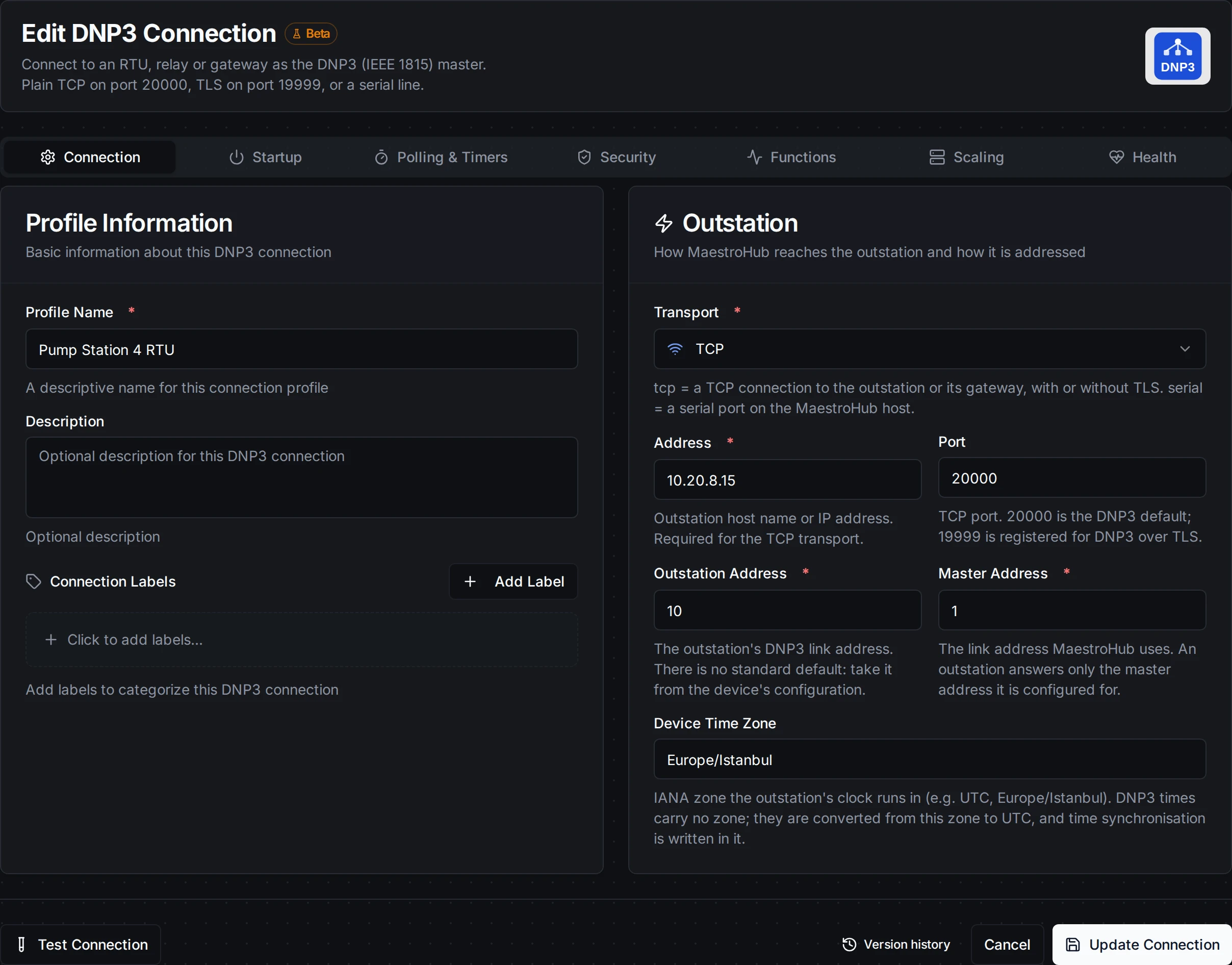
The Connection tab: the transport, the outstation's address and the two link addresses
3. Serial Line
Choosing serial as the Transport replaces Address and Port with the serial port fields.
| Field | Default | Meaning |
|---|---|---|
| Serial Device | (required for serial) | Serial port device path, e.g. /dev/ttyUSB0 or COM3 |
| Baud Rate | 9600 | Line speed, 1200 to 115200. A DNP3 serial link always uses eight data bits |
| Parity | N | N = none, E = even, O = odd |
| Stop Bits | 1 | 1 or 2 |
| RS-485 Mode | off | Enable RS-485 transceiver mode on the serial port (Linux; ignored on Windows) |
A serial line can carry noise, so a damaged frame is discarded and the connection carries on; it ends only when ten frames in a row arrive damaged. On TCP, where the network already delivers intact data, one damaged frame ends the connection and it reconnects.
The form refuses settings a connection would ignore: an address or TLS settings with the serial transport, and a serial device with the TCP transport.
4. Startup
| Field | Default | Meaning |
|---|---|---|
| Silence Unsolicited Reporting on Connect | on | See What happens on connect |
| Integrity Poll on Connect | on | See What happens on connect |
| Enable Unsolicited Responses | off | After startup, let the outstation send events on its own instead of waiting for the next event poll. Leave off on a two-wire serial line shared by both directions |
| Time Synchronisation | off | What to do when the outstation asks for the time. off = nothing. lan = the network procedure. nonLan = the delay-measurement procedure, for serial lines |
Leave Time Synchronisation off for an outstation whose clock comes from GPS or from another master.
5. Polling & Timers
| Field | Default | Meaning |
|---|---|---|
| Event Poll Interval | 5s | How often to ask the outstation for its waiting events. 0 = never; allowed only with unsolicited responses on |
| Integrity Poll Interval | 1m | How often to read every event and every current value again, to resynchronise. 0 = only on connect |
| Connection Timeout | 30s | Maximum time to establish the TCP (and TLS) connection, or to open the serial port, and get a first answer |
| Response Timeout | 5s | How long an answer may take to begin, and how long the line may then stay silent in the middle of one |
| Keep-Alive Interval | 1m | After this long with nothing received, the outstation is asked for its link status; no answer ends the connection. 0 = off |
A connection with the event poll interval at 0 and unsolicited responses off would look healthy and report nothing between integrity polls, so it is refused.
6. Security: TLS
TLS applies to the TCP transport. Turn on Enable TLS and, usually, set the port to 19999.
- CA Certificate: the CA that signed the outstation's certificate. Leave it empty to use the host's system roots.
- Client Certificate / Client Private Key: MaestroHub's certificate for mutual authentication. Both are stored encrypted.
- Server Name: the name expected in the outstation's certificate. It defaults to the address.
- Skip Certificate Verification: accepts any certificate. Use it only while commissioning.
TLS 1.2 is the minimum. If TLS fields are filled in while Enable TLS is off, the connection is refused rather than silently connecting without TLS.
DNP3 Secure Authentication (the challenge and reply inside the protocol, separate from TLS) is not supported. An outstation that demands it is reported as such and the request is not retried.
Testing the Connection
Click Test Connection at the bottom of the form to try the current settings before saving. Once the connection runs, its health probe asks the outstation for its link status and reports the round trip; a request the outstation does not answer drops the session, and the connection reconnects.
Function Builder
Creating DNP3 Functions
After the connection is saved:
- Open the connection and navigate to the Functions tab
- Click New Function to open the function type selection dialog
- Choose one of the ten function types below
- Fill the Basic tab (name, description, labels) and the Configuration tab (operation-specific parameters)
- Use the Test button to run the function against the live outstation before saving
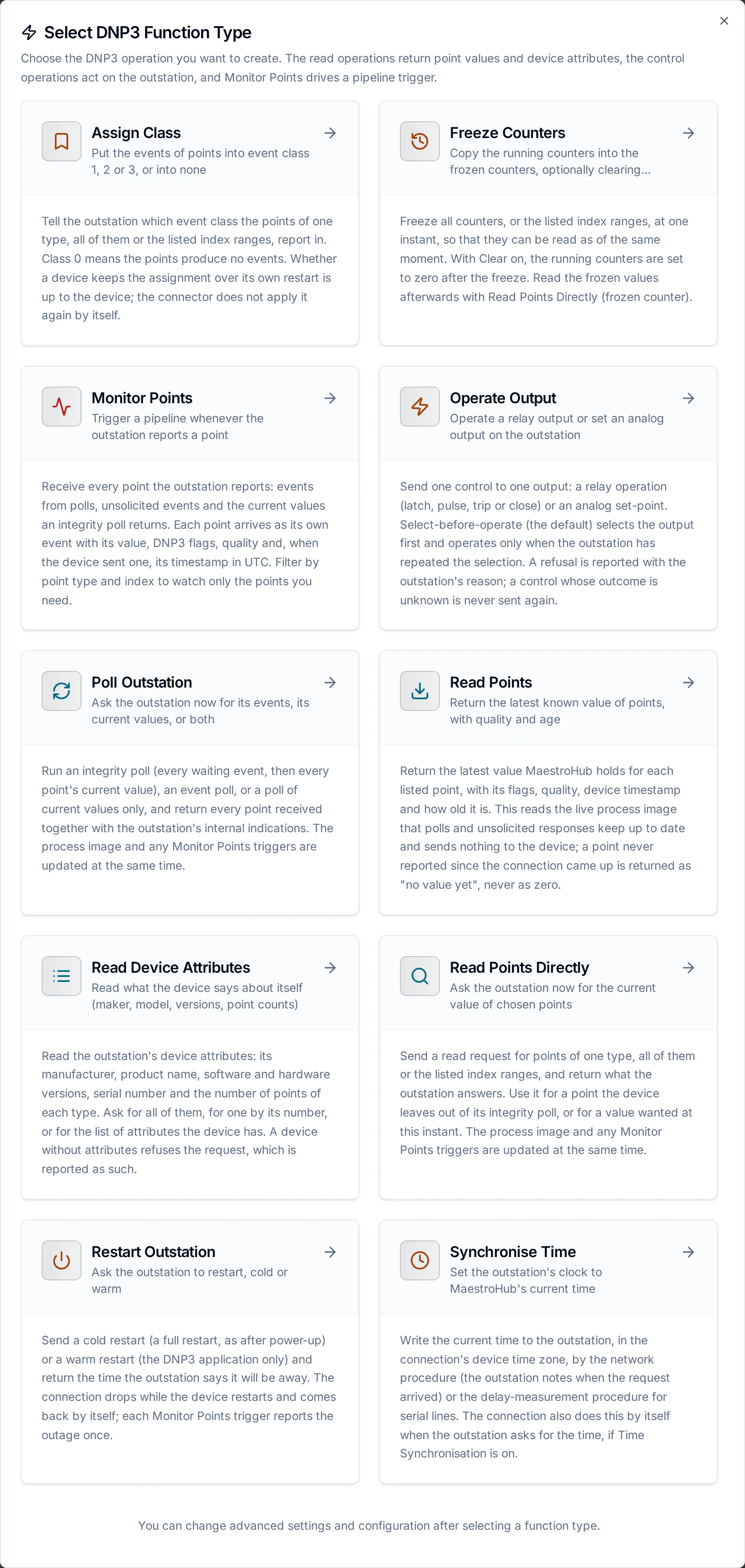
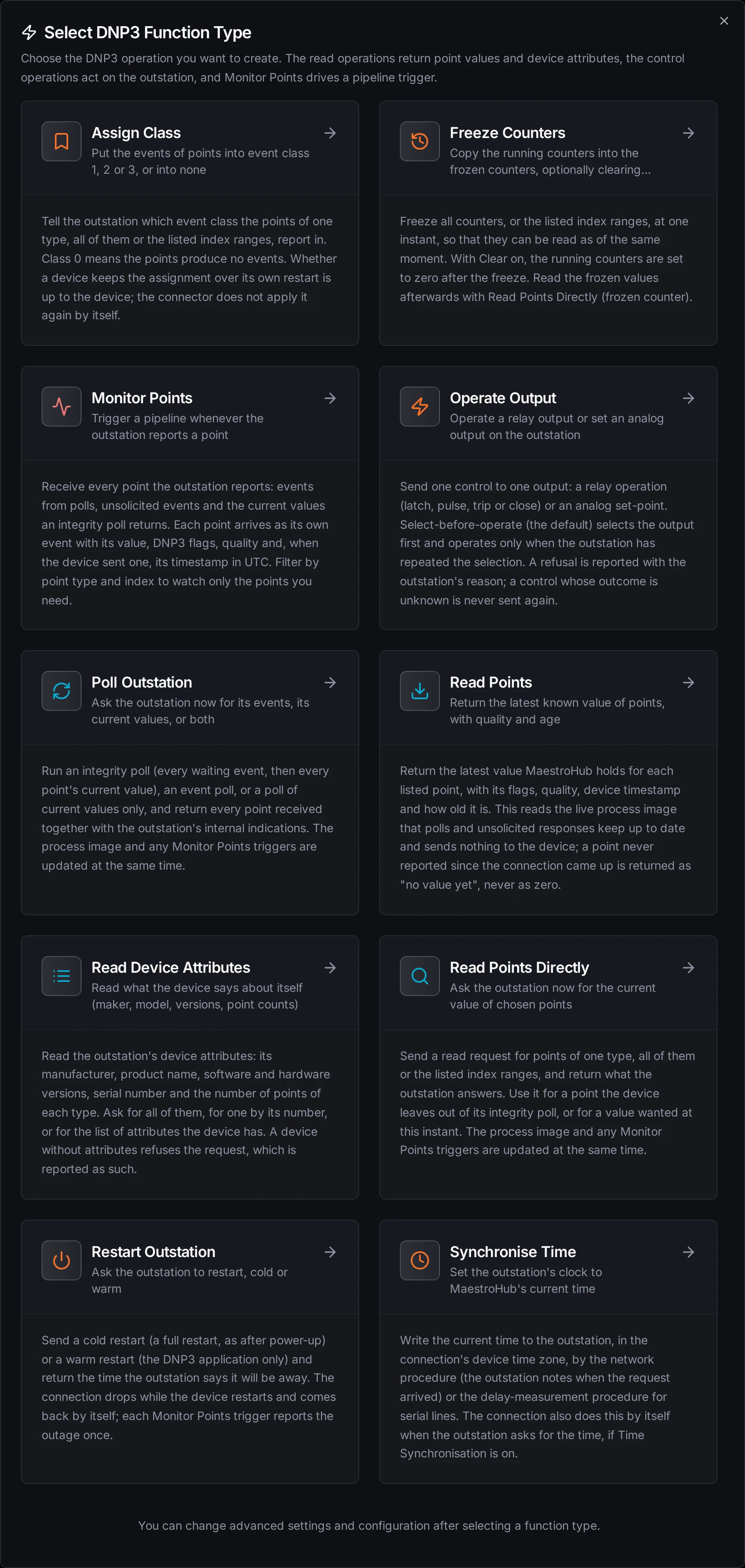
One trigger, four reads and five operations that act on the outstation
Points are named by type and index throughout:
| Point type | What it is |
|---|---|
binaryInput | A two-state input (a contact, a status) |
doubleBitInput | A four-state input (a breaker or switch position) |
analogInput | A measured value |
counter | A running counter |
frozenCounter | A counter value captured by a freeze |
binaryOutput | The status of a relay output |
analogOutput | The status of an analog set-point |
octetString | A short run of bytes, often text |
Index lists are written as indexes and ranges separated by commas, for example 0-9, 12. In Read Points, Read Points Directly, Freeze Counters and Assign Class the list can also be a ((parameter)) the pipeline fills in, alone or beside listed indexes (0-3, ((more))); what it becomes is checked when the function runs, and a list that is none is refused with nothing sent. Monitor Points takes a fixed list.
Monitor Points (dnp3.monitor)
Purpose: Starts a pipeline for each point the outstation reports. This function type is a pipeline trigger: see Pipeline Integration and the DNP3 Trigger node.
| Parameter | Meaning |
|---|---|
| Point Type | The kind of point to watch. all (default) = every type |
| Indexes | Indexes and ranges to watch, e.g. 0-9, 12. Empty = every index |
| Include Current Values | On (default): the current values that arrive in answers to integrity polls and reads also fire the trigger. Off: only events do |
Each event's payload:
{
  "outstationAddress": 10,
  "pointType": "analogInput",
  "index": 0,
  "object": "g32v7",
  "value": 231.5,
  "quality": "good",
  "flags": { "online": true, "restart": false, "commLost": false, "remoteForced": false, "localForced": false, "chatterFilter": false, "overRange": false, "referenceError": false, "rollover": false, "discontinuity": false, "timeUnsynchronized": false },
  "cause": "event",
  "detail": {},
  "sourceTimestamp": "2026-11-14T09:30:00.25Z",
  "serverTimestamp": "2026-11-14T09:30:00.412Z"
}
Every point has the same top-level keys, whatever its type; what only some types carry sits in detail.
objectis the DNP3 object the value arrived in, as group and variation (g32v7= a single-precision analog input event with time).causeisevent(from an event poll or an integrity poll),unsolicited(the outstation sent it on its own) orstatic(a current value, from an integrity poll or a read).sourceTimestampis the device's own time for the value, in UTC. It isnullwhen the device sent no time, and when it sent one from a clock it marks as never set: thenflags.timeUnsynchronizedistrueand the raw count is indetail.deviceTimeMs, which still orders that device's events.serverTimestampis when MaestroHub received the point.qualityis the platform's band:badwhen the point is not online or carries the restart flag (the device has not measured it since it started);uncertainfor every other flag (communication lost, forced, chatter filter, over range, reference error, rollover, discontinuity); otherwisegood. The individual flags stay inflags. Octet strings carry no flags: theirflagsisnulland their quality isgood.
When the link to the outstation drops, the trigger fires once per outage with quality bad and the cause under error; see the DNP3 Trigger node.
How value is written depends on the point type:
| Point type | value |
|---|---|
binaryInput, binaryOutput | true / false |
doubleBitInput | 0-3; detail.state is intermediate, off, on or indeterminate |
analogInput, analogOutput | A number. A value the device sent in 32 bits keeps its own digits (0.1 stays 0.1). Not-a-number and infinity are given as text |
counter, frozenCounter | A whole number |
octetString | The bytes in hex; detail.length, and detail.text when every byte is printable |
Read Points (dnp3.read)
Purpose: Returns the latest value of each listed point of one type, for example analog inputs 0-3, 10 (at most 10,000 points). Nothing is sent to the device. Each entry is the payload above plus status: "ok" and ageMs, the time since the point was received. A point the outstation has not reported since the connection came up is returned as { "pointType": "analogInput", "index": 11, "status": "noValueYet" }, never as 0.
The process image starts empty on every new connection, so a read never returns a value from a link that has since dropped.
Read Points Directly (dnp3.readDirect)
Purpose: Asks the outstation now for the current value of points of one type, all of them or the listed index ranges, and returns what it answers. Use it for a point the device leaves out of its integrity poll, or for a value wanted at this instant.
| Parameter | Meaning |
|---|---|
| Point Type | The kind of point to read |
| Indexes | Indexes and ranges, e.g. 100-119. Empty = every point of the type |
| Timeout | Bound on the read (default 30m) |
The answer also updates the process image and fires any matching Monitor Points triggers.
Poll Outstation (dnp3.poll)
Purpose: Runs a poll now and returns every point received, together with the outstation's internal indications.
| Parameter | Meaning |
|---|---|
| Kind | integrity (default) = events of every class, then all current values. events = waiting events only. static = current values only |
| Timeout | Bound on the whole poll (default 30m) |
The internal indications are what the outstation says about itself in every response, listed by name when set: class1Events, class2Events, class3Events (events are waiting), needTime, localControl, deviceTrouble, deviceRestart, eventBufferOverflow, alreadyExecuting, configCorrupt, broadcast.
Read Device Attributes (dnp3.readAttributes)
Purpose: Reads what the device says about itself: its manufacturer, product name, software and hardware versions, serial number, and the number of points of each type.
| Parameter | Meaning |
|---|---|
| Attribute Number | 254 (default) = all attributes. 255 = the list of attributes the device has. Any other number reads that one attribute, e.g. 252 = manufacturer name |
| Timeout | Bound on the read (default 30m) |
Not every device has attributes. One that does not refuses the request, and the function reports the refusal.
Operate Output (dnp3.operate)
Purpose: Sends one control to one output and waits for the outstation's answer.
| Parameter | Meaning |
|---|---|
| Output Type | relay = a control relay output block. analogInt16, analogInt32, analogFloat32, analogFloat64 = the number format an analog set-point is sent in; use the one the device expects |
| Index | Index of the output to operate |
| Value | relay: latchOn, latchOff, pulseOn, pulseOff, trip or close. Analog types: a number; the integer formats take whole numbers in their range |
| Mode | selectBeforeOperate (default) = select, then operate once the selection is confirmed. directOperate = one request. directOperateNoAck = one request the outstation never answers |
| Count | relay only: how many times the outstation carries out the operation (default 1) |
| On Time / Off Time | relay only: how long the output stays on in each pulse, and off between pulses (default 100ms each) |
| Timeout | Bound on the whole control (default 30m) |
Every parameter is checked before anything is sent; a bad value never reaches the outstation. An outstation that executes a control sends it back unchanged with a status; MaestroHub reports success only when the answer repeats the control with status success, and otherwise reports the outstation's reason, for example local: the device is switched to local control.
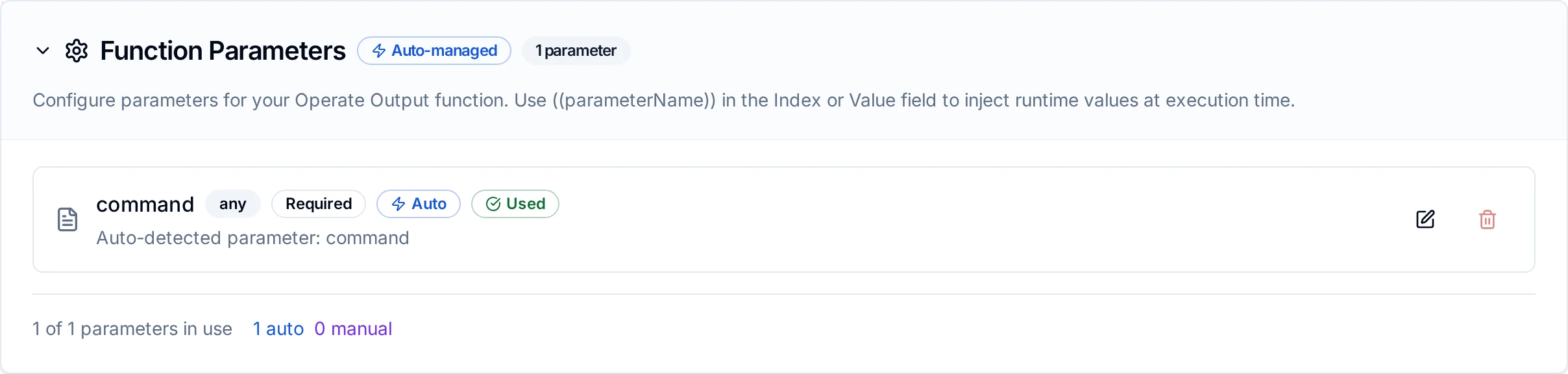
An Operate Output function whose value is the ((command)) parameter, filled by the pipeline
In the directOperateNoAck mode the outstation sends no answer at all, so nothing confirms the control: the function succeeds with confirmed: false. Use it only where the device requires it, and read the output's status afterwards to learn the result.
If the outstation does not answer the operate, the outcome is unknown: the outstation may have acted. MaestroHub then reports the outcome as unknown and never sends it again on its own, not by the connector and not by a pipeline's Retry on Fail or ForEach retry. A refused control is reported as refused and is not retried either. Controls are never buffered for later delivery, and a pipeline started by a late (replayed) value does not execute them unless the node allows late input.
Freeze Counters (dnp3.freeze)
Purpose: Copies the running counters into the frozen counters at one instant, so that they can be read as of the same moment.
| Parameter | Meaning |
|---|---|
| Clear After Freezing | Also set the running counters to zero (freeze-and-clear). Default off |
| Indexes | Counter indexes and ranges, e.g. 0-7. Empty = every counter |
| Timeout | Bound on the freeze (default 30m) |
Read the frozen values afterwards with Read Points Directly (point type frozenCounter). A freeze that got no answer is reported as outcome unknown and is not sent again, for the same reason as a control: a second freeze-and-clear would overwrite the frozen values.
Assign Class (dnp3.assignClass)
Purpose: Tells the outstation which event class the points of one type report in.
| Parameter | Meaning |
|---|---|
| Point Type | The kind of point to assign |
| Indexes | Indexes and ranges, e.g. 0-15. Empty = every point of the type |
| Event Class | 1, 2 or 3; 0 = the points produce no events |
| Timeout | Bound on the assignment (default 30m) |
Whether a device keeps the assignment over its own restart is up to the device; MaestroHub does not apply it again by itself.
Restart Outstation (dnp3.restart)
Purpose: Asks the outstation to restart and returns the time it says it will be away.
| Parameter | Meaning |
|---|---|
| Kind | cold = a full restart of the device. warm = a restart of its DNP3 application. There is no default: choose one |
| Timeout | Bound on the request (default 30m) |
The connection drops while the device restarts and comes back by itself; each Monitor Points trigger reports the outage once. A restart that got no answer is reported as outcome unknown and is not sent again.
Synchronise Time (dnp3.timeSync)
Purpose: Writes the current time to the outstation, in the connection's device time zone.
| Parameter | Meaning |
|---|---|
| Procedure | lan (default) = the network procedure: the outstation notes when the request arrived. nonLan = measure the line's delay first, then write the time with it added; for serial lines |
| Timeout | Bound on the synchronisation (default 30m) |
The connection also does this by itself when the outstation asks for the time, if Time Synchronisation is not off.
Pipeline Integration
Use the DNP3 functions you configure here as nodes inside the Pipeline Designer. Every function type except Monitor Points is exposed as a matching connector node, and Monitor Points functions drive the DNP3 trigger node:
- DNP3 Read Points (
connected.dnp3.read): executes adnp3.readfunction - DNP3 Read Points Directly (
connected.dnp3.readDirect): executes adnp3.readDirectfunction - DNP3 Poll Outstation (
connected.dnp3.poll): executes adnp3.pollfunction - DNP3 Read Device Attributes (
connected.dnp3.readAttributes): executes adnp3.readAttributesfunction - DNP3 Operate Output (
connected.dnp3.operate): executes adnp3.operatefunction - DNP3 Freeze Counters (
connected.dnp3.freeze): executes adnp3.freezefunction - DNP3 Assign Class (
connected.dnp3.assignClass): executes adnp3.assignClassfunction - DNP3 Restart Outstation (
connected.dnp3.restart): executes adnp3.restartfunction - DNP3 Synchronise Time (
connected.dnp3.timeSync): executes adnp3.timeSyncfunction - DNP3 Trigger (
trigger.dnp3): starts a pipeline for each point adnp3.monitorfunction matches
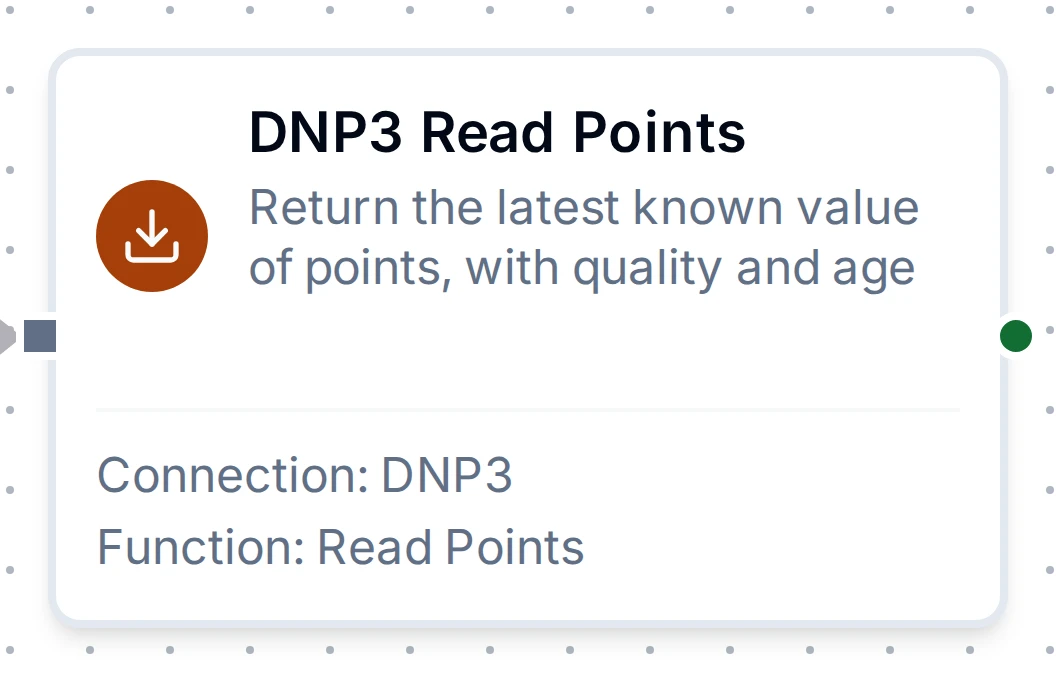
The Read Points node with its connection and function
For node-level details (output structure, execution settings), see the DNP3 Nodes and DNP3 Trigger pages.
For orchestration strategies that mix DNP3 with other data sources, see the Nodes page.
Common Use Cases
RTU Telemetry to a Historian or UNS
Author a Monitor Points function over the analog inputs, then use the DNP3 Trigger node to route every reported point to a historian, MQTT topic or the Unified Namespace. Each event carries the platform quality band and the device timestamp, so a UNS Publish node stores what the outstation said, not just the value.
Breaker and Alarm Events
Watch the binary and double-bit inputs with Include Current Values off, so the pipeline fires only on events: a breaker opening, a protection alarm, a door contact. The device's own timestamp (sourceTimestamp) orders events correctly even when they arrive together in one poll.
Energy and Flow Metering
Drive Freeze Counters from a Schedule trigger, for example at midnight, then read the frozen values with Read Points Directly (point type frozenCounter) and forward them to billing or reporting. Every counter is captured at the same instant, however long the read takes.
Supervised Switching and Set-Points
Receive a switching order or set-point from an upstream system or operator UI, validate it with a Condition node, then issue an Operate Output in the select-before-operate mode. Because a control whose outcome is unknown is never re-sent, confirm the device state with Read Points Directly on the output's status before trying again.
What is and is not checked
What stands behind the connector today:
- Every request it sends is decoded without complaint by the Wireshark DNP3 dissector.
- It is run against three independent outstation implementations (the open-source opendnp3 library in seven configurations, and two further simulators for device attributes), covering the startup sequence, polls, multi-fragment answers, unsolicited responses, controls in all three modes, refusals, freeze, class assignment, restart, both time procedures, TLS with mutual authentication, injected line noise and damaged frames, a serial port over a pseudo-terminal, and link loss.
- Its decoder reads reference captures of a master and an outstation that MaestroHub had no part in, and a published capture of a commercial relay's device attributes.
What is not yet proven, and is the reason for the Beta mark:
- It has not been connected to a physical RTU or relay.
- It has not been run on a physical serial line: baud rate, line timing and RS-485 direction switching are untested on hardware.
- Device attribute values of the less common types (octet string, bit string, time, Unicode string) are decoded from the published format but were not met in any test device.
Not supported: Secure Authentication, DNP3 over UDP, file transfer, data sets, several outstations on one connection, and acting as an outstation.
Troubleshooting
Error Reference
| What you see | Meaning | Retried? |
|---|---|---|
the outstation at … did not answer a link status request as address N to master M (check both addresses) | The connection opened but the outstation does not answer these link addresses | The connection keeps trying; fix the addresses |
the outstation refused …: function not supported (also object unknown, parameter error) | The outstation rejected the request | No, it will not change on retry |
the outstation refused the select: … / the outstation refused the operate: … | The outstation refused a control, with its reason (not supported for this point, local: the device is switched to local control, blocked, and so on) | No |
no response from the outstation | The request was sent and not answered in time | Reads and polls: yes. Controls, freeze and restart: never (the outstation may have acted) |
the answer does not repeat the control that was sent | The outstation answered a control with something else; nothing is known about the output | Never |
the outstation uses Secure Authentication, which is not supported | The device demands DNP3 Secure Authentication | No |
| A certificate error on connect | The outstation's certificate does not match the CA or server name | No |
not connected | The connection is not up | Yes, after reconnect |
Connection Issues
| Symptom | Possible Cause | Solution |
|---|---|---|
| The connection opens and then fails with "check both addresses" | The Outstation Address or the Master Address does not match the device | Set both from the device's configuration. An outstation ignores a master address it is not configured for |
A read returns noValueYet for a point | The outstation has not reported it since the connection came up, or it is not in the device's integrity poll | Keep Integrity Poll on Connect on; for a point the device leaves out, use Read Points Directly |
| Events arrive late | They wait for the next event poll | Shorten the Event Poll Interval, or turn on Enable Unsolicited Responses if the device supports them |
| Device timestamps are hours off | Device Time Zone does not match the outstation's clock | Set the zone the outstation's clock runs in; MaestroHub converts from it to UTC |
sourceTimestamp is always null and flags.timeUnsynchronized is true | The device's clock was never set | Set Time Synchronisation to lan (or nonLan on a serial line), or run Synchronise Time |
| Connection refused with TLS fields filled in | TLS material is set while Enable TLS is off | Turn on Enable TLS, or clear the TLS fields |
| A serial connection keeps dropping | Baud rate, parity or stop bits differ from the device's, or the line is noisy | Match the device's serial settings; a connection ends after ten damaged frames in a row |
| The connection drops and reconnects every time something else connects | Another master, or a second MaestroHub connection, is connecting to the same outstation port. Many outstations serve one TCP connection and drop the one they have when a new one arrives | Keep one connection per outstation. Functions and triggers share a connection; they do not need one each |