AutomationDirect ECOM Integration Guide
Read and write the memory of DirectLOGIC PLCs through their ECOM Ethernet module, by the octal addresses their programs use.
- Status
- Beta
- PLCs
- DL-05, DL-06, DL-240, DL-250(-1), DL-260, DL-430, DL-440, DL-450
- Transport
- HEI over UDP 28784, through an ECOM or ECOM100 module
- Operations
- Read Device · Read Block · Write Device
- Triggers
- None: poll with a Schedule trigger
AutomationDirect's DirectLOGIC PLCs (made by Koyo) run machines and small lines across North America. They reach Ethernet through an ECOM or ECOM100 module in the PLC's base (H0-ECOM, H2-ECOM, H4-ECOM and their 100 Mbit versions), or the ECOM port of a DL-06. MaestroHub reads and writes the PLC's memory through the module: V memory as words, integers, floats, BCD and strings, and the bit areas (inputs X, outputs Y, control relays C, stages S, special relays SP, timer and counter status bits T and CT, remote I/O GX and GY) as bits. Addresses are octal, as in DirectSOFT: V2000, X17, C100.
What stands behind the connector today:
- The frame layout, the read and write requests and the single-bit command, taken byte for byte from a study of how an existing ECOM driver talks to the module, and only the parts that study marks as confirmed.
- The port, the PLC models, every model's address ranges and the data types, checked against Kepware's AutomationDirect ECOM driver manual.
- An in-process test module that answers as that study says a module answers, and the connector's tests against it: reads, writes, bits, strings, BCD, lost and late answers, refusals.
What is not proven yet:
- It has not talked to a real ECOM module. The test module shares MaestroHub's reading of the protocol, so it cannot show where that reading is wrong. A real-device check is tracked before the connector leaves Beta.
- What the status codes of the module's and the PLC's refusals mean: AutomationDirect does not publish them, so MaestroHub shows the code as it came.
Overview
The AutomationDirect ECOM connector provides:
- V memory: read and written as
WORD,INT,DWORD,DINT,REAL,BCD,LBCDandSTRING - Bits: inputs, outputs, control relays, stages, special relays, timer and counter status bits and remote I/O, read and written one bit at a time; a bit inside a V word, read
- Eight PLC models, each with its own memory: an address the model does not have is refused before anything is sent
- Runs of values: Count consecutive values in one node; up to 63 words a request
- Block reads: many named points in one node, merged into as few requests as fit
- Writes that land whole or not at all: a list of values for consecutive words goes in one request, sent once
Terms used in this guide
| Term | Meaning |
|---|---|
| ECOM, ECOM100 | AutomationDirect's Ethernet modules for DirectLOGIC PLCs. Set their IP address with NetEdit. |
| HEI protocol | The modules' own protocol (from Host Engineering, Inc.): one request in one UDP datagram to the module's port 28784 (0x7070), one or two datagrams back. |
| V memory | The PLC's word memory: timer and counter current values, data words, system parameters, and the words that hold the bit areas. Each V address is one 16-bit word. |
| Octal | DirectLOGIC numbers its addresses in base 8: after V7 comes V10, and X17 is followed by X20. The digits 8 and 9 do not occur. |
| BCD | Binary-coded decimal: four decimal digits in one word, 1234 stored as 0x1234. DirectLOGIC timers and counters count in BCD by default. |
Not supported
| What | Why |
|---|---|
Writing one bit inside a V word (V2000.3) | There is no command for it, and rewriting the whole word would undo a change the PLC's program makes in between. Write the word, or use a control relay (C). |
| Writing several bits of a bit area at once | Each bit is written by the PLC's single-bit command, one per request. To set 16 outputs at once, write their word in V memory (Y0 to Y17 are V40500) as WORD. |
| Newer CPUs (DL-205 D2-262, DL-405 D4-454, Do-more, BRX) | Their memory ranges are not in this version. |
| Serial K-sequence or DirectNET | Not in this version. |
Array brackets (V1400[63]) | Give the first address and set Count. |
| A list of read-only addresses | Kepware refuses some addresses as read only, but which ones is not published for ECOM. MaestroHub sends a write to any address in the model's memory, and the PLC may refuse it. |
| A trigger | A PLC does not send data on its own. Poll it with a Schedule trigger. |
What happens on connect
The HEI protocol has no login, and UDP has no connection. MaestroHub opens a UDP socket to the module and reads V40400, the word of inputs X0 to X17, which every model has. Any answer counts, also a refusal: it proves an ECOM module answers at this address.
Every request carries a transaction id, and MaestroHub takes only the answer with the id of the request waiting for it; a late answer to an earlier request is dropped. One request is on its way at a time. A read that gets no answer within the Response Timeout is sent again, up to Read Attempts times. A write is sent once, always: a write whose answer is lost may have been carried out, and is reported, never sent again by the connector.
The HEI protocol has no password and no encryption. Anyone who can reach the module's UDP port 28784 can read and write the PLC. Keep ECOM modules on a separate control network.
Connection Configuration
Creating an AutomationDirect ECOM Connection
Navigate to Connections → New Connection → AutomationDirect ECOM and fill in the form. It has four tabs: Connection, Functions, Scaling and Health. The Functions, Scaling and Health tabs unlock after the connection is saved.
1. Profile Information
| Field | Default | Description |
|---|---|---|
| Profile Name | - | A descriptive name for this connection profile (required). Must be unique across all connections. |
| Description | - | Optional description for this connection |
| Labels | - | Key-value pairs to categorize and organize the connection |
Example Labels
line: packaging-2: Lineplc: dl260-filler: The PLCenvironment: production: Deployment environment
2. ECOM Module
| Field | Default | Meaning |
|---|---|---|
| Address | (required) | The ECOM module's IPv4 address, e.g. 192.168.1.20, as set with NetEdit. ECOM modules speak IPv4 only; a broadcast or multicast address is refused |
| Port | 28784 | The module's HEI port, 1 to 65535. Change it only behind port forwarding |
| PLC Model | (required) | The CPU behind the module: dl-05, dl-06, dl-240, dl-250 (DL-250 and DL-250-1), dl-260, dl-430, dl-440 or dl-450. It decides which addresses exist |
| Connection Timeout | 5s | Maximum time to reach the module and read its first word when the connection starts (1s to 5m) |
| Response Timeout | 250ms | How long one request waits for its answer (50ms to 30s). The answer comes after the PLC's scan; 250 ms is Kepware's default for ECOM |
| Read Attempts | 3 | How many times a read is sent before the module is reported silent (1 to 10). A write is always sent once |
Each function has its own Timeout (default 30m) that bounds the whole operation. Within it, each request waits at most the Response Timeout for its answer.
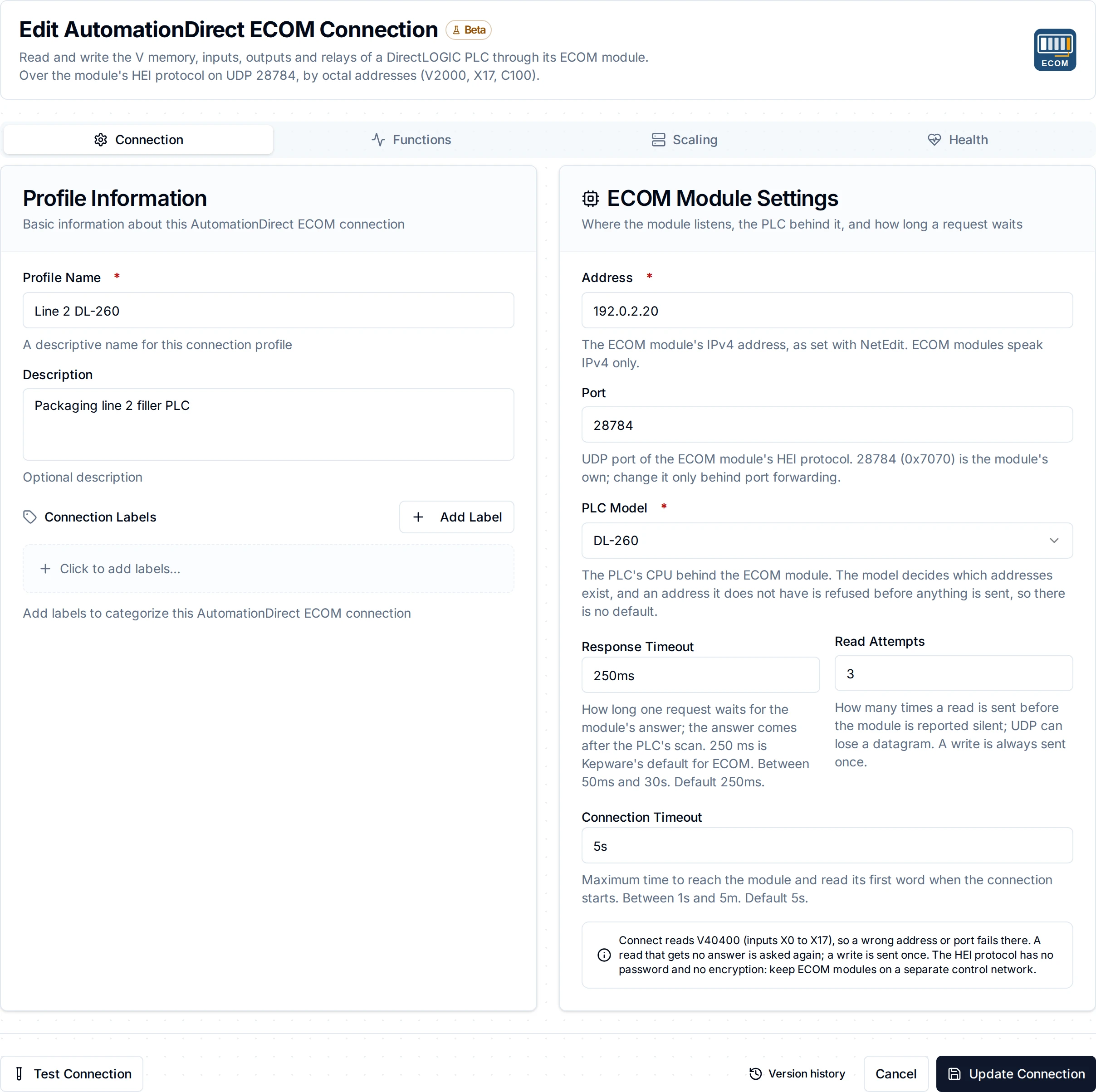
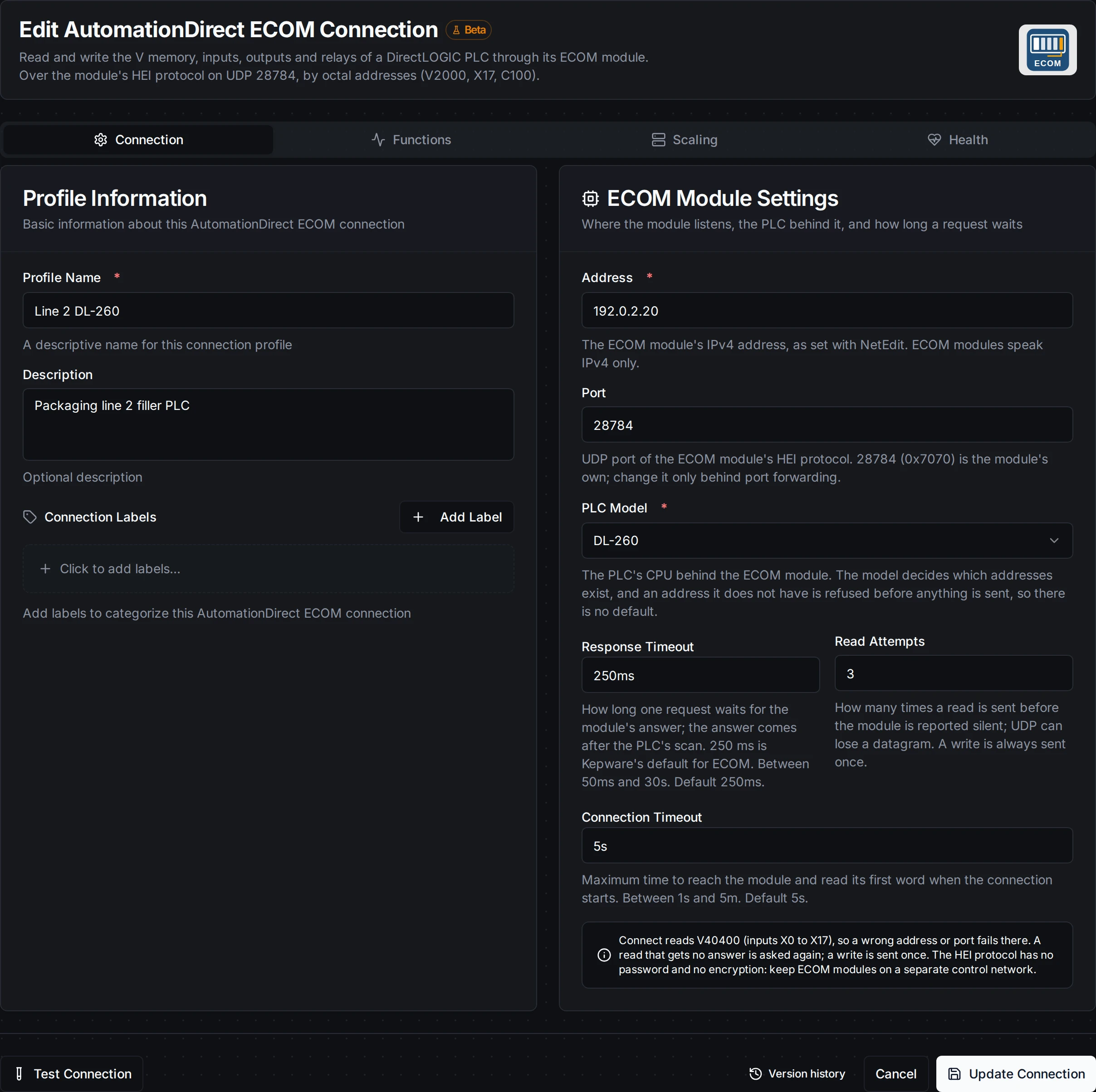
The Connection tab: the module's address and port, the PLC model, and the waits
Testing the Connection
Click Test Connection at the bottom of the form to try the current settings before saving. It connects as described in What happens on connect. Once the connection runs, its health probe reads V40400 again and reports the round trip. When the module does not answer, the session is closed and opened again.
Function Builder
Creating AutomationDirect ECOM Functions
After the connection is saved:
- Open the connection and navigate to the Functions tab
- Click New Function to open the function type selection dialog
- Choose Read Device, Read Block or Write Device
- Fill the Basic tab (name, description, labels) and the Configuration tab (operation-specific parameters)
- Use the Test button to run the function against the live PLC before saving. Testing a Write Device function writes to the PLC
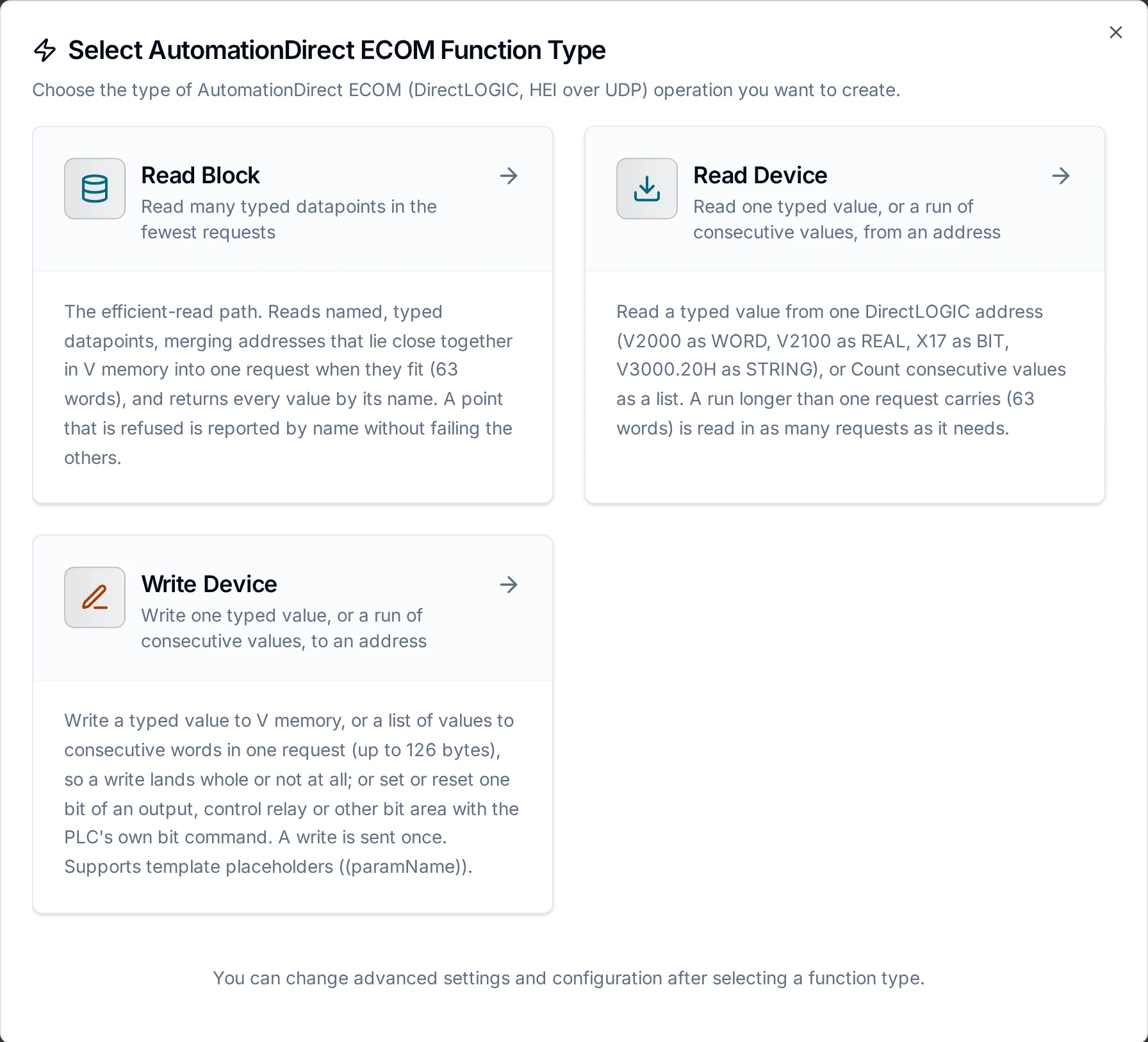
Two reads and one write
Addresses
Every function names its data by an octal address, in either letter case.
| Address | What it names | Data types | Can be written |
|---|---|---|---|
V2000 | V memory word 2000 (octal) | WORD (default), INT, BCD; DWORD, DINT, REAL, LBCD over V2000 and V2001, low word first | Yes |
V2000.3 | Bit 3 of V2000 (bit 0 is the least significant). Bits 16 to 31 are in the next word: V2000.20 is bit 4 of V2001 | BIT | No: write the word |
V3000.20H | A string of 20 bytes from V3000, the first character in the high byte of each word (L: in the low byte). The length is even, 2 to 126 | STRING | Yes |
X17 | Input X17 | BIT | Sent, one bit per write, but the PLC may refuse it, and its input scan overwrites a wired input at once. MaestroHub does not hold a list of read-only addresses |
Y10, C100, S57, T5, CT65, GX5, GY5 | Output, control relay, stage, timer status bit, counter status bit, remote input and output | BIT | Yes, one bit per write |
SP4 | Special relay SP4, set by the CPU itself | BIT | Sent, one bit per write, but the PLC may refuse it or overwrite it on its next scan: most special relays are the CPU's own status |
Leave Data Type empty for the address's own: BIT for a bit, STRING for a string address, WORD for a V word.
| Data Type | A read returns | A write takes |
|---|---|---|
WORD | 0 to 65535 | The same range |
INT | -32768 to 32767 | The same range |
DWORD | 0 to 4294967295 (two words, low word first) | The same range |
DINT | -2147483648 to 2147483647 (two words) | The same range |
REAL | A 32-bit floating-point number (two words) | A finite number |
BCD | 0 to 9999, four BCD digits in one word | The same range |
LBCD | 0 to 99999999, eight BCD digits in two words, low word first | The same range |
STRING | ASCII text, up to its first NUL | ASCII text without NUL, at most the address's length; the rest is filled with zeros |
BIT | true or false | true or false, 1 or 0, on or off |
The bit areas live in V memory too: X0 to X17 are V40400, Y0 to Y17 are V40500, C0 to C17 are V40600, S0 to S17 are V41000, T0 to T17 are V41100, CT0 to CT17 are V41140, SP0 to SP17 are V41200, GX0 to GX17 are V40000 and GY0 to GY17 are V40200. Read one of these words as WORD to get 16 bits in one value.
Each model's memory
An address must be inside the selected model's memory; a read or write of several words must lie inside one of its ranges. These are the ranges MaestroHub holds each model to; they match Kepware's ECOM manual, except that a DL-450 also has the data words V400 to V677:
| Model | X, Y | C | V data words | Remote I/O |
|---|---|---|---|---|
| DL-05 | 0-377 | 0-777 | V1200-V7377, V7400-V7577 | none |
| DL-06 | 0-777 | 0-1777 | V400-V677, V1200-V7377, V7400-V7577, V10000-V17777 | GX, GY 0-3777 |
| DL-240 | 0-477 | 0-377 | V2000-V3777, V4000-V4377 | none |
| DL-250(-1) | 0-777 | 0-1777 | V1400-V7377, V10000-V17777 | none |
| DL-260 | 0-1777 | 0-3777 | V400-V777, V1400-V7577, V10000-V35777 | GX, GY 0-3777 |
| DL-430 | 0-477 | 0-737 | V1400-V7377 | GX 0-737 |
| DL-440 | 0-477 | 0-1777 | V1400-V7377, V10000-V17777 | GX 0-1777 |
| DL-450 | 0-1777 | 0-3777 | V400-V677, V1400-V7377, V10000-V37777 | GX, GY 0-3777 |
Timer and counter current values (V0 up, V1000 up), system parameters and the words of the bit areas can be read and written too, within each model's ranges. A string must lie inside the data words.
Results give the address back in one standard form: v2000 comes back as V2000.
Read Device (adecom.read.device)
Purpose: Reads one typed value from an address, or Count consecutive values as a list.
| Parameter | Default | Meaning |
|---|---|---|
| Device | (required) | An address from the table above, e.g. V2000, X17, V3000.20H |
| Data Type | empty | One of the types above; empty for the address's own |
| Count | 1 | 1 to 1000. 1 returns the value; more returns a list. A STRING is read one at a time |
| Timeout | 30m | Bound on this operation (1s to 1h) |
One request reads at most 63 words. A longer run is read in several requests, one after the other. A run of bits goes on into the next word: X16 with Count 3 gives X16, X17 and X20.
Read Block (adecom.read.block)
Purpose: Reads many named points in the fewest requests, and returns every value by its name. Use it to read a line's counters, setpoints and motor outputs in one node.
| Parameter | Default | Meaning |
|---|---|---|
| Data Points | (required) | A list of points. Each point has a name, the key of its value in the result, a device such as V2000 or Y0, and an optional dataType. Each name is used once. A point without a name is named by its address |
| Timeout | 30m | Bound on this operation (1s to 1h) |
Points whose words lie close together are read in one request, with what lies between them, when it fits in 63 words and inside one of the model's ranges. When a request that served several points is refused, MaestroHub asks for each of those points on its own, so one refused point does not take its neighbours with it.
A point that is not an address, or whose data type its address does not hold, is refused when the function is saved. A point outside the model's memory, or one that is refused, is reported by name in the result's errors, and the other points are still read. The node fails only when the module does not answer at all.
Write Device (adecom.write.device)
Purpose: Writes a value to V memory, or a list of values to consecutive words in one request; or sets or resets one bit.
| Parameter | Default | Meaning |
|---|---|---|
| Device | (required) | A V word (V2100), a string address (V3000.20H), or one bit of a bit area (Y10, C100) |
| Data Type | empty | One of the types above; empty for the address's own |
| Value | (required) | A number, text for a STRING, or true/false for a bit. A JSON list such as [1, 2, 3] writes consecutive V words in one request. Supports ((paramName)) templates |
| Timeout | 30m | Bound on this operation (1s to 1h) |
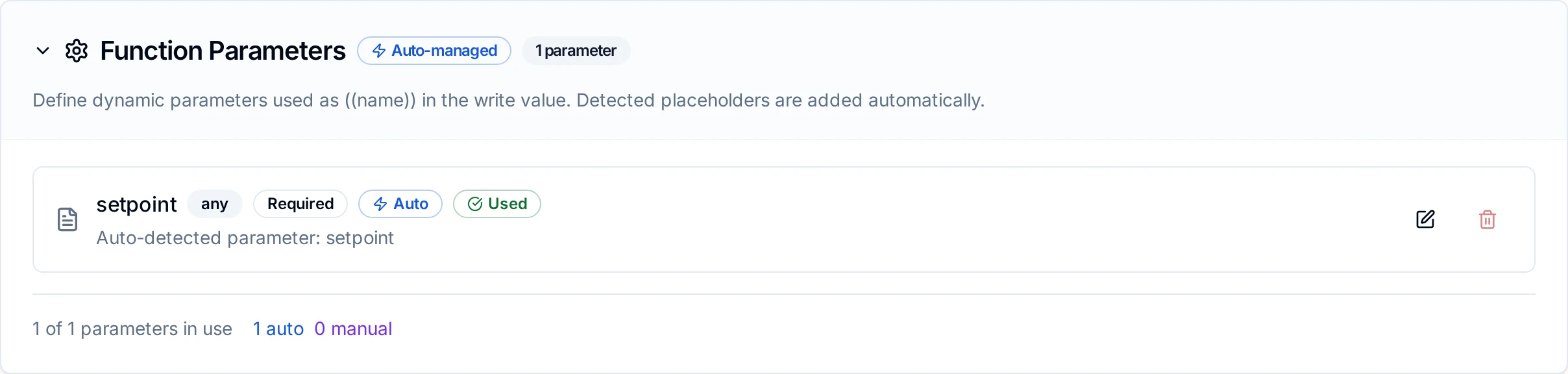
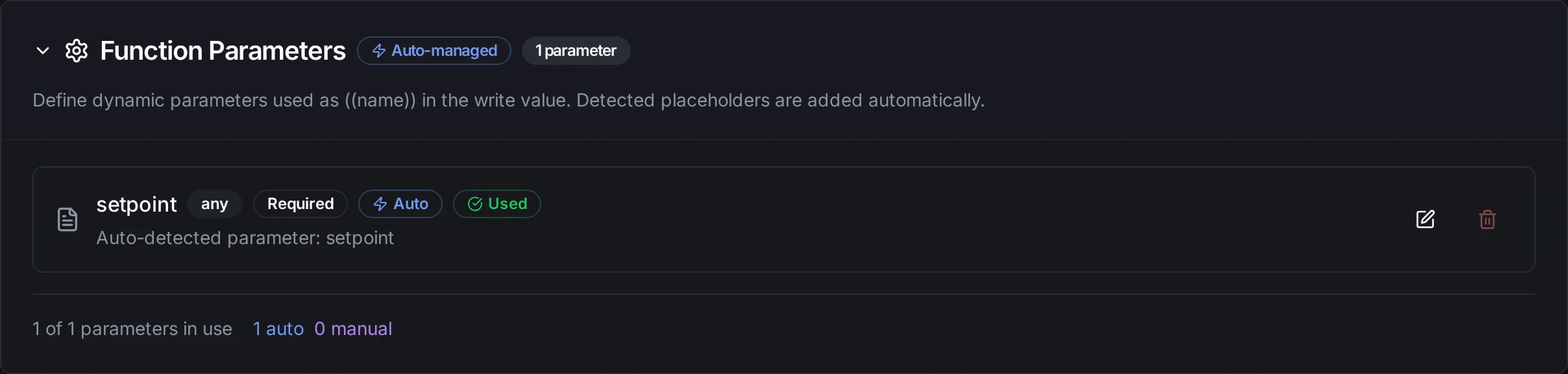
A Write Device function whose value is the ((setpoint)) parameter, filled by the pipeline
The write rules:
- A list goes in one request, so a write lands whole or not at all: at most 126 bytes, 63 words. A longer list is refused; split it into several functions.
- A bit is written by the PLC's own single-bit command, which changes that bit alone: a bit of
X,Y,C,S,SP,T,CT,GXorGY, one per write. - A bit inside a V word cannot be written alone. Write the whole word, or use a control relay.
- Nothing is sent when a value does not fit its type:
70000as aWORD,-1as aBCD,éin aSTRING,maybeas aBIT. - A write is sent once. When its answer is lost, the result says so and the write is not sent again by the connector.
A write is never buffered for later delivery: a setpoint that arrives an hour late is a new decision, not the old one. A pipeline run started by a late (replayed) input does not execute the write unless the node allows late input. A write that got no answer may be sent again by the node's own Retry on Fail setting: writing the same value or bit state twice leaves the PLC as writing it once does.
Using Parameters
The Value field supports ((parameterName)) placeholders; they appear in the Function Parameters block, where you set each one's type, whether it is required, and a default. For example, Value ((setpoint)) writes the node's setpoint parameter to the word the function names. A filled-in value is checked when the function runs, and nothing is sent when it does not fit.
Pipeline Integration
Use the functions you configure here as nodes inside the Pipeline Designer. Each function type has its own node:
- AutomationDirect ECOM Read Device (
connected.adecom.read.device): executes anadecom.read.devicefunction - AutomationDirect ECOM Read Block (
connected.adecom.read.block): executes anadecom.read.blockfunction - AutomationDirect ECOM Write Device (
connected.adecom.write.device): executes anadecom.write.devicefunction
A PLC does not send data on its own: to poll one, drive the reads from a Schedule trigger.
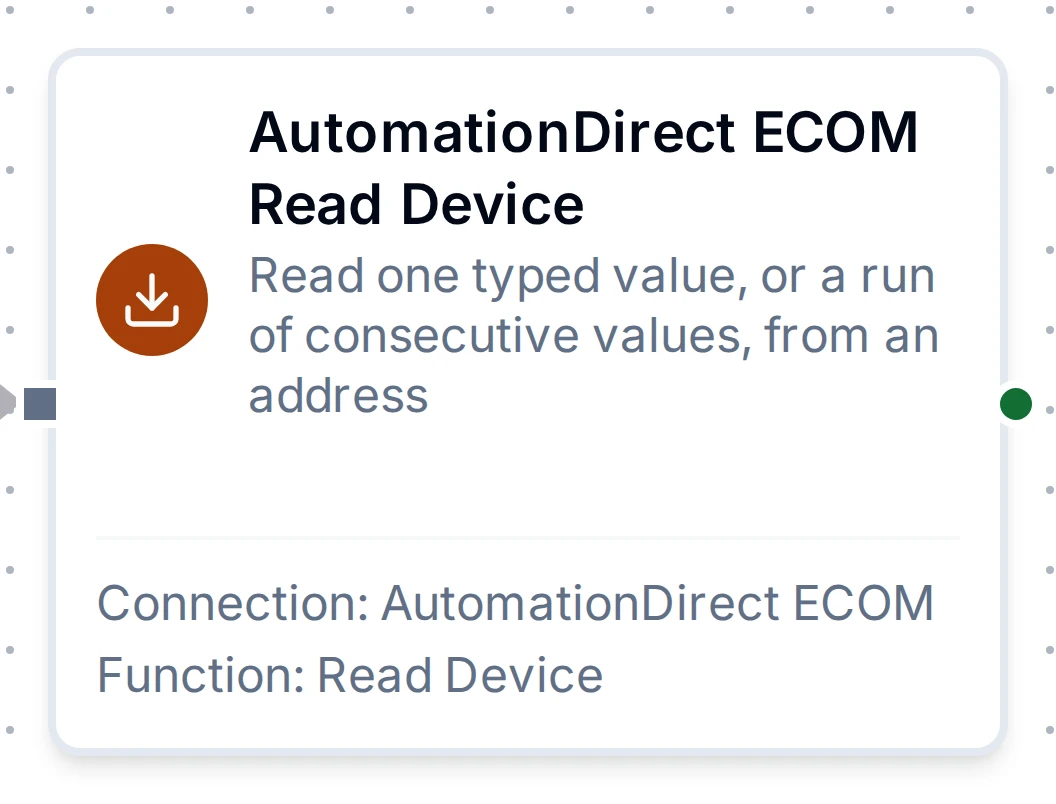
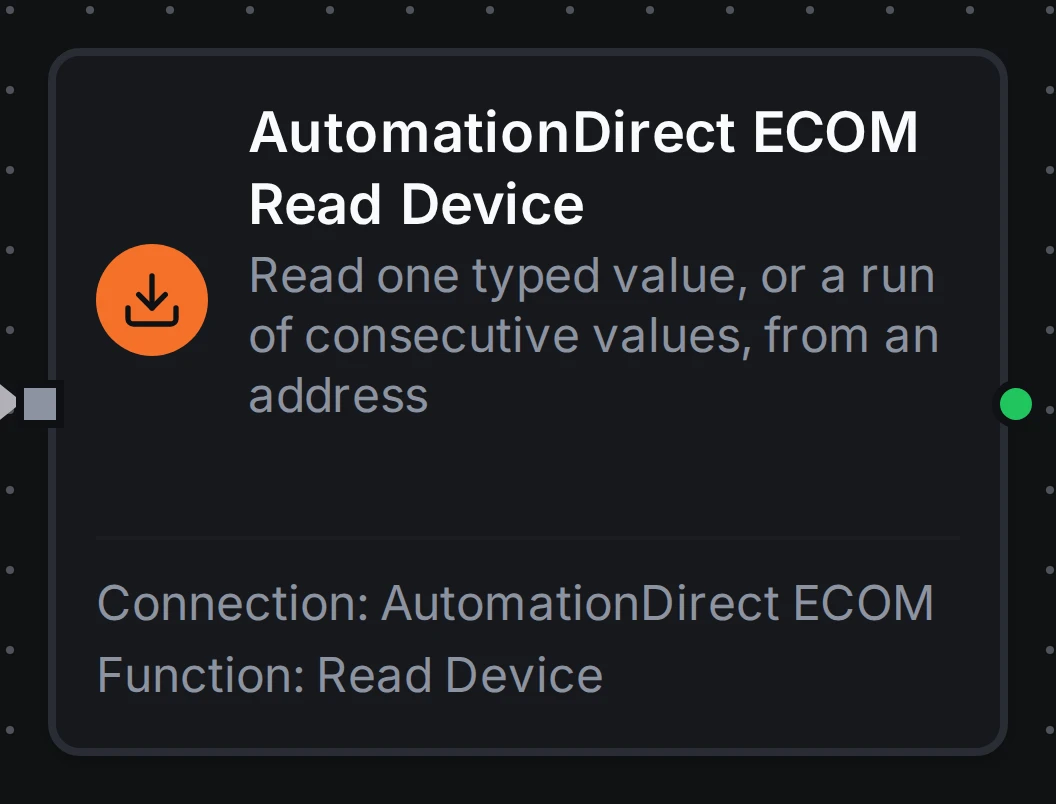
The Read Device node with its connection and function
For node-level details (output structure, execution settings), see the AutomationDirect ECOM Nodes page.
For orchestration strategies that mix PLCs with other data sources, see the Nodes page.
Common Use Cases
Line counters to a historian or the UNS
A Read Block of a line's part counters (V2000 as WORD), its rate (V2100 as REAL) and its motor outputs (Y0) on a Schedule trigger, routed to a historian or the Unified Namespace. Words close together share a request, so a block of related points costs few round trips.
Setpoints and recipes from a business system
A parameterized Write Device function (Value: ((setpoint)), Data Type REAL) fed from a recipe system or an operator form, with a Condition node checking the range first. A list such as [120, 45, 3] writes a recipe to consecutive words in one request.
Signalling the PLC program
A Write Device function that sets a control relay (C100 to true) the PLC program watches, for example to start a batch, and resets it when the program answers.
Troubleshooting
Error Reference
The texts below leave out the adecom: that most messages start with.
| What you see | Meaning | Retried? |
|---|---|---|
no answer from the ECOM module at … | No answer to any attempt: the module is off or out of reach, the address or port is wrong, or a firewall drops UDP 28784 | Yes |
the ECOM module at … acknowledged the request but the PLC's answer did not come | The module took the request, but the PLC's completion did not arrive in time. A write may have been carried out | Yes, by the node's settings |
the ECOM module refused the request (transport NAK), status 0x… | The module refused the request | Yes |
the PLC did not complete the request, status 0x… | The PLC refused the request; what the status means is not published | Yes |
… is not inside one of the DL-…'s V memory ranges / … is outside the DL-…'s X range | The address is not in the selected model's memory. Nothing was sent | No |
… DirectLOGIC indices are octal | An address with the digit 8 or 9. Refused on save | No |
… is one bit of a V word, which cannot be written alone | A write to a bit inside a V word. Nothing was sent | No |
… values for Y0; Y0 is written one bit per request | Several values for a bit area. Nothing was sent | No |
not connected to the ECOM module | The connection is not up | Yes, after reconnect |
"Retried?" says whether the node's Retry on Fail setting sends the request again. AutomationDirect does not publish what the status codes of a refusal mean, so a refusal is not treated as final. A request MaestroHub refuses before sending gives the same answer every time, so it is not retried.
Connection Issues
| Symptom | Possible Cause | Solution |
|---|---|---|
Test Connection fails with no answer from the ECOM module | The wrong Address, a firewall in the way of UDP 28784, or the module not powered | Check the module's address with NetEdit; then that it answers UDP 28784 from the MaestroHub host |
Occasional no answer | The PLC's scan is longer than the Response Timeout, or the network loses datagrams | Raise Response Timeout and Read Attempts |
| An address you expect is refused as outside the model | A different PLC Model is selected | Select the CPU that is in the base |
| Numbers that look wrong by a large factor | A BCD timer or counter read as WORD, or a REAL read at an odd word | Read timers and counters as BCD; check the first word of a two-word value |