ABB Totalflow Integration Guide
Read the registers of ABB Totalflow flow computers and RTUs over the DB2 protocol.
- Status
- Beta
- Devices
- XSeries G3 and G4, microFLO, FCU (DB2 devices)
- Transport
- DB2 protocol, TCP 9999
- Operations
- Read Register · Read Registers
- Triggers
- None: poll with a Schedule trigger
ABB Totalflow flow computers and remote terminal units measure gas and liquid flow at wellheads and in midstream facilities. They keep their data in registers, addressed as Application.Array.Register, the way ABB's PCCU software and the device's register maps show them. MaestroHub reads these registers over the DB2 protocol on TCP port 9999, with the device's station ID and its read security code. This guide covers the connection, the addresses and data types, the two function types, and how the matching nodes fit into the Pipeline Designer.
No ABB document of the DB2 wire format is public. What stands behind the connector today:
- The request and reply layout, the checksum and the data types come from a study of a working DB2 driver. The public sources (the Kepware and TOP Server driver manual, Elecsys and Geo SCADA notes) agree with it where they speak: TCP port 9999, Application.Array.Register addressing with 0-255, 0-255 and 0-65535, a checksum, and a four-digit security code with the station ID in every request.
- One part of the layout checks itself: the fixed record every request carries ends in its own checksum, and MaestroHub computes it the same way.
- MaestroHub is tested against its own simulated Totalflow device, which checks every request byte by byte.
What is not proven yet:
- It has not read a real Totalflow device. Until it has, treat a first read of a new device as a check: compare a value with what PCCU shows.
- How a device answers a wrong station ID or security code is not documented. MaestroHub reports either as a device that did not answer, or closed the connection, and says to check both.
- Connecting asks the device for register
0.0.0. No public source names a register that every device has. A device without0.0.0refuses the request, and a refusal also counts as an answer, so the choice of register does not decide whether you connect. - Connecting reads only the start of the reply, where the device gives its station ID. Whether a device answers a wrong security code under its own ID, with a refusal, is not known. So a connect proves the device answers under its station ID; a wrong security code may show only on the first read.
Overview
The ABB Totalflow connector provides:
- Registers by address:
Application.Array.Register, for example11.7.0, as PCCU shows them - Every scalar type a register holds: 8, 16, 32 and 64-bit integers, signed and unsigned, and 32 and 64-bit floats
- Width checks: the reply says how many bytes the register is, and a register of another width than the chosen type is refused, never truncated
- Many registers in one node: named registers, each with its own result
- The device's security: the station ID and the read security code on every request
- Reads only: nothing is ever written to the device
Terms used in this guide
| Term | Meaning |
|---|---|
| DB2 | Totalflow's packet protocol, which current devices speak on TCP port 9999. Kepware and TOP Server call the older one DB1. |
| PCCU | ABB's Portable Configuration and Calibration Unit software, where a device's station ID, security codes and registers are set and shown. |
| Application | A program running in the device: a flow tube (AGA-3, AGA-7), a communication port, a holding register set. Its number is the device's own: the same AGA-3 tube can be application 11 on one device and 12 on another. |
| Array, Register | Within an application, its values are arrays of registers. 11.7.0 is register 0 of array 7 of application 11. |
| Station ID | The name a device answers to, up to 10 characters. A device answers only requests for its own station ID. |
| Security code 1 | The device's read code, 4 digits. 0000 when the device's security is not set. |
Not supported
| What | Why |
|---|---|
| Writing registers | Version 1 reads only. The write code (security code 2) is never asked for. |
| EFM history: hourly and daily records, events, alarms, trend files | A separate set of requests whose format is not known yet. A follow-up. |
| Several registers in one request | The device can answer a run of registers in one reply, but that reply's layout is not known yet. Read Registers reads one register a request. |
Bits within a register (11.7.0/3), arrays (11.7.0[2][3]), strings | Not in this version. |
| DB1 and serial or modem links | Only DB2 over TCP. A serial device behind a terminal server that passes TCP 9999 works as any other. |
| A trigger | A Totalflow device does not send data on its own. Poll it with a Schedule trigger. |
What happens on connect
Every read opens its own TCP connection to the device, sends one request, reads the reply and closes the connection. A reply carries nothing that ties it to its request, so a fresh connection per read is what makes sure a late reply can never be taken as the answer to the next read.
Connecting proves the station answers. MaestroHub opens a TCP connection and asks for one register, 0.0.0, with the station ID and the security code. It reads the start of the reply, where the station gives its own station ID, and then closes the connection. Any reply under the station's own ID counts as an answer, a value or a refusal. If the station says nothing, closes the connection or answers as another station, the connect fails with what to check (the station did not answer: check the Station ID and the security code). The connection then stays disconnected, and MaestroHub tries again with growing pauses. It does not show a station that never answers as connected and then drop it at the first read. A connect may take one Connection Timeout plus one Response Timeout in all, and no longer: the wait for a read already on the wire counts against that time, and within it the connection must open within the Connection Timeout and the station answer within the Response Timeout.
The health check, every 30 seconds, goes by the reads first: a read that succeeded since the previous check answers it, and the check sends nothing of its own. While a read is on the wire, the check waits for it: its success answers the check, and its failure is followed by the check's own request. Otherwise the check asks the station for register 0.0.0, as connecting does, on a connection of its own, and waits the Connection Timeout, the Response Timeout and a quarter of a second more, never less than 5 seconds (or the health-check interval, when that is shorter). An answer under the station's ID is healthy. Another station's ID, a closed connection, no connection, or no answer within the Response Timeout fails the check. A check still waiting for the wire when its time is up is no verdict; busy checks count against the connection as described in How a connected connection is checked.
A read that gets no answer starts a health check at once, without waiting for the next 30-second check. A failed check marks the connection disconnected, and MaestroHub connects again, which asks the station again. A read still on the wire when the check fails is not cut off: it finishes, and the new connection is opened after it. Only a read that is still on the wire when the reconnect's time (one Connection Timeout plus one Response Timeout) runs out is ended by it.
Some stations go silent behind a gateway (a terminal server or a device server) that still accepts TCP. The check's wait covers opening the connection and the station's whole Response Timeout, so a station still silent when the check's time is up fails it, however long the connection took to open. A check that gets the wire with less than that left sends nothing and asks again; see How a connected connection is checked.
Connection Configuration
Creating an ABB Totalflow Connection
Navigate to Connections → New Connection → ABB Totalflow and fill in the form. It has four tabs: Connection, Functions, Scaling and Health. The Functions, Scaling and Health tabs unlock after the connection is saved.
1. Profile Information
| Field | Default | Description |
|---|---|---|
| Profile Name | - | A descriptive name for this connection profile (required). Must be unique across all connections. |
| Description | - | Optional description for this connection |
| Labels | - | Key-value pairs to categorize and organize the connection |
Example Labels
site: well-pad-7: Well pad or stationdevice-model: XFC G4: Totalflow modelenvironment: production: Deployment environment
2. DB2 Settings
| Field | Default | Meaning |
|---|---|---|
| Address | (required) | The device's host name or IP address, e.g. 192.168.1.40 |
| Port | 9999 | TCP port of the device's DB2 protocol, 1 to 65535. 9999 is the Totalflow default |
| Station ID | (required) | The device's station ID, 1 to 10 printable characters, exactly as PCCU shows it |
| Read Security Code | empty | Security code 1, 4 digits; 0000 on a device whose security is not set. On a new connection, empty means 0000; when you edit a saved connection, leave it as it is to keep the stored code, or type the new one. Stored as a secret |
| Connection Timeout | 10s | Maximum time to open the TCP connection (1s to 5m). Every read opens its own |
| Response Timeout | 10s | Bound on one exchange once connected: sending the request and receiving the device's whole reply (100ms to 5m). Raise it for a radio or cellular link |
The security code is never sent as text: it seeds the checksum of each request. A device with another code does not carry out the read; most likely it does not answer, though a real device's answer is not confirmed yet (see Beta above). The code guards against a mistaken read, not against someone who can watch the network: one captured request is enough to recover it. Keep the DB2 port on a network you control.
Each function has its own Timeout that bounds the whole operation. Within it, each register read waits at most the Connection Timeout to connect and the Response Timeout for the exchange.
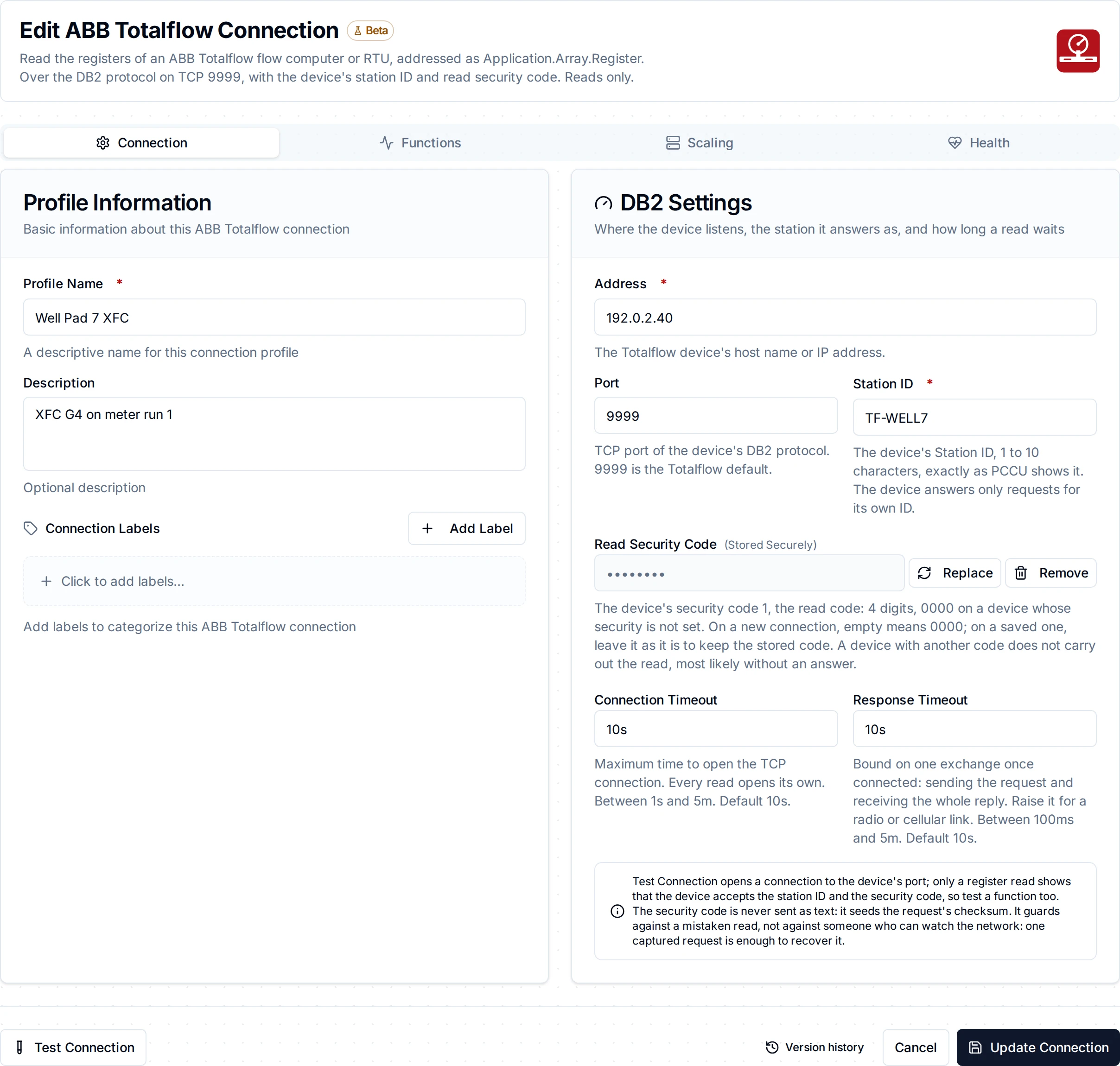
The Connection tab: the device's address and port, its station ID and read security code, and the waits
Testing the Connection
Click Test Connection at the bottom of the form to try the current settings before saving. It asks the device for one register, as described in What happens on connect, so it proves the address and the port, and that the device answers under its station ID. A wrong security code may show only on a read (see Beta above): test a function too, which also checks its register and data type.
Test Connection waits for the device at most the server's response write timeout (http.writeTimeout) less 9 seconds, whatever the Connection Timeout and Response Timeout, so the button always gets its answer: 21 seconds at the default 30-second write timeout. The limit is the same for every connector. A device that has not answered by then fails the test with a message that starts Test stopped after, naming the limit. On a link that slow, save the connection and watch its status: a saved connection waits its whole Connection Timeout plus Response Timeout.
Function Builder
Creating ABB Totalflow Functions
After the connection is saved:
- Open the connection and navigate to the Functions tab
- Click New Function to open the function type selection dialog
- Choose Read Register or Read Registers
- Fill the Basic tab (name, description, labels) and the Configuration tab (the registers and their data types)
- Use the Test button to run the function against the live device before saving
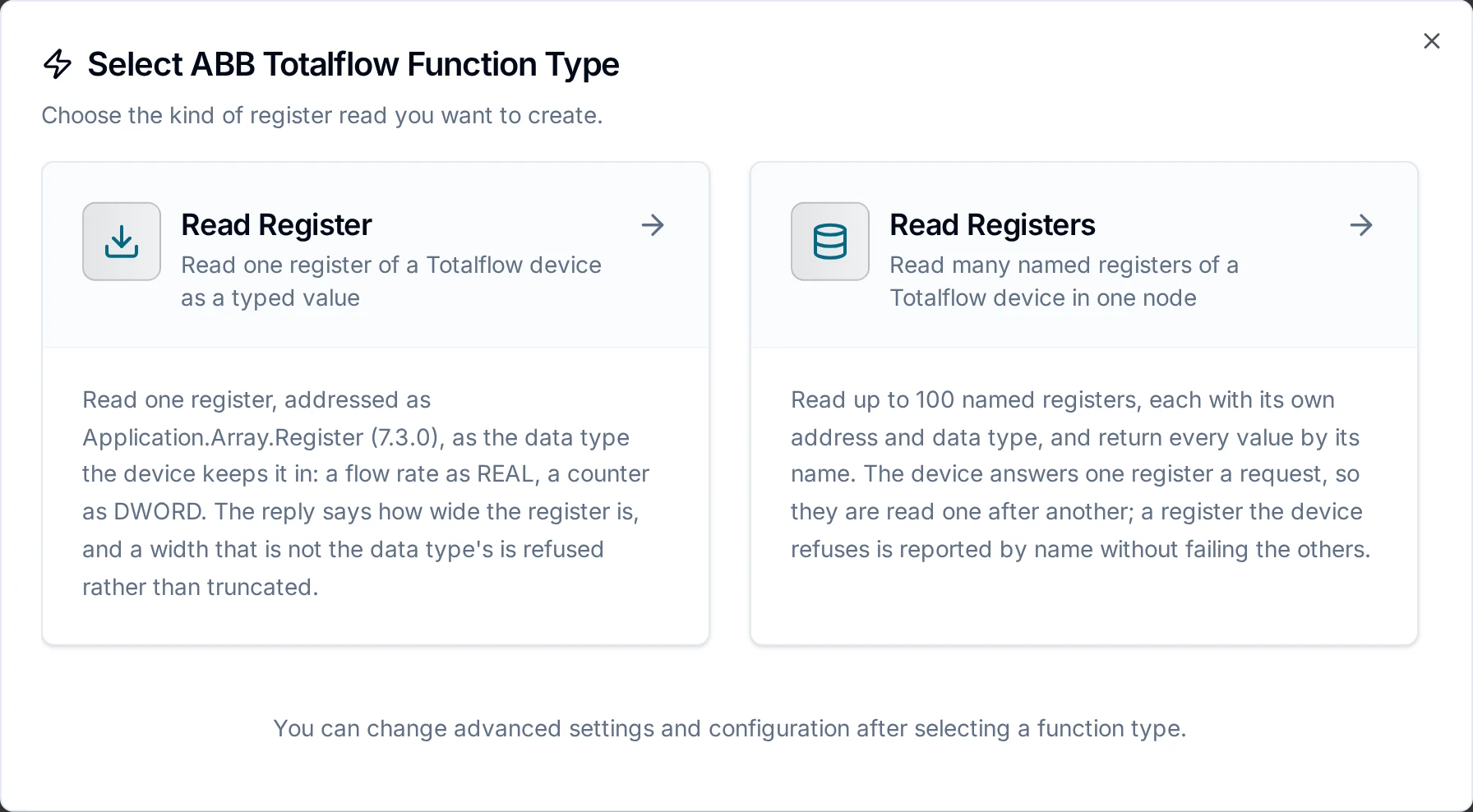
Two reads: one register, or many named ones
Registers and data types
A register is Application.Array.Register: application 0 to 255, array 0 to 255, register 0 to 65535, as decimal numbers. Read them from PCCU or from the device's register maps; application numbers depend on the order the applications were added to the device.
The data type is required. The device's reply says how many bytes a register is, but not which type of that width: a 4-byte register is a DINT, a DWORD or a REAL, and only you can say which. A register whose width is not the chosen type's is refused, with the types that fit, so a wrong choice of width never produces a wrong number.
| Data Type | Width | A read returns | Totalflow's name |
|---|---|---|---|
SINT | 1 byte | A whole number, -128 to 127 | |
USINT | 1 byte | A whole number, 0 to 255 | Byte |
INT | 2 bytes | A whole number, -32768 to 32767 | Short |
WORD | 2 bytes | A whole number, 0 to 65535 | |
DINT | 4 bytes | A whole number, -2147483648 to 2147483647 | Long |
DWORD | 4 bytes | A whole number, 0 to 4294967295 | |
REAL | 4 bytes | A 32-bit floating-point number | Float |
LINT | 8 bytes | A 64-bit signed whole number | |
ULINT | 8 bytes | A 64-bit unsigned whole number | |
LREAL | 8 bytes | A 64-bit floating-point number | Double |
Most measured values (flow rates, pressures, temperatures, volumes) are REAL. A REAL or LREAL register holding NaN or an infinity is reported as an error, since a pipeline value cannot carry it.
Read Register (totalflow.read.register)
Purpose: Reads one register as a typed value.
| Parameter | Default | Meaning |
|---|---|---|
| Register | (required) | The register, e.g. 11.7.0 |
| Data Type | (required) | One of the types above |
| Timeout | 1m | Bound on this operation (1s to 1h) |
Read Registers (totalflow.read.registers)
Purpose: Reads up to 100 named registers and returns every value by its name. Use it to read a meter run's flow rate, static pressure, differential pressure and temperature in one node.
| Parameter | Default | Meaning |
|---|---|---|
| Registers | (required) | A list of registers. Each has a name, the key of its value in the result, a register such as 11.7.0, and a data type. Each name is used once. A register without a name is named by its address |
| Timeout | 5m | Bound on this operation (1s to 1h) |
The device answers one register a request, so the registers are read one after another, each on its own connection. A register the device refuses, or one of another width than its type, is reported by name in the result's errors, and the other registers are still read. The read stops at the first register, wherever it falls in the list, that finds the device out of reach: no connection, or not a byte of answer within the Response Timeout. Asking the rest would only wait out the same timeout once each, so every register not yet read is reported in errors with that same reason (and was not asked), and every value already read is kept: a partial result, after one Response Timeout rather than one per register. The node fails as a whole only when nothing was read and the device answered nothing at all; the message then names the register and how many were skipped.
Pipeline Integration
Use the functions you configure here as nodes inside the Pipeline Designer. Each function type has its own node:
- ABB Totalflow Read Register (
connected.totalflow.read.register): executes atotalflow.read.registerfunction - ABB Totalflow Read Registers (
connected.totalflow.read.registers): executes atotalflow.read.registersfunction
A Totalflow device does not send data on its own: to poll one, drive the reads from a Schedule trigger.
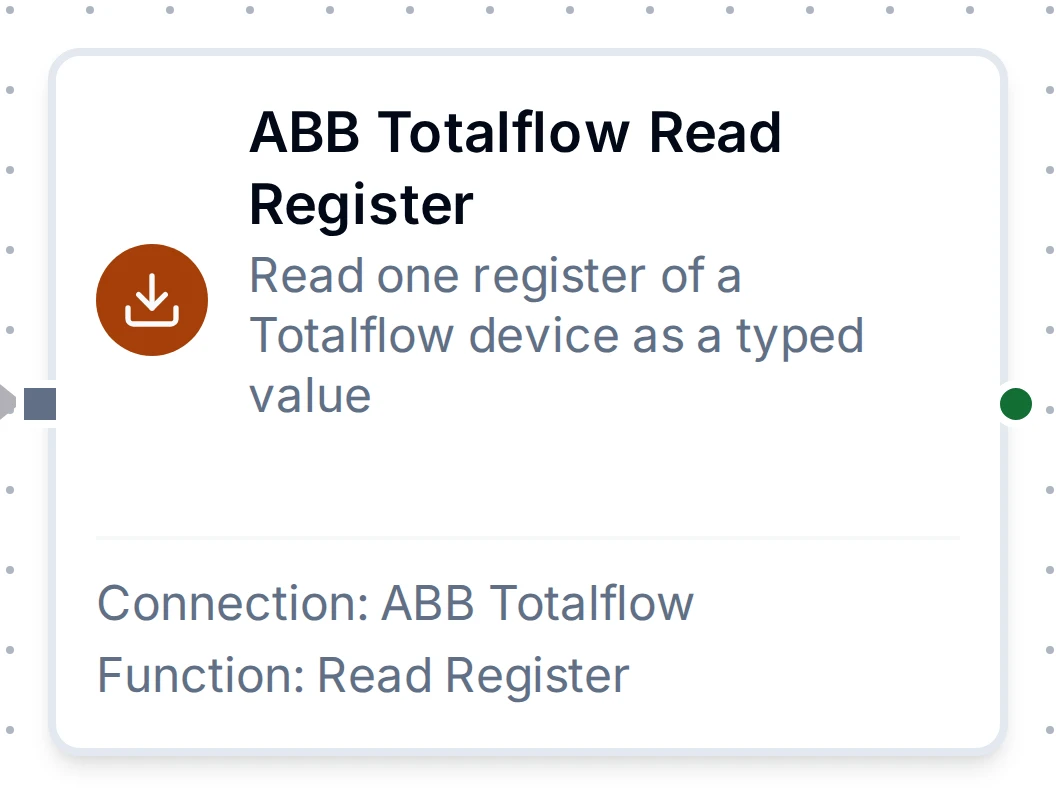
The Read Register node with its connection and function
For node-level details (output structure, execution settings), see the ABB Totalflow Nodes page.
For orchestration strategies that mix flow computers with other data sources, see the Nodes page.
Common Use Cases
Meter runs to a historian or the UNS
A Read Registers of each meter run's flow rate, pressures and temperature on a Schedule trigger, routed to a historian or the Unified Namespace. Over a radio or cellular link, keep the poll interval longer than the time a full read takes: each register is one round trip.
Watching a wellhead from SCADA dashboards
A Read Register of a tube's flow rate or a battery voltage, polled every few minutes, with a Condition node raising an alert when it leaves its band.
Troubleshooting
Error Reference
The texts below leave out the totalflow: that most messages start with.
| What you see | Meaning | Retried? |
|---|---|---|
cannot open a connection to … | Nothing listens on the address and port, or a firewall is in the way. Nothing was sent | Yes |
the station at … did not answer within the response timeout to register …, after 0 bytes of its reply … | The device took the request and said nothing before the Response Timeout. A wrong Station ID or Read Security Code most likely looks like this, and so does a slow link. In Read Registers the registers after it carry the same reason with was not asked; when nothing at all was answered, the node fails with the other n registers were skipped, not asked | Yes |
the station at … closed the connection to register …, after n bytes of its reply … | The device closed the connection without a whole reply. Also what a wrong station ID or security code can look like | Yes |
the device answered as station "X", not "Y": check the station ID | Another device answers at this address | No |
the station refused the read (transaction record …) | The device answered and did not carry out the read: usually a register it does not have | No |
register … is n bytes wide, a T is m: read it as one of … | The data type has another width than the register. Choose one of the types named | No |
register … holds a REAL that is not a number (NaN or infinity) | The register holds no valid number right now | Yes |
the read of … ended: its time ran out before its … Response Timeout did: context deadline exceeded | The function's Timeout ran out during the read, before the Response Timeout. Give the function a Timeout longer than the Response Timeout times the registers it reads | Yes |
the read of … ended: context deadline exceeded | The function's Timeout ran out during the read at the same instant as the Response Timeout: the station had its whole Response Timeout, so its silence counts as no answer | Yes |
bad reply: … | A reply damaged on the way: a checksum, length or echo that does not match | Yes |
register "…": want Application.Array.Register …, dataType is required … | The function's settings are wrong. Refused on save; nothing is sent | No |
not connected to the Totalflow device | The connection is not up | Yes, after reconnect |
"Retried?" says whether the node's Retry on Fail setting runs the read again.
Connection Issues
| Symptom | Possible Cause | Solution |
|---|---|---|
Test Connection fails: cannot open a connection | The wrong Address or Port, or a firewall in the way of TCP 9999 | Check that the device answers TCP 9999 from the MaestroHub host |
Test Connection fails: the station did not answer: check the Station ID and the security code | A wrong Station ID or Read Security Code, or a link slower than the Response Timeout | Compare both with PCCU: the station ID character for character, the security code 1 digit for digit. Over radio or cellular, raise Response Timeout |
Test Connection fails: the device answered as station … | The address reaches a different device than the Station ID names | Check the Address and the Station ID |
| Test Connection succeeds, a read is refused | The register does not exist on this device, or has another width than the data type | Check the register in PCCU or the register map |
| A value that is wrong by a large factor | A 4-byte register read as the wrong one of DINT, DWORD and REAL | Check the register's type in PCCU or the register map |
| Reads time out over a radio link | The Response Timeout is shorter than the link's round trip | Raise Response Timeout |