IEC 60870-5-101 Integration Guide
Poll RTUs and feeder devices on IEC 101 serial lines, run interrogations, send commands and sync clocks.
- Status
- Beta
- Line
- Serial (RS-232 / RS-485, 8E1) · TCP to a terminal server
- Link modes
- Unbalanced (polled) · Balanced
- Operations
- Read Points · Interrogate · Send Command · Synchronise Clock
- Triggers
- Monitor Points, once per reported point
IEC 60870-5-101 (IEC 101) is the serial telecontrol standard of power utilities: RTUs, feeder automation and older substations on RS-232 or RS-485 lines, often reached through a terminal server. MaestroHub connects as the controlling station (the SCADA master side) to one outstation. This guide covers the line and link settings, the connect sequence, the five function types, and how the matching nodes and trigger slot into the Pipeline Designer.
The connector is checked against the open-source lib60870 IEC 101 slave in both link modes and two field-size profiles, over a pseudo-terminal and over TCP, but it has not yet been run against a physical device or a physical serial line. See What is and is not checked.
IEC 101 and IEC 104 share their application layer. In MaestroHub both connectors use the same decoder, process image, commands and payloads, so a pipeline written for one reads the other's points the same way.
Overview
The IEC 101 connector provides:
- Serial or terminal server: a serial port on the MaestroHub host, or a raw TCP connection to a terminal server in front of the line
- Unbalanced and balanced links: MaestroHub polls the outstation, or both stations send on a point-to-point line
- The system's field sizes: link address (0, 1 or 2 octets), common address (1 or 2), information object address (1, 2 or 3) and cause of transmission (1 or 2)
- A live process image: the latest report of every point, with its quality flags and device timestamp
- Monitor Points trigger: start a pipeline for every point the outstation reports
- Read Points: the latest known value of the points you list, with quality and age, never a made-up 0
- Interrogation: station, group (1-16) and counter (1-4) interrogations on demand, on connect, and periodically
- Commands: single, double, regulating-step, set-point and bitstring commands with select-before-operate, sent at most once
- Clock synchronisation: on connect and on demand, written in the device's time zone
How IEC 101 delivers data
On an unbalanced line MaestroHub is the only station that starts a conversation. It asks for class 2 data (periodic and background values) every Poll Interval; when an answer says the outstation has class 1 data (events, confirmations), it asks for that at once. On a balanced line both stations may send, so the outstation reports changes as they happen and MaestroHub tests the link when the line has been quiet for the poll interval.
Either way, MaestroHub keeps the latest report of every point in a process image, and pipelines use it in two ways:
- Monitor Points is a trigger. It starts a pipeline for every point the outstation reports.
- Read Points returns the latest known value of the points you list, with its quality and age.
What happens on connect
MaestroHub opens the line, asks for the status of the outstation's link and resets it. Then it runs up to three requests, in this order. Each one has its own switch and all three are on by default, as for IEC 104:
- Clock synchronisation: sends the current time, written in the device's time zone. Turn this off for outstations whose clock comes from GPS or from another master.
- Station interrogation: asks for the current value of every point, so the process image is complete straight away.
- Counter interrogation: asks for every integrated total (energy counters).
MaestroHub also repeats the station interrogation when the outstation reports that it restarted, and, if you set Periodic Interrogation, at that interval. If one of these requests is refused or not answered, the connection stays up and the connection log says which request failed and what to change.
Repeats and the frame count bit
A frame the outstation does not answer within the Acknowledgement Timeout (plus one character gap, so an answer that arrives just inside the timeout is still taken) is sent again, unchanged, up to Link Retries times. The repeat carries the same frame count bit, so an outstation that did receive the first copy recognises the second and does not act on it twice. When the retries are spent, the link is considered lost and MaestroHub reconnects; a command that was on the line then reports outcome unknown and is never sent again. The same holds when the link ends for any other reason after the command went out, a link refusal on a later poll included: the outstation may have carried it out.
An outstation answers each copy of a repeated frame, so a late answer can still arrive after the exchange is done. MaestroHub drops those answers before its next frame, so data is never delivered twice and no answer is taken for the wrong request. To know when they are over, it asks the status of the outstation's link: the outstation answers in order, so every answer before that status of link belongs to the copies. (When the repeated frame was itself a status request, whose copies would be answered the same way, it waits instead as long as the outstation took to answer, plus one acknowledgement timeout.)
Before its first frame on a new connection, MaestroHub drops whatever the line or terminal server held from before. It waits until the line has been quiet for two character gaps: 0.4 s through a terminal server, and on a serial port 0.2 s, the port's read slice (two character gaps there are only about 0.1 s). It gives up waiting after ten gaps, or when the connect times out.
While the outstation says it may overflow (DFC), MaestroHub does not send it commands or other user data: they fail at once with outstation busy (DFC): the request was not sent. Nothing went out, so it is safe to try again, and a command never operates equipment long after it was asked for. Status requests and link tests still go out. While DFC stands, MaestroHub asks again every Acknowledgement Timeout (or every Poll Interval, when that is shorter): with a class 2 poll on an unbalanced line, with a status request on a balanced one. A command can go out soon after DFC clears, whatever the poll interval. A step of the connect sequence (clock synchronisation, an interrogation) refused this way is logged as refused for DFC and runs once the outstation has room, for up to two minutes.
Connection Configuration
Creating an IEC 101 Connection
Navigate to Connections → New Connection → IEC 60870-5-101 and configure the form. The form is organized into tabs: Connection, Link, Startup, Timers, Functions, Scaling, and Health. The Functions, Scaling, and Health tabs unlock after the connection is saved.
1. Profile Information
| Field | Default | Description |
|---|---|---|
| Profile Name | - | A descriptive name for this connection profile (required). Must be unique across all connections. |
| Description | - | Optional description for this IEC 101 connection |
| Labels | - | Key-value pairs to categorize and organize the connection |
2. Connection
| Field | Default | Meaning |
|---|---|---|
| Transport | serial | serial = a serial port on the MaestroHub host. tcp = a terminal server that passes the line's octets over raw TCP |
| Serial Device | (required for serial) | The port, e.g. /dev/ttyUSB0 or COM3 |
| Baud Rate | 9600 | The line speed |
| Parity | E | Even parity is what the FT1.2 frame format of IEC 101 prescribes; N and O are for devices configured otherwise |
| Stop Bits | 1 | |
| RS-485 Mode | off | Turns on the serial driver's RS-485 direction switching (Linux) |
| Terminal Server Address | (required for tcp) | Host name or IP address of the terminal server |
| Terminal Server Port | 4001 | The TCP port the terminal server passes the line on |
One serial port serves one connection. Two connections on the same port would interleave their frames.
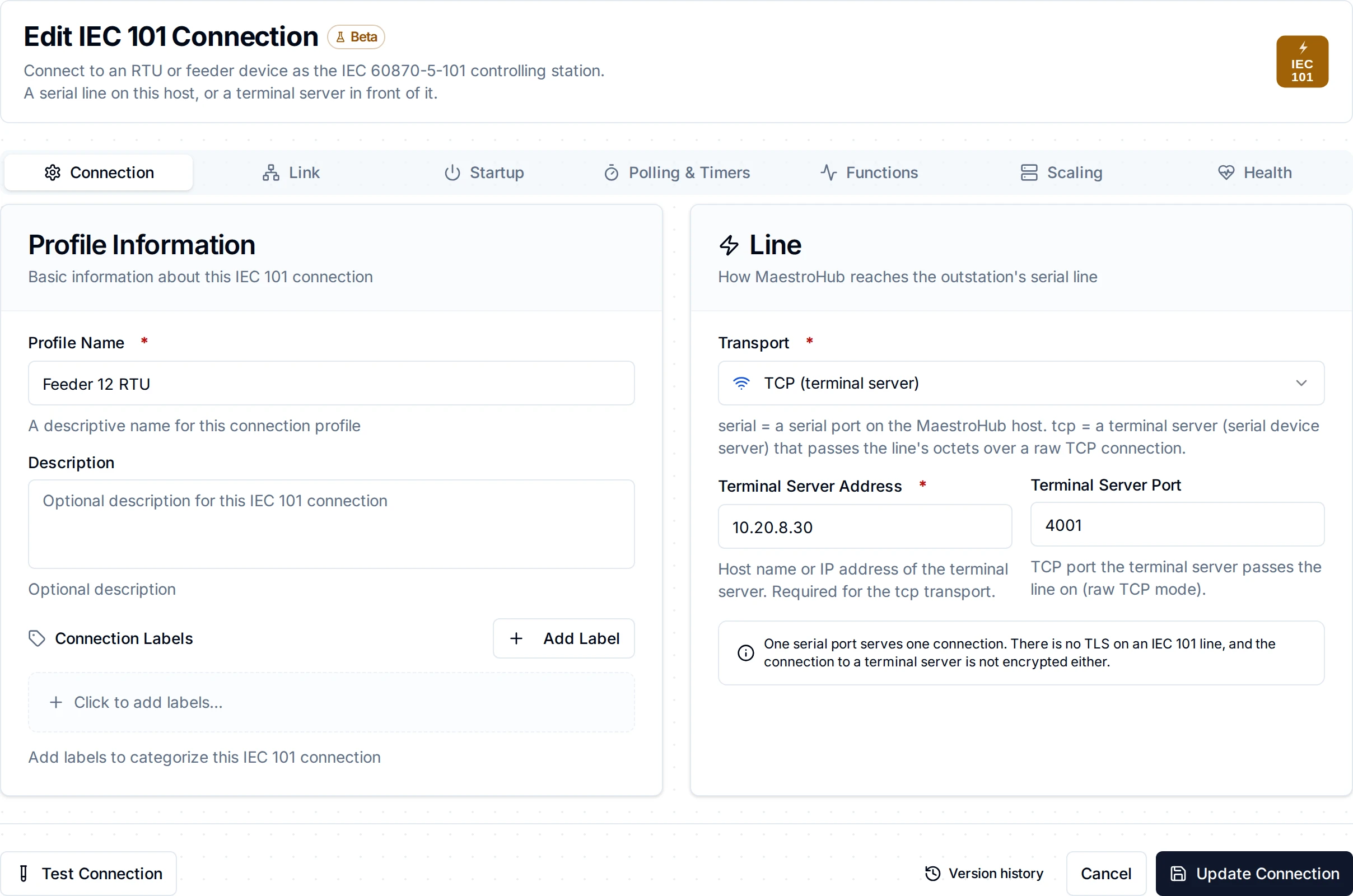
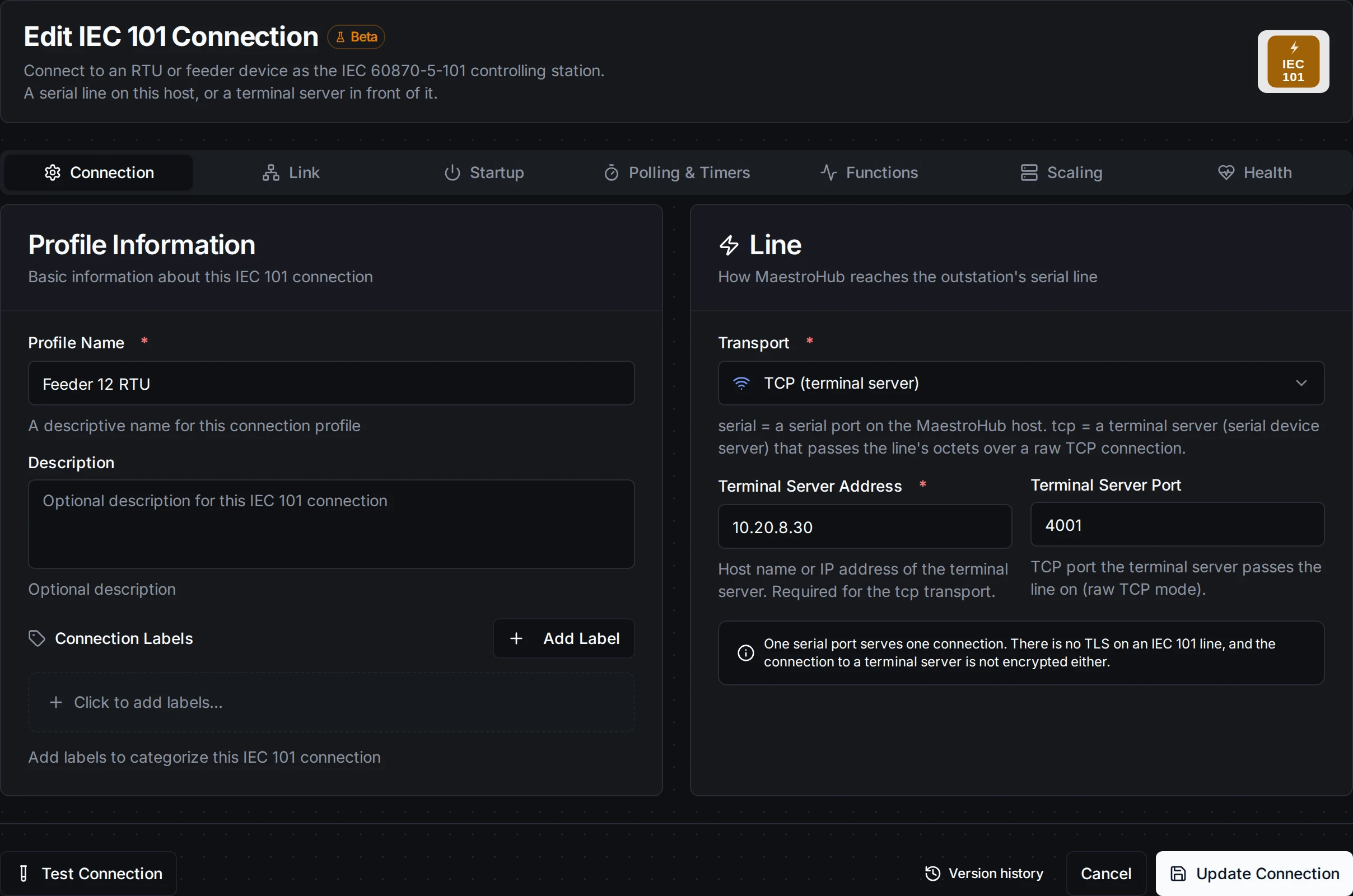
The Connection tab: the transport and the terminal server in front of the line
3. Link
These settings are agreed for the whole system; take them from the outstation's configuration.
| Field | Default | Meaning |
|---|---|---|
| Link Mode | unbalanced | unbalanced: MaestroHub polls. balanced: both stations send, on a point-to-point line |
| Link Address | 1 | The outstation's link address on the line. 0-254 with a one-octet size, 0-65534 with two: 255 and 65535 are the broadcast address, which no outstation answers |
| Link Address Size | 1 | Octets of link address in every frame. 0 is allowed on a balanced link only |
| Common Address | 1 | The station address used in every request. Messages for any other common address are ignored. 1-254 with a one-octet size, 1-65534 with two: 255 and 65535 are the global address, which addresses every station |
| Common Address Size | 2 | 1 or 2 octets |
| Information Object Address Size | 3 | 1, 2 or 3 octets |
| Cause of Transmission Size | 2 | 1 = the cause only; 2 = the cause and the originator address |
| Originator Address | 0 | Identifies MaestroHub when the cause size is 2. 0 = not used |
| Device Time Zone | UTC | The zone the outstation's clock runs in. Device timestamps carry no zone; MaestroHub converts them from this zone to UTC |
4. Startup
| Field | Default | Meaning |
|---|---|---|
| Synchronise Clock on Connect | on | See What happens on connect |
| Interrogate on Connect | on | See What happens on connect |
| Counter Interrogation on Connect | on | See What happens on connect |
| Periodic Interrogation | 0s (off) | Repeat the station interrogation at this interval |
5. Timers
| Field | Default | Meaning |
|---|---|---|
| Poll Interval | 500ms | Unbalanced: how often class 2 data is requested while the outstation has none; while it answers with data the next request goes at once. Balanced: how long the line may stay quiet before the link is tested |
| Acknowledgement Timeout | 1s | How long a frame waits for its answer before it is repeated. On a serial line it must cover a full frame and its answer at the baud rate (2.6 s at 1200 baud); a connection created without one gets that when 1 s is too short. On a balanced line it must cover two full frames at the line speed: the outstation may send a frame of its own straight after its answer, and a single-character answer is taken once what follows it is known. |
| Link Retries | 2 | How many times an unanswered frame is repeated before the link is considered lost |
| Confirmation Timeout | 10s | How long a request waits for the outstation's activation confirmation, which arrives on a later poll. Longer than the acknowledgement timeout, and on an unbalanced link longer than the poll interval plus the acknowledgement timeout |
| Connection Timeout | 10s | How long connecting may take, on a serial port as through a terminal server: dropping what the line held (up to ten character gaps), starting the link (a status request and a reset) and the first link test. Each of those three exchanges can take (Link Retries + 1) times the Acknowledgement Timeout plus a character gap, so set it above ten character gaps plus three times that: the 10s default covers the defaults at 9600 baud; on a slow line raise it. |
Testing the Connection
Click Test Connection at the bottom of the form to try the current settings before saving. Once the connection runs, its health probe asks for the status of the outstation's link and reports the round trip; an outstation that does not answer drops the session, and the connection reconnects.
There is no TLS on an IEC 101 line, and the TCP connection to a terminal server is not encrypted either. Where the device offers it, IEC 104 with TLS protects the link.
Function Builder
After the connection is saved, open its Functions tab, click New Function, and choose Monitor Points, Read Points, Interrogate, Send Command, or Synchronise Clock. Use the Test button to run the function against the live outstation before saving.
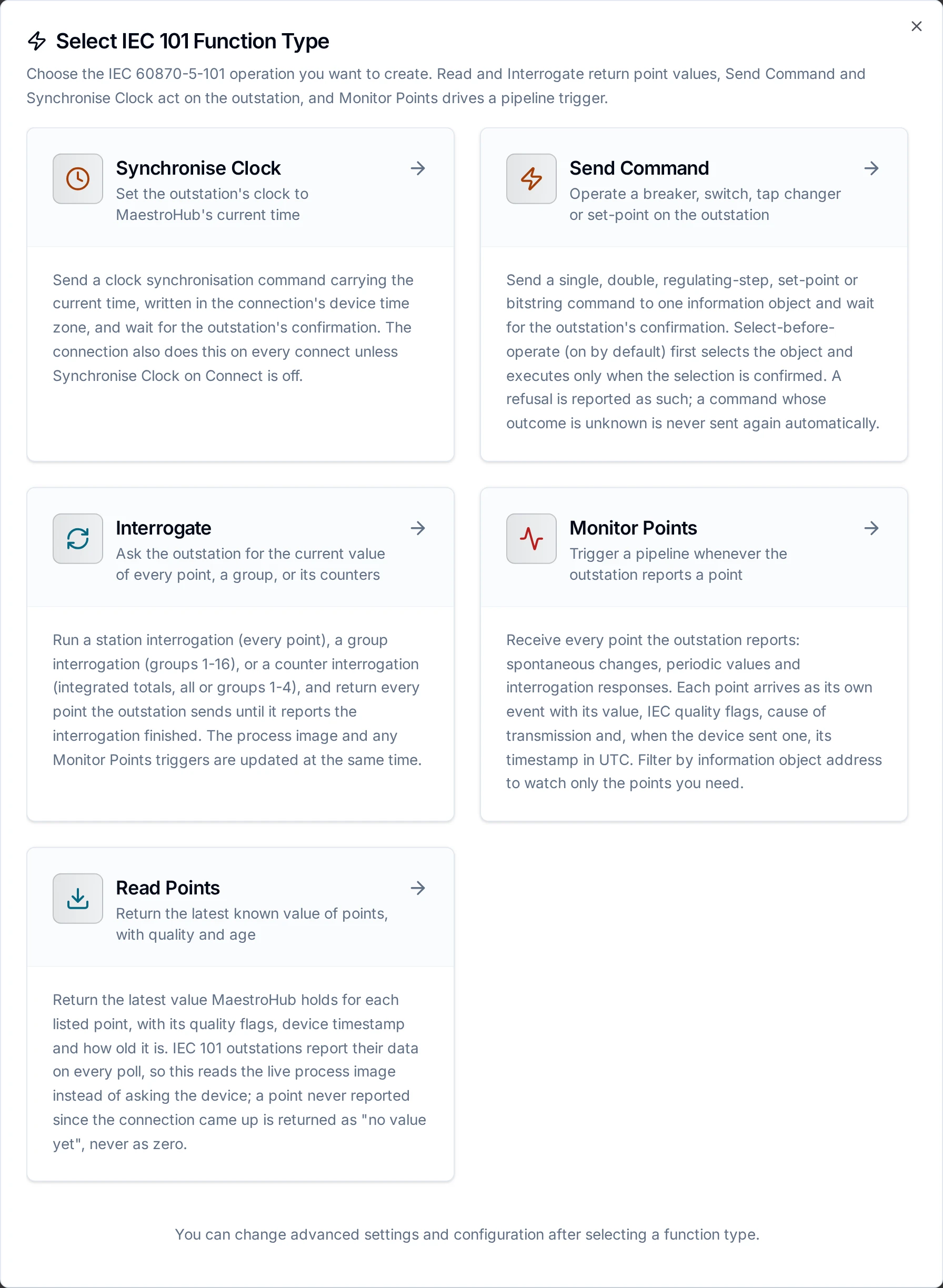
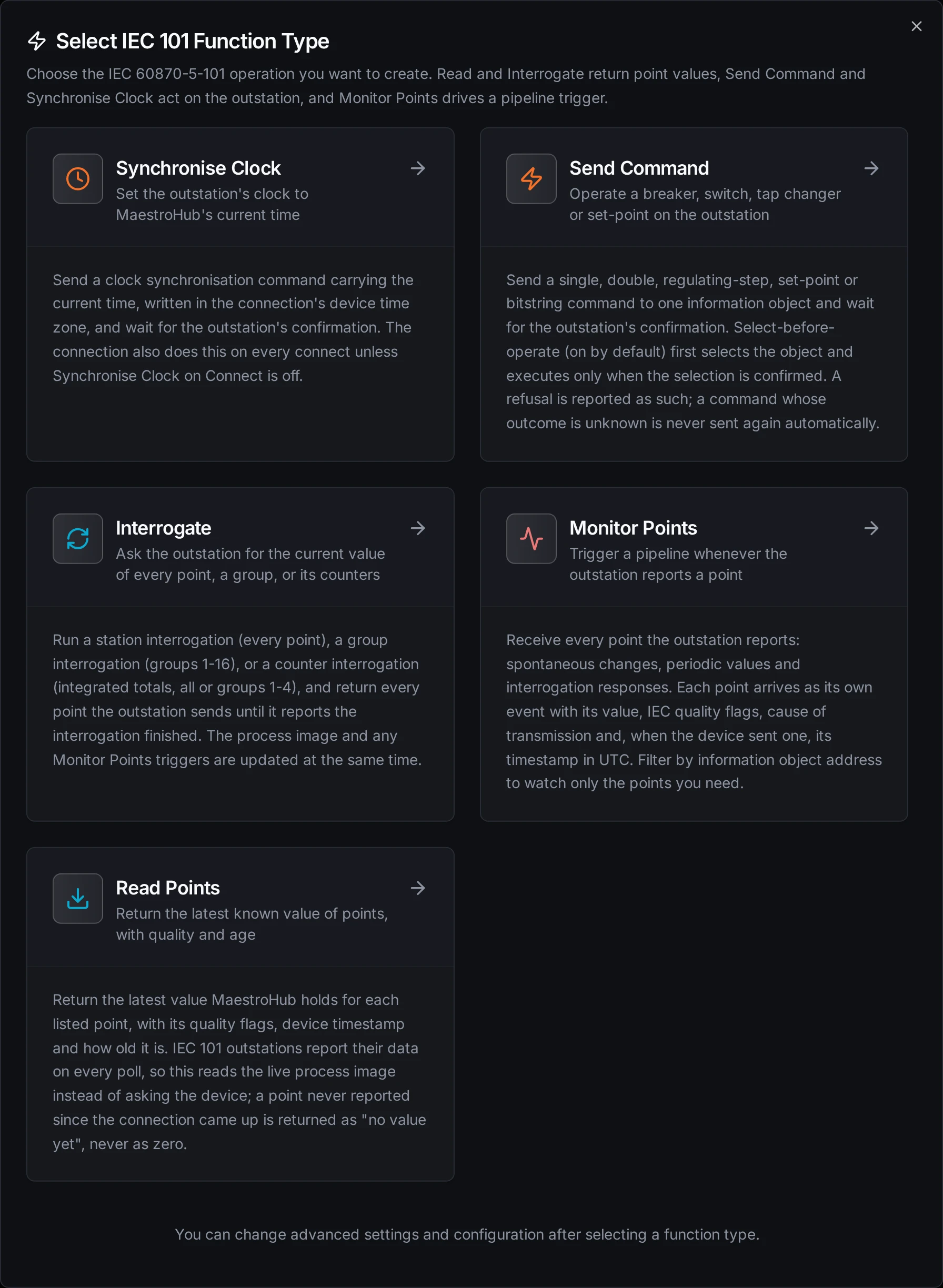
One trigger, two reads and two operations that act on the outstation
Monitor Points (iec101.monitor)
Purpose: Starts a pipeline for each point the outstation reports. This function type is a pipeline trigger: see the IEC 101 Trigger node.
| Parameter | Meaning |
|---|---|
| Information Object Addresses | Addresses and ranges to watch, e.g. 1001, 2000-2999. Empty = every point |
| Include Interrogation Responses | On (default): points that arrive as interrogation responses also fire the trigger. Off: only spontaneous and periodic changes do |
Each event's payload has the same keys as an IEC 104 point:
{
  "commonAddress": 1,
  "ioa": 1001,
  "type": "M_DP_TB_1",
  "value": 2,
  "detail": { "state": "on" },
  "quality": "good",
  "flags": { "invalid": false, "notTopical": false, "substituted": false, "blocked": false, "overflow": false, "timeInvalid": false },
  "cause": "spontaneous",
  "sourceTimestamp": "2026-11-17T09:41:07.221Z",
  "serverTimestamp": "2026-11-17T09:41:07.512Z"
}
sourceTimestampis the device's own timestamp, in UTC, ornullfor types that carry none and for a tag the device marked invalid (thenflags.timeInvalidistrue).- The short time-tagged types (
M_SP_TA_1,M_ME_TB_1and the others numbered 2 to 16) carry only the minute and millisecond. MaestroHub takes the hour and date from the moment it received the point: the latest time with that minute that is no more than five minutes after it (an outstation whose clock runs a few minutes ahead reports minute 02 at 10:58, which is 11:02). The payload says so withdetail.timeTag: "CP24Time2a". An event older than an hour cannot be told apart from a recent one; where that matters, configure the outstation for the full CP56Time2a types (30 to 37). qualityis the platform's band:badwhen the device marked the value invalid;uncertainwhen it is blocked, substituted, not topical, has overflowed, or is a counter with carry or adjustment; otherwisegood.
When the link to the outstation is lost, the trigger fires once per outage with quality bad; see the IEC 101 Trigger node.
Types this connector does not decode (for example protection events, types 17-19 and 38-40) are skipped. The connection log names each such type once.
Read Points (iec101.read)
Purpose: Returns the latest value of each listed point, for example 1001-1004, 2001 (at most 10,000 addresses). Each entry is the payload above plus status: "ok" and ageMs. A point the outstation has not reported since the connection came up is returned as { "ioa": 1003, "status": "noValueYet" }, never as 0.
Interrogate (iec101.interrogate)
Purpose: Asks the outstation for a snapshot and returns every point it sends until it reports the interrogation finished.
| Parameter | Meaning |
|---|---|
| Kind | station = process values; counter = integrated totals |
| Group | 0 = all. Station groups are 1-16; counter groups are 1-4 |
| Timeout | Bound on the whole interrogation (default 30m) |
Send Command (iec101.command)
Purpose: Operates one information object and waits for the outstation's confirmation.
| Parameter | Meaning |
|---|---|
| Command Type | single (C_SC), double (C_DC), regulatingStep (C_RC), setpointNormalized (C_SE_NA), setpointScaled (C_SE_NB), setpointFloat (C_SE_NC), bitstring (C_BO) |
| Information Object Address | The object to operate; it must fit the configured address size |
| Value | single/double: on or off. regulatingStep: higher or lower. setpointNormalized: -1 to just under 1. setpointScaled: -32768 to 32767. setpointFloat: a number. bitstring: a 32-bit number, decimal or 0x hex |
| Select Before Operate | On (default): select first, execute only when the selection is confirmed |
| Qualifier | single/double/regulatingStep: 0 = outstation default, 1 = short pulse, 2 = long pulse, 3 = persistent. Set-points: the QL value |
| Wait for Termination | Also wait for the outstation to report the command finished. Many outstations send none |
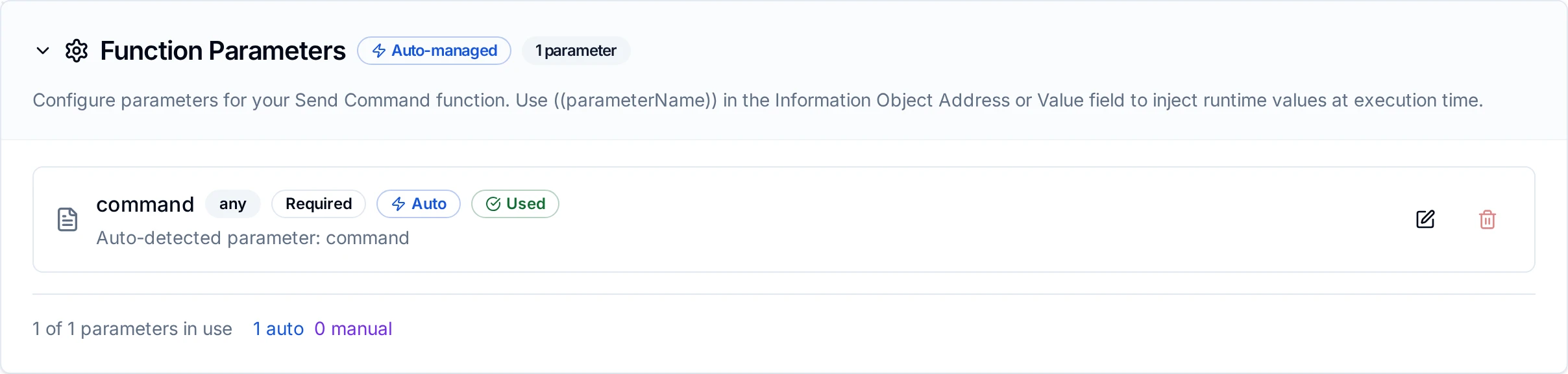
A Send Command function whose value a pipeline fills in
Every parameter is checked before anything is sent; a bad value never reaches the line. The time-tagged command types (58-64) are not sent over IEC 101.
The outstation's link acknowledgement says the frame arrived, not that it was carried out; the command is done only when the activation confirmation comes back. If it does not come within the Confirmation Timeout, or the link is lost while the command is on the line, the outcome is unknown: the outstation may have acted. MaestroHub then reports command outcome unknown and never sends it again on its own, not by the connector and not by a pipeline's Retry on Fail or ForEach retry. A refused command is reported as refused and is not retried either.
Synchronise Clock (iec101.clockSync)
Purpose: Sends the current time, written in the device time zone, and waits for the confirmation.
Pipeline Integration
- IEC 101 Read Points (
connected.iec101.read) - IEC 101 Interrogate (
connected.iec101.interrogate) - IEC 101 Send Command (
connected.iec101.command) - IEC 101 Synchronise Clock (
connected.iec101.clockSync) - IEC 101 Trigger (
trigger.iec101): starts a pipeline for each point aniec101.monitorfunction matches
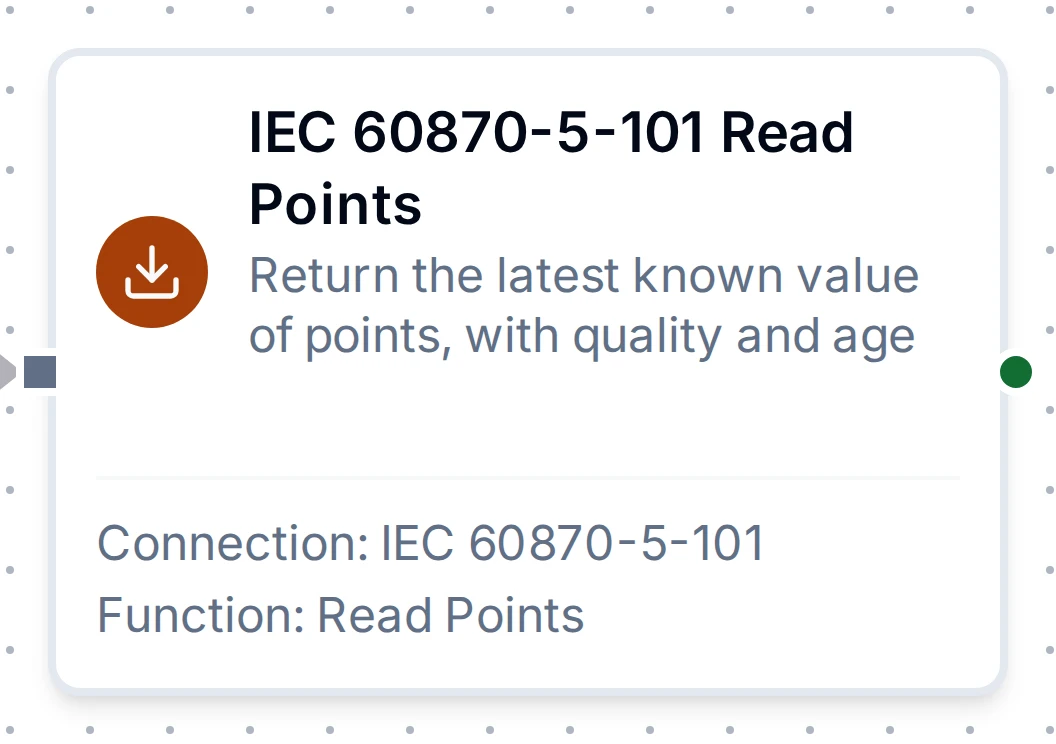
The Read Points node with its connection and function
For node-level details, see the IEC 60870-5-101 Nodes and IEC 101 Trigger pages.
What is and is not checked
What stands behind the connector today:
- Its application layer is the one the IEC 104 connector has run in production since September 2026, now shared by both.
- It is run against the open-source lib60870 IEC 101 slave (version 2.4.1) in a separate container: unbalanced and balanced links, the default field sizes and a small profile (two-octet link address, one-octet common address and cause, two-octet addresses), interrogation, periodic data, commands confirmed and refused, clock synchronisation, and a dropped line.
- The serial path is run through a pseudo-terminal into that slave's serial port, so the serial library, the framing and the link procedures run as they would on a cable.
What is not yet proven, and is the reason for the Beta mark:
- It has not been connected to a physical RTU or run on a physical serial line: line timing at low baud rates and RS-485 direction switching are untested on hardware.
Not supported: several outstations on one line (one link address per connection), time-tagged commands, file transfer, parameter loading, redundant lines, secure authentication (IEC 62351-5), and acting as an outstation.
Troubleshooting
| Symptom | Possible Cause | Solution |
|---|---|---|
the outstation did not answer after 3 attempts of request status of link | Wrong port, baud rate, parity or Link Address, or the device is off | Match the device's line settings and link address |
| No point ever arrives | The Common Address, or one of the field sizes, does not match the outstation's | Set the common address and the four sizes the system uses |
| Every message is skipped as malformed | A field size differs from the outstation's | Check the common address, address and cause sizes |
| Device timestamps are hours off | Device Time Zone does not match the outstation's clock | Set the zone the outstation's clock runs in |
A read returns noValueYet for a point | The outstation has not reported it since the connection came up | Keep Interrogate on Connect on, or run an Interrogate |
| The link drops on a busy line | The answer takes longer than the Acknowledgement Timeout | Raise the timeout for slow lines (low baud rates, radio links); on a balanced line, to at least two full frames at the line speed |
| A slow serial line does not connect | The connect does not fit in the Connection Timeout | Raise it above ten character gaps plus three times (Link Retries + 1) × Acknowledgement Timeout |