GE SRTP Integration Guide
Read and write the memory of GE and Emerson PLCs by GE reference, over SRTP (GE Ethernet) on TCP 18245.
- Status
- Beta
- PLCs
- Series 90-30 · 90-70 · RX3i · RX7i · VersaMax
- Transport
- TCP 18245, no encryption, no sign-in
- Operations
- Read Device · Read Block · Write Device · Write Register Bit
- Triggers
- None: poll with a Schedule trigger
GE and Emerson PLCs, from the Series 90-30 and 90-70 to the PACSystems RX3i and RX7i and the VersaMax, answer SRTP (Service Request Transfer Protocol) on the Ethernet port of their CPU or of an Ethernet module in their rack, on TCP port 18245. It is the protocol Kepware calls its "GE Ethernet" driver. MaestroHub reads and writes the PLC's memory by the references its program uses, such as %R100, %AI3 or %M17: registers, analog inputs and outputs, and every discrete memory. This guide covers the connection, the reference forms and data types, the four function types, and how the matching nodes fit into the Pipeline Designer.
What stands behind the connector today:
- Every byte MaestroHub sends is one the public record agrees on: published captures of Kepware's GE Ethernet driver (the session set-up, a register read, register and single-bit writes and their replies are part of MaestroHub's tests byte for byte), the DFRWS 2017 paper on SRTP, the CISA Zeek parser and the Wireshark dissector for SRTP, and GE's PACSystems CPU reference manual (GFK-2950) for how values of two and four registers are stored.
- Its requests were answered by an SRTP server someone else wrote, the one of the open-source fanuc-snpx project, and that project's client was run against the test PLC that MaestroHub's own tests use. The Wireshark dissector decoded MaestroHub's traffic.
What is not proven yet:
- It has not been run against a real GE or Emerson PLC.
- The largest request each PLC model takes, and how much memory of each kind each model has: MaestroHub does not check these, the PLC refuses a reference past the end of its memory. Max Request Size lowers the request size for an Ethernet module that refuses large requests.
- The refusal codes: no independent server sends GE's codes. The table below is GE's, from its Series 90 SNP manual (GFK-0529) as the CISA parser quotes it.
Overview
The GE SRTP connector provides:
- Word memory: registers (
%R), analog inputs (%AI) and analog outputs (%AQ), asWORD,INT,DWORD,DINT,REALorLREAL, and single bits of them (%R100.3) - Discrete memory: inputs (
%I), outputs (%Q), internal coils (%M), temporary coils (%T), Genius global data (%G) and the system bits%SA,%SB,%SC, as bits or as 8 or 16 bits at a time - System status (
%S), read only - Block reads: many named references in one node, merged into as few requests as fit
- Safe discrete bit writes: a single
%M,%Qor%Tbit is changed by the PLC itself - Register bit writes: a bit of a register by read-modify-write, sent at most once
Terms used in this guide
| Term | Meaning |
|---|---|
| SRTP | GE's request and reply protocol for its PLCs' Ethernet ports, on TCP 18245. Each request reads or writes one run of memory. |
| Reference | A memory location as the PLC program names it: a %, the memory's letters and a number from 1. %R100 is register 100. |
| Word memory | %R, %AI, %AQ: 16-bit registers. |
| Discrete memory | %I, %Q, %M, %T, %G, %S, %SA, %SB, %SC: single bits, numbered from 1. %M1 to %M8 are one byte. |
| CPU slot | The rack slot of the PLC's CPU. SRTP addresses its requests to it. |
Not supported
| What | Why |
|---|---|
%W bulk memory (RX3i, RX7i) | No public source gives its selector; the decompiled reference driver maps it onto %R, which would read the wrong memory. |
| Symbolic (variable) access, program and task memory | Not in this version: MaestroHub reads system memory by reference. |
BCD-4, BCD-8 and STRING values | Not in this version. Read the register as WORD and convert in the pipeline. |
| PLC status, clock, fault tables, run and stop | Not in this version. |
| Ethernet Global Data (EGD) | A different protocol, the PLC's own broadcasts. |
Writing %S | GE's system status is read only. |
What happens on connect
MaestroHub opens the TCP connection and sets up the SRTP session the way Kepware's GE Ethernet driver does: a 56-byte initialisation message, which the PLC acknowledges, then a session set-up request. It then reads %R1 to %R4 from the CPU: the Ethernet interface sets up the session whatever the CPU slot, and a read is what reaches the CPU. Nothing is written. The connection health check repeats that read.
Connection Configuration
Creating a GE SRTP Connection
Navigate to Connections → New Connection → GE SRTP, and configure the following:
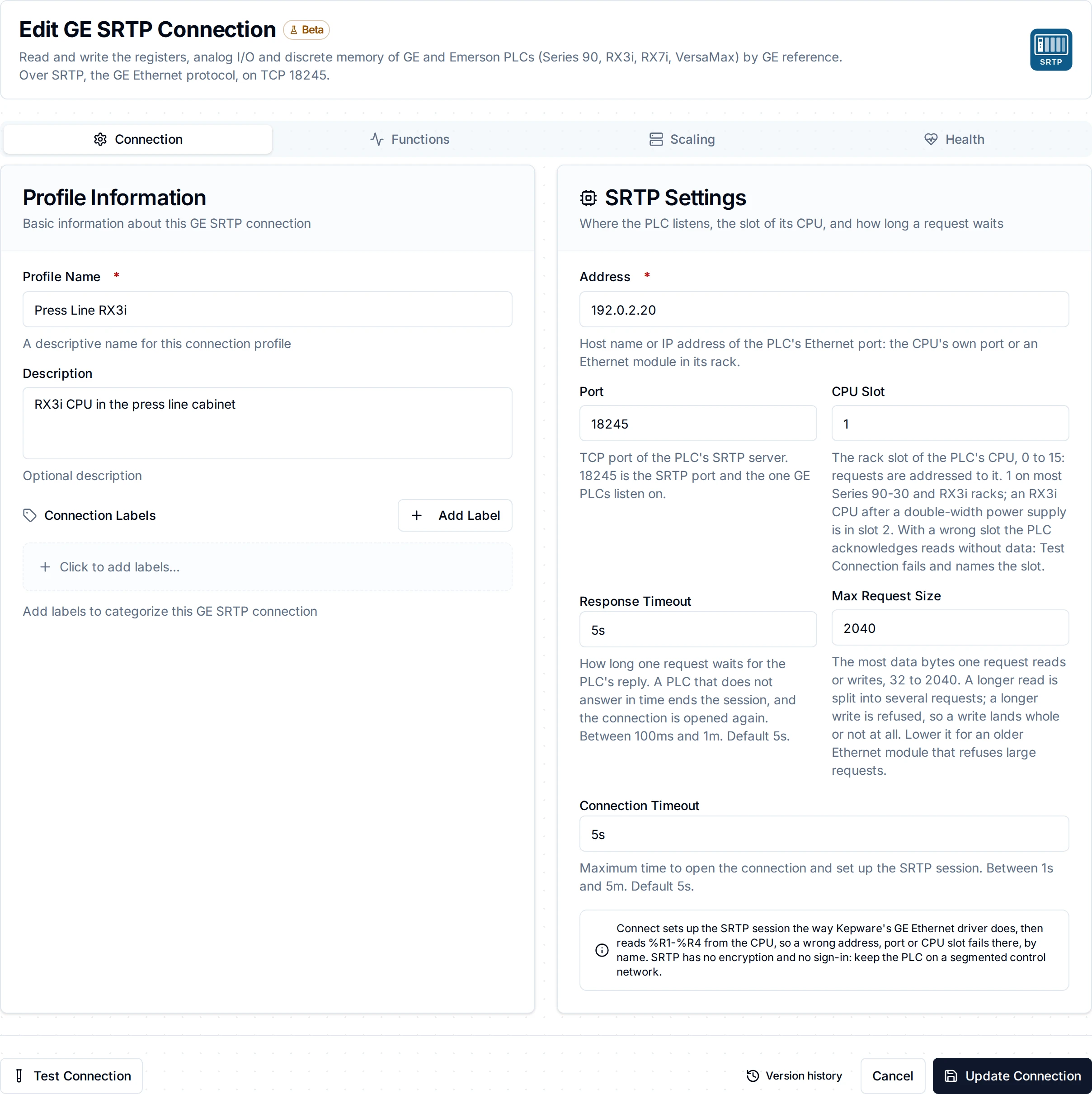
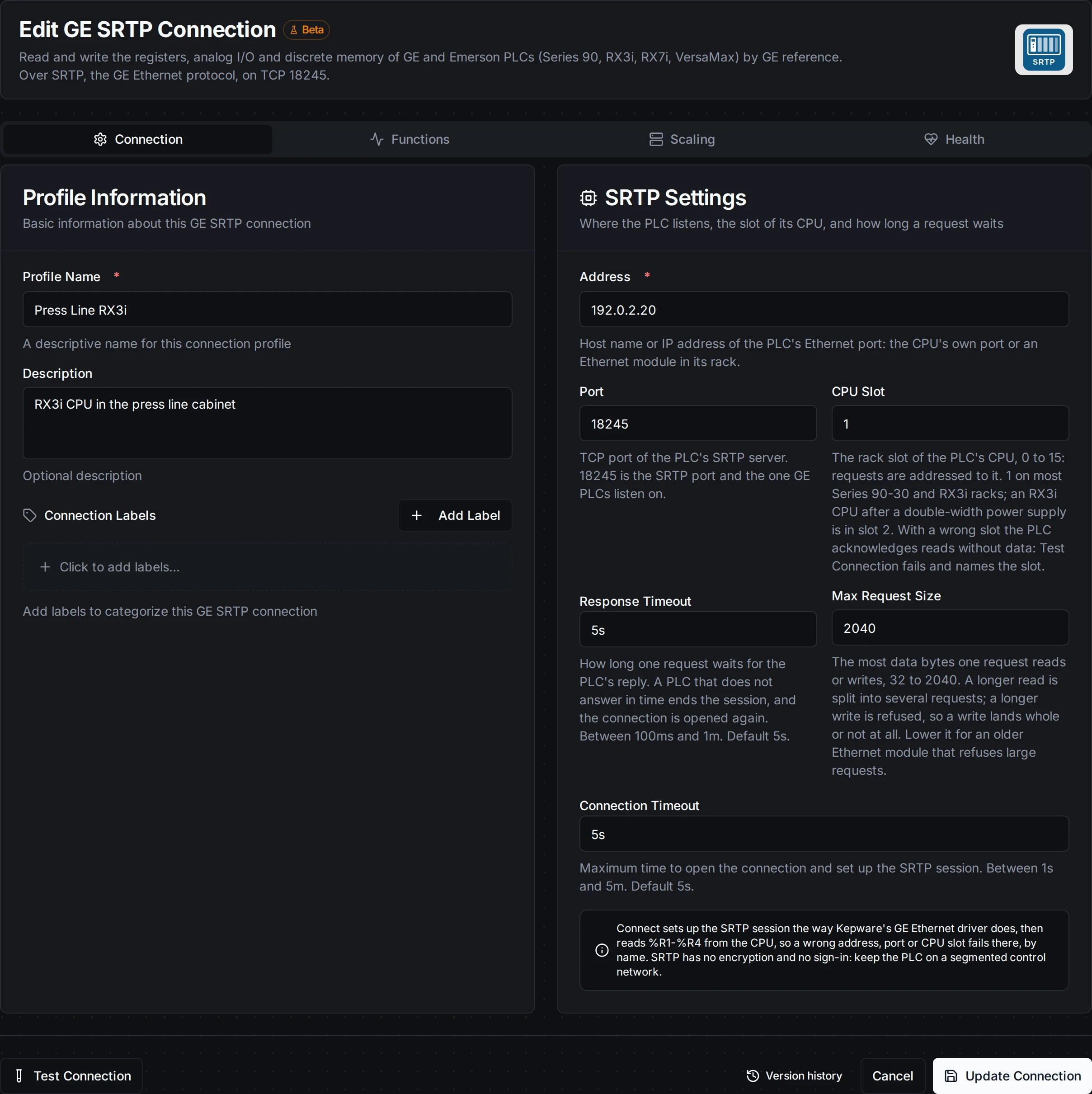
The GE SRTP connection form
1. Profile Information
| Field | Default | Description |
|---|---|---|
| Profile Name | - | A descriptive name for this connection profile (required, max 100 characters) |
| Description | - | Optional description for this GE SRTP connection |
2. PLC
| Field | Default | Description |
|---|---|---|
| Address | - | Host name or IP address of the PLC's Ethernet port: the CPU's own port or an Ethernet module in its rack (required) |
| Port | 18245 | TCP port of the PLC's SRTP server |
| CPU Slot | 1 | The rack slot of the PLC's CPU, 0 to 15. 1 on most Series 90-30 and RX3i racks; an RX3i CPU after a double-width power supply is in slot 2 |
| Connection Timeout | 5s | Maximum time to open the connection and set up the session (1s to 5m) |
| Response Timeout | 5s | How long one request waits for the PLC's reply (100ms to 1m). A PLC that does not answer in time ends the session, and the connection is opened again |
| Max Request Size | 2040 | The most data bytes one request reads or writes, 32 to 2040. A longer read is split into several requests; a longer write is refused. Lower it for an older Ethernet module that refuses large requests |
The session is set up with the Ethernet interface, whatever the slot; with a wrong CPU Slot the PLC acknowledges every read without data. MaestroHub never takes such an answer as a value (it would read as zeros): the connection fails with the PLC acknowledged the read without returning any data ... check the connection's CPU Slot, and so does any read or Write Register Bit, which then writes nothing.
SRTP has no encryption and no sign-in: any host that reaches TCP 18245 can read and write the PLC's memory. Keep the PLC on a segmented control network, and reach it from MaestroHub through the firewall rule for this host only.
Testing the Connection
Test Connection opens the connection, sets up the SRTP session and reads %R1 to %R4. A success means a GE PLC's CPU answers, or refuses, a read in that slot at that address. A read acknowledged without data (a wrong slot) fails it.
Function Builder
Creating GE SRTP Functions
Open the connection's Functions tab, select New Function and pick one of the four function types.
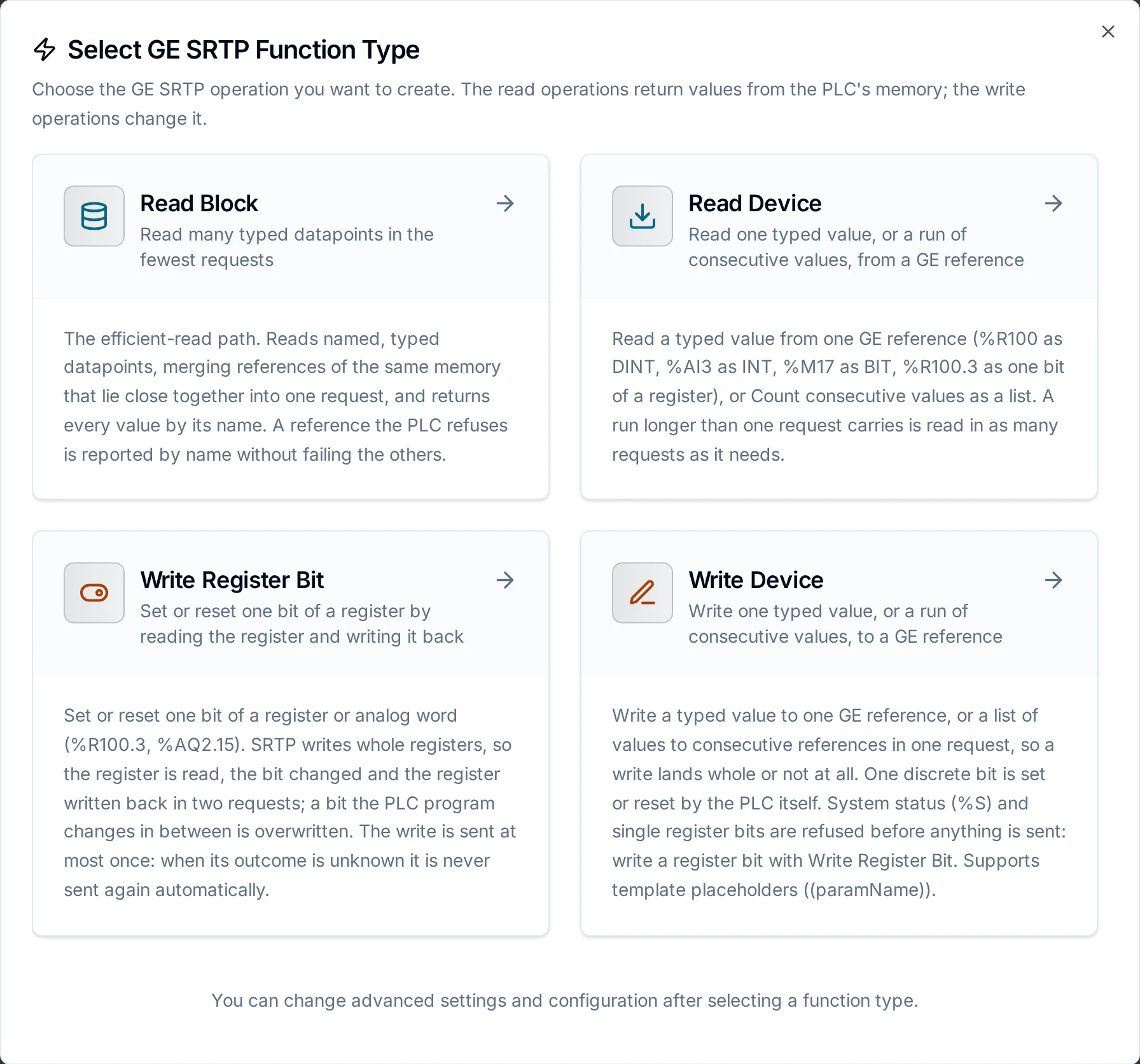
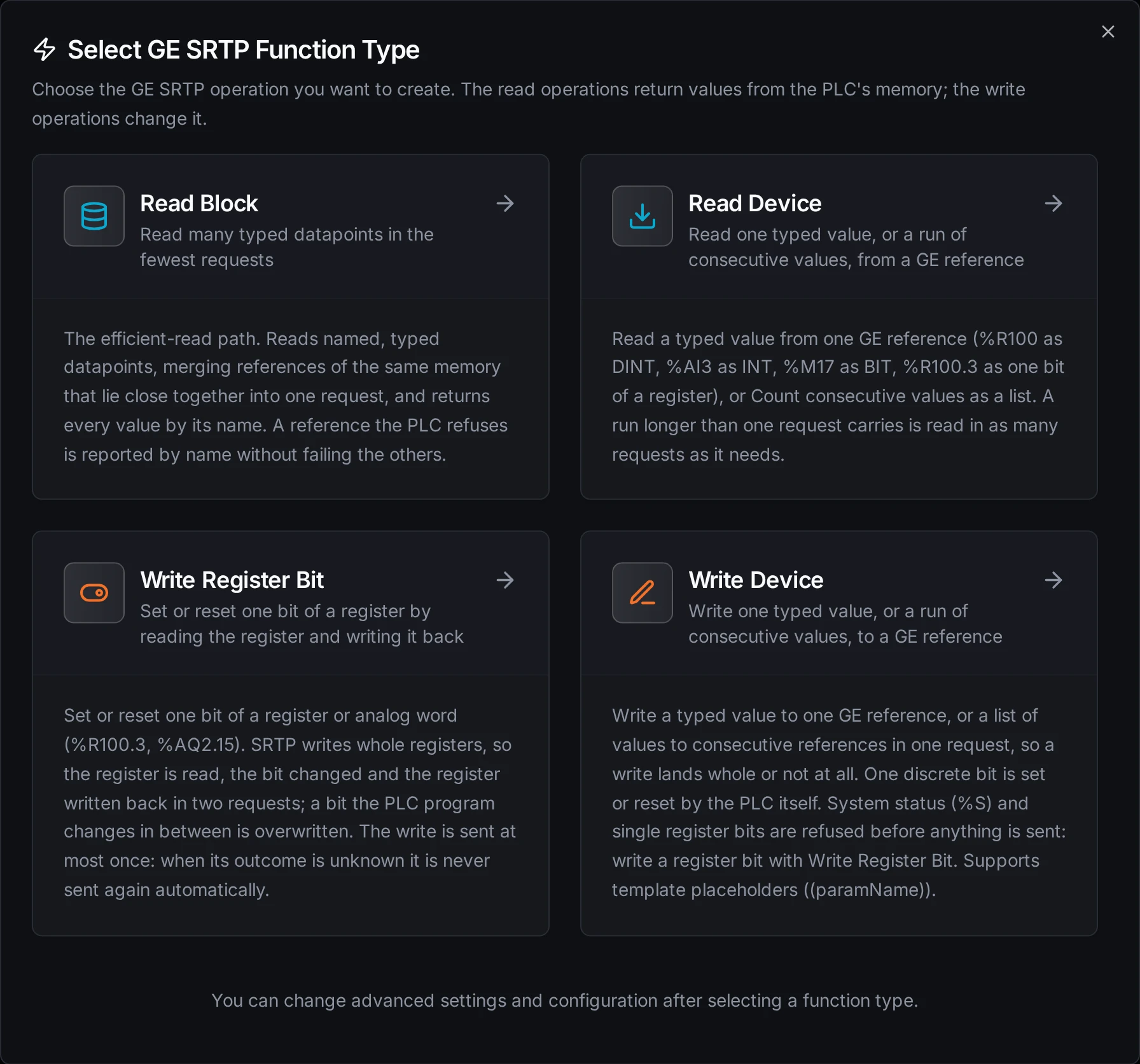
The four GE SRTP function types
References
A reference is a %, the memory's letters and a number from 1, as the PLC program writes it. The % may be left out, letter case and leading zeros do not matter, so r00100 is %R100.
| Memory | What it is | Unit | Data types |
|---|---|---|---|
%R | Registers | 16-bit word | WORD, INT, DWORD, DINT, REAL, LREAL; BIT with a bit number |
%AI | Analog inputs | 16-bit word | as %R |
%AQ | Analog outputs | 16-bit word | as %R |
%I | Discrete inputs | bit | BIT; USINT, WORD, INT from a byte boundary |
%Q | Discrete outputs | bit | as %I |
%M | Internal coils | bit | as %I |
%T | Temporary coils | bit | as %I |
%G | Genius global data | bit | as %I |
%SA, %SB, %SC | System fault bits | bit | as %I |
%S | System status, read only | bit | as %I |
- A bit of a register is the register and the bit number, 0 (least significant) to 15:
%R100.3. It is read asBIT. - Discrete memory is read and written by byte.
%M1to%M8are one byte,%M9to%M16the next. AUSINT,WORDorINTof discrete memory, and a list of bits, start on a byte boundary:%M1,%M9,%M17and so on.%M17asWORDis%M17to%M32,%M17in its lowest bit. - Results give the reference back in GE's form:
r00100comes back as%R100.
A reference and its data type are checked when the function is saved. How much memory of each kind the PLC has is not known to MaestroHub: a reference past the end is refused by the PLC (major 0x05).
Data Types
| Data Type | Registers | Value |
|---|---|---|
BIT | - | true or false: one discrete reference, or a bit of a register |
USINT | - | Unsigned 8-bit, 0 to 255: eight discrete bits (GE's BYTE) |
WORD | 1 | Unsigned 16-bit, 0 to 65535 (GE's UINT and WORD; the default) |
INT | 1 | Signed 16-bit, -32768 to 32767 |
DWORD | 2 | Unsigned 32-bit (GE's UDINT and DWORD) |
DINT | 2 | Signed 32-bit |
REAL | 2 | 32-bit floating point |
LREAL | 4 | 64-bit floating point |
A value of two or four registers keeps its low word in the first register, as GE's PACSystems manual describes: a DINT at %R100 has its low 16 bits in %R100 and its high 16 bits in %R101.
Read Device (gesrtp.read.device)
Purpose: Reads one typed value from a reference, or Count consecutive values as a list.
| Parameter | Default | Meaning |
|---|---|---|
| Reference | (required) | A GE reference: %R100, %AI3, %M17, %R100.3 |
| Data Type | WORD | How to interpret the value. See Data Types |
| Count | 1 | 1 to 1000. 1 returns the value; more returns a list |
| Timeout | 30m | Bound on this operation (1s to 1h) |
- Consecutive values follow each other by their size:
%R100asDINTwith Count 3 reads%R100to%R105. BITwith a Count reads consecutive bits:%M17with Count 4 gives%M17to%M20;%R100.14with Count 4 gives bits 14 and 15 of%R100, then bits 0 and 1 of%R101.- A read larger than Max Request Size is sent as several requests, one after the other.
Read Block (gesrtp.read.block)
Purpose: Reads many named, typed references in the fewest requests, and returns every value by its name.
| Parameter | Default | Meaning |
|---|---|---|
| Data Points | (required) | A list of points. Each has a name, the key of its value in the result; a device, a GE reference; and a dataType. Each name is used once; a point without a name is named by its reference |
| Timeout | 30m | Bound on this operation (1s to 1h) |
How the points are merged:
- Points of the same memory that lie at most 32 bytes apart (16 registers, 256 discrete bits) are read with one request, the memory between them included, up to 255 bytes; a run is still split by Max Request Size.
- When the PLC refuses a request that served several points, MaestroHub asks for each of those points on its own, so a reference past the end of memory does not take its neighbours with it. The result's
totalReadscounts those requests too.
A point that is no reference, or whose data type its memory does not hold, refuses the save. A point the PLC refuses is reported by name in the result's errors, and the other points are still read. The node fails only when the link fails.
Write Device (gesrtp.write.device)
Purpose: Writes one typed value to a reference, or a list of values to consecutive references in one request.
| Parameter | Default | Meaning |
|---|---|---|
| Reference | (required) | A writable reference: %R200, %AQ2, %Q5, %M17. %S is read only; a bit of a register is written with Write Register Bit |
| Data Type | WORD | How to encode the value |
| Value | (required) | The value, parsed by the data type: a number, or true/false, 1/0, on/off for a bit. A JSON list such as [1, 2, 3] writes consecutive references. Supports ((paramName)) templates |
| Timeout | 30m | Bound on this operation (1s to 1h) |
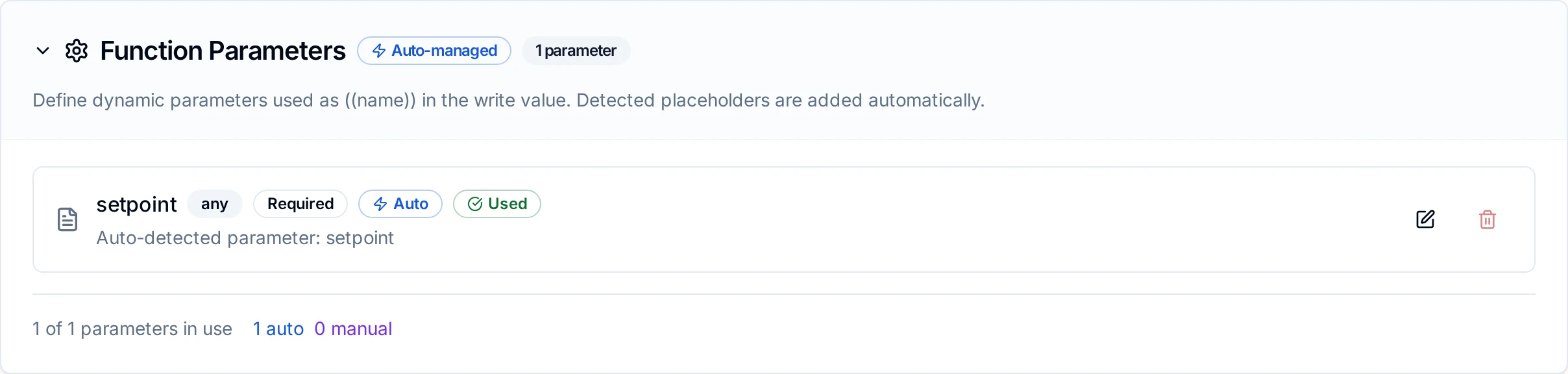
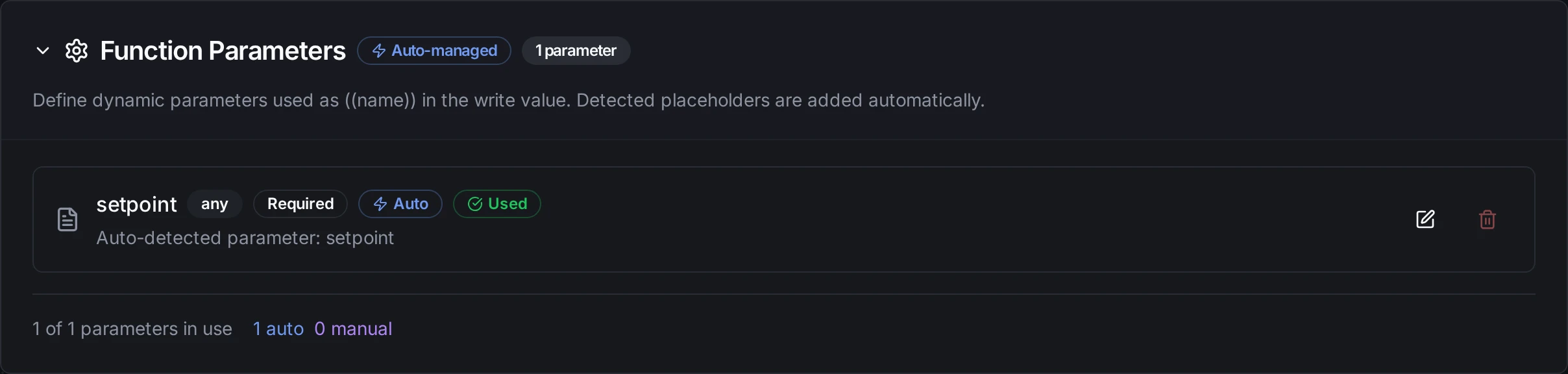
A Write Device function whose value is the ((setpoint)) parameter, filled by the pipeline
The write rules:
- One discrete bit is changed by the PLC.
%M17asBITsends SRTP's single-bit write, and the PLC changes that bit itself; the other bits of its byte are left as they are. - Several discrete bits are written in whole bytes: a list of bits starts on a byte boundary (
%M1,%M9,%M17...) and is a multiple of 8 long. Any other list is refused before anything is sent; write such bits one at a time. - A list of values writes consecutive references in one request, so the write is carried out whole or not at all. A write larger than Max Request Size is refused, never split.
- Nothing is sent when a value does not fit its reference: text into a word,
70000into anINT, a fraction into a whole-number type, a write to%S.
A write is never buffered for later delivery: a setpoint that arrives an hour late is a new decision, not the old one. A pipeline run started by a late (replayed) input does not execute the write unless the node allows late input. A Write Device that got no answer may be sent again by the node's Retry on Fail: writing the same value twice leaves the PLC in the same state. A write the PLC refused for its reference, its size or the privilege level is not retried.
Write Register Bit (gesrtp.write.bit)
Purpose: Sets or resets one bit of a register or analog word.
| Parameter | Default | Meaning |
|---|---|---|
| Reference | (required) | A bit of a register: %R100.3, %AI4.0, %AQ2.15 |
| Value | (required) | The bit's new state: true/false, 1/0 or on/off. Supports ((paramName)) templates |
| Timeout | 30m | Bound on this operation (1s to 1h) |
SRTP writes whole registers, so MaestroHub reads the register, changes the bit and writes the register back, in two requests. When the read brings no data or gets no answer, nothing is written. If the PLC program changes another bit of that register between the two, that change is overwritten. The result gives the register as it was read (previous) and as it was written (written).
A Write Register Bit is a control command: it is never buffered, and when its outcome is unknown (no answer to the write) it is never sent again automatically, whatever Retry on Fail or a ForEach retry says. Sent again, it would write back a register read later. Check the register before you send it again.
Using Parameters
The Value field supports ((parameterName)) placeholders; they appear in the Function Parameters block, where you set each one's type, whether it is required, and a default. For example, Reference %R200, Data Type REAL and Value ((setpoint)) write the node's setpoint parameter to %R200 and %R201. The Reference field takes a reference: it is checked when the function is saved.
Pipeline Integration
Use the functions you configure here as nodes inside the Pipeline Designer. Each function type has its own node:
- GE SRTP Read Device (
connected.gesrtp.read.device): executes agesrtp.read.devicefunction - GE SRTP Read Block (
connected.gesrtp.read.block): executes agesrtp.read.blockfunction - GE SRTP Write Device (
connected.gesrtp.write.device): executes agesrtp.write.devicefunction - GE SRTP Write Register Bit (
connected.gesrtp.write.bit): executes agesrtp.write.bitfunction
A GE PLC does not send SRTP data on its own: to poll one, drive the reads from a Schedule trigger.
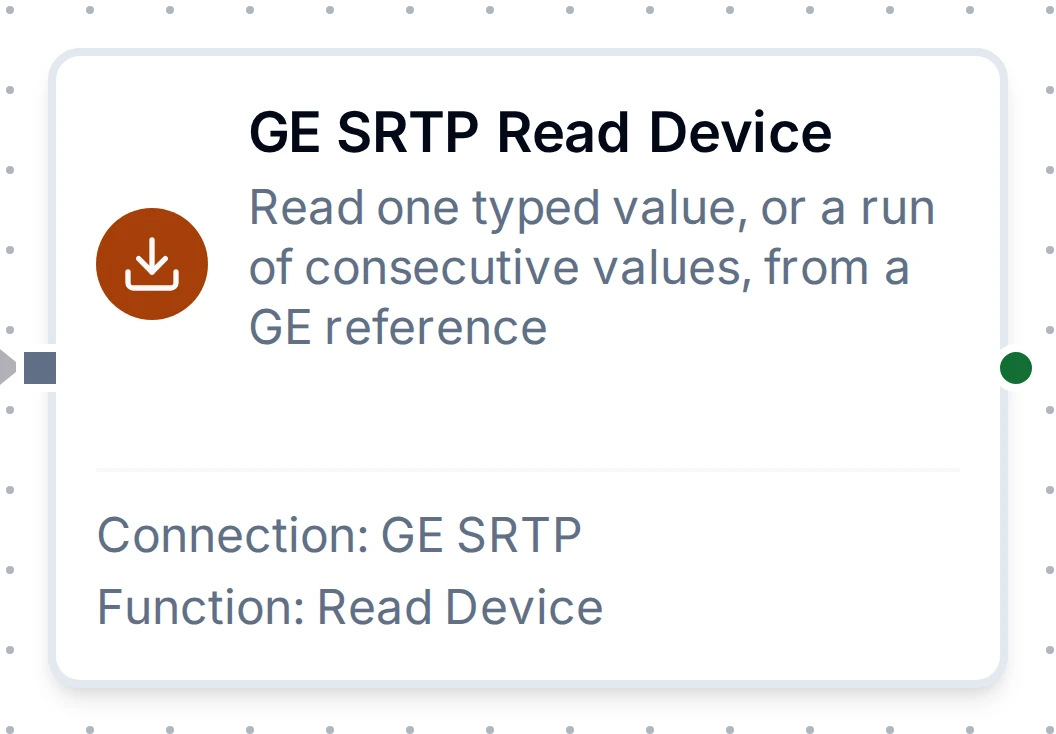
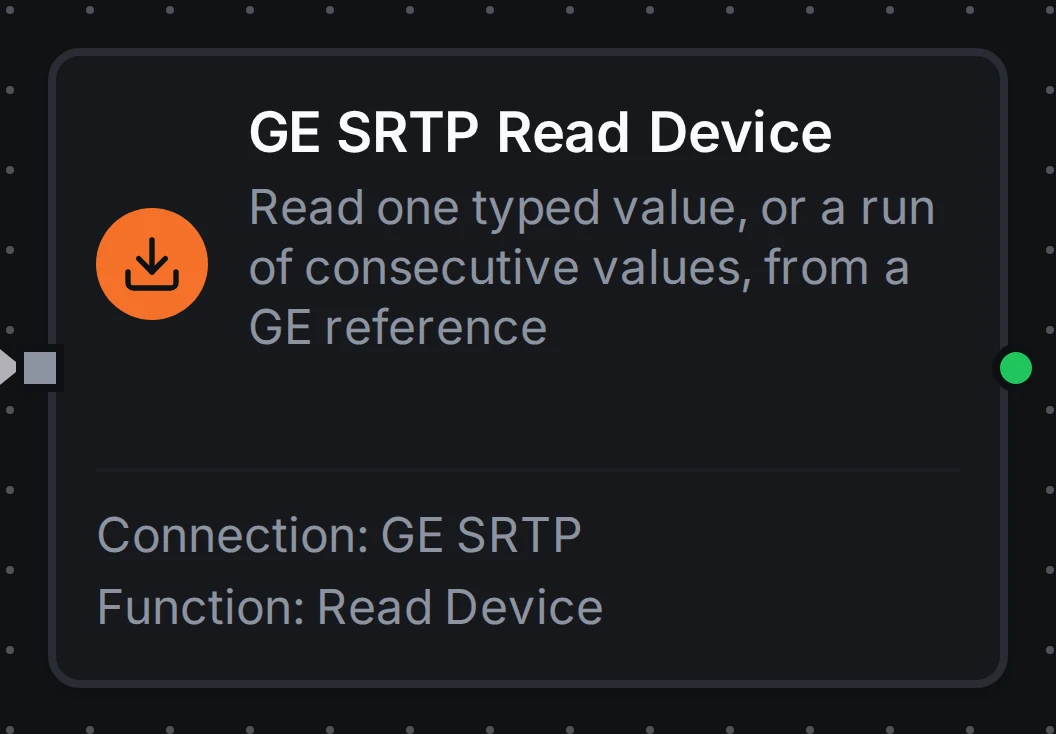
The Read Device node with its connection and function
For node-level details (output structure, execution settings), see the GE SRTP Nodes page.
For orchestration strategies that mix these PLCs with other data sources, see the Nodes page.
Common Use Cases
Production counts and alarms to a historian or the UNS
A Read Block of a line's counts (%R100 as DINT), alarm coils (%M17 as BIT) and analog values (%AI3 as INT) on a Schedule trigger, routed to a historian or the Unified Namespace. Neighbouring references share a request, so a block of related values costs few round trips.
Setpoints and recipes
A parameterized Write Device function (Value: ((setpoint))) fed from an MES or an operator form, with a Condition node checking the range first. A list such as [120, 45, 3] writes a recipe to consecutive registers in one request.
Handshake bits in a register
Many GE programs pass requests and acknowledgements as bits of one register. Write Register Bit sets %R500.0; a Read Device of %R500.1 as BIT waits for the program's answer.
Troubleshooting
Error Reference
The texts below leave out the gesrtp: that most messages start with. A refusal by the PLC ends with its major and minor status, for example (major 0x05, minor 0xF4: invalid input parameter).
| Major | What you see | What to do | Retried? |
|---|---|---|---|
0x05 | the PLC refused the request: service request error (major 0x05, minor 0x…); the reference may not exist on this PLC, or lie past the end of its memory | Check the reference against the PLC's configuration: how many %R, %AI, %AQ it has. Minor 0xF9 is an address out of range, 0xE4 a memory the PLC does not have, 0xF4 an invalid parameter | No |
0x02 | the PLC refused the request: insufficient privilege … | The PLC's privilege level does not allow this access; the memory may be protected with a password | No |
0x01 | the PLC refused the request: illegal service request … | The PLC does not take this request | No |
0x06 | the PLC refused the request: illegal mailbox type … | The PLC does not take this kind of message | No |
0x07 | the PLC refused the request: the PLC's service request queue is full … | The PLC is busy; read less often or with fewer connections | Yes |
0x04 | the PLC refused the request: protocol sequence error … | The PLC received a request out of order | Yes |
| - | the PLC refused the request without saying why (status 0x00 0x00) | The PLC refused without a code | Yes |
Messages that do not come from the PLC:
| What you see | Meaning | Retried? |
|---|---|---|
… is not a GE reference: it starts with an area … | The reference is not one of the memories above. The save is refused | No |
… names one bit of a register: set the data type to BIT / … is a 16-bit register: name one of its bits … | The data type does not fit the reference. The save is refused | No |
… discrete memory is read by byte, so a WORD starts on a byte boundary … | A USINT, WORD or INT of discrete memory that does not start at %x1, %x9, %x17... The message names the reference to use | No |
… is system status memory, which is read only | A write to %S. Nothing was sent | No |
… one request carries at most …, and a write is not split | A write larger than Max Request Size. Nothing was sent | No |
… several bits are written in whole bytes … | A list of discrete bits that does not start on a byte boundary or is not a multiple of 8 long. Nothing was sent | No |
the PLC acknowledged the read without returning any data … check the connection's CPU Slot | The PLC answered a read without data, as it does when CPU Slot is not the CPU's slot. Nothing is taken as a value, and Write Register Bit writes nothing | No |
the register was not written: reading it first failed: … | Write Register Bit got no answer to its read of the register, so it never sent the write | Yes: nothing was written |
no answer from the PLC (…) | The request was sent and not answered within the Response Timeout. The connection is closed and opened again. A write may have been carried out | Write Device: yes; Write Register Bit: never |
the PLC's reply does not answer the request: … | A reply with another request's sequence number, the wrong length or an unknown type. The connection is closed and opened again | As above |
not connected | The connection is not up | Yes, after reconnect |
"Retried?" says whether the node's Retry on Fail setting sends the request again.
Connection Issues
| Symptom | Possible Cause | Solution |
|---|---|---|
Test Connection fails with connect to the GE PLC at … | Nothing listens at that address and port, or a firewall is in the way | Check the PLC's IP address and that TCP 18245 is reachable from the MaestroHub host |
Test Connection fails with did not set up an SRTP session: … the reply to the session init starts 0x… | Something other than an SRTP server answers on that port | Check the address and port: point it at the CPU's or Ethernet module's address |
Test Connection fails with did not set up an SRTP session: … no answer from the PLC | The port took the connection but sent no SRTP answer, or the PLC's SRTP sessions are all in use | Check that the address is the PLC's; close other SRTP clients (programming software, HMIs) if the PLC has no session left |
Test Connection or a read fails with the PLC acknowledged the read without returning any data | CPU Slot does not match the slot of the CPU | Set the slot the CPU sits in (2 on an RX3i after a double-width power supply) |
| Large reads or writes are refused | The Ethernet module takes smaller requests | Lower Max Request Size (try 1024, then 512) |
| A bit set with Write Register Bit is cleared again | The PLC program writes the whole register every scan | Write a register the program only reads, or a discrete coil (%M) with Write Device |