ABB Robot Web Services Integration Guide
Read RAPID variables, I/O signals, the controller state and the event log of ABB robots, write variables and signals, and start pipelines on every change the controller pushes.
- Controllers
- IRC5 (RobotWare 6) · OmniCore (RobotWare 7)
- Default ports
- 443 HTTPS (RW 7) · 80 HTTP (RW 6)
- Authentication
- Controller user (UAS): Basic over TLS (RW 7), Digest (RW 6)
- Triggers
- Monitor Changes, pushed over a WebSocket
- Status
- Beta
This connector is in Beta. It is tested against a controller simulator built from ABB's published Robot Web Services manuals, and against an independent RobotWare 6 client, but not yet against a physical controller. Tell us how it behaves on yours.
ABB robot controllers serve Robot Web Services (RWS), a REST interface with WebSocket subscriptions. IRC5 controllers with RobotWare 6 serve RWS 1.0 over plain HTTP; OmniCore controllers with RobotWare 7 serve RWS 2.0 over HTTPS. MaestroHub connects as a client of either, signs in as a user of the controller's User Authorization System (UAS), and keeps one session per connection.
Overview
The ABB Robot Web Services connector provides:
- Read RAPID Variables: the current values of RAPID variables, persistents and constants, by task, module and name
- Read I/O Signals: the logical values of digital, analog and group signals, with their type and whether they are simulated
- Read Controller State: motors on or off, guard and emergency stops, the operating mode, whether RAPID runs, the speed override and the RobotWare version
- Read Event Log: the newest event log messages with their titles and texts in your language
- Write RAPID Variable and Set I/O Signal: one value each, refused rather than guessed
- Monitor Changes trigger: starts a pipeline whenever a watched persistent, signal, state or the event log changes, pushed by the controller (no polling)
RobotWare 6 and RobotWare 7
| RobotWare 6 (IRC5) | RobotWare 7 (OmniCore) | |
|---|---|---|
| Robot Web Services | 1.0 | 2.0 |
| Transport | HTTP, port 80 | HTTPS, port 443 |
| Sign-in | HTTP Digest | Basic, over TLS only |
| Certificate | none | self-signed by default: pin it or skip verification |
MaestroHub asks the controller for its RobotWare version when it connects and refuses to go on if it differs from the connection's setting, with the version it found.
Names you type
| What | Form | Example |
|---|---|---|
| RAPID symbol | task/module/name, or task/name for a task-global symbol, or the full RAPID/task/module/name | T_ROB1/MainModule/nPartCount |
| I/O signal | network/device/signal | Local/DRV_1/DRV1K1 |
Lists take one name per line or comma-separated. RAPID values come back as JSON: numbers, true and false, strings without their quotes, and records and arrays (a robtarget, a pos, a num array) as nested lists. Each value also comes back as the controller's RAPID text, for a type MaestroHub does not read as JSON.
Sessions and limits
A controller gives Robot Web Services a fixed number of sessions, and MaestroHub keeps within them:
- One session per connection. RobotWare 7 allows 70 sessions per controller (about 66 for clients) and 5 per IP address; RobotWare 6 allows 70 per controller. Every MaestroHub connection to a controller uses one, and RobotStudio and a FlexPendant app use others. A controller out of sessions answers
503; MaestroHub reports it with this advice and retries later. - Two requests at a time. A session holds at most two HTTP connections; a connection runs at most two operations at once.
- Logged out on disconnect. Disconnecting, or reconnecting, logs the session out, so the controller frees it at once instead of after its 5-minute idle timeout. While connected, MaestroHub sends a request at least every minute so the controller does not drop the session.
- Shared subscriptions for all triggers. The Monitor Changes functions of a connection share their subscription groups: the items they watch are spread over as few groups as fit, each with one WebSocket. RobotWare 6 allows 2 groups per client and RobotWare 7 allows 10. The controller's own limits are shared by all its clients: on RobotWare 7, 1000 subscribed resources and 64 at high priority (on RobotWare 6, 1000 per group and 64 at high priority), and 200 persistent subscriptions per robot. MaestroHub refuses a function that would take this connection's monitors past one of them, naming it. What other clients already hold shows up as a refusal: those items report Bad and are retried. Two functions that name the same persistent or signal share one subscription, and each receives the name as it wrote it. This holds even when they spell it differently:
RAPID/T_ROB1/MainModule/nCount,T_ROB1/MainModule/nCount,T_ROB1/nCount(the controller tells MaestroHub the module), or another case, since RAPID names are case-insensitive. - Request size by RobotWare version. MaestroHub reads the controller's RobotWare version when it signs in (
GET /rw/system) and sizes subscription requests by it. On RobotWare 6, and on RobotWare 7.0 to 7.18, a group's request may be up to 64 KB, under the manual's 100 KB limit. On RobotWare 7.19 and later, or when the version cannot be read, each request stays under 1200 bytes (see the caution below). The chosen size is logged once per session. When it is the small one, the connection's status says so, and so does Test Connection. Items that do not fit in the groups the controller allows are reported Bad with the reason, while the others deliver. - A refused subscription stops nothing else. When the controller refuses a subscription request (for example its 200-persistents-per-robot limit, which other clients share), the connection stays up: reads and writes go on, each item of the refused request reports Bad once with the controller's reason, and MaestroHub asks again on a growing backoff (5 seconds to 5 minutes) until the controller takes it.
A user on ABB's robotics community reported (January 2026, OmniCore) that a subscription request RobotWare 7.18.2 takes is refused by 7.19 and 7.20: one POST of 49 resources works on 7.18.2, and on 7.19 and 7.20 it is accepted only once cut to about 12 signals, about 1400 bytes. Several smaller groups go through. The report is about the request, not the events. ABB has not confirmed it, and we have not reproduced it on a controller.
The report names the size of the request body or the number of resources as the cause. On RobotWare 7.19 and later (and when the version cannot be read), MaestroHub therefore keeps every subscription request to at most 10 items and under 1200 bytes of form data, whichever limit binds first, and splits a connection's items over several groups. With the controller's 10 groups per client, one connection to a 7.19+ controller watches up to about 100 items, and the rest are reported Bad with the reason. When another function on the connection is removed and room appears, they are subscribed and send their current value. To watch more, add a second connection to the same controller: it is a second session with its own groups. Earlier RobotWare 7 versions get large groups and are not limited this way. If one of them still refuses a large request, MaestroHub first checks that each of its items can be subscribed: an item the controller does not have (a program change removed it), or a variable its task's symbol search does not list as a persistent (one declared VAR or CONST), makes the controller refuse the whole request, so it is left out with its reason and the rest is sent again, still in large groups. When the items all exist, MaestroHub switches to the small requests for the rest of that session and places the items again in small groups. A small group the controller still refuses is split into smaller parts to find an item it refuses on its own (for example a variable whose declaration the controller would not tell): that item alone reports Bad with the controller's answer, and the rest is sent again. After every refusal blamed on size, the controller's current lists are checked again for every item the refused request carried, including the ones its group already held, and nothing found after an earlier refusal is reused, so a removed item is never counted as present; it is found and reported Bad once the check can complete. On a slow controller that refuses the lists, it stays Bad as retrying. Each such check costs one symbol search per RAPID task involved and one signal list, plus a read of any item they do not include; the switch happens only when that check finds every item. On a controller that refuses the signal list or the symbol search and answers reads slowly, MaestroHub has to read each item on its own and may not finish in time to confirm a refused large request. The session then stays on large requests and those items stay Bad and retrying until the reads fit; raising the connection's Connection Timeout gives the check the time it needs. A controller that is busy (503) or out of groups or persistent subscriptions (SYS_CTRL_E_LIMIT) never causes the switch, and its refusal checks nothing. The switch is logged, and the connection's status names the refused request and the controller's answer. If a Monitor Changes function still fails to subscribe on one of these versions, tell us the RobotWare version and the number of items.
Connection Configuration
Creating an ABB Robot Web Services Connection
Navigate to Connections → New Connection → ABB Robot Web Services and configure the form. The form has the Connection tab and, once saved, Functions, Scaling and Health.
1. Profile Information
| Field | Default | Description |
|---|---|---|
| Profile Name | - | A descriptive name for this connection profile (required). Must be unique across all connections. |
| Description | - | Optional description for this connection |
| Labels | - | Key-value pairs to categorize and organize the connection |
2. Controller
| Field | Default | Meaning |
|---|---|---|
| Host | (required) | The controller's host name or IP address: its WAN port, or 192.168.125.1 on the service port |
| RobotWare Version | 7 | 7 for OmniCore (RWS 2.0, HTTPS), 6 for IRC5 (RWS 1.0, HTTP) |
| Port | empty | Empty means 443 for RobotWare 7 and 80 for RobotWare 6. A RobotStudio virtual controller may use another port |
| Connection Timeout | 10s | Time allowed to reach the controller, sign in and open the event WebSocket. It also bounds opening each further HTTP connection of the session, its TLS handshake included, and each retry of a subscription the controller refused, and the check of its items within it (half of it) |
| Response Timeout | 10s | How long one request waits, once it is sent, for the controller to start answering (100 ms to 2 minutes): its status and headers. The rest of the answer is read within the function's Timeout. A controller that does not start answering in time fails the request. A request that has to open a connection first gets the Connection Timeout for that (the TCP connection and, on RobotWare 7, its TLS handshake) before this wait begins. The health check waits for both, the Connection Timeout and the Response Timeout (twice that on RobotWare 6, whose Digest sign-in may answer a request with a challenge it is sent again for), and a quarter of a second more, never less than 5 seconds (or the health-check interval, when that is shorter): a probe still waiting for one of the session's two connections then, or given one too late for the check, sends nothing and is busy, not a failure; busy checks count against the connection as described in How a connected connection is checked |
3. Authentication
| Field | Meaning |
|---|---|
| Username | A UAS user of the controller. A controller with factory settings has Default User |
| Password | That user's password, stored encrypted |
The user's UAS grants decide what MaestroHub may read and write. RobotWare 6 signs in with HTTP Digest, so the password never crosses the network, but the rest of the traffic is plain HTTP. RobotWare 7 signs in with Basic inside TLS.
4. Controller Certificate (RobotWare 7)
| Field | Meaning |
|---|---|
| Controller Certificate (PEM) | The controller's own certificate, or the CA that signed it. OmniCore ships with a self-signed certificate: paste it here to trust exactly that controller. Empty trusts the system's CAs |
| Server Name | The name to check the certificate against, when you connect by IP address and the certificate names a host |
| Skip Certificate Verification | Accept any certificate. Anyone on the network path could then read the password: prefer pasting the certificate |
To get the controller's certificate, open https://<controller>/ in a browser, view the certificate and export it as PEM (Base64). These settings do nothing for RobotWare 6, which has no TLS.
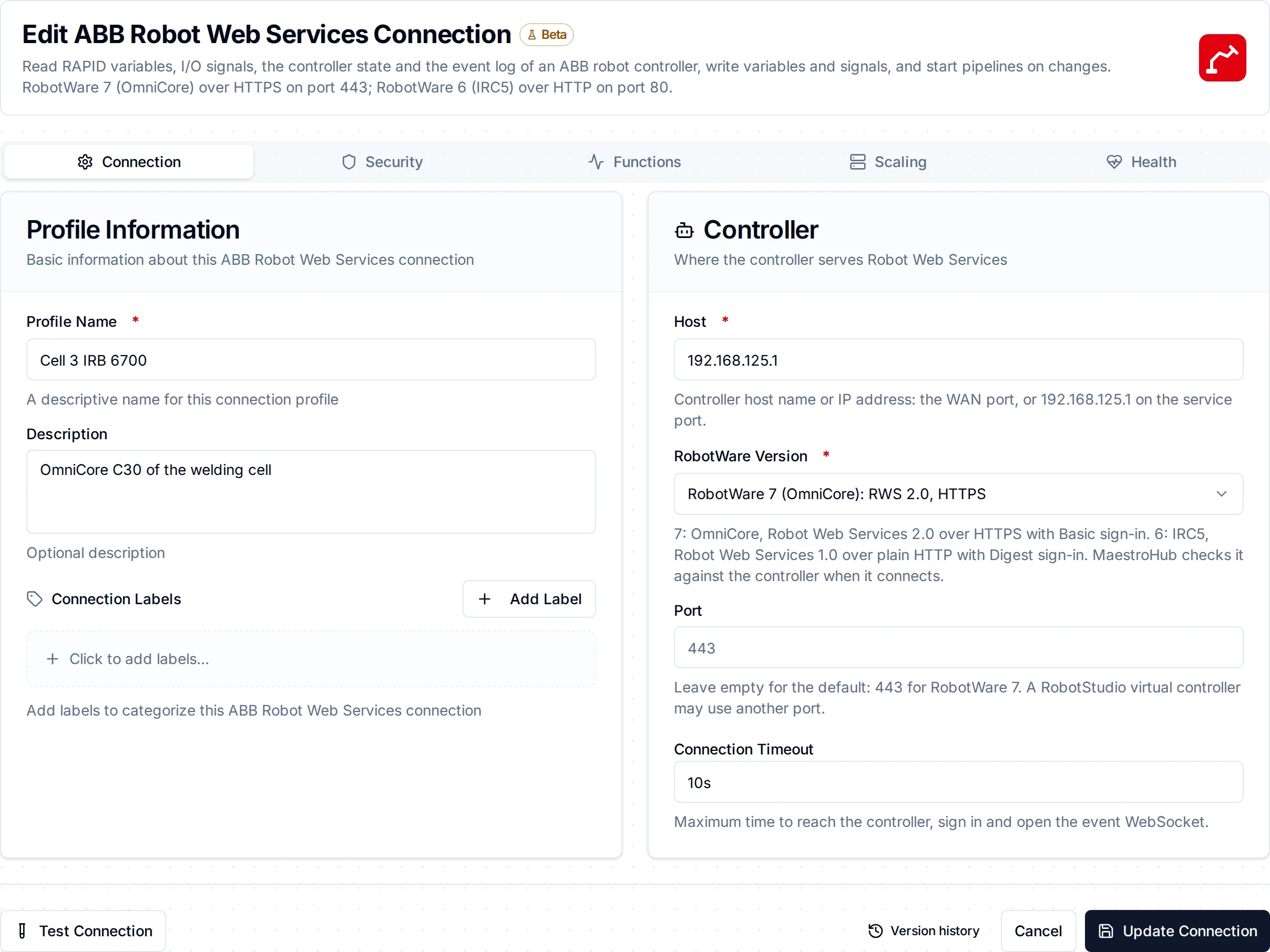
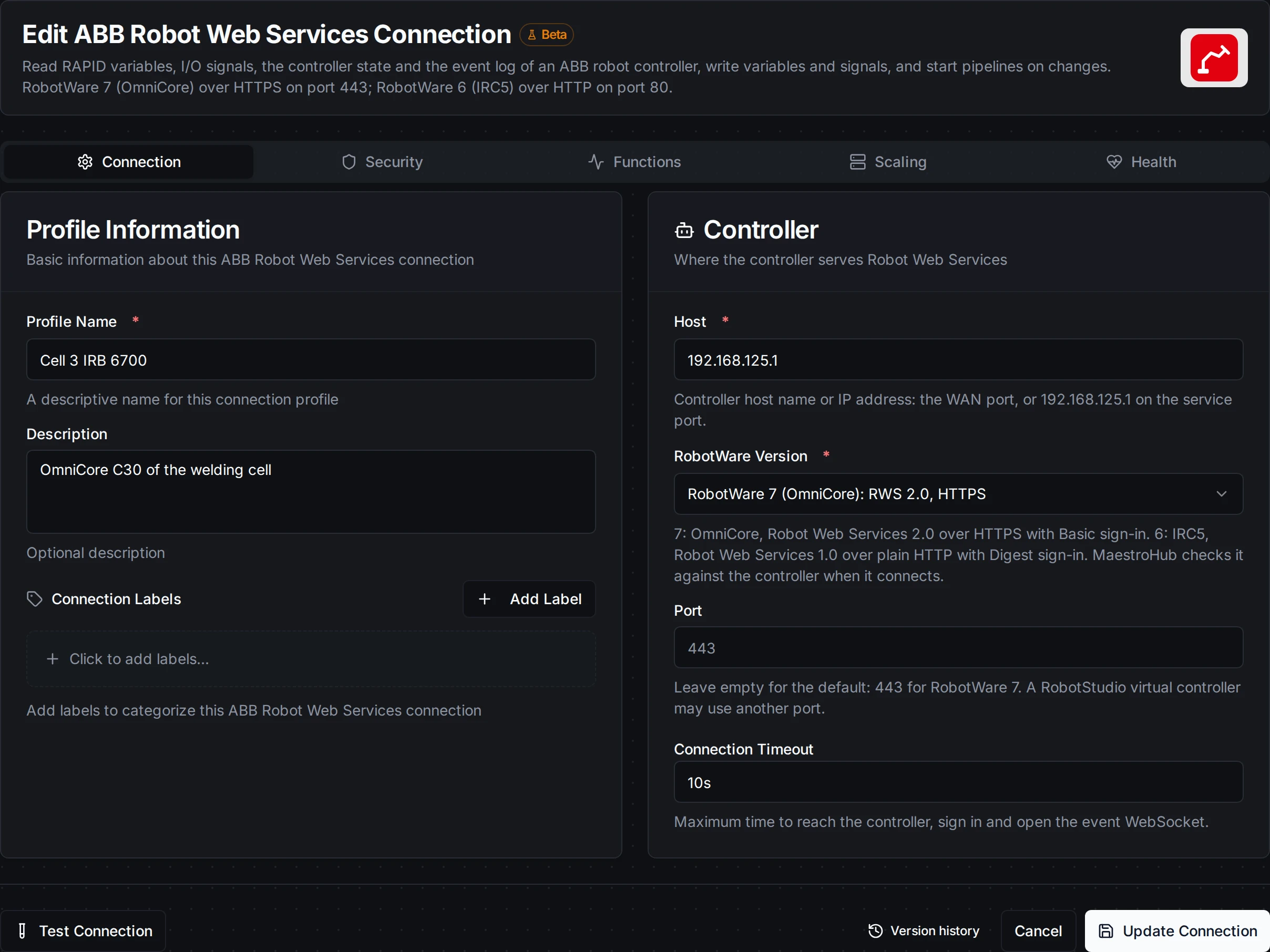
The Connection tab: the controller, its RobotWare version and the port
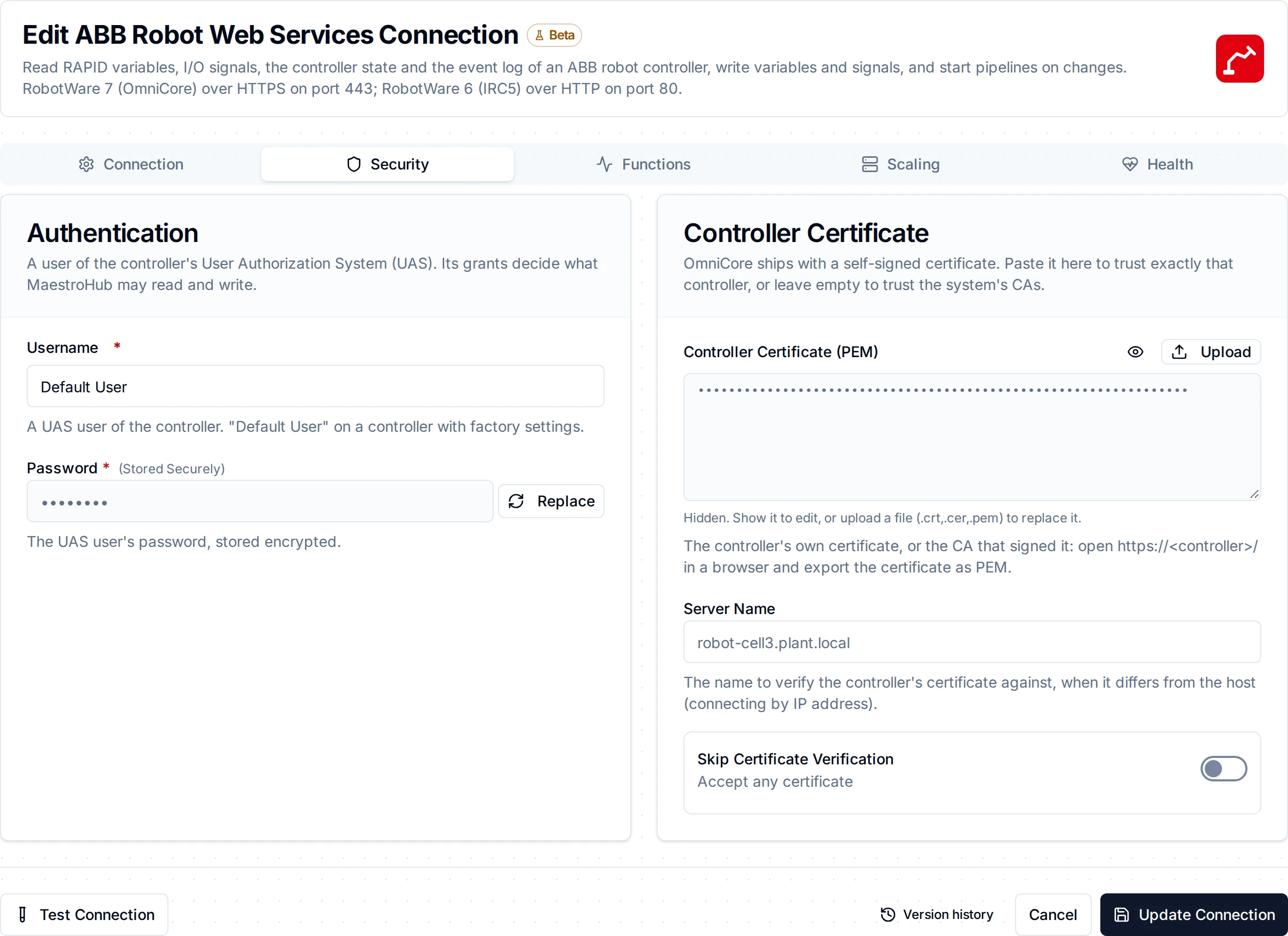
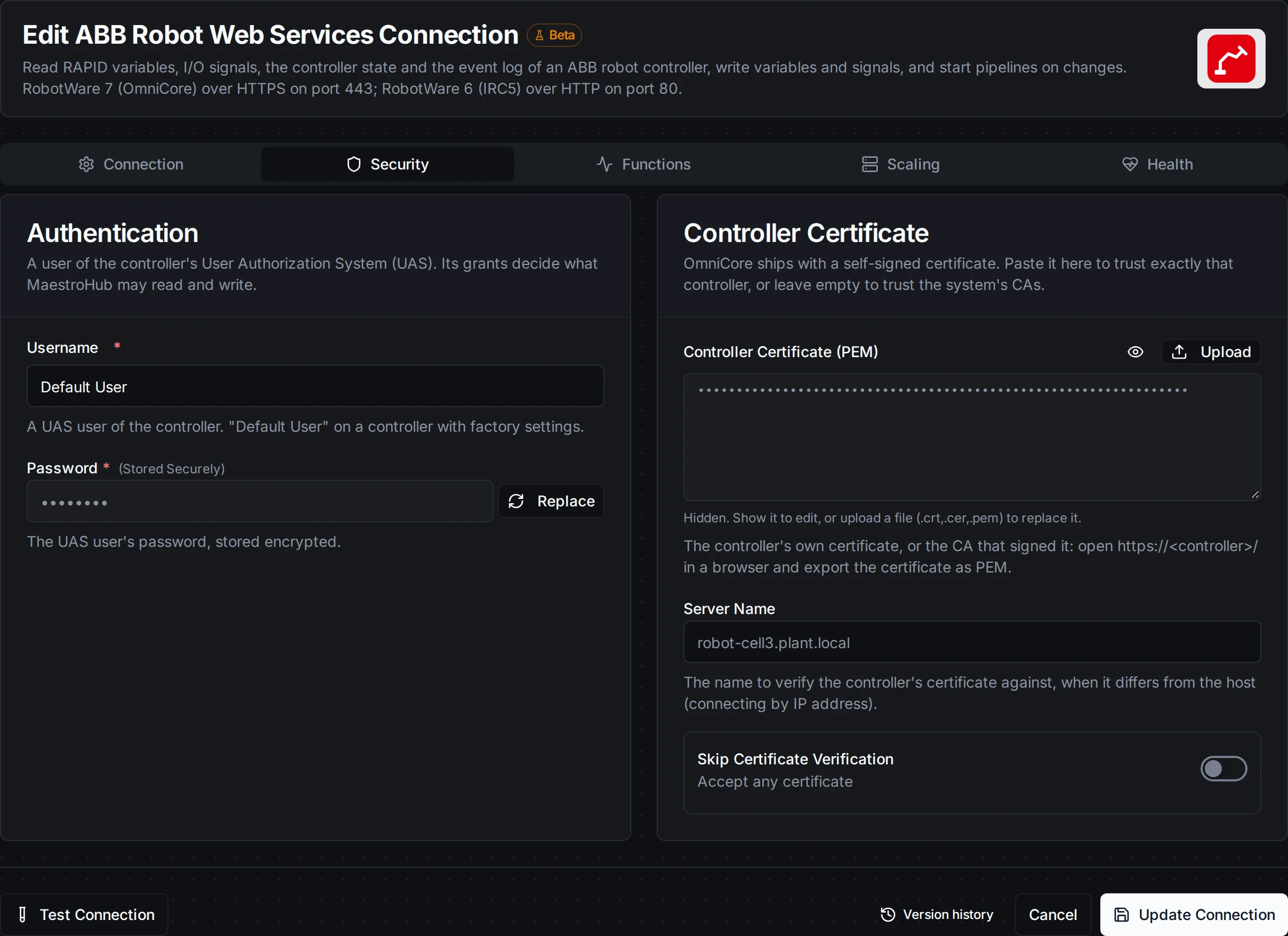
The Security tab: the UAS user and the controller certificate for RobotWare 7
Testing the Connection
Click Test Connection to try the settings before saving. The health probe reads the controller state; a probe that fails marks the connection down, and it reconnects with a new session.
Function Builder
Creating ABB Robot Web Services Functions
After the connection is saved:
- Open the connection and navigate to the Functions tab
- Click New Function to open the function type selection dialog
- Choose a function type
- Fill the Basic tab and the Configuration tab
- Use the Test button to run the function against the controller before saving
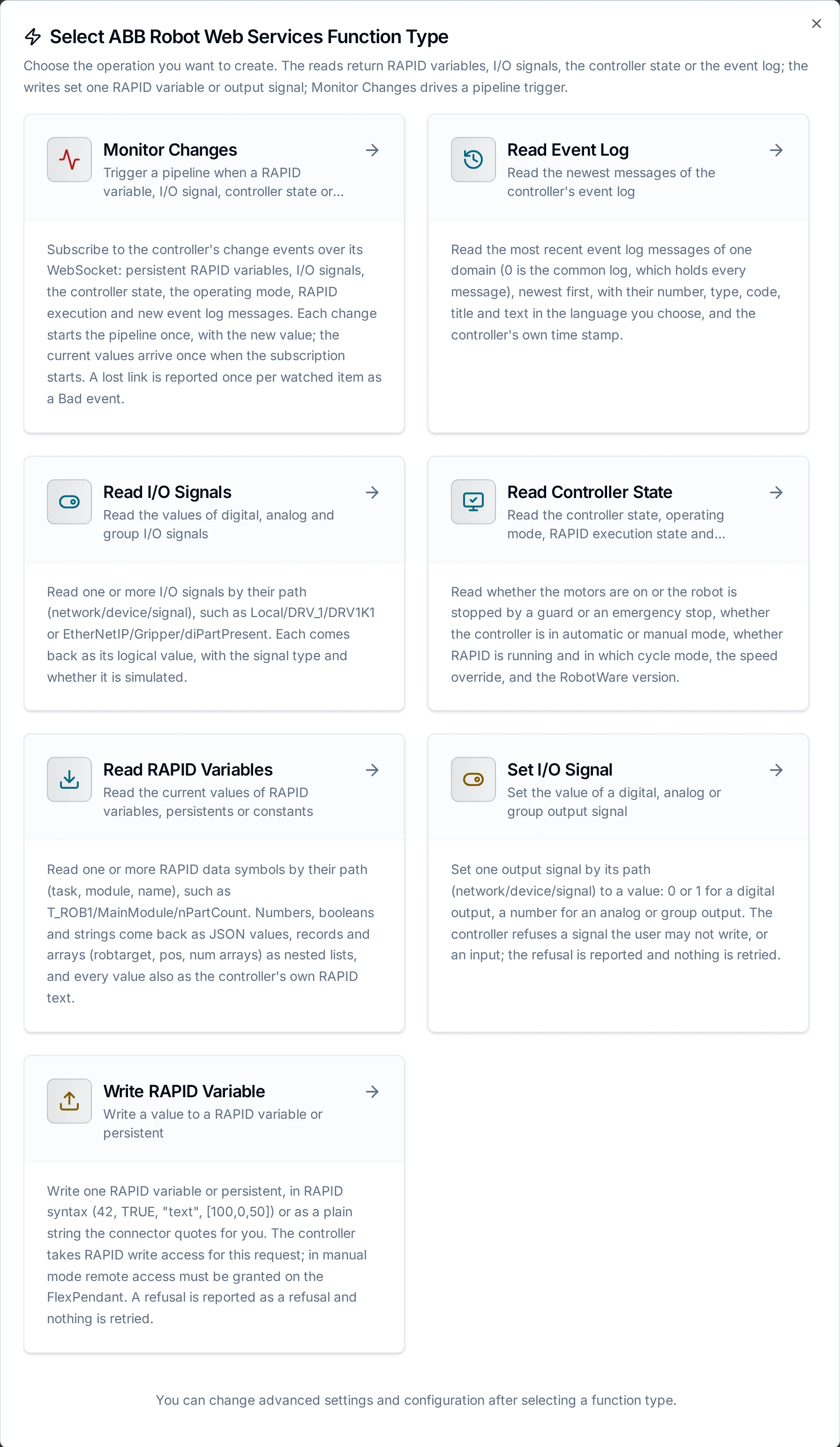
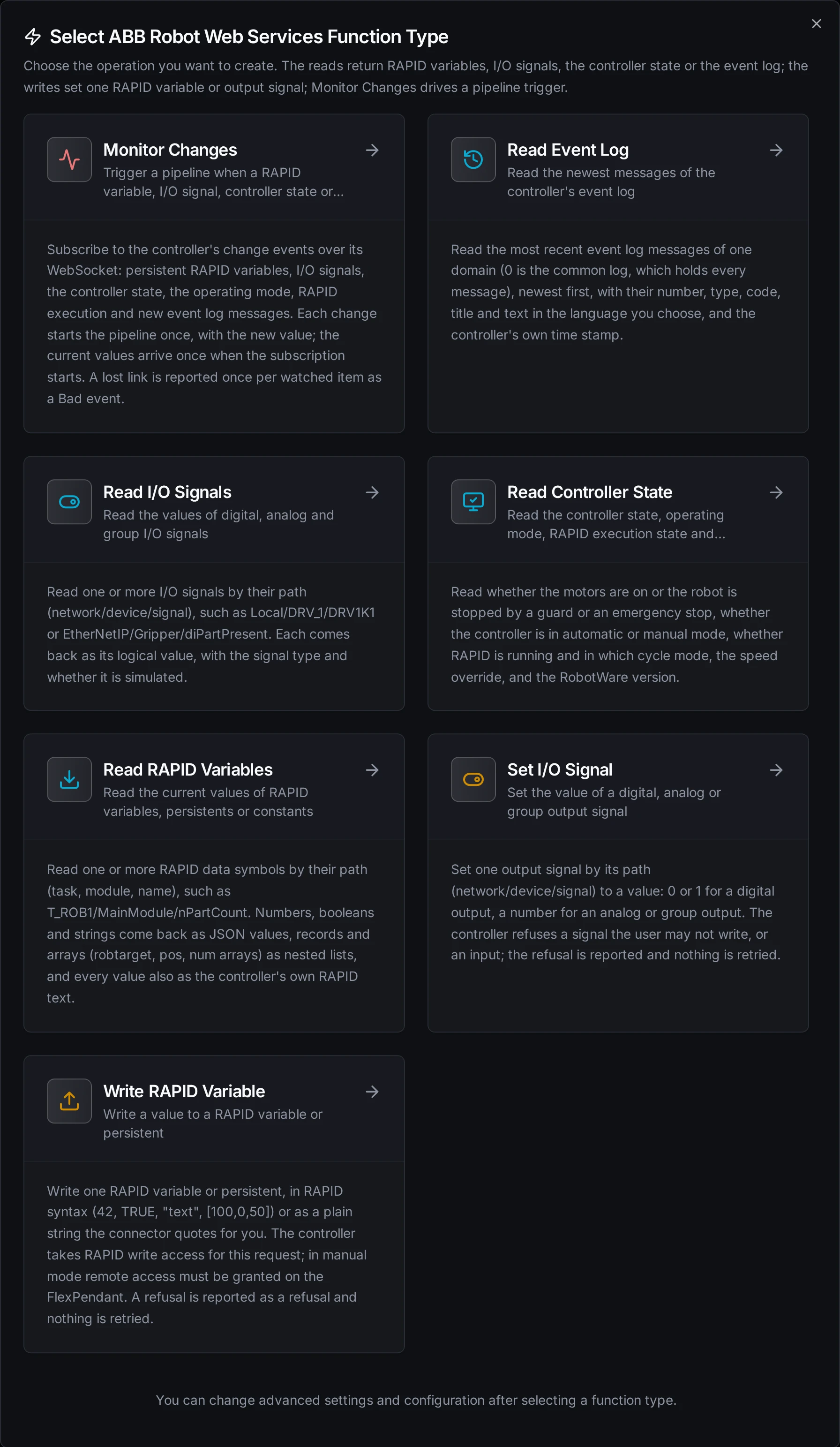
Four reads, two writes and the Monitor Changes trigger
Read RAPID Variables (abbrws.readVariables)
Purpose: Reads RAPID data symbols, up to 50 in one call (one request each: RWS has no bulk read).
| Parameter | Meaning |
|---|---|
| RAPID Symbols | One symbol per line or comma-separated, as task/module/name. Can be a ((parameter)) |
{
  "values": { "T_ROB1/MainModule/nPartCount": 42, "T_ROB1/MainModule/pPick": [[600, 0, 400], [0, 0, 1, 0], [0, 0, 0, 0], [9e9, 9e9, 9e9, 9e9, 9e9, 9e9]] },
  "texts": { "T_ROB1/MainModule/nPartCount": "42", "T_ROB1/MainModule/pPick": "[[600,0,400],[0,0,1,0],[0,0,0,0],[9E+09,9E+09,9E+09,9E+09,9E+09,9E+09]]" },
  "quality": "good",
  "serverTimestamp": "2026-11-20T10:14:03.221Z"
}
A symbol the controller does not have fails the call with the controller's own message, and is not retried.
Read I/O Signals (abbrws.readSignals)
Purpose: Reads up to 50 signals. values holds each logical value as a number; signals holds each signal's type (DI, DO, AI, AO, GI, GO) and state (simulated or not simulated).
Read Controller State (abbrws.readState)
Purpose: Returns controllerState (motoron, motoroff, guardstop, emergencystop, emergencystopreset, init or sysfail), operationMode (AUTO, MANR, MANF, …), rapidExecution (running or stopped), executionCycle, speedRatio (percent; null on a controller that does not serve it) and robotWareVersion.
Read Event Log (abbrws.readEventLog)
Purpose: Returns the newest messages of a domain, newest first.
| Parameter | Default | Meaning |
|---|---|---|
| Domain | 0 | 0 is the common log, which holds every message; 1 operational, 2 system, 3 hardware, 4 program, 5 motion, 7 I/O and communication, 8 user, 9 safety, 11 process, 12 configuration, 13 RAPID |
| Messages | 20 | How many, at most 200 |
| Language | en | Two-letter code of the titles and texts, as installed on the controller |
Each message carries sequence, type (info, warning or error), code, title, description, consequences, causes, actions, arguments and controllerTime. controllerTime is written as the controller writes it, in its local time without a zone, so MaestroHub does not convert it. RobotWare 7 returns only the messages asked for; RobotWare 6 has no limit parameter and returns the domain's whole buffer, which MaestroHub trims.
Write RAPID Variable (abbrws.writeVariable)
Purpose: Writes one variable or persistent.
| Parameter | Meaning |
|---|---|
| RAPID Symbol | task/module/name. Can be a ((parameter)) |
| Value | The value in RAPID syntax: 42, 3.5, TRUE, "text" (with the quotes), [100,0,50]. A number or boolean from the pipeline is written as one. Can be a ((parameter)) |
| Write as String | Quote and escape the value as a RAPID string (a quote and a backslash are written twice). For a string variable |
The controller takes RAPID write access for this one request: RobotWare 7 with mastership=implicit, RobotWare 6 on the client's behalf. A word without quotes is refused before sending: write a string in quotes, or turn on Write as String. On RobotWare 6, a string with characters outside ISO-8859-1 is refused before sending, because the controller would store them as ?.
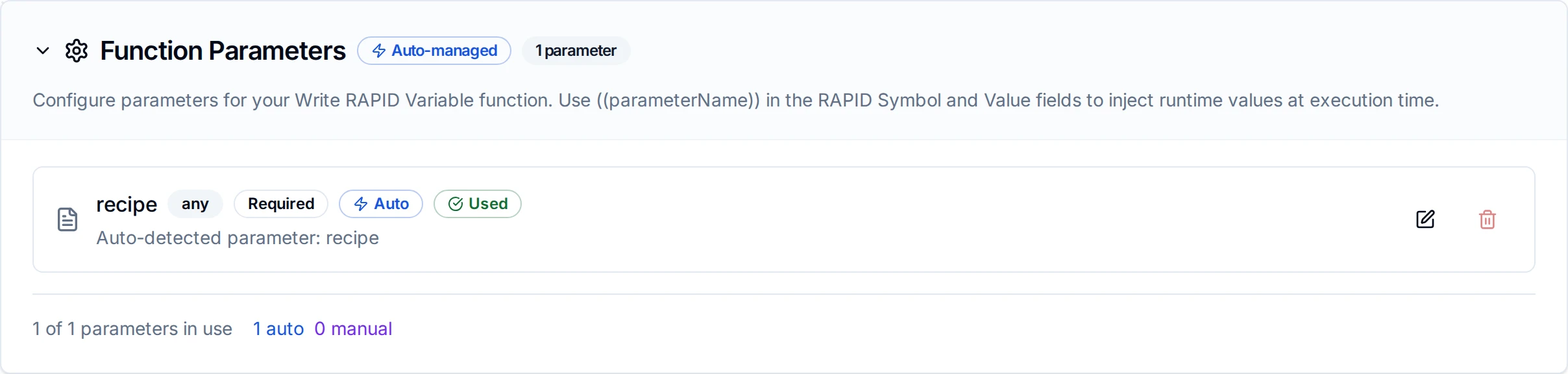
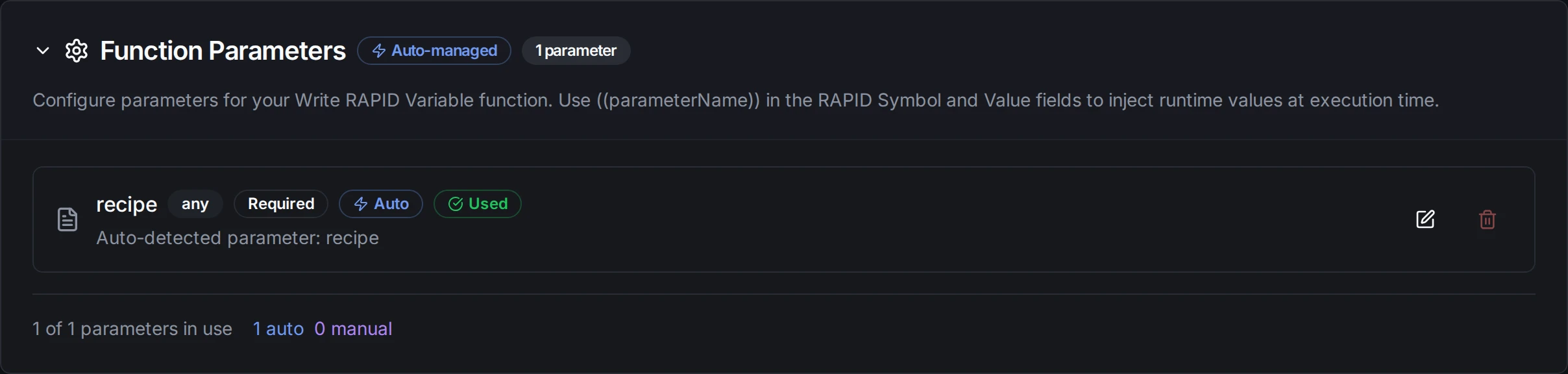
A write with its value from a ((parameter))
Set I/O Signal (abbrws.writeSignal)
Purpose: Sets one output signal to a value: 0 or 1 (or true and false) for a digital output, a number for an analog or group output.
A written variable can change what the RAPID program does, and a set output can start a conveyor or a tool. MaestroHub checks every value before it sends it, and:
- A refusal is final. The controller refuses a symbol or signal it does not have, a value of the wrong type, an input signal, or a write while the FlexPendant holds write access or remote access is not granted in manual mode. The write fails with the controller's message and is not retried.
- No answer means unknown. If the controller does not answer after the request left, the write may have happened; it is reported as
outcome unknownand the connector never sends it again by itself. The node's Retry on Fail and Retry on Timeout, and a ForEach item retry, may send it again: writing the same value twice leaves the controller as one write did, so the write is declared safe to repeat. If your RAPID program treats a variable or output as a request it clears, turn Retry on Fail and Retry on Timeout off on that node, and do not let a ForEach retry its items. - Never late, never buffered. A run started by a late (replayed) value does not write, unless the node allows late input, and writes are never stored for later delivery.
Monitor Changes (abbrws.monitor)
Purpose: Starts a pipeline for every change of what you watch. This function type is a pipeline trigger: see the ABB Robot Web Services Trigger node.
| Parameter | Meaning |
|---|---|
| Persistent Variables | RAPID persistents (PERS) to watch, as task/module/name, at most 200. Only persistents send change events |
| Signals | Signals to watch, as network/device/signal, at most 200 (on RobotWare 7.19 and later one connection subscribes up to about 100 items in all: see Sessions and limits) |
| Controller State, Operating Mode, RAPID Execution | Watch these states |
| Event Log | A pipeline run for every new event log message, with its title and text |
| Language | Language of event log titles and texts |
| Priority | high: sent at once (variables and signals only, at most 64 per controller, shared by all its clients); medium: within 200 ms; low: within 5 s |
When the subscription starts (and after every reconnect) each watched item sends its current value once, with initial: true; the event log has none. Each item is checked when the function is subscribed: one the controller does not have refuses the function, naming it, and so does a RAPID variable declared VAR or CONST (the controller sends change events only for PERS). Variables are checked with one symbol search per RAPID task, which lists the task's persistents with their modules, and signals with one list of the controller's I/O signals; only a variable or signal these lists do not include is read on its own, to name the reason. The connection keeps these lists for as long as it is connected, and asks for them again after every refusal blamed on size: then the controller's current lists are checked again, so a removed item is never counted as present; it is found and reported Bad once the check can complete. On a slow controller that refuses the lists, it stays Bad as retrying. Each such check costs one search per task involved and one signal list. So a variable or signal removed from the controller after the lists were read may be accepted when the function is subscribed: it then reports Bad, with the controller's reason, once the controller refuses the subscription request that carries it, and the function's other items keep delivering. A function saved while the connection is down is checked shortly after it connects, the same way: such a variable, or a signal the controller does not have, then reports Bad and the rest of the function's items deliver. A controller that refuses the search has each variable read on its own; if it also refuses to tell a variable's declaration, MaestroHub expects the controller to refuse the subscription of a VAR, so that the variable alone reports Bad (not yet confirmed on a real controller). Task/name spellings are resolved to their module by the same search after each connect, so connecting does not wait on one read per variable. A current value is never delivered after a change it is older than.
Out of scope in this version: requesting remote access (RMMP) for writes in manual mode, starting and stopping RAPID, motors on and off, moving the robot, file transfer, RAPID task and module management, configuration (CFG), pulse and toggle modes of a signal write, subscriptions to other resources (IPC queues, the speed ratio, mastership), and EGM. Discovery (Bonjour) is not used; give the controller's address.
Pipeline Integration
- ABB Robot Web Services Read RAPID Variables (
connected.abbrws.readVariables) - ABB Robot Web Services Read I/O Signals (
connected.abbrws.readSignals) - ABB Robot Web Services Read Controller State (
connected.abbrws.readState) - ABB Robot Web Services Read Event Log (
connected.abbrws.readEventLog) - ABB Robot Web Services Write RAPID Variable (
connected.abbrws.writeVariable) - ABB Robot Web Services Set I/O Signal (
connected.abbrws.writeSignal) - ABB Robot Web Services Monitor Changes Trigger (
trigger.abbrws): starts a pipeline for each change of aabbrws.monitorfunction
For node-level details, see the ABB Robot Web Services Nodes and ABB Robot Web Services Trigger pages.
Common Use Cases
Part Counts and Cycle Data to the UNS
Watch the program's part counter persistent with Monitor Changes and publish every change to the Unified Namespace; the historian gets one value per part, pushed by the controller.
Stops and Alarms
Watch the controller state, the operating mode and the event log. Branch on kind and value with a Condition node: an emergencystop, a guardstop or an error message opens a downtime record with the message's title and text.
Recipes From Orders
When an order arrives, check the robot with Read Controller State (AUTO, motoron), then Write RAPID Variable the recipe number the program reads.
Troubleshooting
Error Reference
| What you see | Meaning | Retried? |
|---|---|---|
the controller refused the sign-in (401) | Wrong username or password | No: fix the credentials |
the controller runs RobotWare 7…; the connection is set to RobotWare 6 | The RobotWare Version setting is wrong | No: change it |
answers plain HTTP, not HTTPS | RobotWare 7 is set, the port speaks HTTP: likely RobotWare 6 | No |
| a certificate error | The controller's certificate is not trusted | No: paste the controller's certificate |
out of Robot Web Services sessions (503) | The controller has no free session | Yes, later: close other clients |
SYS_CTRL_E_INVALIDARG … (400) | The symbol, signal or value is not valid for the controller | No |
refused this user the request (403) | UAS grants, write access held elsewhere, or remote access not granted | No |
outcome unknown | A write may have reached the controller; no answer came back | Not by the connector; the node's Retry on Fail or Retry on Timeout, or a ForEach item retry, may, since writing a value again is safe to repeat |
the link to the controller was lost | The event WebSocket or the session ended | Yes, after reconnect |
Connection Issues
| Symptom | Possible Cause | Solution |
|---|---|---|
| Cannot reach the controller | Firewall, or the wrong port of the controller | Use the WAN port, or the service port at 192.168.125.1; open 443 (RW 7) or 80 (RW 6) |
| Writes refused in manual mode | RWS needs remote access (RMMP) granted on the FlexPendant in manual mode, and this version does not ask for it | Write in AUTO mode, or grant remote access to the client on the FlexPendant |
| A trigger stops after a program change | A watched variable no longer exists | The trigger reports that item Bad and keeps the rest; edit the function |
Monitored items stay Bad with not subscribed on the controller, retrying, and the session never switches to small requests (RobotWare 7.0-7.18) | The controller refuses the signal list or the symbol search and reads slowly, so each item is read on its own and the check after a refused large request does not finish in time | Raise the connection's Connection Timeout (for example to 30s): the check gets half of it, and the items are placed once it finishes |