EtherNet/IP I/O Integration Guide
Exchange cyclic class 1 I/O with an EtherNet/IP adapter: its input assembly in, your output assembly out, on a fixed interval.
- Status
- Beta
- Role
- Scanner of one class 1 I/O connection
- Transports
- TCP 44818 to open · UDP 2222 for the cyclic data
- Operations
- Read Inputs · Write Outputs
- Triggers
- Watch Inputs, on change or every sampling interval
An EtherNet/IP adapter, such as an I/O block, a drive or a Yaskawa MPiec motion controller, offers input and output assemblies: blocks of bytes it exchanges with one scanner on a fixed interval. MaestroHub is that scanner. It opens the cyclic connection with one Forward_Open on TCP 44818; from then on the device sends its input assembly every input interval over UDP 2222, and MaestroHub sends the output assembly back on its own interval. A pipeline fires when the inputs change, reads the latest input image, and writes named fields of the outputs. This guide covers the connection and its three kinds, the field lists that give the bytes their names, the three function types, and how the matching nodes and trigger fit into the Pipeline Designer.
What stands behind the connector today:
- Its protocol layer was tested against OpENer v2.3, an open-source EtherNet/IP adapter stack, in two layouts: OpENer's own sample application, and the assembly layout of a Yaskawa MPiec.
- On OpENer's sample connection point it was compared with two other open-source scanners, EIPScanner and eeip.py.
- Wireshark's ENIP and CIP dissectors read every session the tests recorded.
- Its codec was broken on purpose, one way at a time, to prove that the tests notice, and it was fuzzed.
What is not proven yet:
- It has not been run against a real device: no MPiec and no other hardware.
- Multicast inputs through real switches with IGMP snooping. The tests ran on a container network, which is not such a switch.
- The byte order an MPiec uses inside its image.
- Short intervals on a real device. OpENer keeps time in 10 ms ticks and cannot keep a shorter interval, so 10 ms, the shortest interval MaestroHub asks for, is the finest the tests reach.
Overview
The EtherNet/IP I/O connector provides:
- Three connection kinds: exclusive owner, input only and listen only
- Run and Idle: the outputs say Idle until a pipeline first writes them, then Run; Idle again before the connection closes
- Inputs point-to-point or by multicast, on one UDP socket shared by every connection of one MaestroHub
- Every input datagram checked: its connection, sender, size and sequence count; the dropped ones counted
- Field lists over the images with the PLC types, including CIP's
SINT,USINT,LINTandULINT - An optional electronic key and configuration assembly, and a preset for the Yaskawa MPiec
- Large_Forward_Open for images over 505 bytes of outputs or 509 bytes of inputs, chosen automatically
- Watch Inputs trigger: start a pipeline when the input image changes, or every sampling interval, never once per datagram
Terms used in this guide
| Term | Meaning |
|---|---|
| Scanner and adapter | The two ends of an I/O connection. The scanner (the originator) opens it; the adapter (the target) offers the data. MaestroHub is the scanner; the I/O block, drive or motion controller is the adapter. |
| Assembly | A block of bytes an adapter exchanges, numbered by its instance. The input assembly is what the device produces (its inputs to MaestroHub), the output assembly what it consumes. Some devices also take a configuration assembly, sent once when the connection opens. The device's manual or EDS file lists them and their sizes. |
| Image | The bytes of one assembly as they travel. The input image arrives from the device, the output image goes to it. A field list names the values inside an image. |
| Class 1 (implicit) connection | A cyclic I/O connection: once it is open, both ends send their data on a fixed interval over UDP, without being asked. |
| RPI | The requested packet interval: how often each end sends. The input interval (T->O, target to originator) and the output interval (O->T) are set separately. |
| Timeout multiplier | How many intervals may pass without data before the connection counts as lost. |
| Exclusive owner | A connection that sends the outputs and receives the inputs. A device takes one exclusive owner per output assembly. |
| Input only | A connection that receives the inputs and sends only a heartbeat. It can run beside an owner. |
| Listen only | A connection that receives the multicast inputs another connection opened, and sends only a heartbeat. |
| Heartbeat | What an input only or listen only connection sends instead of outputs: on every output interval, a datagram that carries only its sequence count, to a heartbeat instance of the device. |
| Run/Idle | A header in front of the outputs. Run lets the device act on the output bytes; Idle tells it the scanner is idle. The inputs carry no such header. |
| Forward_Open | The request on TCP 44818 that opens the connection. It names the assemblies, the sizes, the intervals and the kind of connection. A Large_Forward_Open is the same request for images a Forward_Open cannot describe; a Forward_Close closes the connection. |
| Electronic key | An optional part of the Forward_Open that names the vendor, device type, product code and revision the device must have. A device that does not match refuses the connection. |
| Point-to-point and multicast inputs | The device sends its inputs either to MaestroHub's address alone, or to a multicast group that several receivers share. |
| Sequence count | A counter the device sends with each input image (the class 1 sequence count). A datagram whose count has not advanced carries no new data. |
This connector or the EtherNet/IP connector
Both connectors reach the device on TCP 44818, and they do different jobs. The EtherNet/IP connector reads and writes the tags of Allen-Bradley Logix and Micro800 controllers by name, on request. This connector reads no tags: it opens one cyclic connection to an adapter's assemblies and exchanges their bytes every interval. For Logix tags by name, use the EtherNet/IP connector.
What happens on connect
- The UDP socket. Every EtherNet/IP I/O connection of one MaestroHub shares one UDP socket on port 2222, opened by the first of them. When another program on the MaestroHub host holds that port, the connection is refused with a message that says so; see Troubleshooting.
- The session. MaestroHub opens a TCP connection to the adapter's Host and Port and registers an EtherNet/IP session on it.
- A Forward_Close first, when needed. If an earlier opening of this connection ended without a Forward_Close the device confirmed, MaestroHub sends one now, so that the new Forward_Open does not meet the old connection.
- The Forward_Open. It names the input assembly, the output (or heartbeat) assembly and, when set, the configuration assembly with its data; both sizes; both intervals; the timeout multiplier; point-to-point or multicast inputs; and the electronic key, when set. It asks for the scheduled priority in both directions. When the inputs exceed 509 bytes or the outputs 505, a Large_Forward_Open is sent instead. Connection Timeout bounds reaching the device and getting its answer.
- The cyclic data. Once the device accepts, MaestroHub sends the first outputs (or heartbeat) at once and then every output interval, from UDP port 2222. The device's answer gives the intervals it will keep, and MaestroHub keeps to them. For multicast inputs, MaestroHub joins the group the device names, on the network interface it reaches the device through.
MaestroHub names itself in every Forward_Open with the originator vendor ID 0x9999 (the value the library of the EtherNet/IP connector uses; MaestroHub holds no ODVA vendor ID) and an originator serial number derived from the connection's ID. The serial is the same after every restart and different for two connections, so a device that lets a scanner take back outputs whose connection timed out recognises the same connection after a restart.
While the connection runs
- Every input datagram is checked: it must carry this connection's ID, come from the device's address, have the agreed size, and be newer than the last one accepted. A datagram that fails a check is dropped and counted. The connection's metrics count the datagrams it sent and the input datagrams it accepted.
- The input image is kept when it changes, and with the first image of each opening. Read Inputs and the Watch Inputs trigger use it and never ask the device; a write changes the output image the next cycle carries.
- The TCP session stays open while the data runs on UDP: MaestroHub sends a NOP on it every 30 s, and the health check reads the device's Identity status over it. The cyclic data does not depend on the session; if it breaks, the next request opens a new one.
- The connection is lost when no input arrives within the input interval × the Timeout Multiplier; the first input after an opening is given at least 10 s. MaestroHub then sends a Forward_Close for whatever the device may still hold, and the platform opens the connection again, with the same originator every time. Each Watch Inputs trigger fires once for the outage, with quality
bad.
Run and Idle
An exclusive owner's outputs say Idle until a pipeline first writes them, and Run from then on: Run lets the device act on the bytes, so it is said only once a pipeline has written them.
- When the connection is stopped, MaestroHub says Idle for one output interval, then sends the Forward_Close, so the device takes its idle action rather than the one it takes on a connection that closed. The next start begins from an image of zeros, Idle until written.
- When the connection is lost and the platform opens it again, Run and the output image stay as they were. Only stopping the connection resets them.
- Input only and listen only connections send a heartbeat, which has no Run/Idle header.
A lost connection that comes back sends the outputs it had, with Run if they said Run: the device acts on the last values written as soon as the connection is back. Stop the connection to make the outputs say Idle and start again from zeros.
Connection Configuration
Creating an EtherNet/IP I/O Connection
Navigate to Connections → New Connection → EtherNet/IP I/O and fill in the form. The Functions, Scaling and Health tabs unlock after the connection is saved.
1. Profile Information
| Field | Default | Description |
|---|---|---|
| Profile Name | - | A descriptive name for this connection profile (required). Must be unique across all connections. |
| Description | - | Optional description for this connection |
| Labels | - | Key-value pairs to categorize and organize the connection |
Example Labels
line: filler-3: Production linedevice: mpiec-axis-controller: Specific adapterenvironment: production: Deployment environment
2. Connection
| Field | Default | Meaning |
|---|---|---|
| Host | (required) | The adapter's host name or IP address, e.g. 192.168.1.50 |
| Port | 44818 | EtherNet/IP TCP port of the adapter, 1 to 65535. 44818 is the standard port. The cyclic data always uses UDP 2222 |
| Connection Kind | exclusiveOwner | exclusiveOwner = MaestroHub drives the outputs and receives the inputs; the device takes one owner. inputOnly = receive the inputs beside an owner, sending only a heartbeat. listenOnly = receive the multicast inputs another connection opened, sending only a heartbeat |
| Connection Timeout | 10s | Maximum time to reach the adapter and get its answer to the Forward_Open (1s to 2m) |
What each kind needs:
| Connection Kind | Sends | Receives | Needs |
|---|---|---|---|
exclusiveOwner | The output image, with the Run/Idle header | The inputs | An Output Size, and no other owner of the output assembly |
inputOnly | A heartbeat, to the heartbeat instance named as Output Assembly | The inputs, point-to-point or by multicast | Output Size 0 |
listenOnly | A heartbeat, to the heartbeat instance named as Output Assembly | The multicast inputs another connection opened | Output Size 0, Multicast Inputs on, and the connection that opened the inputs already open |
A listen only connection with Multicast Inputs off is refused when it is saved, with that reason. A write on an input only or listen only connection is refused: only an exclusive owner sends outputs.
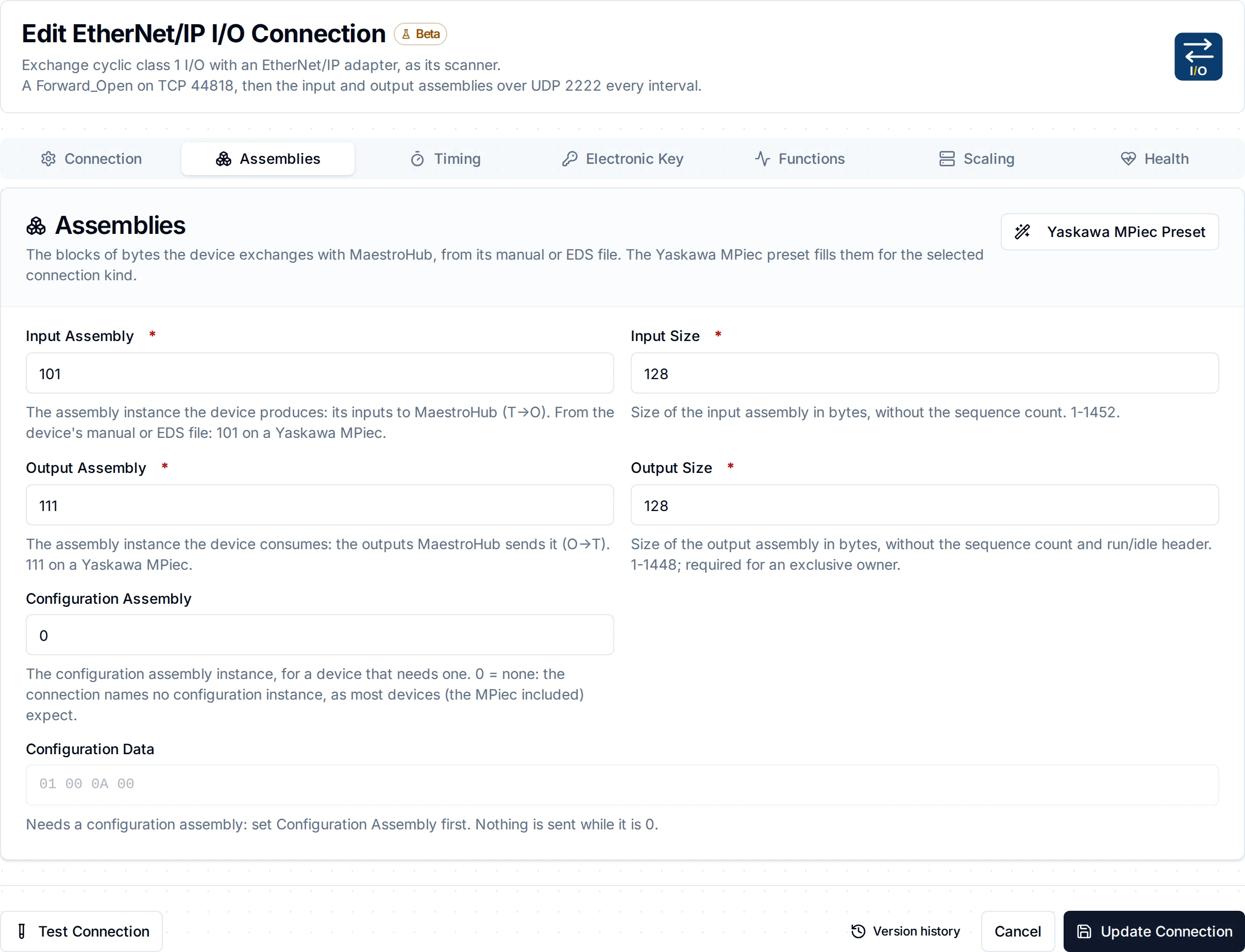
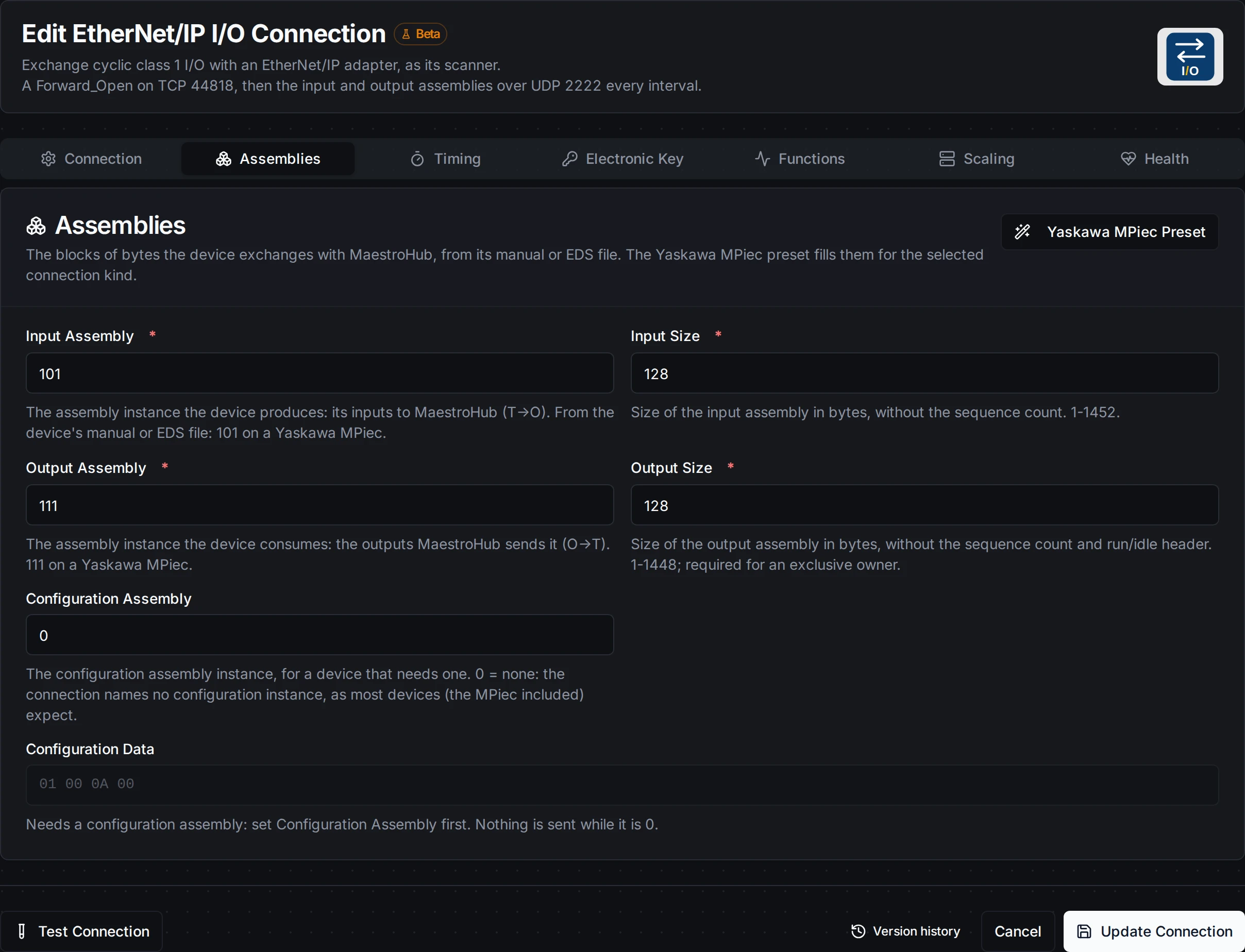
The connection form with the assemblies of a Yaskawa MPiec
3. Assemblies
| Field | Default | Meaning |
|---|---|---|
| Input Assembly | (required) | The assembly instance the device produces (its inputs to MaestroHub, T->O), 1 to 65535. From the device's manual or EDS file: 101 on a Yaskawa MPiec |
| Input Size | (required) | Size of the input assembly in bytes, without the sequence count, 1 to 1452. Over 509 bytes the connection is opened with a Large_Forward_Open |
| Output Assembly | (required) | The assembly instance the device consumes, 1 to 65535: the outputs of an exclusive owner (111 on a Yaskawa MPiec), or the heartbeat instance of an input only or listen only connection (128 and 129 on an MPiec) |
| Output Size | 0 | Size of the output assembly in bytes, without the sequence count and the Run/Idle header, 0 to 1448. Required for an exclusive owner; 0 for input only and listen only, which send a heartbeat. Over 505 bytes the connection is opened with a Large_Forward_Open |
| Configuration Assembly | 0 | The configuration assembly instance, for a device that needs one, 0 to 65535. 0 = none: the request names no configuration instance, as most devices (the MPiec included) expect |
| Configuration Data | empty | Bytes sent to the configuration assembly with the Forward_Open, as hex (01 00 0A 00), at most 400. Empty = none. Needs a configuration assembly |
The sizes are those of the data alone: MaestroHub adds the 2-byte sequence count, and in front of the outputs the 4-byte Run/Idle header. They must be the sizes the device has; a device refuses a connection whose sizes differ from its own, and its refusal names its own size (see Refusals by the device). Class 1 data is never split across datagrams, so one datagram must fit one Ethernet frame: hence 1452 bytes of inputs and 1448 of outputs at most.
The Yaskawa MPiec preset. A Yaskawa MPiec motion controller offers, as the MP2300Siec EDS lists them:
| What | Assembly | Size |
|---|---|---|
Inputs (T->O) | 101 | 128 bytes |
Outputs of an exclusive owner (O->T) | 111 | 128 bytes |
| Heartbeat of an input only connection | 128 | - |
| Heartbeat of a listen only connection | 129 | - |
| Configuration assembly | none | - |
The Yaskawa MPiec Preset button in the connection form fills these in for the selected connection kind; it leaves the host, the timing and the electronic key as they are. The MPiec needs no electronic key. The sizes must be what the controller is configured for; change them if its I/O is set up with other sizes. To key the connection to an MP2300Siec, set Vendor ID 44 (Yaskawa) and Product Code 128.
4. Timing
| Field | Default | Meaning |
|---|---|---|
| Input Interval | 100ms | Requested packet interval for the inputs (T->O): how often the device sends them. 10 ms to 1 minute, in whole milliseconds. 10 ms is the shortest; ODVA's tests use 100 ms |
| Output Interval | 100ms | Requested packet interval for the outputs or the heartbeat (O->T): how often MaestroHub sends them. 10 ms to 1 minute, in whole milliseconds |
| Timeout Multiplier | 4 | 4, 8, 16, 32, 64, 128, 256 or 512. The connection is lost after this many input intervals without data, on both ends. 4 is ODVA's test default |
| Multicast Inputs | off | Ask the device to send its inputs to a multicast group, so several receivers share one stream. Works on the device's own subnet only. Listen only needs it |
With the defaults, 400 ms without an input (100 ms × 4) ends the connection, and the platform opens it again.
Multicast inputs reach only receivers on the device's own subnet: a device refuses off-subnet multicast. The device must send them to UDP port 2222; an answer that names another port is refused. A device can also require a multicast input to use the interval its other receivers already use.
5. Electronic Key
| Field | Default | Meaning |
|---|---|---|
| Vendor ID | 0 | The vendor ID the device must have (44 is Yaskawa), 0 to 65535 |
| Device Type | 0 | The device type of its Identity object, 0 to 65535. 0 = any |
| Product Code | 0 | The product code of its Identity object (128 on an MP2300Siec), 0 to 65535. 0 = any |
| Major Revision | 0 | The major revision, 0 to 127. 0 = any |
| Minor Revision | 0 | The minor revision, 0 to 255. 0 = any |
| Accept Compatible Revisions | off | Accept any minor revision at or above the one named, with the same major revision, instead of exactly that one |
The key is sent when any of its fields is set; a field left 0 is not compared. A device that does not match refuses the Forward_Open and names the part that differs. Accept Compatible Revisions needs a key to apply to: turned on while every key field is 0, it is refused when the connection is saved.
On the Scaling tab the connection is exclusive: one MaestroHub instance holds it, because the adapter takes one owner of its outputs and sends its inputs to the address that opened the connection.
Testing the Connection
Click Test Connection at the bottom of the form to try the current settings before saving. It opens the I/O connection for real, of the kind you chose: the Forward_Open, then a read of the device's Identity status over the TCP session, then (for an exclusive owner) Idle for one output interval, and the Forward_Close. The test writes nothing, so an exclusive owner's outputs say Idle throughout. Because it is a real connection, it meets the same rules as a saved one: an exclusive owner is refused while another owner holds the outputs, and listen only needs the connection that opened the multicast inputs to be open.
Once the connection runs, its health check reads the device's Identity status again and reports the round trip. It needs the connection open, with its inputs arriving.
Function Builder
Creating EtherNet/IP I/O Functions
After the connection is saved:
- Open the connection and navigate to the Functions tab
- Click New Function to open the function type selection dialog
- Choose Watch Inputs, Read Inputs or Write Outputs
- Fill the Basic tab (name, description, labels) and the Configuration tab (operation-specific parameters)
- Use the Test button to run the function against the live connection before saving. Testing a Write Outputs function changes the outputs the device receives, and from then on they say Run. Testing a Watch Inputs function returns what the trigger would deliver now: the latest image, with every field of the list in
changed
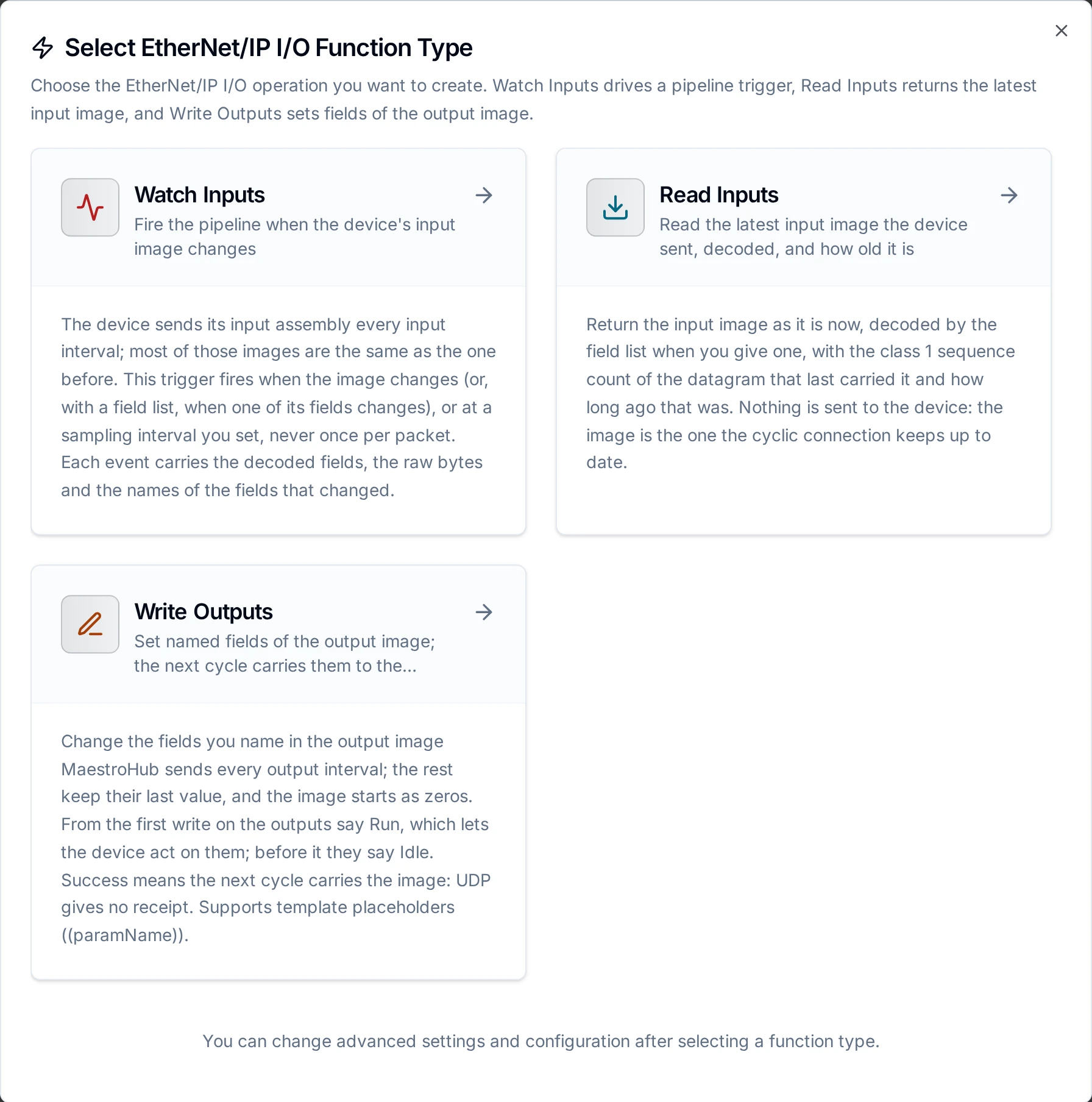
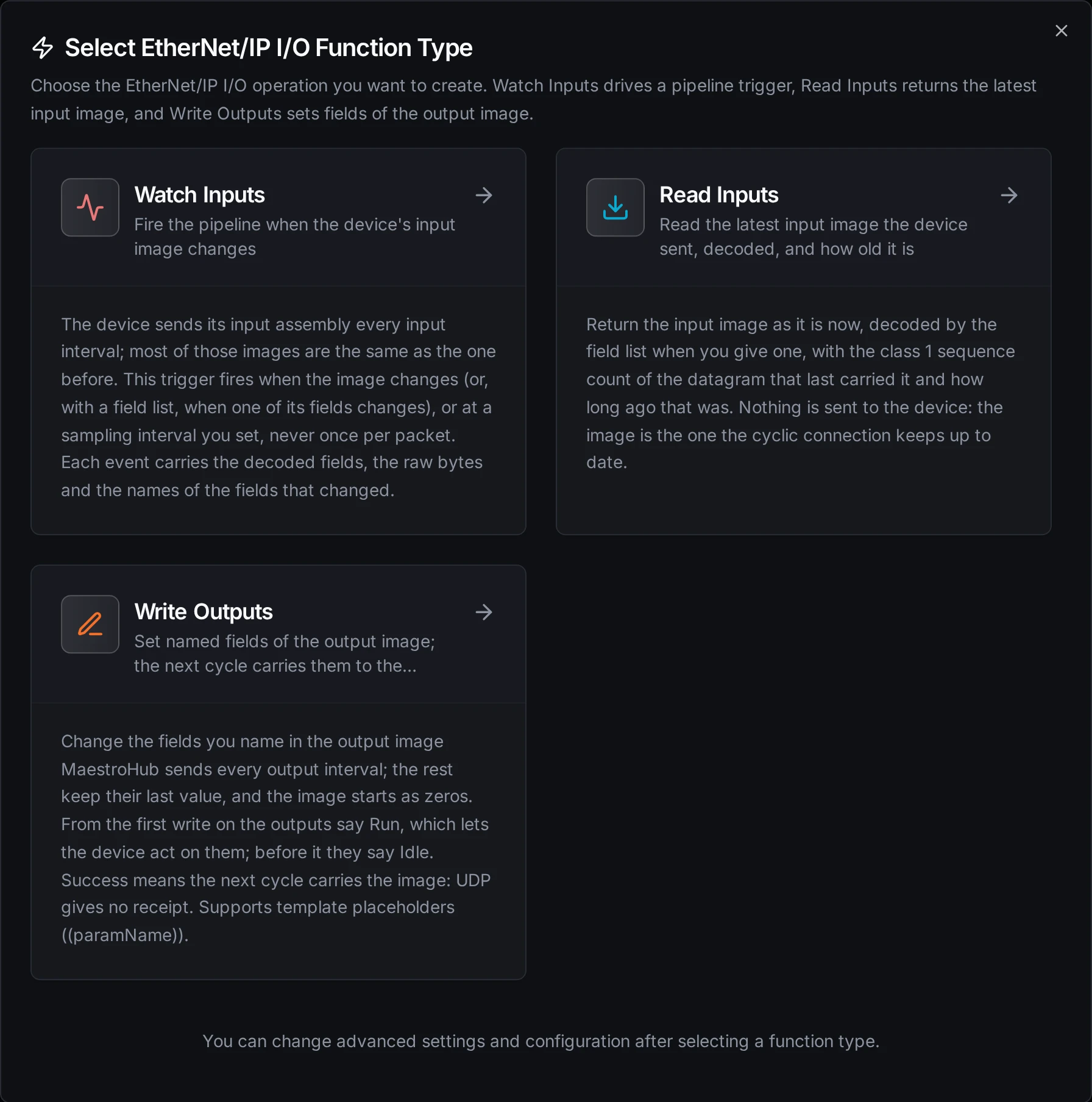
One trigger, one read and one write
The field list
An image is a run of bytes; what they mean is set by the device, in its manual or EDS file, and nothing in the protocol describes it. A field list names the values inside an image, so that a pipeline reads axis1Position instead of bytes 0 to 3. Each item of the list is one field:
| Key | Meaning |
|---|---|
name | The key of the value in the result (required). Each name is used once |
offset | The byte the field starts at, counted from 0 (required) |
type | One of the types below, in either letter case. Empty = WORD |
bit | 0 to 7: which bit of the byte at offset, for a BIT. Only a BIT names a bit |
length | The size in bytes, for a STRING |
byteOrder | little (the CIP default) or big: the order of the bytes of a number longer than one byte. Some devices put their registers in the image high byte first |
| Type | Bytes | Value |
|---|---|---|
BIT | One bit of a byte | true or false |
USINT | 1 | 0 to 255 |
SINT | 1 | -128 to 127 |
WORD | 2 | 0 to 65535 |
INT | 2 | -32768 to 32767 |
DWORD | 4 | 0 to 4294967295 |
DINT | 4 | -2147483648 to 2147483647 |
LINT | 8 | A 64-bit signed whole number |
ULINT | 8 | A 64-bit unsigned whole number |
REAL | 4 | A 32-bit floating-point number |
LREAL | 8 | A 64-bit floating-point number |
STRING | length | Text (UTF-8). A read drops the zero bytes after the text |
For example, three fields of an MPiec's input image:
[
  { "name": "axis1Position", "offset": 0, "type": "REAL" },
  { "name": "axis1Ready", "offset": 4, "type": "BIT", "bit": 0 },
  { "name": "faultCode", "offset": 6, "type": "WORD" }
]
- Every field must lie inside the image. When a function is saved, only the list's own shape is checked (names, types, bits, lengths). Whether each field fits is checked when the function runs, against the connection's Input Size (Watch Inputs, Read Inputs) or Output Size (Write Outputs): a field past the end is refused, with its bytes and the image's size.
- Fields may overlap, for example a
WORDand aBITof one of its bytes. A write that sets overlapping fields applies them in the order of the list. - Without a field list, Watch Inputs and Read Inputs give the raw bytes only. Write Outputs needs one. To write a whole byte as it is, name it as a
USINTfield.
What a write takes, by type:
| Type | Value |
|---|---|
BIT | true or false, 1 or 0, or the text "true", "false", "1", "0", "on", "off" |
USINT, SINT, WORD, INT, DWORD, DINT, LINT, ULINT | A whole number within the type's range, or the same number as text. A fraction, or a number outside the range, is refused |
REAL, LREAL | A number, or the same as text. A REAL must be within the range of a 32-bit float |
STRING | Text of at most length bytes in UTF-8. The rest of the field is filled with zero bytes |
Watch Inputs (enipio.inputs)
Purpose: Starts a pipeline when the device's input image changes, or every sampling interval. This function type is a pipeline trigger: see Pipeline Integration and the EtherNet/IP I/O Trigger node.
| Parameter | Default | Meaning |
|---|---|---|
| Fields | empty | The layout of the input image, to decode it by name; see The field list. Empty: the raw bytes only, and any byte that changes fires |
| Fire On | change | change = when the image (or a field of the list) changes. interval = every sampling interval, with the latest image, changed or not |
| Sampling Interval | 1s | How often the trigger fires when Fire On is interval (10ms to 1h) |
A Watch Inputs function is a subscription, opened once with its saved configuration, so it takes no ((parameters)): one is refused when the function is saved.
The device sends its input assembly every input interval, and most of those images are the same as the one before: at a 10 ms interval that is a hundred images a second. So the trigger never fires once per datagram:
- With Fire On
changeand a field list, it fires when one of the listed fields changes. It compares only what the fields cover, aBITfield its one bit and any other field its bytes: a change anywhere else does not fire it. Without a field list, any byte that changes fires it. - With Fire On
interval, it fires every Sampling Interval with the latest image, whether or not it changed. While the connection is not open, nothing fires.
Each event's payload:
{
  "inputs": { "axis1Position": 1043.25, "axis1Ready": true, "faultCode": 0 },
  "raw": "0068824401000000",
  "changed": ["axis1Position"]
}
rawis the whole input image as hex, two digits a byte (the example is an 8-byte image, to keep it short).inputsholds every field of the list by name, andchangedthe names of the fields that differ from the image the trigger's previous event carried; the first event lists every field. Both are present only with a field list. With Fire Oninterval,changedcan be empty.
When the inputs stop and the connection is lost, the trigger fires once per outage with quality bad and the cause under error; see the EtherNet/IP I/O Trigger node.
Read Inputs (enipio.read.inputs)
Purpose: Returns the input image that arrived last, decoded by the field list when you give one, with its sequence count and how long ago it came. Nothing is sent to the device: the image is the one the cyclic connection keeps up to date.
| Parameter | Default | Meaning |
|---|---|---|
| Fields | empty | The layout of the input image, to decode it by name; see The field list. Empty: the raw bytes only |
| Timeout | 30s | Bound on this operation (1s to 1h) |
Every datagram that carries the image refreshes it, changed or not: receivedAt is when a datagram last carried the image, and ageMs how long ago that was, under the input interval on a working connection. A read succeeds only while the connection is open, that is while the device's inputs keep arriving within the timeout. Right after a lost connection is opened again, until the device's first new image arrives, a read can return the image from before the loss; its receivedAt says when that was. A read before the device's first image fails with the device has not sent an input image on this connection yet.
The result keys are listed on the EtherNet/IP I/O Nodes page.
Write Outputs (enipio.write.outputs)
Purpose: Sets named fields of the output image MaestroHub sends every output interval; the next cycle carries them to the device.
| Parameter | Default | Meaning |
|---|---|---|
| Fields | (required) | The layout of the output image; see The field list |
| Values | (required) | The fields to set, by name: {"speedSetpoint": 1500, "start": true}. Every value is checked first; if one does not fit, nothing changes. Supports ((paramName)) templates |
| Timeout | 30s | Bound on this operation (1s to 1h) |
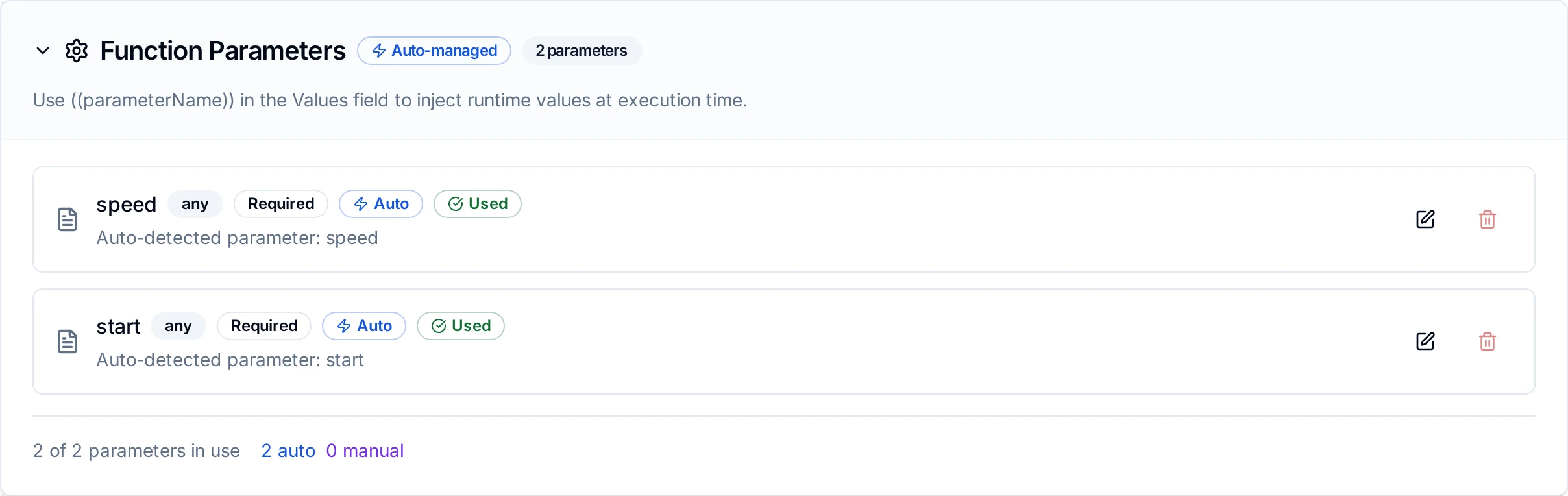
A Write Outputs function whose values are the ((speed)) and ((start)) parameters, filled by the pipeline
The write rules:
- Only the named fields change. The rest of the image keeps its last value; the image starts as zeros.
- All or nothing. Every value is checked first: a name the field list does not have, or a value its type cannot hold, refuses the whole write and changes nothing.
- The first write says Run. From the first write on, the outputs say Run, which lets the device act on them; before it they say Idle. See Run and Idle.
- Success means the next cycle carries the image. UDP gives no receipt: the device does not confirm a cycle.
- Writing the same values twice leaves the device in the same state.
changedis then empty. - Only an exclusive owner writes. A write on an input only or listen only connection is refused.
A write is never buffered for later delivery: the outputs travel over UDP, which has no acknowledgement, and an image sent later would act on the device out of its time. A pipeline run started by a late (replayed) input does not execute the write unless the node allows late input. A write that failed may be run again by the node's Retry on Fail: setting the same fields twice leaves the device in the same state. A write refused for its field list or a value is not retried.
Using Parameters
The Values field supports ((parameterName)) placeholders; they appear in the Function Parameters block, where you set each one's type, whether it is required, and a default. For example, Values {"speedSetpoint": ((speed)), "start": ((start))} writes the node's speed and start parameters to those two fields. A text value goes in quotes: {"recipeName": "((recipe))"}.
Pipeline Integration
Use the functions you configure here as nodes inside the Pipeline Designer. Read Inputs and Write Outputs are connector nodes, and Watch Inputs functions drive the trigger node:
- EtherNet/IP I/O Read Inputs (
connected.enipio.read.inputs): executes anenipio.read.inputsfunction - EtherNet/IP I/O Write Outputs (
connected.enipio.write.outputs): executes anenipio.write.outputsfunction - EtherNet/IP I/O Trigger (
trigger.enipio): starts a pipeline when the input image anenipio.inputsfunction watches changes, or every sampling interval
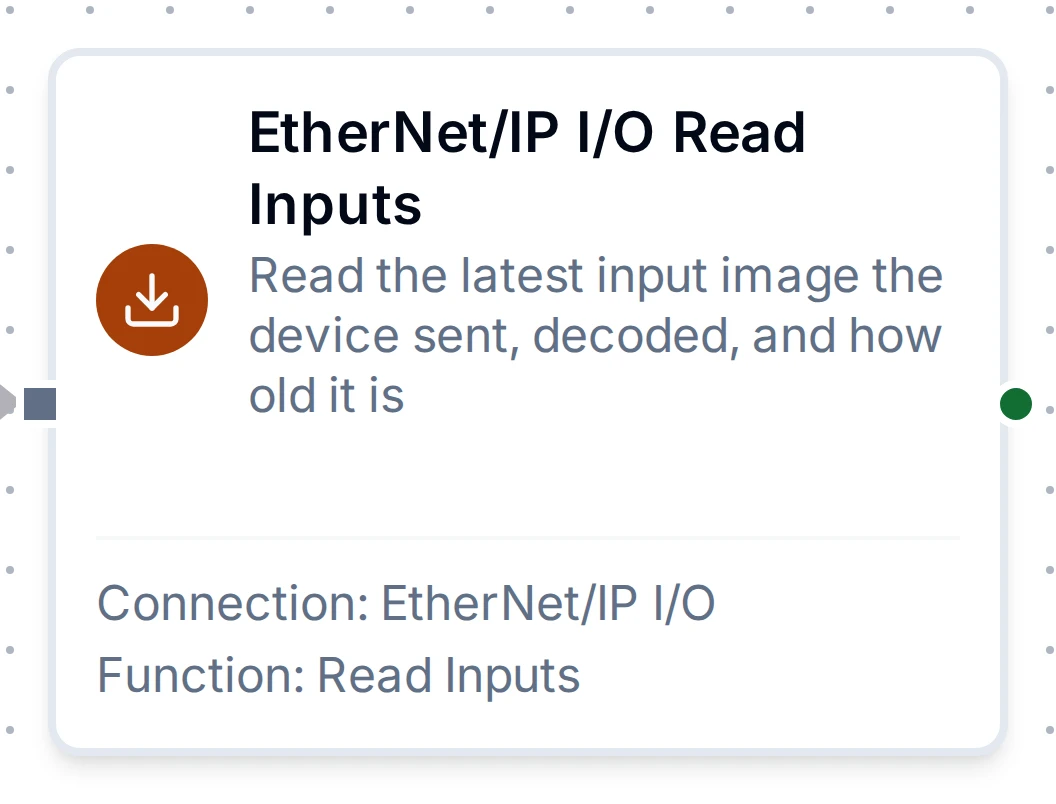
The Read Inputs node with its connection and function
For node-level details (output structure, execution settings), see the EtherNet/IP I/O Nodes and EtherNet/IP I/O Trigger pages.
For orchestration strategies that mix EtherNet/IP I/O with other data sources, see the Nodes page.
Common Use Cases
Starting a pipeline when an axis reports ready
A Watch Inputs function with a field list that names the axis's ready bit ({"name": "axis1Ready", "offset": 4, "type": "BIT", "bit": 0}) and Fire On change. The pipeline runs when a listed field changes, and a Condition node on $trigger.result.inputs.axis1Ready decides what to do. Bytes outside the list, such as a position that moves every cycle, do not fire it.
A drive's speed and fault code to a historian or the UNS
A Watch Inputs function with Fire On interval and a Sampling Interval of 1s, routed to a historian or the Unified Namespace. The pipeline runs once a second with the latest image, however short the input interval, so the storage rate is yours to choose.
Setpoints and start bits from a pipeline
A Write Outputs function with parameters ({"speedSetpoint": ((speed)), "start": ((start))}) fed from an MES or an operator form, with a Condition node checking the range first. The same function with a faultReset bit writes true to request a reset and false to clear it again.
Watching I/O another controller owns
When a PLC already owns the device's outputs, MaestroHub can still receive its inputs: an input only connection beside the owner, or, when the owner's inputs are multicast, a listen only connection that shares that stream. Neither sends outputs, so the owner keeps sole control.
Troubleshooting
Error Reference
The texts below leave out the enipio: that most messages start with.
| What you see | Meaning | Retried? |
|---|---|---|
the UDP port for EtherNet/IP I/O is in use by another program on this computer (:2222): … | Another program on the MaestroHub host holds UDP port 2222 | No: free the port. The connection is marked failed at once; the platform keeps trying in the background |
the device at … cannot be reached: … | Nothing answers on TCP at the Host and Port | Yes |
the EtherNet/IP session with … could not be opened: … | Something answered on the port but did not open an EtherNet/IP session | Yes |
open the EtherNet/IP I/O connection to …: … followed by a refusal | The device refused the Forward_Open; see Refusals by the device | As the refusal says |
no input from the device for 400ms (the connection's timeout; at least 10s before the first input of an opening) | The connection was lost: no input arrived within the input interval × the timeout multiplier | The platform opens the connection again |
the device sends its multicast inputs to port …; this MaestroHub receives I/O on port 2222 | The device is set to send its multicast inputs to another UDP port | Yes; it opens once the device sends to 2222 |
the device accepted multicast inputs but did not say which multicast address it sends them to | The device's answer named no multicast address | Yes |
the multicast group … cannot be joined on … | The MaestroHub host could not join the group on the interface it reaches the device through | Yes |
not connected to the EtherNet/IP adapter at … | The connection is not open | Yes, after reconnect |
the device has not sent an input image on this connection yet | A read, or a test of Watch Inputs, before the device's first input image | Yes |
only an exclusive owner connection sends outputs: this connection is … and sends a heartbeat | A write on an input only or listen only connection | No |
fields is required: the layout of the output image, to set its fields by name | A write without a field list | No |
field "…": bytes 126..129 are outside the image of 128 bytes | A field of the list lies past the end of the image | No |
no such field "…" in the image | Values names a field the list does not have. Nothing changed | No |
field "mode": 300 is outside 0..255 | A value does not fit its field's type. Nothing changed | No |
values is required: …, values is empty: …, values must be an object of field names and values, … | Values is missing, empty, or not an object of names and values | No |
the field name "…" is given twice, field "…": "…" is not a data type (…), field "…": bit 8; a bit of a byte is 0..7, field "…": a STRING needs its length in bytes, field "…": only a BIT names a bit, fields[0] (…): byteOrder "…": want little or big | The field list is not valid; the function is refused when it is saved | No |
"Retried?" says whether the node's Retry on Fail setting sends the request again, or for a connection error whether the platform keeps opening the connection. A request MaestroHub refuses before anything changed gives the same answer every time, so it is not retried.
The connection itself is refused when it is saved with:
| What you see | What to change |
|---|---|
outputSize is required for an exclusive owner: the size of the output assembly in bytes | Set Output Size, or choose input only |
the connection is input only: it sends no outputs, only a heartbeat, so its output size is 0 (or listen only) | Set Output Size to 0 for input only and listen only |
listen only receives the inputs another connection opened, by multicast; turn multicast inputs on | Turn on Multicast Inputs |
configuration data needs a configuration assembly instance | Set Configuration Assembly, or clear Configuration Data |
… bytes of configuration data; at most 400 are sent | Shorten Configuration Data |
configData must match pattern … | Write Configuration Data as hex bytes, two digits each (01 00 0A 00) |
keyCompatible is on but no field of the electronic key is set, so no key is sent: set the key (at least its major and minor revision), or turn it off | Set the key's fields, or turn off Accept Compatible Revisions |
Refusals by the device
A refused Forward_Open reads open the EtherNet/IP I/O connection to <host>:<port>: <what it means> (<service> refused: CIP status 0x01/0x<code>, <name>), for example another controller owns these outputs; only one owner is allowed. Use input only, or remove the other owner (Forward_Open refused: CIP status 0x01/0x0106, ownership conflict). Most refusals carry the general status 0x01 (connection failure) and an extended status that says why:
| Extended status | What you see | Permanent? |
|---|---|---|
0x0100 connection in use or duplicate Forward_Open | this scanner already holds the connection, often a stale one from before a restart; it is retried until the device has let the old one go | No |
0x0103 transport class and trigger combination not supported | the device does not offer a cyclic class 1 connection on these assemblies | Yes |
0x0106 ownership conflict | another controller owns these outputs; only one owner is allowed. Use input only, or remove the other owner | No |
0x0107 target connection not found | the device has no such connection; it is already closed | Yes |
0x0108 invalid network connection parameter | the device does not accept the connection type, priority or fixed size asked for | Yes |
0x0109 invalid connection size | the sizes differ from the device's, or the run/idle setting does not match | Yes |
0x0110 target for connection not configured | the device is not ready for this connection: listen only needs an owner first, or the device needs configuration data | No |
0x0111 RPI not supported | the device does not accept this interval | Yes |
0x0112 RPI value(s) not acceptable | the device does not accept this interval (a multicast input must use the interval its other receivers use) | Yes |
0x0113 out of connections | the device has no free connection | No |
0x0114 vendor ID or product code mismatch | the device is not the vendor or product the electronic key names; fix the key or turn keying off | Yes |
0x0115 device type mismatch | the device is not the device type the electronic key names; fix the key or turn keying off | Yes |
0x0116 revision mismatch | the device is not the revision the electronic key names; fix the key or turn keying off | Yes |
0x0117 invalid produced or consumed application path | these assembly numbers are not a connection the device offers | Yes |
0x0118 invalid or inconsistent configuration application path | the configuration assembly is wrong, missing or not wanted (on a Yaskawa 263IF-01 this code means the RPI is too small) | Yes |
0x0119 non-listen only connection not opened | listen only needs another owner of the inputs first | No |
0x011A target object out of connections | the device has no free connection on these assemblies | No |
0x011B RPI is smaller than the production inhibit time | the device does not accept this interval | Yes |
0x0121 invalid O->T network connection priority | the device does not accept the priority asked for on outputs | Yes |
0x0122 invalid T->O network connection priority | the device does not accept the priority asked for on inputs | Yes |
0x0123 invalid O->T network connection type | the device does not accept point-to-point or multicast on outputs as asked | Yes |
0x0124 invalid T->O network connection type | the device does not accept point-to-point or multicast on inputs as asked; try the other one | Yes |
0x0125 invalid O->T network connection redundant owner | the device does not accept the redundant-owner setting | Yes |
0x0126 invalid configuration size | the configuration data is not the size the device expects | Yes |
0x0127 invalid O->T network connection size | the output size differs from the device's, or the run/idle setting does not match | Yes |
0x0128 invalid T->O network connection size | the input size differs from the device's | Yes |
0x0129 invalid configuration application path | the configuration assembly is wrong, missing or not wanted | Yes |
0x012A invalid consuming application path | the output (or heartbeat) assembly number is not one the device offers | Yes |
0x012B invalid producing application path | the input assembly number is not one the device offers | Yes |
0x012F inconsistent application path combination | these assembly numbers are not a connection the device offers | Yes |
0x0132 null Forward_Open function not supported | the device does not take this kind of request | Yes |
0x0133 connection timeout multiplier not acceptable | the device does not accept this timeout multiplier | Yes |
0x0203 connection timed out | the traffic stopped (cable, device or network) | No |
0x0204 unconnected request timed out | the device did not answer the Forward_Open in time | No |
0x0301 no buffer memory available | the device is short of memory for this connection; a longer interval may help | No |
0x0302 network bandwidth not available for data | the network or the device is short of bandwidth; a longer interval may help | No |
0x0315 invalid segment in connection path | the path holds a segment the device refuses (for example a configuration instance it does not have, or a key format it does not know) | Yes |
0x0316 Forward_Close service connection path mismatch | the Forward_Close named another path than the Forward_Open | Yes |
0x0813 not configured for off-subnet multicast | multicast inputs only reach scanners on the device's subnet; use point-to-point or put MaestroHub on the same subnet | Yes |
A size refusal (0x0126, 0x0127, 0x0128) adds the device's own size: The device's size is N bytes, which counts the 2-byte sequence count and, for outputs, the 4-byte run/idle header. For an exclusive owner, the Output Size to set is that number less 6 (0x0127), and the Input Size is that number less 2 (0x0128).
Other general statuses a Forward_Open or Forward_Close can meet:
| General status | What you see | Permanent? |
|---|---|---|
0x02 resource unavailable | the device is short of resources for the request | No |
0x04 path segment error | the device could not read the request's path | Yes |
0x05 path destination unknown | the device has no such object | Yes |
0x08 service not supported | the device does not support this request | Yes |
0x09 invalid attribute value | the device refused the configuration data | Yes |
0x0C object state conflict | the device is not in a state to take the request | No |
0x0F privilege violation | the device refused the request: it did not come from the connection's originator | Yes |
0x10 device state conflict | the device is not in a state to take the request | No |
0x13 not enough data | the device found the request too short | Yes |
0x14 attribute not supported | the device does not have that attribute | Yes |
0x15 too much data | the device found the request too long | Yes |
0x16 object does not exist | the device has no such object | Yes |
0x26 path size invalid | the device could not read the request's path | Yes |
A permanent refusal names something the device does not have or does not take: assemblies, sizes, an interval, a key, a kind of connection. The same request meets it again, so the connection is marked failed on the first attempt; the platform keeps trying in the background, so a change on the device heals it. Change the setting the refusal names. The others clear by themselves or by a change elsewhere (another owner leaves, a stale connection times out, a connection becomes free, the traffic returns), and the platform keeps opening the connection until they do. A status not in these tables is treated as one that may clear.
Connection Issues
| Symptom | Possible Cause | Solution |
|---|---|---|
Every EtherNet/IP I/O connection fails with the UDP port for EtherNet/IP I/O is in use | Another program on the MaestroHub host, such as another EtherNet/IP scanner or a second MaestroHub, holds UDP port 2222 | Free the port: every EtherNet/IP I/O connection of one MaestroHub shares it, and the cyclic data always uses it |
The Forward_Open is accepted, then the connection is lost with no input from the device for 10s, again and again | No input datagram reaches MaestroHub: UDP 2222 is blocked between the device and MaestroHub, or multicast inputs do not reach the host | Open UDP 2222 both ways between the device and MaestroHub. For multicast inputs, check that MaestroHub is on the device's subnet, or turn Multicast Inputs off |
Multicast inputs are refused with 0x0813, or never arrive | MaestroHub is on another subnet than the device | Turn Multicast Inputs off (point-to-point), or put MaestroHub on the device's subnet |
A listen only connection keeps failing with 0x0119 or 0x0110 | The connection whose multicast inputs it receives is not open | Open that connection first (an exclusive owner or input only connection with Multicast Inputs on, from MaestroHub or another scanner). The listen only connection keeps trying and opens once it is |
An exclusive owner keeps failing with 0x0106 | Another controller owns the output assembly; a device takes one owner per output assembly | Use input only beside that owner, or remove the other owner |
After a MaestroHub restart the connection fails with 0x0100 for a while | The device still holds the connection from before the restart | Wait: it is retried until the device has let the old one go |
The connection is refused with a size refusal (0x0127, 0x0128) | Input Size or Output Size differs from the device's | Set the size the refusal names, less the headers (see Refusals by the device) |
| The device does not act on the outputs | The outputs still say Idle: no pipeline has written them since the connection started | Write them once; from the first write on they say Run |
| A value reads wrong | The field's offset, type or byte order does not match the device's layout | Check the layout in the device's manual or EDS file; for a device that puts its registers high byte first, set the field's byteOrder to big |
| The trigger does not fire | Fire On is change and the listed fields do not change, or the field list does not fit the input image (the subscription is refused with the field's error) | Check that the list names the bytes that change and fits Input Size, or use Fire On interval |
A read's ageMs is often above the input interval | Datagrams from the device arrive late or are lost on the way | Check the network between the device and MaestroHub; the connection is lost once no input arrives for the input interval × the Timeout Multiplier |