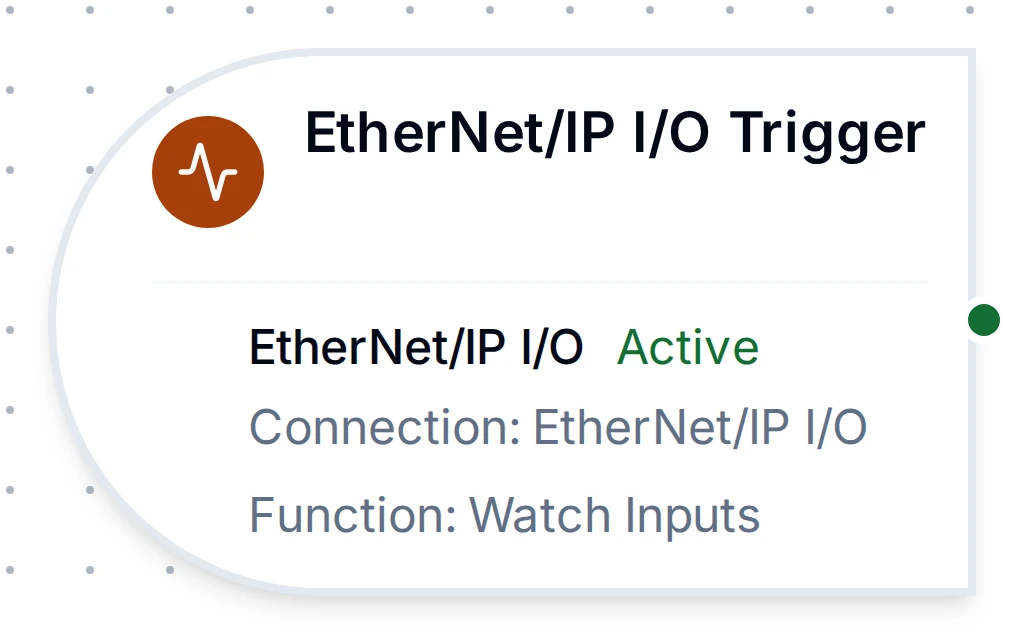
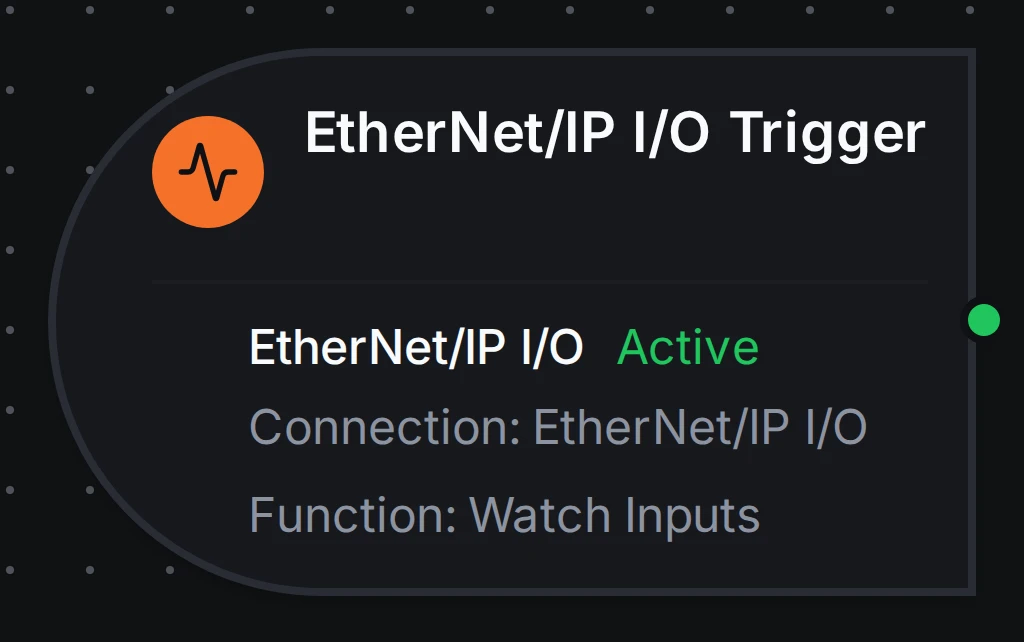
EtherNet/IP I/O trigger node
EtherNet/IP I/O Trigger Node
Start a pipeline when an EtherNet/IP adapter's input image changes, or every sampling interval, with its decoded fields and raw bytes.
- Starts on
- A change of the input image · every sampling interval
- Function
- Watch Inputs
- Output
- Decoded fields, raw bytes, the fields that changed
- Dedup
- Built in: never once per datagram
Overview
The EtherNet/IP I/O Trigger Node automatically initiates MaestroHub pipelines from the input image of an EtherNet/IP adapter (an I/O block, a drive, a Yaskawa MPiec motion controller). Unlike the EtherNet/IP I/O Read Inputs node, which returns the latest input image inside an already-running pipeline, the trigger starts a new pipeline execution when the image changes, or at a sampling interval you set.
The device sends its input assembly every input interval over a cyclic class 1 connection, and most of those images are the same as the one before: at a 10 ms interval that is a hundred images a second. So the trigger never fires once per datagram. Each event carries the decoded fields, the raw bytes and the names of the fields that changed.
Core Functionality
What It Does
1. Change-Driven Pipeline Execution
With Fire On change, a pipeline starts when the input image changes, or, with a field list, when one of its fields changes. Latency is set by the connection's Input Interval: the device sends its inputs every interval, so a change reaches the trigger with the next datagram.
2. Field Filtering
The Watch Inputs function's field list names the values inside the image and decides what counts as a change: a BIT field compares its one bit, any other field its bytes. A change anywhere else does not fire the trigger. Without a field list, any byte that changes fires it. See The field list.
3. Sampling at an Interval
With Fire On interval, a pipeline starts every Sampling Interval with the latest image, whether or not it changed, so the pipeline's rate is yours to choose, whatever the connection's input interval.
4. Automatic Subscription Lifecycle The subscription is created when the pipeline becomes enabled and removed when it's disabled. A Watch Inputs subscription is a filter over the images the connection receives and asks nothing of the device, so it keeps delivering across every reopening of the connection without being re-established.
How EtherNet/IP I/O Triggering Works
| Aspect | Read Inputs | Watch Inputs (Trigger) |
|---|---|---|
| Model | Request inside a running pipeline | Event-driven (push) |
| Execution | One read per call, from the image the connection keeps | One run per change, or per sampling interval |
| Lifecycle | Stateless | A filter held by the connection |
| Use Case | The current inputs at a point in a pipeline | Reacting to a change, sampling at a fixed rate |
When you configure an EtherNet/IP I/O Trigger:
- MaestroHub registers the Watch Inputs function's filter on the connection.
- The connection receives an input image that differs from the one before, or the sampling interval comes round.
- With Fire On
change, the trigger compares the image with the one its previous event carried: the fields of the list, or every byte without one. If something it watches changed, one event is emitted. With Fire Oninterval, one event is emitted with the latest image while the connection is open. - The pipeline executes with the image available as
$trigger.
The trigger node's triggerMode setting has no effect here: the function's Fire On decides when it fires, and every event it emits starts a run.
Runs started by the images of one input assembly run in order, one at a time. When the pipelines behind the trigger cannot keep up, events that wait are dropped, oldest first, and every drop is counted on the pipelines it feeds: an adapter cannot be held back, since it sends its inputs every interval, and the next image supersedes the one that waited.
Reconnection Handling
MaestroHub automatically handles link disruptions to keep monitoring reliable.
Automatic Recovery
When the inputs stop and come back:
- Connection Lost: The connection is lost when no input arrives within the input interval × the connection's Timeout Multiplier (the first input after an opening is given at least 10 s). The trigger fires once per outage with
qualitybadand the cause undererror(see Output Data Structure). - Connection Restored: MaestroHub sends a Forward_Close for what the device may still hold, and the platform opens the connection again, with the same originator every time.
- Transparent Recovery: The filter stays registered, so the trigger fires again once the connection is back: with Fire On
change, on the next change of what it watches; with Fire Oninterval, at the next sampling interval.
What This Means for Your Workflows
| Scenario | Behavior |
|---|---|
| Transient network error | One bad event for the outage; events flow again after the connection is opened again |
| Inputs unchanged across the outage | The first image after the connection is opened again fires with quality good, changed or not; then events on change again |
| Edited Watch Inputs function | Re-subscribing replaces the filter, so the new field list and Fire On take effect, starting healthy |
| MaestroHub restart | All triggers for enabled pipelines are restored on startup |
With Fire On change, the first image after an outage starts a run even when it is the same as before the outage: that run is the one that says the inputs are good again.
When the connection drops
When the connection is lost, MaestroHub sends the last value of each input assembly the function delivered once more, marked Bad: _metadata.quality is bad and _metadata.quality_reason is comm_error, so a UNS Publish node stores it as Bad at the moment the link dropped. Keys that describe one delivery are set so that a pipeline reading them still runs and does not read a stale value as current:
_metadata.receivedAtis the moment the link dropped._metadata.sequenceis the last packet's.
A value still handed over from before the drop, after this event, is followed by its own Bad event; a value from after the reconnect is never followed by one. See Connect for the rule across connectors.
Configuration Options
Basic Information
| Field | Type | Description |
|---|---|---|
| Node Label | String (Required) | Display name for the node on the pipeline canvas. Must be non-empty (trimmed). |
| Description | String (Optional) | Explains what this trigger initiates. |
Configuration
The trigger configuration is organized across two tabs in the UI: Parameters and Settings.
| Parameter | Type | Default | Required | Description |
|---|---|---|---|---|
| Connection | Connection ID | "" | Yes | The EtherNet/IP I/O connection profile to receive the input image from. Filtered to EtherNet/IP I/O connections only. |
| Watch Inputs Function | Function ID | "" | Yes | The function that defines when the trigger fires. Filtered to enipio.inputs function types on the selected connection. |
| Enabled | Boolean | true | No | When disabled, the subscription is not created even if the pipeline is enabled. |
The selected function must be a Watch Inputs function type (enipio.inputs). The other EtherNet/IP I/O function types cannot be used with EtherNet/IP I/O Trigger nodes.
Watch Inputs Function Configuration
The selected function (authored in the Connect module) controls when the trigger fires:
| Setting | Default | Description |
|---|---|---|
| Fields | empty | The layout of the input image, to decode it by name: each item a name, an offset, a type and, for a BIT, a bit. Empty: the raw bytes only, and any byte that changes fires. |
| Fire On | change | change = when the image (or a field of the list) changes. interval = every sampling interval, with the latest image, changed or not. |
| Sampling Interval | 1s | How often the trigger fires when Fire On is interval, 10ms to 1h. |
The field list is checked against the connection's Input Size when the subscription starts: a field past the end of the image refuses the subscription, with the field's error. See Watch Inputs for the full function reference.
Sample Payload
The Parameters tab also holds a Sample Payload editor and a Sample Quality picker. When you run the node with Test Node in Sandbox mode, the trigger emits the sample payload as result instead of waiting for a real image, so you can validate downstream nodes before a device is wired up. When the editor is empty, a built-in sample image is used. Sample Quality sets the quality the sample reports in $trigger._metadata.quality, so a quality-aware pipeline can be tested with a good, uncertain or bad sample. The live subscription and the node's Fire Trigger action do not use the sample.
{
  "inputs": { "axis1Position": 1043.25, "axis1Ready": true, "faultCode": 0 },
  "raw": "0068824401000000",
  "changed": ["axis1Position"]
}
Settings
Description
A free-text area for documenting the node's purpose and behavior. Notes entered here are saved with the pipeline and visible to all team members.
Execution Settings
| Setting | Options | Default | Description |
|---|---|---|---|
| On Error | Pipeline Default / Stop Pipeline / Continue Execution | Pipeline Default | Behavior when the node fails. |
Output Data Structure
When the trigger fires, it produces a structured output with two top-level keys: _metadata and result. One event is emitted per change of what the trigger watches, or per sampling interval.
Output Format
With the field list axis1Position (REAL at byte 0), axis1Ready (BIT 0 of byte 4) and faultCode (WORD at byte 6), on an 8-byte input image (kept short for the example):
{
  "_metadata": {
    "type": "enipio_trigger",
    "protocol": "enipio",
    "connectionId": "bf29be94-fc0a-4dc4-8e5c-092f1b74eb4b",
    "functionId": "aef374c3-aa2b-454e-aabc-5657faac5950",
    "inputAssembly": "101",
    "sequence": "4711",
    "receivedAt": "2026-11-15T09:41:07.312Z",
    "quality": "good",
    "timestamp": "2026-11-15T09:41:07.312845123Z"
  },
  "result": {
    "inputs": { "axis1Position": 1043.25, "axis1Ready": true, "faultCode": 0 },
    "raw": "0068824401000000",
    "changed": ["axis1Position"]
  }
}
Without a field list, result holds raw only:
{
  "result": { "raw": "0068824401000000" }
}
result Fields
| Field | Type | Description |
|---|---|---|
inputs | object | Every field of the list, by name: true/false for a BIT, a number for the numeric types, text for a STRING. Present only when the function has a field list. |
raw | string | The whole input image as hex, two upper-case digits a byte. Always present. |
changed | array | The names of the fields that differ from the image the trigger's previous event carried, in the order of the list. The first event lists every field; with Fire On interval it can be empty. Present only when the function has a field list. |
_metadata Fields
Every _metadata value is a string, including the numeric ones.
| Field | Type | Description |
|---|---|---|
type | string | Always "enipio_trigger". |
protocol | string | Always "enipio". |
connectionId | string | The EtherNet/IP I/O connection profile ID. |
functionId | string | The Watch Inputs function ID. |
inputAssembly | string | The input assembly instance the image came from, as a string ("101"). |
sequence | string | The class 1 sequence count the device sent with the image, as a string ("4711"). |
receivedAt | string | ISO 8601 / RFC 3339, UTC; when a datagram last carried the image: for a change, the datagram that brought it; with Fire On interval, the last datagram before the event. On a failure event, it is when the loss was noticed. |
quality | string | good for an image. bad on a failure event: once per outage, when the inputs stop and the connection is lost, the trigger fires with quality: "bad" and the cause under error. Its result is the last payload this trigger delivered (an empty object if none had been delivered yet), and its inputAssembly and sequence are those of that image (absent if there was none). The next event carries good again. A UNS Publish node downstream inherits the verdict. |
quality_reason | string | Only on a failure event: comm_error. A UNS Publish node downstream forwards it, so the stored sample reads bad · comm_error rather than just bad. |
error | string | Only on a failure event: why the inputs stopped, for example enipio: no input from the device for 400ms. |
timestamp | string | ISO 8601 / RFC 3339 (nanoseconds); when the trigger event was created, UTC. |
Referencing in Downstream Nodes
Use expressions to access trigger data in subsequent nodes:
$trigger.result.inputs.axis1Ready: a field of the image, by its name in the field list$trigger.result.changed: the fields that changed since the trigger's previous event$trigger.result.raw: the whole image as hex$trigger._metadata.quality:good, orbadon the once-per-outage failure event$trigger._metadata.sequence: the class 1 sequence count of the image$trigger._metadata.receivedAt: when a datagram last carried the image$trigger._metadata.inputAssembly: the input assembly, handy for routing on a topic path$trigger._metadata.connectionId: connection profile used$trigger._metadata.functionId: Watch Inputs function used
Validation Rules
Parameter Validation
Node Label
- Must not be empty
- Must not consist only of whitespace
Connection ID
- Must be provided and non-empty
- Must reference a valid EtherNet/IP I/O connection profile
Function ID
- Must be provided and non-empty
- Must reference a valid Watch Inputs (
enipio.inputs) function - Function must belong to the specified connection
Enabled Flag
- Must be a boolean if provided
Usage Examples
Axis Ready
Key configuration
- Label: Axis 1 Ready
- Connection: Filler Line MPiec
- Function: Watch Inputs with the field
axis1Ready(BIT0 of byte 4), Fire Onchange - Enabled: true
- Settings: on error
stop
Downstream usage: a Condition node on $trigger.result.inputs.axis1Ready starts the next step when the axis reports ready. The axis's position, which moves every cycle, is not in the list, so it does not fire the trigger.
Drive Speed and Fault Code to the UNS
Key configuration
- Label: Drive Status
- Connection: Filler Line MPiec
- Function: Watch Inputs with the fields
driveSpeed(REAL) andfaultCode(WORD), Fire Oninterval, Sampling Interval1s - Enabled: true
- Settings: on error
continue
Downstream usage: $trigger.result.inputs.driveSpeed and $trigger.result.inputs.faultCode for the values, $trigger._metadata.quality for the quality band. The pipeline runs once a second, however short the connection's input interval.
Fault Events
Key configuration
- Label: Drive Faults
- Connection: Filler Line MPiec
- Function: Watch Inputs with the field
faultCode(WORDat byte 6) only, Fire Onchange - Enabled: true
Downstream usage: each run is one change of the fault code; $trigger.result.inputs.faultCode is the new code and $trigger._metadata.receivedAt when it arrived.
Best Practices
Subscription Design
- List only the fields the pipeline reacts to. With Fire On
change, every listed field can fire the trigger; a value that moves every cycle, such as a position, fires it on almost every image. Watch it with a separate function on Fire Oninterval, or read it with a Read Inputs node when it is needed. - Choose the mode per pipeline.
changesuits a pipeline that reacts to events (a ready bit, a fault code).intervalsuits one that stores values at a fixed rate (a historian, the UNS). - Match the field list to the device's layout, from its manual or EDS file: offsets, types and byte order. A list that does not fit the connection's Input Size refuses the subscription.
Designing for Reliability
| Practice | Rationale |
|---|---|
Check _metadata.quality before acting on a value | bad marks the failure event: the inputs stopped and the connection was lost |
| Keep the Sampling Interval no shorter than the pipeline needs | Every interval starts a run, changed or not |
Error Handling Strategies
For Critical Workflows:
- Set On Error to
stopPipeline - Monitor pipeline execution failures via the Health dashboard
- Implement alerting for stopped pipelines
For Best-Effort Processing:
- Set On Error to
continueExecution - Log failed executions for later analysis
- Ensure downstream nodes handle partial failures gracefully
Enable vs. Disable
- Use the trigger's Enabled parameter to temporarily pause monitoring without changing pipeline state
- Disable triggers during maintenance windows on the device
- Document the reason for disabled triggers in the node's Description field