Outage drills
Cut one output on purpose, watch Store & Forward hold its writes, and get a graded result when they are delivered.
- Where
- Store & Forward › Buffers › ⋮ › Run an outage drill
- Length
- 1 minute to 6 hours; it always ends by itself
- Scope
- One output; everything else keeps running
- Permission
- durability:write to start or end; durability:read to look
Overview
Store & Forward says it holds your writes while a destination is down. A drill lets you check that on your own output, at a time you choose.
You pick one output. MaestroHub cuts its delivery for a set time. The buffer fills, the cut ends, the buffer drains. Then the drill is graded: was anything lost, did every held record arrive, did the books balance.
Only that output is cut. The other outputs of the pipeline, other pipelines, and every read on the same connection carry on. The destination itself is never touched.
Drills are in every edition and in the trial.
Start a drill
Open Store & Forward › Buffers, open a buffer's ⋮ menu and choose Run an outage drill. The drill page opens with that output picked. You can pick another output on the page.
The page walks you through four steps: Setup, Check, Live and Result. Before the drill starts you can go back to Setup or Check. Once it has started, those steps are done.
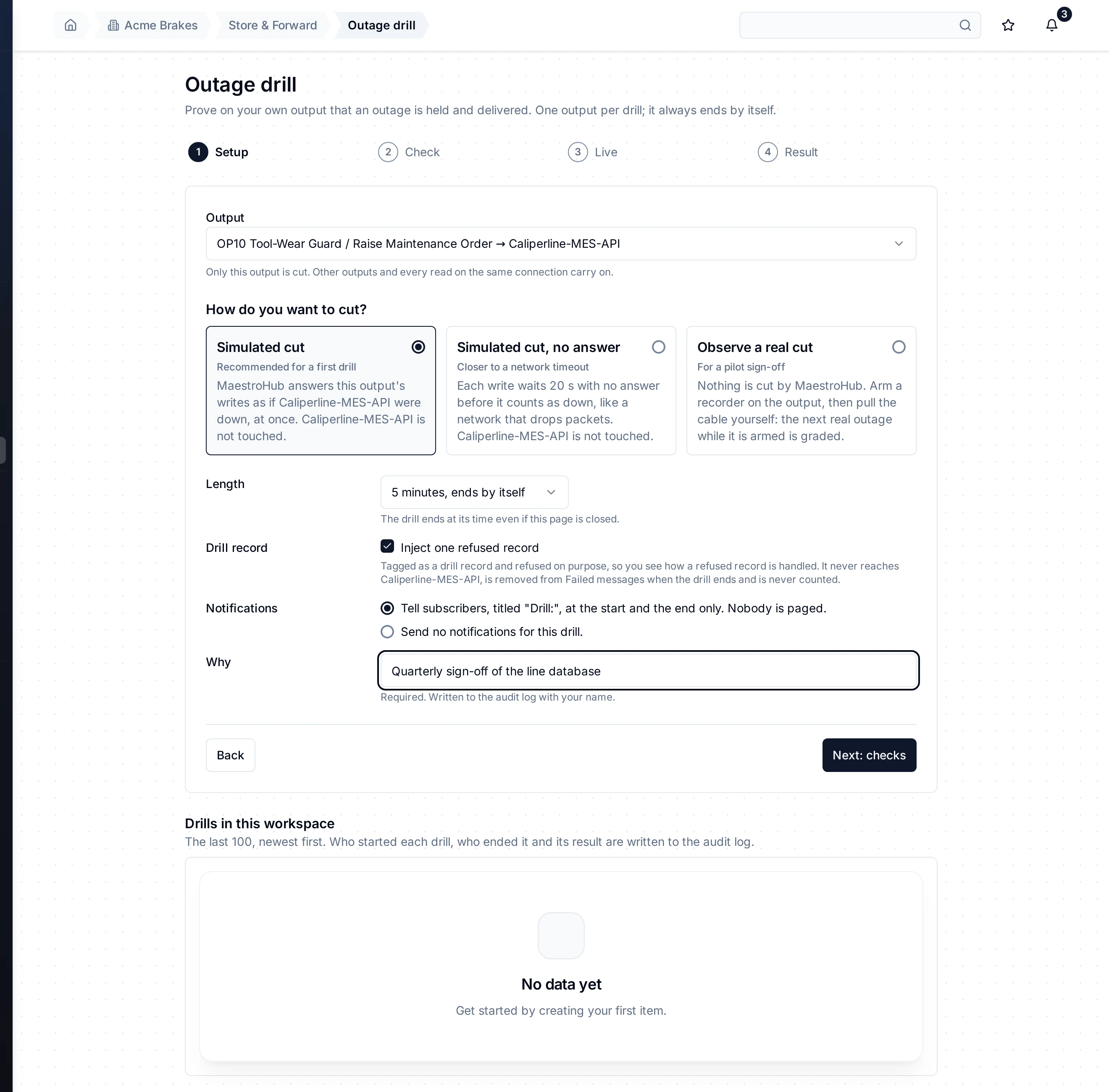
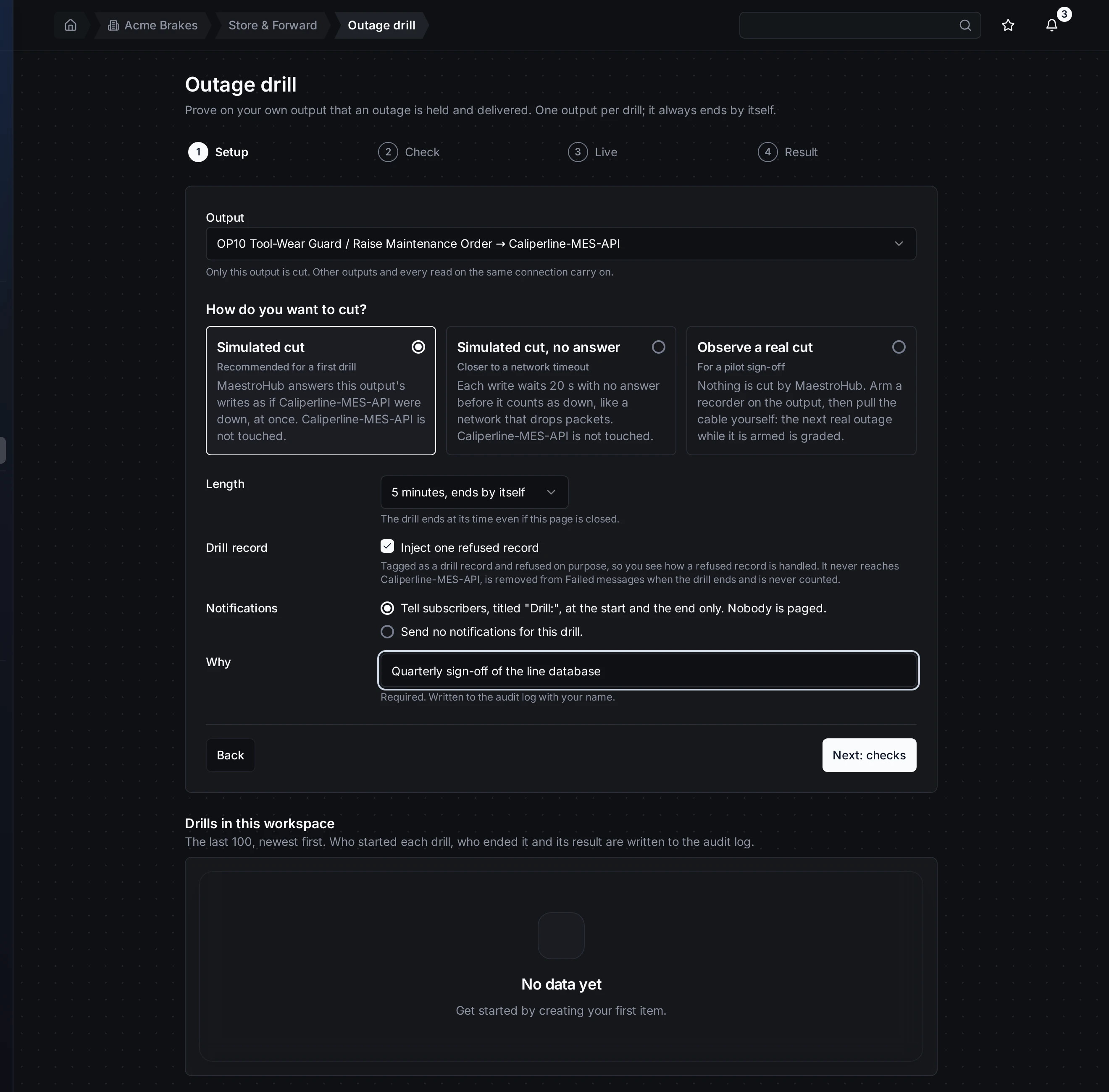
Setup: one output, how to cut it, for how long, and why. The reason is required: it goes to the audit log.
Setup
How do you want to cut?
| Choice | What happens |
|---|---|
| Simulated cut | Every write to the output is answered "unavailable" at once, as if the destination were down. Recommended for a first drill. |
| Simulated cut, no answer | Each write waits 20 seconds with no answer before it counts as down, like a network that drops packets. |
| Observe a real cut | MaestroHub cuts nothing. It arms a recorder on the output. You cause the outage yourself, for example by pulling a cable. The next real outage while the recorder is armed is graded. |
Length. From 1 minute to 6 hours. The drill ends at its time even if you close the page or the engine restarts. After the cut, the buffer gets as long as the drill to drain, and at least 2 minutes.
Drill record. Tick it to add one record that is refused on purpose. You see how a refused record is handled: it is set aside in Failed messages. It never reaches the destination. It is removed when the drill ends and is never counted. A real cut has no drill record, so Observe a real cut cannot add one.
Notifications. Either tell subscribers twice, at the start and the end, with titles starting "Drill:", at info level, or send nothing. A drill never pages anyone.
Why. Required. It is written to the audit log with your name.
Check
Next: checks runs every check without starting anything. Each check says Pass, Blocked or Know this, in a full sentence.
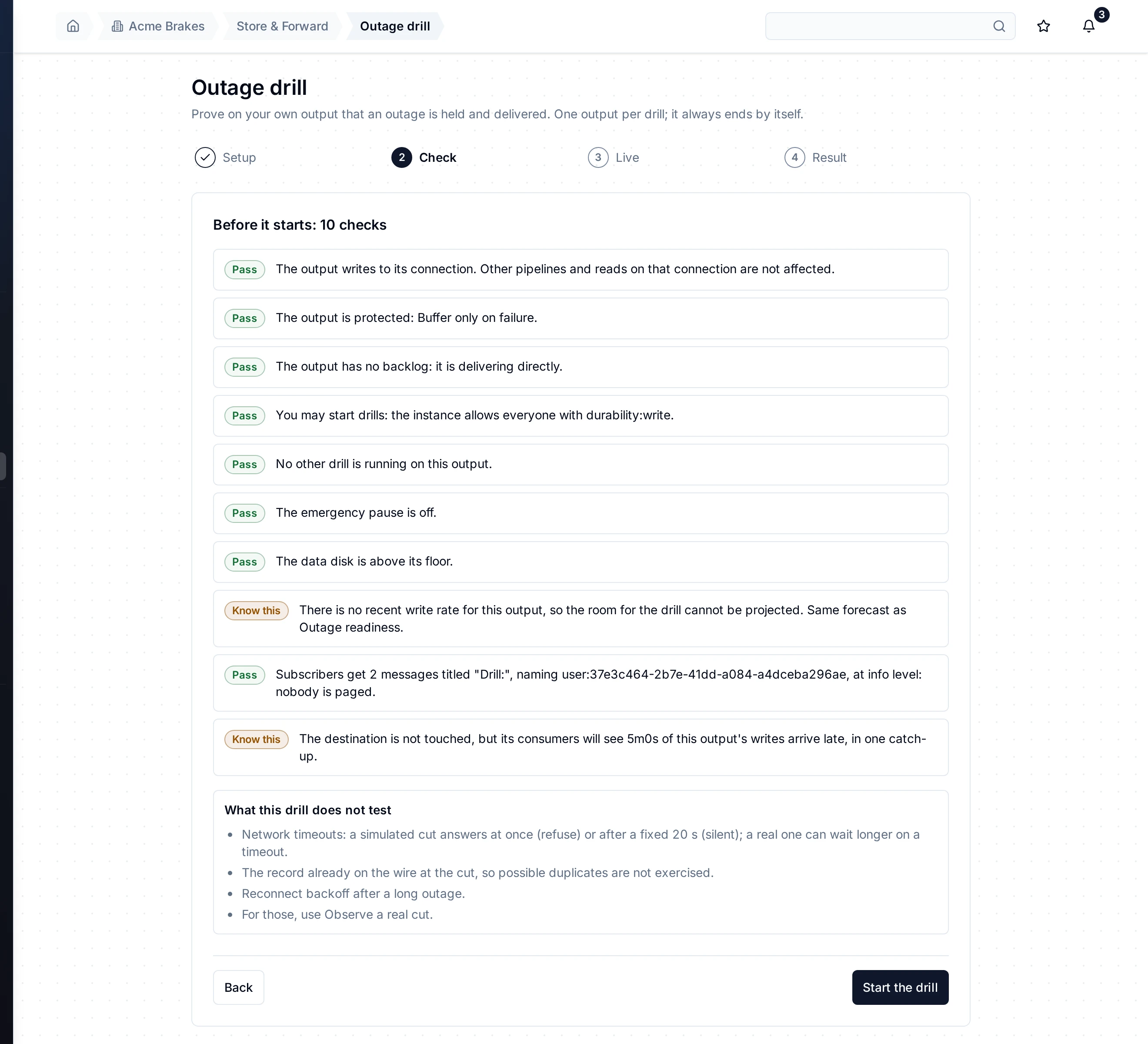
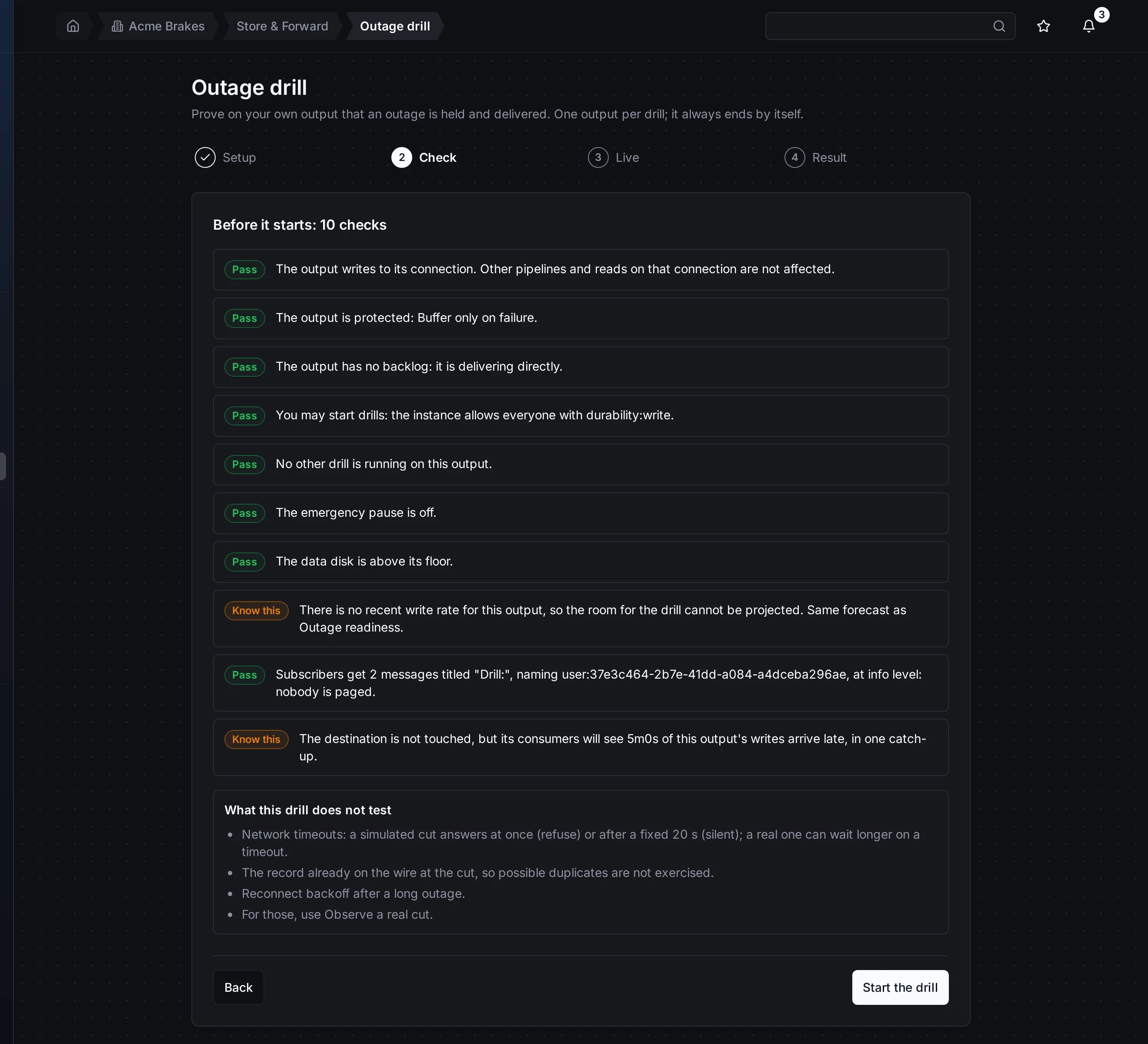
Check: a blocked check says why and what to do. Start the drill stays disabled until nothing blocks it.
A drill is blocked when:
- the node is not an output that writes to a connection;
- the output is not protected (Do not buffer): a drill would lose every write;
- the output is blocked on a record, paused, or its buffer does not take writes;
- drills are not allowed for you on this instance (see Who may run drills);
- a drill on the same output has not finished: one drill per output at a time;
- the emergency pause is on, or the data disk is at its floor;
- at the current write rate the buffer would fill before the drill ends. This is the same forecast the room warning uses.
Know this is never a refusal. It tells you, for example, that the destination's consumers will see the drill's writes arrive late, in one catch-up.
Under the checks, What this drill does not test lists what the chosen way to cut leaves out. A simulated cut does not test network timeouts longer than its own, the record on the wire at the cut, or reconnect backoff after a long outage. For those, observe a real cut.
Live
Start the drill cuts the output. A banner names the output, who started the drill and when it ends. Every 2 seconds the page shows how many records are held, waiting, lost and in Failed messages, and a bar shows how much of the drill has gone.
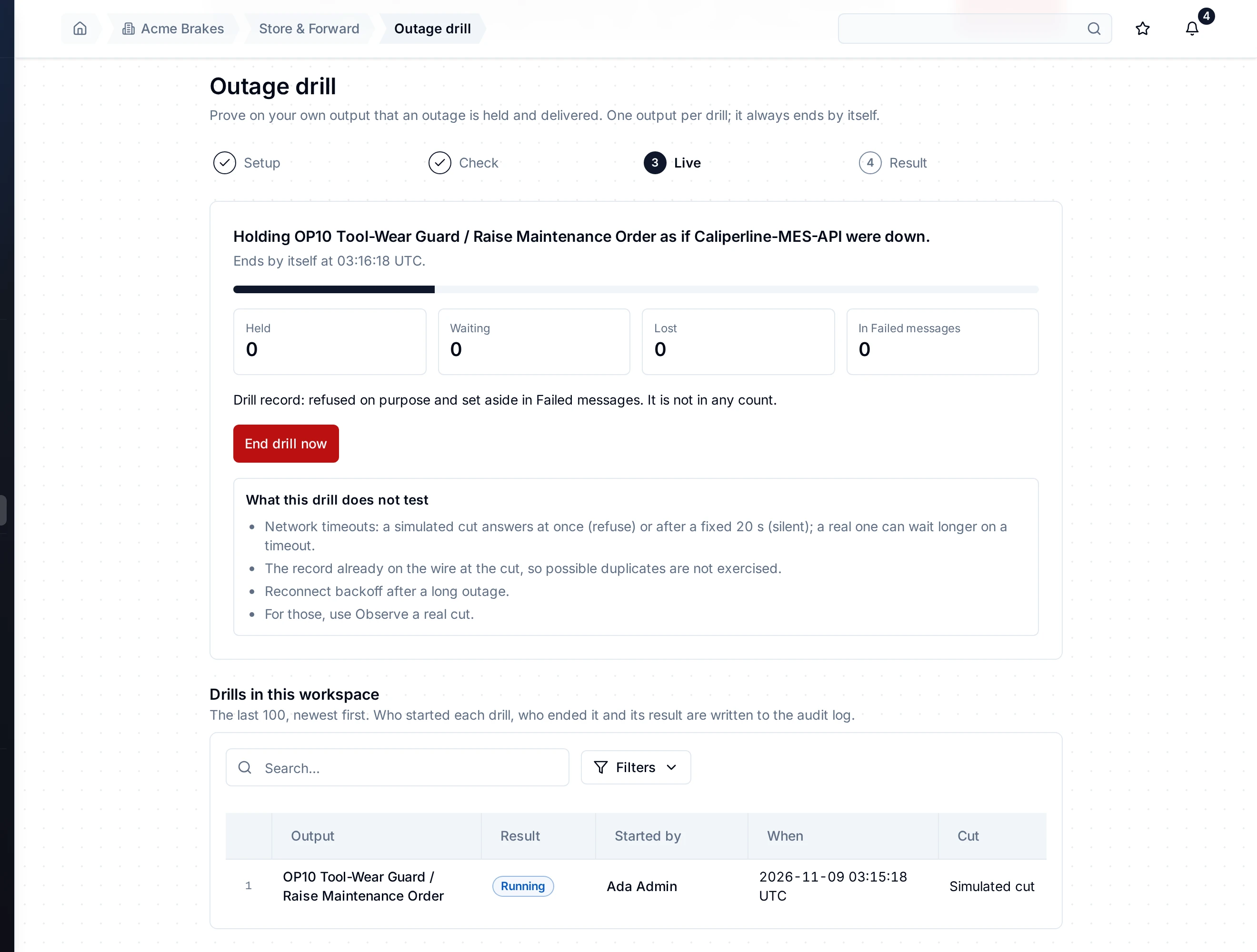
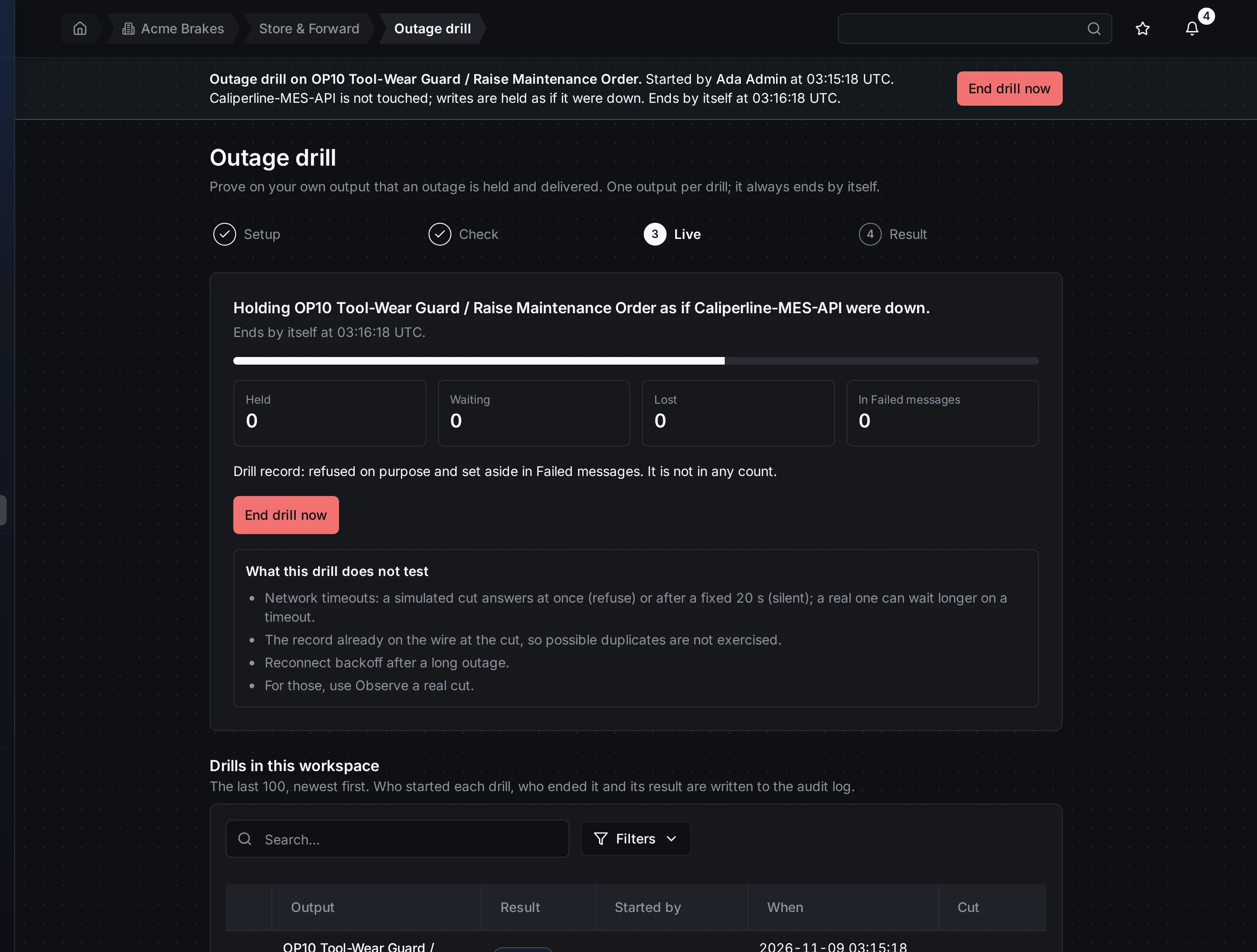
Live: the output is held as if its destination were down. End drill now stops the cut at once.
When the cut ends, the page says when the drill is graded at the latest. It is graded as soon as the buffer is empty and the outage is recorded, or at that time, whichever comes first.
End drill now stops the cut at once. The buffer then drains as usual. A drill you end is reported as Ended early, never as passed.
Result
The result says Passed, Failed, Ended early or No outage, and lists each criterion:
| Criterion | Passes when |
|---|---|
| Lost | Nothing was lost, counted from the start of the drill. |
| Failed messages | Nothing but the drill record went to Failed messages. |
| Drained | Every held record was delivered, and the output went back to direct delivery, in the time allowed. |
| Possible duplicates | Any record that may have arrived twice carries its write key, so the destination can drop the repeat. |
| Order | On an In order output: nothing was delivered behind a newer record. |
| Ledger | The outage record balances: held = delivered + sent, not confirmed + waiting + in Failed messages + lost. |
| Drill record | When you added one: it was refused as planned and removed. |
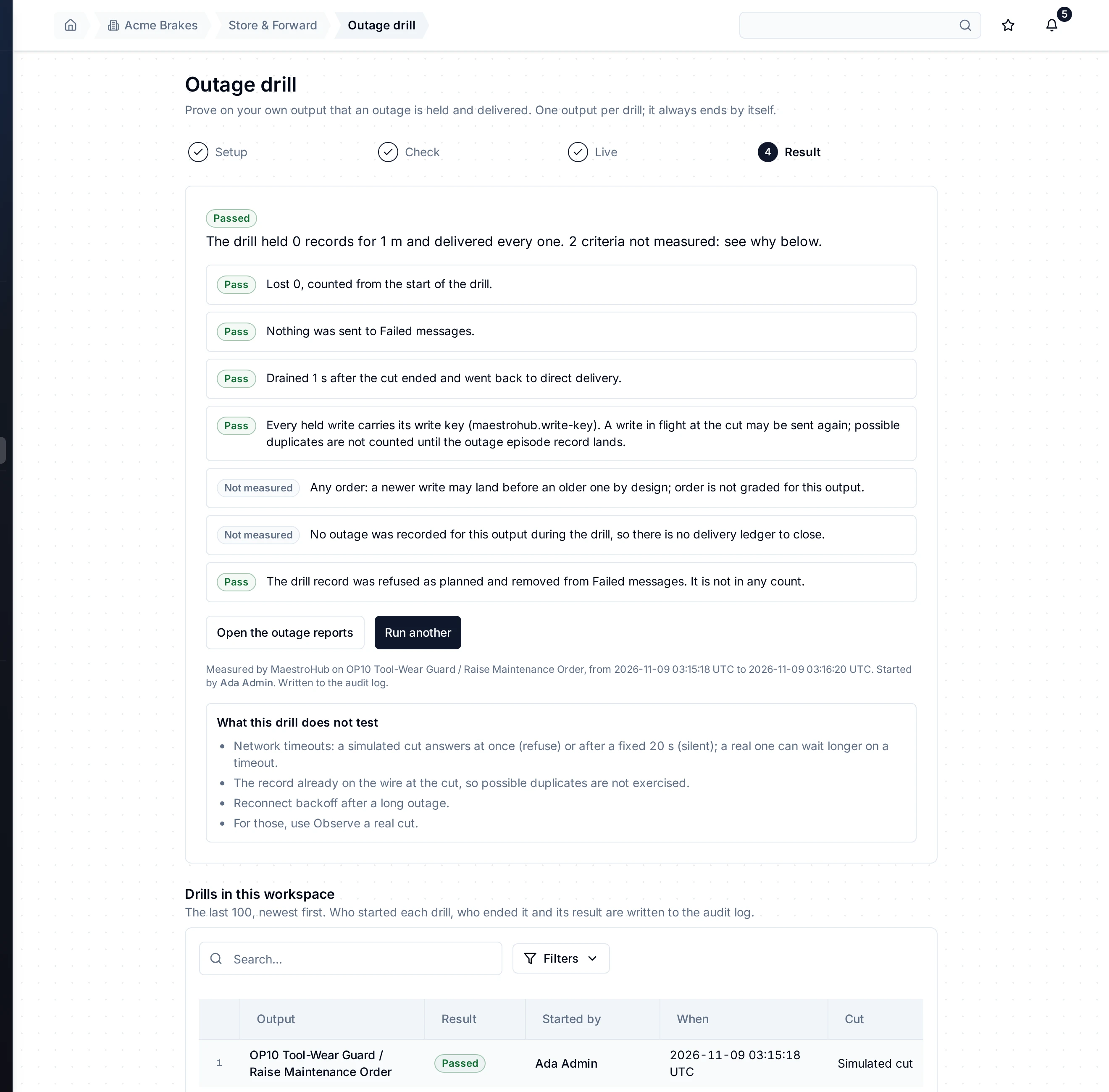
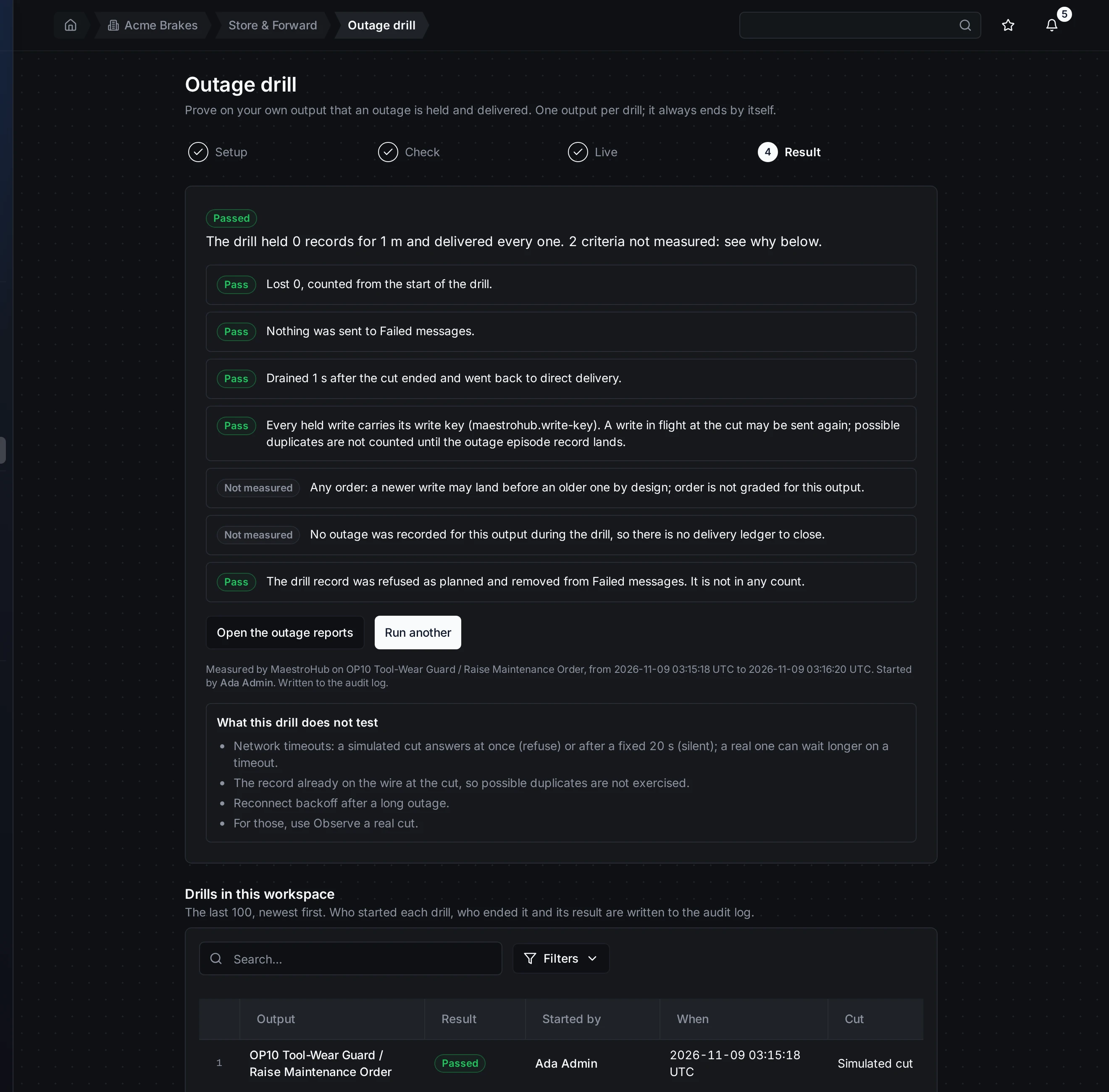
Result: every criterion with its own sentence. A criterion that could not be measured says so and why; it never counts as a pass.
A criterion that could not be measured is shown as Not measured, with the reason. It never counts as a pass. Order on an Any order output is one: newer records may land first by design. The ledger is another when no outage was recorded for the output during the drill, for example because nothing was written.
Observe a real cut ends as No outage when nothing went down while the recorder was armed.
Open the outage report opens the outage the drill recorded. When there is none, the link opens the outages list instead. Run another goes back to Setup on the same output.
On a phone
The same four steps fit a phone. The criteria stack one per line.
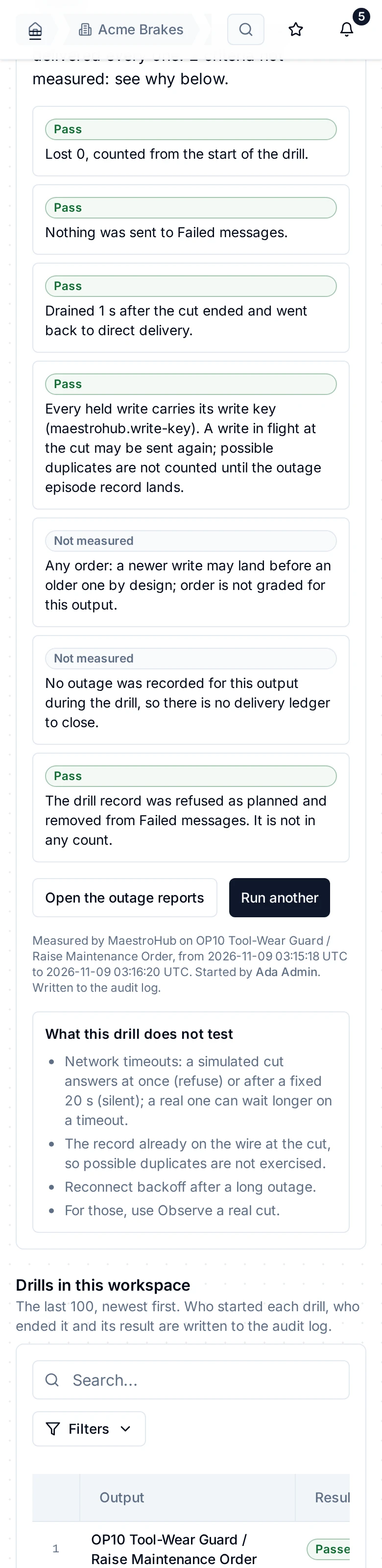
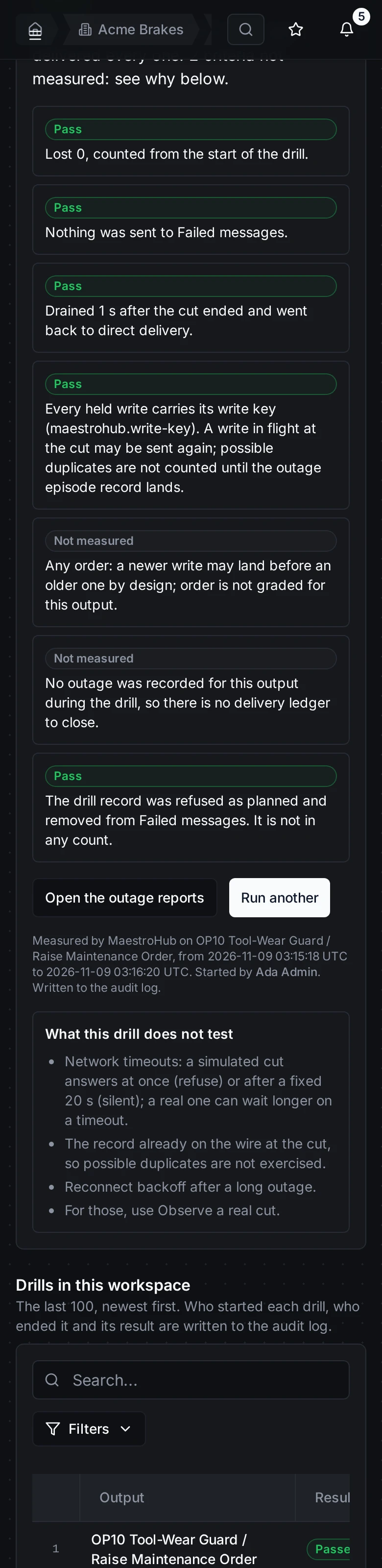
The result on a phone.
Drill history
Under the steps, Drills in this workspace lists the last 100 drills, newest first: the output, the result, who started it, when, and how it cut. Open a row to see its live view or its result.
Who started each drill, who ended it, and what it found are written to the audit log.
Who may run drills
You need durability:write in the workspace to start or end a drill. Without it you see every drill and its result, and the buttons say what you need: Needs durability:write in this workspace: a workspace administrator can grant it under Access.
A platform administrator also decides, for the whole instance, who may start drills: everyone with durability:write (the default), platform administrators only, or nobody. The setting is Allow drills, on the Store & Forward capacity page under System Management. When it blocks you, the Check step says so.
What a drill does not change
- The destination is never written to by the drill. Its consumers only see the drill's records arrive late.
- No other output is cut, not even one on the same connection.
- The drill record never reaches the destination and leaves nothing behind.
- A real outage of the same output during Observe a real cut still notifies as a real outage.