Failed messages
Records Store & Forward could not deliver, grouped by cause. Fix the cause, replay one to test, then replay the rest.
- Where
- Orchestrate › Store & Forward › Failed messages
- Kept
- 30 days, at most 10,000 per buffer
- Permission
- durability:write to replay or discard
Overview
A record lands in Failed messages when its destination refused it for good, when delivery gave up after its retries, when a stale command passed its freshness, or when a person moved it there. Why each one gets there is on the Store & Forward page.
A bad morning can leave hundreds of them. Most share one cause: one renamed field, one destination that was down. So the tab groups them by cause and starts with one sentence, for example:
264 failed messages, 5 causes. One cause is 214 of them.
Navigation Path: Orchestrate > Store & Forward > Failed messages
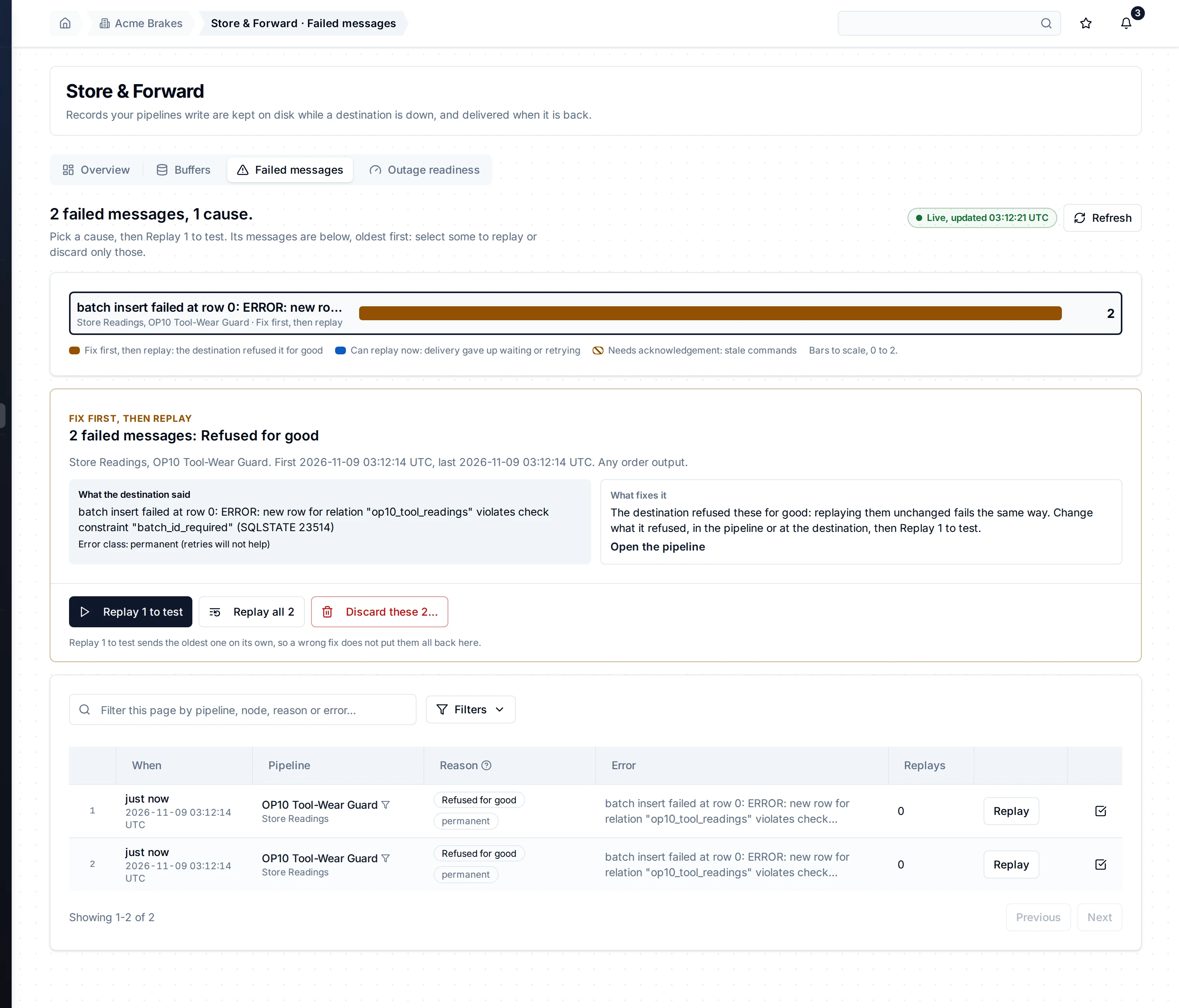
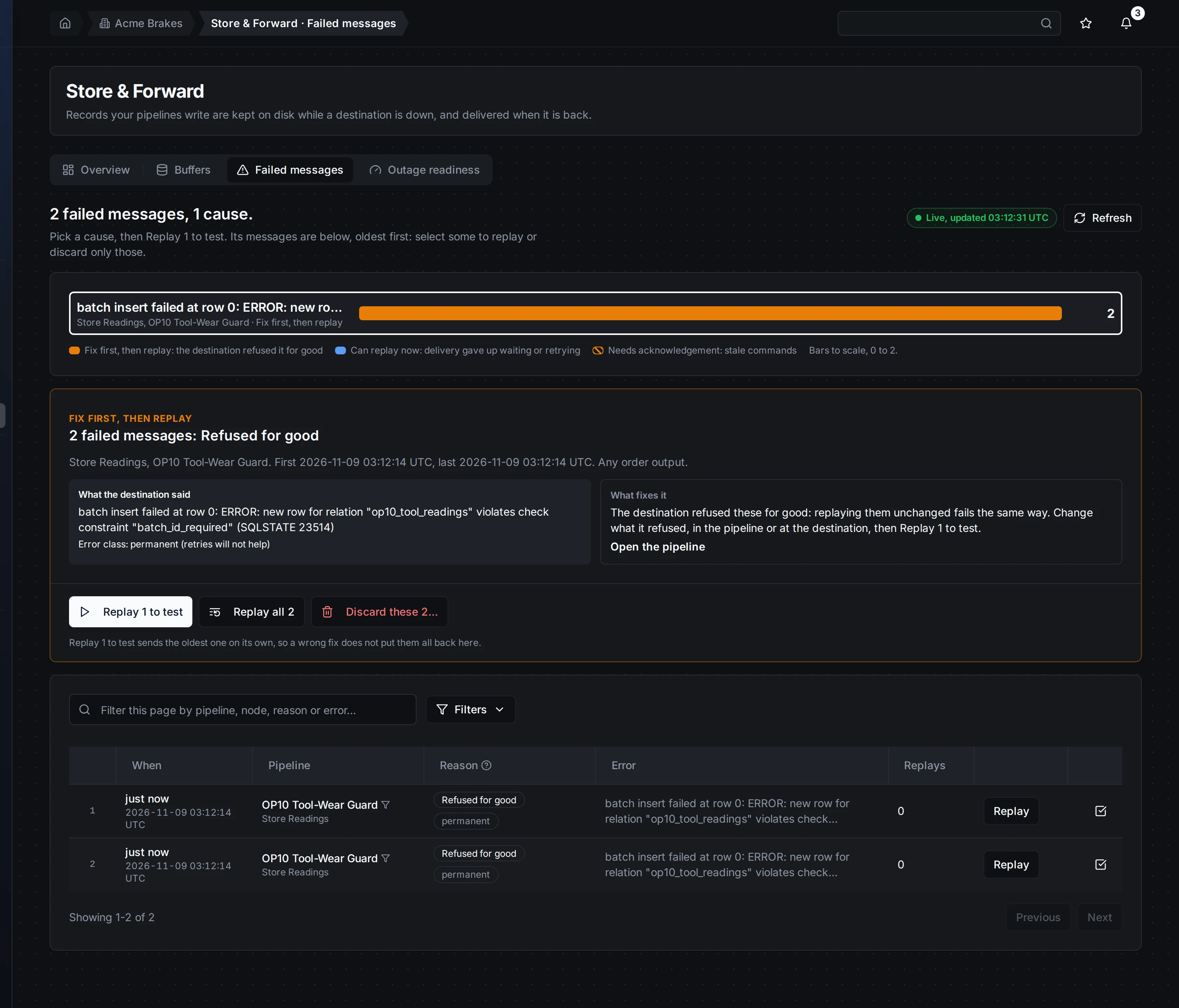
Failed messages by cause: one bar per cause, to scale, coloured by what to do. The selected cause says what the destination said and what fixes it; its messages are below, oldest first.
What a cause is
A cause is one output, one reason, one error class and one error message with its values taken out. field "lot_id" is not in the schema and field "batch" is not in the schema are one cause, with one fix. Numbers, quoted values, ids, times and long hex values are taken out; the words stay.
Messages written before grouping existed keep their own groups, by output, reason and error class.
The bars
Each bar is one cause, largest first, drawn to scale from 0 to the largest. It names the error, the output and what to do. The colour says the same:
| Colour | What to do | When |
|---|---|---|
| Orange | Fix first, then replay | The destination refused them for good (its error class is permanent, or the reason is a refusal: refused, too large, permission lost, skipped by a person). Replaying them unchanged fails the same way. |
| Blue | Can replay now | Nothing in the records was wrong: delivery gave up waiting or retrying, or a person moved them here. |
| Orange, hatched | Needs acknowledgement | Stale commands: they passed their buffer's freshness while they waited. |
The bars are one set of radio buttons: arrow keys move between causes, and a screen reader reads each one with its count, output and kind.
The cause's card
The card of the selected cause shows:
- What the destination said: one message's error, as the destination wrote it, and its error class.
- What fixes it: what that kind of cause needs. MaestroHub does not guess the fix from the error text; it tells you what the kind of cause needs, and links to the pipeline.
- In order output, when the buffer delivers in order: a replay goes oldest first and stops at the first message that fails again.
- Deliver stale commands anyway, for stale commands: replays stay off until you tick it.
Replay 1 to test, then the rest
Replaying 214 messages to learn that the fix was wrong puts 214 back here. So:
- Fix the cause.
- Replay 1 to test sends the oldest one alone, back into its buffer.
- If the destination refuses it again, it comes back to this cause and the card says the cause grew since the test.
- Replay the other N replays the rest of the cause, oldest first, in the background. Its progress shows on the card; you can leave the page, and Cancel the rest stops it.
Replay all N skips the test, for a cause you are sure of. Only one replay runs per buffer at a time. While the emergency pause is on, replays are off and the buttons say so.
A replay of a whole cause needs one buffer and a cause key. Messages written before grouping existed, and writes that never had a buffer, are replayed by selecting them in the table.
Discard a cause
Discard these N deletes the cause's messages for good. Over 100, it asks you to type the count. It deletes the messages you saw: ones of the same cause that arrive after you looked stay. The audit log records who discarded how many.
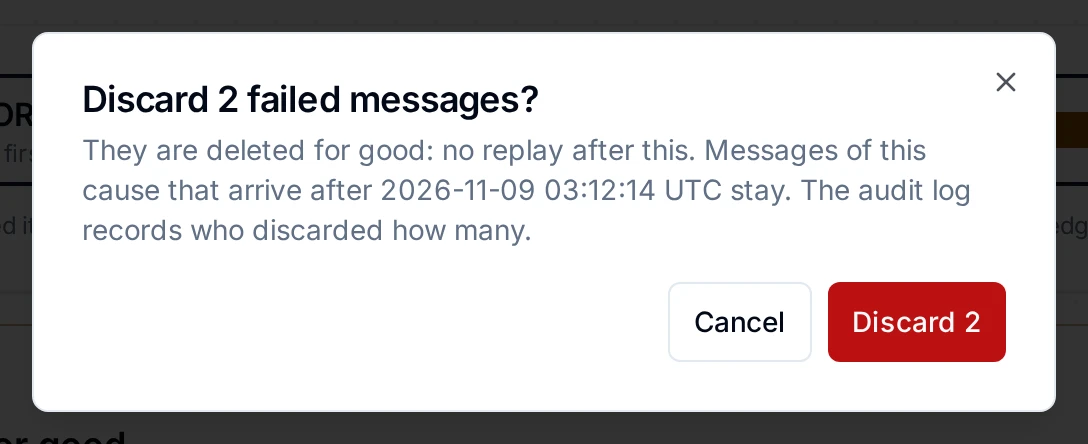
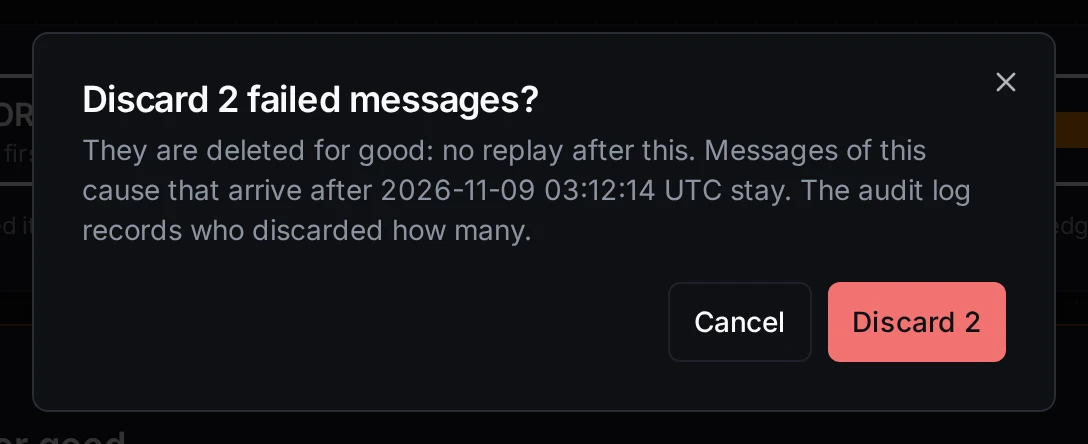
Discarding a cause: deleted for good, and over 100 messages you type the count to confirm.
The messages of a cause
Below the card, the table lists the cause's messages oldest first: the order a replay takes. The server filters them; the page never loads all of them.
- Replay on a row replays that one message.
- Select on a row starts selecting: tick the ones you want, then Replay selected or Discard selected (up to 100 at a time).
- A row opens the message: its error, payload, timeline and trace.
When MaestroHub does not group failed messages (the engine stores none here), the table lists every failed message, newest first.
On a phone
At phone width the bars stack, each with its count and kind, and the card's buttons fill the width.


The same tab on a phone: the causes, the selected cause's card, then its messages.
Is it current?
The Live, updated stamp beside the sentence says when the page last had an answer. After 3 missed answers (about 30 seconds) it turns grey: Not current: last answer 06:30:00. What you see is then the last answer, not now. The Overview and the Buffers tab show the same stamp.
Who can do what
Anyone with access to Store & Forward sees every cause and message. Replaying and discarding need durability:write in the workspace. Without it, each button is shown disabled and says: Needs durability:write in this workspace: a workspace administrator can grant it under Identity & Access.
Related
- Store & Forward: buffers, retries, and how messages get here.
- Notifications: get told when messages are moved here.