Riding out a broker outage
Eight ways to break a pipeline that sends to Kafka, from a two-minute cut to a kill -9 of MaestroHub. Every reading MaestroHub accepted arrived once, in order, with its write key.
- Audience
- Data and plant engineers
- Destination
- Kafka, 3 brokers behind a proxy
- Readings checked
- 134,345 at the brokers
- Result
- 0 missing · 0 duplicates · 0 out of order
The question
A line sends its readings to a plant Kafka cluster. The network between them is not perfect: a switch reboots, a proxy restarts, someone pulls the wrong cable. The question an engineer asks is simple:
When the link goes down, do I lose readings? And when it comes back, do I get any twice?
This page answers it with a real run, not a diagram. We built the setup below, broke it eight ways, and counted every record at the brokers themselves. For each step you see what the operator sees, what to do, and what Store & Forward guarantees. The reference pages hold the full rules; this page links to them instead of repeating them.
The setup
- The destination: a Kafka cluster of three brokers, replication factor 3 and
min.insync.replicas2, reached through a Kafka proxy, as at many sites. A cut disconnects the proxy from the brokers, so MaestroHub still reaches the proxy but nothing behind it: the hardest kind of outage to tell apart from a slow broker. - The connection: Plant Kafka (through the site proxy), with a Delivery Timeout of 20 seconds.
- The pipelines: two sensors on Packaging Line 2 at the Riverside Plant, Sealer temperature and Film feed pressure, each sending 25 readings per second. Each pipeline is a trigger and one Kafka produce node, Send to plant Kafka, set to Buffer only on failure and In order. A third pipeline, Seal inspection results, set to Any order, is used for the bad-message step.
- The evidence: after each step, a checker reads every topic inside a broker, never through the proxy, and compares what arrived with the runs it started: missing, duplicates, out of order, and records without the
maestrohub.write-keyheader.
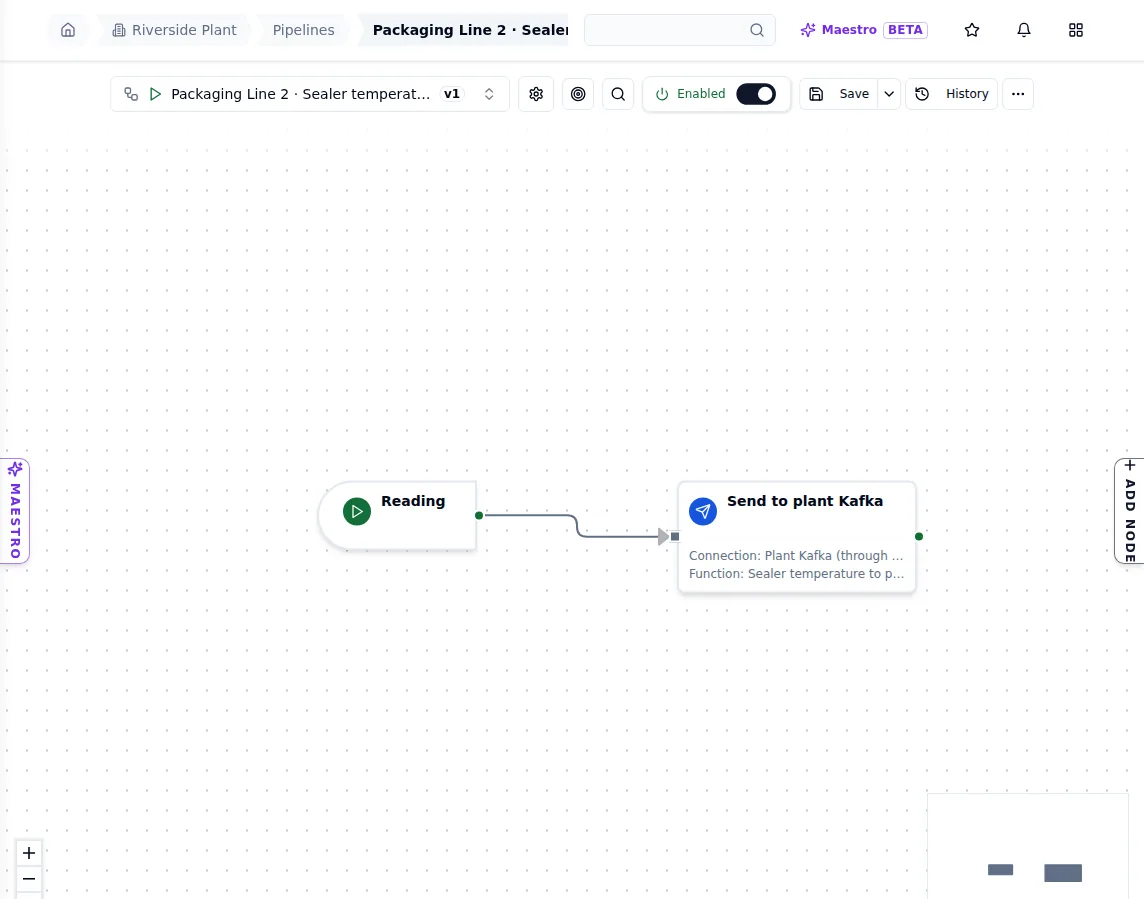
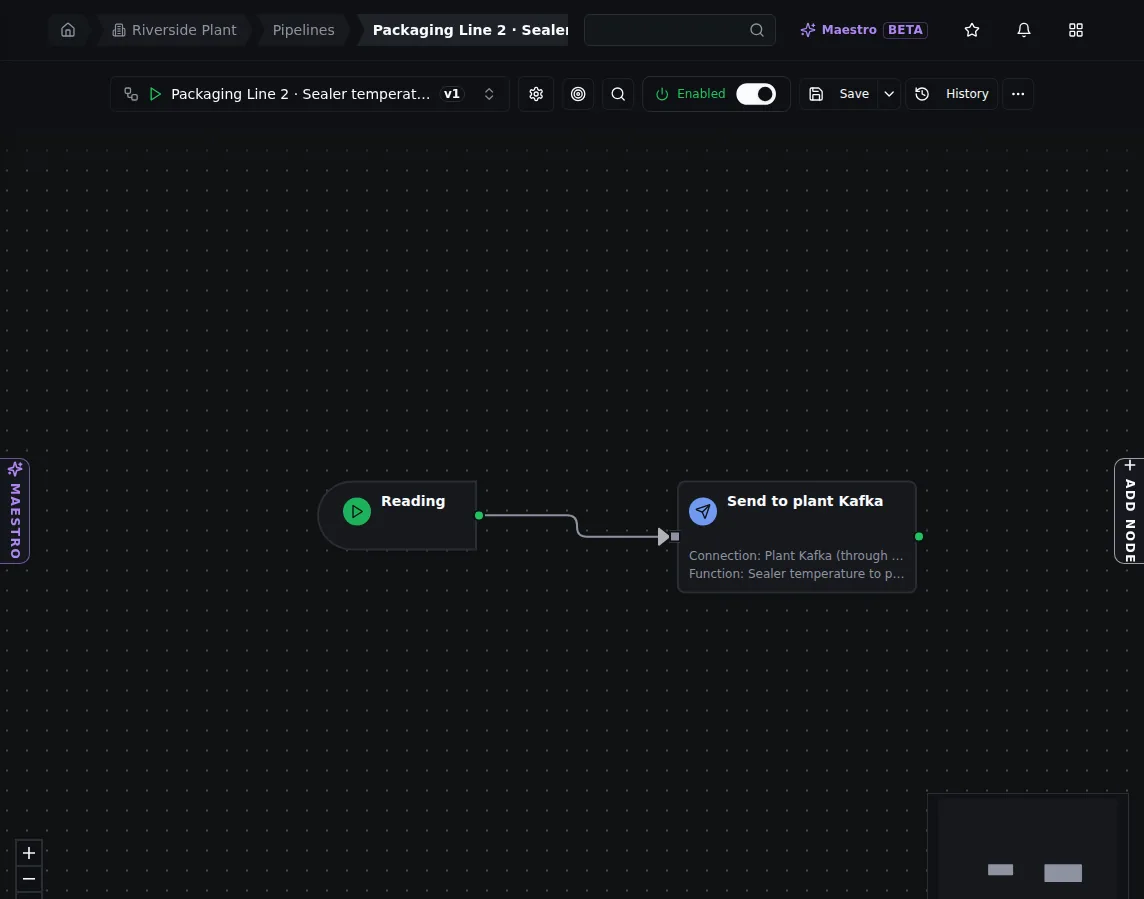
One of the sensor pipelines: a reading in, one Kafka produce node out. The node's Delivery tab sets Buffer only on failure and In order.
Before the first cut, a healthy baseline sent 5,140 readings: all arrived, none twice.
What you do here: nothing special. Buffer only on failure is the default for a write node: writes go straight to Kafka and a buffer appears only when a write fails. Choose In order when your consumers need the readings of one output in the order they were written; see Delivery order.
1. A short cut: held, then delivered
We cut the link for two minutes.
What the operator sees. Within about two seconds the connection is down and each sensor has a buffer. On Store & Forward › Buffers each one reads Waiting: destination unreachable, with a health badge of Blocked, the number of readings waiting, and how long the buffer can keep taking writes at this rate (here, about 36 days).
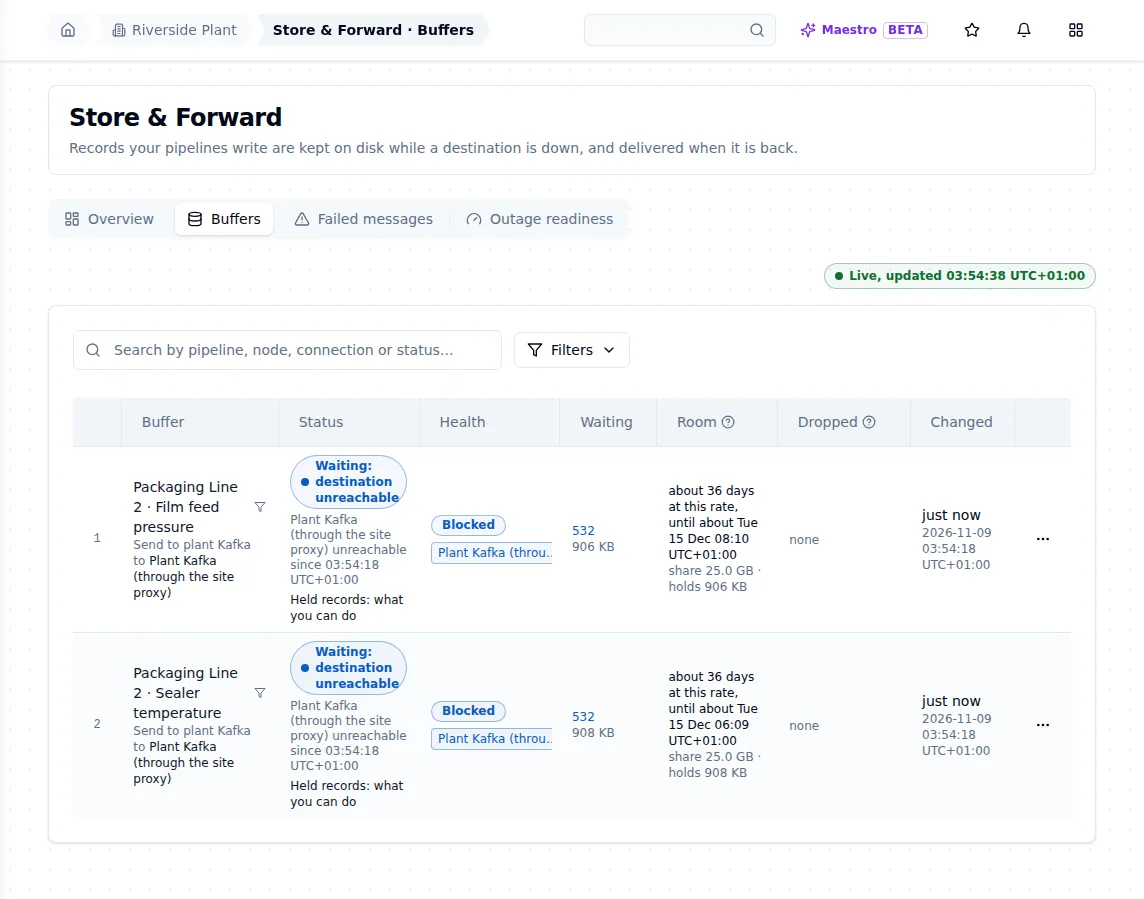
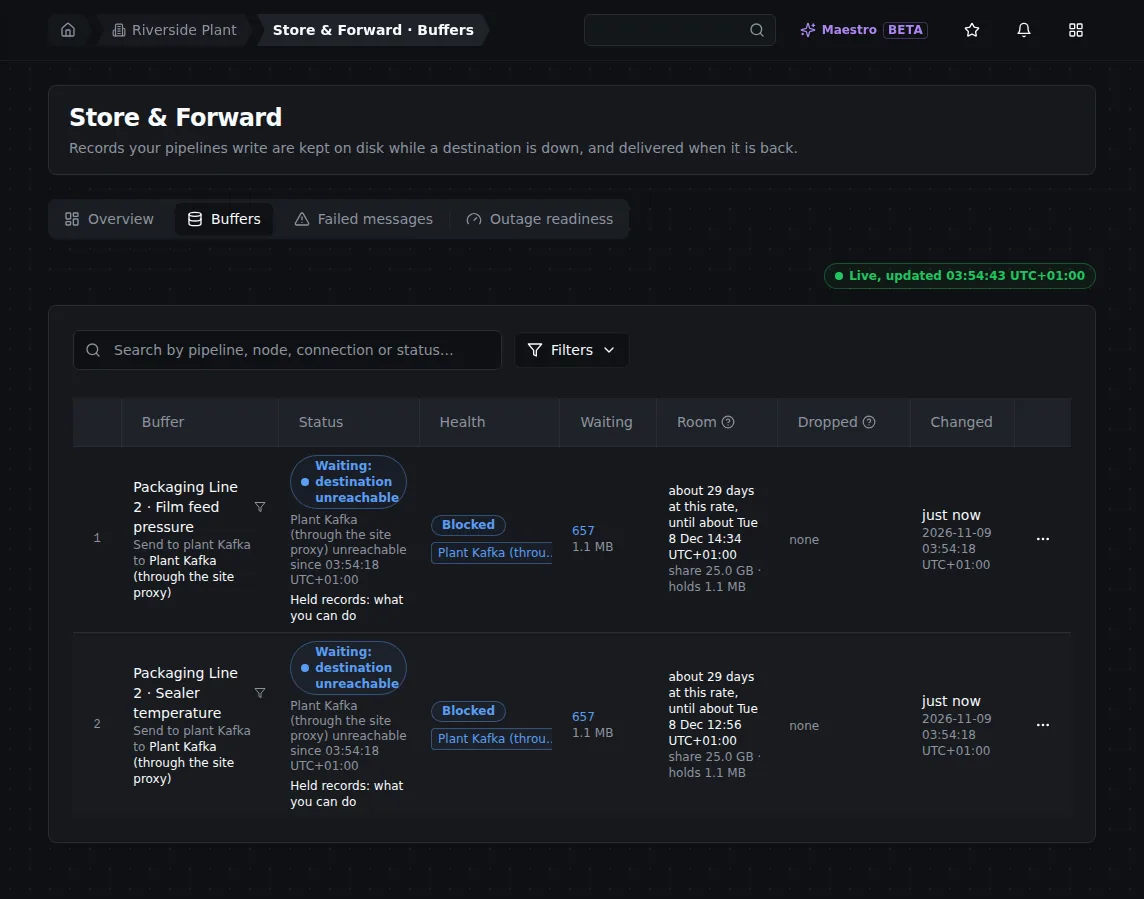
About 20 seconds into the cut: each sensor's buffer holds 532 readings and has room for about 36 days at this rate.
What to do. Nothing. The buffer delivers by itself once Kafka answers again. The pipelines keep running and their runs succeed, because a buffered write is a success.
What happened. The link came back, and the connection reconnected 5 seconds later. The buffers then drained in under a second and went back to direct delivery. The outage report leads with the answer: Nothing lost. 6,186 delivered.
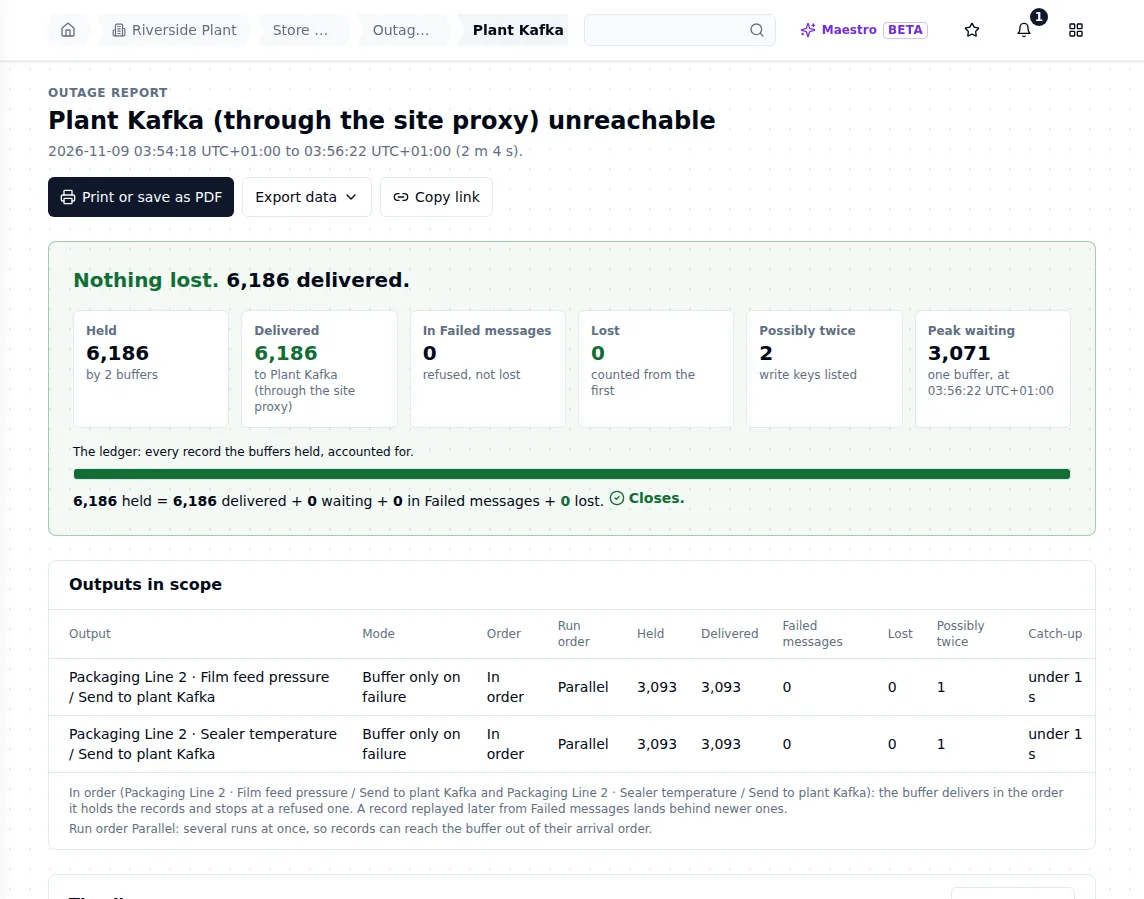
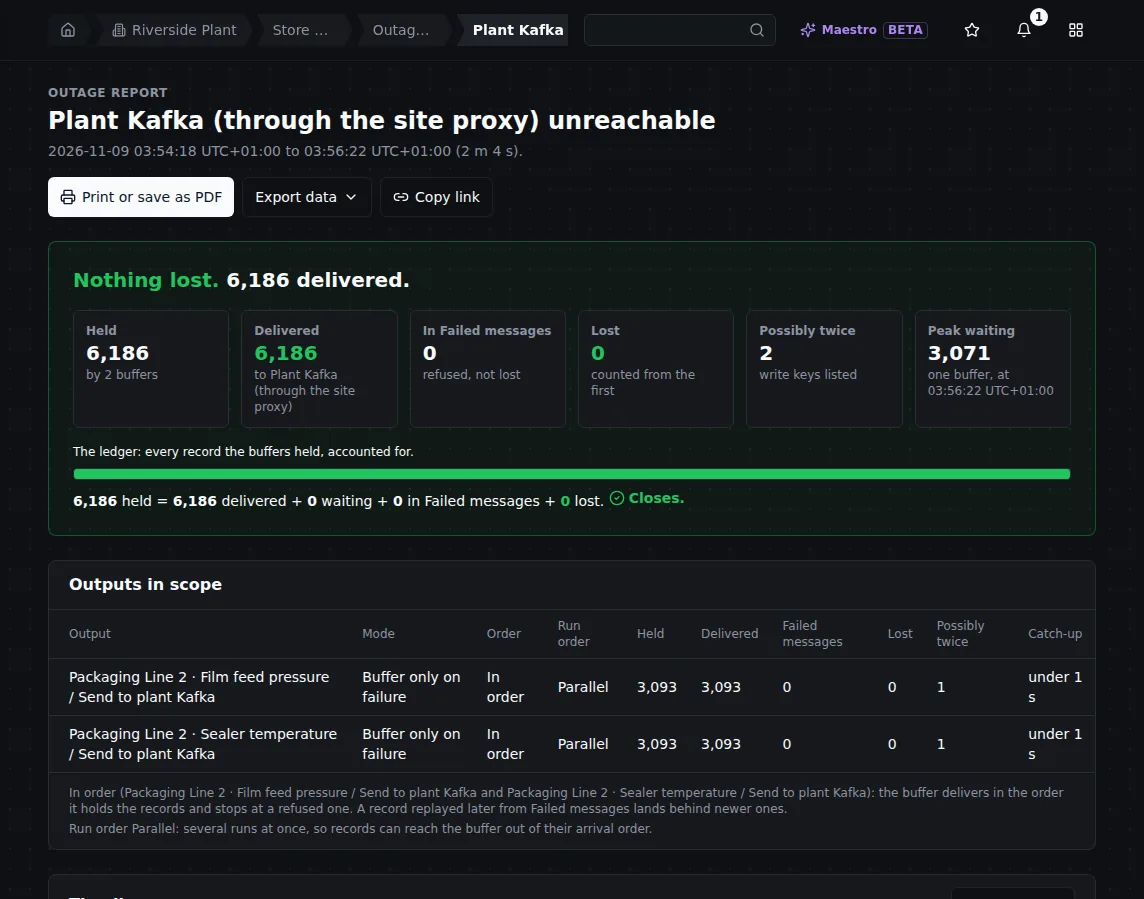
The report for the two-minute cut: 6,186 held = 6,186 delivered + 0 waiting + 0 in Failed messages + 0 lost.
At the brokers: 7,396 readings sent in the step, 7,396 arrived, 0 twice, 0 out of order.
The guarantee: one write, one outcome. Every write a buffer holds ends in exactly one place: delivered, in Failed messages, or lost (and counted), or it is still waiting. The report's ledger adds them up, and the sum must close. See One record per outage.
Why "Possibly twice: 2" when nothing arrived twice
The report counts 2 records as possibly twice, one per output, while the brokers hold no copy. That is the report being careful, not a duplicate.
When the link was cut, one record per output was already on the wire. Nobody can know at that moment whether Kafka wrote it. MaestroHub does not send that write again on a timer: a resend of it waits for the first attempt's outcome, and once that record lands, the resend is answered delivered and sends nothing. So it arrived once. The report still lists its write key, because the report cannot see inside the broker. Your consumer, or the write-key manifest, can.
2. A cut longer than the delivery timeout
The connection gives up on a single produce after 20 seconds (its Delivery Timeout). We cut the link for four minutes, twelve times that.
What the operator sees. The workspace Overview says 2 things need attention: the connection failing persistently, and 2 buffers not delivering. The same screen shows 100% clean runs: every run succeeded, because its reading was held.
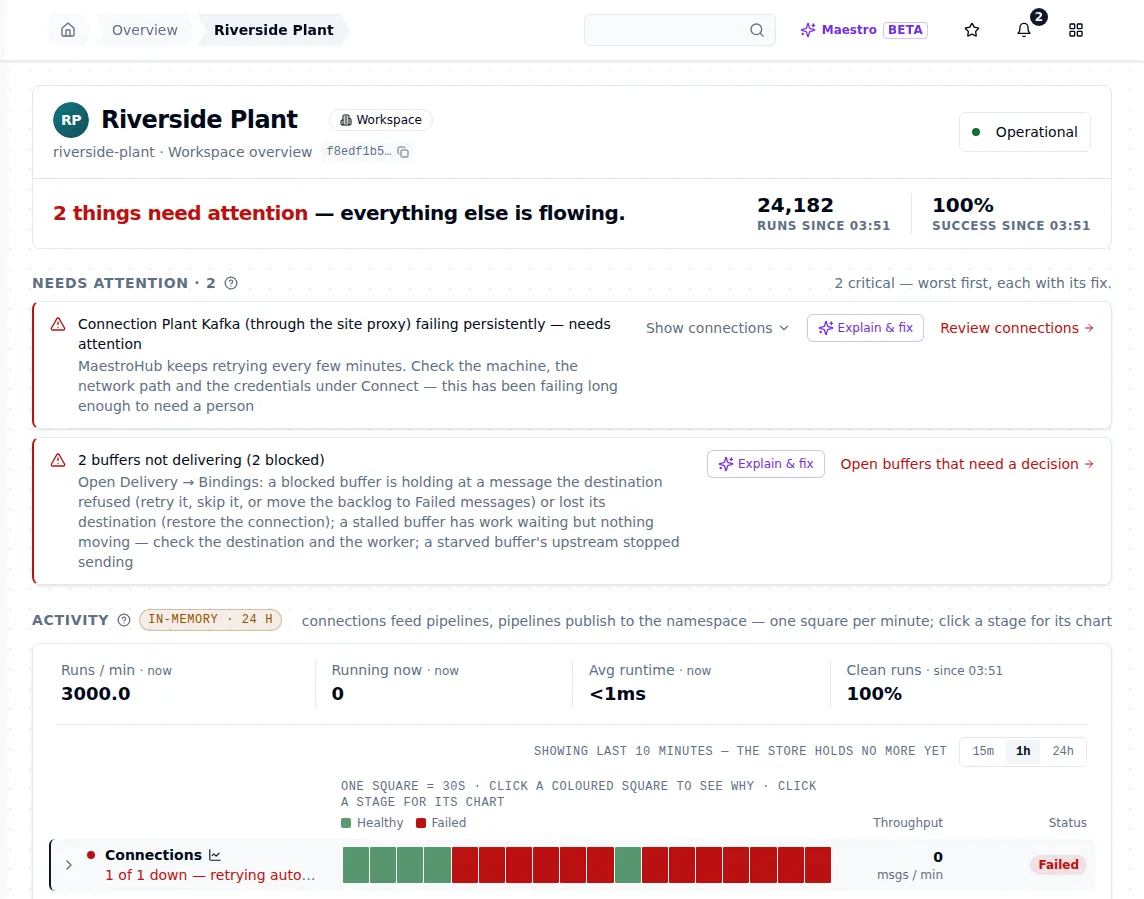
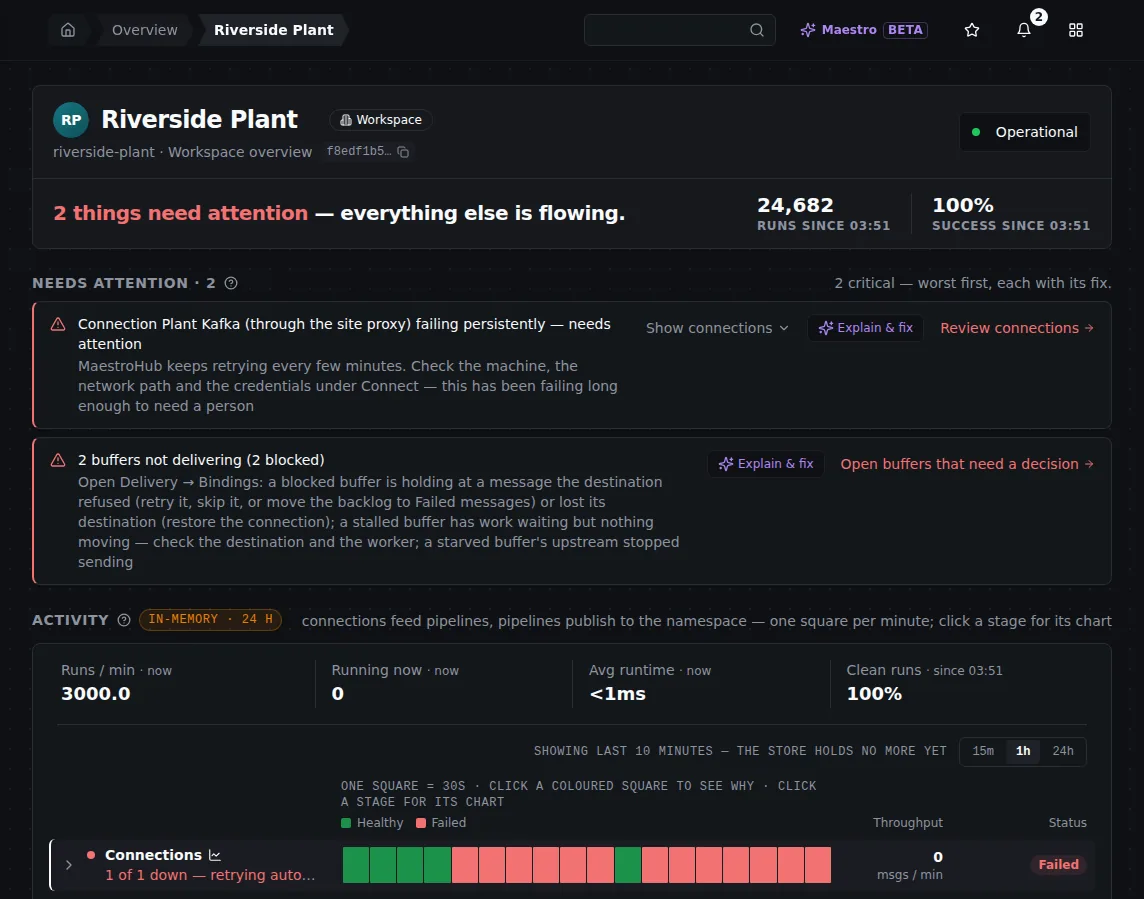
Two and a half minutes into a four-minute cut: the connection and the two buffers need attention; every run still succeeded.
What to do. Fix the network if it is yours to fix. Nothing in MaestroHub needs doing.
What happened. No reading went to Failed messages, although every produce in the outage timed out. An outage is held, not counted against a message.
The buffer waits with growing pauses (1 second up to 60 seconds), checks whether Kafka answers with a metadata request that carries no data, and sends the next record only when it does. A message is given up only after 10 rejections counted while the same connection delivers other messages, which proves the destination works and refuses this one. See Retries: an outage is held, a bad message is counted.
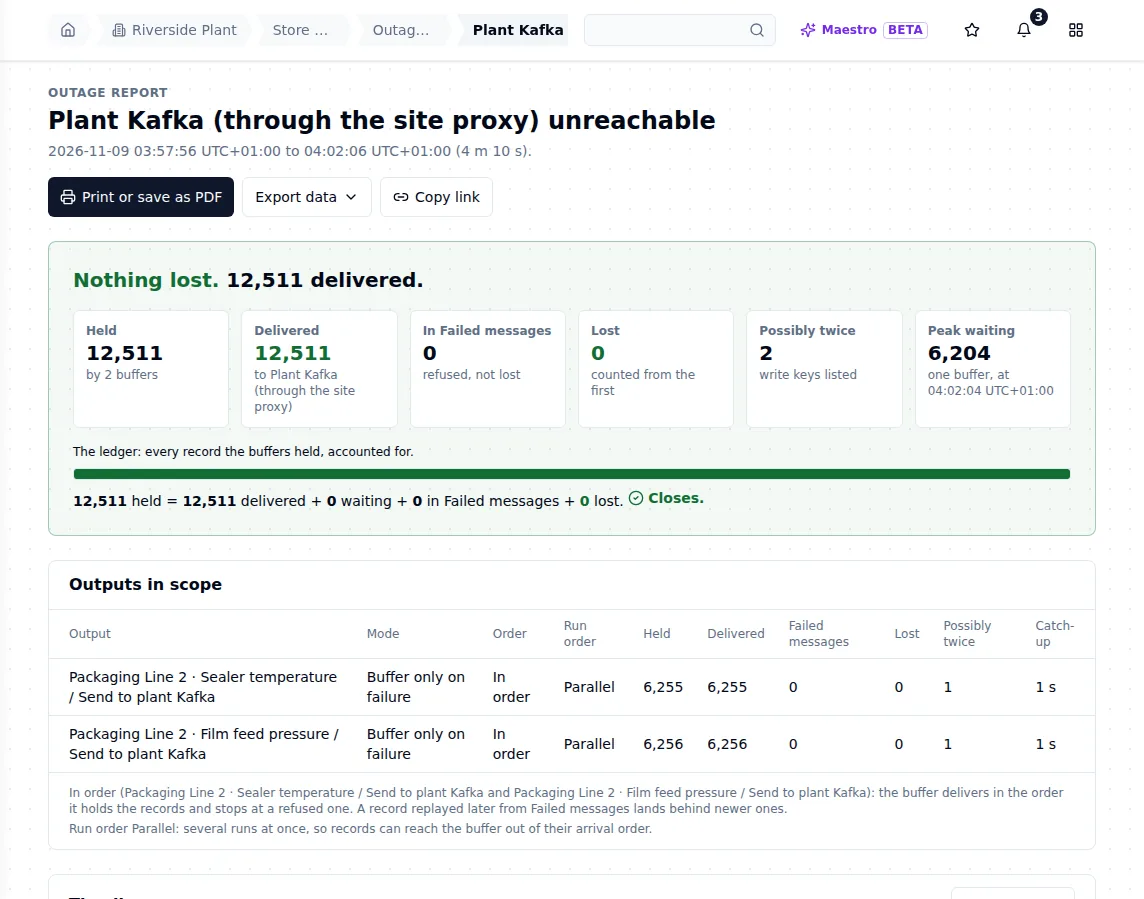
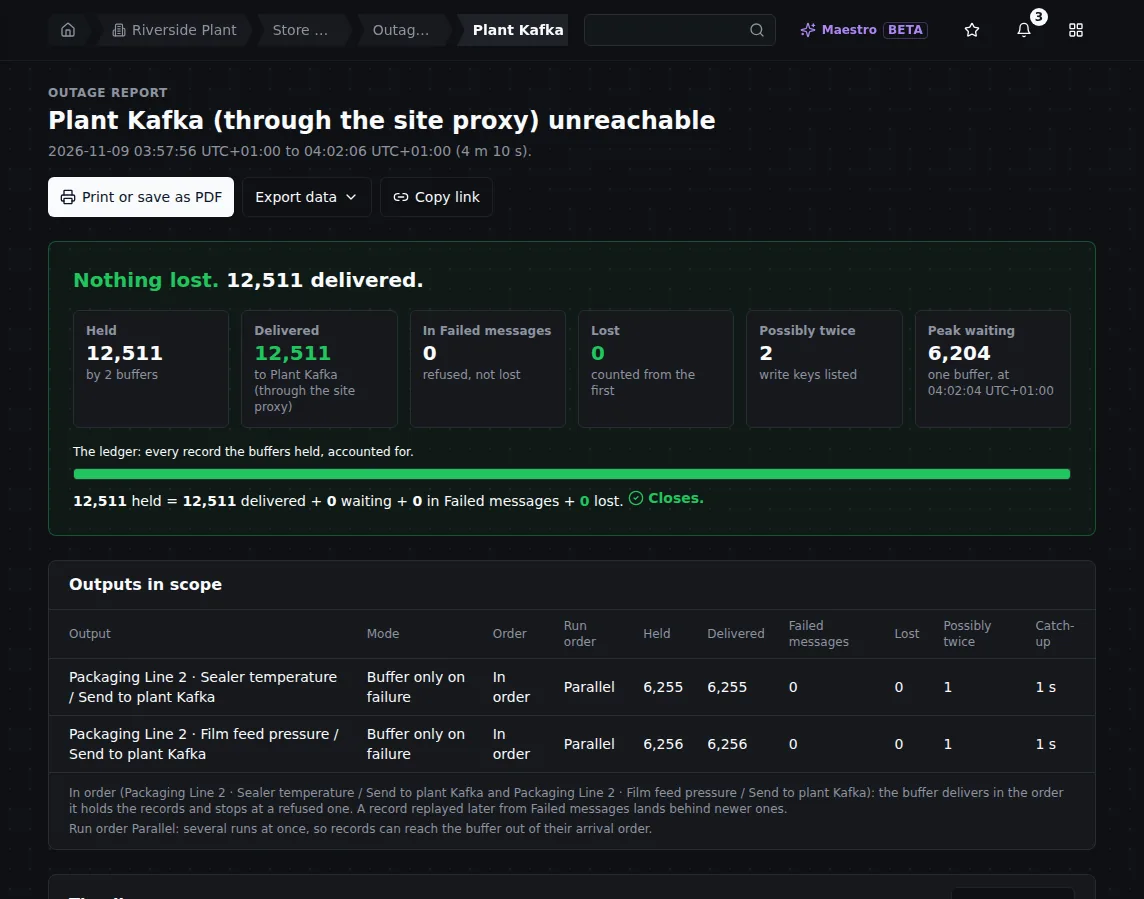
Four minutes and ten seconds of outage: 12,511 held, 12,511 delivered, caught up in 1 second.
At the brokers: 13,424 sent, 13,424 arrived, 0 twice, 0 out of order.
3. The proxy drops, then restarts
Two outages in a row: the proxy lost its brokers for 90 seconds, then the proxy process itself was stopped for 30 seconds and started again.
What the operator sees. The connection's Health tab shows each outage, its length and the last error. While the proxy accepts connections but nothing is behind it, the error says so plainly: the record is still with the client and may still be written; its outcome is reported when the client has it.
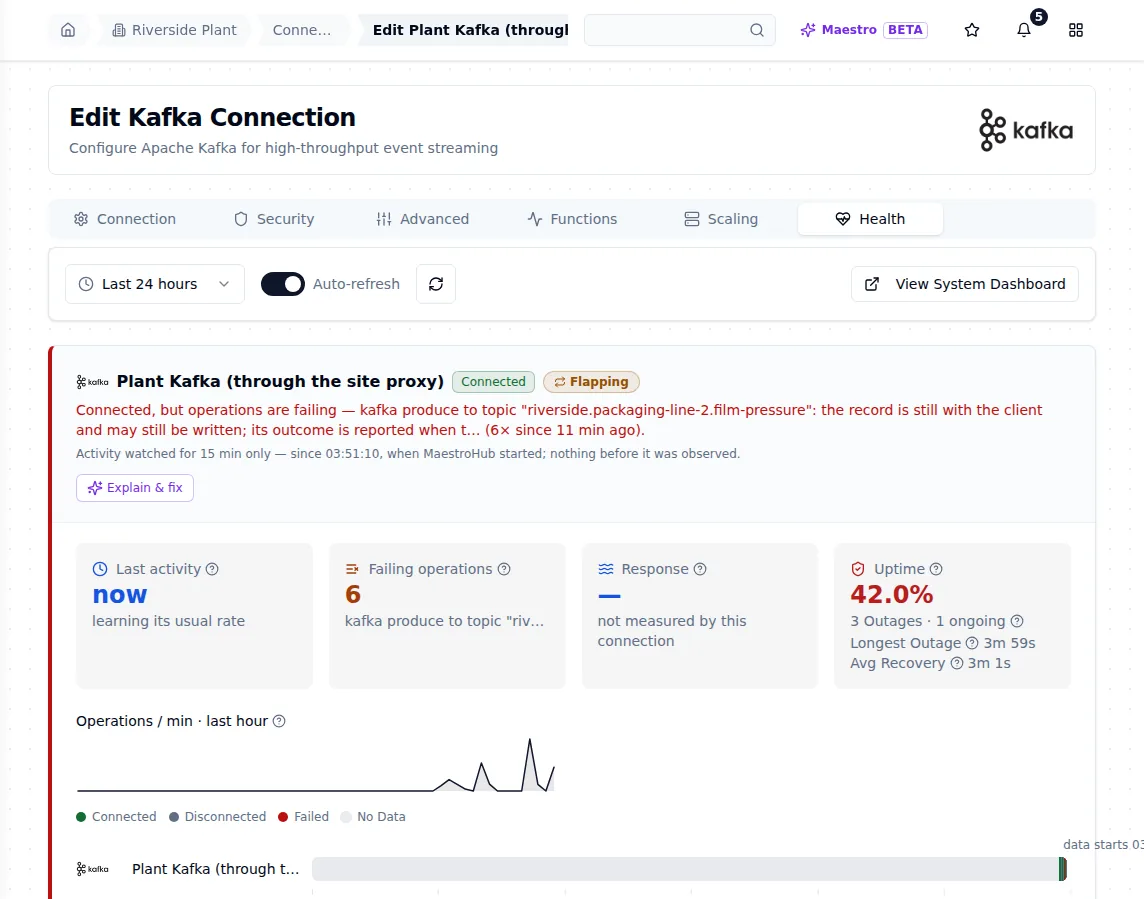
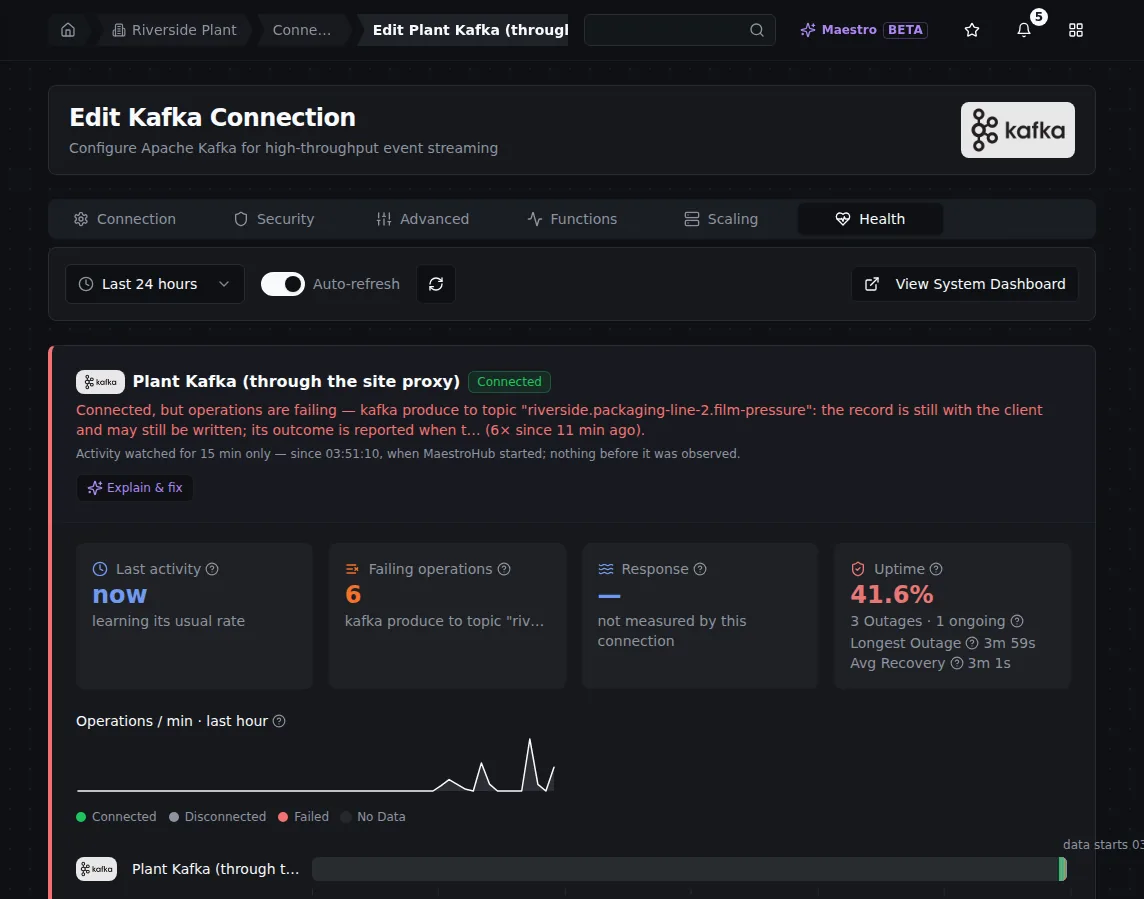
The connection's Health tab after the proxy outages: each outage counted, and the last error naming the record whose outcome was still open.
What to do. Nothing. The connection retries 1 second apart, doubling to at most 10 seconds, and is never paused by the circuit breaker. Here it was connected again 3.5 seconds after the proxy's brokers came back, and 1.8 seconds after the proxy restarted.
What happened. A reconnect keeps the connection's producer, so Kafka still recognises the producer's own retries of a record and drops them. 5,992 readings across the first outage and 2,182 across the restart: all arrived, none twice. See During an outage on the Kafka page.
The guarantee: "possibly delivered". A write whose call ended before Kafka answered has an unknown outcome. MaestroHub never treats unknown as failed: it is not sent again on a timer, and a resend joins the open attempt. If a write's outcome can never be learned, it goes to Failed messages as Outcome unknown (possibly delivered), and a replay of it asks you to confirm, because it may already be at the destination. See Failed messages.
4. A bad message goes to Failed messages, grouped by cause
The Seal inspection results pipeline writes to a compacted topic, but its produce function sets no record key. Kafka refuses a record without a key on a compacted topic. We sent 5 results while the sensor pipelines kept writing.
What the operator sees. Kafka answered each result with INVALID_RECORD. A resend of the same record is refused the same way, and Kafka marks this answer as not retriable, so MaestroHub treats it as refused for good: each result goes to Failed messages at once. The tab groups them by cause: 5 failed messages, 1 cause, with what Kafka said.
The run shown here used a build that still graded INVALID_RECORD as one a retry could fix. There, each result was retried until the 10th counted refusal and reached Failed messages 9 to 12 minutes after it was sent, filed as gave up after retries. A refusal a retry could fix (an HTTP 500, for example) still takes that path: see the retry rule for why it takes 4 to 12 minutes.
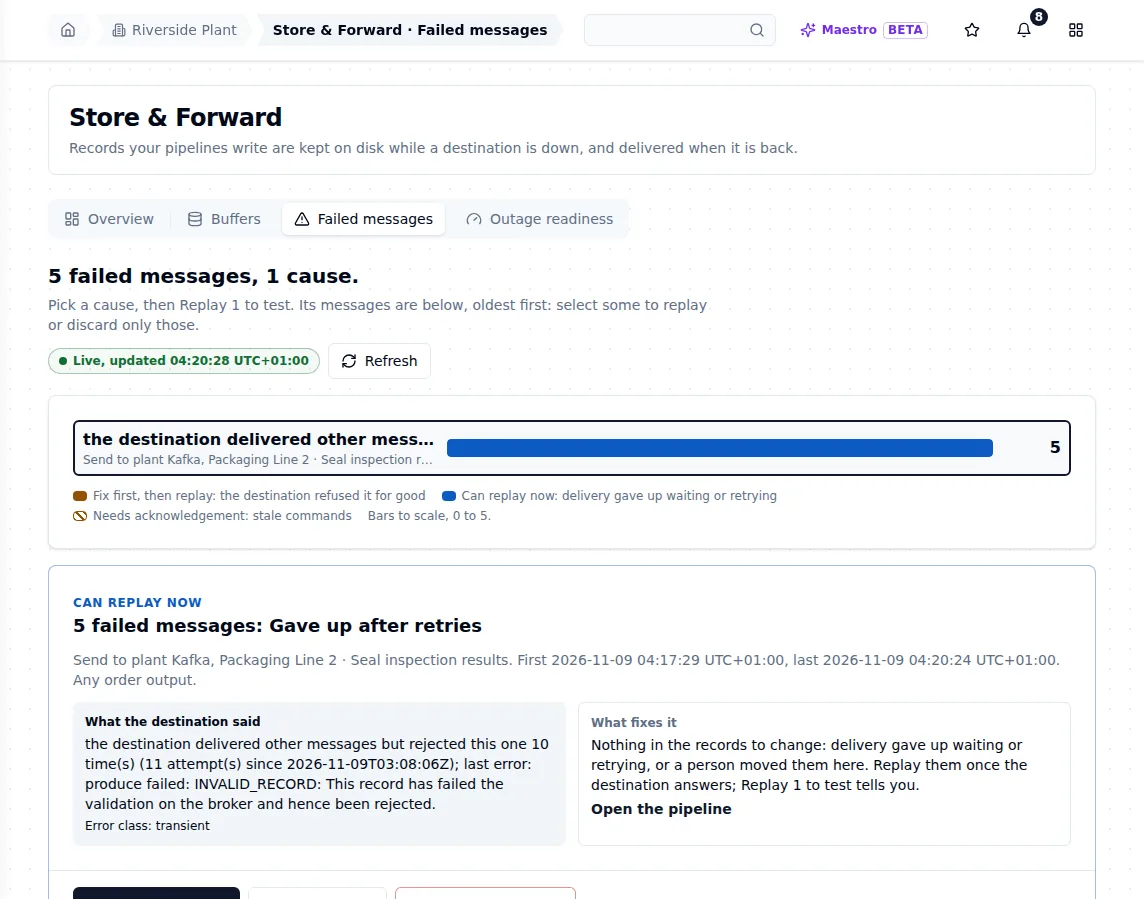
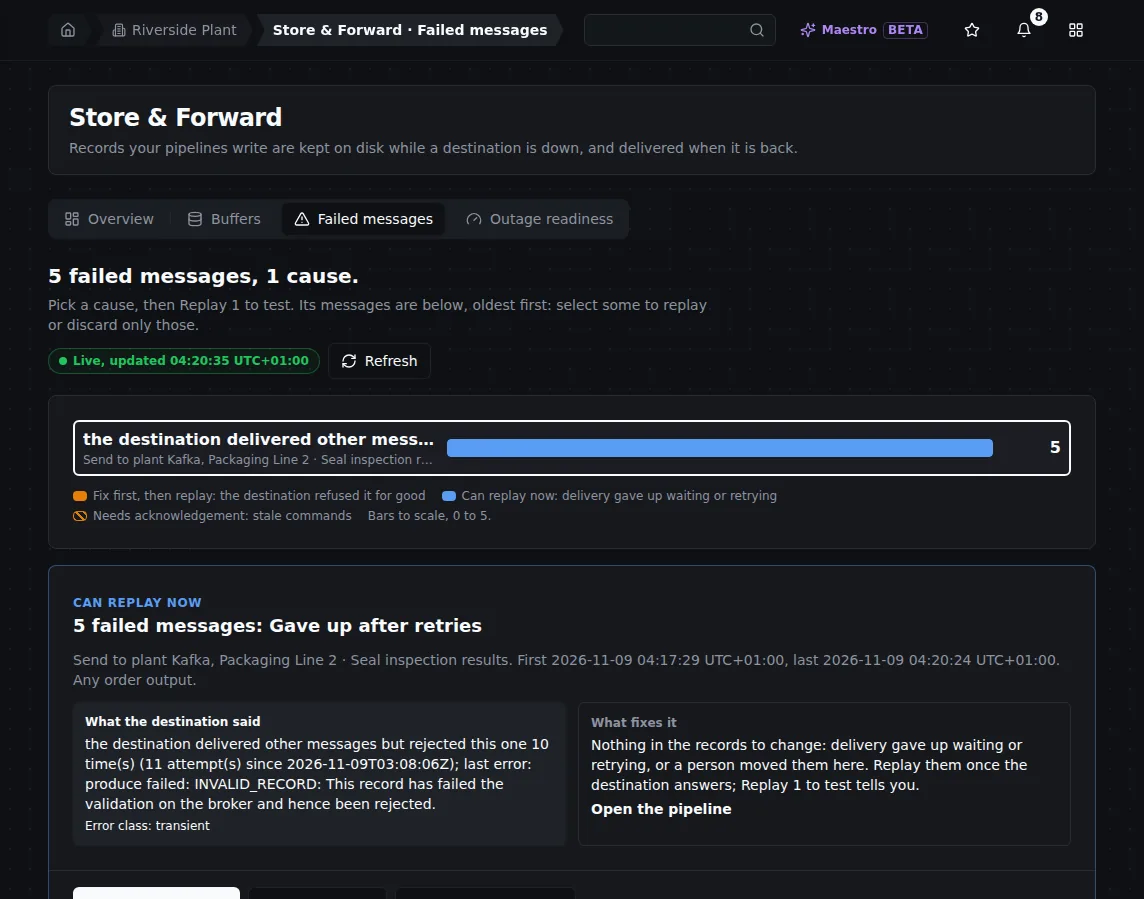
Five refused records, one cause. The card shows what Kafka said and when the first and last arrived.
What to do. Fix the cause first: here, give the produce function a record key, or write to a topic that is not compacted. The card files this cause under Fix first, then replay: a replay before the fix is refused again. Then choose Replay 1 to test on the cause. If that record lands, Replay the other 4. If it is refused again, it comes back as a new entry and nothing else was sent. Use Discard only when the records themselves are wrong. See Failed messages.
What happened. The output is Any order, so its delivery flowed past the refused records instead of waiting behind them. The sensor pipelines have their own buffers and were not affected: all 40,689 of their readings in this step arrived. A minute later the count was still 5: nothing grows on its own. On an In order output, the buffer would instead stop at the refused record and ask for a decision; see Deciding on a stuck record.
5. kill -9 during an outage
We cut the link, waited a minute until each buffer held 1,597 readings, and killed the MaestroHub process with kill -9. It was started again 15 seconds later. Then we restored the link.
What the operator sees. After the restart, the buffers are still there, now holding 2,100 readings each: the 1,597 from before the crash plus what the sensors wrote since. Nothing needs re-importing or re-running. While the process was down, its triggers accepted nothing: 80 readings (40 per sensor) were refused at the source with an error to their sender, and never entered a buffer. A sender that must not lose them retries; everything MaestroHub accepted was kept.
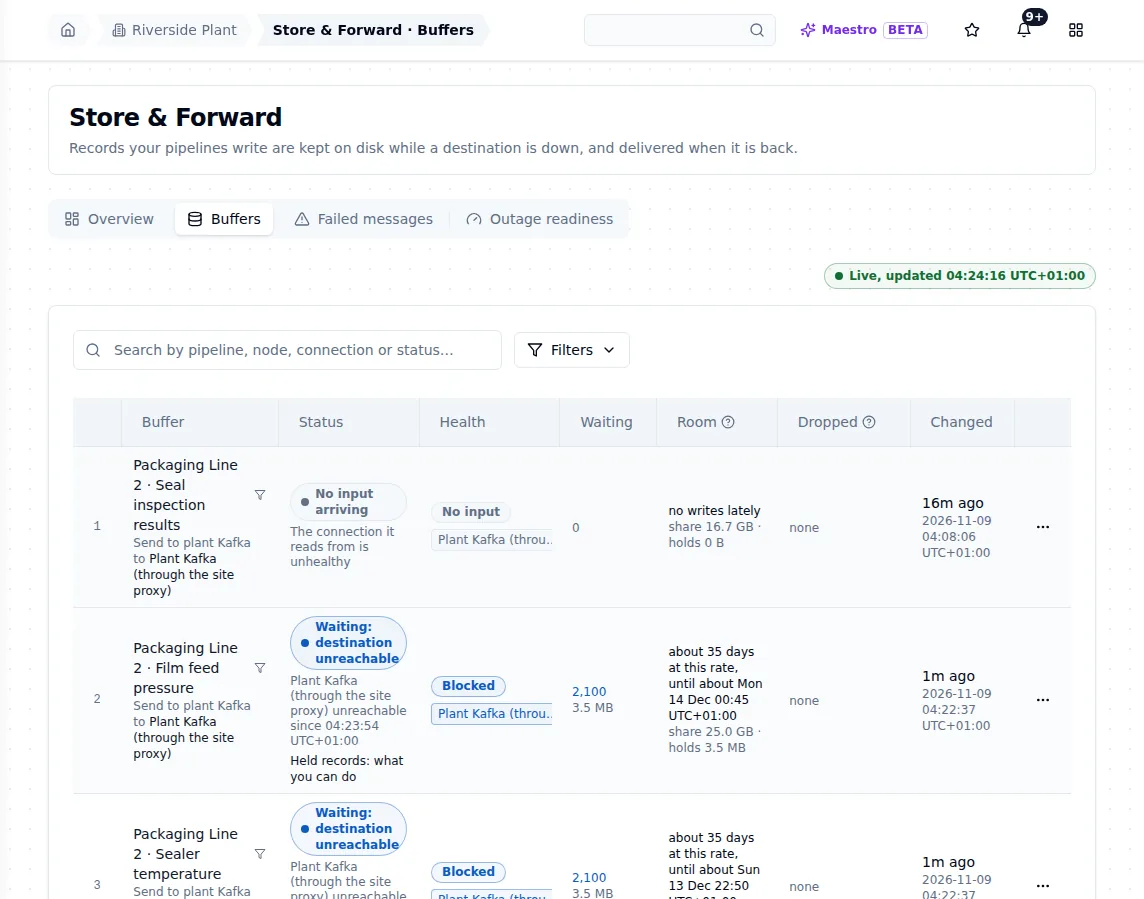
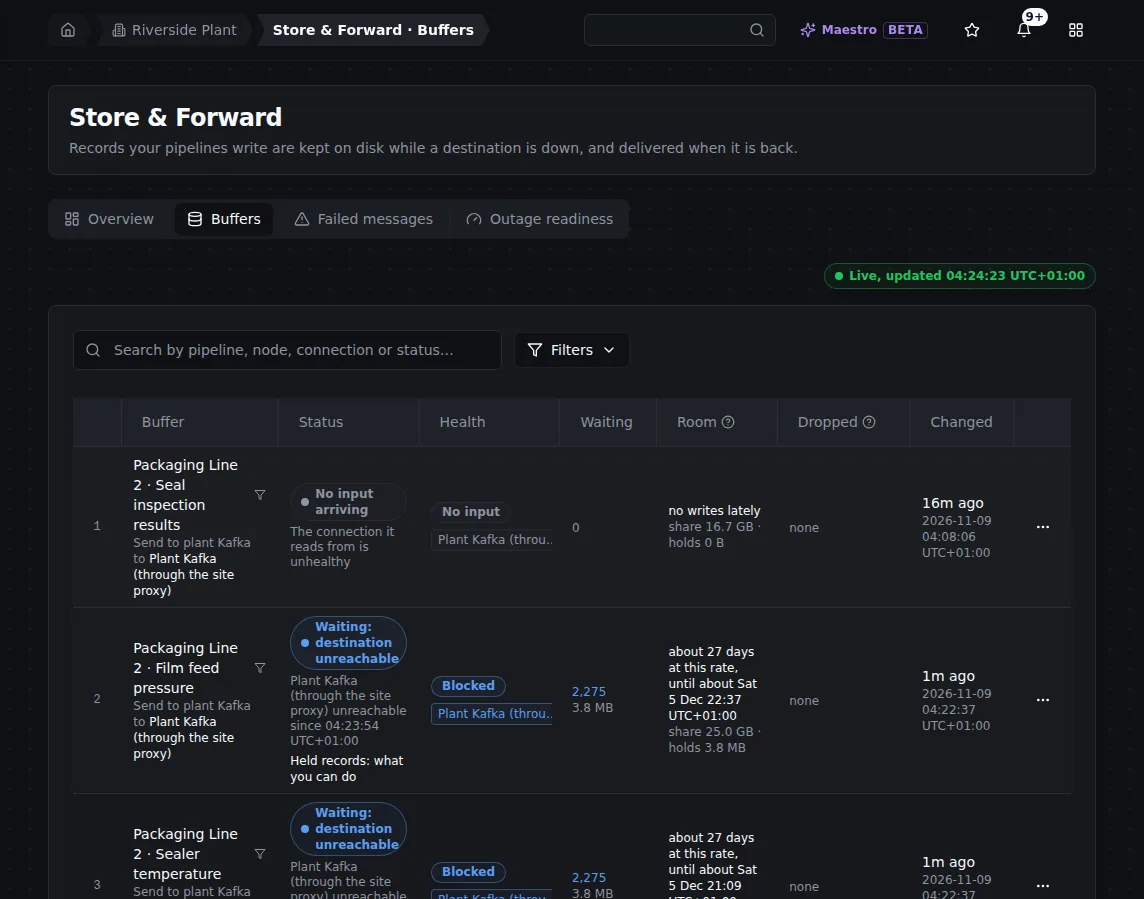
20 seconds after the restart: both buffers kept their readings and kept taking new ones.
What to do. Nothing. Restarting is safe while buffers hold an outage; the Store & Forward capacity page says so in as many words.
What happened. Buffers live on disk: a write reported buffered is on the operating system before it is acknowledged, so a crash does not lose it. The outage report closed: 5,260 held = 5,260 delivered. At the brokers: 5,458 sent, 5,458 arrived, 0 twice, 0 out of order.
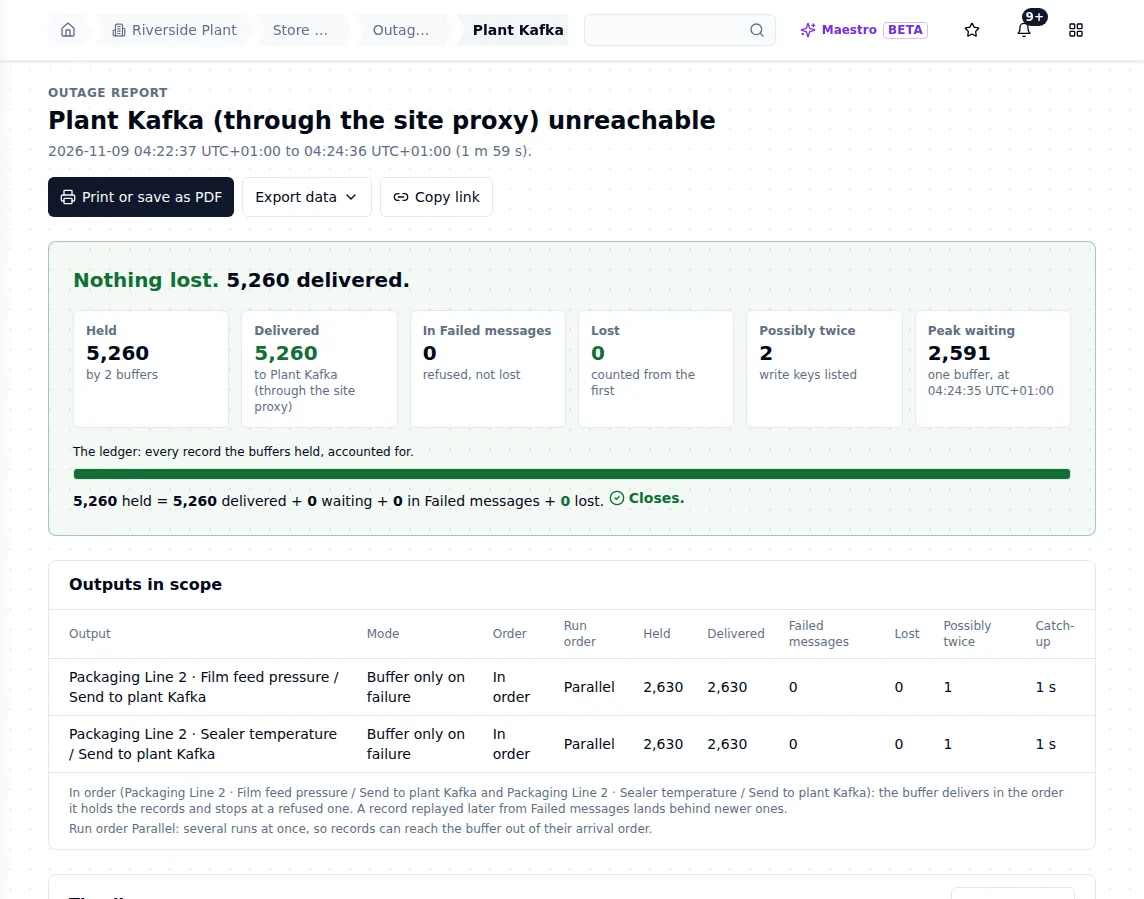
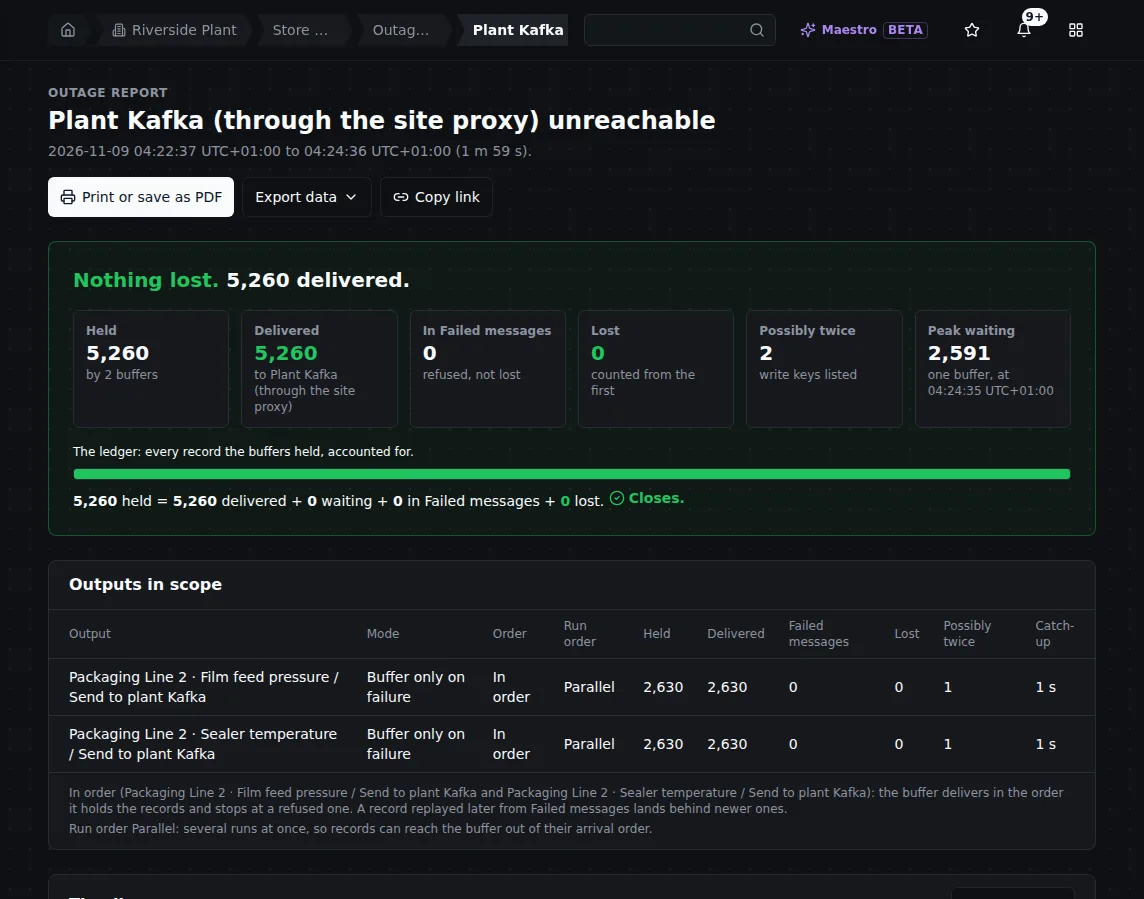
The outage that spanned the crash: nothing lost, every held reading delivered.
The guarantee: the delivery promise. For Kafka it is at least once, with at most one extra copy of a write that was on its way to Kafka when MaestroHub crashed, restarted, or moved the buffer to another replica. Here the link was already cut at the crash, so no write was on its way to Kafka. The report's 2 possibly-twice keys are again the records on the wire at the cut, as in step 1, and each arrived once. On Kafka a cut by itself costs no copy; see the delivery promise.
Two limits are worth knowing: a power loss (not a crash) can lose what was acknowledged within the last second, and after an unclean stop the report shows any gap it could not count instead of hiding it. See Delivery promises and Buffers live on disk.
6. A long cut: capacity and room
We cut the link for 15 minutes, with both sensors writing.
What the operator sees. The Room column on the Buffers tab counts down how long each buffer can keep taking writes at the current rate. Ten minutes in, each buffer held 14,987 readings (about 25 MB), with room for about 7 more days.
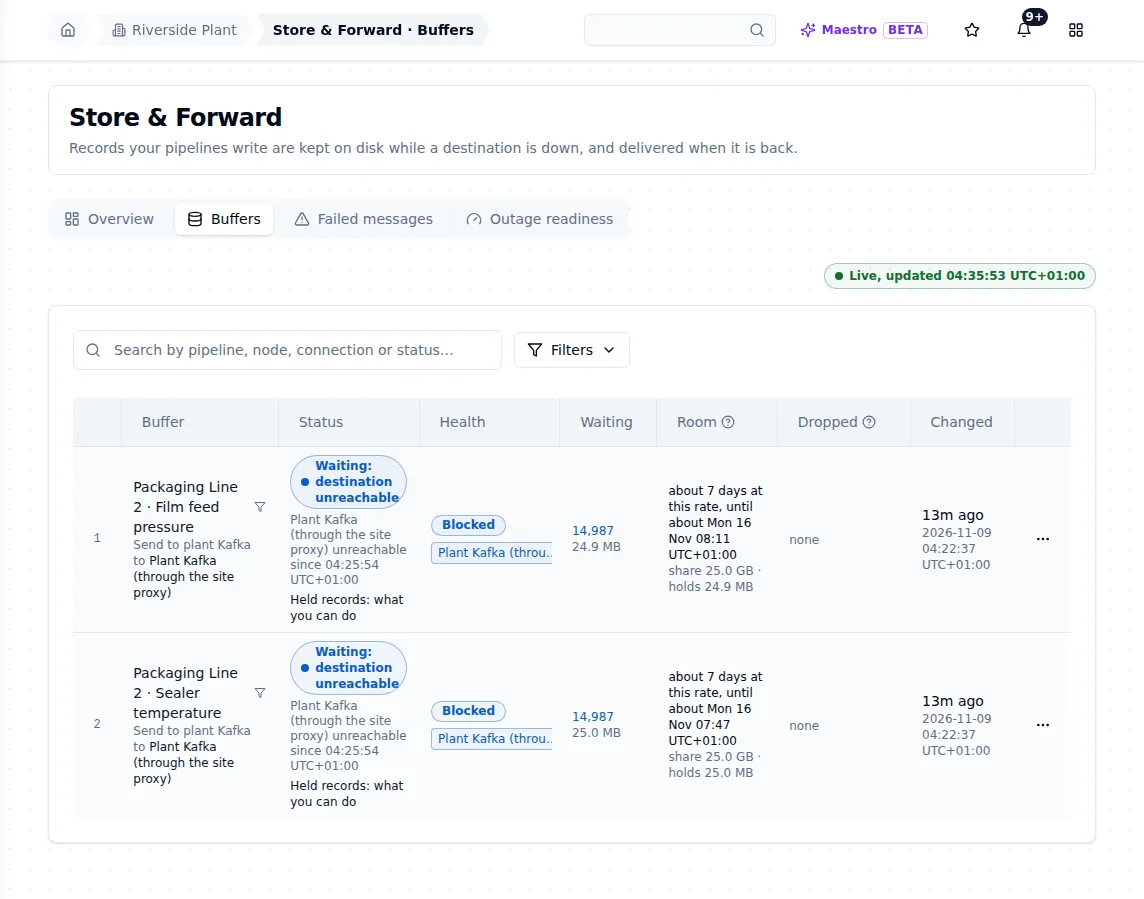
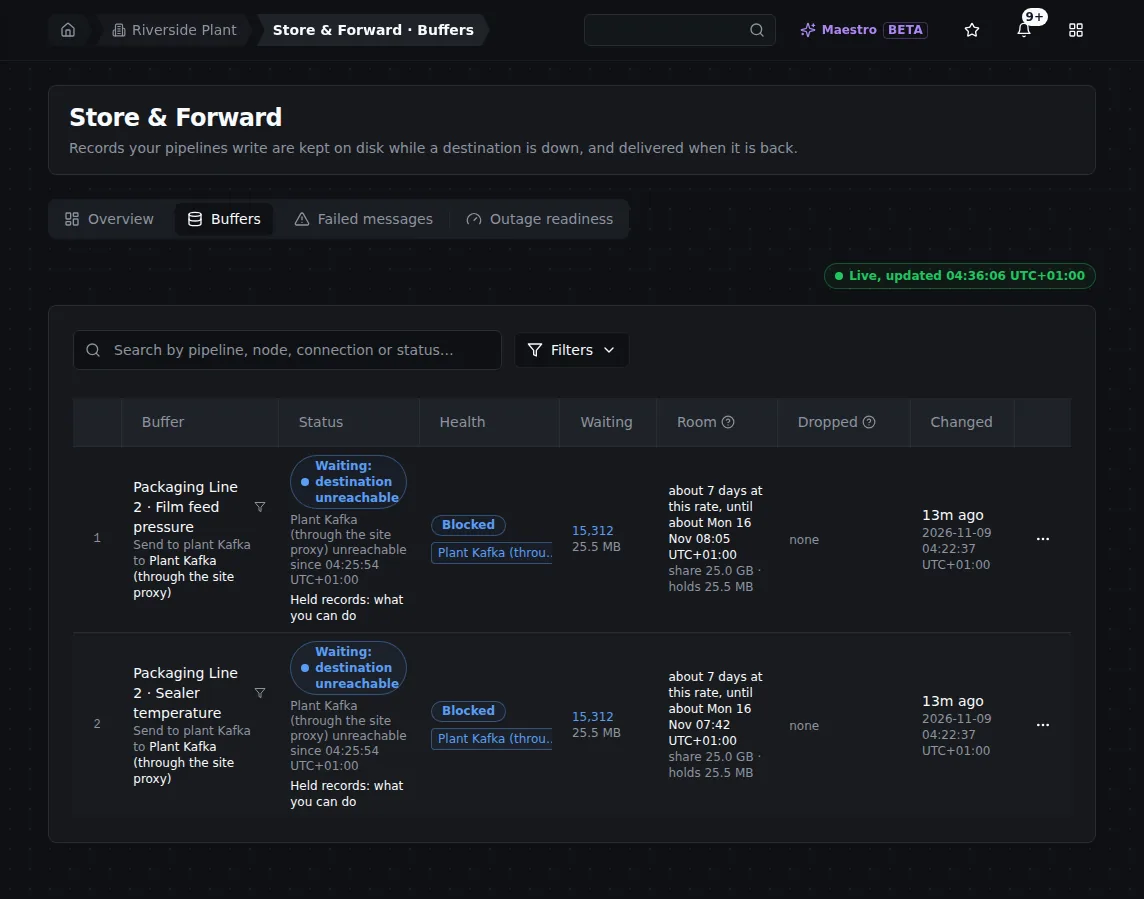
Ten minutes into the long cut: the Room column still reads days, so no warning is due.
A platform administrator sees the same from the instance side on System Management › Store & Forward capacity: the data volume to scale, what buffers hold now, the largest holders, and whether it is safe to restart.
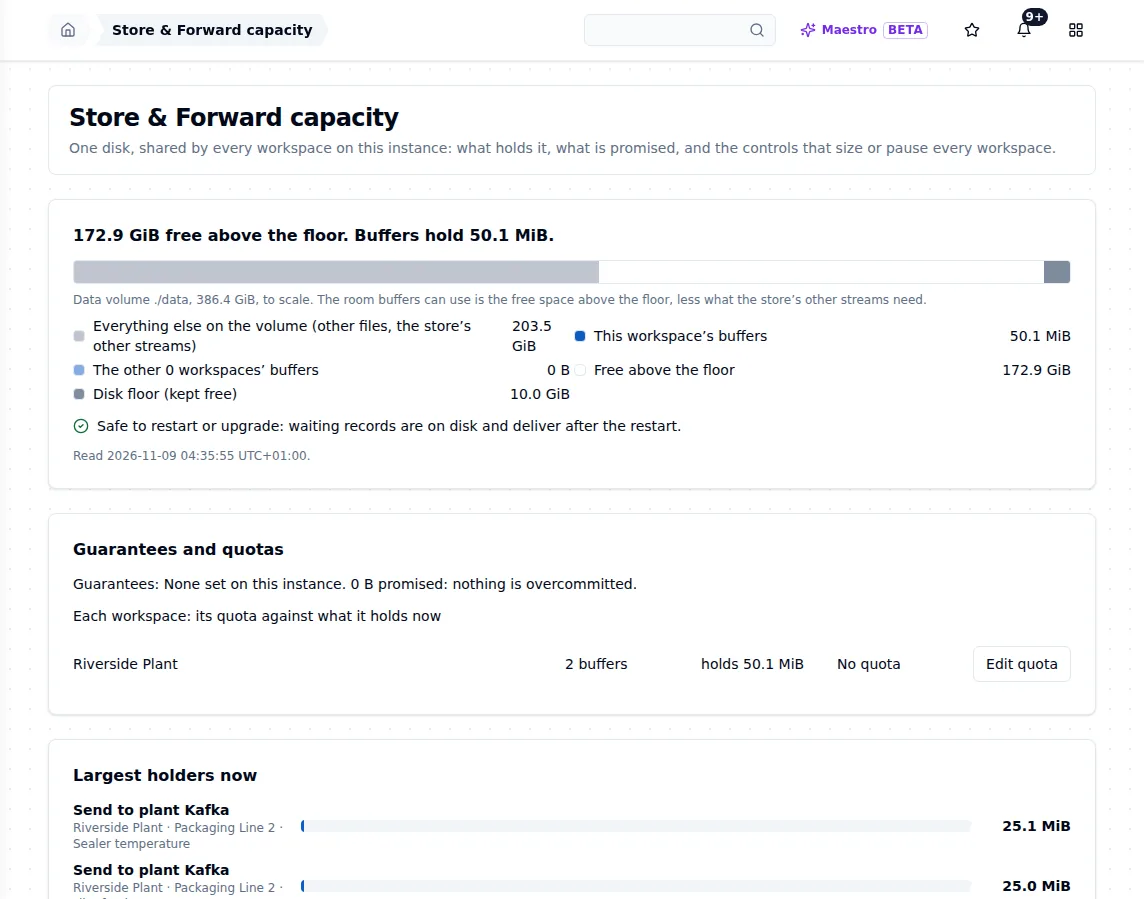
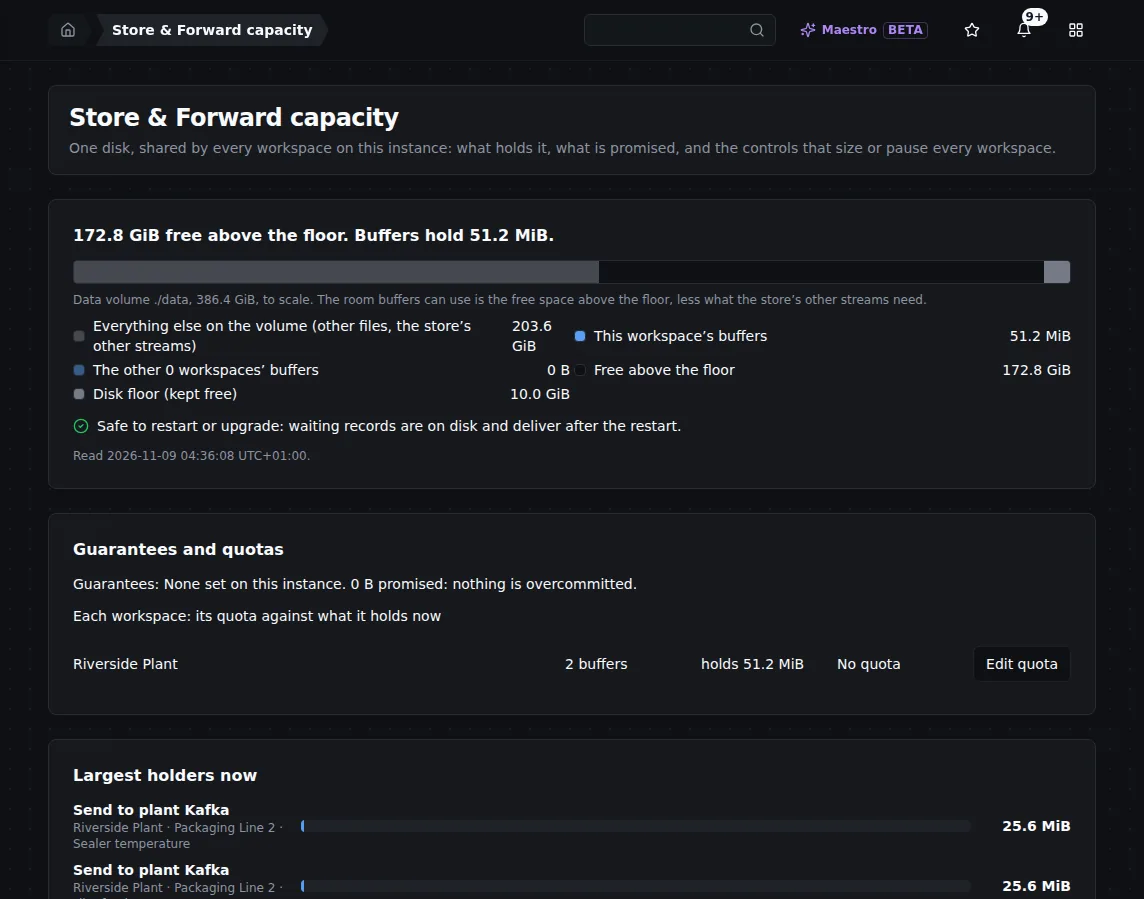
Store & Forward capacity during the cut: buffers hold about 50 MiB, with about 173 GiB free above the disk floor.
The room warnings. When an outage leaves a buffer with less than 1 hour of room, it is marked Running out of room in amber; under 15 minutes, in red. Each crossing sends one Action needed notification with the clock time the room runs out. In this run the room never fell below days, so no warning fired, which is the right answer. See Running out of room and Store & Forward capacity.
What to do, before it happens. Open Outage readiness, pick the outage you want to survive and the write rate, and read the answer. Here: a 6 h cut of every connection fits; the tightest output holds about 15 days. That is longer than the Room column's 7 days because readiness uses each output's busiest hour of the last 7 days (here 12 readings a second on average), while Room uses the live rate of the cut.
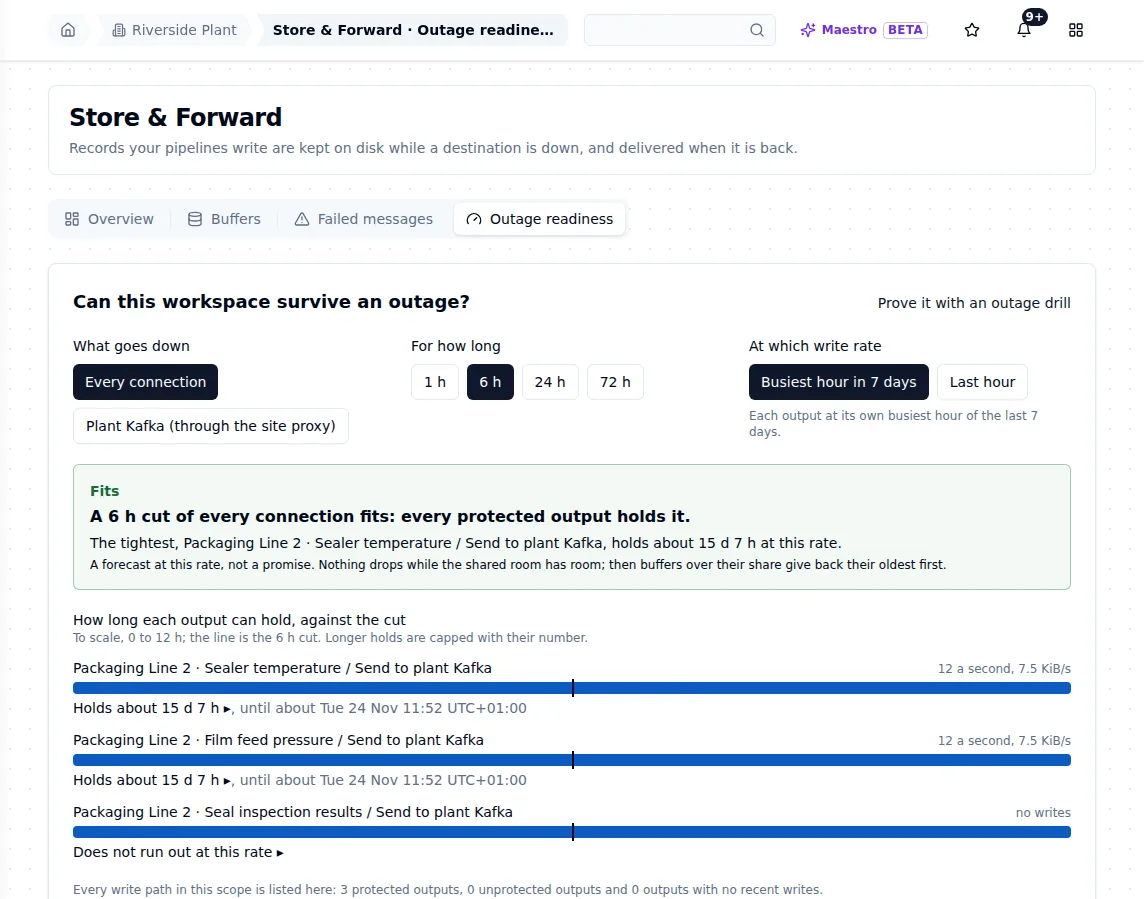
Outage readiness answers ahead of time: can this workspace survive a 6-hour cut at its busiest hour?
If it does not fit, raise the pool or give the critical output a guarantee; see Outage readiness.
What happened. The link came back after 15 minutes. 45,408 held = 45,408 delivered, caught up in 4 seconds. At the brokers: 46,420 sent, 46,420 arrived, 0 twice, 0 out of order.
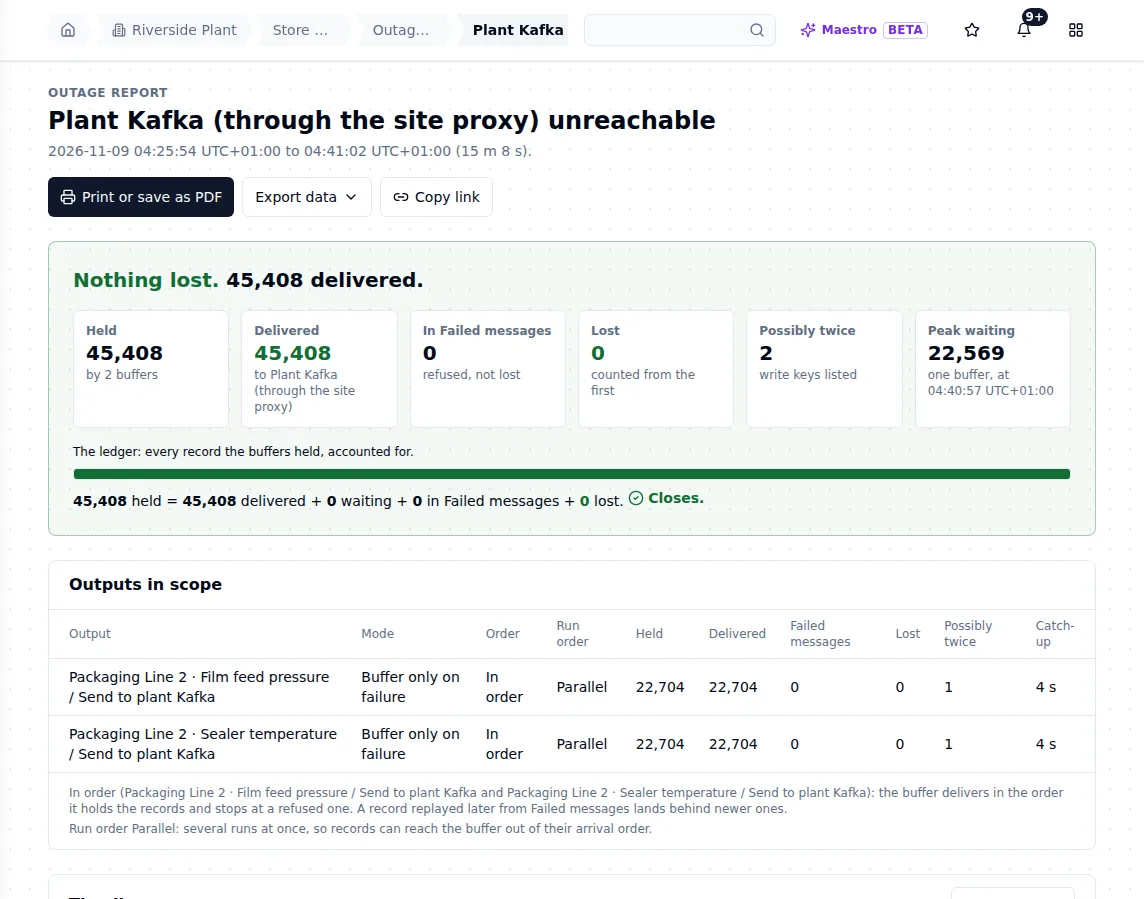
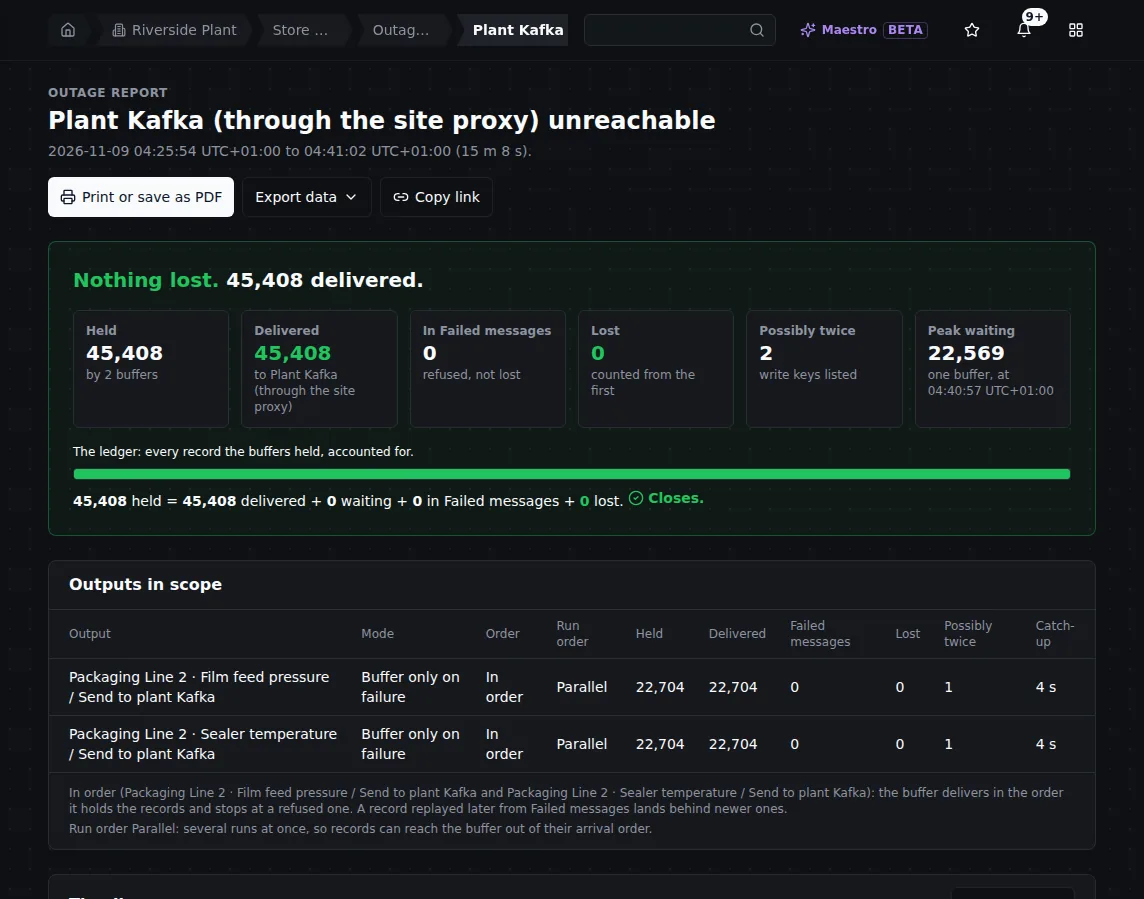
15 minutes and 8 seconds of outage: 45,408 held and delivered, peak waiting 22,569 in one buffer.
7. A drill, and its report as proof
The steps above needed a test rig. An outage drill gives you the same proof on your own output, without touching Kafka. We ran a two-minute Simulated cut on Sealer temperature, with a drill record: one record refused on purpose, to show where a refused record goes.
What the operator sees. A banner names the output, who started the drill and when it ends. The page counts held, waiting, lost and in Failed messages every 2 seconds. Only this output is cut: the other sensor, the other pipelines and Kafka carry on.
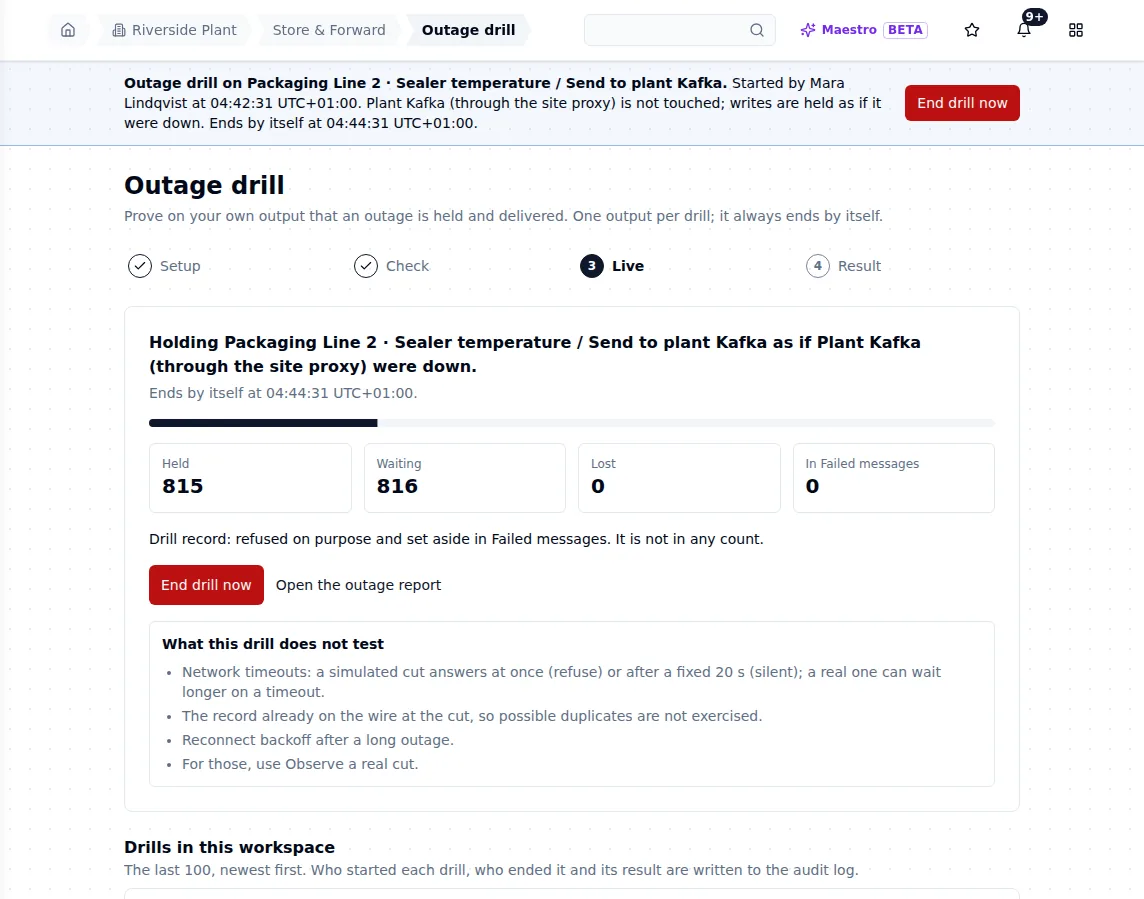
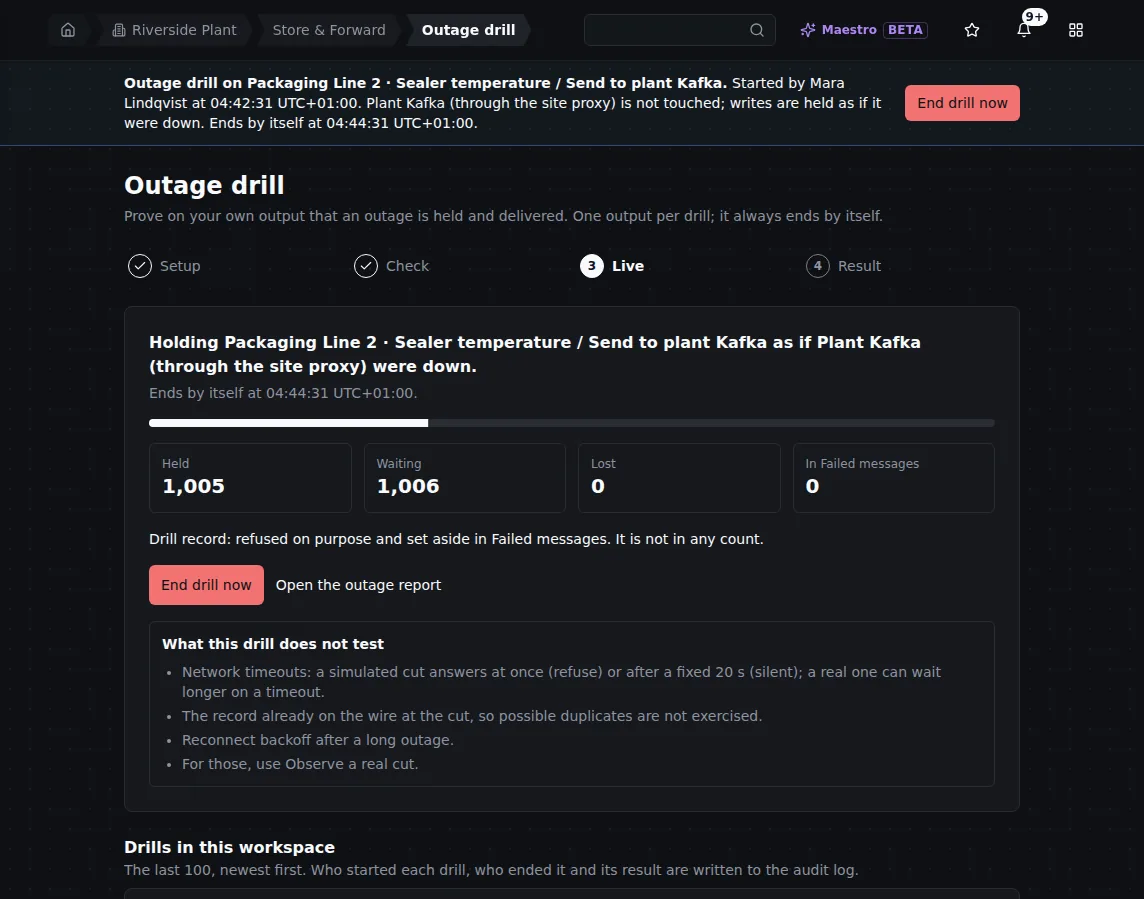
Thirty seconds into the drill: the output is held as if Kafka were down. End drill now stops the cut at once.
What happened. The drill Passed: 3,049 records held for 2 minutes and every one delivered, drained 2 seconds after the cut ended, 0 possibly twice, order kept, and the drill record refused as planned and removed. The ledger closed from the outage record, and Open the outage report opens the same kind of report as the real outages above.
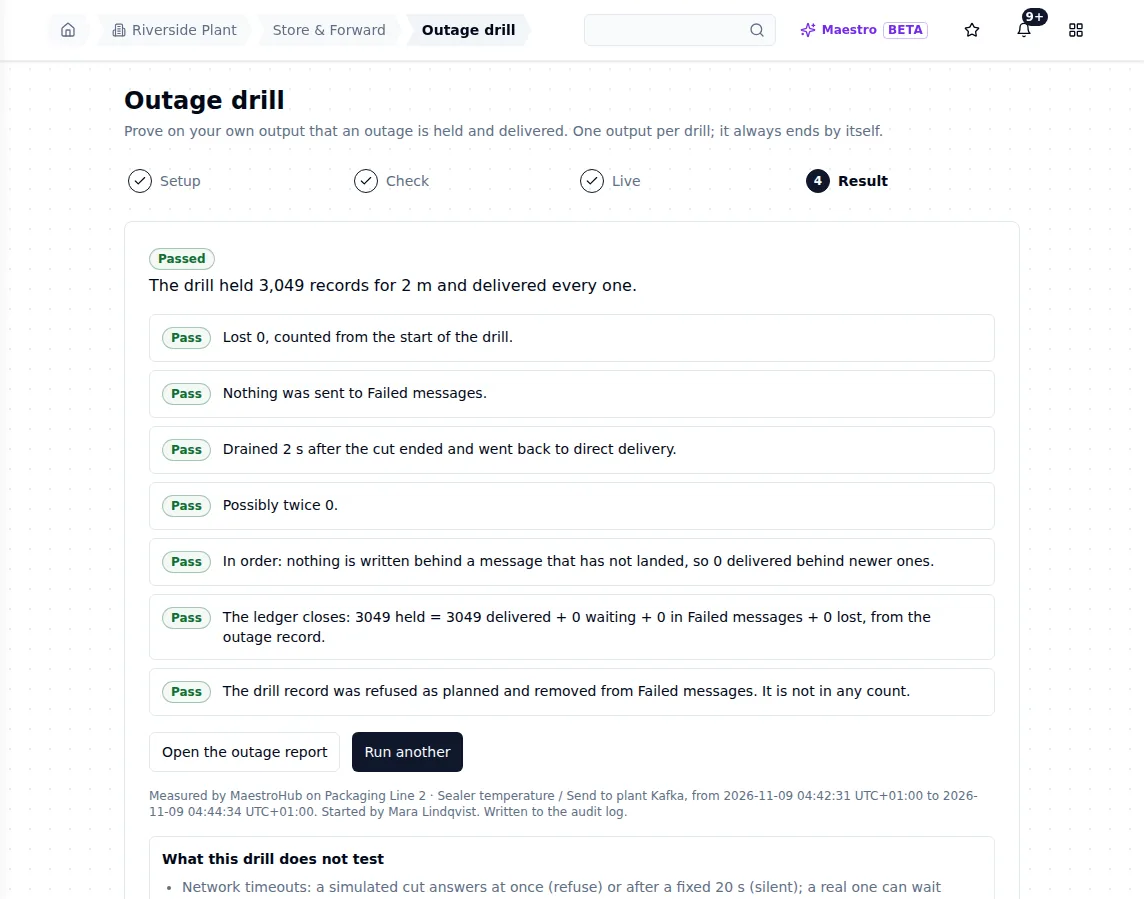
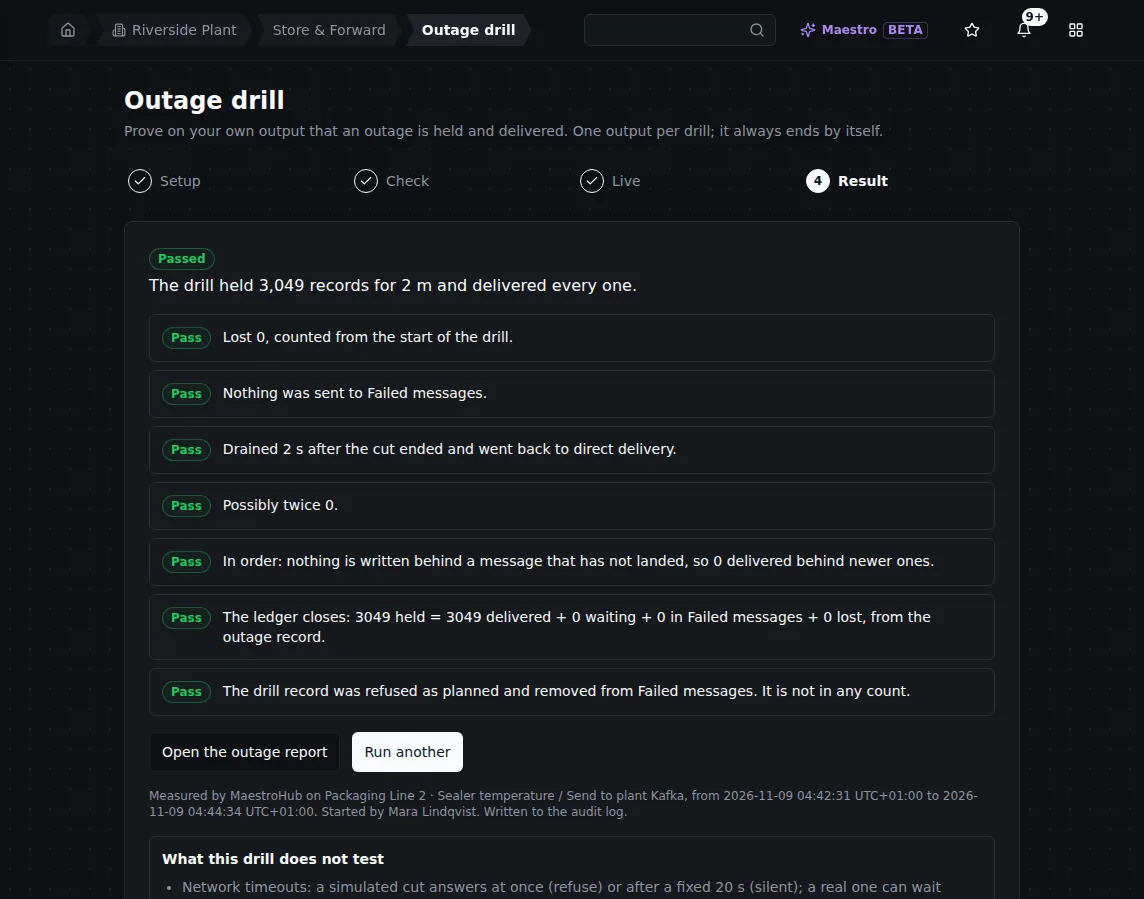
The drill's result: each criterion with its own sentence, all Pass. The drill is written to the audit log.
At the brokers: 7,644 sent during the drill step, 7,644 arrived, 0 twice, 0 out of order.
The numbers
| Step | Readings at the brokers | Missing, twice, out of order |
|---|---|---|
| Healthy baseline | 5,140 | 0 · 0 · 0 |
| Short cut (2 min) | 7,396 | 0 · 0 · 0 |
| Cut past the delivery timeout (4 min) | 13,424 | 0 · 0 · 0 |
| Proxy loses its brokers (90 s) | 5,992 | 0 · 0 · 0 |
| Proxy restarts (30 s) | 2,182 | 0 · 0 · 0 |
| Bad message (5 records refused by design) | 40,689 | 0 · 0 · 0 |
| kill -9 during an outage | 5,458 | 0 · 0 · 0 |
| Long cut (15 min) | 46,420 | 0 · 0 · 0 |
| Outage drill (2 min) | 7,644 | 0 · 0 · 0 |
Every one of the 134,345 records carried its maestrohub.write-key header. Run on 9 November 2026, on a pre-release 3.0 build, with the real app and the real UI; nothing was mocked.
What you can rely on
- An outage is a pause, not a loss. Writes are held on disk for as long as the outage lasts, and survive a crash of MaestroHub.
- One write, one outcome. Every held write ends delivered, in Failed messages, or lost and counted. The outage report's ledger must close, and says so when part of an outage could not be counted.
- Unknown is not failed. A write whose outcome is unknown is never resent on a timer; it is marked possibly delivered when it cannot be settled.
- The delivery promise. Kafka is at least once, with at most one extra copy of a write that was on its way when MaestroHub crashed, restarted or moved a buffer, never one per retry or per minute of outage. Each connector's promise is on Delivery promises.
- Write keys. Every copy of a write carries the same
maestrohub.write-key. A consumer that keeps the keys it has processed, for longer than your longest expected outage plus a restart, drops any repeat. See How a receiver drops a repeat.
Test it yourself
You do not need a test rig. On your own instance:
- Open Orchestrate › Store & Forward › Buffers, open a buffer's ⋮ menu and choose Run an outage drill, or use Prove it with an outage drill on the Outage readiness tab. You can pick any protected output on the drill page.
- In Setup, choose Simulated cut, a length of a few minutes, and tick Drill record. Write why: it goes to the audit log.
- In Check, read each check. A blocked check says why and what to do.
- Start the drill and watch the counts. Your consumers see the drill's writes arrive late, in one catch-up.
- Read the Result, then Open the outage report and export the write-key manifest. Check at your destination that every key arrived, and each possibly twice key at most twice.
A simulated cut does not test the record on the wire at the cut, real network timeouts or reconnect backoff. For those, choose Observe a real cut and cause the outage yourself, for example by stopping a proxy in a test environment. See Outage drills.
Related
- Store & Forward: how buffers, retries, capacity and outage records work
- Delivery promises: what each connector guarantees about copies
- Kafka: the Kafka connector during an outage
- Outage reports: reading, exporting and checking a report
- Outage drills and Outage readiness
- Failed messages: causes, replay and discard
- Store & Forward capacity and Notifications