Keeping readings in order end to end
In order on an output keeps the order it is handed. To keep the order the readings arrived in, every hop before it has to keep it too.
- Audience
- Data and plant engineers
- Settings
- Run order on every pipeline · Delivery order on the output
- Cost
- Throughput of those pipelines only
- Applies to
- MaestroHub 3.1
The short answer
For readings that must reach the destination in the order they arrived:
| Where | Setting | Value |
|---|---|---|
| Every pipeline the readings pass through | Edit Pipeline › Advanced › Run order | One at a time, in arrival order |
| The output that writes to the destination | The node's Delivery tab | Commands and setpoints, Ordered event stream, or Custom with In order |
| The destination | Its own partitioning | One partition, or a key per series (for Kafka, the record key) |
If one of these is missing, the chain does not keep order, whatever the others say. The rest of this page explains why, what it costs, and how to check it.
Which hops can reorder
Take a common chain: an OPC UA server, a pipeline that publishes each reading to the UNS, the UNS and its historian, a second pipeline that subscribes to the UNS and writes to Kafka.
| Hop | Can it swap two readings? | What decides |
|---|---|---|
| Source (OPC UA) | No. Each reading carries the time it was measured. | The device |
| Pipeline A (OPC UA to UNS) | Yes, with Parallel runs. One notification starts one run per monitored item, and runs overlap. | Pipeline A's Run order |
| UNS fan-out | It hands each subscribing pipeline the values of a topic. Each subscriber starts its own runs. | Each subscriber's Run order |
| Pipeline B (UNS to Kafka) | Yes, with Parallel runs, even if pipeline A kept the order. | Pipeline B's Run order |
| Output (In order) | No. It delivers in the order its runs handed it values, through outages, retries, restarts and the drain. | The output's Delivery order |
| Destination (Kafka) | Kafka keeps order within a partition, not across partitions. | Partitions and record keys |
Three hops can reorder:
- Parallel run order. With the default Run order, Parallel, a pipeline starts a run for every value as soon as it can. A run that is slower than the next one (a busy host, a cold cache, the first message on a new topic, a slow lookup) hands its value over second. This is the contract of Parallel, not a fault: see Output order.
- The UNS fan-out. A value published to the UNS goes to every pipeline whose UNS trigger matches its topic. Each of those pipelines decides its own order by its own Run order. A wildcard subscription such as
plant/line-1/#mixes many topics: order is meaningful per topic, and nothing orders the values of two topics against each other. - Several pipelines in a chain. The output's Delivery tab sees its own pipeline only. When the readings come from another pipeline through the UNS, that pipeline's runs can swap two readings before this pipeline sees them, and nothing on this output can tell you.
The exact settings
1. Every pipeline: One at a time
Open each pipeline the readings pass through, the publisher and every subscriber on the way, and set Edit Pipeline › Advanced › Run order to One at a time, in arrival order. Runs then start one at a time, in the order their trigger fires were accepted, across engine replicas, retries, restarts and failovers. See Running in order for what is guaranteed when a replica crashes.
Runs already queued keep their order through the change. While a pipeline runs in order, the designer's toolbar shows In order · N in queue.
2. The output: In order
On the output node's Delivery tab, choose Commands and setpoints or Ordered event stream, or Custom with Delivery order set to In order. For Kafka, Connector default already means In order; the label says Connector default (in order).
If the output delivers In order and its own pipeline runs Parallel, the tab says so and offers Switch to One at a time. That switch covers this pipeline only. It cannot see the pipeline before it in a UNS chain: do step 1 there by hand.
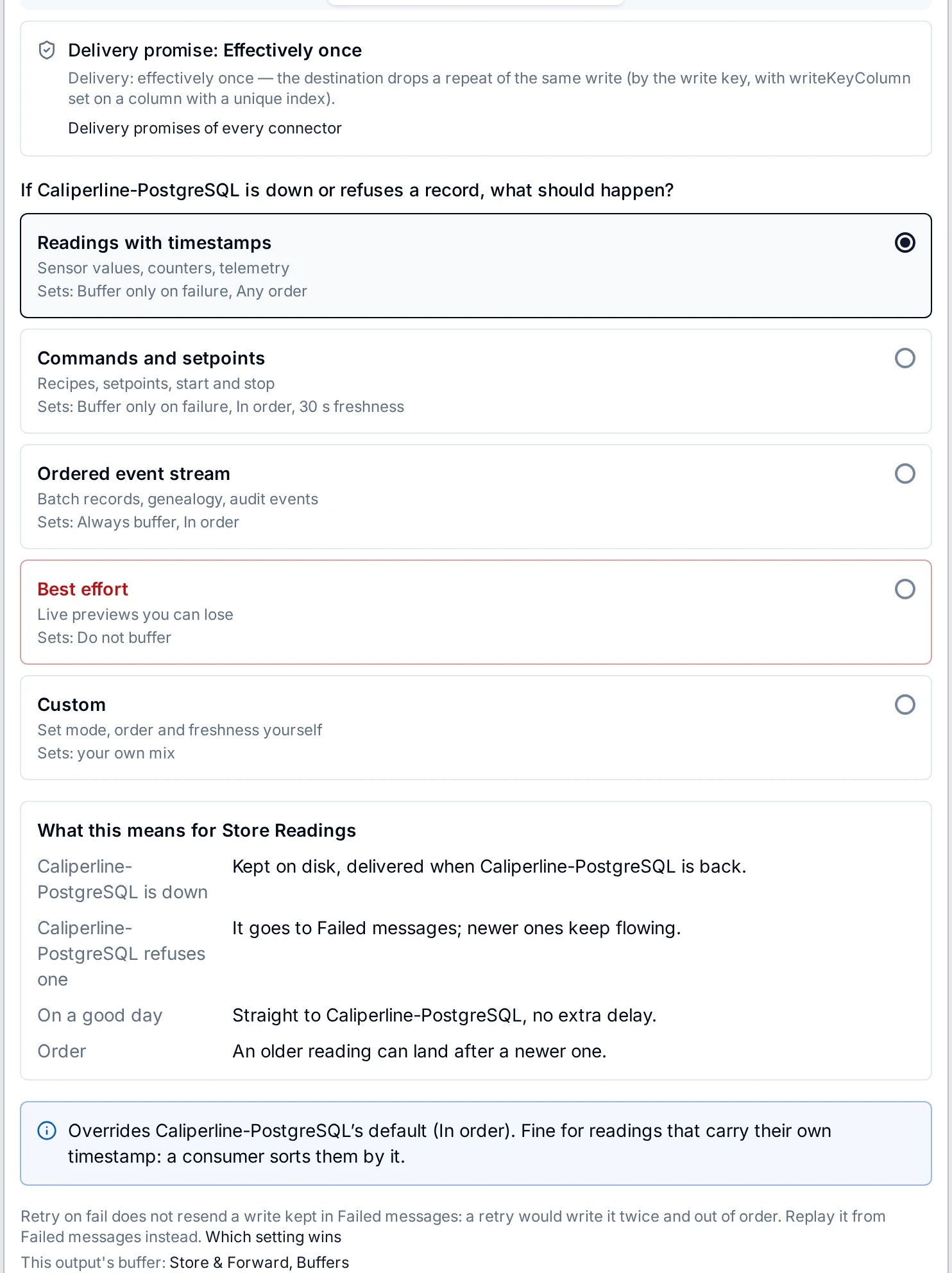
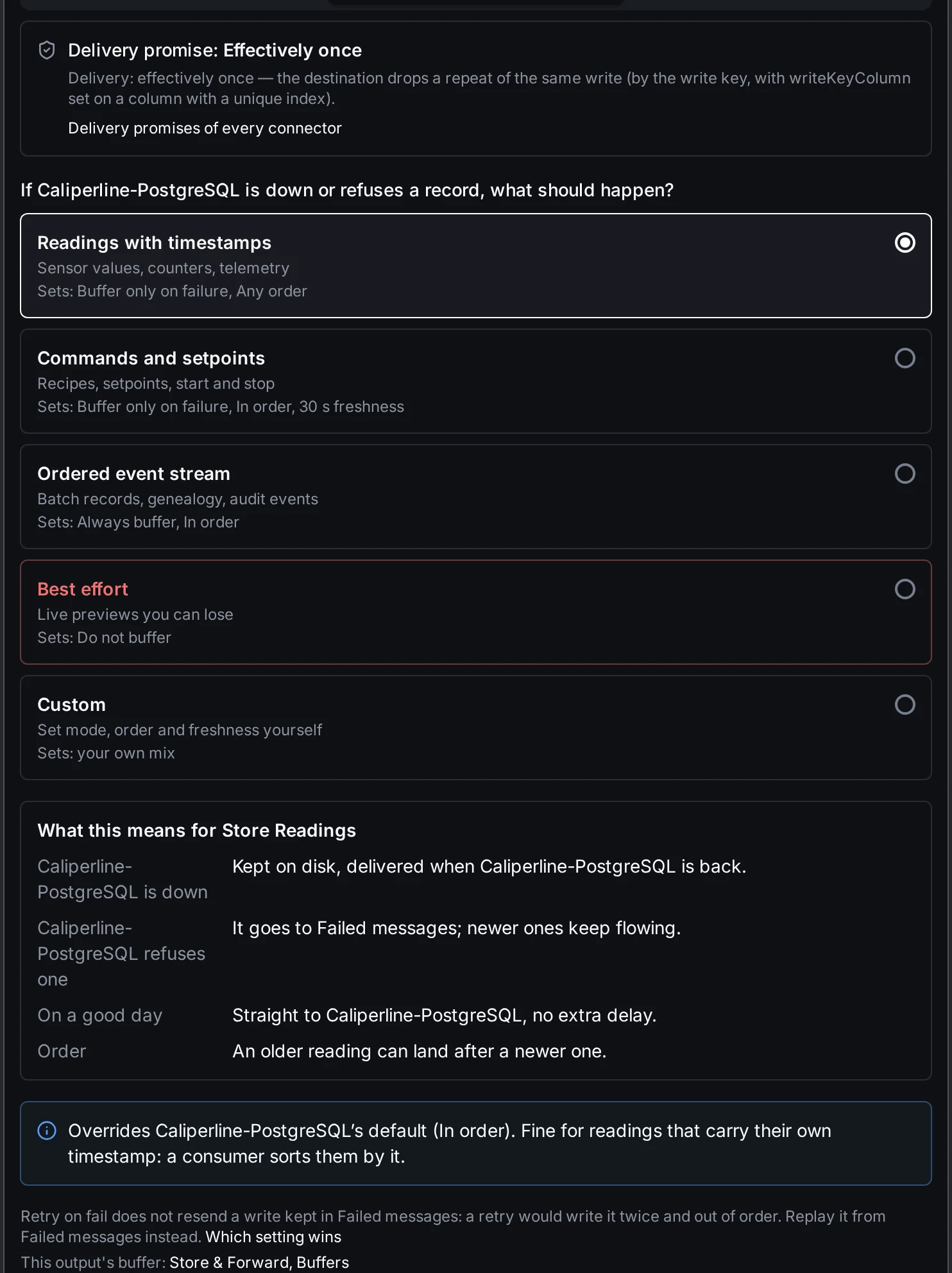
The Delivery tab flags its own pipeline's Parallel run order and offers the switch. It cannot see an earlier pipeline in the chain.
3. The destination: one order per series
Kafka keeps order within a partition. With several partitions, give each series its own record key (for example the UNS topic, as the produce function's key) so all readings of one series land in one partition. Other destinations keep order on their own terms; see the connector's page.
What it costs
- Throughput of those pipelines. Each run waits for the one before it. A pipeline whose run takes 200 ms runs at most five times a second; fires that arrive faster wait in the queue, in order, and none is dropped. Other pipelines are not held up.
- One request at a time per In order output. An In order output set to Buffer only on failure keeps at most one request at the destination at a time, per output and engine. Kafka and InfluxDB send the writes that waited together, up to 32 per request, so the output keeps up with its write rate. See the note under Delivery order.
If that cost is too high for a pipeline with many tags at a high rate, use the other design below.
What In order keeps, and what it does not
In order is a promise about the output's own buffer: no value overtakes one handed over before it, through an outage of any length, retries, a refused message waiting for your decision, a restart and the drain after it. It does not put overlapping runs back in arrival order, and it cannot see an earlier pipeline. The exact wording is under What In order promises, and what it does not on the Store & Forward page.
The other design: order by the time in the data
Arrival order matters only to a consumer that trusts it. When every reading carries the time it was measured and the consumer orders by that time, a swap in transit changes nothing. Historians and time-series tables already work this way, which is why Parallel is the default.
- Keep the source time in the payload (the OPC UA trigger passes the source and server timestamps on).
- On Kafka, a record resent from a buffer also carries the header
maestrohub.produced-at, the time its data was produced, so the original time survives a topic that overwrites record timestamps. - Order by that time in the consumer.
Use this design when the consumer can sort. Use the settings above when it cannot: a setpoint where the last write must be the newest value, a running total, a consumer that reads only the latest value of a topic or checks a sequence.
Check the order with a drill
An outage drill proves the output keeps order through a cut. A count at the destination proves the pipelines do. Do both.
- Set the chain as above.
- Open Orchestrate › Store & Forward › Buffers, open the output's ⋮ menu and choose Run an outage drill. Choose Simulated cut and a few minutes, and start it.
- Read the Result. Order passes when nothing was delivered behind a newer record. On an Any order output it says Not measured: order is not promised there.
- At the destination, read the drill's time window and, per series, check that the source time never goes backwards. For Kafka, read every partition to its end offset, inside the cluster rather than through a proxy.
- Read a quiet window with no outage the same way. A swap there comes from the runs, not from the buffer.
The drill's Order criterion grades the buffer only. A swap made by a Parallel pipeline before the output reaches the buffer already swapped, and the drill passes. Step 4 is what catches it.
What a replay of a plant chain showed
We replayed a chain like the one above on 3.1: a few dozen OPC UA tags, a pipeline publishing to the UNS, a second pipeline subscribing and writing to a three-broker Kafka cluster through an In order output, and cuts of the link from 60 seconds to 1 hour, directly and through a Kafka proxy.
- Every reading the historian held reached Kafka: 0 missing and 0 duplicates on every row, up to 182,000 readings per row.
- On 4 rows, with both pipelines on Parallel, between 2 and 69 readings were out of input order. On the row with 2, both came in a quiet minute before the cut, with nothing buffered.
- A 15-minute cut with both pipelines on One at a time showed 0 out of order in 47,000 readings. The same cut run again with both on Parallel showed 0 as well: swaps this rare do not show up on demand.
So 0 out of order on one run does not prove a Parallel chain keeps order. One at a time on every pipeline removes the pipelines' freedom to swap by design.
Related
- Output order and Running in order: the run order of a pipeline
- Delivery order: what an output's In order promises
- Outage drills: the drill and its criteria
- UNS Trigger and OPC UA Trigger
- How MaestroHub behaves when things fail