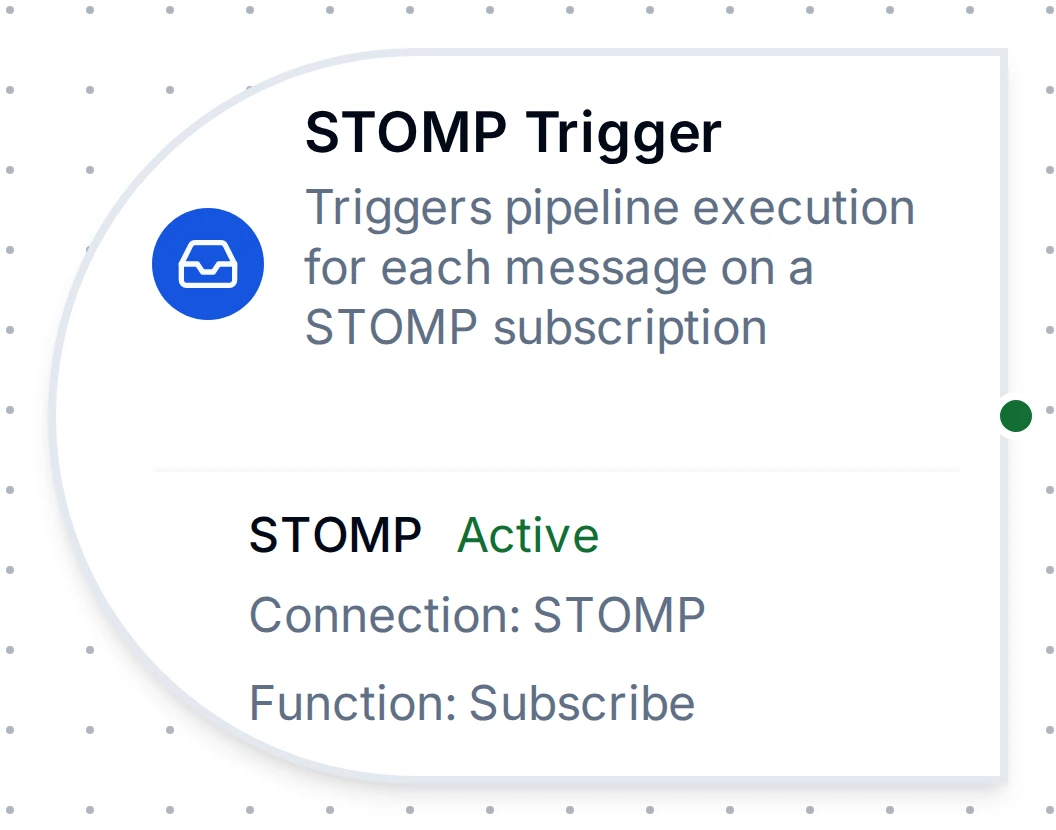
STOMP trigger node
STOMP Trigger Node
Start a pipeline for each message consumed from a STOMP queue or topic, acknowledged once MaestroHub has stored it.
- Starts on
- Each message on a destination
- Function
- STOMP Subscribe
- Output
- Payload plus destination, message ID, headers
Overview
The STOMP Trigger Node starts a pipeline for every message a STOMP subscription receives. The subscription (destination, prefetch, selector) is a Subscribe function on a STOMP connection; the trigger runs it while the pipeline is enabled. To send messages from inside a pipeline, use the STOMP Send node.
Core Functionality
What It Does
1. Event-Driven Pipeline Execution Every message on the destination starts a pipeline run, with no polling.
2. At-Least-Once Acknowledgement
Each message is acknowledged individually (ack: client-individual) once MaestroHub has stored it for the pipeline. One it could not store is offered again after a pause, never negatively acknowledged; one still waiting when the trigger stops stays unacknowledged and goes to the next subscriber. A pipeline can see a message twice: use On Change mode or an ID in the payload when that matters.
3. Bounded Hand-Out The broker hands out at most Prefetch unacknowledged messages at a time (ActiveMQ Classic and RabbitMQ; ActiveMQ Artemis ignores it and hands out one at a time, since its own flow control counts bytes, not messages). While a pipeline is held back, the rest wait on the broker.
4. Competing Consumers Several MaestroHub instances subscribed to one queue share its messages; on a topic, each receives every message.
Configuration Options
Basic Information
| Field | Type | Description |
|---|---|---|
| Node Label | String (Required) | Display name for the node on the pipeline canvas |
| Description | String (Optional) | Explains what this trigger initiates |
Parameters
| Parameter | Type | Default | Required | Constraints | Description |
|---|---|---|---|---|---|
| Connection ID | string | "" | Yes | -- | STOMP connection profile to use. |
| Function ID | string | "" | Yes | -- | Subscribe function within the connection. Only Subscribe functions are listed. |
| Trigger Mode | select | "always" | No | always / onChange | always: Trigger on every message. onChange: Only trigger when the payload differs from the last one seen on the destination. |
| Enabled | boolean | true | No | -- | Enable/disable the trigger. When disabled, nothing is consumed. |
| Dedup Max Keys | number | 1000 | If onChange | 1-10,000 | Maximum number of distinct destinations tracked for change detection. Least recently used is evicted when exceeded. |
The selected function must be a STOMP Subscribe function. Send functions cannot be used with the STOMP Trigger.
Settings
Description
A free-text area for documenting the node's purpose and behavior. Notes entered here are saved with the pipeline and visible to all team members.
Execution Settings
| Setting | Options | Default | Description |
|---|---|---|---|
| Timeout (seconds) | number | Pipeline default | Maximum execution time for this node (1-3600). Leave empty for pipeline default. |
| Retry on Timeout | Pipeline Default / Enabled / Disabled | Pipeline Default | Whether to retry the node if it times out. |
| Retry on Fail | Pipeline Default / Enabled / Disabled | Pipeline Default | Whether to retry on failure. |
| On Error | Pipeline Default / Stop Pipeline / Continue Execution | Pipeline Default | Behavior when node fails after all retries. |
Output Data Structure
When a STOMP message triggers a pipeline execution, the following data is available to downstream nodes via the $trigger variable.
Output Format
{
  "_metadata": {
    "type": "stomp_trigger",
    "protocol": "stomp",
    "destination": "/queue/mes.line3.events",
    "messageId": "ID:mes01-41233-1763380000000-1:1:1:1:42",
    "contentType": "application/json",
    "persistent": "true",
    "priority": "4",
    "redelivered": "false",
    "correlationId": "req-9f3a7c2b",
    "replyTo": "/queue/mes.line3.reply",
    "messageTimestamp": "2026-11-17T11:46:40.123Z",
    "header_line": "line3",
    "connectionId": "bf29be94-fc0a-4dc4-8e5c-092f1b74eb4b",
    "functionId": "aef374c3-aa2b-454e-aabc-5657faac5950",
    "timestamp": "2026-11-17T11:46:40.140Z"
  },
  "result": {
    "machine": "M7",
    "state": "running"
  }
}
Accessing Message Data
| Field | Expression | Description |
|---|---|---|
| Message Payload | $trigger.result | The message body. Valid JSON is delivered parsed, so $trigger.result.<field> reads a field directly; anything else is delivered as a string |
| Destination | $trigger._metadata.destination | The queue or topic the message came from |
| Message ID | $trigger._metadata.messageId | The broker's ID for the message |
| Content Type | $trigger._metadata.contentType | The sender's content-type; present only when it set one |
| Persistent | $trigger._metadata.persistent | "true" when the message was sent persistent; present when the broker says |
| Priority | $trigger._metadata.priority | The JMS priority (0 to 9); present when the broker says |
| Redelivered | $trigger._metadata.redelivered | "true" when the broker gave this message before; present when the broker says |
| Correlation ID | $trigger._metadata.correlationId | The sender's correlation-id; present only when it set one |
| Reply To | $trigger._metadata.replyTo | The sender's reply-to destination; present only when it set one |
| Message Timestamp | $trigger._metadata.messageTimestamp | When the broker took the message (RFC 3339, UTC); present when the broker sends a timestamp |
| Headers | $trigger._metadata.header_<name> | One per other header the sender set, e.g. $trigger._metadata.header_line |
| Protocol | $trigger._metadata.protocol | Always stomp |
| Connection ID | $trigger._metadata.connectionId | The connection profile the trigger runs on |
| Function ID | $trigger._metadata.functionId | The subscribe function that received the message |
| Trigger Type | $trigger._metadata.type | Always stomp_trigger |
| Timestamp | $trigger._metadata.timestamp | When MaestroHub received the message (RFC 3339, UTC) |
Every _metadata value is a string ("4", not 4), so compare them as strings. The message itself keeps its JSON types:
$trigger.result.machine: a field of a JSON message$trigger.result: the whole message
Validation Rules
Connection ID
- Must be provided and reference a STOMP connection profile
Function ID
- Must be provided and reference a STOMP Subscribe function of that connection
Usage Examples
Work orders from an MES queue
Configuration:
- Function: Subscribe to
/queue/mes.orders, prefetch10, selectorline = 'line3' - Trigger Mode: always
Each order for line 3 starts a run; the broker keeps the other lines' orders for their own consumers.
Change-only status updates
Configuration:
- Function: Subscribe to
/topic/equipment.status - Trigger Mode: onChange
The pipeline runs only when a status differs from the last one seen on the topic.