![STOMP]() STOMP Integration Guide
Send messages to STOMP queues and topics, confirmed by the broker's receipt, and start pipelines from a subscription.
- Default port
- 61613 · TLS: the broker's TLS listener (61614 on RabbitMQ)
- Brokers
- ActiveMQ Classic · ActiveMQ Artemis · RabbitMQ (STOMP plugin)
- Operations
- Send · Subscribe
- Triggers
- Subscribe, for every message
Connect to a STOMP broker to send messages and to start pipelines from a subscription. This guide covers connection setup, the two functions, and how the trigger acknowledges what it receives.
Overview
STOMP (Simple Text Oriented Messaging Protocol) is the text messaging protocol that ActiveMQ Classic, ActiveMQ Artemis and RabbitMQ (with its rabbitmq_stomp plugin) all speak, and that many MES and line-integration buses were written against. The STOMP connector speaks STOMP 1.1 and 1.2 and provides:
- Sending to any queue or topic, confirmed by the broker's receipt
- Text or bytes bodies, so a JMS consumer on ActiveMQ or Artemis receives a
TextMessageor aBytesMessage - A subscription trigger that starts a pipeline for every message, acknowledging each one only once MaestroHub has stored it
- JMS selectors on ActiveMQ and Artemis subscriptions
- Heart-beats that detect a dead link, and TLS with a private CA or mutual TLS
- Store-and-forward for sends, so messages survive an outage of the broker or the network
- Template parameters in the destination, payload, content type and headers of a send
ActiveMQ Artemis, and ActiveMQ Classic with its AMQP transport enabled, can also be reached with the AMQP connector. Use STOMP when the broker exposes only STOMP, when the systems on the other side already exchange STOMP messages with agreed headers and destination names, or when a JMS consumer expects a TextMessage.
Connection Configuration
Creating a STOMP Connection
Navigate to Connections → New Connection → STOMP and configure the following:
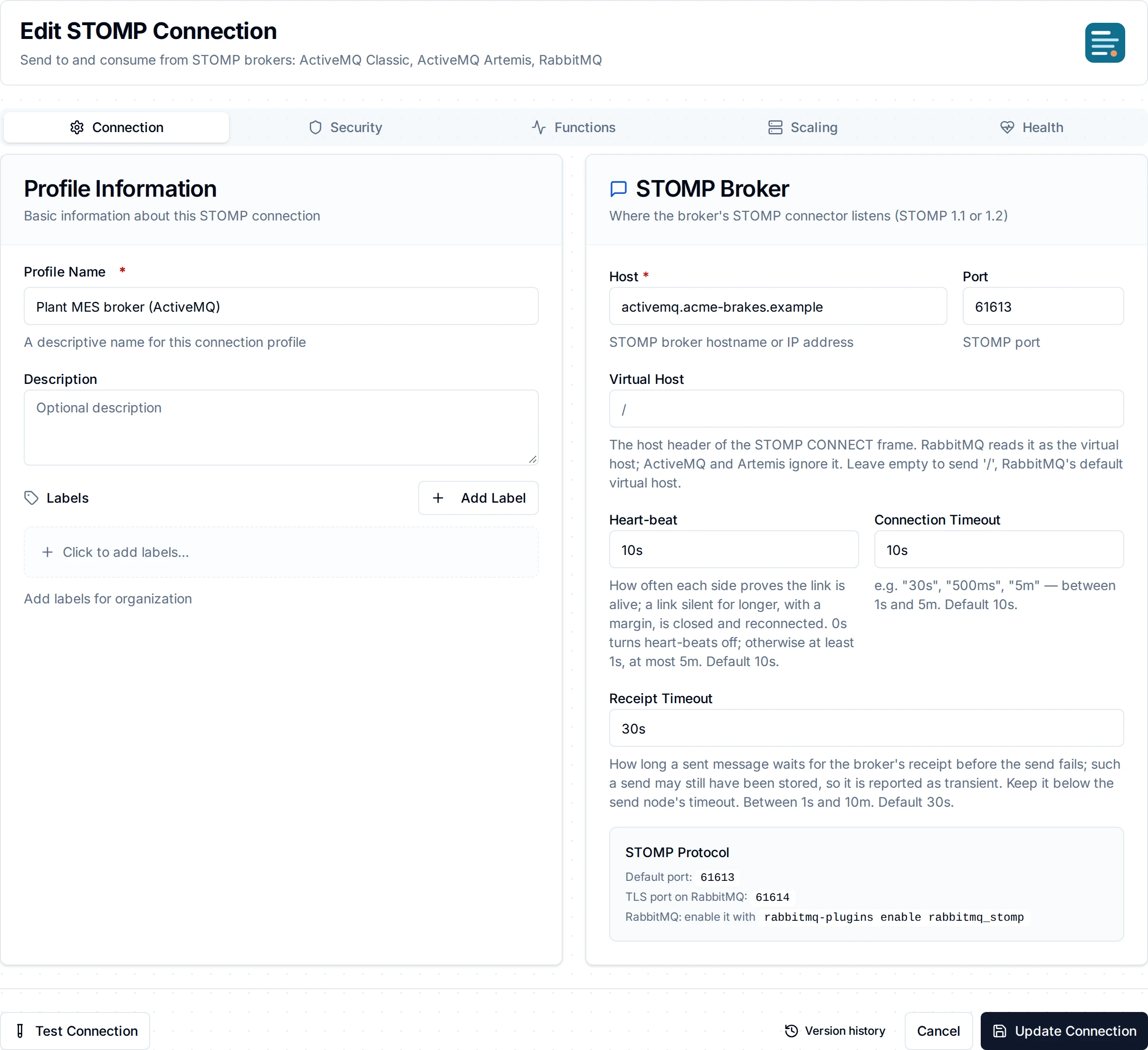
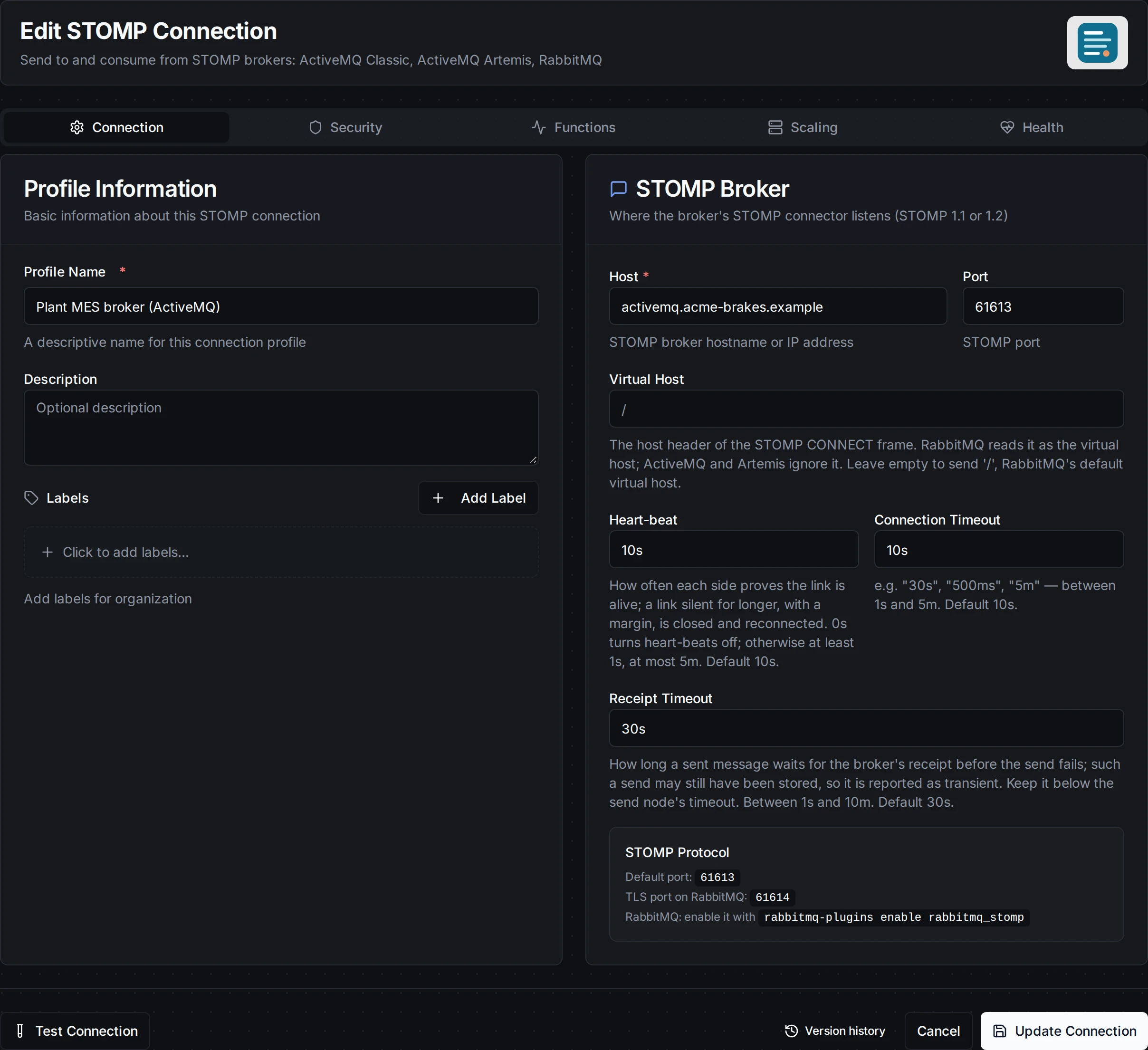
The STOMP connection form: the broker host and port on the Connection tab
1. Profile Information
| Field | Default | Description |
|---|---|---|
| Profile Name | - | A descriptive name for this connection profile (required, max 100 characters) |
| Description | - | Optional description for this connection |
| Labels | - | Key-value pairs to organize connections (max 10) |
2. Broker
| Field | Default | Description |
|---|---|---|
| Host | localhost | The broker's host name or IP address. Required |
| Port | 61613 | The broker's STOMP port: 61613 by default. A TLS listener has a port of its own: 61614 on RabbitMQ; ActiveMQ Classic and Artemis have none until one is added (on ActiveMQ Classic, 61614 is the WebSocket port) |
| Virtual Host | - | The host header of the STOMP CONNECT frame. RabbitMQ reads it as the virtual host; ActiveMQ and Artemis ignore it. Leave empty to send /, RabbitMQ's default virtual host |
3. Authentication
| Field | Default | Description |
|---|---|---|
| Login | - | The broker login. Leave empty for a broker that allows anonymous clients. The login, passcode and virtual host cannot contain a line break or a NUL |
| Passcode | - | The login's passcode. Stored as a secret. A passcode without a login is refused when the connection is saved |
4. TLS
| Field | Default | Description |
|---|---|---|
| Enable TLS | false | Connect over TLS. Set Port to the broker's TLS listener (stomp+ssl), see Port |
| CA Certificate | - | CA certificate (PEM) that signed the broker's certificate. Leave empty to verify against the system trust store |
| TLS Server Name (SNI) | - | The name the broker's certificate is issued for, when it differs from the host |
| Skip Certificate Verification | false | Accept any broker certificate. Not for production |
| Client Certificate / Client Private Key | - | A client certificate and its key (PEM) for mutual TLS. Stored as secrets |
A TLS setting on a connection without TLS, the client certificate and key included, is refused when the connection is saved, rather than ignored. Turning TLS off in the form clears them.
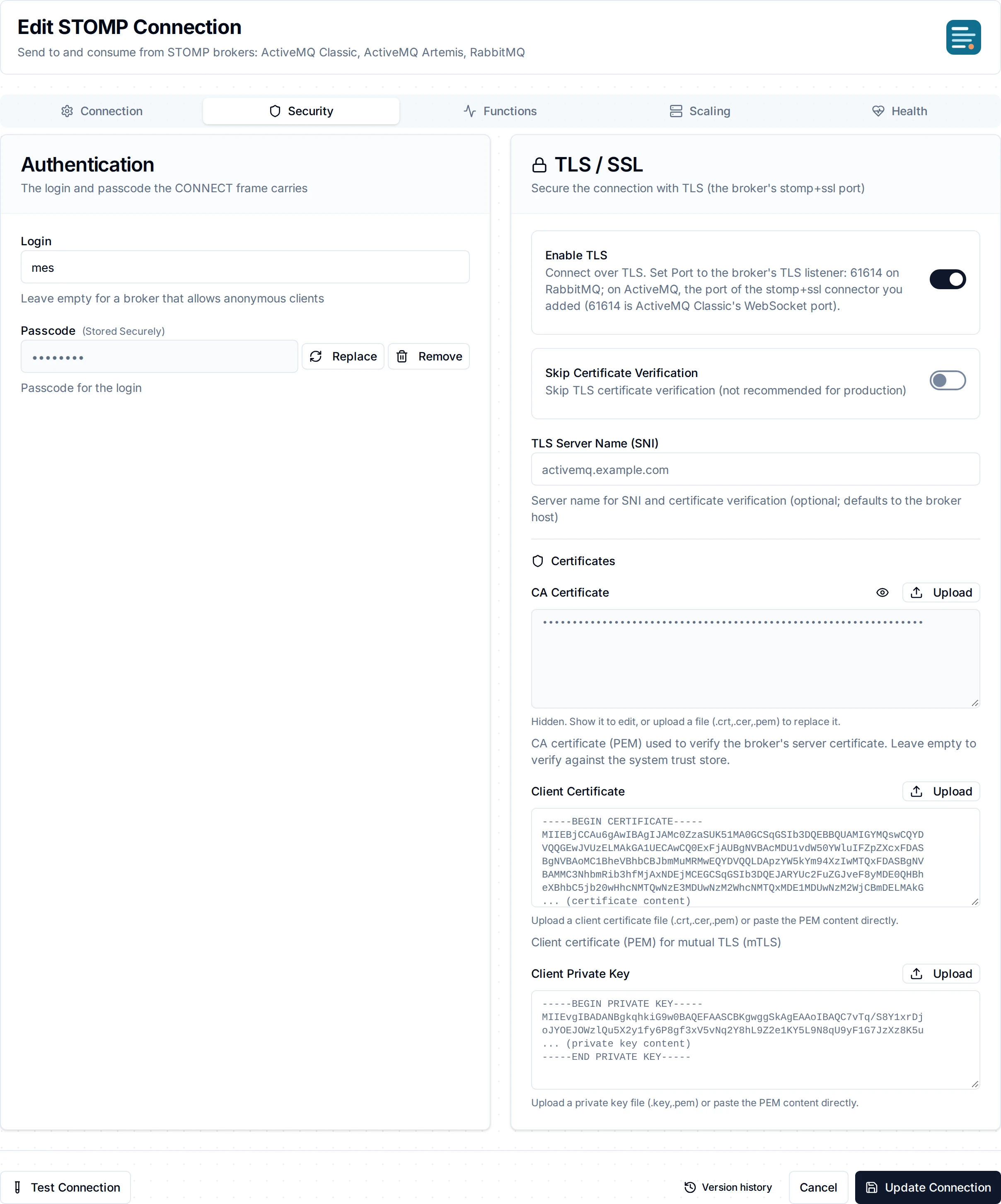
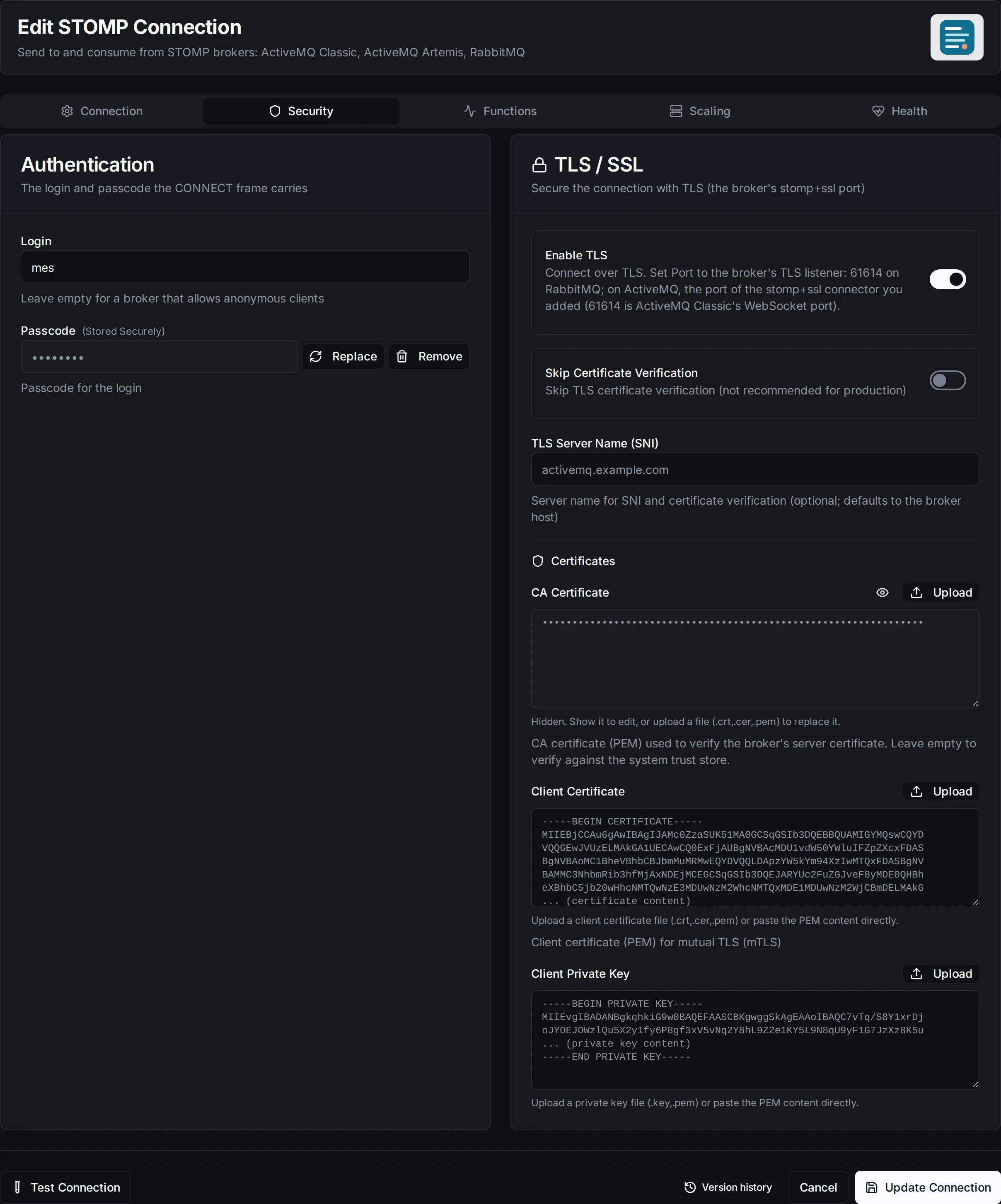
The Security tab: login, passcode and TLS with a private CA
5. Advanced
| Field | Default | Description |
|---|---|---|
| Heart-beat | 10s | How often each side proves the link is alive, 0s (off), or from 1s to 5m. A link silent for longer, with a margin, is closed and reconnected |
| Connection Timeout | 10s | How long to wait for the TCP and TLS connection and the broker's CONNECTED answer, from 1s to 5m |
| Receipt Timeout | 30s | How long a sent message waits for the broker's receipt, from 1s to 10m. Keep it below the send node's timeout |
Test Connection opens a session and makes a round trip: it opens an empty transaction and aborts it, waiting for the broker's receipt. No queue or topic is touched. A refused login fails at once with the broker's reason, and the connection is not retried until you change it.
Function Builder
Creating STOMP Functions
- Open the connection and go to its Functions tab → New Function
- Select Send or Subscribe
- Configure the function
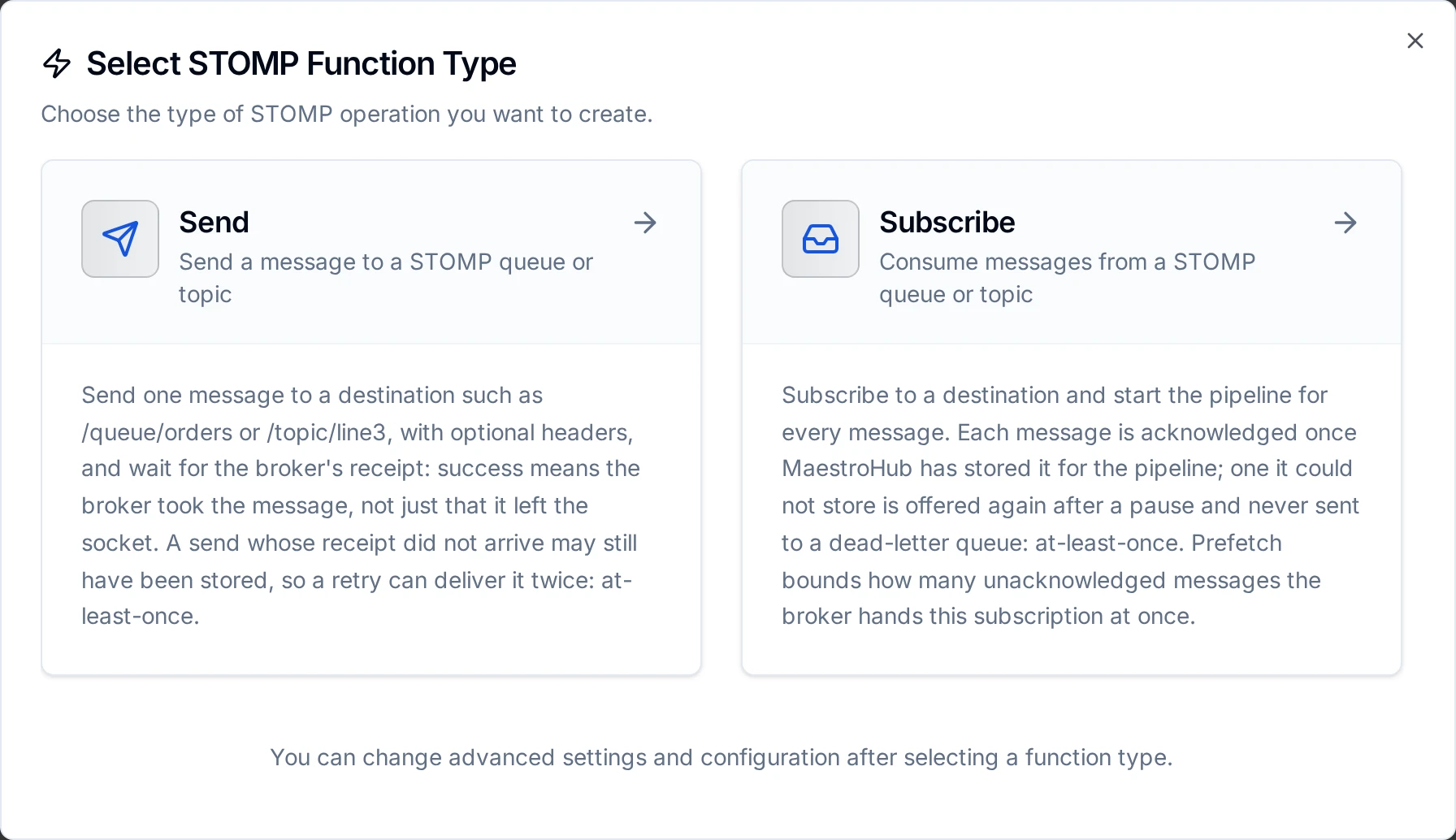
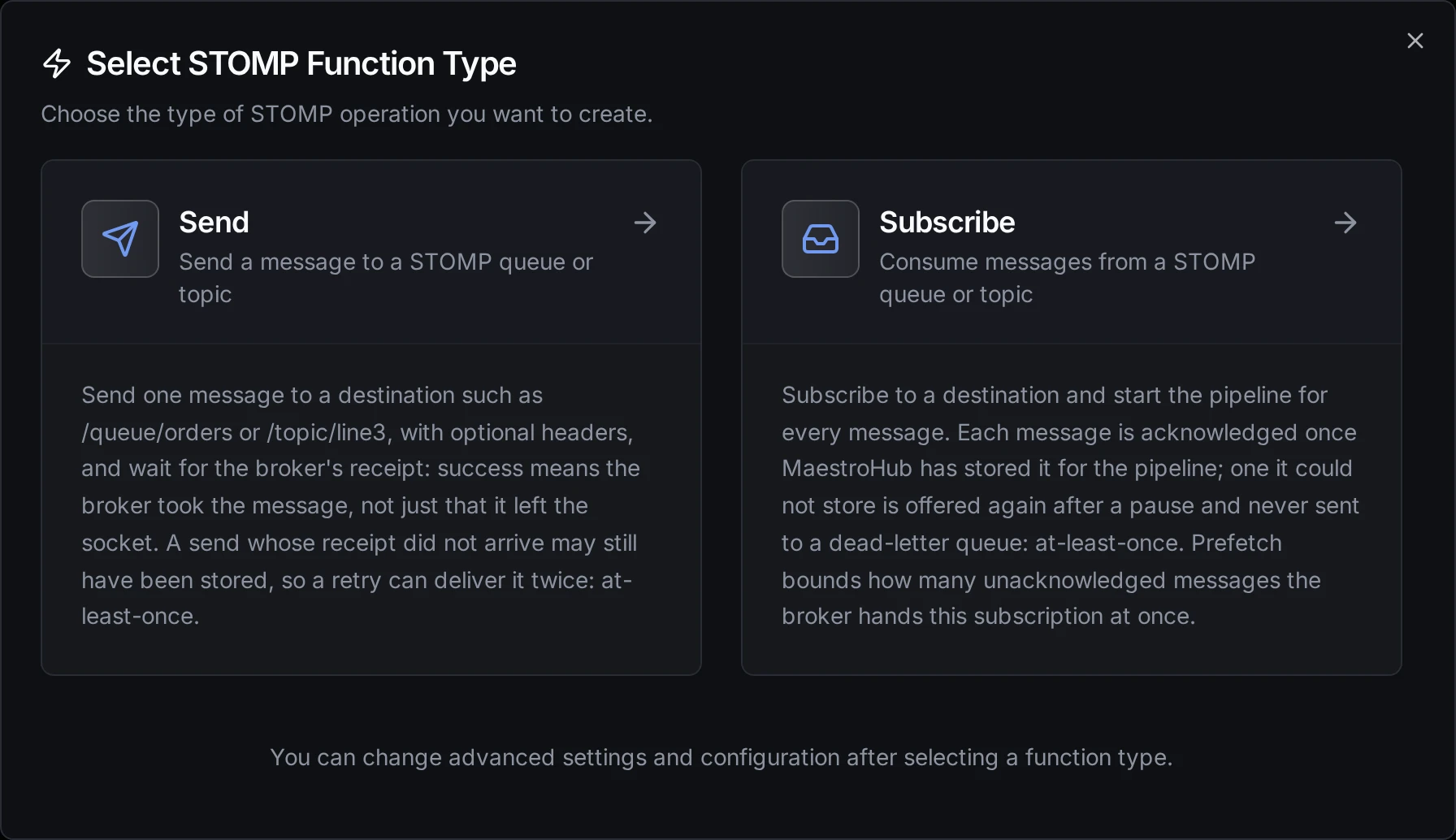
Two STOMP function types: Send sends a message, Subscribe starts a pipeline for every message
Send Function
Purpose: send one message to a queue or topic and wait for the broker's receipt.
| Field | Type | Required | Default | Description |
|---|---|---|---|---|
| Destination | String | Yes | - | The destination exactly as the broker names it: /queue/orders or /topic/line3 on ActiveMQ and RabbitMQ; on Artemis, as its STOMP acceptor maps names. Supports template parameters |
| Payload | String | Yes | - | The message body. Supports template parameters |
| Body Type | Choice | No | text | text: sent without a content-length header, so ActiveMQ and Artemis deliver a JMS TextMessage; the body may not contain a NUL byte. bytes: sent with content-length, delivered as a BytesMessage |
| Content Type | String | No | - | The body's MIME type (content-type header), for example application/json. Supports template parameters |
| Persistent | Boolean | No | true | Ask the broker to store the message durably before it confirms |
| Headers | JSON object | No | - | Extra headers, each value sent as text; they arrive at a JMS consumer as message properties. Frame headers (destination, receipt, content-length, transaction and the like) are refused, and so is a name given twice. A fixed _AMQ_DUPL_ID is refused when the function is saved: ActiveMQ Artemis would deliver the first message and drop every later one; template it per message, for example ((orderId)). Supports template parameters |
| Timeout | Duration | No | 1m | Bound on this one send |
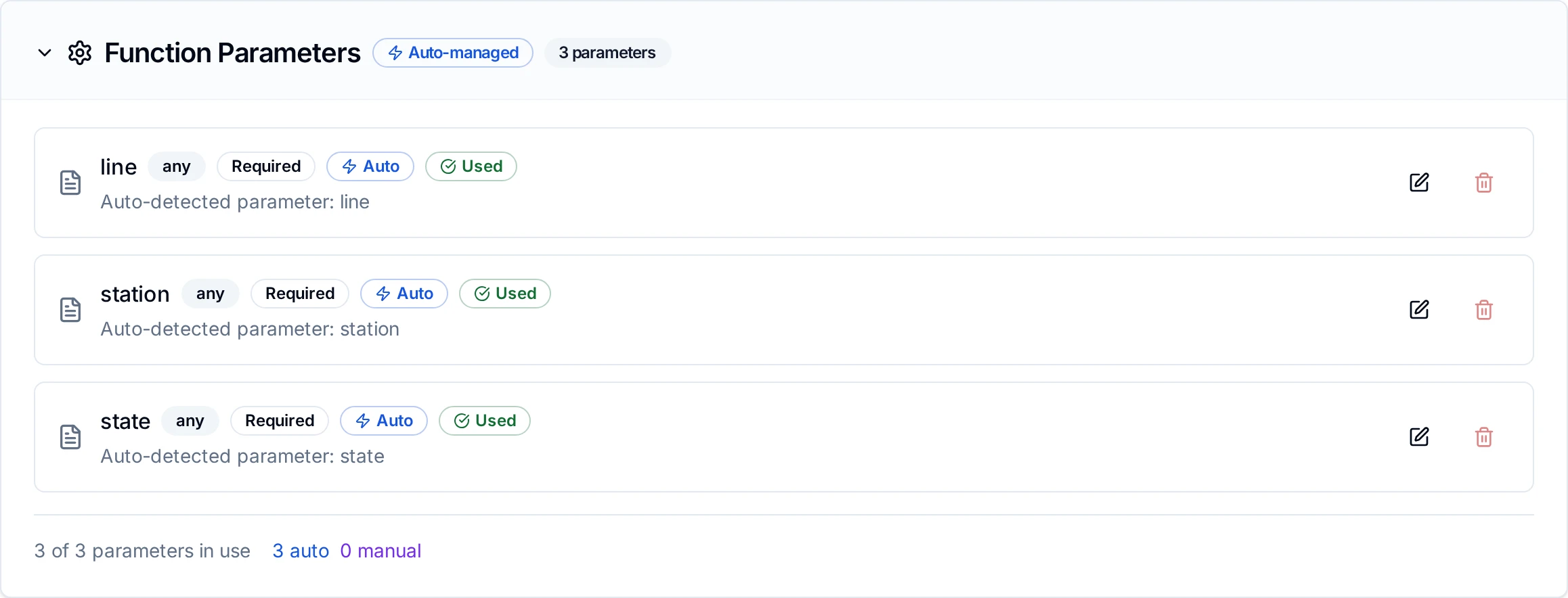
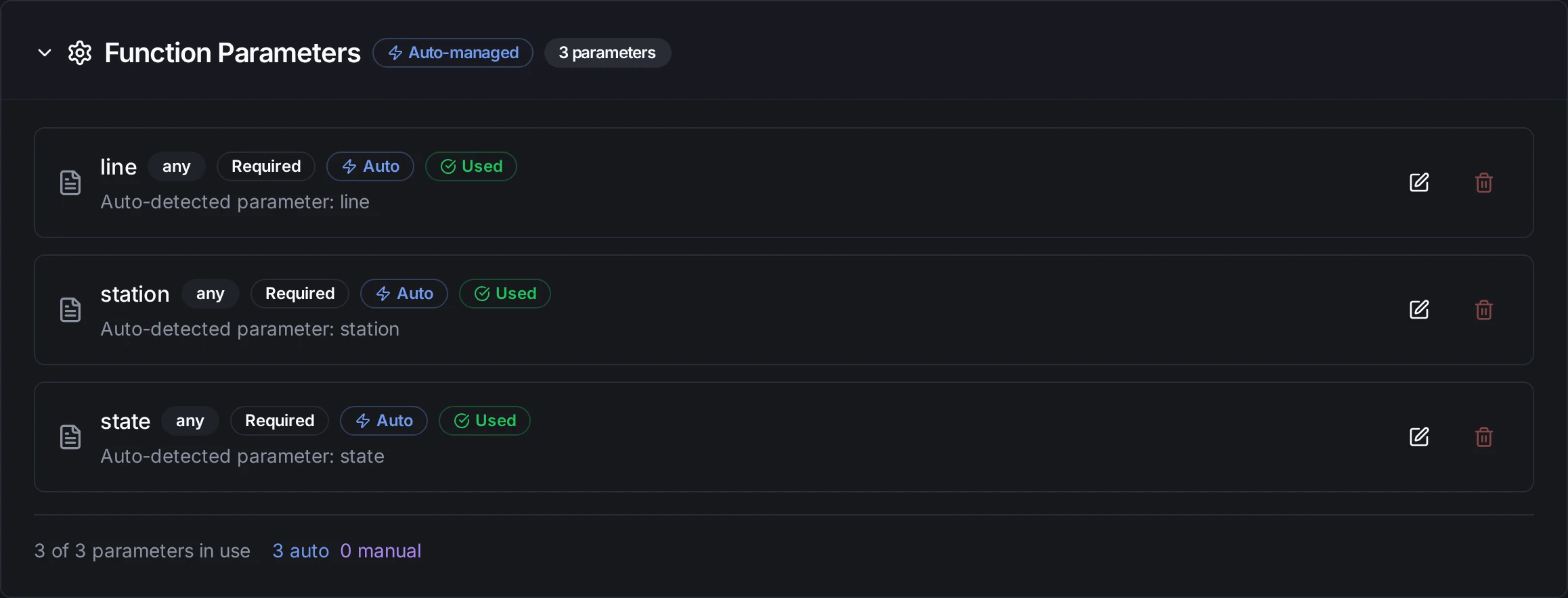
Parameters detected from ((placeholders)) in the destination and payload
Every send asks for a receipt: success means the broker took the message, not just that it left the socket. A destination with a space, an empty payload or a frame header among the headers is refused when the function is saved, and again before anything is sent when a templated value resolves to one.
A send whose receipt did not arrive (a receipt timeout, a dropped connection) may still have been stored, so it is reported as a transient failure, and a retry or a store-and-forward resend can deliver it twice. Every copy of a store-and-forward write carries its write key in the header maestrohub.write-key, so a consumer can recognise a repeat, and in _AMQ_DUPL_ID (unless the function's headers set it), which ActiveMQ Artemis uses to drop the repeat itself, within its duplicate-ID cache (the last 20,000 IDs per address by default). ActiveMQ Classic and RabbitMQ keep both copies.
A message the broker refused with an ERROR frame that names the send's receipt and says why (ActiveMQ Classic: the login is not authorized to write to the destination) is a permanent failure and is not retried. ActiveMQ Artemis refuses such a send with AMQ339011 Error sending message and no reason, and RabbitMQ's refusal names no receipt, so on those two it is reported as a transient failure: retried, and failed for good when the retries run out. A send that cannot get a session because the broker refuses the login (a rotated passcode) is reported as not connected, held, and sent once the connection is back.
Subscribe Function
Purpose: the subscription a pipeline's STOMP Trigger runs. It has no node of its own.
| Field | Type | Required | Default | Description |
|---|---|---|---|---|
| Destination | String | Yes | - | The queue or topic to consume, as the broker names it. Not templated: a subscription is opened once |
| Prefetch | Number | No | 10 | How many unacknowledged messages the broker may hand this subscription at once, from 1 to 16. Sent as ActiveMQ Classic's activemq.prefetchSize and RabbitMQ's prefetch-count. ActiveMQ Artemis ignores it and hands out one message at a time: its own flow control (consumer-window-size) counts bytes, not messages |
| Selector | String | No | - | A JMS message selector, for example line = 'line3', so the broker delivers only matching messages. ActiveMQ and Artemis apply it. RabbitMQ has no selectors, so a selector on a RabbitMQ subscription is refused when the trigger starts, rather than every message being delivered. Write nested parentheses with a space between them, ( ( rather than ((, which MaestroHub reads as a template parameter |
- Acknowledged once stored. Each message is acknowledged individually after MaestroHub has stored it for the pipeline. One it could not store is offered again after a pause (never negatively acknowledged: ActiveMQ would move it to its dead-letter queue at once); a subscription stopped while a message waits leaves it unacknowledged, and the broker gives it to the next subscriber. A pipeline can therefore see a message twice (at-least-once).
- A session of its own. Each subscription runs on its own STOMP session, so a slow pipeline never delays a send's receipt.
- Scaling out. Several MaestroHub instances subscribed to one queue share its messages (competing consumers). A destination every subscriber receives in full (a topic, and on RabbitMQ an
/exchange/or/temp-queue/destination) gives each instance every message, so on a connection that runs on several instances the trigger runs the pipeline once per instance for each message. On ActiveMQ Artemis the instances share the messages only when the destination is an anycast queue: an address Artemis created multicast (see below) gives each instance every message. The log says so once when the trigger starts. Use a queue to share the messages. - Queues on ActiveMQ Artemis. Artemis's stock STOMP acceptor maps no
/queue/prefix, so a destination that does not exist yet is created as a multicast address: a topic, where a message sent while no subscriber is attached reaches no one. Create the queue first (anycast), or setanycastPrefix=/queue/;multicastPrefix=/topic/on the STOMP acceptor, as Artemis recommends for STOMP clients.
Pipeline Integration
Use a Send function as the STOMP Send node inside a pipeline, and a Subscribe function behind a STOMP Trigger to start one.
Common patterns:
- Collect → Send: read from OPC UA, Modbus or S7 and send to an ActiveMQ queue an MES consumes
- Subscribe → Process → Send: consume work orders from one queue, enrich them, send them on
- Subscribe → Store: write each message to a database or the Unified Namespace
Common Use Cases
Line events to a legacy MES bus
Send configuration:
- Destination:
/queue/mes.line3.events - Payload:
{"station": "((station))", "state": "((state))"} - Body Type:
text, so the MES's JMS listener receives aTextMessage - Headers:
{"line": "line3", "source": "maestrohub"}
Turn on store-and-forward on the connection to keep sending through a WAN outage.
One line's orders only
A Subscribe function on /queue/mes.orders with the selector line = 'line3' hands the pipeline only line 3's orders; the broker keeps the others for their own consumers.
Troubleshooting
| Error | Cause | Fix |
|---|---|---|
the broker refused the connection: … | The broker answered CONNECT with a refusal: a wrong login or passcode, or (RabbitMQ) a virtual host that does not exist or the login may not use. The connection is not retried until you change it | Check the login, and the Virtual Host on RabbitMQ |
the broker answered with an ERROR frame at CONNECT: … or … at SUBSCRIBE: … | The broker said no for a reason that is not a refusal of the settings (a connection limit, a virtual host that is down) | Nothing, if it passes: the connection or subscription is tried again. Otherwise fix what the broker names |
… answered with STOMP 1.0 … | The broker speaks only STOMP 1.0, which has no per-message acknowledgement (client-individual) and no heart-beats | Upgrade the broker or enable STOMP 1.1/1.2 on it |
the broker refused the message: … not authorized to write … | The login may not send to the destination (ActiveMQ Classic) | Grant write on the destination, or send to another one |
the broker ended the session … AMQ339011 Error sending message … | ActiveMQ Artemis would not take the message, and gave no reason; most often the login may not send to the address | Check the login's send permission on the address in Artemis's security-settings |
the broker ended the session … ACCESS_REFUSED - write access … | RabbitMQ: the login may not write the destination | Grant write in the login's permissions on the virtual host |
the broker refused the subscription: … | The login may not read the destination, or the selector does not parse | Grant read on the destination, or fix the selector |
msg receipt timeout | No receipt within the Receipt Timeout | Check the broker's health; the message may have been stored |
… the broker (RabbitMQ/…) is RabbitMQ, which has no message selectors … | The subscription has a selector and the broker is RabbitMQ | Remove the selector and filter in the pipeline |
x509: certificate signed by unknown authority | The broker's certificate is from a CA this connection does not trust | Paste that CA under CA Certificate |
connection refused | Nothing listens at the host and port, or the broker's STOMP connector is off | Check the port (61613, or the TLS listener's port with TLS on), and on RabbitMQ run rabbitmq-plugins enable rabbitmq_stomp |