Break-glass
Emergency access that does not wait for an administrator, and leaves a trail nobody can miss.
- Where
- My Access › Emergency access
- Needs
- break_glass:elevate
- Into
- The roles the instance allows
- Licence
- Every edition
At 3 a.m. a connection on the line hangs, and the operator on call may read connections but not restart them. Break-glass lets them give themselves a role they don't hold, for a few hours, without waking an administrator. The elevation needs a written reason, alerts everyone who reads the audit trail, ends on its own and cannot be renewed.
Break-glass is part of every edition: an emergency is not a reason to upsell.
Set it up
Break-glass is off until an administrator of the instance says which roles one may elevate into. The policy is instance configuration; there is no screen for it.
| Setting | Default | Meaning |
|---|---|---|
modules.authz.breakGlass.allowedRoles | empty | The roles one may elevate into, by exact name, for example Connect.Editor. Empty refuses every elevation. |
modules.authz.breakGlass.maxDurationHours | 4 | The longest elevation. |
modules.authz.breakGlass.minReasonLength | 20 | The shortest reason, in characters. |
As environment variables: MAESTROHUB_MODULES_AUTHZ_BREAKGLASS_ALLOWEDROLES=Connect.Editor and so on. The policy is read when the instance starts.
Then decide who may break the glass: the people holding break_glass:elevate. No built-in role grants it except System Administrator, so create a custom role with just that permission (for example On call) and assign it to the on-call people, or to a group such as Night-Shift. Custom roles need Advanced Access Control; on Foundation, only a System Administrator can break the glass.
API clients, agents and pipelines can never break the glass.
Break the glass
- Open My Access and click Emergency access. The button is there only for people holding
break_glass:elevate. - Choose the role to elevate into, from the roles the instance allows.
- Enter the duration in minutes, up to the instance's limit.
- Write the reason: what happened and what you are going to do. It goes into the audit trail and the alert.
- Click Elevate.
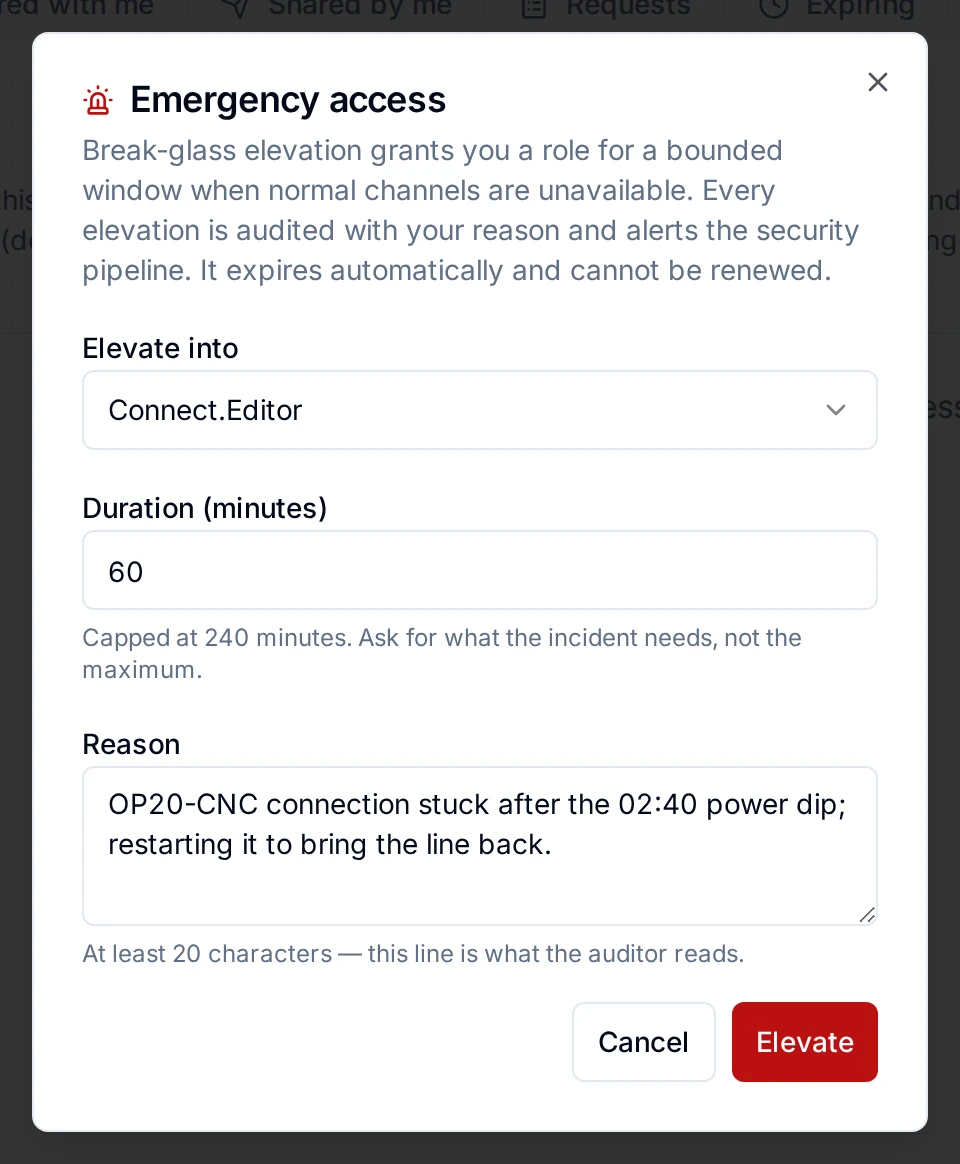
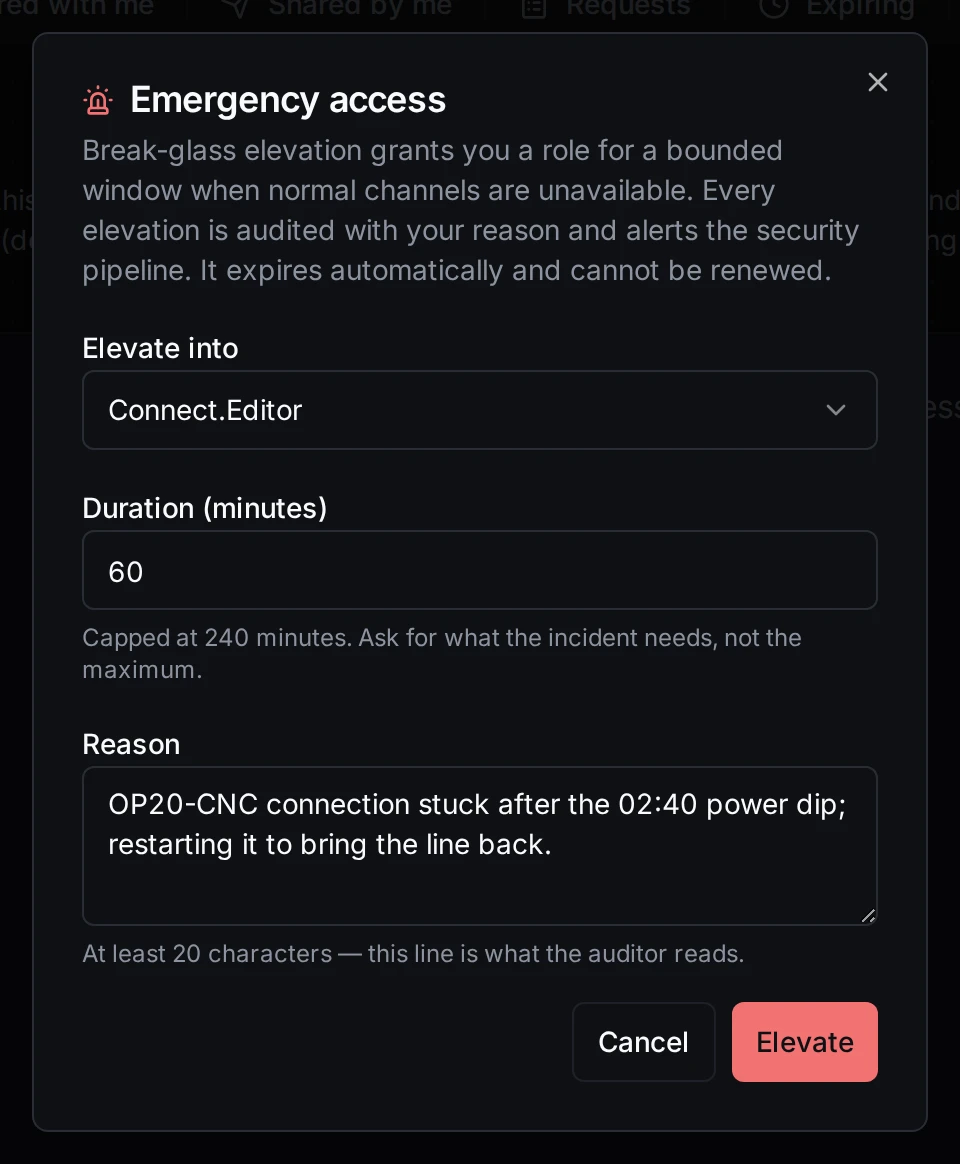
Breaking the glass on the night shift
You hold the role straight away, in this workspace, until the elevation ends. It shows on your My Access → Expiring tab.
Elevating is refused when the instance has no policy, when the role is not on the list, when the duration is over the limit, when the reason is too short, and when you already hold the role (renew that grant instead, if it is about to end).
Who is told
Everyone who may read the audit trail (audit_log:read: administrators, Security Administrators, Compliance Auditors) gets a critical notification: Break-glass: person elevated to role, with the reason and when it ends. The elevation is recorded as break_glass.granted, and every action taken under it is recorded with the person who took it.
How it ends
The elevation ends at the end of its duration: the expiry sweep removes the role within five minutes of the cutoff. Thirty minutes before, the person is warned. A break-glass elevation is never renewed; if the emergency is still on, break the glass again, with a new reason.
The admin CLI's password reset for a locked-out administrator is a different tool. Break-glass here is for people who can sign in and need more access for a short time.