Access requests
Ask the person responsible for a resource, instead of asking an administrator for a bigger role.
- Where
- My Access › Requests
- Decided by
- Steward · owner · a holder of share
- Becomes
- A share, optionally time-bound
- Licence feature
- Advanced Access Control
When you need access you don't have, request it. The request goes to the person responsible for the resource: the steward of its branch, or its owner. If they approve, you get a share for exactly what you asked, for as long as they decide.
Request access
You can start a request from several places:
- My Access → Requests → New request.
- My Access → What I can do: with Show permissions I don't have on, every verb you don't hold that can be requested has a Request button, which fills in the form.
- Data Explorer: right-click a topic, Request access….
- Orchestrate → Pipelines: a pipeline row's ⋮ menu, Request access.
- A refusal: when the product refuses an action, the message offers Request access; so does the read-only notice on a resource you may only view.
In the Request access dialog:
- Choose the Resource type: Apps, Connections, Dashboards, Functions, Library Panels, Pipelines or UNS Topics.
- Enter the resource: the Topic path for a topic, otherwise its Resource ID. Started from a resource's menu, both are filled in.
- Choose the Access wanted: one of the verbs that type can be shared with (see Sharing).
- Optionally explain why in Justification. The person deciding sees it.
- Click Submit request.
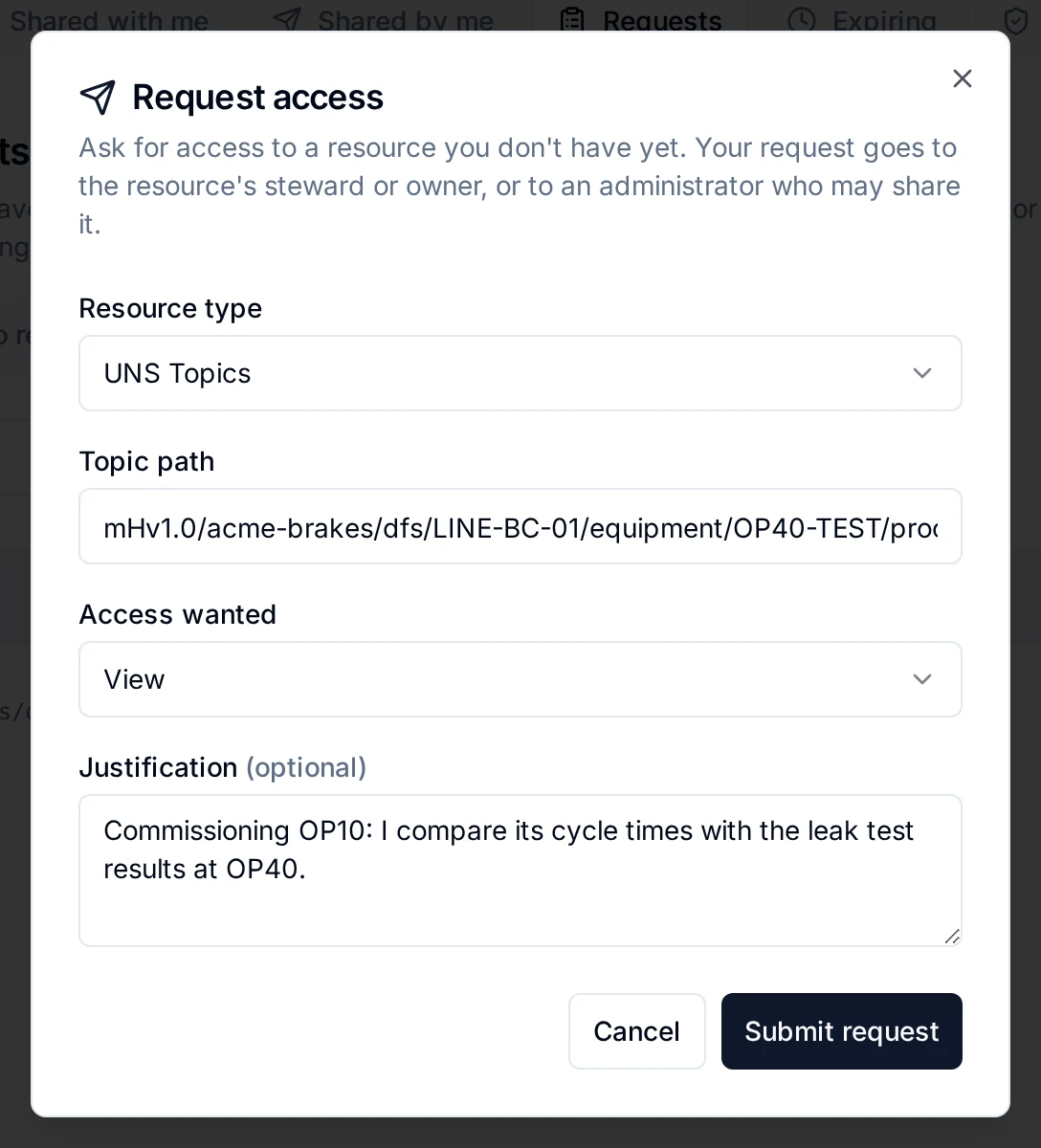
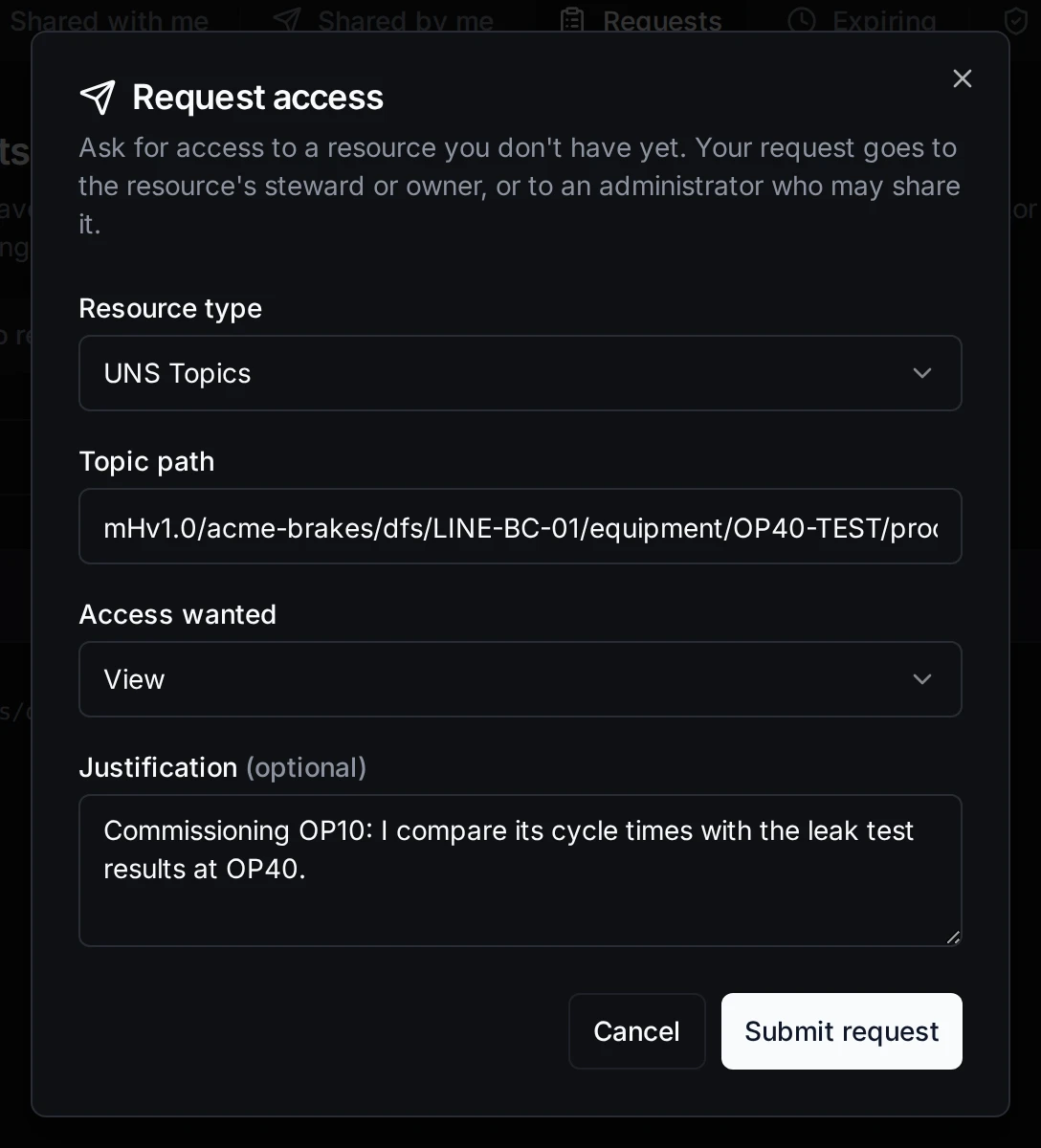
Asking for publish on a topic of the OP40 test station
A request is refused when:
- You already have that access. You already have this access: there is nothing to request.
- You already asked. One open request per resource and action.
- The resource does not exist. A topic path with no topic is refused.
- You ask for transfer. Ownership is handed over, not requested.
Your requests and their status (pending, approved, denied, cancelled, closed) are on My Access → Requests → My requests. You can cancel a pending one there.
Who decides
The request goes to the first of these who can decide it:
- The nearest steward above the resource (topics). See Stewardship.
- The resource's owner. A function's request goes to the owner of its connection.
- The workspace's designated fallback owner (see Ownership).
- Everyone who holds
shareon that type of resource in the workspace. They see it in their inbox and are notified.
Nobody decides their own request: a request is never routed to the person who made it, and a steward cannot approve their own. Deciding needs share on the resource. For pipelines share comes from ownership, not from a role, so a pipeline request is decided by the pipeline's owner (or a System Administrator), not by a Workspace Administrator.
When the decider changes (a steward is removed, the owner changes, someone leaves), pending requests move to the next person in this order and they are notified. A request closes on its own when the resource is deleted or when you leave the workspace.
Approve or deny
The people a request is routed to are notified (Access requested) and find it on My Access → Requests → To review. The tab shows how many are waiting.
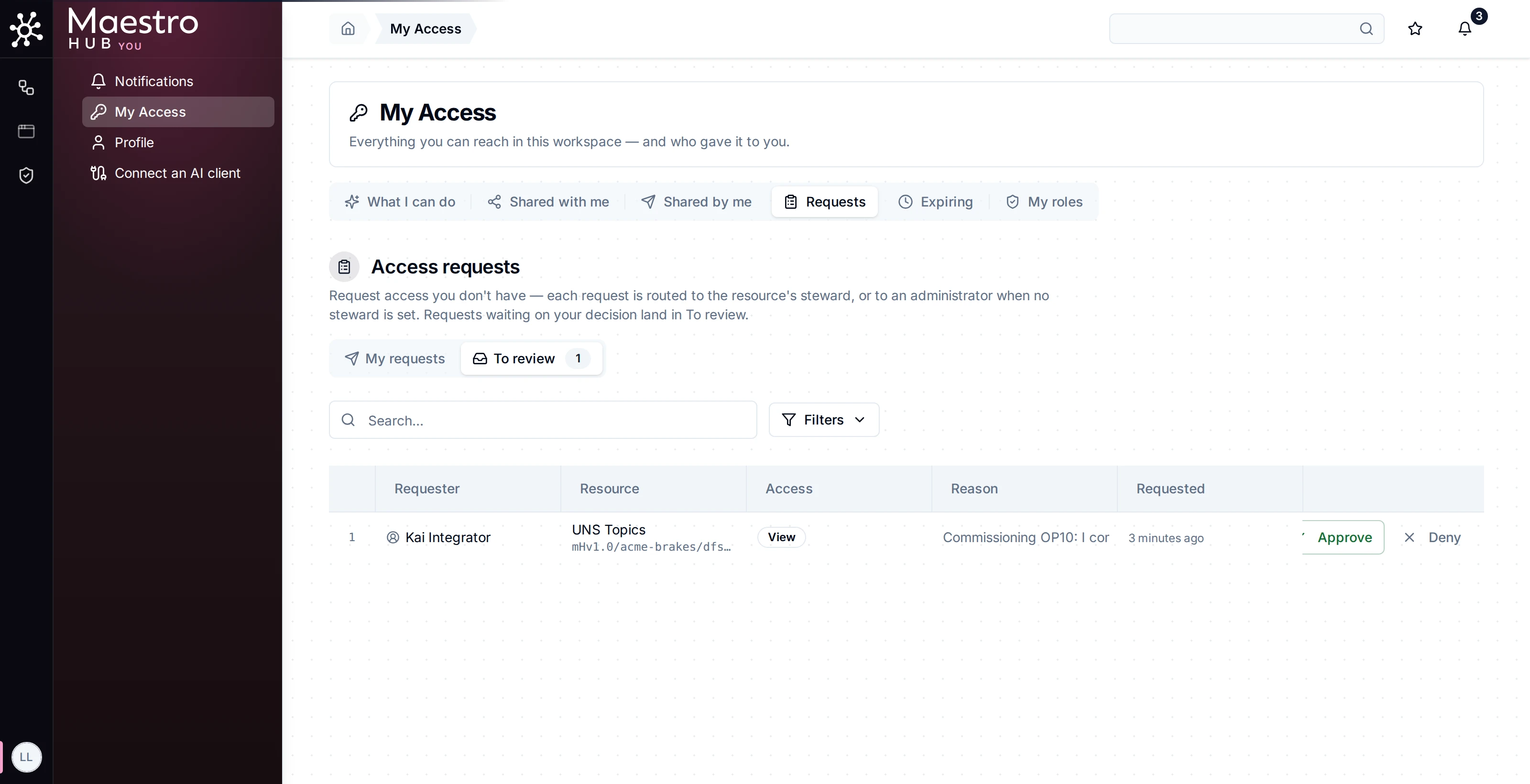
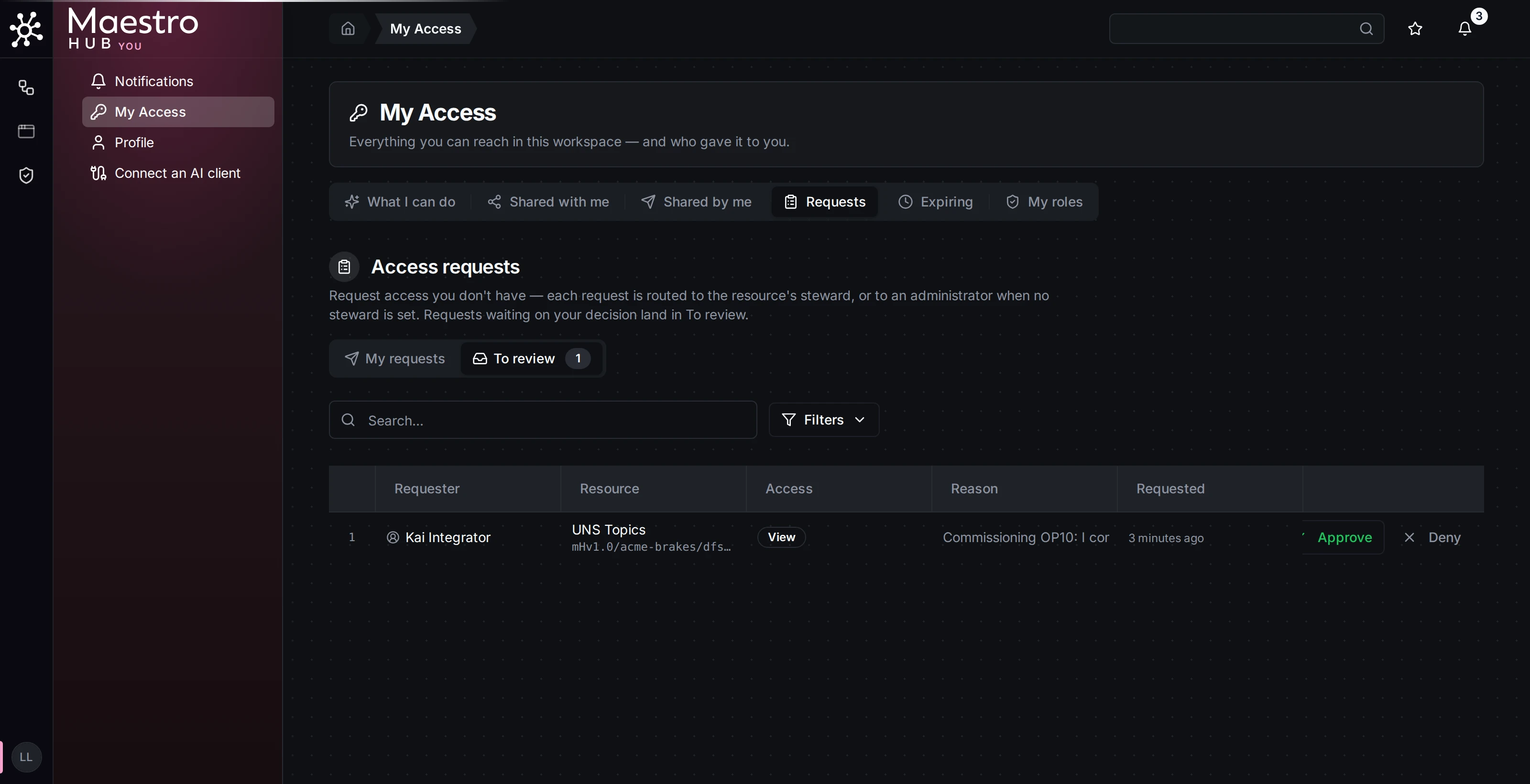
The steward's inbox
Click Approve or Deny. When approving you can set:
- Expiry: when the access ends, at least five minutes and at most one year from now. Leave it empty for access without an end. See Time-bound access.
- Condition (topics): when the access applies, for example
request.time_of_day >= 9 && request.time_of_day < 17. The hour is read in UTC. - Note: a message to the requester.
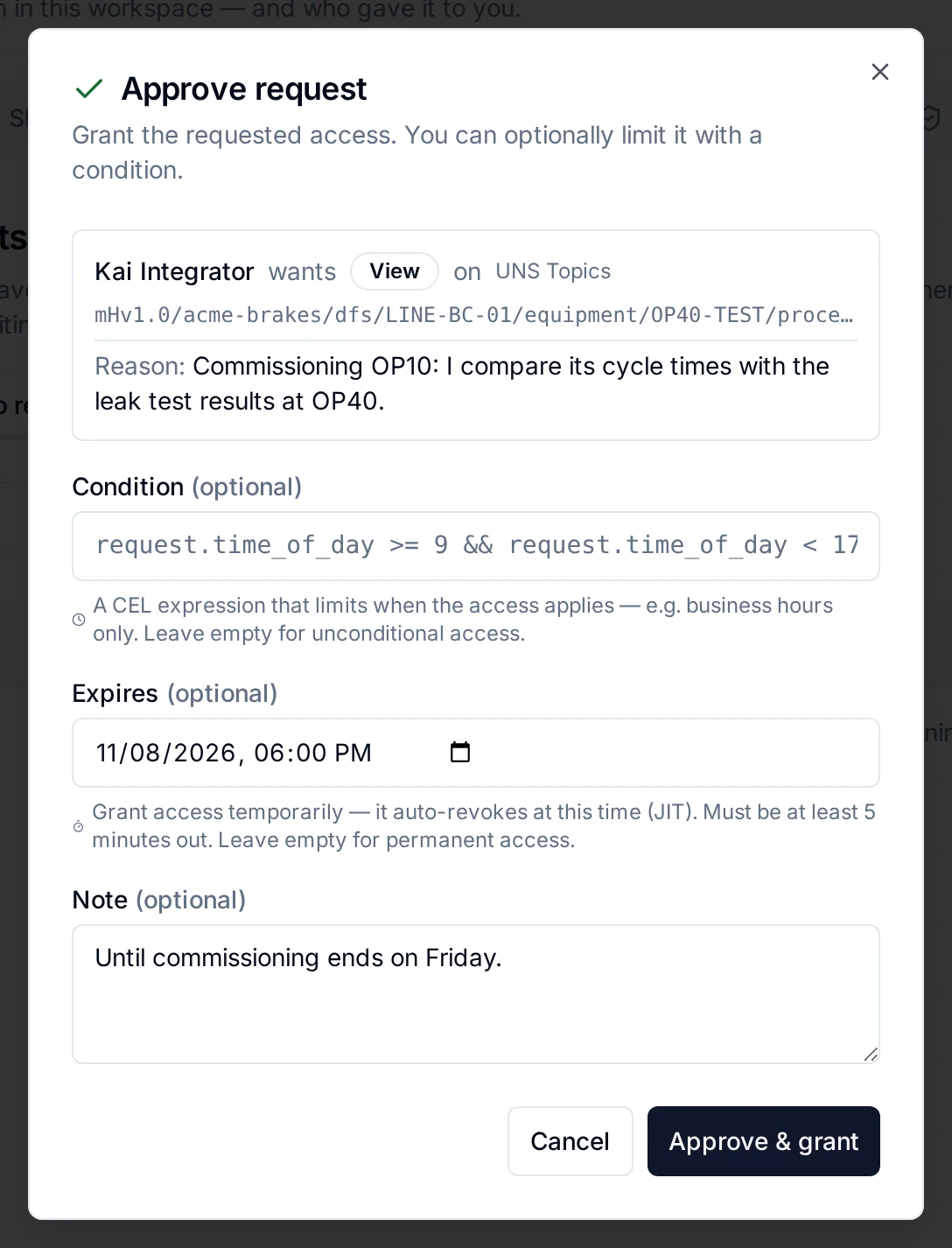
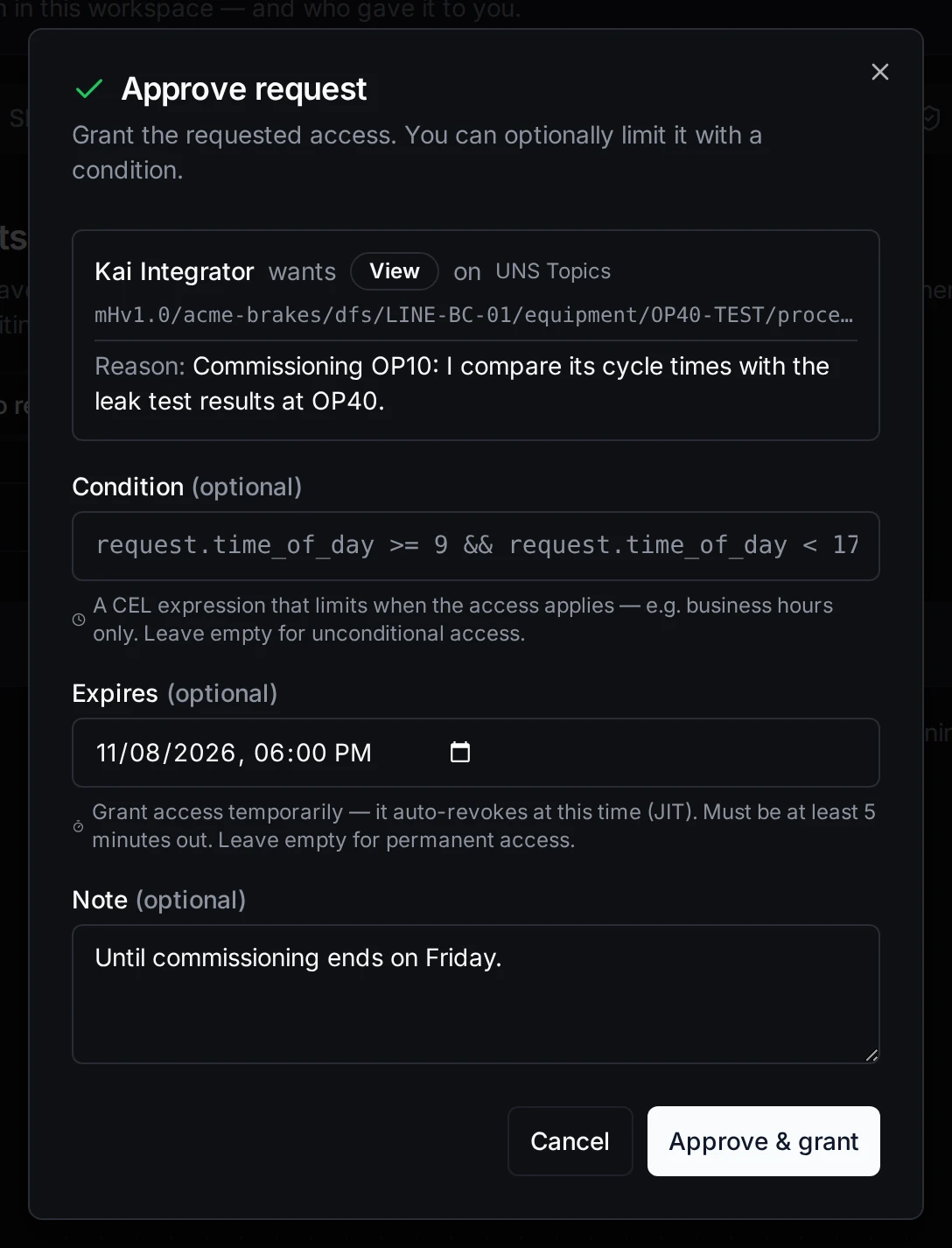
Approving for a week
Approve & grant writes a share to the requester for exactly the requested action on that resource. You don't need to hold the action yourself; being responsible for the resource is enough. Deny request declines it, with an optional reason. Either way the requester is notified (Access request approved or denied) with your note.
An approval with an expiry shows on the requester's My Access → Expiring tab and ends on schedule.
In the audit trail
Every step is recorded: access_request.created, access_request.approved (with the condition and expiry), access_request.denied, access_request.rerouted and access_request.closed. A requester cancelling their own request is not recorded.
Without the licence
Filing and approving requests need Advanced Access Control. Without it, the Requests tab stays: pending requests can still be denied, and their requesters can cancel them. See Licence changes.