Local File Nodes
Local File nodes allow pipelines to interact with files on the local filesystem. All file operations are restricted to a configured base directory for security. Use these nodes to read data files, write output files, and integrate file-based workflows with other pipeline operations.
Configuration Quick Reference
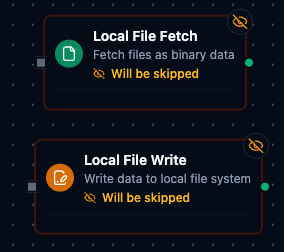
Local File Nodes
| Field | What you choose | Details |
|---|---|---|
| Parameters | Connection, Function, Function Parameters, Timeout Override | Select the connection profile, function, configure function parameters with expression support, and optionally override timeout. |
| Settings | Description, Timeout (seconds), Retry on Timeout, Retry on Fail, On Error | Node description, maximum execution time, retry behavior on timeout or failure, and error handling strategy. All execution settings default to pipeline-level values. |
Local File Fetch Node
Read files from the local filesystem for processing in your pipeline.
Supported Function Types:
| Function Name | Purpose | Common Use Cases |
|---|---|---|
| Fetch Local File | Read file content | CSV data import, configuration files, log analysis |
Node Configuration
| Parameter | Type | Required | Description |
|---|---|---|---|
| Connection | Selection | Yes | Local File connection profile to use |
| Function | Selection | Yes | Fetch function from the selected connection |
| Function Parameters | Dynamic | Varies | Auto-populated from the function schema. See your Local File connection functions for full parameter details. |
| Timeout Override | Number (seconds) | No | Override the default function timeout |
All function parameters support expression syntax ({{ expression }}) for dynamic values from the pipeline context.
Input
The node receives the output of the previous node as input. Input data can be referenced in function parameter expressions using $input.
Output Structure
On success the node produces:
{
  "result": {
    "data": "aWQsbmFtZSx2YWx1ZQoxLGFscGhhLDEwMAo...",
    "metadata": {
      "fileName": "sales_data.csv",
      "filePath": "/data/reports/sales_data.csv",
      "fileType": "csv",
      "sizeBytes": 2048,
      "lastModified": "2026-01-15T08:30:00Z",
      "discoveryPattern": "^sales_.*\\.csv$",
      "outputFormat": "base64",
      "selectedBy": "lastModified",
      "matchCount": 3
    }
  },
  "_metadata": { "success": true, "functionId": "<function-id>", "durationMs": 42, "timestamp": "2026-01-15T08:30:00Z" }
}
Fetch Result Fields
| Field | Type | Description |
|---|---|---|
result.data | string | File content. Base64-encoded when outputFormat=base64 (default), the text itself when outputFormat=text — with a UTF-8 BOM stripped. |
result.metadata.fileName | string | Basename of the resolved file. |
result.metadata.filePath | string | Full path of the resolved file (within the base path). |
result.metadata.fileType | string | Extension without the leading dot (csv, json, …). Empty when the file has no extension. |
result.metadata.sizeBytes | number | File size in bytes. |
result.metadata.lastModified | string | RFC 3339 UTC timestamp of last modification. |
result.metadata.discoveryPattern | string | The pattern that resolved the file (the literal name or the compiled pattern). |
result.metadata.outputFormat | string | base64 or text — echoes the request. |
result.metadata.encodingHint | string | Optional. Present when a byte-order mark was found: utf-8-bom, utf-16le-bom, utf-16be-bom. |
result.metadata.selectedBy | string | Optional. Present when the file was found by matching a pattern: the rule that picked it among the matches, lastModified or name (the function's When Several Files Match setting). |
result.metadata.matchCount | number | Optional. Present when the file was found by matching a pattern: how many files matched. |
_metadata.method | string | The call's own fact, on every Local File node: the operation that ran (localfile.fetch, localfile.write, localfile.list, localfile.delete, localfile.move) |
The content is at result.data. When piping into a File Extractor node, set its Input Field to result.data.
Local File Write Node
Write content to files on the local filesystem.
Supported Function Types:
| Function Name | Purpose | Common Use Cases |
|---|---|---|
| Write to Local File | Write file content | Export reports, save processed data, create log files |
Node Configuration
| Parameter | Type | Required | Description |
|---|---|---|---|
| Connection | Selection | Yes | Local File connection profile to use |
| Function | Selection | Yes | Write function from the selected connection |
| Function Parameters | Dynamic | Varies | Auto-populated from the function schema (e.g., fileName, data). See your Local File connection functions for full parameter details. |
| Timeout Override | Number (seconds) | No | Override the default function timeout |
All function parameters support expression syntax ({{ expression }}) for dynamic values.
Input
The node receives the output of the previous node as input. Use expressions like {{ $input[0].result.data }} (the content an upstream Fetch delivered) to pass dynamic values to write parameters.
Output Structure
{
  "result": {
    "filePath": "/data/exports/output.csv",
    "bytesWritten": 1024,
    "encoding": "utf-8",
    "created": true,
    "appended": false,
    "duration": 15
  },
  "_metadata": { "success": true, "functionId": "<function-id>", "durationMs": 15, "timestamp": "2026-01-15T08:30:00Z" }
}
Write Result Fields
| Field | Type | Description |
|---|---|---|
result.filePath | string | Path actually written. May differ from the input when Overwrite Existing is off and a timestamped variant was written instead. |
result.bytesWritten | number | Bytes written after the encoding transformation. |
result.encoding | string | Encoding actually applied. When the function used auto, this reveals the encoding the connector picked. |
result.created | boolean | true if the file did not exist before this call. |
result.appended | boolean | true if the call appended rather than wrote whole. |
result.duration | number | Write duration in milliseconds. |
Local File List Node
List the entries of a directory under the base path, optionally filtered by a glob pattern and recursively.
| Function Name | Purpose | Common Use Cases |
|---|---|---|
| List | List a directory (path, pattern, recursive) | Discovering dropped files, driving a For Each loop |
Leave path empty, or set it to / or ., to list the base path itself.
Output Structure
{
  "result": {
    "path": "inbound",
    "count": 2,
    "files": [
      { "name": "sales_2026-01-15.csv", "path": "inbound/sales_2026-01-15.csv", "size": 2048, "isDir": false, "modified": "2026-01-15T08:30:00Z" },
      { "name": "archive", "path": "inbound/archive", "size": 0, "isDir": true, "modified": "2026-01-14T12:00:00Z" }
    ]
  },
  "_metadata": { "success": true, "functionId": "<function-id>", "durationMs": 4, "timestamp": "2026-01-15T08:30:00Z" }
}
| Field | Type | Description |
|---|---|---|
result.path | string | Directory that was listed, relative to the connection's base path. |
result.count | number | Number of entries delivered (after the pattern filter). |
result.files | array | One entry per file or directory: name, path (relative to the base path — feed it to Fetch, Move or Delete), size (0 for directories), isDir, modified (RFC 3339 UTC). |
Wire Local File List into a For Each Loop bound to result.files. Each iteration receives one entry and can branch on isDir.
Local File Delete Node
Delete one file under the base path. Directories are not deleted.
| Function Name | Purpose | Common Use Cases |
|---|---|---|
| Delete | Remove the file at fileName | Cleanup after processing, retention policies |
Output Structure
{
  "result": { "filePath": "/data/inbound/processed/old.csv" },
  "_metadata": { "success": true, "functionId": "<function-id>", "durationMs": 2, "timestamp": "2026-01-15T08:30:00Z" }
}
| Field | Type | Description |
|---|---|---|
result.filePath | string | Path of the deleted file. |
Local File Move Node
Move or rename a file within the base path.
| Function Name | Purpose | Common Use Cases |
|---|---|---|
| Move | Move sourcePath to destinationPath | Archiving processed files, date-based folders |
Output Structure
{
  "result": { "sourcePath": "/data/inbound/orders.csv", "destinationPath": "/data/inbound/processed/2026-01-15/orders.csv", "moved": true },
  "_metadata": { "success": true, "functionId": "<function-id>", "durationMs": 3, "timestamp": "2026-01-15T08:30:00Z" }
}
| Field | Type | Description |
|---|---|---|
result.sourcePath | string | Resolved source path. |
result.destinationPath | string | Resolved destination path. |
Common Use Cases
Reading CSV Data for Processing
- Configure a Local File connection with base path pointing to your data directory
- Create a Fetch Local File function targeting your CSV file
- Add a Local File Fetch node to your pipeline
- Connect the output to a File Extractor node to parse the CSV into JSON
[Trigger] → [Local File Fetch] → [File Extractor] → [Process Data]
Writing Pipeline Results to File
- Configure a Local File connection with base path pointing to your output directory
- Create a Write to Local File function with parameterized filename and data fields
- Add a Local File Write node after your data processing nodes
- Use expressions to pass the processed data and dynamic filename
[Fetch Data] → [Transform] → [Local File Write]
Parameterized File Operations
Use parameter placeholders in your functions to create dynamic file paths:
| Parameter Pattern | Example | Use Case |
|---|---|---|
((fileName)).csv | sales.csv | Simple parameterized filename |
((date))/report.csv | 2026-01-15/report.csv | Date-based folder structure |
((region))/((year))/data.json | us-west/2026/data.json | Multi-level parameterization |
Pass parameter values using expressions in the node configuration:
fileName: {{ $trigger.result.filename }}
date: {{ $execution.startedAt | date: 'YYYY-MM-DD' }}
Settings Tab
Both Local File node types share the same Settings tab:
| Setting | Type | Default | Description |
|---|---|---|---|
| Description | Text | — | Optional description displayed on the node |
| Timeout (seconds) | Number | Pipeline default | Maximum time the node may run before timing out |
| Retry on Timeout | Toggle | Pipeline default | Automatically retry the node if it times out |
| Retry on Fail | Toggle | Pipeline default | Automatically retry the node if it fails |
| On Error | Selection | Pipeline default | Error strategy: Pipeline Default (the pipeline's Error Handling setting), Stop Pipeline or Continue Execution |
When left at their defaults, these settings inherit from the pipeline-level execution configuration.
Integration with File Extractor
The Local File Fetch node is commonly used with the File Extractor node to parse CSV and Excel files into structured JSON data:
- Local File Fetch reads the raw file content
- File Extractor parses the content into rows and columns
Set the File Extractor's inputField to result.data, where the Local File Fetch node puts the content.
Best Practices
- Use specific file paths rather than regex patterns when possible for better performance
- Set appropriate timeouts for large files or slow storage
- Validate file existence before write operations that should not overwrite
- Use parameterized paths to create organized, date-based folder structures
- Configure size limits in the connection to prevent memory issues with large files
All file operations are restricted to the base path configured in the connection. Symlinks are disabled by default to prevent access outside the base directory.
Every path you give a Local File node — a file name, a directory, a move source or destination — is relative to that base path, and a leading / means the base path root rather than the filesystem root. /inbound/orders.csv and inbound/orders.csv are the same file. A path that climbs out with .. is refused, with or without the leading separator. This is the same rule the SMB nodes follow.
Related Documentation
- Local File Connection Guide — connection configuration, function builder, and detailed parameter reference
- File Extractor Node — parse CSV and Excel files into structured JSON