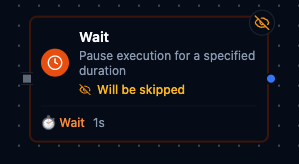
Wait node
Wait Node
Overview
The Wait Node suspends pipeline execution for a configurable duration and then forwards the incoming payload. It is ideal for throttling downstream systems, sequencing dependent actions, or adding short-lived timers without leaving the Maestro orchestration environment. The node keeps lightweight state throughout the delay and appends timing metadata to the outbound packet so operators can audit intentional pauses.
Core Functionality
1. Flexible Duration Input
- Accepts literal durations such as
1000msor5s, with a range of 1 ms to 60 s. - Supports Maestro expressions (for example
{{ $node["Config"].result.waitTime }}) that resolve at runtime, enabling dynamic delays per execution. - Expression syntax is validated during configuration; runtime values are re-parsed and clamped to the 60-second ceiling.
2. Stateful Waiting
- Manages the process by keeping track of how long it should wait, the exact moment the wait started, and whether it’s still waiting or has already finished.
- Honors cancellations: when a pipeline run is stopped, the wait ends immediately and propagates a cancellation error.
- Resetting or reloading the node clears stored state, ensuring the next execution starts fresh.
3. Standard Settings Compatibility
- Respects the shared retry, error handling, and documentation settings used across Maestro nodes.
- The node is set to process incoming data immediately by default, which is the preferred sync mode when you’re using waits.
Configuration Reference
Parameters
| Parameter | Type | Default | Required | Constraints | Description |
|---|---|---|---|---|---|
| Duration | string | "1s" | Yes | Format: <number>(ms|s), max 60 seconds | Duration to wait. Examples: 1000ms, 5s, 30s, 0.5s. |
Settings
| Setting | Options | Default | Description |
|---|---|---|---|
| Timeout (seconds) | number | Pipeline default | Maximum execution time for this node (1--600). |
| Retry on Timeout | Pipeline Default / Enabled / Disabled | Pipeline Default | Whether to retry on timeout. |
| Retry on Fail | Pipeline Default / Enabled / Disabled | Pipeline Default | Whether to retry on failure. When Enabled, shows Advanced Retry Configuration. |
| On Error | Pipeline Default / Stop Pipeline / Continue Execution | Pipeline Default | Behavior when node fails after all retries. |
Advanced Retry Configuration (only visible when Retry on Fail = Enabled):
| Field | Type | Default | Range | Description |
|---|---|---|---|---|
| Max Attempts | number | 3 | 1--10 | Maximum retry attempts. |
| Initial Delay (ms) | number | 1000 | 100--30,000 | Wait before first retry. |
| Max Delay (ms) | number | 120000 | 1,000--300,000 | Upper bound for backoff delay. |
| Multiplier | number | 2.0 | 1.0--5.0 | Exponential backoff multiplier. |
| Jitter Factor | number | 0.1 | 0--0.5 | Random jitter. |
Usage Examples
Example 1: Cool Down Between Assembly Jobs
| Field | Value |
|---|---|
| Duration | 5s |
| Description | Pause to avoid overheating station. |
Insert this wait after a welding robot finishes a batch. The five-second pause lets the fixture cool before the next job arrives.
Example 2: Catch-Up Buffer Before Quality Check
| Field | Value |
|---|---|
| Duration | 1.5s |
| On Error | Continue Execution |
| Description | Give vision system time to reset optics. |
Use this shorter pause ahead of an inline vision inspection. If the wait encounters an error, the branch still advances so the line does not deadlock.
Example 3: Settle Time Between Two Writes
| Field | Value |
|---|---|
| Duration | 250ms |
Place this wait between a write that moves a packaging arm and the read that checks its position, so the arm has a quarter of a second to settle before the check runs.
Configuration reference
The fields below are generated from the node's config contract, so they match what the pipeline validator enforces and what the designer's form offers.
action.wait
| Field | Type | Required | Default | Values | Description |
|---|---|---|---|---|---|
duration | string | no | 1s | 0–6e+10 | How long to pause before passing the input through unchanged, as a duration string such as "500ms" or "5s"; at most 60s. A bare number is not accepted — write the unit |