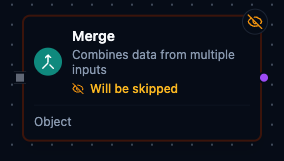
Merge node
Merge Node
Overview
The Merge Node consolidates payloads from two or more upstream branches into a single output. It always waits until every connected input delivers data, then merges the values according to the selected mode. Use it to fan-in parallel branches, stitch together batched results, or normalize multiple feeds for downstream processing.
Core Functionality
1. Wait-All Synchronization
- A single logical
inputport accepts multiple edges. - Execution is forced into
wait_all; the node fires only after every upstream branch completes. - Validation ensures at least two connections exist to prevent misconfigured merges.
2. Merge Modes
- Object (by node name) (default) builds one object with a key per branch, named after the source node. Each key holds that branch's
resultvalue. - Append (stack items) stacks the items from every branch into one list, in the order the branches are connected.
- Combine by Position pairs the first item of every branch into one object, then the second, and so on. Each object is keyed by source node name; when one branch has more items than another, the extra items appear on their own.
- Combine by Key joins items whose Key Field values match into one object keyed by source node name. Items without a match are kept on their own, and items that lack the key field are left out.
3. Branch Data
- A branch whose
resultis a list contributes each element as one item; any other value counts as a single item. - In the two Combine modes, two branches with the same node name make the node fail, so give each source node a distinct name.
4. Output Metadata
- The
resultis the keyed object in Object mode, and the list of items in the other modes. _metadatacarriesmode,inputCountandbranchStatusfor observability.- Quality: every message carries a verdict in
_metadata.quality; the joined message carries the worst of its branches (andqualityReasonbeside it when the deciding branch gave one). A branch that states no verdict says nothing; when no branch states one, the join states none either.
5. Standard Settings
- Inherits core execution settings (
Retry on Fail,On Error) and documentation options. - Input settings are fixed (
syncMode = wait_all,waitTimeout = 30s) and not user-editable.
Configuration Reference
Parameters
| Parameter | Type | Default | Required | Constraints | Description |
|---|---|---|---|---|---|
| Mode | select | "object" | Yes | object / append / combineByPosition / combineByKey | Merge strategy. |
| Key Field | string | "" | If combineByKey | -- | Field name to match items across inputs. Full outer join: matching items combine into one element; unmatched items are kept as single-source elements, ordered by first appearance. |
| Failure Mode | select | "error" | Yes | error / empty / default | What happens when a branch fails. |
| Default Value | string (JSON) | "{}" | If failureMode=default | Valid JSON | Fallback value for failed branches. |
| Min Required Branches | number | 0 | No | 0 or more | Minimum branches that must succeed; fewer fails the node. 0 turns the check off. |
Settings
| Setting | Options | Default | Description |
|---|---|---|---|
| Timeout (seconds) | number | Pipeline default | Maximum execution time for this node (1--600). |
| Retry on Timeout | Pipeline Default / Enabled / Disabled | Pipeline Default | Whether to retry on timeout. |
| Retry on Fail | Pipeline Default / Enabled / Disabled | Pipeline Default | Whether to retry on failure. When Enabled, shows Advanced Retry Configuration. |
| On Error | Pipeline Default / Stop Pipeline / Continue Execution | Pipeline Default | Behavior when node fails after all retries. |
Advanced Retry Configuration (only visible when Retry on Fail = Enabled):
| Field | Type | Default | Range | Description |
|---|---|---|---|---|
| Max Attempts | number | 3 | 1--10 | Maximum retry attempts. |
| Initial Delay (ms) | number | 1000 | 100--30,000 | Wait before first retry. |
| Max Delay (ms) | number | 120000 | 1,000--300,000 | Upper bound for backoff delay. |
| Multiplier | number | 2.0 | 1.0--5.0 | Exponential backoff multiplier. |
| Jitter Factor | number | 0.1 | 0--0.5 | Random jitter. |
Usage Examples
Example 1: Append Finished Goods
| Field | Value |
|---|---|
| Merge Mode | Append (stack items) |
| Description | Combine pallets from parallel pack lines. |
Line A emits [{"palletId":"A-101"},{"palletId":"A-102"}] while Line B emits [{"palletId":"B-201"}]. The merge node delivers a single list with all three pallets, ready for warehouse dispatch.
Example 2: Combine Torque and Temperature Samples
| Field | Value |
|---|---|
| Merge Mode | Combine by Position |
| Description | Pair torque and temperature readings for SPC. |
Torque stream (node Torque) → [{"torqueNm":32.4},{"torqueNm":31.8}]
Temperature stream (node Temperature) → [{"tempC":145.2},{"tempC":146.1},{"tempC":144.7}]
Output:
- Torque: { torqueNm: 32.4 }
  Temperature: { tempC: 145.2 }
- Torque: { torqueNm: 31.8 }
  Temperature: { tempC: 146.1 }
- Temperature: { tempC: 144.7 }
The third temperature sample has no torque partner, so it appears on its own.
Example 3: Join Inspection Flags with Counts by Station
| Field | Value |
|---|---|
| Merge Mode | Combine by Key |
| Key Field | station |
| Failure Mode | Empty (Use Empty Object) |
The Inspection node outputs [{"station":"Laser","flag":"OK"},{"station":"Vision","flag":"REVIEW"}]. The Counter node outputs [{"station":"Laser","count":120},{"station":"Vision","count":118}]. Each station becomes one item, such as { Inspection: { station: "Laser", flag: "OK" }, Counter: { station: "Laser", count: 120 } }. If both branches fail, the node emits an empty list instead of failing (this needs the upstream nodes set to On Error = Continue Execution).
Configuration reference
The fields below are generated from the node's config contract, so they match what the pipeline validator enforces and what the designer's form offers.
logic.merge
| Field | Type | Required | Default | Values | Description |
|---|---|---|---|---|---|
mode | string | no | object | append, combineByPosition, combineByKey, object | How the branches combine: object keys each branch's result by its source node name; append concatenates every branch's items into one list; combineByPosition pairs the i-th item of every branch into one object keyed by branch name; combineByKey joins items across branches whose keyField values match (full outer join) |
keyField | string | no | — | — | Field whose value matches items across branches, e.g. id or device_id; required when mode is combineByKey and ignored otherwise |
failureMode | string | no | error | error, empty, default | What the node emits when every incoming branch failed or was skipped: error fails the node, empty emits an empty list, default emits defaultValue as the only item. Only reachable when an upstream node is set to continue on error; otherwise a failed branch stops the pipeline before the merge runs |
defaultValue | any | no | — | — | Value emitted as the single item when failureMode is default and no branch succeeded. Emitted exactly as stored: a JSON-encoded string is emitted as that string, not parsed |
requireMinBranches | integer | no | 0 | at least 0 | Minimum number of branches that must succeed; fewer fails the node even when failureMode is empty or default. 0 disables the check |