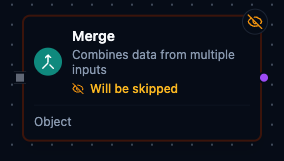
Merge node
Merge Node
Overview
The Merge Node consolidates payloads from two or more upstream branches into a single output. It always waits until every connected input delivers data, then merges the values according to the selected mode. Use it to fan-in parallel branches, stitch together batched results, or normalize multiple feeds for downstream processing.
Core Functionality
1. Wait-All Synchronization
- A single logical
inputport accepts multiple edges. - Execution is forced into
wait_all; the node fires only after every upstream branch completes. - Validation ensures at least two connections exist to prevent misconfigured merges.
2. Flexible Merge Modes
append(default) concatenates all incoming arrays or items in deterministic order (sources sorted alphabetically by node name).combinezips items positionally, producing composite objects; unmatched positions can be preserved or dropped.- Other modes remain reserved for future releases and are rejected during validation if selected.
3. Auto-Normalization
- Each inbound payload is coerced into an array before processing, regardless of original shape.
- Mixed primitives and objects are supported—scalars become single-element arrays.
- In
combinemode, fields are prefixed with the source identifier (such asinput_0_field) to avoid collisions.
4. Output Metadata
- The
mergedoutput includes metadata keys likemergeMode,inputCount,itemCount, andprocessed_by="merge"for observability. - Downstream nodes receive a single array representing the merged content.
5. Standard Settings
- Inherits core execution settings (
Retry on Fail,On Error) and documentation options. - Input settings are fixed (
syncMode = wait_all,waitTimeout = 30s) and not user-editable.
Configuration Reference
Parameters
| Parameter | Type | Default | Required | Constraints | Description |
|---|---|---|---|---|---|
| Mode | select | "object" | Yes | object / append / combineByPosition / combineByKey | Merge strategy. |
| Key Field | string | "" | If combineByKey | -- | Field name to match items across inputs. |
| Failure Mode | select | "error" | Yes | error / empty / default | What happens when a branch fails. |
| Default Value | string (JSON) | "{}" | If failureMode=default | Valid JSON | Fallback value for failed branches. |
| Min Required Branches | number | 0 | No | 0--10 | Minimum branches that must succeed (0 = all required). |
Settings
| Setting | Options | Default | Description |
|---|---|---|---|
| Timeout (seconds) | number | Pipeline default | Maximum execution time for this node (1--600). |
| Retry on Timeout | Pipeline Default / Enabled / Disabled | Pipeline Default | Whether to retry on timeout. |
| Retry on Fail | Pipeline Default / Enabled / Disabled | Pipeline Default | Whether to retry on failure. When Enabled, shows Advanced Retry Configuration. |
| On Error | Pipeline Default / Stop Pipeline / Continue Execution | Pipeline Default | Behavior when node fails after all retries. |
Advanced Retry Configuration (only visible when Retry on Fail = Enabled):
| Field | Type | Default | Range | Description |
|---|---|---|---|---|
| Max Attempts | number | 3 | 1--10 | Maximum retry attempts. |
| Initial Delay (ms) | number | 1000 | 100--30,000 | Wait before first retry. |
| Max Delay (ms) | number | 120000 | 1,000--300,000 | Upper bound for backoff delay. |
| Multiplier | number | 2.0 | 1.0--5.0 | Exponential backoff multiplier. |
| Jitter Factor | number | 0.1 | 0--0.5 | Random jitter. |
Usage Examples
Example 1: Append Finished Goods
| Field | Value |
|---|---|
| Mode | Append |
| Notes | Combine pallets from parallel pack lines. |
Line A emits [{"palletId":"A-101"},{"palletId":"A-102"}] while Line B emits [{"palletId":"B-201"}]. The merge node delivers a single array with all pallets in alphabetical order by source, ready for warehouse dispatch.
Example 2: Combine Torque and Temperature Samples
| Field | Value |
|---|---|
| Mode | Combine |
| Combine By | By Position |
| Keep Unmatched Items | true |
| Notes | Zip torque and temperature readings for SPC. |
Torque stream → [{"torqueNm":32.4},{"torqueNm":31.8}]
Temperature stream → [{"tempC":145.2},{"tempC":146.1},{"tempC":144.7}]
Output:
- input_0_torqueNm: 32.4
  input_1_tempC: 145.2
- input_0_torqueNm: 31.8
  input_1_tempC: 146.1
- input_1_tempC: 144.7
Leaving Keep Unmatched Items at true preserves the final temperature sample even without a torque partner.
Example 3: Align Inspection Flags with Counts
| Field | Value |
|---|---|
| Mode | combine |
| Combine By | position |
| Keep Unmatched Items | false |
| On Error | Continue Execution |
Inspection node outputs [{"station":"Laser","flag":"OK"},{"station":"Vision","flag":"REVIEW"}]. A counter node provides [{"count":120},{"count":118}]. Combined results yield paired objects such as { input_0_station: "Laser", input_0_flag: "OK", input_1_count: 120 }. Because Keep Unmatched Items is false, any extra counts or flags are discarded to maintain alignment.