 PagerDuty Integration Guide
Page the on-call engineer when a line stops, resolve the incident when it runs again, and record changes beside your incidents.
- Authentication
- REST API key + Events API v2 routing key
- Operations
- Send Event, Send Change Event, List Incidents
- Regions
- US and EU
Send alerts from your pipelines to PagerDuty, where they page whoever is on call for the affected service. This guide covers the keys you need from PagerDuty, the connection, and each function type.
Overview
The PagerDuty connector enables you to:
- Trigger alerts on a PagerDuty service with a summary, source, severity and custom details
- Acknowledge and resolve the same alert from the pipeline, by its deduplication key, so one condition raises and clears one incident
- Send change events for deploys, recipe changes or shift handovers; they page no one and show on the service's timeline
- List incidents by status, service and urgency, for dashboards or to check before paging again
- Use the US or EU service region, or route through your own gateway
Send Event with the action trigger creates a real PagerDuty incident and notifies whoever is on call for the service. Test against a service whose escalation policy notifies only you.
Prerequisites
You need two keys from PagerDuty:
- A REST API key. In PagerDuty, go to Integrations → API Access Keys → Create New API Key (an Admin or the Account Owner can do this), or create a personal key under My Profile → User Settings → API Access. A read-only key is enough: MaestroHub uses it to test the connection and for List Incidents. REST API keys are 20 characters long.
- An Events API v2 routing key (Integration Key) for each service you send events to. Open the service → Integrations → Add an integration → Events API V2, then copy the 32-character Integration Key.
PagerDuty accepts events on its Events API, which is authenticated by the routing key in each event. Reading incidents uses the REST API, authenticated by the API key. A REST key cannot send events, and a routing key cannot read incidents.
Connection Configuration
Creating a PagerDuty Connection
Navigate to Connections → New Connection → PagerDuty and configure the following:
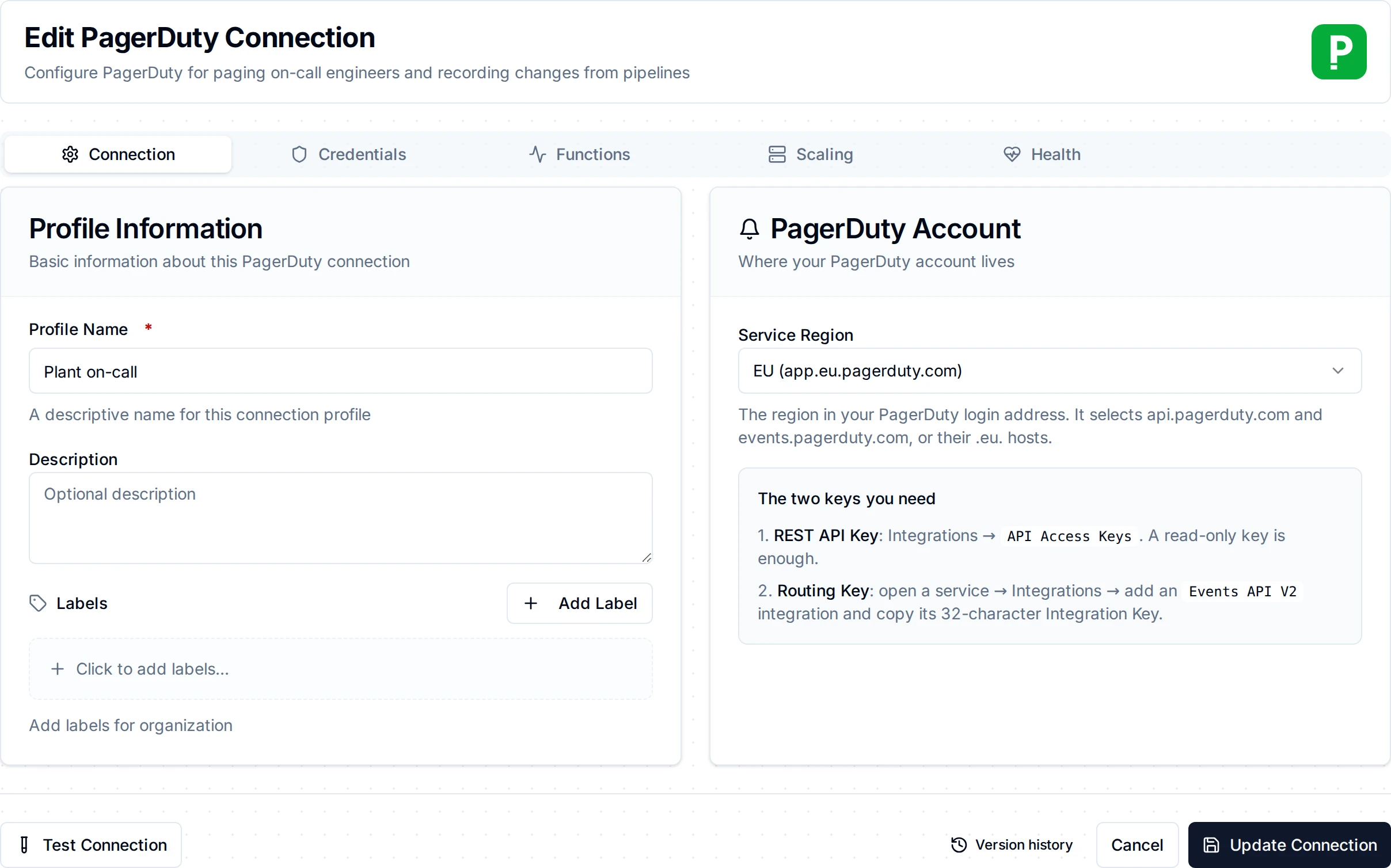
The PagerDuty connection form
1. Profile Information
| Field | Default | Description |
|---|---|---|
| Profile Name | - | A descriptive name for this connection profile (required, max 100 characters) |
| Description | - | Optional description for this PagerDuty connection |
2. Authentication
| Field | Default | Description |
|---|---|---|
| REST API Key | - | A PagerDuty REST API key (required, stored encrypted). Test Connection calls the REST API with it |
| Default Routing Key | - | The 32-character Integration Key of an Events API v2 integration (stored encrypted). Send Event and Send Change Event use it when the function names no routing key of its own |
3. Region and Advanced
| Field | Default | Description |
|---|---|---|
| Service Region | us | us for accounts at app.pagerduty.com, eu for app.eu.pagerduty.com. Selects api.pagerduty.com / events.pagerduty.com or their .eu. hosts |
| Custom REST API URL | - | Replaces the region's REST API host, for a company gateway or proxy |
| Custom Events API URL | - | Replaces the region's Events API host, for a company gateway or proxy |
- Required Fields: Profile Name and REST API Key.
- Test Connection makes one authenticated REST call (
GET /abilities). A rejected key fails at once with PagerDuty's reason. - Security: both keys are stored encrypted and masked on edit. Leave a field empty to keep the stored value.
Function Builder
Creating PagerDuty Functions
After saving the connection:
- Open the connection and go to its Functions tab → New Function
- Select Send Event, Send Change Event or List Incidents
- Configure the function's parameters
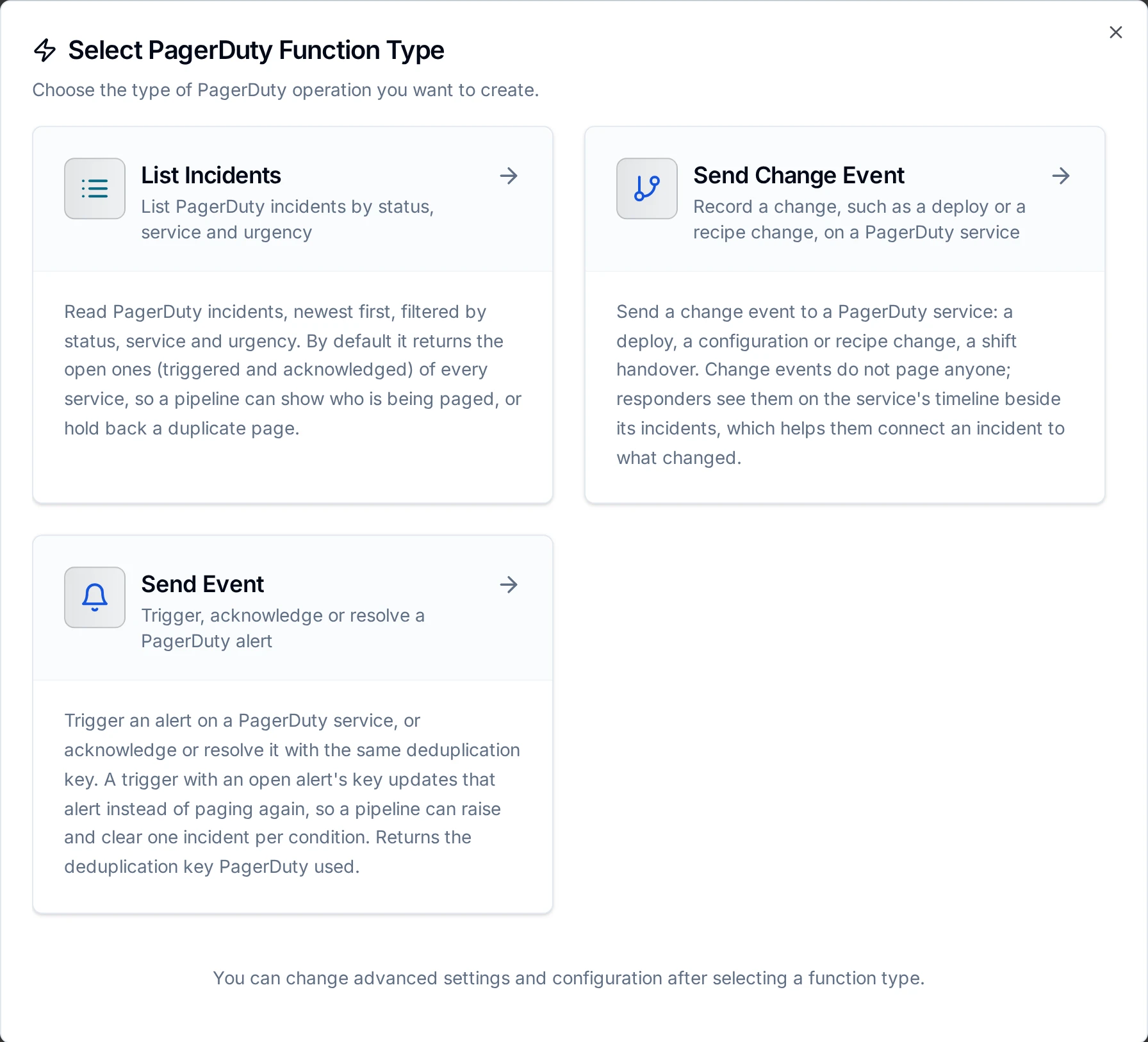
The PagerDuty function types
Send Event Function
Purpose: Trigger an alert on a PagerDuty service, or acknowledge or resolve it with the same deduplication key.
| Field | Type | Required | Default | Description |
|---|---|---|---|---|
| Event Action | Select | Yes | trigger | trigger opens or updates an alert; acknowledge and resolve act on the open alert with the same deduplication key |
| Routing Key | String | No | connection's | The 32-character Integration Key; overrides the connection's default routing key |
| Deduplication Key | String | For acknowledge / resolve | - | Identifies the alert, up to 255 characters, e.g. line3/stopped. Leave empty on a trigger and PagerDuty generates one, returned in the result |
| Summary | String | For trigger | - | What happened, up to 1024 characters. Becomes the incident title |
| Source | String | For trigger | - | Where it happened, e.g. a host name or machine ID |
| Severity | Select | For trigger | - | critical, error, warning or info |
| Component | String | No | - | The part of the source responsible, e.g. spindle |
| Group | String | No | - | A logical grouping, e.g. packaging-hall |
| Class | String | No | - | The type of event, e.g. temperature |
| Custom Details | JSON | No | - | A JSON object shown on the alert, e.g. {"temperature": 92.4} |
| Timestamp | String | No | receipt time | When the condition was detected, as RFC 3339 (2026-10-25T08:42:58Z) |
| Timeout | Duration | No | 30s | Bound on the call |
PagerDuty folds every trigger that carries the deduplication key of an open alert into that alert, so a condition that keeps firing pages once. Acknowledge and resolve carry only the key; the trigger fields are not sent. When a pipeline write is replayed by store-and-forward and the function has no deduplication key, MaestroHub sends the write's own identity as the key, so the replay lands on the same alert instead of opening a second one.
Every field is checked before anything is sent: an unknown action or severity, a trigger without summary, source or severity, an acknowledge or resolve without a key, a summary over 1024 characters, custom details that are not a JSON object, or no routing key on the function or the connection fails the call without contacting PagerDuty.
Send Change Event Function
Purpose: Record a change on a PagerDuty service. Change events page no one; responders see them beside incidents.
| Field | Type | Required | Default | Description |
|---|---|---|---|---|
| Summary | String | Yes | - | What changed, up to 1024 characters |
| Source | String | No | - | Where the change happened |
| Routing Key | String | No | connection's | Overrides the connection's default routing key. Ruleset keys (starting with R) do not accept change events |
| Custom Details | JSON | No | - | A JSON object shown on the change |
| Timestamp | String | No | receipt time | When the change happened, as RFC 3339 |
| Timeout | Duration | No | 30s | Bound on the call |
List Incidents Function
Purpose: Read incidents, newest first, of every age.
| Field | Type | Required | Default | Description |
|---|---|---|---|---|
| Statuses | Multi-select | No | triggered, acknowledged | Any of triggered, acknowledged, resolved |
| Services | Multi-select | No | all | Services to limit the list to, picked from the account's services or typed as IDs |
| Urgencies | Multi-select | No | both | high, low |
| Limit | Number | No | 25 | The most incidents to return, 1 to 1000. MaestroHub asks PagerDuty in pages of up to 100 and stops when it has enough |
| Timeout | Duration | No | 30s | Bound on the call |
Using Parameters
Use ((parameterName)) in text fields to fill them from pipeline data at run time:
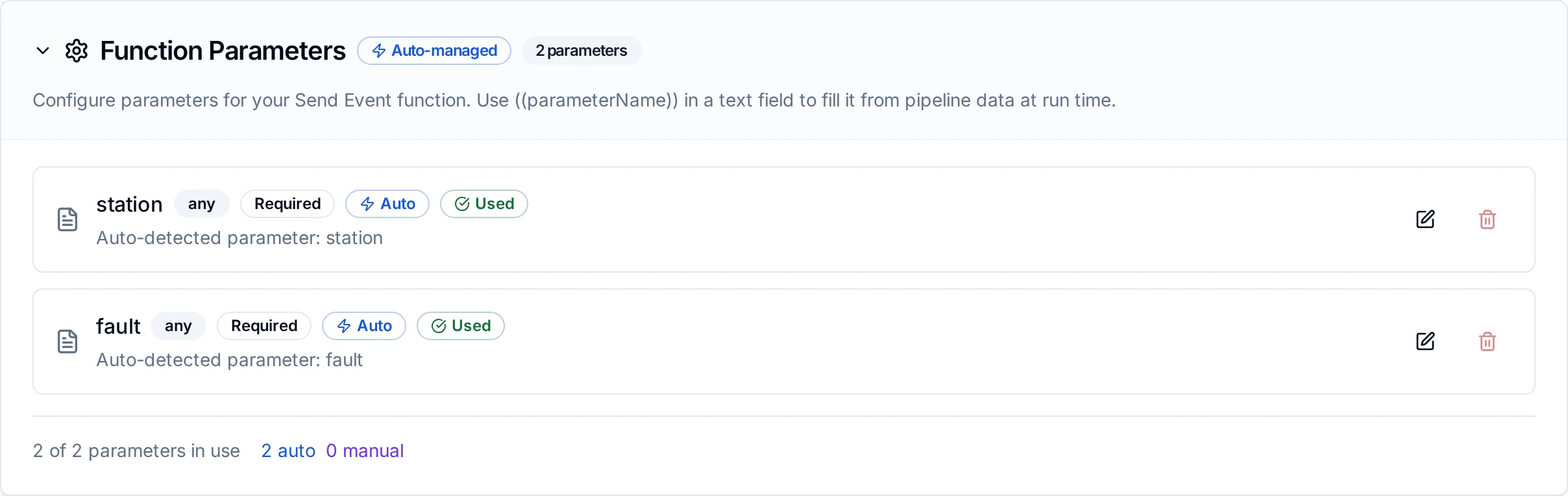
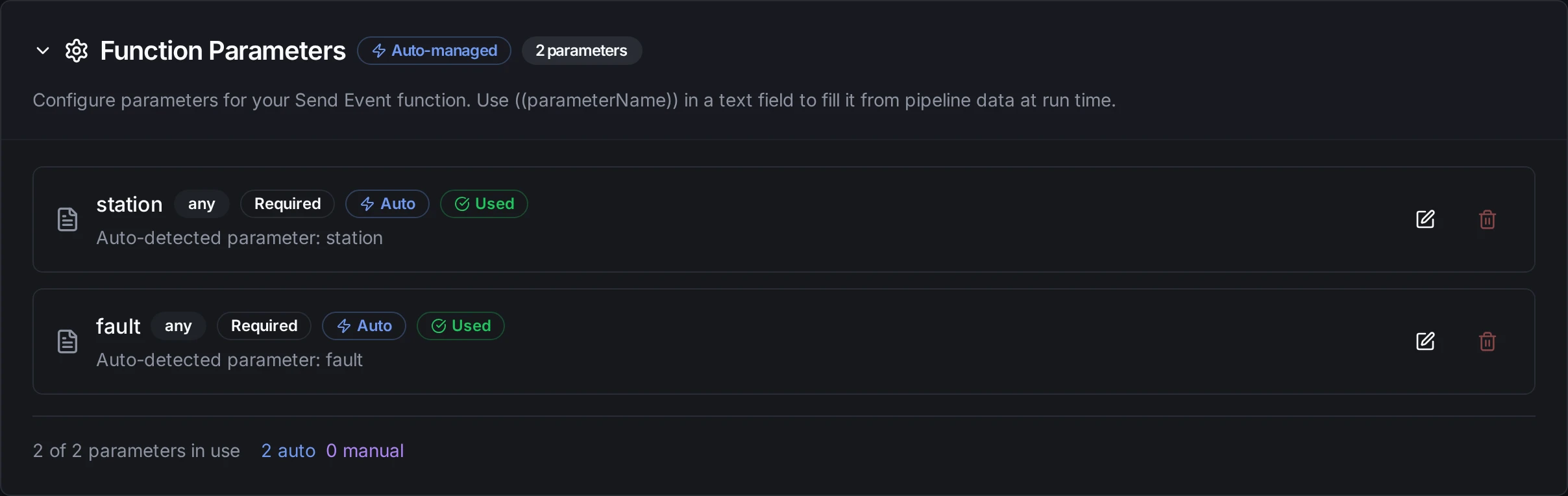
Parameters detected in a Send Event function
| Field | Supports Templating |
|---|---|
| Routing Key, Deduplication Key, Summary, Source, Component, Group, Class, Custom Details, Timestamp | Yes |
| Limit (List Incidents) | Yes |
| Event Action, Severity, Statuses, Urgencies | No |
Pipeline Integration
Each function type is a node in the Pipeline Designer: PagerDuty Send Event, PagerDuty Send Change Event and PagerDuty List Incidents. See the PagerDuty nodes page for their output.
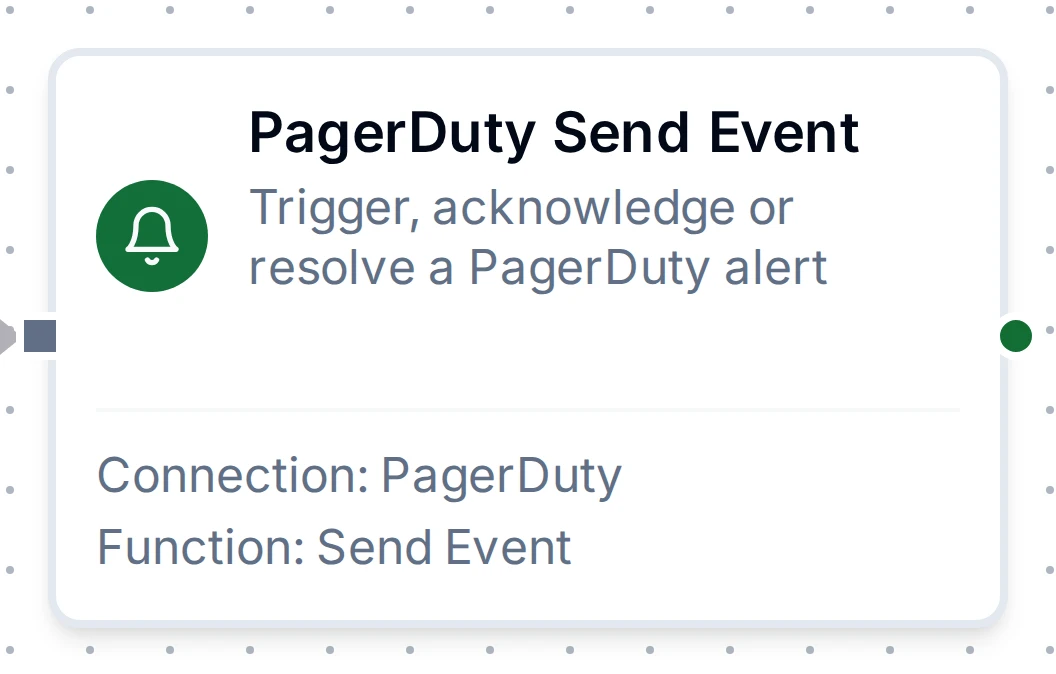
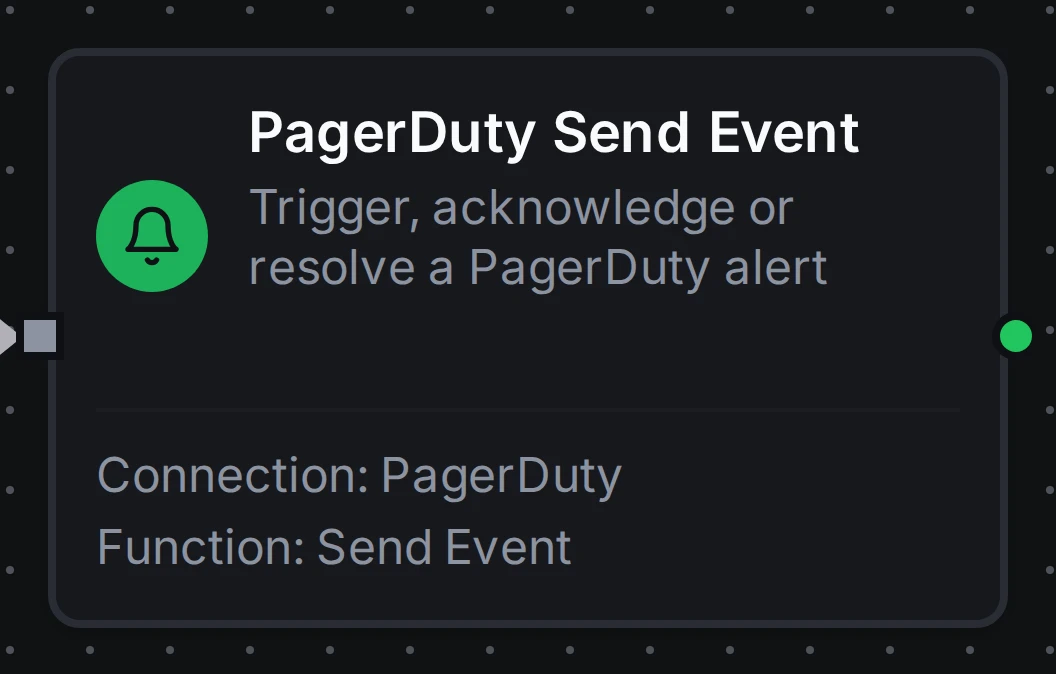
PagerDuty Send Event node
Send Event and Send Change Event can be buffered by store-and-forward while PagerDuty is unreachable. Both are time-bounded: set a maximum age on the node so a page held back by an outage is dropped rather than delivered hours late.
Common Use Cases
Page on a stopped line, resolve when it runs
Pipeline Flow:
- Modbus Read reads the line's running bit
- Condition routes on running = false for five minutes, and on running = true
- PagerDuty Send Event with action trigger on the first branch, and a second one with action resolve on the other
Function Configuration (both use the same key, so one stop is one incident):
Trigger:  Event Action trigger · Deduplication Key line3/stopped
          Summary Line 3 stopped for ((minutes)) minutes · Source line3-plc · Severity critical
Resolve:  Event Action resolve · Deduplication Key line3/stopped
Record recipe downloads as changes
Function Configuration:
Function: Send Change Event
Summary: Recipe ((recipe)) loaded on ((machine))
Source: ((machine))
Custom Details: {"recipe": "((recipe))", "operator": "((operator))"}
Hold back a duplicate page
Run List Incidents with the line's service before sending, and skip the trigger when result.count is above zero.
Troubleshooting
| Problem | Cause and fix |
|---|---|
Test Connection fails with 401 Unauthorized: Invalid Credentials | The REST API key is wrong, disabled, or from the other region. Create a new key, and check the Service Region |
Send Event fails with 400 Bad Request: Event object is invalid: Invalid routing key | The routing key is not an Events API v2 Integration Key, or belongs to a deleted integration |
no routing key | Neither the function nor the connection has a routing key. Set one |
Send fails with 429 Too Many Requests | PagerDuty is throttling the service. The call is reported as retryable; store-and-forward or Retry on Fail sends it again later |
| An acknowledge or resolve succeeds but the incident does not change | No open alert has that deduplication key on the routing key's service. Use the key the trigger returned in result.dedupKey |
| Change event refused | Ruleset (Event Orchestration) routing keys, starting with R, do not accept change events. Use a service integration key |