Google Vertex AI (Gemini) Nodes
The Vertex AI nodes make one direct call to a Google Gemini model through a connection you own — on Vertex AI in your Google Cloud project, or on the Gemini API with an API key. One node generates an answer, one turns text into an embedding, one counts tokens before a costly call, and one lists the models available. They sit in the AI group of the node library.
Configuration Quick Reference
| Field | What you choose | Details |
|---|---|---|
| Parameters | Connection, Function, Function Parameters, Timeout Override | Select the connection profile, function, configure function parameters with expression support, and optionally shorten the per-call timeout. |
| Settings | Description, Timeout (seconds), Retry on Timeout, Retry on Fail, On Error | Node description, maximum execution time, retry behavior on timeout or failure, and error handling strategy. All execution settings default to pipeline-level values. |
Gemini Generate Content Node
Gemini Generate Content Node
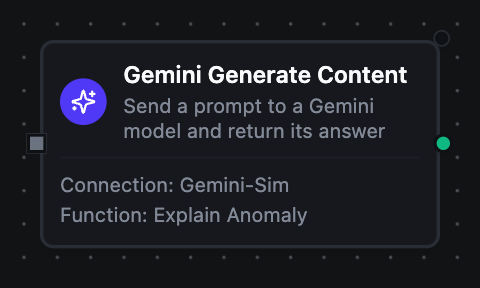
Send a prompt to a Gemini model and deliver its answer to the next step — as text, or as JSON that follows a schema you supply and arrives parsed.
Supported Function Types:
| Function Name | Purpose | Common Use Cases |
|---|---|---|
| Generate Content | Send a prompt and return the model's answer | Explaining anomalies, classifying free-text notes into codes, extracting structured fields from reports |
How It Works
When the pipeline executes, the Generate Content node:
- Resolves the configured Vertex AI connection profile and its credentials (a service account key, Application Default Credentials, or a Gemini API key)
- Renders the templated fields — Model, System Instruction, Prompt — against the current pipeline context, and fails without calling the model if the prompt comes out empty
- Sends the prompt with the system instruction and only the sampling settings the function sets, so an empty field leaves the model's own default in place
- Asks for
application/json, with the response schema, when the function's Response Format isjson - Reads the answer: it fails the node when the prompt was blocked, the answer was withheld, or the output limit was spent before a word was written
- Parses a JSON answer and fails the node when it does not parse
Configuration
| Field | What you choose | Details |
|---|---|---|
| Connection | Vertex AI connection profile | Select a pre-configured connection from your connection library |
| Function | Generate Content function | Choose a Generate Content function that defines the model, prompt and response format |
| Function Parameters | Prompt values | Configure dynamic values for the prompt's placeholders using expressions or constants |
| Timeout Override | Per-call timeout, in seconds | Optional. A whole number of seconds (e.g. 45). It can only shorten this node's call: it never extends past the node's Timeout (seconds), the pipeline's timeout, or the connection's and function's timeouts. Leave empty to use those. |
For detailed function configuration options — the sampling settings, the thinking budget, and writing a response schema — see the Generate Content Function documentation.
With Response Format json, the parsed answer is result.json. A node named Classify Note whose schema has a reasonCode field is read downstream as {{ $node["Classify Note"].result.json.reasonCode }}. The same answer as written is on result.text.
A blocked prompt, a withheld answer, an answer that does not parse and a quota refusal all fail this node. Nodes have no separate error output. When the pipeline's job matters more than the model's commentary — an alarm, a quality record — set On Error to Continue Execution so the nodes after it still run. A failed node passes no output on, so put a Condition right after it that checks {{ $node["Classify Note"] == nil }}: True means the call failed, False means the answer is there. Route each side somewhere useful, so a model problem never swallows the event that caused the call.
Gemini Embed Content Node
Gemini Embed Content Node
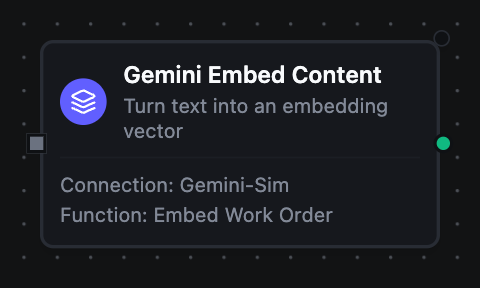
Turn a piece of text into an embedding vector, for similarity search, clustering or classification.
Supported Function Types:
| Function Name | Purpose | Common Use Cases |
|---|---|---|
| Embed Content | Convert text into an embedding vector | Finding similar past failures, vectorising alarm text for a vector store, clustering operator notes |
How It Works
When the pipeline executes, the Embed Content node:
- Resolves the connection and renders the templated Model and Text against the current pipeline context
- Sends the text with the function's task type and output dimensionality, when they are set
- Returns the vector with its dimension count, and — on Vertex AI — how many tokens the text used and whether it was cut to fit
Configuration
| Field | What you choose | Details |
|---|---|---|
| Connection | Vertex AI connection profile | Select a pre-configured connection from your connection library |
| Function | Embed Content function | Choose an Embed Content function that defines the model, task type and dimensionality |
| Function Parameters | Text values | Configure dynamic values for the text's placeholders using expressions or constants |
| Timeout Override | Per-call timeout, in seconds | Optional. A whole number of seconds (e.g. 45). It can only shorten this node's call: it never extends past the node's Timeout (seconds), the pipeline's timeout, or the connection's and function's timeouts. Leave empty to use those. |
For detailed function configuration options see the Embed Content Function documentation.
Vectors from different models, or truncated to different dimensionalities, cannot be compared. Store the model and dimensionality next to each vector, and embed search text with the same pair.
Gemini Count Tokens Node
Gemini Count Tokens Node
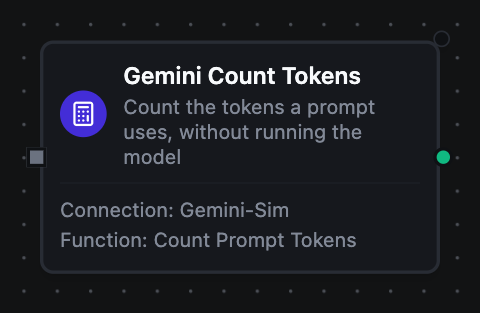
Count how many tokens a prompt takes for a model, without running it. Nothing is generated and nothing is billed.
Supported Function Types:
| Function Name | Purpose | Common Use Cases |
|---|---|---|
| Count Tokens | Count a prompt's tokens with a model's tokenizer | Guarding a model's input limit, routing large prompts to a chunked path, estimating cost before a generation |
How It Works
When the pipeline executes, the Count Tokens node:
- Resolves the connection and renders the templated Model and Prompt
- Asks the model's tokenizer to count the prompt
- Returns the total
Configuration
| Field | What you choose | Details |
|---|---|---|
| Connection | Vertex AI connection profile | Select a pre-configured connection from your connection library |
| Function | Count Tokens function | Choose a Count Tokens function that defines the model and prompt |
| Function Parameters | Prompt values | Configure dynamic values for the prompt's placeholders using expressions or constants |
| Timeout Override | Per-call timeout, in seconds | Optional. A whole number of seconds (e.g. 45). It can only shorten this node's call: it never extends past the node's Timeout (seconds), the pipeline's timeout, or the connection's and function's timeouts. Leave empty to use those. |
For detailed function configuration options see the Count Tokens Function documentation.
Gemini List Models Node
Gemini List Models Node
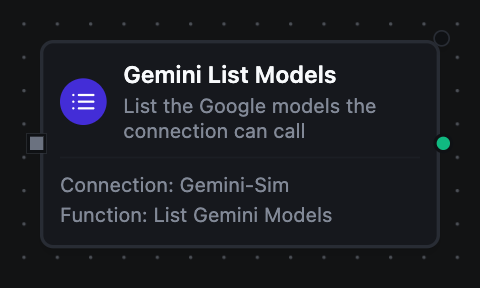
List the Google models the connection can call.
Supported Function Types:
| Function Name | Purpose | Common Use Cases |
|---|---|---|
| List Models | Discover the models available to the connection | Finding a model's exact ID, reading token limits (Gemini API) |
How It Works
When the pipeline executes, the List Models node:
- Resolves the connection and pushes the page size and page token down to the API as request parameters
- Returns one object per model, plus a continuation token when more remain
Configuration
| Field | What you choose | Details |
|---|---|---|
| Connection | Vertex AI connection profile | Select a pre-configured connection from your connection library |
| Function | List Models function | Choose a List Models function that defines the page size |
| Function Parameters | Listing values | Configure a dynamic value for Page Token using an expression or a constant |
| Timeout Override | Per-call timeout, in seconds | Optional. A whole number of seconds (e.g. 45). It can only shorten this node's call: it never extends past the node's Timeout (seconds), the pipeline's timeout, or the connection's and function's timeouts. Leave empty to use those. |
For detailed function configuration options see the List Models Function documentation.
Output
Every Vertex AI node delivers its data under result, and execution facts (success, functionId, durationMs, timestamp) under _metadata:
| Node | Expression | Description |
|---|---|---|
| Generate Content | $node["Name"].result.text | The model's answer as written |
$node["Name"].result.json | The answer parsed as JSON — present only when the function's Response Format is json. Read a field with $node["Name"].result.json.<field> | |
$node["Name"].result.finishReason | Why the model stopped: STOP for a complete answer, MAX_TOKENS when it was cut off at the output limit | |
$node["Name"].result.modelVersion | The exact model version that answered | |
$node["Name"].result.usage | Token accounting the call is billed on: promptTokens, outputTokens, thinkingTokens and totalTokens | |
| Embed Content | $node["Name"].result.embedding | The embedding vector, one number per dimension |
$node["Name"].result.dimensions | How many numbers the vector holds | |
$node["Name"].result.tokenCount | How many tokens the text used — present only when the API reports it, which Vertex AI does and the Gemini API does not | |
$node["Name"].result.truncated | true when the text was longer than the model accepts and was cut before embedding — present only then | |
| Count Tokens | $node["Name"].result.totalTokens | How many tokens the prompt uses for the chosen model |
| List Models | $node["Name"].result.models | One object per model: name (the ID a Model field takes), resourceName and version, plus displayName, description, inputTokenLimit, outputTokenLimit and supportedActions when the API returned them — the Gemini API does, Vertex AI's model listing does not |
$node["Name"].result.count | How many models this call returned | |
$node["Name"].result.nextPageToken | Where the listing stopped — present only when more models remain. Pass it back as the node's Page Token to continue | |
| Every node | $node["Name"]._metadata.method, $node["Name"]._metadata.connectionId, $node["Name"]._metadata.protocol, $node["Name"]._metadata.backend | The call's other facts: the operation, the connection it ran over, vertexai, and which API served it (vertexai or gemini_api) |
| Generate, Embed, Count | $node["Name"]._metadata.model | The model ID the call named, after its parameters resolved |