GraphQL Integration Guide
Read from and write to MES, ERP and SaaS systems that offer a GraphQL API, with variables from the pipeline and the server's own error messages when something fails.
- Authentication
- None · Basic · Bearer · API key header · OAuth2 token
- Operations
- Query · Mutation
- Transport
- GraphQL over HTTP (POST, JSON)
Overview
The GraphQL connector sends queries and mutations to one GraphQL endpoint, such as https://mes.plant.local/graphql, as GraphQL over HTTP: a POST with a JSON body holding the document, its variables and an optional operation name.
- Query: read data, such as a work order's status or a material's stock.
- Mutation: change data, such as reporting a produced quantity or closing a work order.
Why not the REST connector? A GraphQL server usually answers 200 OK even when the operation failed: the failure is in the errors list of the answer. A REST call would report that as a success. This connector reads errors and fails the node with the server's own message, and decides whether trying again can help.
Pipeline values go in variables, never in the document. The document is sent exactly as you wrote it, so a value from upstream can never change which operation runs.
Prerequisites
- The endpoint URL of the GraphQL API, and credentials if it needs them.
- A server that answers ordinary queries. The connection check sends
query MaestroHubConnectionCheck { __typename }, which every GraphQL server answers, also with introspection turned off. A server that only runs a fixed list of allowed (persisted) operations refuses it; add that query to its allow list.
Connection Configuration
Navigate to Connections → New Connection → GraphQL.
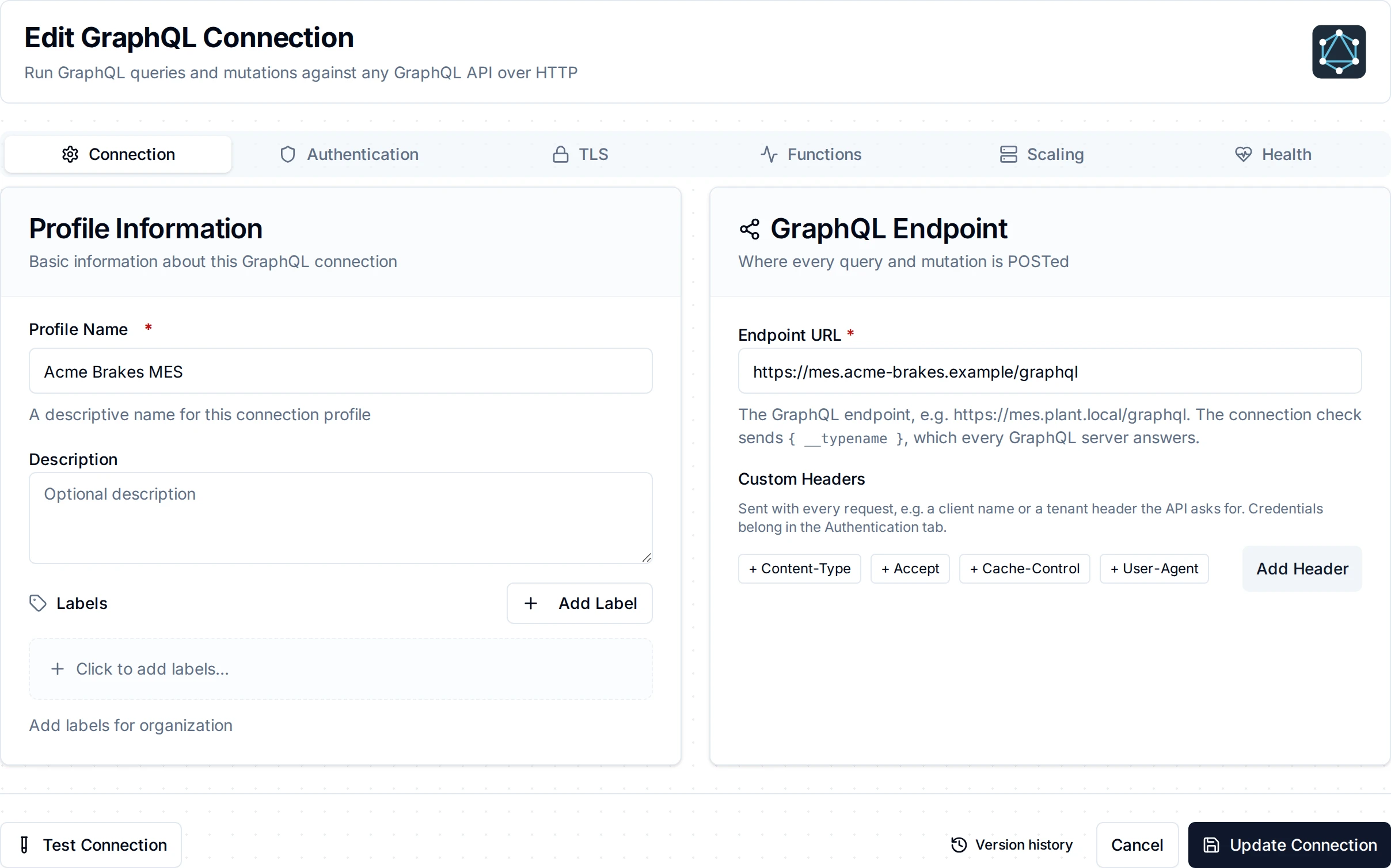
The Connection tab: the endpoint URL and custom headers
Connection
| Field | Default | Description |
|---|---|---|
| Profile Name | - | A descriptive name for this connection (required, at most 100 characters) |
| Description | - | Optional |
| Endpoint URL | - | The URL every query and mutation is posted to, e.g. https://api.example.com/graphql (required). http and https are both accepted; use https whenever the connection carries credentials |
| Custom Headers | - | Headers sent with every request, e.g. a client name or a tenant header the API asks for |
Authentication
| Authentication Type | Fields | What is sent |
|---|---|---|
| None | - | No credentials |
| Basic | Username, Password | Authorization: Basic … |
| Bearer | Bearer Token | Authorization: Bearer <token> |
| API Key | API Key Header (default X-API-Key), API Key | The key in that header, e.g. x-hasura-admin-secret |
| Web Token (OAuth2) | Token URL, Token Request Body, Token Request Encoding (default form), Token Request Headers, Token Response Path (default access_token), Token Header Name (default Authorization), Prepend Bearer (default on), Token Cache Duration (default 5m) | A token fetched from the token endpoint, e.g. with {"grant_type": "client_credentials", "client_id": "…", "client_secret": "…"} as the body |
These are the same authentication types the REST and SOAP connectors offer. Passwords, tokens, keys and the token request body are stored encrypted and masked when you edit the connection. A token refused by the token endpoint (invalid_client, a 401) is reported as a refusal, not an outage.
TLS
| Field | Default | Description |
|---|---|---|
| CA Certificate (PEM) | - | The CA that signed the server's certificate, for a private or self-signed server. Leave empty to trust the system's CAs |
| Client Certificate / Client Private Key (PEM) | - | For mutual TLS. Both or neither |
| Skip Certificate Verification | Off | Accepts any server certificate. Use it only to test against a server with a self-signed certificate |
- Redirects are not followed: a redirected
POSTwould arrive as aGET. Set the endpoint URL to the final address. - Concurrency: at most ten requests run at once per connection. One GraphQL query can fan out to many back-end calls on the server.
Function Builder
After saving the connection, open its Functions tab → New Function and choose Query or Mutation.
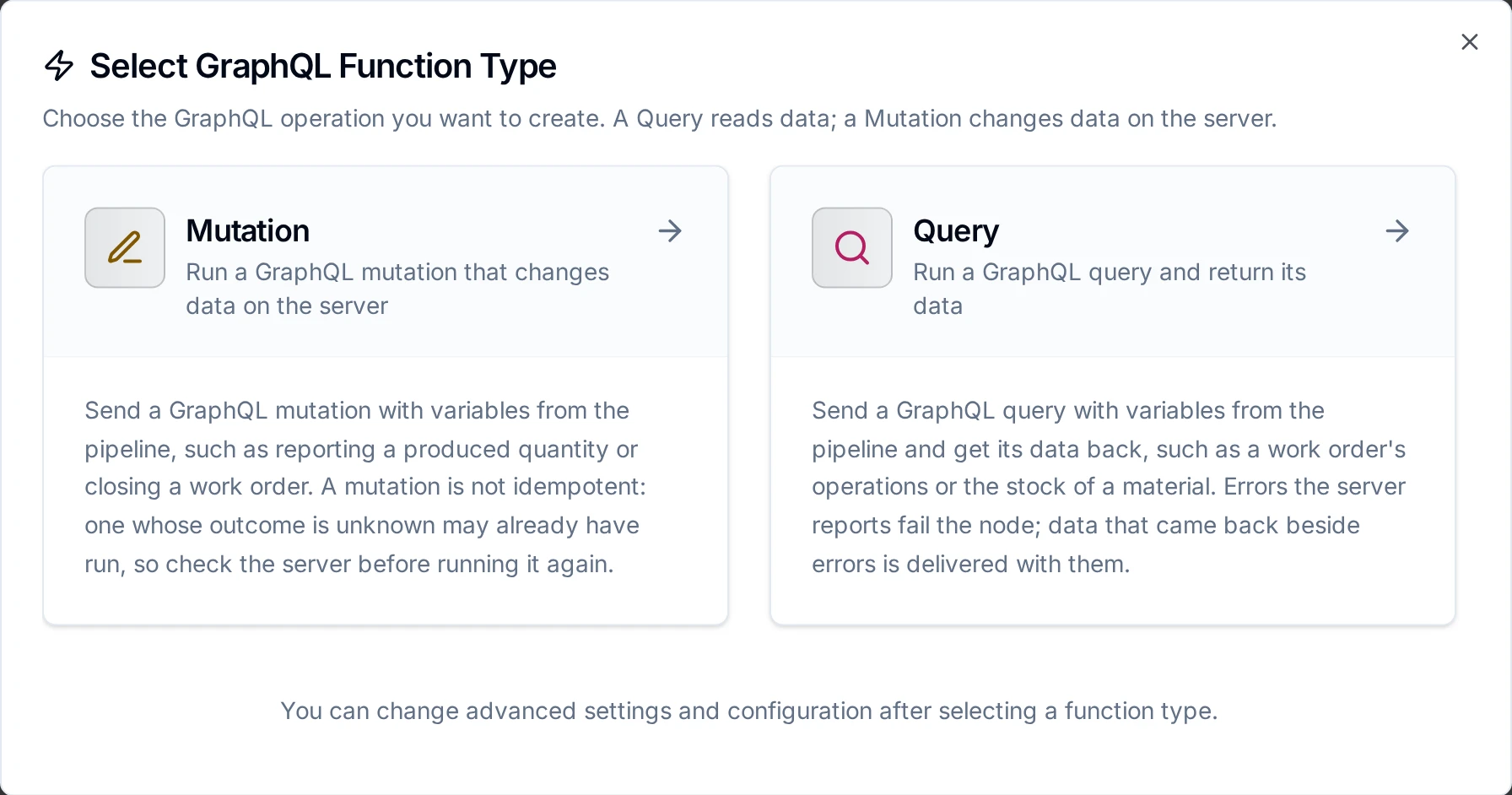
Query reads, Mutation writes
Both functions take the same fields:
| Field | Required | Description |
|---|---|---|
| Query / Mutation | Yes | The GraphQL document, e.g. query WorkOrder($id: ID!) { workOrder(id: $id) { id status quantity } }. Sent as written: it cannot hold ((parameters)) |
| Variables | No | A JSON object of the document's variables, e.g. {"id": "((workOrderId))"}. Supports ((parameters)) |
| Operation Name | No | Which operation to run when the document holds several |
| Timeout | No | Bound on this operation, 30s by default |
Each function checks the document before anything is sent:
- The Query function runs only queries. A document whose operation is a mutation or a subscription is refused, so a write cannot run through a read function and past the rules that guard writes. The Mutation function runs only mutations.
- A document with several operations needs an Operation Name that names one of them.
- A
((parameter))inside the document is refused when you save: put it in Variables and refer to it as$name. - Variables must be a JSON object once their parameters are filled.
The server still validates the document against its schema; its answer is shown when it refuses.
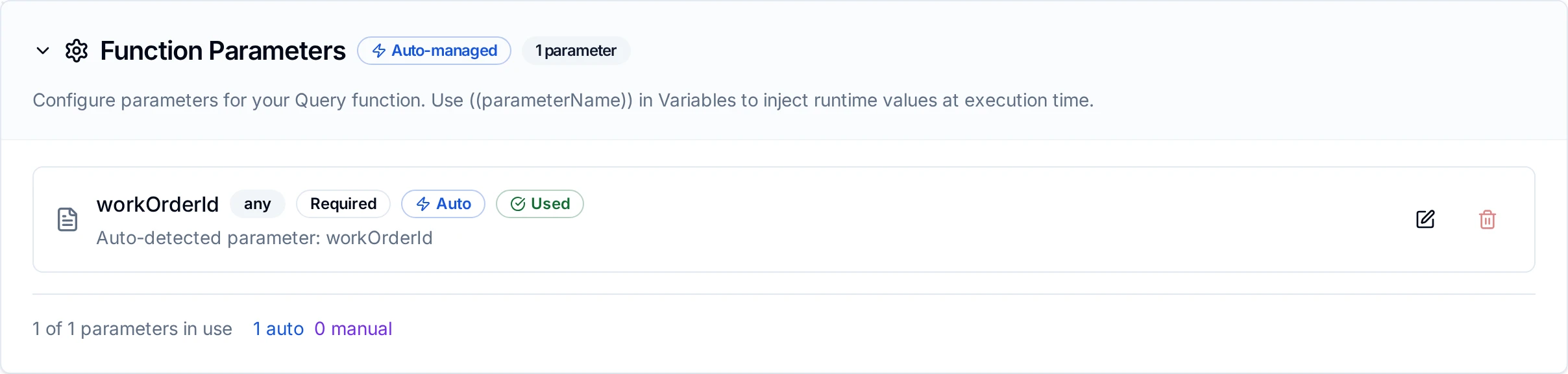
A Query function whose variables carry the ((workOrderId)) parameter
GraphQL defines no idempotency key: a mutation sent twice may act twice (two records created, a quantity reported twice). The connector never retries by itself. A mutation whose answer was lost (a timeout, a dropped connection) may already have run on the server: check the server before running it again. With store-and-forward on, such a mutation is sent again when the link returns, the same trade the REST connector's POST makes.
How Answers Become Results
GraphQL can answer part of what you asked and fail the rest in one response: a field whose resolver failed is null, with an error naming its path. The connector reports each case like this:
| The server answered | The node | Retry on Fail helps? |
|---|---|---|
data, no errors | Succeeds. result.data holds the data; result.errors is empty | - |
data with at least one non-null root field, and errors (partial data) | Succeeds, with the errors in result.errors and a warning in _metadata.warning. The server ran the operation, so a mutation may have acted: failing it would invite a second run. Branch on result.errors when a missing field matters | - |
errors and no data, or every root field null | Fails with the server's messages. Permanent: the same request gets the same answer | No |
… and an error says "try again": code THROTTLED, RATE_LIMITED, TOO_MANY_REQUESTS, SERVICE_UNAVAILABLE, TIMEOUT, INTERNAL_SERVER_ERROR and the like, or an HTTP status 408, 429 or 5xx in the error's extensions | Fails, temporary | Yes |
| HTTP 400, 401, 403, 404 (with or without GraphQL errors) | Fails, permanent. A server that speaks application/graphql-response+json answers a syntax or validation error with 400 | No |
| HTTP 408, 429, 5xx, a network failure, a timeout | Fails, temporary: a mutation may have run | Yes |
| A 200 that is not a GraphQL answer (an HTML login page, a REST root) | Fails, temporary, saying the endpoint answered something else | Yes |
The error code is read from extensions.code (Apollo, Hasura, Shopify), extensions.classification (graphql-java) or the error's type (GitHub).
Pipeline Integration
Each operation is its own node in the Pipeline Designer, under APIs: GraphQL Query and GraphQL Mutation. The GraphQL nodes page lists what they return.
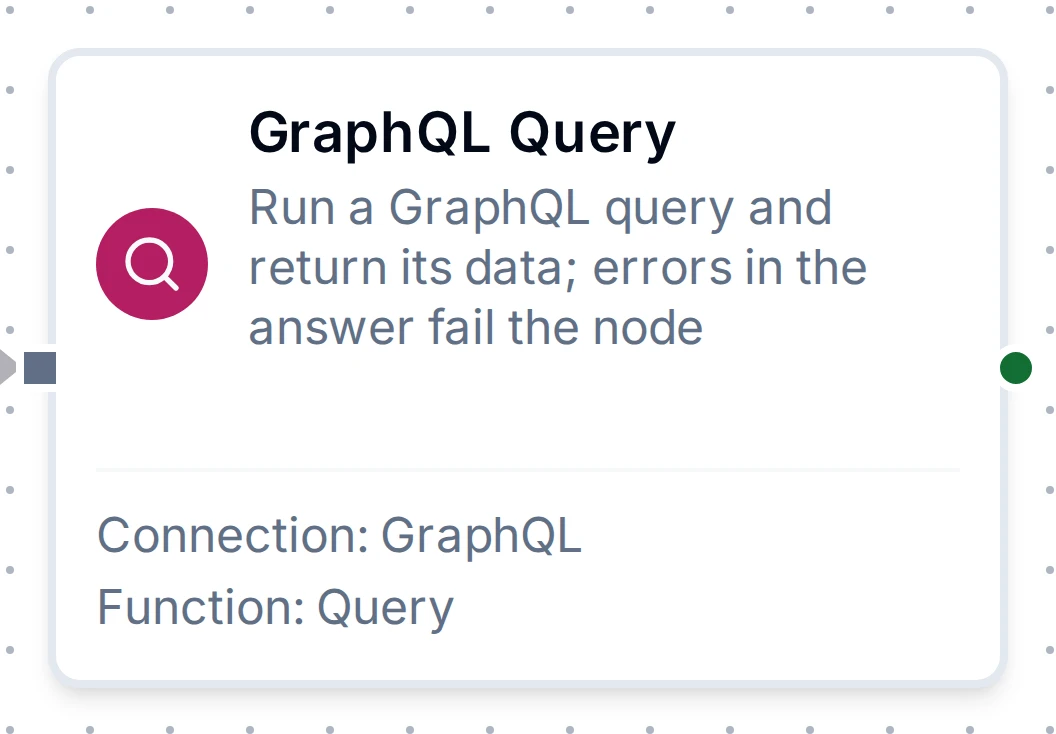
The GraphQL Query node with its connection and function
Common Use Cases
Report production to the MES when a batch ends
- A trigger fires when the batch counter resets.
- GraphQL Mutation with
mutation Report($id: ID!, $qty: Int!) { reportQuantity(workOrder: $id, quantity: $qty) { id produced } }and variables{"id": "((workOrderId))", "qty": ((count))}.
Check stock before reordering
GraphQL Query with query Stock($m: ID!) { material(id: $m) { onHand reorderPoint } }, then a condition on $node["Stock"].result.data.material.onHand.
Troubleshooting
| What you see | Cause and fix |
|---|---|
| "the Query function runs only queries" | The document is a mutation. Create a Mutation function for it |
| "set Operation Name to choose one" | The document holds several operations. Name the one to run |
| "is not a GraphQL response" | The endpoint URL points at a login page, a proxy page or the API's REST root. Use the GraphQL endpoint itself, often ending in /graphql |
401 or UNAUTHENTICATED | Wrong or missing credentials. Check the authentication type and the header the API expects |
Cannot query field … on type … (400) | The document does not match the server's schema. Check field names in the API's documentation or schema explorer |
Variable $x got invalid value | A variable's value does not fit its declared type, e.g. text for an Int!. Check the upstream value and the variables JSON |
THROTTLED / rate limited | The API's rate limit. The failure is temporary; lower the pipeline's rate |
| Connection check fails on a working API | The server runs only allow-listed operations. Allow query MaestroHubConnectionCheck { __typename } |
| Redirected (3xx) | The endpoint moved, or a login page answered. Use the final URL |