OPC UA Nodes
OPC UA (Unified Architecture) is the modern, platform-independent standard for industrial communication. MaestroHub provides read, write, browse, and batch-read capabilities with hardened security options.
Configuration Quick Reference
| Field | What you choose | Details |
|---|---|---|
| Parameters | Connection, Function, Function Parameters, Timeout Override | Select the connection profile, function, configure function parameters with expression support, and optionally override timeout. |
| Settings | Description, Timeout (seconds), Retry on Timeout, Retry on Fail, On Error | Node description, maximum execution time, retry behavior on timeout or failure, and error handling strategy. All execution settings default to pipeline-level values. |
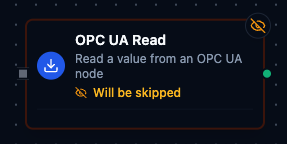
OPC UA Read Node
OPC UA Read Node
Read node values from OPC UA servers with namespace-aware identifiers.
Supported Function Types:
| Function Name | Purpose | Common Use Cases |
|---|---|---|
Read Node Value (opcua.read) | Fetch scalar or structured values from endpoints | Equipment telemetry, quality checks, energy monitoring |
Node Configuration
| Parameter | Type | Required | Description |
|---|---|---|---|
| Connection | Selection | Yes | OPC UA connection profile to use |
| Function | Selection | Yes | Read function from the selected connection |
| Function Parameters | Dynamic | Varies | Auto-populated from the function schema. See your OPC UA connection functions for full parameter details. |
| Timeout Override | Number (seconds) | No | Override the default function timeout |
Function parameters for Read:
| Parameter | Type | Required | Description |
|---|---|---|---|
namespaceIndex | Number | Yes | Node namespace index (0–65535) |
identifier | String | Yes | Node identifier. Formats: i=123 (numeric), s=String (string), g=GUID (GUID), b=0xHEX (byte string) |
requestTimeoutSeconds | Number | No | Override default request timeout for this operation |
All function parameters support expression syntax ({{ expression }}) for dynamic values from the pipeline context.
Input
The node receives the output of the previous node as input. Input data can be referenced in function parameter expressions using $input.
Output Structure
On success the node produces:
{
  "success": true,
  "functionId": "<function-id>",
  "data": {
    "value": 72.5,
    "sourceTimestamp": "2026-01-15T08:30:00Z",
    "serverTimestamp": "2026-01-15T08:30:00Z",
    "statusCode": "0x00000000",
    "dataType": "Double"
  },
  "durationMs": 42,
  "timestamp": "2026-01-15T08:30:00Z"
}
| Field | Type | Description |
|---|---|---|
success | boolean | true when the function executed without errors |
functionId | string | ID of the executed function |
data | object | OPC UA read result (see below) |
durationMs | number | Execution time in milliseconds |
timestamp | string | ISO 8601 / RFC 3339 UTC timestamp |
data fields:
| Field | Type | Description |
|---|---|---|
value | any | The node value — type depends on the OPC UA data type |
sourceTimestamp | string | Timestamp from the data source |
serverTimestamp | string | Timestamp from the OPC UA server |
statusCode | string | OPC UA status code in 0x hex format |
dataType | string | OPC UA data type name (e.g., Boolean, Int32, Double, String, DateTime) |
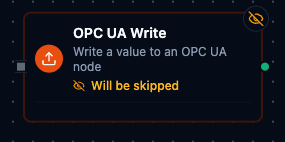
OPC UA Write Node
OPC UA Write Node
Write setpoints and command values to OPC UA nodes.
Supported Function Types:
| Function Name | Purpose | Common Use Cases |
|---|---|---|
Write Node Value (opcua.write) | Send scalar or structured values to endpoints | Adjust temperature setpoints, acknowledge alarms, update schedules |
Node Configuration
| Parameter | Type | Required | Description |
|---|---|---|---|
| Connection | Selection | Yes | OPC UA connection profile to use |
| Function | Selection | Yes | Write function from the selected connection |
| Function Parameters | Dynamic | Varies | Auto-populated from the function schema. See your OPC UA connection functions for full parameter details. |
| Timeout Override | Number (seconds) | No | Override the default function timeout |
Function parameters for Write:
| Parameter | Type | Required | Description |
|---|---|---|---|
namespaceIndex | Number | Yes | Node namespace index (0–65535) |
identifier | String | Yes | Node identifier (same formats as Read) |
value | String | Yes | Value to write (converted to appropriate OPC UA type) |
dataType | String | Yes | Target data type: bool, int8, uint8, int16, uint16, int32, uint32, int64, uint64, float, double, string |
requestTimeoutSeconds | Number | No | Override default request timeout |
All function parameters support expression syntax ({{ expression }}) for dynamic values.
Input
The node receives the output of the previous node as input. Use expressions like {{ $input.payload.value }} to pass dynamic values to write parameters.
Output Structure
{
  "success": true,
  "functionId": "<function-id>",
  "data": {
    "success": true,
    "statusCode": "0x00000000"
  },
  "durationMs": 15,
  "timestamp": "2026-01-15T08:30:00Z"
}
data fields:
| Field | Type | Description |
|---|---|---|
success | boolean | Whether the write was accepted by the server |
statusCode | string | OPC UA status code in 0x hex format |
Always implement validation and safety checks before writing to industrial equipment. Consider adding condition nodes to verify values are within safe ranges.
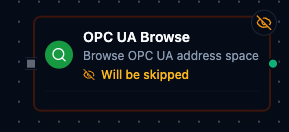
OPC UA Browse Node
OPC UA Browse Node
Discover available nodes in the OPC UA address space.
Supported Function Types:
| Function Name | Purpose | Common Use Cases |
|---|---|---|
Browse Nodes (opcua.browse) | Traverse address space to find readable/writable nodes | Build tag catalogs, search for equipment folders |
Node Configuration
| Parameter | Type | Required | Description |
|---|---|---|---|
| Connection | Selection | Yes | OPC UA connection profile to use |
| Function | Selection | Yes | Browse function from the selected connection |
| Function Parameters | Dynamic | Varies | Auto-populated from the function schema. See your OPC UA connection functions for full parameter details. |
| Timeout Override | Number (seconds) | No | Override the default function timeout |
Function parameters for Browse:
| Parameter | Type | Required | Default | Description |
|---|---|---|---|---|
namespaceIndex | Number | No | 0 | Starting node namespace index |
identifier | String | No | i=85 | Starting node identifier (default is the Objects folder) |
maxChildren | Number | No | 0 | Maximum children to return (0 = no limit) |
continuationPoint | String | No | "" | Continuation point from a previous browse for pagination |
Input
The node receives the output of the previous node as input.
Output Structure
{
  "success": true,
  "functionId": "<function-id>",
  "data": {
    "namespace": 0,
    "identifier": "i=85",
    "nodeClass": "Object",
    "browseName": "Objects",
    "description": "",
    "accessLevel": "",
    "dataType": "",
    "writable": false,
    "children": [
      {
        "namespace": 2,
        "identifier": "i=1001",
        "nodeClass": "Variable",
        "browseName": "Temperature",
        "description": "Current temperature",
        "accessLevel": "CurrentRead",
        "dataType": "Double",
        "writable": false
      }
    ],
    "continuationPoint": "",
    "hasMore": false
  },
  "durationMs": 85,
  "timestamp": "2026-01-15T08:30:00Z"
}
data fields:
| Field | Type | Description |
|---|---|---|
namespace | number | Namespace index of the browsed node |
identifier | string | Identifier of the browsed node |
nodeClass | string | OPC UA node class: Object, Variable, Method, ObjectType, VariableType, ReferenceType, DataType, View |
browseName | string | Display name of the node |
description | string | Node description (if available) |
accessLevel | string | Access level (CurrentRead, CurrentWrite, etc.) |
dataType | string | OPC UA data type (for Variable nodes) |
writable | boolean | Whether the node accepts writes |
children | array | Child nodes with the same field structure |
continuationPoint | string | Base64-encoded continuation point for pagination |
hasMore | boolean | true if more results are available via continuationPoint |
OPC UA Read Group Node
The OPC UA Read Group node executes multiple OPC UA read operations in a single node. It supports selective function lists, a Read All mode, and parallel or sequential execution.
Node Configuration
| Parameter | Type | Required | Default | Description |
|---|---|---|---|---|
| Connection | Selection | Yes | — | OPC UA connection profile |
| Read All | Toggle | No | false | When enabled, executes all read functions from the connection |
| Functions | Array of {functionId, alias} | When Read All is off | [] | List of specific functions to execute. Each entry requires a functionId; alias is optional. |
| Execution Mode | Selection | No | parallel | parallel — all functions run concurrently. sequential — functions run one after another. |
| Continue on Error | Toggle | No | true | When enabled, the node continues executing remaining functions even if one fails |
| Debug Mode | Toggle | No | false | Enable detailed logging for troubleshooting |
Read All Mode
When Read All is enabled the function list is ignored. The node automatically discovers and executes every read function defined on the selected connection.
Supported read function types for Read All:
| Function Type | Description |
|---|---|
opcua.read | Single node read |
opcua.batchread | Batch node read |
Input
The node receives the output of the previous node as input.
Output Structure
{
  "Temperature Sensor": {
    "value": {
      "value": 72.5,
      "sourceTimestamp": "2026-01-15T08:30:00Z",
      "serverTimestamp": "2026-01-15T08:30:00Z",
      "statusCode": "0x00000000",
      "dataType": "Double"
    },
    "success": true,
    "duration": 45,
    "timestamp": "2026-01-15T08:30:00Z"
  },
  "Batch Read - Line 1": {
    "value": {
      "results": [...],
      "totalNodes": 5,
      "successCount": 5,
      "failureCount": 0
    },
    "success": true,
    "duration": 62,
    "timestamp": "2026-01-15T08:30:00Z"
  },
  "_meta": {
    "connectionId": "conn-456",
    "connectionName": "OPC Server 1",
    "total": 2,
    "successful": 2,
    "failed": 0,
    "totalDuration": 107,
    "executionMode": "parallel",
    "originalRequests": 2
  }
}
Each function result contains:
| Field | Type | Description |
|---|---|---|
value | any | The function's return data (Read result or Batch Read result) |
success | boolean | Whether this function succeeded |
error | string | Error message (present only on failure) |
duration | number | Execution time in milliseconds |
timestamp | string | ISO 8601 / RFC 3339 UTC timestamp |
The _meta object provides execution summary:
| Field | Type | Description |
|---|---|---|
connectionId | string | Connection profile ID |
connectionName | string | Connection profile display name |
total | number | Total functions executed |
successful | number | Count of successful executions |
failed | number | Count of failed executions |
totalDuration | number | Wall-clock time for the entire group (ms) |
executionMode | string | parallel or sequential |
originalRequests | number | Number of function configs submitted |
keyCollisions | string[] | Output keys that appeared more than once (omitted when empty) |
Output Key Resolution
Each function result is keyed in the output map using the first available value:
- Alias — the custom alias set in the function entry
- Function Name — the name defined on the connection function
- Function ID — the unique function identifier (fallback)
Execution Modes
Parallel (default)
- All functions execute concurrently.
- Fastest total execution time.
- Best for independent read operations from different nodes.
Sequential
- Functions execute one after another in list order.
- More predictable timing.
- When Continue on Error is off, execution stops at the first failure.
Error Handling
| Continue on Error | Behavior |
|---|---|
true (default) | The node completes even if individual functions fail. Failed functions include an error field in their result. The node output remains successful. |
false | The node fails as soon as any function fails. In sequential mode, remaining functions are skipped. The node result is marked as failed. |
Validation Rules
connectionIdis required.executionModemust beparallelorsequential.- When Read All is off, at least one function entry is required.
- Duplicate
functionIdvalues are not allowed. - Duplicate
aliasvalues are not allowed. - The connection type must be
opcua.
Best Practices
- Use Read All when you need a full snapshot of every read function defined on a connection.
- Use specific functions in production pipelines for better performance and clarity.
- Assign aliases to keep output keys readable, especially when mixing
opcua.readandopcua.batchreadfunctions. - Prefer parallel mode for independent reads from different nodes in the address space.
Settings Tab
All OPC UA node types share the same Settings tab:
| Setting | Type | Default | Description |
|---|---|---|---|
| Description | Text | — | Optional description displayed on the node |
| Timeout (seconds) | Number | Pipeline default | Maximum time the node may run before timing out |
| Retry on Timeout | Toggle | Pipeline default | Automatically retry the node if it times out |
| Retry on Fail | Toggle | Pipeline default | Automatically retry the node if it fails |
| On Error | Selection | Pipeline default | Error strategy: stop the pipeline, continue to the next node, or follow the error output path |
When left at their defaults, these settings inherit from the pipeline-level execution configuration.