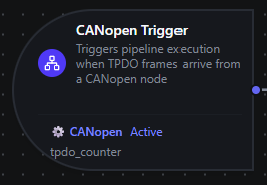
CANopen trigger node
CANopen Trigger Node
Overview
The CANopen Trigger Node automatically initiates MaestroHub pipelines when a CANopen TPDO frame arrives from a remote node. Unlike the CANopen SDO Read node which polls an Object Dictionary entry inside an already-running pipeline, the CANopen Trigger starts a new pipeline execution on each push event from the device — enabling fully event-driven automation without polling.
Core Functionality
What It Does
1. Event-Driven Pipeline Execution Start pipelines automatically whenever the remote CANopen node transmits a TPDO mapped to one or more configured variables. Latency is bounded by the CAN frame rate, not by any polling interval.
2. Two Subscription Modes The underlying PDO Subscribe function supports either pdoNumber-based subscription to a whole TPDO mapping (declared in the device's EDS) or an explicit dataPoints list that decodes the frame body without an EDS.
3. Automatic Subscription Lifecycle Subscriptions are created when the pipeline becomes enabled and torn down when it's disabled. The connector resubscribes automatically after reconnects — no manual subscription management required.
4. onChange Deduplication
When Dedup Mode = onChange, identical successive payloads are suppressed so the pipeline only fires when the value actually changes. CAN TPDOs carry no device-side timestamp or sequence number, so two identical readings look identical on the wire — this mode is what suppresses the steady-state case.
How CANopen Triggering Works
CANopen triggering is fundamentally different from on-demand reads:
| Aspect | SDO Read | TPDO Subscribe (Trigger) |
|---|---|---|
| Model | Request-response (pull) | Event-driven (push) |
| Execution | One-time SDO upload per call | Continuous streaming on each TPDO frame |
| Lifecycle | Stateless | Stateful subscription on the remote COB-ID |
| Use Case | On-demand data access | Real-time change detection, telemetry |
When you configure a CANopen Trigger:
- MaestroHub installs a frame listener on the remote node's TPDO COB-ID
- Each incoming TPDO frame is sliced into typed variables according to the PDO Subscribe function's
pdoNumbermapping (from the EDS) or explicitdataPointslist - One trigger event is emitted per mapped variable per frame
- If
Dedup Mode = onChange, the payload is hashed and compared to the previous event; duplicates are suppressed before pipeline execution starts - The pipeline executes with the trigger payload available as
$trigger
Reconnection Handling
MaestroHub automatically handles CAN bus or transport disruptions to ensure reliable monitoring.
Automatic Recovery
When the CANopen connection is lost and restored:
- Connection Lost: The system detects the disconnection automatically (via heartbeat consumer or transport-level error)
- Connection Restored: All active TPDO subscriptions are re-installed on the bus
- Transparent Recovery: Pipelines continue to receive frames once the connection is restored — no manual intervention required
What This Means for Your Workflows
| Scenario | Behavior |
|---|---|
| Transient bus error | Automatic resubscription after reconnection |
CAN interface bounce (ip link set can0 down/up) | Subscriptions automatically restored once the interface returns |
| Remote node power-cycle | Subscriptions stay installed; frames resume once the device returns to Operational |
| MaestroHub restart | All triggers for enabled pipelines are restored on startup |
TPDO frames sent while the connector is disconnected are lost — CAN has no buffer the master can replay from. For critical signals, complement the trigger with a periodic SDO Read fallback (using the Schedule trigger) so a polled value lands in the system even if a frame is missed.
Configuration Options
Basic Information
| Field | Type | Description |
|---|---|---|
| Node Label | String (Required) | Display name for the node on the pipeline canvas. Must be non-empty (trimmed). |
| Description | String (Optional) | Explains what this trigger initiates. |
Configuration
The trigger configuration is organized across three tabs in the UI: Configuration, Test Data, and Basic.
| Parameter | Type | Default | Required | Description |
|---|---|---|---|---|
| Connection | Connection ID | "" | Yes | The CANopen connection profile to subscribe through. Filtered to CANopen connections only. |
| PDO Subscribe Function | Function ID | "" | Yes | The CANopen function that defines the TPDO subscription. Filtered to pdo.subscribe function types on the selected connection. |
| Dedup Mode | Selection | always | No | always fires the pipeline on every TPDO frame. onChange suppresses identical successive payloads. |
| Enabled | Boolean | true | No | When disabled, the subscription is not created even if the pipeline is enabled. |
The selected function must be a PDO Subscribe function type (canopen.pdo.subscribe). SDO Read, SDO Write, and NMT Command functions cannot be used with CANopen Trigger nodes.
If the selected connection has no PDO Subscribe functions yet, the node configuration panel surfaces a link straight to the connection's Functions tab so you can author one.
Dedup Mode
| Mode | Behavior | When to Use |
|---|---|---|
always | Every TPDO frame fires the pipeline, regardless of payload. | High-rate telemetry where you need every sample (vibration, counter increments, fast control loops). |
onChange | Identical successive payloads are suppressed using a SHA-256 hash comparison; the pipeline only fires when the value changes. The first event after pipeline restart or after a new connection always fires. | Slow-changing signals (door state, mode flag, error register) where steady-state churn would waste pipeline executions. |
Dedup state is scoped by function_id. Multiple pipelines subscribing to the same PDO Subscribe function each maintain their own independent dedup view — disabling onChange on one pipeline does not affect another.
PDO Subscribe Function Configuration
The selected function (authored in the Connect module) controls what gets decoded from each TPDO frame:
| Setting | Description |
|---|---|
| TPDO Number | Subscribe to a whole TPDO mapping (1–512). Requires an EDS on the connection. |
| Data Points | Explicit {name, index, subIndex, dataType} list when TPDO Number = 0. No EDS required; targets TPDO 1's default COB-ID (0x180 + nodeID). |
| NMT Auto Start | Override the connection-level Auto Start. When true, ensures the node is Operational before subscribing. |
See PDO Subscribe for the full function reference.
Test Data
The Test Data tab lets you author a mock payload that runs in place of a real TPDO frame when you click Fire Trigger in the pipeline editor sandbox. This is the same JSON shape produced at runtime under the payload key — see Output Data Structure below. Useful for validating downstream nodes before a CAN bus is wired up.
{
  "speed_rpm": 1450,
  "torque_nm": 24.7
}
Settings
Description
A free-text area for documenting the node's purpose and behavior. Notes entered here are saved with the pipeline and visible to all team members.
Execution Settings
| Setting | Options | Default | Description |
|---|---|---|---|
| On Error | Pipeline Default / Stop Pipeline / Continue Execution | Pipeline Default | Behavior when the node fails. |
Output Data Structure
When a TPDO frame arrives and triggers pipeline execution, the trigger produces a structured output with two top-level keys: _metadata and payload. One event is emitted per mapped variable per frame — if a TPDO carries three variables, three trigger events fire in sequence (each with its own payload).
Output Format
{
  "_metadata": {
    "type": "canopen_trigger",
    "connection_id": "bf29be94-fc0a-4dc4-8e5c-092f1b74eb4b",
    "function_id": "aef374c3-aa2b-454e-aabc-5657faac5950",
    "node_id": 16,
    "index": "0x6041",
    "sub_index": 0,
    "data_type": "uint16",
    "nmt_state": "operational",
    "received_at": "2026-05-20T10:30:45.123456789Z"
  },
  "payload": {
    "statusword": 1591
  }
}
_metadata Fields
| Field | Type | Description |
|---|---|---|
type | string | Always "canopen_trigger". |
connection_id | string | The CANopen connection profile ID. |
function_id | string | The PDO Subscribe function ID. |
node_id | number | CANopen node ID of the producer (1–127). |
index | string | OD index of this variable, formatted as 0xNNNN. |
sub_index | number | OD sub-index of this variable (0–255). |
data_type | string | Data type used to decode this variable (see Data Types). |
nmt_state | string | NMT state of the producing node at the moment the frame was received: initializing, preOperational, operational, stopped, or unknown. |
received_at | string | ISO 8601 / RFC 3339 (nanoseconds) — when the connector received the frame, UTC. |
payload Fields
The payload object contains exactly one key — the Name you configured for this variable on the PDO Subscribe function's data point — mapped to the decoded value.
| Variable Type | Example payload |
|---|---|
bool | {"running": true} |
uint16 | {"statusword": 1591} |
int32 | {"target_velocity": -200000} |
float32 | {"voltage": 24.6} |
Referencing in Downstream Nodes
Use expressions to access trigger data in subsequent nodes:
$trigger.payload.<varName>— the decoded value (<varName>is the Name configured on the data point)$trigger._metadata.index— OD index of the variable (e.g."0x6041")$trigger._metadata.sub_index— OD sub-index$trigger._metadata.data_type— data type used to decode$trigger._metadata.node_id— the CANopen node that emitted the frame$trigger._metadata.nmt_state— current NMT state of the producer$trigger._metadata.received_at— when the frame was received
Validation Rules
Parameter Validation
Node Label
- Must not be empty
- Must not consist only of whitespace
- Error: "Node name is required"
Connection ID
- Must be provided and non-empty
- Must reference a valid CANopen connection profile
- Error: "CANopen connection is required"
Function ID
- Must be provided and non-empty
- Must reference a valid PDO Subscribe function
- Function must belong to the specified connection
- Error: "PDO subscribe function is required"
Enabled Flag
- Must be a boolean if provided
- Error: "Enabled must be a boolean value"
Usage Examples
Motor Speed Feedback
Key configuration
- Label: Drive Speed Feedback
- Connection: Production CANopen Drive (node 16, EDS attached)
- Function: PDO Subscribe with
TPDO Number = 1(drive's default actual-velocity mapping) - Dedup Mode:
always - Enabled: true
Downstream usage: $trigger.payload.actual_velocity_rpm for the current speed, $trigger._metadata.received_at for the sample time. Forward into the Aggregator node to compute a sliding-window average before publishing to MQTT.
Door / Mode Flag Monitoring
Key configuration
- Label: Cell Door Monitor
- Connection: Safety PLC CANopen Bridge
- Function: PDO Subscribe with explicit dataPoints (
door_closed: boolat0x2100:0) - Dedup Mode:
onChange - Enabled: true
- Settings: on error
continue
Downstream usage: $trigger.payload.door_closed for the current state. With onChange dedup, the pipeline only fires on actual transitions — perfect for kicking off an alert on each open/close edge without churning on the steady state.
Multi-Variable TPDO Decoding
Key configuration
- Label: Drive Telemetry Bundle
- Connection: Production CANopen Drive
- Function: PDO Subscribe with four explicit data points —
statusword (uint16),actual_position (int32),actual_torque (int16),dc_link_voltage (uint16) - Dedup Mode:
always - Enabled: true
Downstream usage: Each TPDO frame fires four trigger events in mapping order — one per variable. Use a Switch node on $trigger._metadata.index to route each variable to a different downstream branch, or aggregate them all into a single record by buffering on $trigger._metadata.received_at with a small window.
Bus-Wide Error Aggregation
Key configuration
- Label: Drive Error Register Monitor
- Connection: Production CANopen Drive
- Function: PDO Subscribe with explicit data point (
error_register: uint8at0x1001:0) - Dedup Mode:
onChange - Enabled: true
- Settings: on error
continue
Downstream usage: Use $trigger.payload.error_register and bitmask-test downstream (CiA 301 §7.4.4). With onChange, only actual error-state transitions fire — emit notifications when the register goes non-zero, archive every transition for auditing.
Best Practices
Subscription Design
- Group related variables in one TPDO mapping rather than authoring one PDO Subscribe function per variable. Fewer subscriptions means fewer COB-IDs in flight and clearer downstream routing.
- Provide an EDS when subscribing to a whole TPDO by number. Without one,
pdoNumber > 0mode falls back to no mapping. FordataPointsmode, the EDS is optional. - Confirm the device is in Operational state. Leave NMT Auto Start enabled (the default) unless you have an external NMT controller. A node stuck in Pre-Operational emits no PDOs.
Designing for Reliability
| Practice | Rationale |
|---|---|
| Enable the Heartbeat Consumer on the connection | Lets MaestroHub detect a dead producer even when the bus stays up — without it, a silent slave looks identical to "no events yet" |
| Match data point order to the device's TPDO mapping | TPDO frames concatenate mapped variables in declared order; the wrong order silently decodes wrong values |
Use onChange for slow-changing signals | Eliminates churn on stable values; the first event after a restart always fires |
| Add a polled SDO Read fallback for critical signals | TPDOs sent during a disconnection are lost — a periodic Schedule-driven SDO Read backstops the live trigger |
Error Handling Strategies
For Critical Workflows:
- Set On Error to
stopPipeline - Monitor pipeline execution failures via the Health dashboard
- Implement alerting for stopped pipelines
For Best-Effort Processing:
- Set On Error to
continueExecution - Log failed executions for later analysis
- Ensure downstream nodes handle partial failures gracefully
Performance Considerations
| Scenario | Recommendation |
|---|---|
| High-frequency TPDOs (>100 Hz) | Use onChange if change density is low, or buffer downstream with the Aggregator node so a slow consumer never blocks the bus |
| Many monitored nodes | One subscription per (connection, function) — running many CANopen connections across replicas (see Scaling) distributes the load |
| Wide TPDOs (8 variables) | Each variable emits one event per frame — verify downstream nodes can keep up; consider an Aggregator if not |
Enable vs. Disable
- Use the trigger's Enabled parameter to temporarily pause monitoring without changing pipeline state
- Disable triggers during maintenance windows to prevent processing stale reconnection data
- Document the reason for disabled triggers in the node's Description field