Azure Blob Storage Nodes
Azure Blob Storage nodes enable pipelines to manage blobs and containers in Azure Storage accounts. Use these nodes to automate data ingestion, export, archival, and storage lifecycle operations. All eight node types connect through your configured Azure Blob Storage connections.
Configuration Quick Reference
| Field | What you choose | Details |
|---|---|---|
| Parameters | Connection, Function, Function Parameters, Timeout Override | Select the connection profile, function, configure function parameters with expression support, and optionally override timeout. |
| Settings | Description, Timeout (seconds), Retry on Timeout, Retry on Fail, On Error | Node description, maximum execution time, retry behavior on timeout or failure, and error handling strategy. All execution settings default to pipeline-level values. |
Blob Operations
Azure Blob Write Node
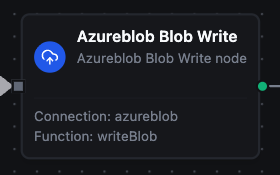
Azure Blob Write Node
Write data to Azure Blob Storage with support for Block, Append, and Page blob types.
Supported Function Types:
| Function Name | Purpose | Common Use Cases |
|---|---|---|
| Write Blob | Upload data as Block, Append, or Page Blob | Data exports, log appending, binary artifact storage |
Node Configuration
| Parameter | Type | Required | Description |
|---|---|---|---|
| Connection | Selection | Yes | Azure Blob Storage connection profile to use |
| Function | Selection | Yes | Write function from the selected connection |
| Function Parameters | Dynamic | Varies | Auto-populated from the function schema. See your Azure Blob Storage connection functions for full parameter details. |
| Timeout Override | Number (seconds) | No | Override the default function timeout |
All function parameters support expression syntax ({{ expression }}) for dynamic values from the pipeline context.
Input
The node receives the output of the previous node as input. Input data can be referenced in function parameter expressions using $input.
Output Structure
On success the node produces:
{
  "success": true,
  "functionId": "<function-id>",
  "data": {
    "containerName": "reports",
    "blobPath": "data/report.csv",
    "blobType": "BlockBlob",
    "bytesWritten": 2048,
    "contentType": "text/csv"
  },
  "durationMs": 245,
  "timestamp": "2026-03-12T10:30:00Z"
}
| Field | Type | Description |
|---|---|---|
containerName | string | Target container name |
blobPath | string | Full blob path within the container |
blobType | string | Blob type used (BlockBlob, AppendBlob, or PageBlob) |
bytesWritten | number | Number of bytes written (BlockBlob and PageBlob) |
bytesAppended | number | Number of bytes appended (AppendBlob only) |
contentType | string | MIME content type of the written data (BlockBlob only) |
Azure Blob Read Node
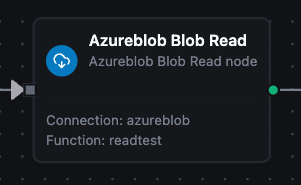
Azure Blob Read Node
Download and read the content of a blob from Azure Blob Storage.
Supported Function Types:
| Function Name | Purpose | Common Use Cases |
|---|---|---|
| Read Blob | Download blob content | Data imports, configuration retrieval, report processing |
Node Configuration
| Parameter | Type | Required | Description |
|---|---|---|---|
| Connection | Selection | Yes | Azure Blob Storage connection profile to use |
| Function | Selection | Yes | Read function from the selected connection |
| Function Parameters | Dynamic | Varies | Auto-populated from the function schema (e.g., containerName, blobPath). See your Azure Blob Storage connection functions for full parameter details. |
| Timeout Override | Number (seconds) | No | Override the default function timeout |
Input
The node receives the output of the previous node as input. Use expressions like {{ $input.data.blobPath }} to dynamically specify which blob to read.
Output Structure
On success the node produces:
{
  "success": true,
  "functionId": "<function-id>",
  "data": {
    "data": "header1,header2\nvalue1,value2\n...",
    "metadata": {
      "blobPath": "data/report.csv",
      "containerName": "reports",
      "contentLength": 4096,
      "contentType": "text/csv",
      "encoding": "text",
      "etag": "\"0x8D...\"",
      "fileName": "report.csv",
      "lastModified": "2026-03-12T08:00:00Z",
      "sizeBytes": 4096
    }
  },
  "durationMs": 178,
  "timestamp": "2026-03-12T10:30:00Z"
}
| Field | Type | Description |
|---|---|---|
data | string | Blob content (text for text-based content types, base64‑encoded for binary) |
metadata | object | Blob metadata (see below) |
Metadata Fields:
| Field | Type | Description |
|---|---|---|
containerName | string | Container the blob was read from |
blobPath | string | Blob path within the container |
fileName | string | File name extracted from the blob path |
sizeBytes | number | Blob size in bytes |
encoding | string | Content encoding used (text or base64) |
contentType | string | MIME content type |
contentLength | number | Content length as reported by Azure |
etag | string | Blob ETag for concurrency control |
lastModified | string | Last modification timestamp (ISO 8601) |
Azure Blob Delete Node
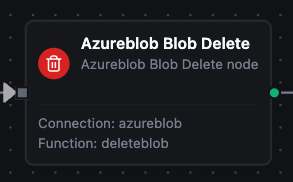
Azure Blob Delete Node
Delete a blob from an Azure Blob Storage container.
Supported Function Types:
| Function Name | Purpose | Common Use Cases |
|---|---|---|
| Delete Blob | Permanently delete a blob | Clean up processed files, implement retention policies |
Node Configuration
| Parameter | Type | Required | Description |
|---|---|---|---|
| Connection | Selection | Yes | Azure Blob Storage connection profile to use |
| Function | Selection | Yes | Delete function from the selected connection |
| Function Parameters | Dynamic | Varies | Auto-populated from the function schema (e.g., containerName, blobPath). See your Azure Blob Storage connection functions for full parameter details. |
| Timeout Override | Number (seconds) | No | Override the default function timeout |
Input
The node receives the output of the previous node as input. Use expressions like {{ $input.data.blobPath }} to dynamically specify which blob to delete.
Output Structure
On success the node produces:
{
  "success": true,
  "functionId": "<function-id>",
  "data": {
    "containerName": "temp-uploads",
    "blobPath": "old-data.csv",
    "deleted": true
  },
  "durationMs": 92,
  "timestamp": "2026-03-12T10:30:00Z"
}
| Field | Type | Description |
|---|---|---|
containerName | string | Container the blob was deleted from |
blobPath | string | Path of the deleted blob |
deleted | boolean | true if the blob was successfully deleted |
Blob deletion is permanent and cannot be undone. Consider using a Condition node to verify before deleting.
Azure Blob List Node
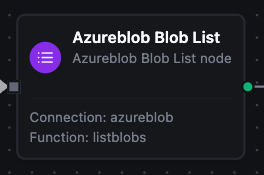
Azure Blob List Node
List blobs within a container with optional prefix filtering and pagination.
Supported Function Types:
| Function Name | Purpose | Common Use Cases |
|---|---|---|
| List Blobs | Enumerate blobs in a container | Discover files, inventory contents, batch processing |
Node Configuration
| Parameter | Type | Required | Description |
|---|---|---|---|
| Connection | Selection | Yes | Azure Blob Storage connection profile to use |
| Function | Selection | Yes | List function from the selected connection |
| Function Parameters | Dynamic | Varies | Auto-populated from the function schema (e.g., containerName, prefix, maxResults). See your Azure Blob Storage connection functions for full parameter details. |
| Timeout Override | Number (seconds) | No | Override the default function timeout |
Input
The node receives the output of the previous node as input. Use expressions to dynamically specify the container or prefix filter.
Output Structure
On success the node produces:
{
  "success": true,
  "functionId": "<function-id>",
  "data": {
    "containerName": "data-lake",
    "blobs": [
      {
        "name": "logs/2026-03-12.json",
        "contentLength": 2048,
        "contentType": "application/json",
        "lastModified": "2026-03-12T06:00:00Z",
        "etag": "\"0x8D...\"",
        "blobType": "BlockBlob"
      }
    ],
    "count": 1,
    "hasMore": false
  },
  "durationMs": 134,
  "timestamp": "2026-03-12T10:30:00Z"
}
| Field | Type | Description |
|---|---|---|
containerName | string | Container that was listed |
blobs | array | Array of blob entries |
count | number | Number of blobs returned |
hasMore | boolean | true if more pages are available |
continuationToken | string | Token for the next page (present when hasMore is true) |
Blob Entry Fields:
| Field | Type | Description |
|---|---|---|
name | string | Blob name/path |
contentLength | number | Blob size in bytes |
contentType | string | MIME content type |
lastModified | string | Last modification timestamp (ISO 8601) |
etag | string | Blob ETag |
blobType | string | Blob type (BlockBlob, AppendBlob, or PageBlob) |
Container Operations
Azure Container Create Node
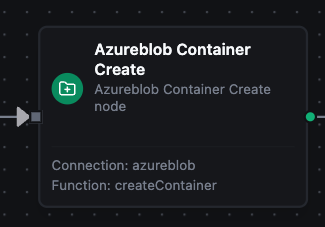
Azure Container Create Node
Create a new container in the Azure Storage account.
Supported Function Types:
| Function Name | Purpose | Common Use Cases |
|---|---|---|
| Create Container | Provision a new container | Set up project storage, create data lake containers |
Node Configuration
| Parameter | Type | Required | Description |
|---|---|---|---|
| Connection | Selection | Yes | Azure Blob Storage connection profile to use |
| Function | Selection | Yes | Create Container function from the selected connection |
| Function Parameters | Dynamic | Varies | Auto-populated from the function schema (e.g., containerName). See your Azure Blob Storage connection functions for full parameter details. |
| Timeout Override | Number (seconds) | No | Override the default function timeout |
Output Structure
On success the node produces:
{
  "success": true,
  "functionId": "<function-id>",
  "data": {
    "containerName": "new-data-lake",
    "created": true
  },
  "durationMs": 312,
  "timestamp": "2026-03-12T10:30:00Z"
}
| Field | Type | Description |
|---|---|---|
containerName | string | Name of the created container |
created | boolean | true if the container was successfully created |
Azure Container Delete Node
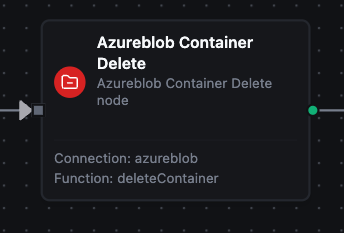
Azure Container Delete Node
Delete a container and all its blobs from Azure Blob Storage.
Supported Function Types:
| Function Name | Purpose | Common Use Cases |
|---|---|---|
| Delete Container | Remove a container and all contents | Clean up test environments, lifecycle management |
Node Configuration
| Parameter | Type | Required | Description |
|---|---|---|---|
| Connection | Selection | Yes | Azure Blob Storage connection profile to use |
| Function | Selection | Yes | Delete Container function from the selected connection |
| Function Parameters | Dynamic | Varies | Auto-populated from the function schema (e.g., containerName). See your Azure Blob Storage connection functions for full parameter details. |
| Timeout Override | Number (seconds) | No | Override the default function timeout |
Output Structure
On success the node produces:
{
  "success": true,
  "functionId": "<function-id>",
  "data": {
    "containerName": "temp-uploads",
    "deleted": true
  },
  "durationMs": 187,
  "timestamp": "2026-03-12T10:30:00Z"
}
| Field | Type | Description |
|---|---|---|
containerName | string | Name of the deleted container |
deleted | boolean | true if the container was successfully deleted |
Container deletion removes the container and all blobs within it. This cannot be undone. Use a Condition node to add safety checks before deleting.
Azure Container Get Node
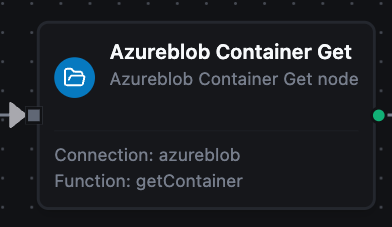
Azure Container Get Node
Retrieve metadata and properties of a container.
Supported Function Types:
| Function Name | Purpose | Common Use Cases |
|---|---|---|
| Get Container | Inspect container properties | Verify existence, check lease status, read metadata |
Node Configuration
| Parameter | Type | Required | Description |
|---|---|---|---|
| Connection | Selection | Yes | Azure Blob Storage connection profile to use |
| Function | Selection | Yes | Get Container function from the selected connection |
| Function Parameters | Dynamic | Varies | Auto-populated from the function schema (e.g., containerName). See your Azure Blob Storage connection functions for full parameter details. |
| Timeout Override | Number (seconds) | No | Override the default function timeout |
Output Structure
On success the node produces:
{
  "success": true,
  "functionId": "<function-id>",
  "data": {
    "containerName": "data-lake",
    "etag": "\"0x8D...\"",
    "lastModified": "2026-03-01T12:00:00Z",
    "leaseStatus": "unlocked",
    "leaseState": "available",
    "hasImmutabilityPolicy": false,
    "hasLegalHold": false,
    "metadata": {}
  },
  "durationMs": 98,
  "timestamp": "2026-03-12T10:30:00Z"
}
| Field | Type | Description |
|---|---|---|
containerName | string | Name of the inspected container |
etag | string | Container ETag |
lastModified | string | Last modification timestamp (ISO 8601) |
leaseStatus | string | Lease status (locked or unlocked) |
leaseState | string | Lease state (available, leased, expired, breaking, broken) |
hasImmutabilityPolicy | boolean | Whether an immutability policy is set |
hasLegalHold | boolean | Whether a legal hold is active |
metadata | object | Custom metadata key‑value pairs |
Azure Container List Node
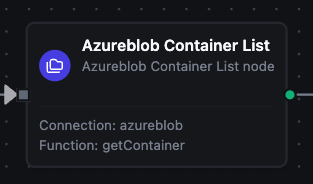
Azure Container List Node
List all containers in the Azure Storage account.
Supported Function Types:
| Function Name | Purpose | Common Use Cases |
|---|---|---|
| List Containers | Enumerate storage account containers | Audit inventory, discover containers by prefix, monitor usage |
Node Configuration
| Parameter | Type | Required | Description |
|---|---|---|---|
| Connection | Selection | Yes | Azure Blob Storage connection profile to use |
| Function | Selection | Yes | List Containers function from the selected connection |
| Function Parameters | Dynamic | Varies | Auto-populated from the function schema (e.g., prefix, maxResults). See your Azure Blob Storage connection functions for full parameter details. |
| Timeout Override | Number (seconds) | No | Override the default function timeout |
Output Structure
On success the node produces:
{
  "success": true,
  "functionId": "<function-id>",
  "data": {
    "containers": [
      {
        "name": "data-lake",
        "lastModified": "2026-03-01T12:00:00Z",
        "etag": "\"0x8D...\"",
        "leaseStatus": "unlocked"
      }
    ],
    "count": 1,
    "hasMore": false
  },
  "durationMs": 156,
  "timestamp": "2026-03-12T10:30:00Z"
}
| Field | Type | Description |
|---|---|---|
containers | array | Array of container entries |
count | number | Number of containers returned |
hasMore | boolean | true if more pages are available |
continuationToken | string | Token for the next page (present when hasMore is true) |
Container Entry Fields:
| Field | Type | Description |
|---|---|---|
name | string | Container name |
lastModified | string | Last modification timestamp (ISO 8601) |
etag | string | Container ETag |
leaseStatus | string | Lease status (locked or unlocked) |
Settings Tab
All Azure Blob Storage node types share the same Settings tab:
| Setting | Type | Default | Description |
|---|---|---|---|
| Description | Text | — | Optional description displayed on the node |
| Timeout (seconds) | Number | Pipeline default | Maximum time the node may run before timing out |
| Retry on Timeout | Toggle | Pipeline default | Automatically retry the node if it times out |
| Retry on Fail | Toggle | Pipeline default | Automatically retry the node if it fails |
| On Error | Selection | Pipeline default | Error strategy: stop the pipeline, continue to the next node, or follow the error output path |
When left at their defaults, these settings inherit from the pipeline-level execution configuration.