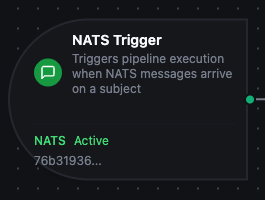
NATS trigger node
NATS Trigger Node
Overview
The NATS Trigger Node automatically initiates MaestroHub pipelines when messages arrive on subscribed NATS subjects. Unlike the NATS Publish connector node which sends messages from inside a running pipeline, the NATS Trigger starts new pipeline executions in response to incoming messages, enabling fully event-driven automation across core NATS and JetStream deployments.
Core Functionality
What It Does
NATS Trigger enables real-time, event-driven pipeline execution by:
1. Event-Driven Pipeline Execution Start pipelines automatically when NATS messages arrive on the subscribed subject, without manual intervention or polling. Sub-millisecond core NATS pub/sub keeps latency low.
2. Automatic Subscription Management The connector's subscription manager attaches and tears down subjects automatically as pipelines are enabled, disabled, or updated, with no manual subscription bookkeeping.
3. Queue Group Load Balancing (Core NATS) When the underlying Subscribe function uses a queue group, NATS distributes messages across all consumers in the group. Run the same pipeline on multiple replicas to scale horizontally.
4. JetStream Durable Consumers When the Subscribe function enables JetStream, the trigger uses a server-tracked durable consumer with explicit ack. Messages survive broker restarts and the consumer resumes from the last acked sequence on reconnect.
5. Message Payload and Metadata Passthrough
Incoming payloads and metadata (subject, queueGroup, jetstream flag, headers, replyTo) are passed to downstream nodes via the $trigger variable.
Reconnection Handling
MaestroHub automatically recovers from connection disruptions to keep message delivery reliable.
Automatic Recovery
When a NATS connection is lost and restored:
- Connection Lost:
nats.godetects the disconnect and notifies the supervisor - Reconnect Loop: The client attempts to reconnect to the next server in the URL list, with the configured Reconnect Wait backoff
- Subscriptions Restored: Core NATS subscriptions are re-established immediately on reconnect. JetStream durable consumers resume from their last acked sequence on the server side, so no client-side state needed
- Transparent Recovery: Pipelines continue to receive messages once the connection is restored
What This Means for Your Workflows
| Scenario | Behaviour |
|---|---|
| Brief network interruption | Automatic resubscription within seconds; core NATS messages sent during the gap are lost |
| Single server failure (clustered NATS) | Client transparently fails over to another seed URL |
| Broker restart | Subscriptions automatically restored when the broker is back |
| JetStream durable consumer | Server tracks consumer progress; on reconnect the consumer resumes from the last unacked message, with no replay or duplication |
| MaestroHub restart | All triggers for enabled pipelines are restored on startup |
Core NATS is at-most-once: messages published during a consumer outage are not buffered. Enable JetStream on both the connection and the Subscribe function when message loss is unacceptable. JetStream streams must be provisioned out of band (NATS CLI / operator); the connector consumes from existing streams.
Configuration Options
Basic Information
| Field | Type | Description |
|---|---|---|
| Node Label | String (Required) | Display name for the node on the pipeline canvas |
| Description | String (Optional) | Explains what this trigger initiates |
Parameters
| Parameter | Type | Default | Required | Constraints | Description |
|---|---|---|---|---|---|
| Connection ID | string | "" | Yes | -- | NATS connection profile to use. |
| Function ID | string | "" | Yes | -- | Subscribe function within the connection. Only Subscribe functions are listed. |
| Trigger Mode | select | "always" | No | always / onChange | always: Trigger on every message. onChange: Only trigger when payload differs from the previously received payload on the same subject. |
| Enabled | boolean | true | No | -- | Enable/disable the trigger. When disabled, the subscription is not opened. |
| Dedup Max Keys | number | 1000 | If onChange | 1-10,000 | Maximum distinct subjects tracked for change detection. LRU eviction beyond the limit. |
| Dedup TTL | select | -- | If onChange | 1h / 6h / 12h / 24h / 72h / 168h | Persistent dedup state TTL via JetStream. Enterprise only. Lite keeps dedup state in-memory and resets on restart. |
The selected function must be a NATS Subscribe function. Publish and Request functions cannot drive a trigger node.
The trigger hashes the payload per subject: distinct subjects each get their own onChange slot. A ((tenant)) placeholder in the Subscribe function's subject (resulting in subjects like events.acme, events.globex) gives each tenant independent change tracking.
Settings
Description
A free-text area for documenting the node's purpose and behavior. Notes here are saved with the pipeline and visible to all team members.
Execution Settings
| Setting | Options | Default | Description |
|---|---|---|---|
| Timeout (seconds) | number | Pipeline default | Maximum execution time for this node (1-600). Leave empty for pipeline default. |
| Retry on Timeout | Pipeline Default / Enabled / Disabled | Pipeline Default | Whether to retry the node if it times out. |
| Retry on Fail | Pipeline Default / Enabled / Disabled | Pipeline Default | Whether to retry on failure. When Enabled, shows Advanced Retry Configuration. |
| On Error | Pipeline Default / Stop Pipeline / Continue Execution | Pipeline Default | Behavior when the node fails after all retries. |
Advanced Retry Configuration (visible when Retry on Fail = Enabled)
| Field | Type | Default | Range | Description |
|---|---|---|---|---|
| Max Attempts | number | 3 | 1-10 | Maximum retry attempts. |
| Initial Delay (ms) | number | 1000 | 100-30,000 | Wait before first retry. |
| Max Delay (ms) | number | 120000 | 1,000-300,000 | Upper bound for backoff delay. |
| Multiplier | number | 2.0 | 1.0-5.0 | Exponential backoff multiplier. |
| Jitter Factor | number | 0.1 | 0-0.5 | Random jitter (+-percentage). |
Output Data Structure
When a NATS message triggers pipeline execution, the following data is available to downstream nodes via the $trigger variable.
Output Format
{
  "_metadata": {
    "type": "nats_trigger",
    "connection_id": "bf29be94-fc0a-4dc4-8e5c-092f1b74eb4b",
    "function_id": "aef374c3-aa2b-454e-aabc-5657faac5950",
    "subject": "orders.created.acme",
    "queueGroup": "order-workers",
    "jetstream": false,
    "contentType": "application/json",
    "timestamp": "2026-05-11T17:30:00Z"
  },
  "payload": {
    "orderId": "ORD-12345",
    "customer": "acme",
    "amount": 99.99
  }
}
For JetStream-backed subscribes, _metadata.jetstream is true and the trigger fires only after the subscription manager observes the message. The connector handles the explicit ack on your behalf once downstream nodes complete successfully; on handler failure the message is not acked and the server redelivers it after Ack Wait.
Accessing Message Data
In downstream nodes, use the $trigger variable:
| Field | Expression | Description |
|---|---|---|
| Message Payload | $trigger.payload | The parsed NATS message content (JSON object or raw value) |
| Subject | $trigger._metadata.subject | The subject the message was delivered on (resolves wildcards) |
| Queue Group | $trigger._metadata.queueGroup | The queue group the consumer belongs to (empty for fanout subscriptions) |
| JetStream Flag | $trigger._metadata.jetstream | true when the subscription is a JetStream durable consumer |
| Reply Subject | $trigger._metadata.replyTo | Reply-to subject set by the sender (present only for request/reply senders) |
| Connection ID | $trigger._metadata.connection_id | The NATS connection profile used |
| Function ID | $trigger._metadata.function_id | The NATS Subscribe function that received the message |
| Trigger Type | $trigger._metadata.type | Always nats_trigger |
| Timestamp | $trigger._metadata.timestamp | When the message was received |
| Custom Headers | $trigger._metadata["header.X-My-Key"] | Headers from the NATS message, prefixed with header. |
If your NATS messages contain JSON, access nested fields directly:
$trigger.payload.orderId: Access a specific field$trigger.payload: Access the entire message object
Validation Rules
The NATS Trigger Node enforces these validation requirements:
Parameter Validation
Connection ID
- Must be provided and non-empty
- Must reference a valid NATS connection profile
- Error: "Connection is required"
Function ID
- Must be provided and non-empty
- Must reference a valid NATS Subscribe function
- Function must belong to the specified connection
- Error: "Subscribe Function is required"
Enabled Flag
- Must be a boolean if provided
- Error: "Enabled must be a boolean value"
Usage Examples
Edge-to-Cloud Telemetry Bridge
Scenario: Ingest sensor readings published to NATS by edge devices and forward to a cloud time-series database.
Configuration:
- Label: Edge Telemetry Ingest
- Connection: Production NATS Cluster
- Function: Subscribe to
sensors.>with queue grouptelemetry-ingest - Trigger Mode: always
- Enabled: true
Downstream Processing:
- Parse JSON payload to extract sensor ID, value, and timestamp
- Normalize units via a Set node
- Write to InfluxDB
- Optionally fan out to alerting on threshold breach
JetStream Order Processing
Scenario: Process orders published to a JetStream stream with at-least-once delivery and automatic redelivery on no-ack.
Configuration:
- Label: Order Processor
- Connection: Production NATS (JetStream enabled)
- Function: Subscribe to
orders.created.>with durablepipeline-order-processor, max in-flight 10 - Trigger Mode: always
- Enabled: true
Downstream Processing:
- Validate the order schema
- Check inventory via a Postgres query
- Charge payment via a REST node
- On success, publish
orders.fulfilled(NATS Publish node); the durable consumer acks automatically - On failure, the message is redelivered after
Ack Wait
Per-Tenant Change Detection
Scenario: Process device-state updates from a multi-tenant subject hierarchy but only fire the pipeline when the state actually changes for that tenant.
Configuration:
- Label: Tenant State Watcher
- Connection: SaaS NATS Cluster
- Function: Subscribe to
tenants.*.device-state(queue groupstate-watcher) - Trigger Mode: onChange
- Dedup Max Keys: 5000
- Enabled: true
Downstream Processing:
- Extract tenant and device fields from
$trigger._metadata.subject - Update tenant-scoped state in MongoDB
- Notify the tenant's webhook on critical transitions
Best Practices
Connection Health Monitoring
- Set Ping Interval on the connection (default
120s) low enough to detect dead routes quickly on unreliable networks, high enough to avoid bus noise on healthy ones - Provide multiple URLs in Server URLs so the client can fail over between cluster seeds without operator intervention
- Monitor connection state via MaestroHub's connection health dashboard; the connector exposes reconnect counts and last-error metrics
Choosing Between Core NATS and JetStream
| Requirement | Pick |
|---|---|
| Lowest possible latency, can tolerate occasional loss | Core NATS |
| Telemetry, sensor data, fanout broadcasts | Core NATS |
| Order events, audit trail, financial events | JetStream |
| Must redeliver on failure / resume after restart | JetStream |
| Consumer may be offline for minutes/hours | JetStream |
| You only have one consumer instance | Either, depending on loss tolerance |
Designing for Reliability
| Practice | Rationale |
|---|---|
| Use queue groups for horizontal scaling | NATS distributes messages round-robin across queue-group members |
| Enable JetStream + durable name for critical streams | Survive broker restarts, automatic redelivery on no-ack |
| Pick a stable, descriptive durable name | Server tracks progress against this name; renaming creates a new consumer that starts from the beginning |
| Tune Max In-Flight | Higher values increase throughput; lower values reduce blast radius when a downstream node is slow |
| Use onChange Trigger Mode for monitoring subjects | Avoid firing pipelines on identical heartbeat / status payloads |
Error Handling Strategies
For Critical Workflows (JetStream):
- Set On Error to
stopPipeline - Disable retries at the trigger node; let
Ack Waitredeliver the message instead - Watch consumer lag via the NATS server's monitoring endpoint
For Best-Effort Processing (Core NATS):
- Set On Error to
continueExecution - Log failed messages; they cannot be replayed
- Use a sidecar pipeline that writes critical payloads to long-term storage independently
Performance Considerations
| Scenario | Recommendation |
|---|---|
| High message rate | Use queue groups across multiple pipeline replicas; raise JetStream Max In-Flight |
| Large payloads | NATS recommends < 1MB per message; chunk larger payloads upstream |
| Wildcard subscriptions | Use * (single token) when you know the depth; reserve > (multi-token) for broad fan-in scenarios |
| Multi-tenant fan-out | Subscribe with tenants.*.events rather than separate subscriptions per tenant |
Enable vs. Disable
- Use the trigger's Enabled parameter to temporarily pause message processing without changing pipeline state
- Disable triggers during maintenance windows to prevent message processing (and, for JetStream, prevent unacked-message backlog from being delivered)
- Document the reason for disabled triggers in the node's Description field