AWS Lambda Nodes
AWS Lambda nodes call serverless functions from inside a pipeline — run inline transforms and ML inference, fire async events to background workers, or list functions for discovery. All three node types route through your configured AWS Lambda connection.
Configuration Quick Reference
| Field | What you choose | Details |
|---|---|---|
| Parameters | Connection, Function, Function Parameters, Timeout Override | Select the connection profile, function, configure function parameters with expression support, and optionally override timeout. |
| Settings | Description, Timeout (seconds), Retry on Timeout, Retry on Fail, On Error | Node description, maximum execution time, retry behavior on timeout or failure, and error handling strategy. All execution settings default to pipeline-level values. |
AWS Lambda Invoke Node
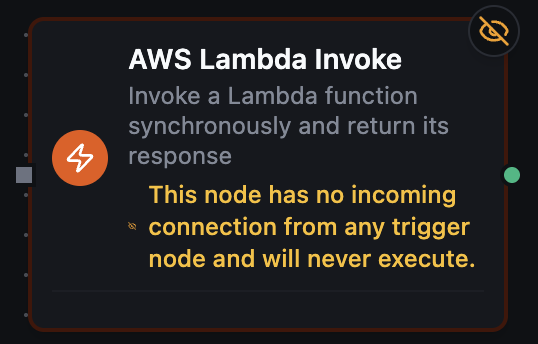
AWS Lambda Invoke Node
Invoke a Lambda function synchronously (InvocationType=RequestResponse) and return its response payload to the pipeline. Use this when downstream nodes depend on the function's result — transforms, enrichments, ML inference, or reference-data lookups.
Supported Function Types:
| Function Name | Purpose | Common Use Cases |
|---|---|---|
| Invoke | Synchronously invoke a Lambda and return the decoded JSON payload | Inline transforms, ML inference, reference-data lookups, permission probes via Dry Run |
How It Works
When the pipeline executes, the Invoke node:
- Resolves the function name/ARN, qualifier, and JSON payload (templated values are evaluated against pipeline context).
- Calls Lambda with
InvocationType=RequestResponse(orDryRunwhen Dry Run is enabled). - Decodes the response payload as JSON and surfaces it in
data.payload. - If the Lambda code throws, AWS returns HTTP 200 with a
FunctionError— the node translates that tosuccess: falseso error branches fire as expected. - When Log Type = Tail, the last 4 KB of CloudWatch logs is included in
metadata.logs.
For full parameter details, see the Invoke function documentation.
AWS Lambda Invoke Async Node
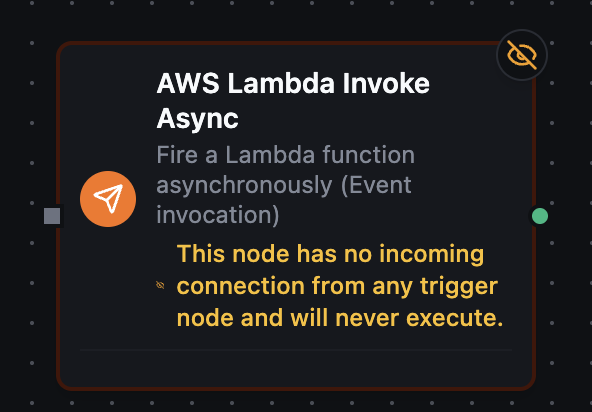
AWS Lambda Invoke Async Node
Fire a Lambda function asynchronously (InvocationType=Event). AWS queues the request and returns 202 Accepted immediately; the function executes in the background. Use this when the pipeline doesn't need to wait for the result — fan-out events, background processing, decoupled side-effects.
Supported Function Types:
| Function Name | Purpose | Common Use Cases |
|---|---|---|
| Invoke Async | Fire-and-forget Lambda invocation that returns immediately on queue acknowledgment | Event fan-out, background jobs, slow side-effects decoupled from the pipeline path |
How It Works
- Resolves the function name/ARN, qualifier, and payload.
- Calls Lambda with
InvocationType=Event. - Returns success as soon as AWS acknowledges the queue (HTTP 202). The node's
datacontains only{statusCode: 202}— there is no payload. - The actual function execution (and any failures) are handled by AWS — check the function's CloudWatch logs and any configured DLQ / EventBridge destination for outcomes.
For full parameter details, see the Invoke Async function documentation.
Async invocations succeed as soon as AWS queues them. If the function later errors, AWS retries and routes failures to the configured async destination — MaestroHub never sees the result. Wire a DLQ or EventBridge target on the Lambda side if you need failure visibility.
AWS Lambda List Functions Node
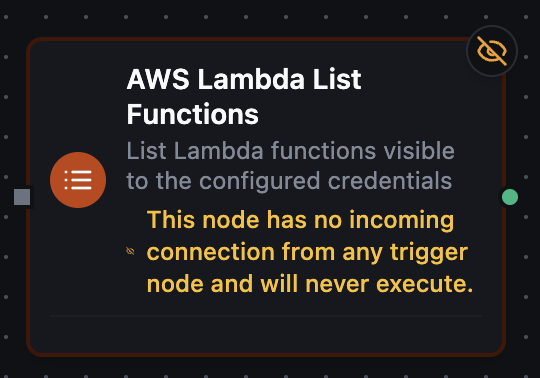
AWS Lambda List Functions Node
List the Lambda functions visible to the configured credentials. Useful for discovery pipelines, inventory audits, or feeding a downstream Smart Connector that fans out invocations across many functions.
Supported Function Types:
| Function Name | Purpose | Common Use Cases |
|---|---|---|
| List Functions | Page through Lambda function metadata for the connection's region and account | Function discovery, inventory audits, dynamic fan-out into Smart Connector or For-Each |
How It Works
- Calls
lambda:ListFunctionswith the configuredmaxItemsand optionalmarker. - Returns the page in
data.functions[](each entry hasfunctionName,functionArn,runtime,role,handler,version,description, pluslastModified,timeout, andmemorySizewhen available), along withcountandnextMarkerwhen more pages exist. - To paginate across all functions, feed
data.nextMarkerfrom one execution into themarkerparameter of the next — typically with a For-Each Loop or a recursive Smart Connector pattern.
For full parameter details, see the List Functions function documentation.
Node Output Reference
All AWS Lambda nodes return the standard MaestroHub function-result envelope. The shape of data and metadata depends on the node type — see AWS Lambda Result Shape for the full reference, including how function-level errors are surfaced on the synchronous Invoke node.
The AWS Lambda nodes require an existing AWS Lambda connection. See the AWS Lambda Integration Guide for connection setup, and the AWS Lambda IAM Setup guide for creating the access key the connection uses.