BACnet/IP Nodes
Read property values from BACnet/IP building automation devices and integrate building data into your orchestration pipelines. Two nodes are available: the BACnet Read node for a single read function, and the BACnet Read Group node for reading many functions from one device in a single node.
Configuration Quick Reference
| Field | What you choose | Details |
|---|---|---|
| Parameters | Connection, Function, Function Parameters, Timeout Override | Select the BACnet connection profile, choose a read function, configure function parameters with expression support, and optionally override timeout. |
| Settings | Description, Timeout (seconds), Retry on Timeout, Retry on Fail, On Error | Node description, maximum execution time, retry behavior on timeout or failure, and error handling strategy. All execution settings default to pipeline-level values. |
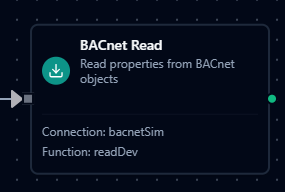
BACnet Read Node
BACnet Read Node
Read one or more property values from BACnet objects using ReadPropertyMultiple. Each read item is identified by a user-defined name, which becomes the key in the result output.
Supported Function Types:
| Function Name | Purpose | Common Use Cases |
|---|---|---|
Read Properties (bacnet.read) | Read property values from one or more BACnet objects in a single request | Temperature readings, HVAC status, energy meters, alarm states |
Node Configuration
| Parameter | Type | Required | Description |
|---|---|---|---|
| Connection | Selection | Yes | BACnet/IP connection profile to use |
| Function | Selection | Yes | Read function from the selected connection |
| Function Parameters | Dynamic | Varies | Auto-populated from the function schema. See your BACnet/IP connection functions for full parameter details. |
| Timeout Override | Number (seconds) | No | Override the default function timeout |
All function parameters support expression syntax ({{ expression }}) for dynamic values from the pipeline context.
Input
The node receives the output of the previous node as input. Input data can be referenced in function parameter expressions using $input.
Output Structure
On success the node produces:
{
  "success": true,
  "functionId": "<function-id>",
  "data": { ... },
  "durationMs": 42,
  "timestamp": "2026-01-15T08:30:00Z"
}
| Field | Type | Description |
|---|---|---|
success | boolean | true when the function executed without errors |
functionId | string | ID of the executed function |
data | object | Function-specific result data (see below) |
durationMs | number | Execution time in milliseconds |
timestamp | string | ISO 8601 / RFC 3339 UTC timestamp |
Function-Specific Output Data
Read Properties (bacnet.read):
{
  "results": {
    "Zone Temperature": {
      "object_type": 0,
      "object_instance": 1,
      "property_id": 85,
      "value": 72.5
    },
    "Damper Position": {
      "object_type": 1,
      "object_instance": 10,
      "property_id": 85,
      "value": 45.0
    },
    "Occupancy Sensor": {
      "object_type": 3,
      "object_instance": 5,
      "property_id": 85,
      "value": 1
    }
  }
}
Each result entry is keyed by the Item Name defined in the read function:
| Field | Type | Description |
|---|---|---|
object_type | number | BACnet object type code that was read |
object_instance | number | Object instance number |
property_id | number | BACnet property ID that was read |
value | any | The property value returned by the device |
error | string | Error message (present only if the individual item failed) |
Read Item Configuration
Each read item in the function is configured with:
| Field | Type | Required | Default | Description |
|---|---|---|---|---|
name | String | Yes | — | Unique name for this item — used as the key in results |
object_type | Number | Yes | — | BACnet object type code (e.g., 0 = AnalogInput, 3 = BinaryInput) |
object_instance | Number | Yes | — | Object instance number |
property_id | Number | No | 85 (Present_Value) | BACnet property to read |
Supported Object Types
| Code | Name | Typical Use |
|---|---|---|
| 0 | AnalogInput | Temperature sensors, pressure sensors, flow meters |
| 1 | AnalogOutput | Valve positions, damper commands, setpoints |
| 2 | AnalogValue | Internal calculated values, configurable setpoints |
| 3 | BinaryInput | Occupancy sensors, switch states, alarms |
| 4 | BinaryOutput | Relay commands, on/off controls |
| 5 | BinaryValue | Internal binary states, mode flags |
| 8 | Device | The device itself (instance = Device ID) |
| 12 | Loop | PID control loops |
| 13 | MultiStateInput | Multi-position switches, fan speed states |
| 14 | MultiStateOutput | Multi-position actuator commands |
| 17 | Schedule | Weekly schedules |
| 20 | TrendLog | Historical data logs |
Common Property IDs
| ID | Name | Description |
|---|---|---|
| 85 | Present_Value | Current value — the most commonly read property |
| 77 | Object_Name | Human-readable name of the object |
| 28 | Description | Text description of the object |
| 36 | Event_State | Current alarm/event state |
| 103 | Reliability | Reliability status of the object |
| 111 | Status_Flags | Bitmask: in-alarm, fault, overridden, out-of-service |
| 117 | Units | Engineering units (e.g., degrees-Fahrenheit, percent) |
The BACnet Read node uses the ReadPropertyMultiple service to read all configured items in a single BACnet request. This is more efficient than reading properties one at a time, especially when acquiring data from many objects on the same device. If a function holds more items than fit in the device's APDU size, the connector automatically splits them into multiple requests (and halves a chunk that still comes back too large), so large functions never fail outright — failed items are reported individually.
BACnet Read Group Node
The BACnet Read Group node reads many objects from a single BACnet device across multiple read functions in one node — the efficient way to acquire hundreds to thousands of points without wiring a separate Read node per function. It supports selective function lists, a Read All mode, label-based selection, and parallel or sequential execution.
Each function's items are automatically split to fit the device's APDU size (see the Read node's ReadPropertyMultiple note above), and reads are bounded by the connection's Max Concurrent Reads setting so the device is never flooded.
Node Configuration
| Parameter | Type | Required | Default | Description |
|---|---|---|---|---|
| Connection | Selection | Yes | — | BACnet/IP connection profile |
| Read All | Toggle | No | false | When enabled, executes every bacnet.read function defined on the connection |
| Functions | Array of {functionId, alias} | When Read All is off | [] | List of specific functions to execute. Each entry requires a functionId; alias is optional and becomes the result key. |
| Execution Mode | Selection | No | parallel | parallel — functions run concurrently (bounded by Max Concurrent Reads). sequential — functions run one after another. |
| Continue on Error | Toggle | No | true | When enabled, the node continues executing remaining functions even if one fails |
| Debug Mode | Toggle | No | false | Enable detailed logging for troubleshooting |
Functions can also be selected dynamically by label instead of a fixed list — useful when the set of points grows over time. Set the selection mode to by labels in the node and choose the label values to include.
Read All Mode
When Read All is enabled the function list is ignored. The node automatically discovers and executes every read function defined on the selected connection.
| Function Type | Description |
|---|---|
bacnet.read | Read Properties (ReadPropertyMultiple) |
Input
The node receives the output of the previous node as input.
Output Structure
{
  "results": {
    "Floor 1 Sensors": {
      "value": {
        "Zone Temperature": { "object_type": 0, "object_instance": 1, "property_id": 85, "value": 72.5 },
        "Damper Position": { "object_type": 1, "object_instance": 10, "property_id": 85, "value": 45.0 }
      },
      "success": true,
      "duration": 48,
      "timestamp": "2026-01-15T08:30:00Z"
    },
    "Floor 2 Sensors": {
      "value": {
        "Zone Temperature": { "object_type": 0, "object_instance": 2, "property_id": 85, "value": 70.1 }
      },
      "success": true,
      "duration": 41,
      "timestamp": "2026-01-15T08:30:00Z"
    }
  },
  "_metadata": {
    "connectionId": "conn-123",
    "connectionName": "AHU-1 Controller",
    "total": 2,
    "successful": 2,
    "failed": 0,
    "totalDuration": 89,
    "executionMode": "parallel",
    "originalRequests": 2
  }
}
Each function result contains:
| Field | Type | Description |
|---|---|---|
value | object | The function's read results, keyed by each read item's name |
success | boolean | Whether this function succeeded |
error | string | Error message (present only on failure) |
duration | number | Execution time in milliseconds |
timestamp | string | ISO 8601 / RFC 3339 UTC timestamp |
The _metadata object provides an execution summary:
| Field | Type | Description |
|---|---|---|
connectionId | string | Connection profile ID |
connectionName | string | Connection profile display name |
total | number | Total functions executed |
successful | number | Count of successful executions |
failed | number | Count of failed executions |
totalDuration | number | Wall-clock time for the entire group (ms) |
executionMode | string | parallel or sequential |
originalRequests | number | Number of function configs submitted |
keyCollisions | string[] | Output keys that appeared more than once (omitted when empty) |
Output Key Resolution
Each function result is keyed in the output map using the first available value:
- Alias — the custom alias set in the function entry
- Function Name — the name defined on the connection function
- Function ID — the unique function identifier (fallback)
Execution Modes
Parallel (default)
- Functions execute concurrently, up to the connection's Max Concurrent Reads limit.
- Fastest total execution time, and safe because the per-connection limit caps how many requests hit the device at once.
Sequential
- Functions execute one after another in list order.
- Lowest peak load on the device and the most predictable timing.
- When Continue on Error is off, execution stops at the first failure.
BACnet field controllers tolerate only a few simultaneous transactions. The connection's Max Concurrent Reads (default 4, range 1–16) is the ceiling on in-flight requests for both execution modes. If you see dropped packets or timeouts under load, lower it to 1–2; raise it only for robust controllers. See the BACnet connection Advanced settings.
Error Handling
| Continue on Error | Behavior |
|---|---|
true (default) | The node completes even if individual functions fail. Failed functions include an error field in their result. The node output remains successful. |
false | The node fails as soon as any function fails. In sequential mode, remaining functions are skipped. The node result is marked as failed. |
Validation Rules
connectionIdis required.executionModemust beparallelorsequential.- When Read All is off, at least one function entry is required.
Settings Tab
| Setting | Type | Default | Description |
|---|---|---|---|
| Description | Text | — | Optional description displayed on the node |
| Timeout (seconds) | Number | Pipeline default | Maximum time the node may run before timing out |
| Retry on Timeout | Toggle | Pipeline default | Automatically retry the node if it times out |
| Retry on Fail | Toggle | Pipeline default | Automatically retry the node if it fails |
| On Error | Selection | Pipeline default | Error strategy: stop the pipeline, continue to the next node, or follow the error output path |
When left at their defaults, these settings inherit from the pipeline-level execution configuration.