Your stores and your systems
Standardise once, then deliver to every store and system that needs the data. All questions
Can we publish the standardised data to our time-series, vector and graph databases?
Available
Yes. A pipeline per target writes to time-series stores (InfluxDB, TimescaleDB, ClickHouse, QuestDB, PI System), to PostgreSQL with pgvector, to Neo4j, and to Kafka, lakehouses and cloud data platforms. Each target reads the values after their meaning's unit conversion.
- Time series: InfluxDB, PostgreSQL and TimescaleDB, ClickHouse, QuestDB, PI System. A UNS trigger on the topics you want, then one write per value or per batch.
- Vector: PostgreSQL with pgvector. Vector Upsert stores a vector per machine or document; Vector Search finds the nearest. Text needs an embedding first, for example from Vertex AI.
- Graph: Neo4j. Write the plant structure and the process flow, keyed by topic path. See Process flow and graph.
- Streams and lakes: Kafka, Apache Iceberg, OneLake, Databricks, Snowflake, BigQuery, S3. Write as records, or batch into files. See batches.
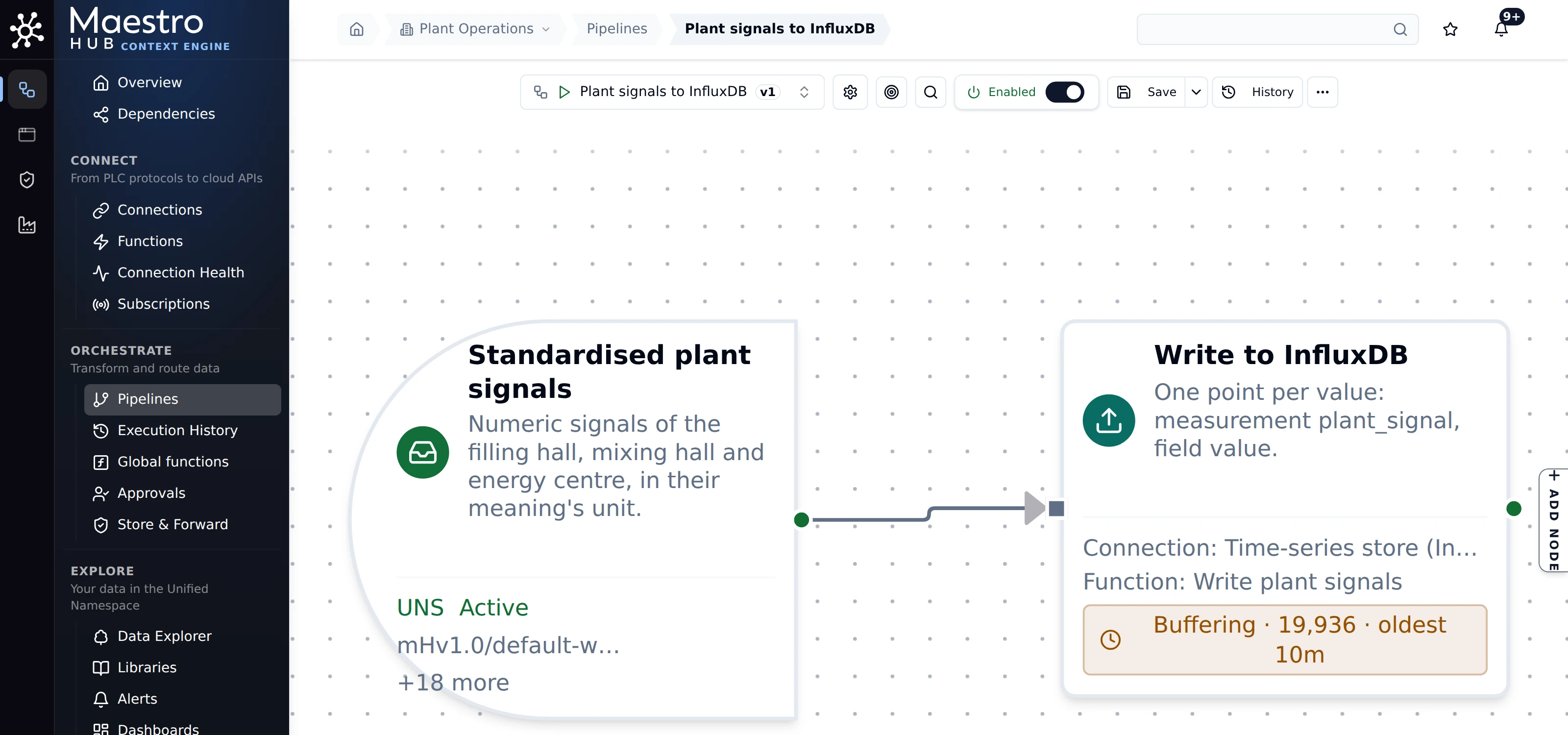
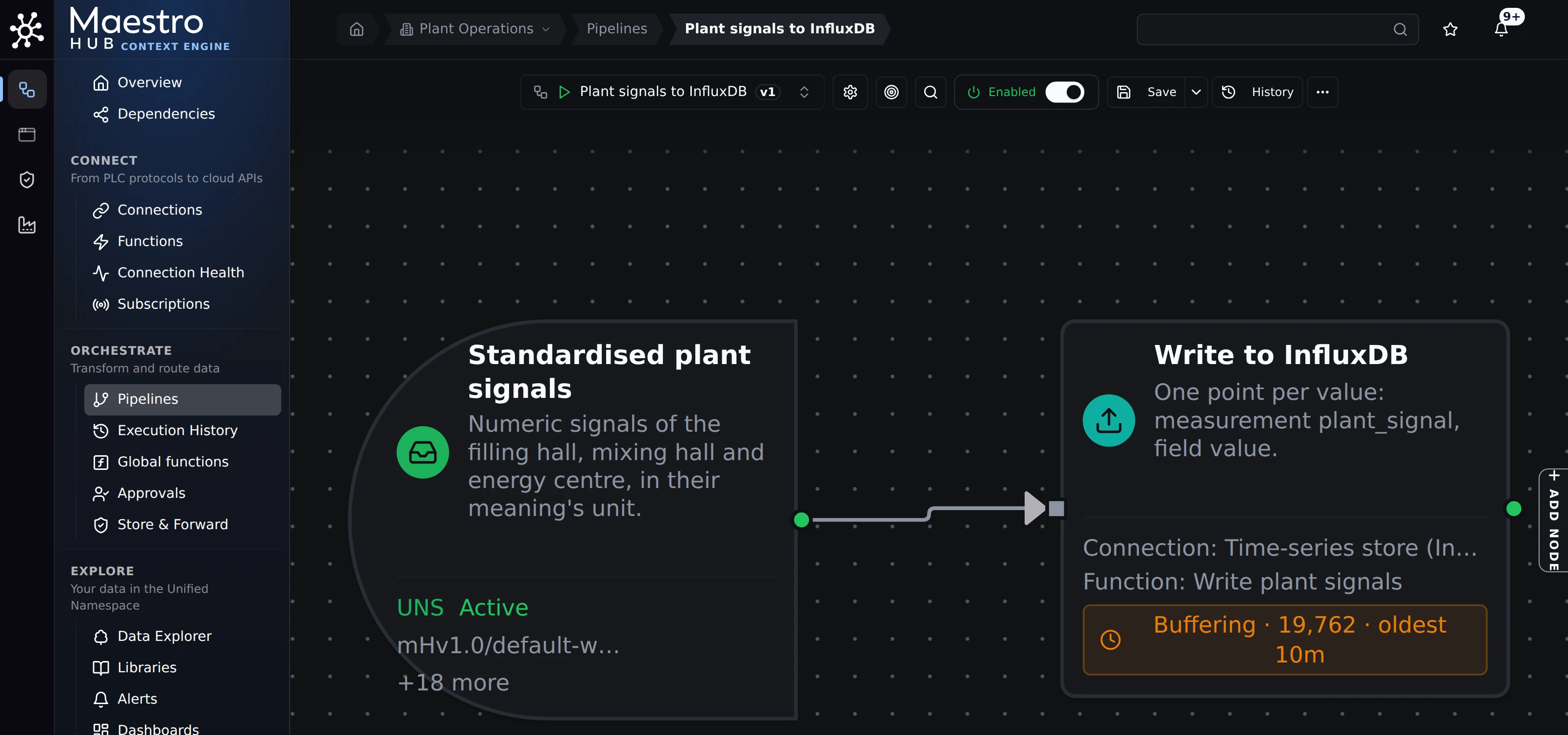
One pipeline per target: standardised signals in, one InfluxDB point per value out. The write node shows its own buffer.
Try it: Build your first pipeline, then add a write node for your store.
There is no dedicated connector for Qdrant, Milvus, Pinecone or Weaviate; use PostgreSQL with pgvector, or a REST call.
What happens to the data when one of those stores is down?
Available
Every write node has its own buffer on disk. An outage at one store becomes a pause for that store only, not a loss, and the buffer is delivered when the store returns, while every other destination keeps going.
- One buffer per output. A slow or down store fills only its own buffer; other destinations are not held back.
- On disk. Buffered messages survive a restart of MaestroHub.
- Order. Each write chooses its delivery order. Connectors whose writes need order deliver In order by default; the others deliver in Any order, so a retried older value can land after a newer one. You can choose In order or Any order on each output. See Delivery order.
- How long. As long as the disk allows: there is no fixed number of days, because it depends on your rate and your disk. MaestroHub keeps a free-space floor on its data volume and refuses new values at the floor rather than fill the disk, and the Overview says so.
- Writes to machines are never buffered: see Can it write back to our machines safely?
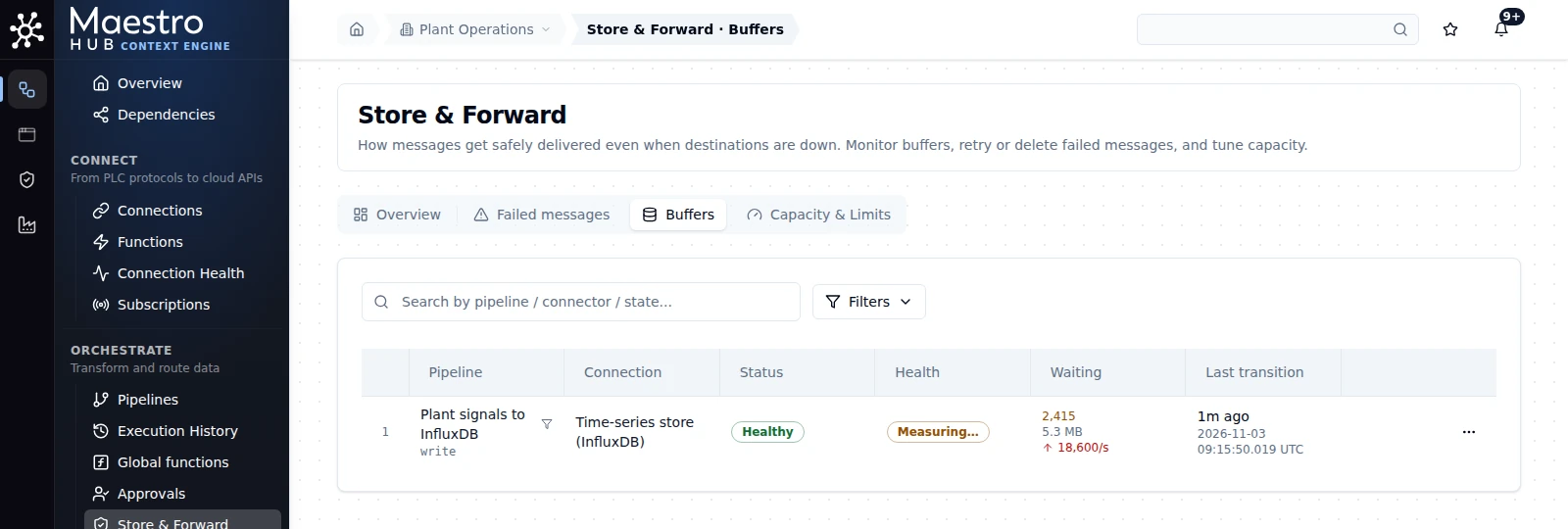
InfluxDB stopped on purpose: its buffer grows, and nothing is lost. When the store came back, the buffer drained and the chart had no gap.
Try it: Store & Forward: See it in action walks through a database outage from start to finish.
We already have a historian. Does it stay? Can we still report on last month or last year?
Available
Your historian stays. MaestroHub keeps an operational window by design: 1, 7, 14 or 32 days per topic, 1 day by default. It writes to the long-term store you already run and reads it back in pipelines. Monthly and yearly reports run on that long-term store.
- The window. Each topic, or a whole branch, keeps 1, 7, 14 or 32 days. Thirty-two days is the ceiling, so a full calendar month is always covered. See How history retention works.
- Long-term history. A pipeline writes to PI System, InfluxDB, TimescaleDB, a SQL database, Apache Iceberg or a data lake, where the years live. The same connectors read it back into a pipeline when a calculation needs it.
- Reports. Last month's OEE or last year's energy belong in your BI tool on that store. See Can we keep our own dashboards and BI?
Try it: in Explore › Data Explorer, right-click a topic and choose Configure… to set how long it keeps history.
We have no MES. How do you join SAP orders with machine data?
Partly
Order, material and equipment data comes in through SAP IDoc, SAP Event Mesh, SAP HANA SQL or the S/4HANA OData APIs over REST. A pipeline joins it with the machine counter by order or batch and time, and publishes one value that carries both. There is no RFC or BAPI connector.
| SAP landscape | Connector |
|---|---|
| ECC, S/4HANA on premises, S/4HANA private cloud | SAP IDoc |
| Events from S/4HANA or SAP BTP | SAP Event Mesh |
| Reading HANA tables | SAP HANA |
| S/4HANA public cloud, OData APIs | REST |
Choosing an SAP connector explains which to use for which landscape.
The join itself is a pipeline: keep the current order per line (from an IDoc or an event), read the machine's counter, and publish a value that carries the order number, the material and the count. Its origin then names both the SAP message and the machine address. See Can we trace a value back to the machine?
SAP RFC and BAPI calls, and a certified SAP add-on.
Can we keep our own dashboards and BI, and let our SCADA or analytics read from you?
Available
Yes. Any MQTT client can subscribe to MaestroHub's built-in broker, limited by its permissions to the topics it may read. The REST API serves recent and historical values. Pipelines can also write into the database your BI tool already reads.
- MQTT. SCADA and analytics subscribe like to any broker. On a topic with a meaning, each message carries the value in the meaning's unit, the unit and the meaning; the REST API also returns the quality. See What readers receive and MQTT broker settings.
- REST.
/uns/datareturns recent and time-range values. See REST API. - Your database. A pipeline writes into PostgreSQL, SQL Server, Snowflake or another store your BI tool reads.
MaestroHub's own dashboards are for engineers and managers. They are not an operator HMI.
Can you deliver to our cloud data platform in batches, so we pay for fewer messages?
Partly
Yes, by count or by size. A Buffer node groups values, a Convert to File node writes them as Parquet, CSV or Excel, and a file or stream node delivers them to OneLake, Databricks, Snowflake, BigQuery, S3, Azure Blob, Event Hubs or Kafka. Batching by time ("send every minute") is not available yet.
- Group: the Buffer node flushes when a number of items or a number of bytes is reached. A batch's quality is the worst of its rows.
- Convert: Convert to File turns the batch into Parquet, CSV or Excel.
- Deliver: the destination's write node, with its own Store & Forward buffer for outages.
A flush on a timer. A batch closes on count or size only, so a quiet source can leave a batch open. Also, values waiting in a Buffer node are held in memory, not on disk: a restart before the flush loses them. Store & Forward, after the write node, is on disk.