 PostgreSQL Integration Guide
Query PostgreSQL or TimescaleDB, run statements, load pipeline rows into tables, and store and search embeddings with pgvector.
- Default port
- 5432
- Authentication
- Username and password
- Operations
- Query · Execute · Write · Vector Search · Vector Upsert
- Versions
- PostgreSQL 9.6+ · TimescaleDB · CockroachDB
Connect to PostgreSQL databases to read and write industrial data in your pipelines. This comprehensive guide walks you through everything from basic setup to advanced configurations.
Overview
The PostgreSQL connector is your gateway to relational database operations in MaestroHub. It enables you to:
- Read data from tables, views, or custom queries
- Write data with insert, update, or delete operations
- Use parameterized queries for dynamic, reusable data operations
- Store and search embeddings with the pgvector extension, to find the manual pages, work orders or events closest in meaning to a question
- Secure connections with SSL/TLS encryption
The PostgreSQL connector also connects to TimescaleDB: it is PostgreSQL, so no extra setting is needed.
The PostgreSQL connector also connects to CockroachDB, which speaks PostgreSQL's protocol. See CockroachDB for the settings and what differs.
Connection Configuration
Creating a PostgreSQL Connection
Navigate to Connections → New Connection → PostgreSQL and configure the following:
PostgreSQL Connection Creation Fields
1. Profile Information
| Field | Default | Description |
|---|---|---|
| Profile Name | - | A descriptive name for this connection profile (required, max 100 characters) |
| Description | - | Optional description for this PostgreSQL connection |
2. Database Configuration
| Field | Default | Description |
|---|---|---|
| Host | localhost | PostgreSQL server hostname or IP address - required |
| Port | 5432 | PostgreSQL server port (1-65535) - required |
| Connection Timeout | 30s | Maximum time to wait for connection establishment, as a duration (1s-5m) - required |
| Schema | public | Database schema to use - required |
| Database | - | Database name to connect to (e.g., mydb) - required |
Note: Supported PostgreSQL versions: 9.6+
3. Basic Authentication
| Field | Default | Description |
|---|---|---|
| Username | - | PostgreSQL database user (required) |
| Password | - | PostgreSQL user password (required) |
4. SSL Settings
4a. SSL Configuration
| Field | Default | Description |
|---|---|---|
| Enable SSL | false | Encrypt the connection to the PostgreSQL server. When off, the connection is not encrypted. |
4b. SSL Mode and Certificates
(Only displayed when SSL is enabled)
| Field | Default | Description |
|---|---|---|
| SSL Mode | require | TLS/SSL connection mode used by the driver (require / verify-ca / verify-full) |
| CA Certificate | - | Trusted CA certificate (sslrootcert) in PEM format |
| Client Certificate | - | Optional client certificate (sslcert) in PEM format |
| Private Key | - | Private key for client certificate (sslkey) in PEM format |
SSL Mode Options
require: Requires SSL connection but does not verify server certificateverify-ca: Requires SSL and verifies that the server certificate is issued by a trusted CA; the hostname is not checkedverify-full: Requires SSL and verifies both the CA and that the server hostname matches the certificate
5. Connection Pool Settings
| Field | Default | Description |
|---|---|---|
| Max Open Connections | 100 | Maximum number of simultaneous database connections (0-1000). Higher values increase concurrency but add DB load |
| Max Idle Connections | 25 | Idle connections kept ready for reuse to reduce latency (0-1000, 0 = close idle connections immediately) |
| Connection Max Lifetime | 15m | Maximum age of a connection before it is recycled (a duration, 0s-24h in whole seconds, 0s = keep connections indefinitely). Helpful to avoid server-side timeouts |
| Connection Max Idle Time | 5m | How long an idle connection may remain unused before being closed (a duration, 0s-24h in whole seconds, 0s = disable idle timeout) |
Connection pool settings help optimize database performance by balancing concurrency, resource usage, and latency across workloads.
6. Retry Configuration
| Field | Default | Description |
|---|---|---|
| Retries | 3 | Retries after the first connection attempt fails (0-10, 0 = no retries). Each retry waits the Retry Delay first; the delay grows by the Backoff Multiplier after every retry |
| Retry Delay | 100ms | Delay before the first retry, as a duration such as 200ms or 2s (0s-1m) |
| Retry Backoff Multiplier | 2 | Exponential factor for retry delay growth (1-10, e.g., 2.0 means each retry waits twice as long) |
Example Retry Behavior
- With
Retry Delay = 100msandRetry Backoff Multiplier = 2:- 1st retry: wait 100ms
- 2nd retry: wait 200ms
- 3rd retry: wait 400ms
7. Connection Labels
| Field | Default | Description |
|---|---|---|
| Labels | - | Key-value pairs to categorize and organize this PostgreSQL connection (max 10 labels) |
Example Labels
env: prod: Environmentteam: data: Responsible team
- Required Fields: All fields described as "required" must be filled.
- SSL/TLS: When SSL is disabled, SSL Mode is automatically set to disable.
- Connection Pooling: Manages concurrency with
Max Open Connections, reduces latency withMax Idle Connections, mitigates stale connections viaConnection Max Lifetime, and frees resources usingConnection Max Idle Time. - Retry Logic: Implements exponential backoff: initial connection attempts use the base delay and each retry multiplies the delay by the backoff factor; ideal for transient network issues or database restarts.
- Timeout Values:
Connection Timeoutapplies to initial connection establishment; every time value is a duration that carries its unit, such as30s,500msor15m. - Security Best Practices: Always enable SSL for production, prefer
verify-full, supply CA certificates forverify-caorverify-full, and include client certificates for mutual TLS when possible.
Function Builder
Creating PostgreSQL Functions
Once you have a connection established, you can create reusable functions for different operation types:
- Open the connection and go to its Functions tab → New Function
- Select one of the PostgreSQL function types: Query, Execute, Write, Vector Search or Vector Upsert
- Configure the function parameters
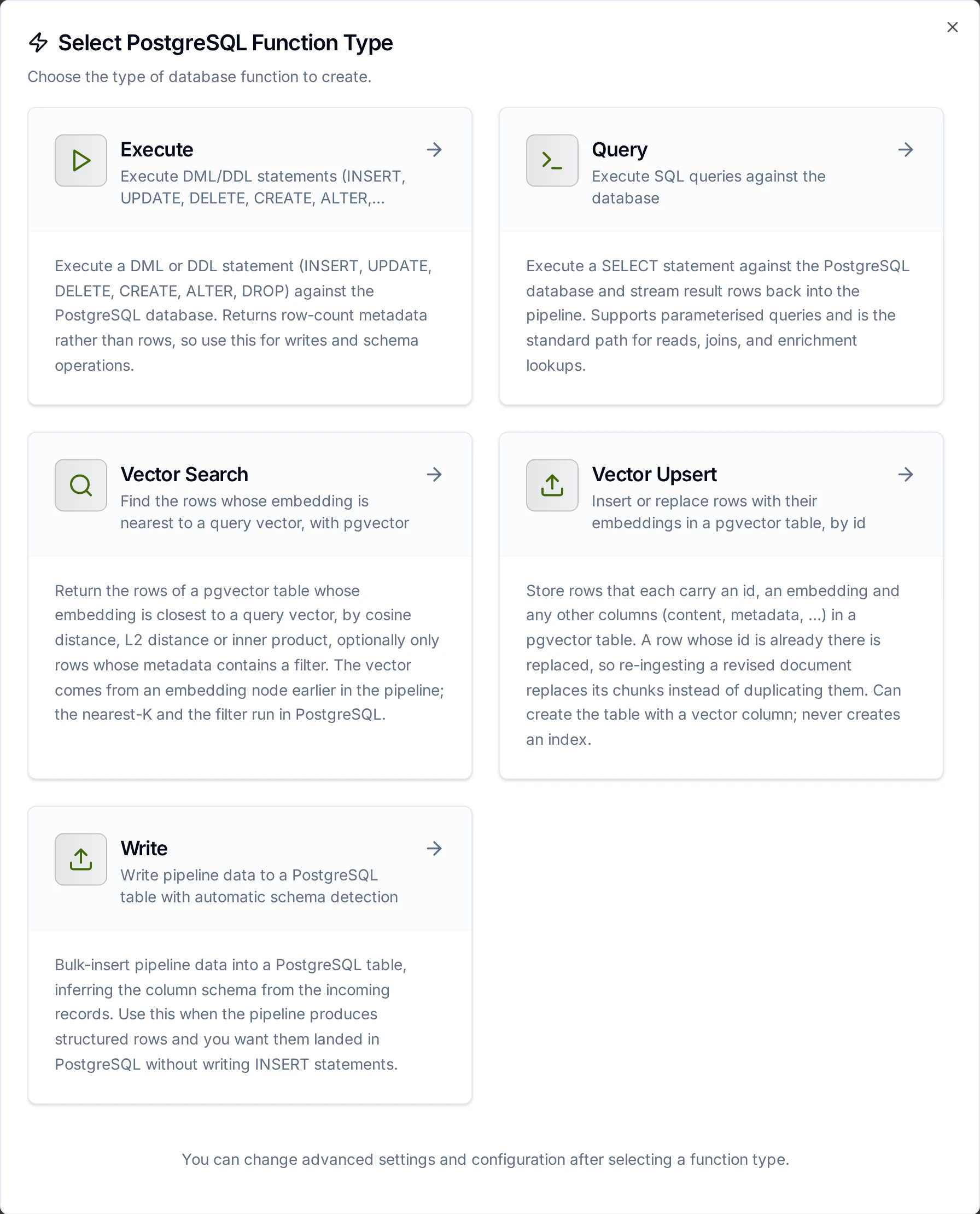
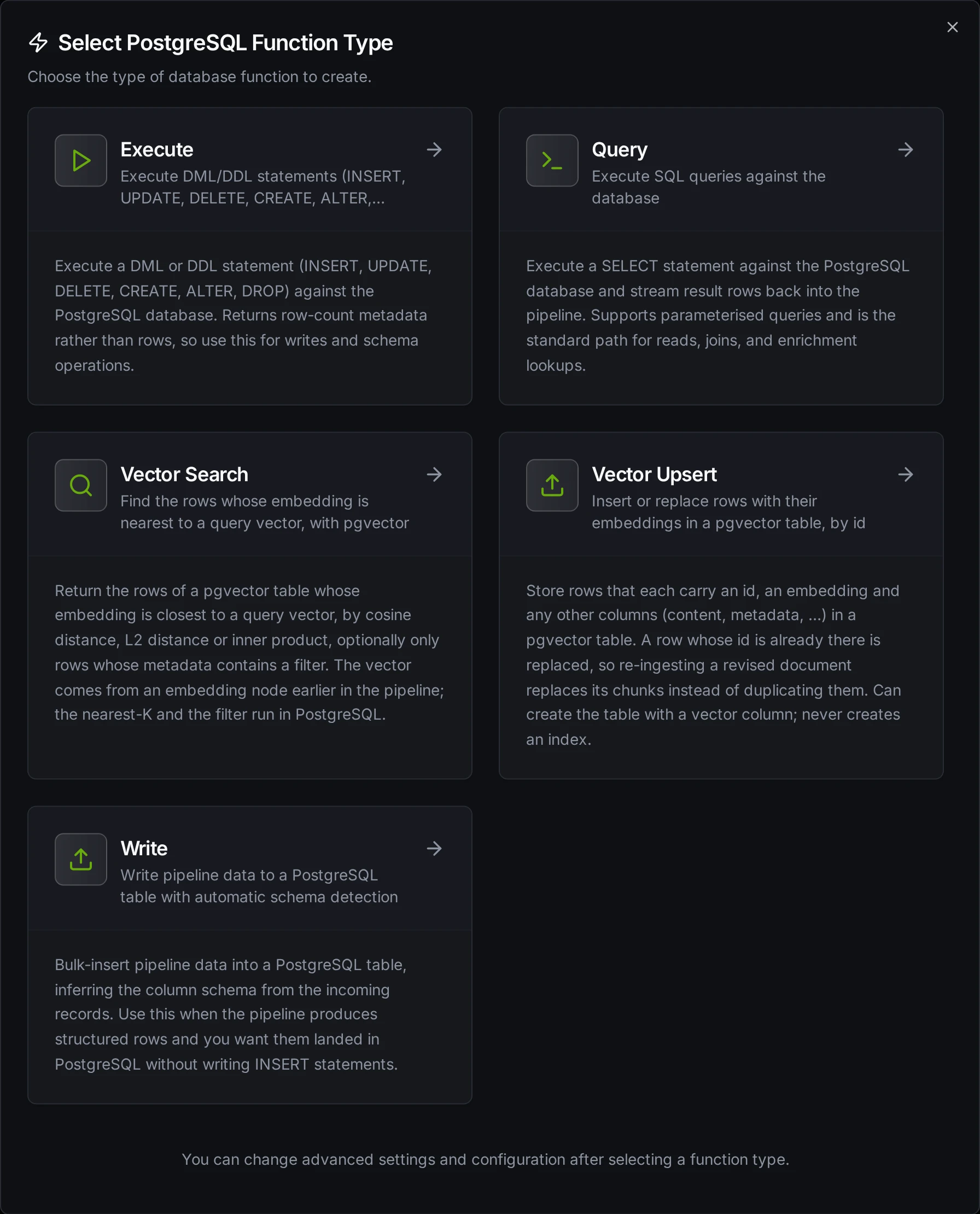
PostgreSQL function creation interface showing the available function types
Query Function
Purpose: Execute SQL queries (SELECT) to read data from PostgreSQL. Returns rows as structured data.
Configuration Fields
| Field | Type | Required | Default | Description |
|---|---|---|---|---|
| SQL Query | String | Yes | - | SQL SELECT statement to execute. Supports parameterized queries with ((param)) syntax. |
| Timeout | Duration | No | 30m | Per-execution timeout (1s-1h). |
Use Cases:
- SELECT machine KPIs (OEE, downtime) from telemetry tables
- SELECT COUNT(*) from orders grouped by status
- SELECT with JOINs across multiple tables using
$1parameters - SELECT with WHERE filters, ORDER BY, and LIMIT
Execute Function
Purpose: Execute DML/DDL statements (INSERT, UPDATE, DELETE, CREATE, ALTER, DROP) on PostgreSQL. Returns rowsAffected instead of row data. Use this for data modifications and schema changes.
Configuration Fields
| Field | Type | Required | Default | Description |
|---|---|---|---|---|
| SQL Statement | String | Yes | - | DML/DDL SQL statement to execute. Supports parameterized queries with ((param)) syntax. |
| Timeout | Duration | No | 30m | Per-execution timeout (1s-1h). |
Use Cases:
- INSERT production events with
NOW()timestamps and$1parameters - UPDATE work orders, inventory counts, or maintenance schedules
- DELETE records older than
NOW() - INTERVAL '30 days' - CREATE TABLE or ALTER TABLE for schema changes
Write Function
Purpose: Write pipeline data to a PostgreSQL table with automatic schema detection. This is not a SQL editor; it loads structured data (rows/objects) from your pipeline into a target table.
Write reads the table's columns and maps the incoming data fields to them automatically. Supports batching for efficient bulk loading.
Configuration Fields
| Field | Type | Required | Default | Description |
|---|---|---|---|---|
| Table Name | String | Yes | - | Target table to insert data into. |
| Data | JSON | Yes | - | Rows to write: an array of objects or a single object. Use ((data)) to take them from the pipeline, or enter static JSON. |
| Create Table If Not Exists | Boolean | No | false | Create the table if it does not exist, with column types from the Schema or inferred from the data. |
| Allow Schema Evolution | Boolean | No | false | Add a column to an existing table when the data carries a field the table has no column for. When off, such a batch fails instead of dropping the field. See step 5 below. |
| Schema | JSON | No | - | Column definitions (types, primary keys, indexes) for creating the table, set in the Visual Editor or as JSON. Shown when Create Table If Not Exists is on. Rendered from a template, the schema is data: a default value, a check expression or anything but a plain type is refused. |
| Batch Size | Number | No | 100 | Number of rows per INSERT batch (1-10,000). |
| Timeout | Duration | No | 30m | Per-execution timeout (1s-1h). |
Use Cases:
- Auto-detect table schema and map pipeline data
- Create tables on-the-fly with
SERIAL PRIMARY KEYcolumns - Bulk insert production events with auto schema detection
How Write Works Step by Step
1. Batching
Each batch generates a single INSERT INTO ... VALUES (...), (...), (...) statement with multiple value tuples. If your pipeline sends 10 rows and Batch Size is 5, exactly 2 INSERT statements are executed (2 batches of 5 rows). If it sends 13 rows, 3 INSERT statements are executed (5 + 5 + 3).
PostgreSQL has a per-query parameter limit (65,535). If your configured batch size combined with the number of columns would exceed this limit, batches are automatically split into smaller chunks. This is handled transparently; the total number of inserted rows remains the same.
2. Column Matching
Write uses case-insensitive matching between incoming data field names and table column names. For example, a data field named deviceId will match a table column DEVICEID or deviceid. The original column casing from the database is preserved in the generated INSERT statement.
3. Table Exists: Normal Flow
- The function first queries
information_schemato check if the target table exists - If the table exists, it fetches all column metadata (name, type, nullability)
- If the data carries fields that have no column in the table, Allow Schema Evolution decides: when on, the missing columns are added first (step 5); when off, the write fails and nothing is inserted
- It matches incoming data fields to table columns (case-insensitive)
- Batch INSERT statements are generated and executed using the matched columns
4. Table Does Not Exist
| Create Table If Not Exists | Behavior |
|---|---|
| Disabled (default) | Returns an error immediately: "table 'X' does not exist. Enable 'Create table if not exists' or create it manually". No insert is attempted. |
| Enabled, no schema provided | Types are inferred from all rows in the batch using the rules below. A CREATE TABLE is executed, then all rows are inserted. |
| Enabled, with schema | The provided schema is used for CREATE TABLE with full column definitions (types, primary keys, indexes). After creation, all rows are inserted. |
Data Type Inference: When no schema is provided, the Write function infers each column's type from all rows in the batch. For each field it uses the first row where the field has a non-null value; a field that is null in every row gets the null type below. A row that lacks a field inserts NULL for it.
| Data Value | Inferred Type | Notes |
|---|---|---|
true / false | BOOLEAN | JSON boolean values |
42, -7, 1000 | BIGINT | Whole numbers (no fractional part) |
3.14, 0.5 | DOUBLE PRECISION | Numbers with fractional part |
"2024-01-15T10:30:00Z" | TIMESTAMPTZ | Strings matching ISO 8601 / RFC 3339 and other common timestamp formats are automatically detected |
"hello", "sensor-01" | TEXT | All other strings |
null | TEXT | Null values default to text |
{"key": "val"}, [1,2] | TEXT | Objects and arrays are stored as JSON text |
JSON has a single number type, so 55.0 arrives as 55 and is typed BIGINT. When rows disagree, a whole number gives way to a later number with a fractional part: a field that is 38 in one row and 38.5 in a later row gets DOUBLE PRECISION. Any other disagreement keeps the type of the first non-null value, so a field that is a string in the first row stays TEXT even if later rows send numbers. If you need a specific numeric type (e.g., NUMERIC, SMALLINT), define it in the schema using the Visual Editor.
5. Schema Evolution (Table Exists + Allow Schema Evolution On)
When Allow Schema Evolution is on and the table already exists, the function adds the missing columns before inserting:
- New columns: If the data contains fields that have no column in the table,
ALTER TABLE ADD COLUMNis executed for each missing field. If a schema is defined in the Visual Editor, the specified type is used; otherwise, the type is inferred from the batch using the rules above. - After the columns are added, column metadata is re-fetched from the database, then all rows are inserted with the updated column set.
Schema evolution only adds columns; it never changes the type of an existing column. Data that does not fit an existing column's type is not handled by schema evolution: the database rejects or converts it as it would for any INSERT.
The following changes are not made by schema evolution and require manual ALTER TABLE statements:
- Changing the type of an existing column, whether widening or narrowing it
- Changing an already-created column's type by updating the Visual Editor schema alone; the schema definition only affects new columns being added
- Dropping columns: removing a column from the Visual Editor schema does not delete it from the database table. The column remains in the table and receives
NULL(or its default value) for new inserts.
If you need to change an existing column's type or drop a column, use the Execute function to run ALTER TABLE ... ALTER COLUMN ... TYPE ... or ALTER TABLE ... DROP COLUMN ... manually.
Allow Schema Evolution off: if the data carries a field that has no column in the table, the write fails before anything is inserted, with an error that names the fields:
write batch carries field(s) [pressure] with no matching column in table "sensor_readings" and schema evolution is disabled — enable 'Allow schema evolution' on this function, or add the column(s) manually
Turn the switch on, add the column with the Execute function, or remove the field upstream. The error is marked permanent because the same batch would fail again: with Store & Forward on, the batch is not retried and goes to Failed messages.
Functions saved before the switch existed have no Allow Schema Evolution value. For them, Create Table If Not Exists decides: when on, missing columns are added; when off, fields that have no column are skipped and listed in skippedFields. When you open such a function in the editor, the switch starts in the same position as Create Table If Not Exists, and saving stores it. Once it is saved as off, a batch with an unknown field fails instead of being skipped.
6. Partial Failure
Each batch executes independently; there is no transaction wrapping all batches. If batch 3 of 5 fails, batches 1 and 2 have already been committed. The error response still includes rowsInserted showing how many rows succeeded before the failure.
Response Metadata
On success, the response includes:
| Field | Description |
|---|---|
rowsInserted | Total number of rows successfully inserted |
matchedColumns | Column names that had matching data fields (when the table already existed) |
skippedFields | Data fields that had no matching column and were skipped; only for functions saved before Allow Schema Evolution existed (if any) |
schemaEvolution | Columns added by schema evolution, each with its type (if any) |
tableCreated | true if the table was created during this call |
columns | Columns written to (when the table was created during this call) |
batchSize | Batch size used |
totalRows | Total number of input rows |
Vector Search Function
Purpose: Return the rows whose embedding is nearest to a query vector, closest first. Needs the pgvector extension; see Vector search with pgvector.
Configuration Fields
| Field | Type | Required | Default | Description |
|---|---|---|---|---|
| Table | String | Yes | - | The table holding the embeddings, in the connection's schema. |
| Query Vector | Array or ((parameter)) | Yes | - | The vector to search with, usually ((embedding)) from an embedding node. An array of numbers or text in [0.1,0.2,…] form, as long as the column's vectors. |
| Embedding Column | String | No | embedding | The vector column to compare against. |
| Distance Metric | Choice | No | cosine | cosine (<=>), l2 (<->) or innerProduct (<#>). Use the metric your index was built for. |
| Top K | Number | No | 5 | How many nearest rows to return (1-1,000). Accepts a ((parameter)). |
| Metadata Filter | JSON object | No | - | Only rows whose metadata column contains this object (@>) are searched, e.g. {"asset": "PMP-104"}. |
| Metadata Column | String | No | metadata | The jsonb column the filter is matched against. |
| Return Columns | List | No | id, content, metadata | The columns returned for each row, besides distance. Leave out the embedding. |
| Timeout | Duration | No | 30s | Per-execution timeout (1s-5m). |
Every row comes back with distance, and lower is always closer: the cosine distance (0 to 2), the Euclidean distance, or the negative inner product. A jsonb column comes back as an object.
Vector Upsert Function
Purpose: Insert rows with their embeddings, or replace the row with the same id. Re-ingesting a revised document replaces its chunks instead of adding a second copy.
Configuration Fields
| Field | Type | Required | Default | Description |
|---|---|---|---|---|
| Table | String | Yes | - | Target table, in the connection's schema. |
| Rows | JSON | Yes | - | One row as an object or an array of rows. Each carries the id column, the embedding column (an array of numbers) and any other columns, such as content and a metadata object. |
| Id Column | String | No | id | The column rows are matched on. It needs a primary key or a unique index. |
| Embedding Column | String | No | embedding | The vector column. |
| Dimensions | Number | No | first row's length | The vector length, such as 768. A row with another length is refused. |
| Create Table If Not Exists | Boolean | No | false | Create a missing table: the id column as primary key, a vector(n) column, other columns inferred from the rows (an object becomes jsonb). No index is created. |
| Allow Schema Evolution | Boolean | No | - | Add a column to an existing table when rows carry a field it lacks. Unset follows Create Table If Not Exists; off refuses such rows. |
| Batch Size | Number | No | 500 | Rows per INSERT statement (1-5,000). |
| Timeout | Duration | No | 5m | Per-execution timeout (1s-1h). |
A row whose id is already in the table is replaced: the columns the row carries are overwritten, the ones it leaves out keep their value. Each row is checked first (an id, an embedding, numbers only, the right length), and a row that fails is refused on its own while the others are written. The result's rowsUpserted counts the rows written.
Using Parameters
The ((parameterName)) syntax creates dynamic, reusable queries for Query and Execute functions. Parameters are automatically detected and can be configured with:
| Configuration | Description | Example |
|---|---|---|
| Type | Data type validation | string, number, boolean, date, array |
| Required | Make parameters mandatory or optional | Required / Optional |
| Default Value | Fallback value if not provided | NOW(), 0, active |
| Description | Help text for users | "Start date for the report" |
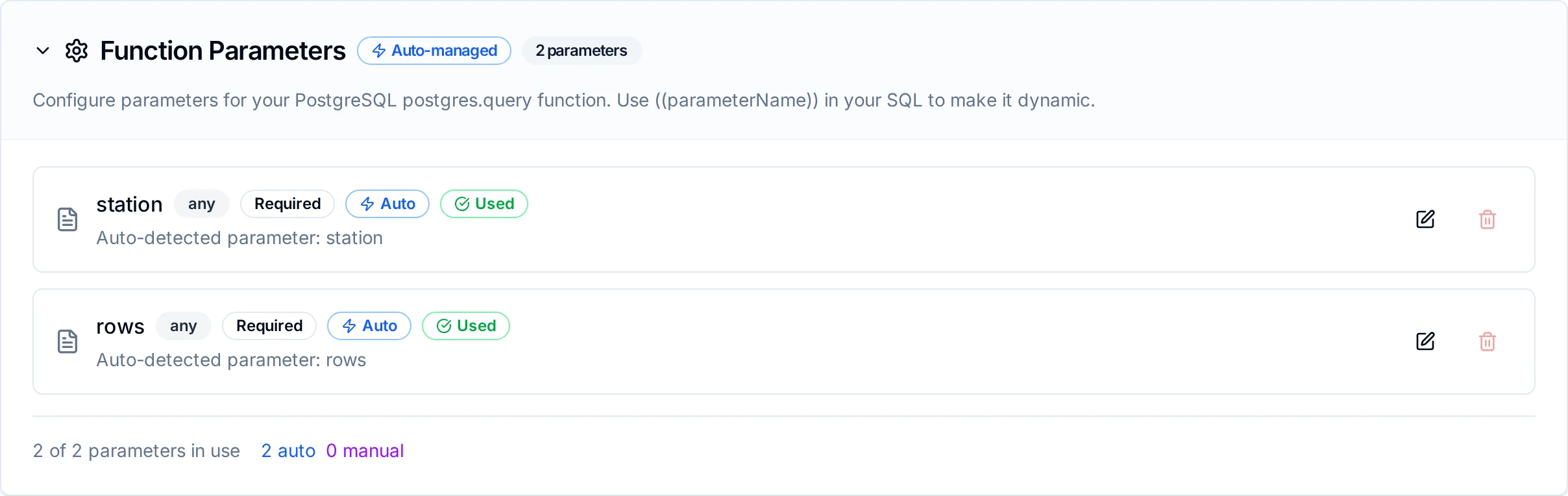
Parameter configuration interface showing type validation, required flags, default values, and descriptions
Vector Search with pgvector
pgvector is a PostgreSQL extension that stores embeddings (vectors of numbers that encode meaning) and finds the nearest ones. With it, a pipeline can find the manual pages, work orders or events closest in meaning to a question, in a database you already run.
The two vector functions take vectors they are given; they never call an embedding model. Produce the vectors with an embedding node earlier in the pipeline, such as Vertex AI Embed Content, or an OpenAI-compatible /v1/embeddings endpoint through the REST connector:
- Index: Embed Content on each chunk of a document (
RETRIEVAL_DOCUMENT), then Vector Upsert with rows like{"id": "SOP-114#3", "embedding": ((embedding)), "content": "((chunk))", "metadata": {"doc": "SOP-114", "asset": "PMP-104"}}. - Ask: Embed Content on the question (
RETRIEVAL_QUERY), then Vector Search with((embedding)), and passresult.rows[*].contentto a model.
To let Maestro chat (in Beta in release 3.0, early access on request) answer from your manuals, you don't need pgvector: upload them to the Library tab of Maestro's Memory page. The vector functions are for pipelines and for documents that live in your own database.
Install the extension
The connector never installs pgvector. A superuser runs, once per database:
CREATE EXTENSION vector;
On a managed service, the admin role does it: on Amazon RDS and Aurora a user with rds_superuser; on Azure Database for PostgreSQL, add VECTOR to the azure.extensions server parameter first; Google Cloud SQL and TimescaleDB include it. Until it is installed, both functions fail with the pgvector extension is not installed in this database, and nothing is sent.
The table and its index
Use one table per embedding model: vectors from different models have the same length but meaningless distances between them, and nothing can detect the mix. Vector Upsert can create the table, or create it yourself:
CREATE TABLE plant_docs (
    id        text PRIMARY KEY,
    embedding vector(768),
    content   text,
    metadata  jsonb
);
Without an index a search is exact but reads the whole table. Add one HNSW index, with the operator class of the metric you will search with, through an Execute function:
| Metric | Index statement |
|---|---|
cosine | CREATE INDEX ON plant_docs USING hnsw (embedding vector_cosine_ops); |
l2 | CREATE INDEX ON plant_docs USING hnsw (embedding vector_l2_ops); |
innerProduct | CREATE INDEX ON plant_docs USING hnsw (embedding vector_ip_ops); |
An index serves one metric: a cosine index does nothing for an L2 search, which then reads the whole table. Build it once the table holds most of its rows; on a large table the build takes minutes and memory (maintenance_work_mem).
pgvector stores vectors of up to 16,000 numbers, but its HNSW and IVFFlat indexes take at most 2,000. Gemini's gemini-embedding-001 returns 3,072 by default: set the embed node's Output Dimensionality to 768 or 1536.
How the search stays complete
An HNSW index is approximate. It returns at most hnsw.ef_search candidates (40 by default), and a filter is applied to those candidates afterwards, so a plain query can return fewer rows than asked, or none, with no error. Vector Search sets hnsw.ef_search to Top K (when above 40) and, with a filter, turns on pgvector's iterative index scans (hnsw.iterative_scan = relaxed_order), for its own transaction only. An indexed search then returns Top K rows when that many match; rowCount says what came back. Iterative scans stop after hnsw.max_scan_tuples index entries (20,000 by default), so a filter that matches only a handful of rows in a very large table can still come back short: raise that setting for the role or the database if you filter that narrowly.
Privileges
| Function | The connection's user needs |
|---|---|
| Vector Search | SELECT on the table |
| Vector Upsert | INSERT and UPDATE on the table; CREATE on the schema only with Create Table If Not Exists |
From a raw SQL query
A Query function can also search, with ORDER BY embedding <=> '((vec))' LIMIT 5. It pastes the vector into the SQL text, depends on you writing the LIMIT, and keeps the index's default search width. Vector Search binds the vector, the filter and Top K as parameters and sets the width for you.
CockroachDB
CockroachDB is a distributed SQL database that speaks the PostgreSQL wire protocol, so the PostgreSQL connector reaches it as it is: there is no separate CockroachDB connector to choose. Search the new-connection picker for cockroach, cockroachdb or crdb and it offers PostgreSQL.
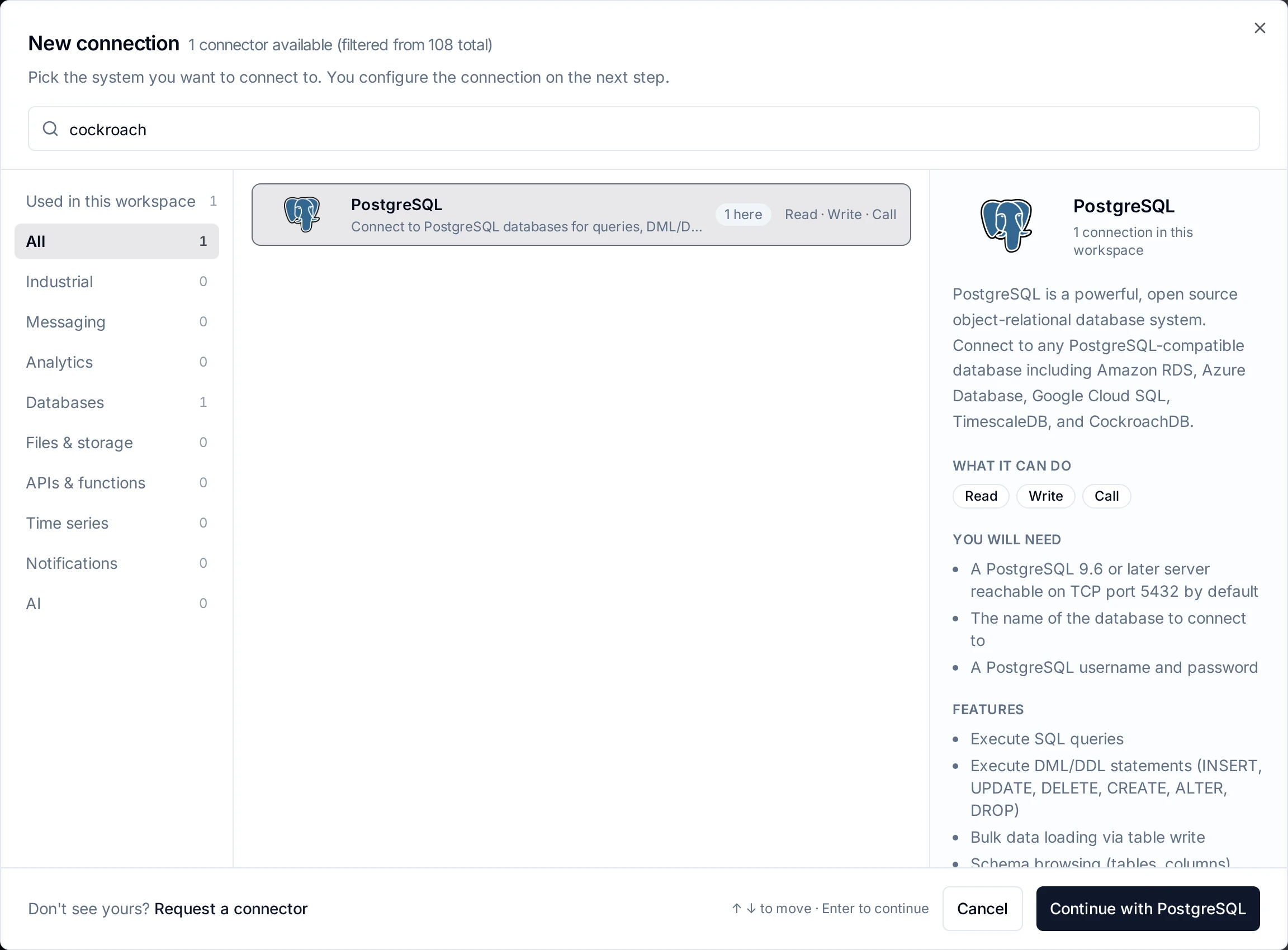
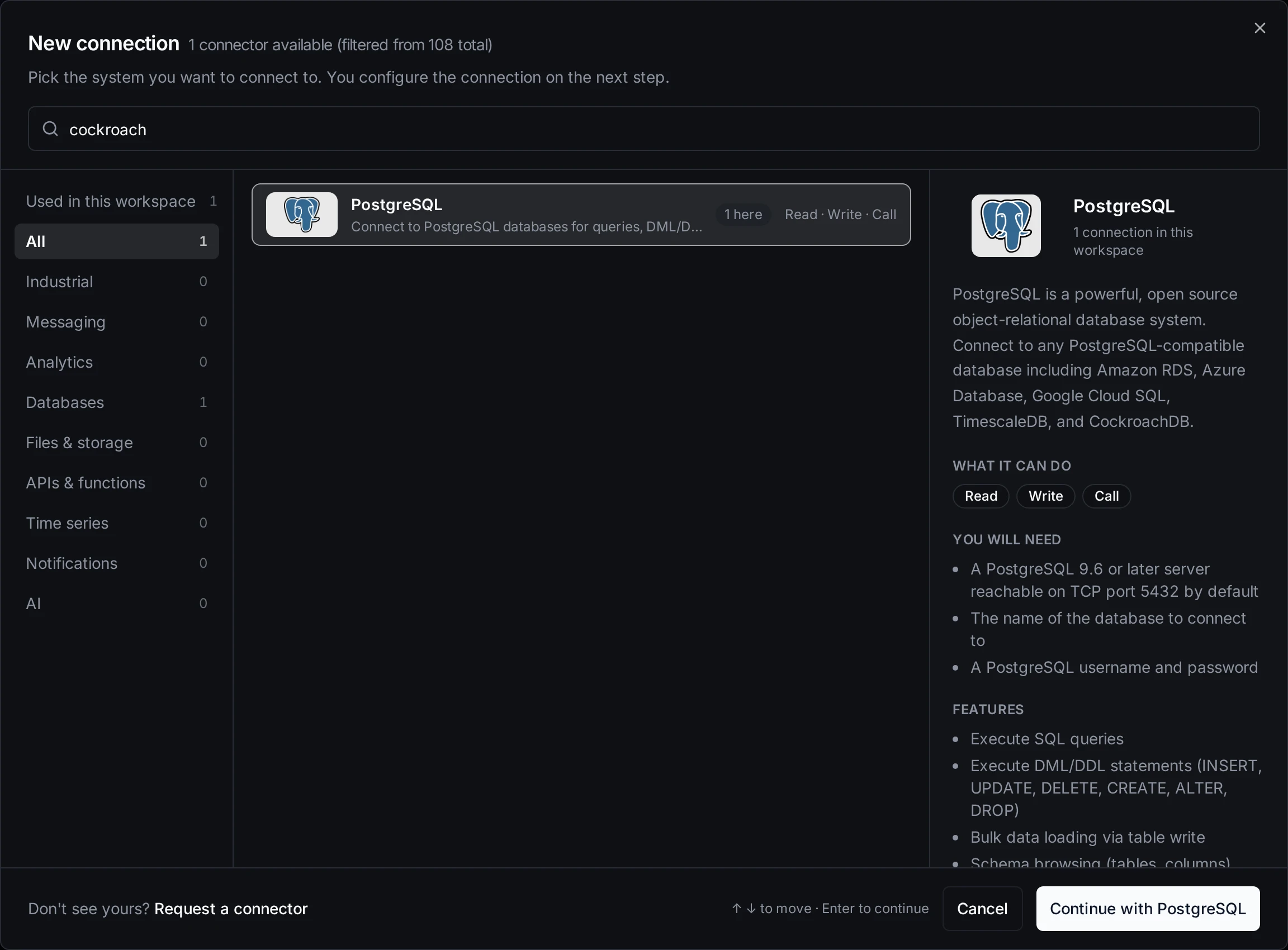
Searching the picker for cockroach finds the PostgreSQL connector
Query, Execute and Write, the Query tab and its schema browser work against CockroachDB as against PostgreSQL. They were checked against CockroachDB 26.3 with the connector's whole PostgreSQL test suite, the shared write conformance suite included, on an insecure node and on a secure one. Vector Search and Vector Upsert do not (see below).
Connecting
| Field | CockroachDB value |
|---|---|
| Host | Any node of the cluster, or the load balancer in front of them |
| Port | 26257 |
| Database | The database, such as mes (a new cluster has defaultdb) |
| Schema | public, unless the tables are in a schema of their own |
| Username / Password | A SQL user created with CREATE USER maestro WITH PASSWORD '…' |
| Enable SSL | On, with SSL Mode verify-full and the cluster's ca.crt as CA Certificate |
A secure cluster refuses a connection without TLS: node is running secure mode, SSL connection required (SQLSTATE 08P01). It is reported as a configuration error and not retried as a network fault, since only a change of SSL settings fixes it. require and verify-ca also connect; verify-full checks that the host you typed is one the node certificate names, so use the name the certificate was made for (cockroach cert create-node takes the list).
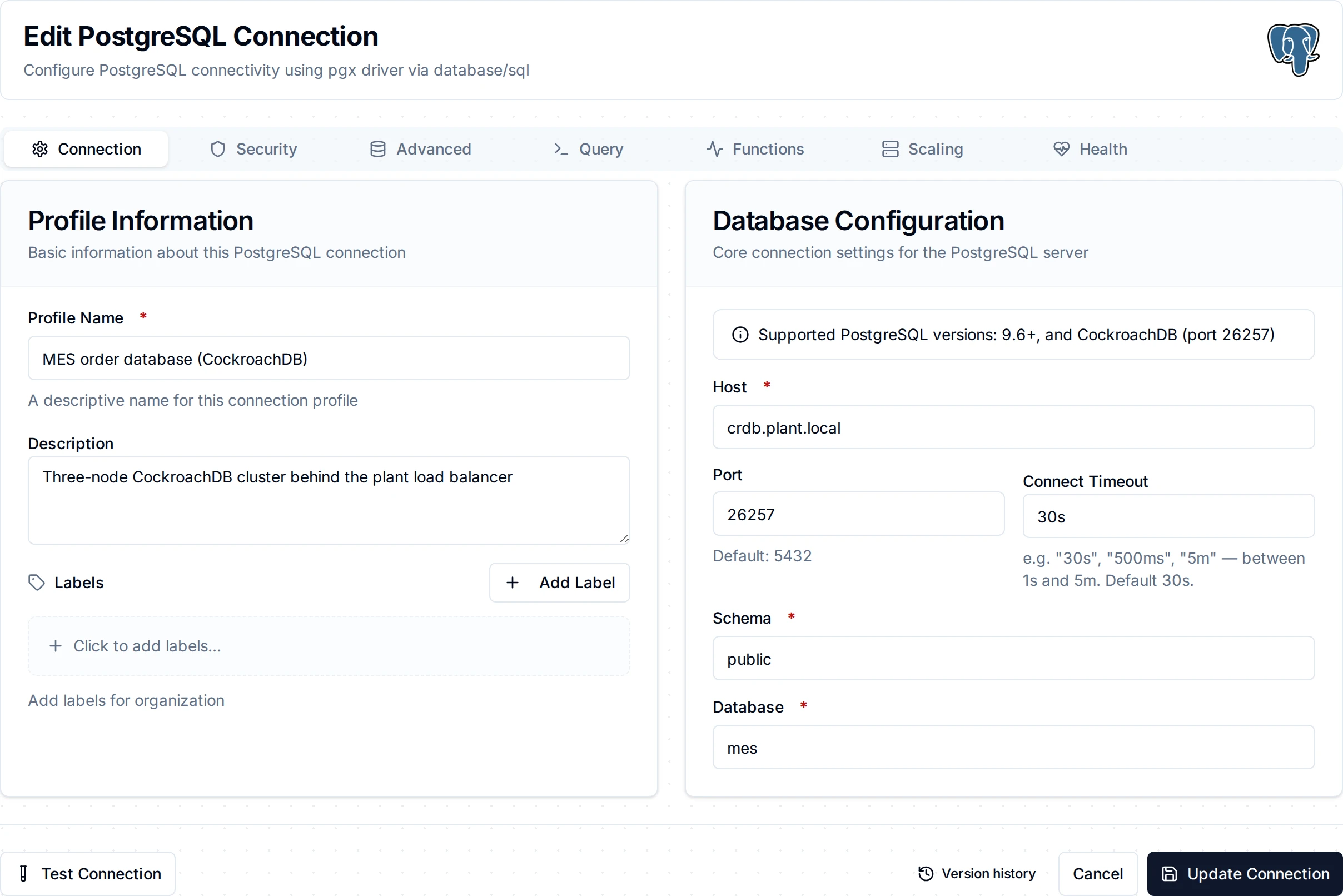
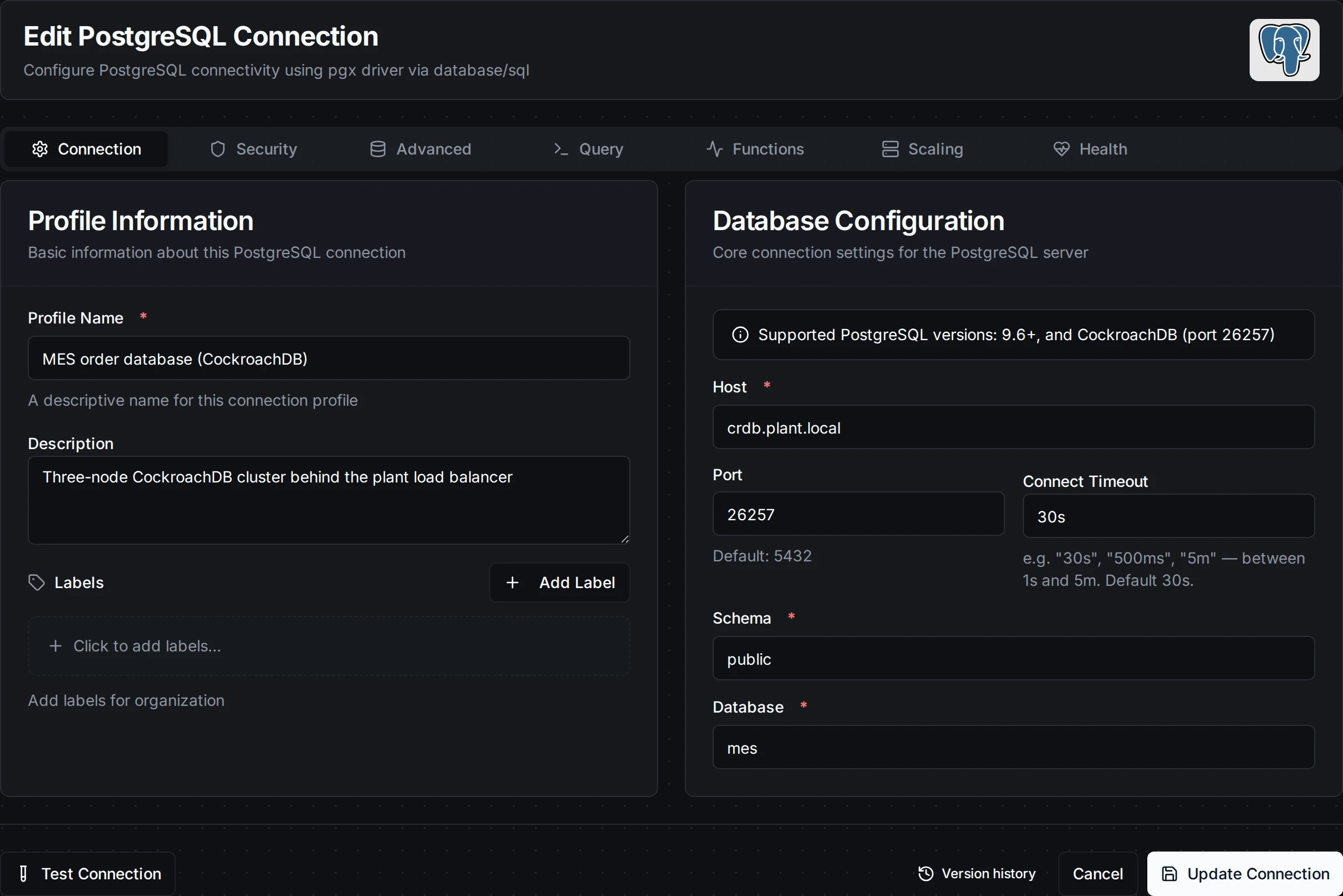
A PostgreSQL connection filled in for a CockroachDB node
Client certificates. A user can sign in with a certificate instead of a password: leave Password empty and set Client Certificate and Private Key to the user's client.<user>.crt and client.<user>.key.
Insecure clusters (cockroach start --insecure, for development only) accept any password, or none, and take Enable SSL off.
CockroachDB Cloud clusters take verify-full with the CA certificate the Cloud console offers for the cluster. This was not tried against a Cloud cluster.
What differs from PostgreSQL
| CockroachDB | What MaestroHub does | |
|---|---|---|
| Transactions | Every transaction is SERIALIZABLE. When two collide, CockroachDB aborts one and asks the client to retry it (SQLSTATE 40001, restart transaction); a statement whose result it cannot confirm returns 40003. | Both are transient: the write is retried by the platform (Retry on Fail, store-and-forward), never dead-lettered. |
| Tables without a primary key | CockroachDB adds a hidden rowid column. | The schema browser and Write leave it out, so you see and write only your own columns. Give tables a primary key where you can. |
| Auto-numbered ids | SERIAL fills ids from unique_rowid(): unique, increasing roughly in time, not 1, 2, 3. A Write schema's Auto Increment column becomes GENERATED ALWAYS AS IDENTITY, which CockroachDB accepts. | Nothing to do; do not rely on ids being consecutive. |
| Upserts | INSERT … ON CONFLICT … DO UPDATE works, and so does CockroachDB's own UPSERT INTO. | Use either in an Execute function. |
| Adding columns | ALTER TABLE … ADD COLUMN runs as a background job; the column is usable once it finishes. | When several writes add the same new column at once, each waits until the column is there (up to 5 seconds) and then writes its rows. |
| Constraint errors | A failed CHECK names the expression, failed to satisfy CHECK constraint (batch_id IS NOT NULL), not the constraint's name. | The error is shown as CockroachDB gives it, and is permanent. |
| Schema browser, missing table | Listing the columns of a table that does not exist returns an empty list. | PostgreSQL returns an error instead. |
| Query timeout | statement_timeout is supported. | The function's Request Timeout ends a long query, as on PostgreSQL. |
Vectors
CockroachDB has its own VECTOR type and distance operators (<->, <=>), not the pgvector extension. Vector Search and Vector Upsert depend on pgvector and refuse a CockroachDB connection before sending anything: CockroachDB has no pgvector extension: its built-in VECTOR type is not supported by Vector Search and Vector Upsert. Read CockroachDB vectors with a Query function instead:
SELECT id, content FROM plant_docs ORDER BY embedding <-> '((vec))' LIMIT 5
and write them with an Execute function (INSERT … VALUES ('SOP-114#3', '[0.12, 0.98, …]')).
Pipeline Integration
Use the PostgreSQL functions you create here as nodes inside the Pipeline Designer to move data in and out of your database alongside the rest of your operations stack. Drag the appropriate node type onto the canvas, bind its parameters to upstream outputs or constants, and configure connection-level options without leaving the designer.
Each function type maps to a dedicated pipeline node (Query, Execute, Write, Vector Search and Vector Upsert), so you can clearly separate read, write, and data-loading operations in your flows.
For end-to-end orchestration ideas, such as combining database reads with MQTT, REST, or analytics steps, explore the Nodes page to see how SQL nodes complement other automation patterns.
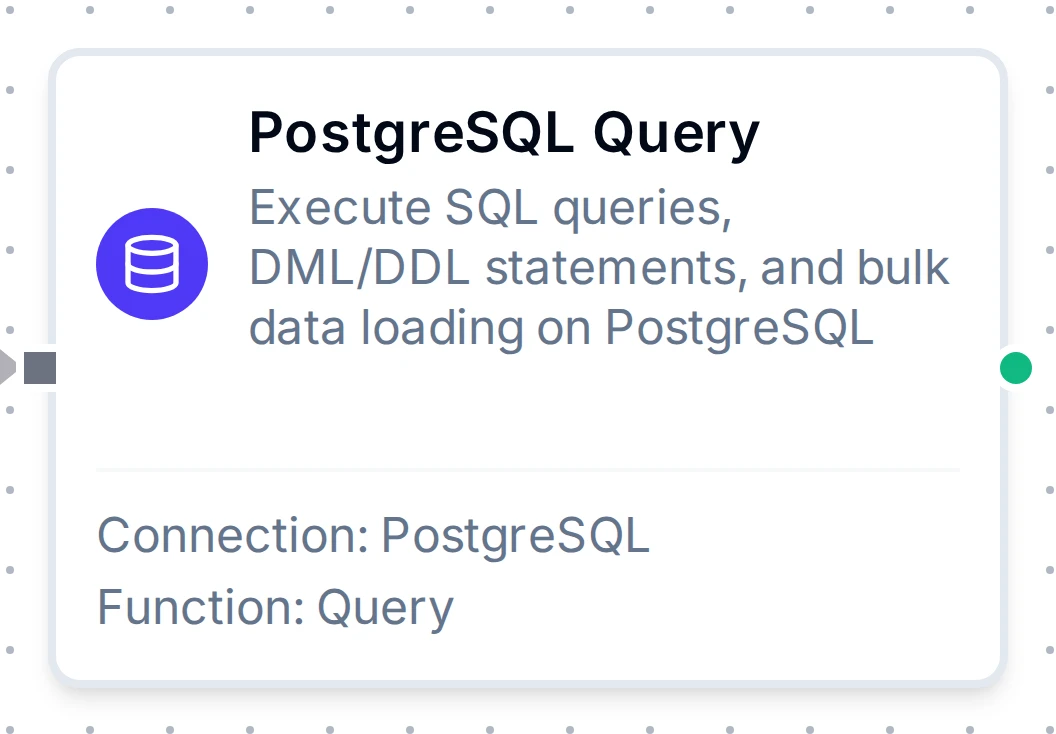
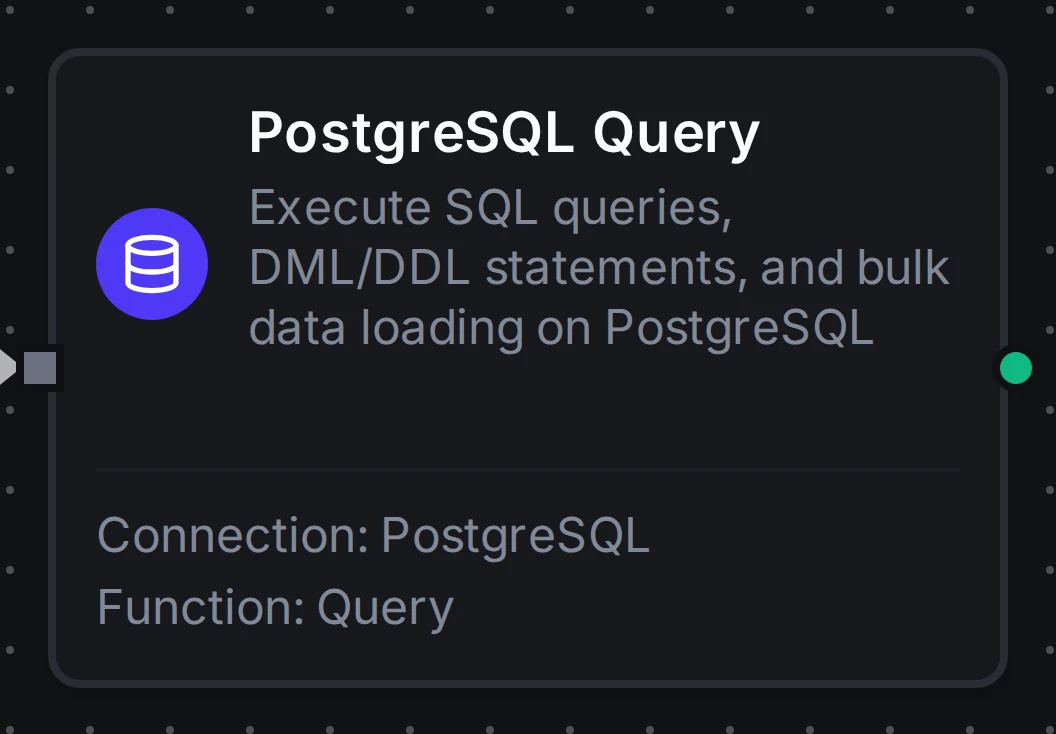
PostgreSQL Query node in the pipeline designer
Common Use Cases
Query: Reading Production Metrics
Scenario: Generate hourly production reports with efficiency metrics.
SELECT
    DATE_TRUNC('hour', timestamp) as hour,
    machine_id,
    COUNT(*) as event_count,
    AVG(efficiency) as avg_efficiency,
    MIN(efficiency) as min_efficiency,
    MAX(efficiency) as max_efficiency
FROM production_events
WHERE timestamp >= ((startDate)) AND timestamp < ((endDate))
GROUP BY hour, machine_id
ORDER BY hour DESC;
Pipeline Integration: Use in a pipeline to feed data to visualization dashboards, BI tools, or reporting nodes.
Execute: Updating Work Order Status
Scenario: Track manufacturing progress by updating work order status in real-time.
UPDATE work_orders
SET
    status = ((newStatus)),
    completed_units = ((completedUnits)),
    completion_percentage = ROUND((((completedUnits))::numeric / total_units * 100), 2),
    updated_at = NOW(),
    updated_by = ((userId))
WHERE order_id = ((orderId))
RETURNING order_id, status, completion_percentage;
Pipeline Integration: Trigger this function based on production events, barcode scans, or manual workflows.
Execute: Data Retention and Cleanup
Scenario: Maintain database performance by archiving or deleting old data.
WITH archived AS (
    INSERT INTO sensor_readings_archive
    SELECT * FROM sensor_readings
    WHERE timestamp < NOW() - INTERVAL '((retentionDays)) days'
      AND archived = false
    RETURNING id
)
DELETE FROM sensor_readings
WHERE id IN (SELECT id FROM archived);
Pipeline Integration: Schedule this function to run daily or weekly via pipeline triggers (cron jobs).
Write: Bulk Loading Sensor Data
Scenario: Load real-time sensor readings from IoT devices into a PostgreSQL table.
Configure a Write function with:
- Table Name:
sensor_readings - Create Table If Not Exists: enabled
- Allow Schema Evolution: enabled, so a new field from the devices becomes a new column instead of failing the batch
Connect it after data collection nodes (MQTT, OPC UA, Modbus, etc.) in your pipeline. The Write function automatically maps incoming fields (sensor_id, temperature, pressure, vibration) to table columns and inserts them in batches. If the table doesn't exist, it is created automatically with inferred types.
Vector Search: Answer from the Plant's Manuals
Scenario: An operator asks why pump PMP-104 tripped; the pipeline finds the three most relevant passages of its procedures.
Configure a Vector Search function with:
- Table:
plant_docs - Query Vector:
((embedding)) - Top K:
3 - Metadata Filter:
{"asset": "((asset))"}
Pipeline Integration: Put a Vertex AI Embed Content node (Task Type RETRIEVAL_QUERY) on the question first, then this node, then a Generate Content node whose prompt includes $node["Search Manuals"].result.rows. Keep the manuals current with a Vector Upsert after an Embed Content per chunk: re-running it after a revision replaces the chunks by id.