Microsoft Fabric (OneLake) Integration Guide
Append rows to lakehouse Delta tables, and write, read, list and delete files in a Microsoft Fabric lakehouse through OneLake, signed in with Microsoft Entra ID.
- Protocol
- ADLS Gen2 DFS endpoint
- Authentication
- Service principal · managed identity · default credential
- Operations
- Append to Table · Write File · Read File · List Paths · Create Directory · Delete Path
- Triggers
- None
Connect to Microsoft Fabric OneLake to land OT and pipeline data directly into a Fabric lakehouse. This guide covers connection setup, function configuration, and pipeline integration.
MaestroHub and Microsoft Fabric draws every route between Context Engine and Microsoft Fabric, in both directions, and helps you pick one.
Overview
Microsoft Fabric OneLake is Fabric's unified, tenant-wide data lake, exposed over an ADLS Gen2-compatible DFS endpoint at onelake.dfs.fabric.microsoft.com. This connector reads and writes files directly into a OneLake workspace and lakehouse using Microsoft Entra ID authentication. It provides:
- Delta table append: pipeline rows written straight into a lakehouse table, queryable as soon as the call returns
- File read/write into a lakehouse under
Files/orTables/ - Directory operations: list paths (with recursion and pagination) and create directories
- Path deletion for files and directories (optionally recursive)
- Entra ID authentication via service principal, managed identity, or the default credential chain
- Scope-aware paths: a configurable default scope (
FilesorTables) applied to relative paths - Operational limits for file size and operation timeout
OneLake is the storage layer beneath every Fabric workload. This connector writes to it directly; it does not run SQL or manage Fabric items.
Fabric lists a folder under Tables/ as a queryable table only when it is a Delta table: Parquet data files plus a _delta_log/ commit. The Append to Table function writes both, so its rows are queryable from the Lakehouse, its SQL analytics endpoint and Power BI Direct Lake when the call returns. A bare .parquet file written with Write File under Tables/ is not a table: it lands in the lakehouse's unidentified area.
Files landed under Files/ are accessible from the lakehouse's unmanaged area.
Connection Configuration
Creating a Microsoft Fabric (OneLake) Connection
From Connections → New Connection → Microsoft Fabric (OneLake), configure the fields below.
1. Profile Information
| Field | Default | Description |
|---|---|---|
| Profile Name | - | A descriptive name for this connection profile (required, max 100 characters) |
| Description | - | Optional description for this OneLake connection |
2. Authentication
| Field | Default | Description |
|---|---|---|
| Authentication Method | service_principal | How to authenticate with Microsoft Entra ID: default_credential, service_principal, or managed_identity |
| Workspace | - | Fabric workspace ID (GUID) or workspace name (required) |
| Lakehouse | - | Lakehouse ID (GUID) or name within the workspace, without the .Lakehouse suffix (required) |
| Default Scope | Files | Default lakehouse scope applied to relative paths that don't start with Tables/ or Files/ |
| Tenant ID | - | Microsoft Entra ID (Azure AD) tenant (directory) ID |
| Client ID | - | Registered application (client) ID in Entra ID. For managed_identity, the optional client ID of a user-assigned identity |
| Client Secret | - | Client secret for the registered Entra ID application (service principal only). Masked on edit |
service_principal: a registered Entra ID app with Tenant ID, Client ID, and Client Secret. The most portable choice; grant the app Contributor (or a OneLake data role) on the target workspace.managed_identity: for MaestroHub running on Azure (VM, AKS, Container Apps). Uses the host's assigned identity; set only the optional Client ID for a user-assigned identity.default_credential: the Azure SDK default chain (env vars, workload identity, Azure CLI). Useful for local development.
3. Advanced
| Field | Default | Description |
|---|---|---|
| Timeout | 30s | Timeout for OneLake operations, as a duration (5s-5m) |
| Max File Size (MB) | 25 | Maximum file size that can be read or written (1-124) |
- Required fields: Profile Name, Workspace, and Lakehouse. Authentication Method defaults to
service_principal, which additionally needs Tenant ID, Client ID, and Client Secret. - Paths: A path may begin with
Tables/orFiles/. If it does not, the Default Scope is prepended, e.g. with the defaultFiles, a path ofreports/day.csvresolves toFiles/reports/day.csv. - Security: The Client Secret is encrypted and stored securely, masked on edit. Choose Replace to change it.
Function Builder
Creating OneLake Functions
After saving the connection:
- Open the connection and go to its Functions tab → New Function
- Choose one of the OneLake function types (Append to Table, Write File, Read File, List Paths, Create Directory, Delete Path)
- Configure the table or path and options
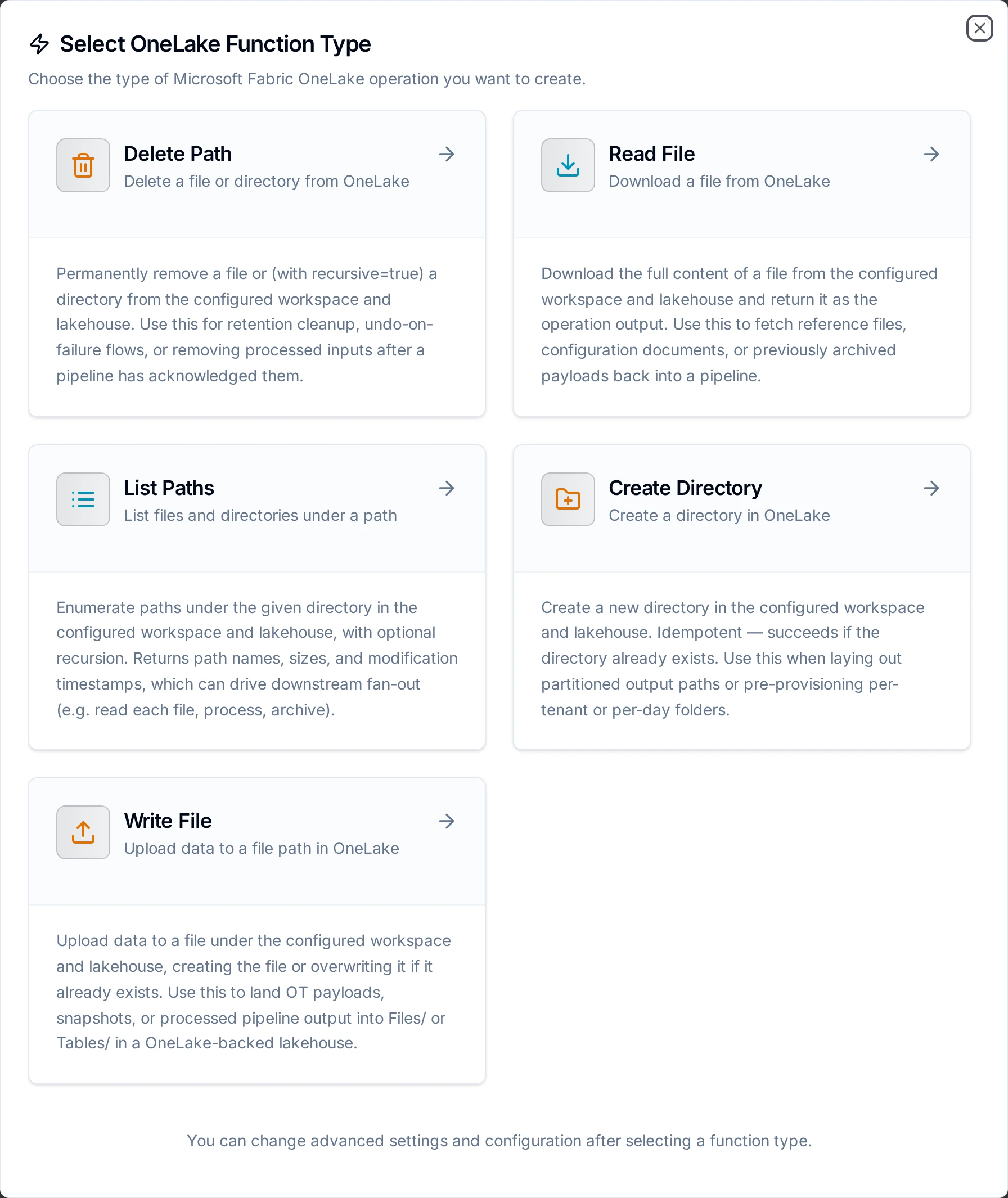
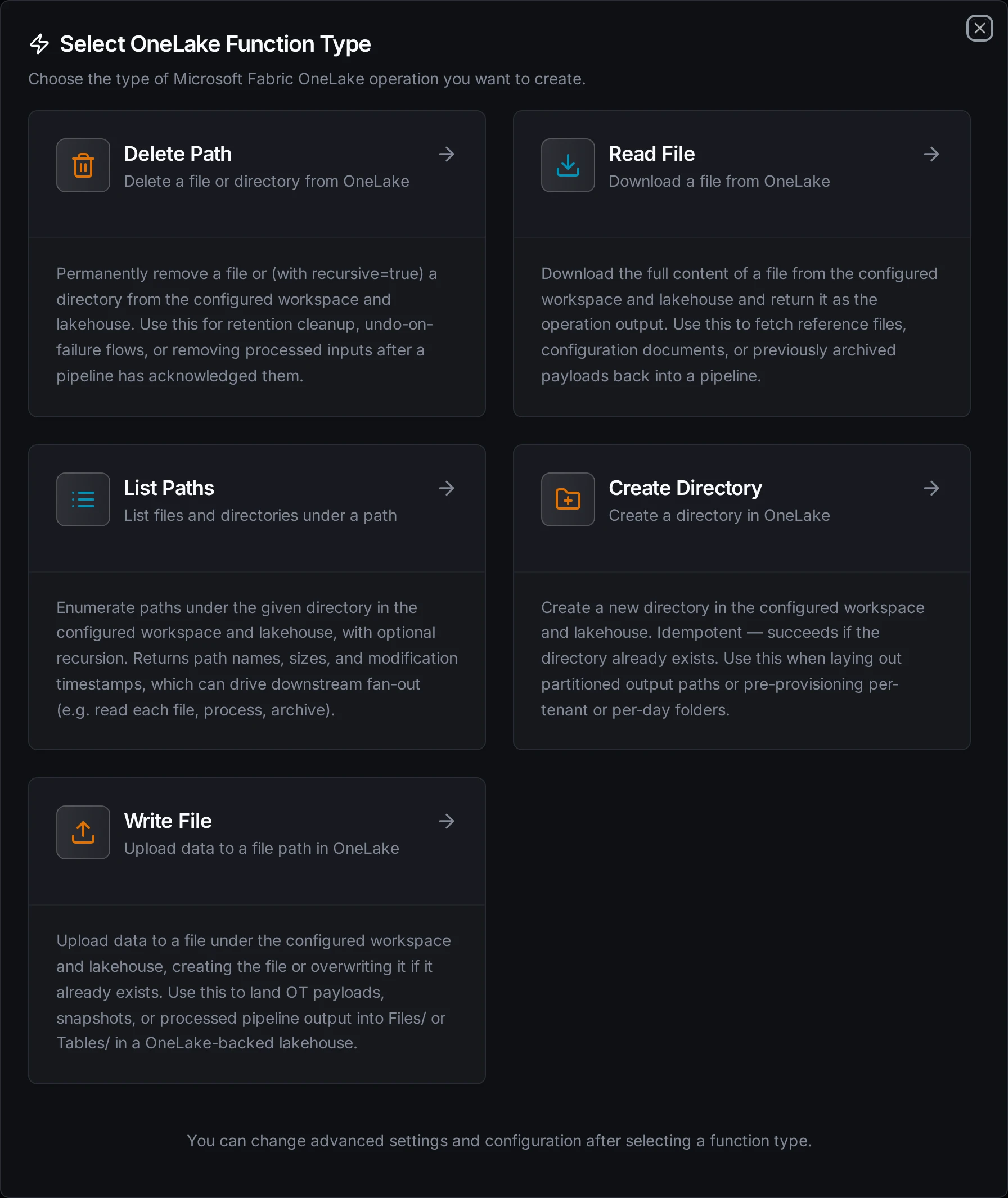
Choose from Write File, Read File, List Paths, Create Directory, and Delete Path operations
Append to Table Function
Purpose: Append one row or a batch of rows to a Delta table under Tables/. The connector writes the Parquet data file and the _delta_log commit itself, so Fabric lists the table, and the rows are queryable, as soon as the call returns. The first write creates the table.
Configuration Fields
| Field | Type | Required | Default | Description |
|---|---|---|---|---|
| Table | String | Yes | - | Table name under Tables/: letters, digits and underscores. Supports ((param)) templating |
| Lakehouse Schema | String | No | - | For a lakehouse with schemas enabled, the schema the table belongs to (for example dbo); the table is written under Tables/<schema>/. Leave empty for a lakehouse without schemas |
| Rows | JSON | Yes | ((data)) | One row (a JSON object) or a batch (an array of objects). Usually ((data)), filled from the pipeline |
| Columns | Column list | No | - | Column names and types: string, long, double, boolean, timestamp. See Columns below |
| Timeout | Duration | No | 30m | Bound on this single operation (1s to 1h) |
Example Configuration
{
  "table": "sensor_readings",
  "data": "((data))",
  "columns": {
    "columns": [
      { "name": "ts", "type": "timestamp" },
      { "name": "asset", "type": "string" },
      { "name": "tag", "type": "string" },
      { "name": "value", "type": "double" }
    ]
  }
}
Response Format
{
  "table": "Tables/sensor_readings",
  "committed": true,
  "version": 42,
  "created": false,
  "rowsWritten": 500,
  "parseFailures": 0,
  "bytesWritten": 18432,
  "dataFile": "Tables/sensor_readings/part-00000-3f2a9c1e-7d4b-4e8a-9b1c-2d5e6f7a8b9c-c000.zstd.parquet",
  "liveFiles": 1290
}
liveFiles is how many data files the table holds after the call. ignoredFields lists row fields that matched no column, checkpointed is true when the commit also wrote a checkpoint, warning explains a checkpoint that was due but not written, and alreadyCommitted is true on a replay of a write the table already holds (see Retries and replays). Each of these four appears only when it applies. The connector does not write checkpoints for tables with deletion vectors enabled; if MaestroHub is the only writer to such a table, run Fabric's table maintenance from time to time so readers don't replay a growing log. committed is false, with nothing written, when the call carried no rows.
Columns
The columns come from the first of these that applies:
- Columns, when set. For a new table these become its columns; for an existing table each must exist in it with the same type.
- The existing table's columns, for the fields the rows carry.
- The first batch, for a new table with no Columns set: numbers become
double,true/falseboolean, ISO-8601 text with a zone (2026-10-05T08:00:00Z)timestamp, and everything elsestring. Objects and arrays are stored as JSON text. A field whose values disagree across rows becomesstring.
Set Columns for a production table. Inference sees only the first batch, so a counter that happens to arrive as 3 in it becomes double for good, and a timestamp sent without a zone stays string.
Field names match column names ignoring case. When a row carries one field in two spellings (Temp and temp), the spelling that matches the column exactly wins, otherwise the one that sorts first, and the other is listed in ignoredFields.
A value that does not parse as its column's type is written as null and counted in parseFailures. The connector also logs a warning the first time a column of a table gets such a value, and the first time a field is left out, so the problem shows up in the logs even when nobody reads the node output.
A number in a timestamp column is read as Unix epoch milliseconds. An epoch in seconds lands in January 1970: 1791187200 is read as 1970-01-21T17:33:07.2Z, not 2026-10-05T08:00:00Z. Multiply seconds by 1000 upstream, or send ISO-8601 text.
Every call adds one Parquet file to the table, and readers slow down as small files pile up. The connector slows down too: it keeps the list of the table's files in memory between calls and rewrites it into every checkpoint. Put a Buffer node in front so each call carries hundreds of rows, not one, and run Fabric's table maintenance (Optimize) from time to time to compact the files that accumulate anyway. Once a table holds 10,000 files, the connector logs a warning saying so, once per table.
-
A table partitioned by a column, or one using column mapping, CHECK constraints, generated or identity columns, or a newer Delta feature it does not support. The error names the reason; the table is not touched.
-
Declared columns that disagree with an existing table, and a table column marked NOT NULL that the rows do not carry, or that some row leaves empty, null, or holding a value that does not parse as the column's type.
-
Column names with a space or any of
, ; { } ( ) =, which Delta does not allow without column mapping. -
A table whose
_delta_logis damaged: a missing commit with later ones after it, no schema, or a commit or checkpoint file that does not parse. Repair or restore the table in Fabric first.
These failures are permanent: retrying writes the same thing and fails the same way.
A pipeline write that is sent again lands once. That covers a store-and-forward drain after the first attempt's answer was lost, a Retry on Fail, and a replay from the dead-letter queue. Each commit records the write's key in the table log, in a Delta txn action. A resend finds the key and returns "alreadyCommitted": true with the version that holds its rows, without writing anything. The record lasts 31 days, the longest the engine resends a write with its default retention. Tables the connector creates carry the same window as delta.setTransactionRetentionDuration. If you raise the dead-letter retention, a replay older than 31 days appends its rows again. The Test button has no key, so every test call appends.
Within one call, a commit whose outcome is unknown (a timeout) is checked against the table log before the connector retries it, so it is never committed twice. Concurrent MaestroHub writers to one table are safe: each commit claims its version atomically, and a writer that loses a version moves to the next. Fabric's Spark commits the same way (a rename that refuses to overwrite), so writing alongside it should be safe too, but that has been tested only against other MaestroHub writers.
A table dropped or recreated in Fabric while a pipeline writes to it is picked up on the next call: before each append the connector checks its cached view of the table log against the lakehouse, and reloads it if the table changed.
Write File Function
Purpose: Upload data to a file under the configured workspace and lakehouse, creating the file or overwriting it if it already exists. Use this to land OT payloads, snapshots, or processed pipeline output into Files/ or Tables/.
Configuration Fields
| Field | Type | Required | Default | Description |
|---|---|---|---|---|
| Path | String | Yes | - | File path relative to the lakehouse. May start with Tables/ or Files/, otherwise the default scope is applied. Supports ((param)) templating |
| Data | String | No | - | Content to write. Supports templating |
| Input Format | String | No | text | How Data is interpreted: text uploads the string verbatim as UTF-8 bytes; base64 strict-decodes it first. Binary formats such as Parquet require base64 |
| Content Type | String | No | auto | MIME type of the file content. Auto-detected from the extension if omitted |
| Max File Size (MB) | Number | No | connection default | Override the max file size limit (1-124) |
| Timeout | Duration | No | 30m | Operation timeout (1s-1h) |
Example Configuration
{
  "path": "Files/snapshots/((day)).json",
  "data": "((payload))"
}
Response Format
{
  "path": "Files/snapshots/2026-06-03.json",
  "bytesWritten": 2048,
  "contentType": "application/json"
}
Data is a string, so binary content reaches this function base64-encoded; that is what the Convert to File node emits for Parquet and Excel. You must set Input Format to base64 for those payloads. Left on text, the connector uploads the base64 characters themselves and produces a file no Parquet reader can open.
Invalid base64 under base64 fails the call rather than silently writing the literal text, and the Max File Size limit is measured on the decoded bytes.
Example: writing Parquet
{
  "path": "Files/staging/readings_((day)).parquet",
  "data": "((parquetPayload))",
  "inputFormat": "base64"
}
Use Cases:
- Land OT payloads and snapshots into
Files/ - Write a Parquet or CSV file under
Files/for Fabric to load into a table - Archive processed pipeline output to a lakehouse
Read File Function
Purpose: Download the full content of a file from the configured workspace and lakehouse and return it as the operation output.
Configuration Fields
| Field | Type | Required | Default | Description |
|---|---|---|---|---|
| Path | String | Yes | - | File path relative to the lakehouse. Supports ((param)) templating |
| Max File Size (MB) | Number | No | connection default | Override the max file size limit (1-124) |
| Timeout | Duration | No | 30m | Operation timeout (1s-1h) |
Response Format
{
  "data": "id,value\n1,42\n",
  "metadata": {
    "path": "Files/reference/lookup.csv",
    "fileName": "lookup.csv",
    "sizeBytes": 15,
    "encoding": "text"
  }
}
encoding is text for text content types and base64 for binary; data is decoded accordingly.
Use Cases:
- Fetch reference files or lookup tables into a pipeline
- Read a JSON configuration blob from
Files/config.json - Re-hydrate a previously archived payload
List Paths Function
Purpose: Enumerate paths under a directory in the configured workspace and lakehouse, with optional recursion. Returns path names, sizes, and modification timestamps to drive downstream fan-out.
Configuration Fields
| Field | Type | Required | Default | Description |
|---|---|---|---|---|
| Path | String | No | lakehouse root | Directory path to list, relative to the lakehouse. Empty lists the lakehouse root. Supports templating |
| Recursive | Boolean | No | false | Recurse into subdirectories |
| Max Results | Number | No | 100 | Maximum number of paths to return per page (1-1240) |
| Continuation Token | String | No | - | Token from a previous list operation for pagination |
| Timeout | Duration | No | 30m | Operation timeout (1s-1h) |
Response Format
{
  "path": "Tables/sensor_readings",
  "paths": [
    {
      "name": "Tables/sensor_readings/data.parquet",
      "isDirectory": false,
      "contentLength": 20480,
      "lastModified": "Tue, 03 Jun 2026 08:00:00 GMT",
      "etag": "0x8D..."
    }
  ],
  "count": 1,
  "continuationToken": "..."
}
continuationToken is present only when more pages remain.
Use Cases:
- List all Parquet files under
Tables/sensor_readings/ - Discover files to fan out a read-process-archive loop
- Paginate a large directory with the continuation token
Create Directory Function
Purpose: Create a new directory in the configured workspace and lakehouse. Idempotent: succeeds if the directory already exists. Use this when laying out partitioned output paths or pre-provisioning per-tenant or per-day folders.
Configuration Fields
| Field | Type | Required | Default | Description |
|---|---|---|---|---|
| Path | String | Yes | - | Directory path to create, relative to the lakehouse. Supports templating |
| Timeout | Duration | No | 30m | Operation timeout (1s-1h) |
Response Format
{
  "path": "Files/daily/2026-06-03"
}
Use Cases:
- Create
Files/daily/((day))/before writing day-partitioned files - Pre-provision per-tenant folders
Delete Path Function
Purpose: Permanently remove a file or (with recursive) a directory from the configured workspace and lakehouse. Use this for retention cleanup, undo-on-failure flows, or removing processed inputs.
Configuration Fields
| Field | Type | Required | Default | Description |
|---|---|---|---|---|
| Path | String | Yes | - | Path to delete, relative to the lakehouse. Supports templating |
| Recursive | Boolean | No | false | Delete directory contents recursively |
| Timeout | Duration | No | 30m | Operation timeout (1s-1h) |
Response Format
{
  "path": "Files/staging/processed.json",
  "kind": "file"
}
Use Cases:
- Delete a processed file after archival
- Clean up a staging directory recursively
Using Parameters
Use ((parameterName)) in paths, data, and other templated fields to expose parameters for validation and runtime binding.
| Configuration | Description | Example |
|---|---|---|
| Type | Validate incoming values | string, number, boolean, datetime, json, buffer |
| Required | Enforce presence | Required / Optional |
| Default Value | Provide fallbacks | 'Files/', '{}' |
| Description | Document intent | "Partition day (YYYY-MM-DD)", "Payload JSON" |
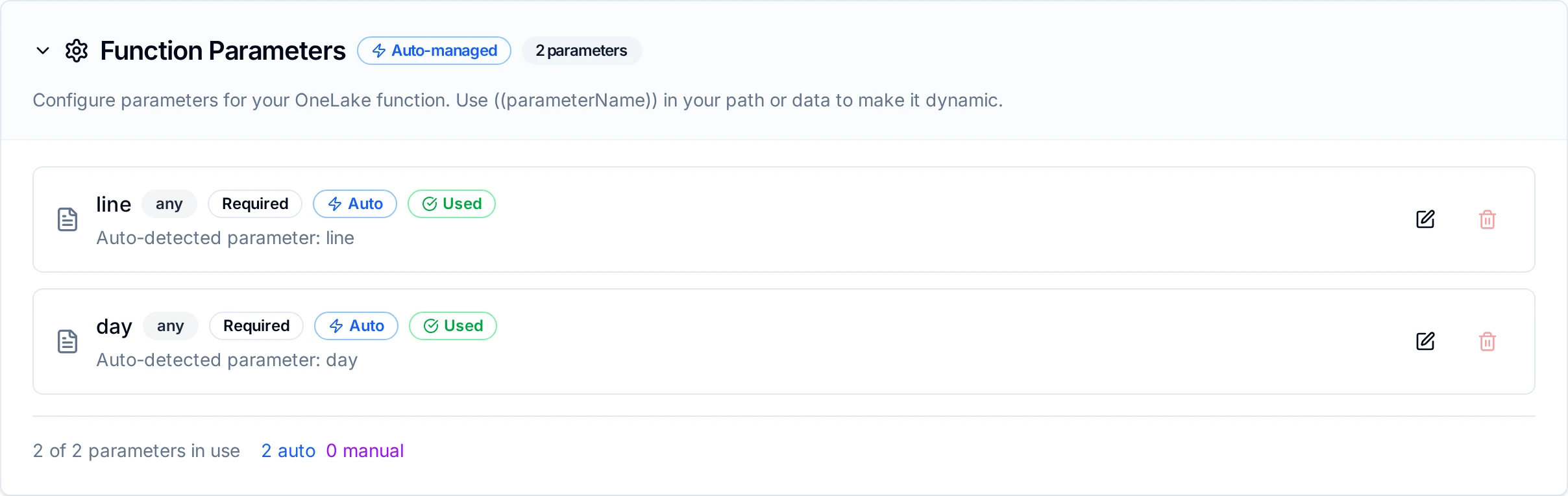
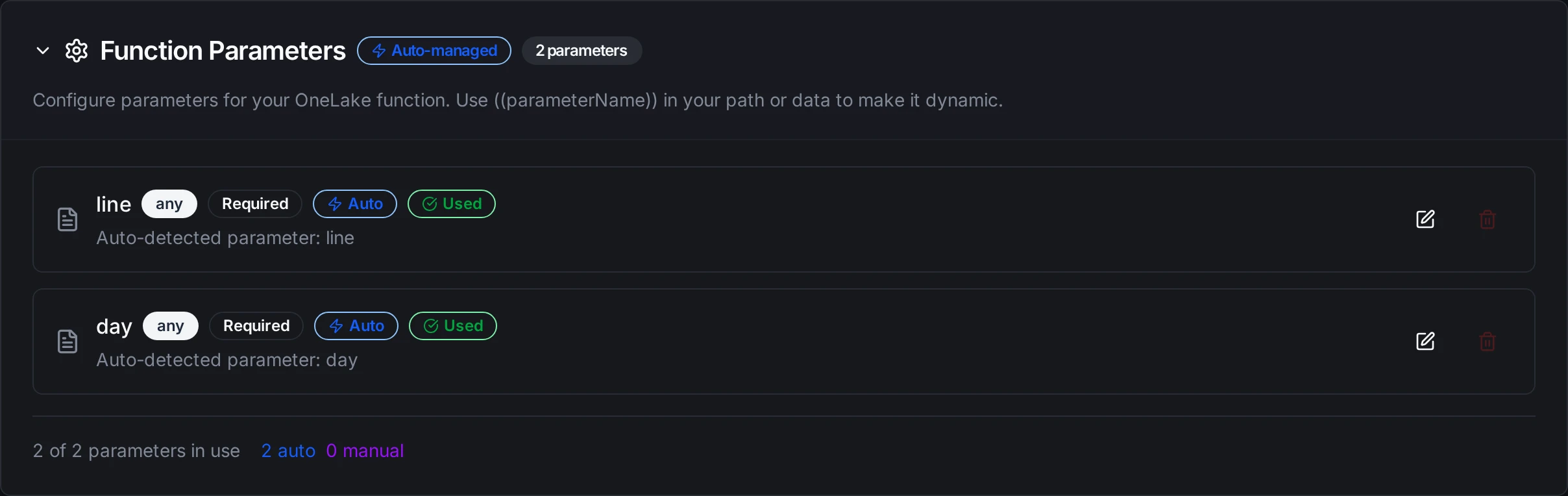
Parameters detected from paths and payloads are configured with type, requiredness, and defaults
All five OneLake function types accept ((parameter)) templating, because OneLake is an on-demand storage connector with no trigger/consume function, so every operation can be templated and bound to upstream pipeline values.
Pipeline Integration
Use the OneLake functions you configure here as nodes inside the Pipeline Designer to land and read lakehouse files. Drag in a Write File, Read File, List Paths, Create Directory, or Delete Path node, bind parameters to upstream outputs or constants, and tune retries or error branches.
For broader orchestration patterns that combine OneLake with SQL, REST, or MQTT steps, see the Nodes page and the Microsoft Fabric (OneLake) node reference.
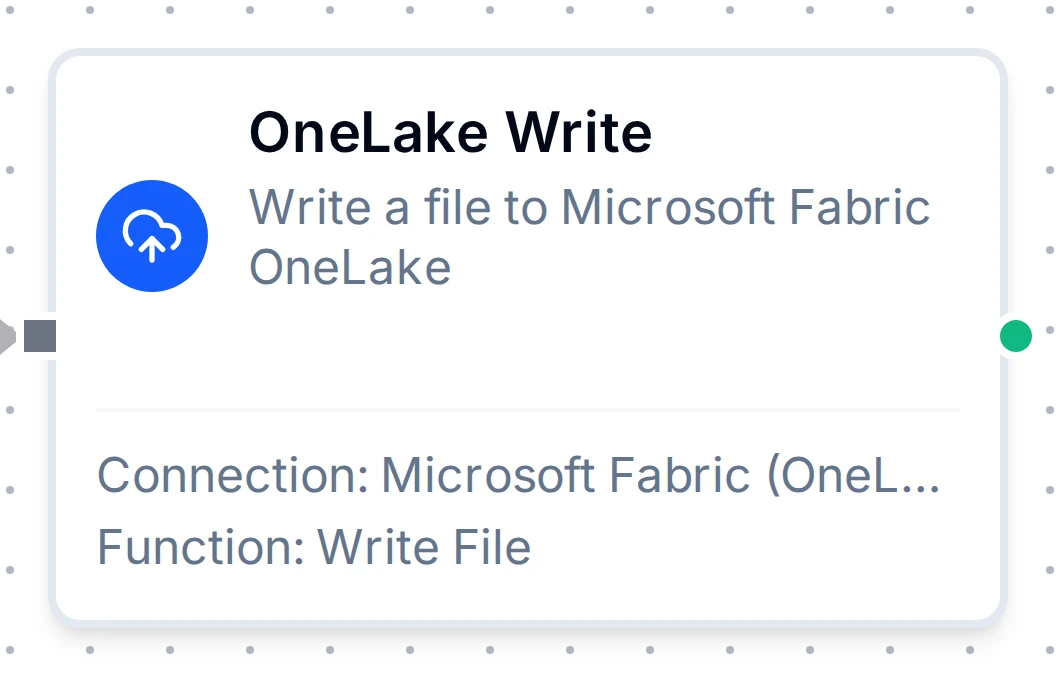
OneLake Write File node with connection, function, and parameter bindings
Common Use Cases
Landing OT Data as a Fabric Table
Use Append to Table:
- A trigger or read node produces readings, for example a UNS subscription.
- A Buffer node collects them, say 500 per flush.
- A OneLake Append to Table node writes each flush to
sensor_readings, with Rows bound to the buffer's output.
The table appears in the lakehouse on the first write and is queryable by the Lakehouse, its SQL analytics endpoint and Power BI Direct Lake, with no Load to Tables step.
To land files instead and let Fabric load them, write Parquet under Files/ with Write File (Input Format base64 for a Convert to File node's output) and use Load to Tables, a notebook, or the Fabric Load Table REST API.
Reading a Lakehouse File Back
OneLake Read File returns binary files (including .parquet) base64-encoded, with metadata.encoding set to base64. Feed that straight into a File Extractor node with format parquet to get rows back into the pipeline.
Day-Partitioned Archival
Create a Files/daily/((day))/ directory, then write the day's snapshots into it for a partitioned archive.
Read-Process-Archive
List files under a staging prefix, read and process each, then delete the processed inputs, all within one pipeline.