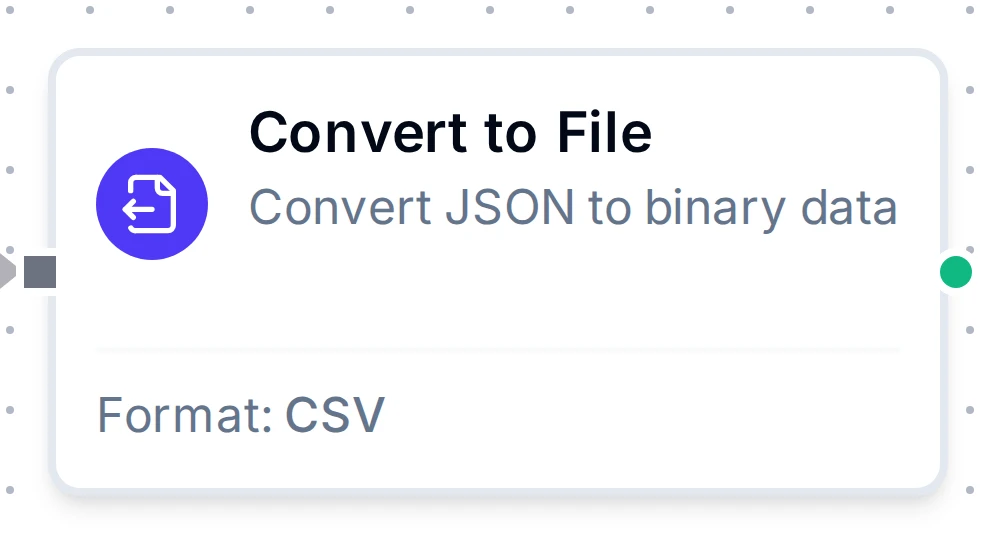
Convert to File node
Convert to File Node
Turn rows of JSON into a CSV, Excel or Parquet file, optionally appending rows across runs, ready for a file writer.
- Formats
- CSV · Excel · Parquet
- Output
- File content in result, base64 by default
- Parquet
- Always base64
- Excel sheet name
- Max 31 characters
Overview
- Type:
transform.data.serializer - Display Name: Convert to File
- Category: transform
- Execution:
supportsExecution: true - I/O Handles:
- Input:
In(left) - Output:
Out(right)
- Input:
Purpose: Convert structured data (arrays of objects or arrays) into CSV, Excel, or Parquet file format. Supports header management, data formatting options, append mode for streaming scenarios, and base64 encoding for safe transport to file writers or connectors.
Format Configuration
| Parameter | Type | Default | Required | Description |
|---|---|---|---|---|
| Format | select | "csv" | Yes | Output format: csv, excel, or parquet. |
CSV-Specific
| Parameter | Type | Default | Required | Description |
|---|---|---|---|---|
| Delimiter | string | "," | Yes (CSV) | Field separator character. Common values: , ; \t ` |
| Line Ending | select | "LF" | No | Line ending style: LF (Unix/Linux) or CRLF (Windows). |
Excel-Specific
| Parameter | Type | Default | Required | Description |
|---|---|---|---|---|
| Sheet Name | string | "Sheet1" | Yes (Excel) | Worksheet name. Max 31 characters. Cannot contain: / \ ? * [ ]. |
| Auto Filter | boolean | true | No | Add dropdown filter to header row. |
| Freeze Header | boolean | true | No | Freeze the header row for scrolling (freeze panes). |
Parquet-Specific
| Parameter | Type | Default | Required | Description |
|---|---|---|---|---|
| Parquet Column Schema | list of {name, type} | derived from headers | No | Declares the output column types. type is one of string, int64, float64, bool, timestamp. When omitted, every column is written as string. |
Notes:
- Declare the schema in production. Without it every column is a string, which costs you predicate pushdown and correct aggregation in whatever queries the file, which is the main reason to choose Parquet over CSV in the first place.
- Cells that fail their declared type's parser become NULL rather than failing the write. The count is reported as
metadata.parseFailures, andmetadata.parseFailureRategives it as a fraction of typed cells written this execution. A rate that climbs is upstream schema drift. timestampcells are parsed as RFC 3339 (with or without fractional seconds) and stored as UTC microseconds, the highest precision Spark and Delta Lake can read. Sub-microsecond digits are truncated.- Empty cells become NULL and do not count as parse failures; they are explicit absences.
Two output metadata fields are added for Parquet only:
| Field | Description |
|---|---|
_metadata.parseFailures | Count of cells that became NULL because they failed the declared column's parser. |
_metadata.parseFailureRate | parseFailures over typed cells written this execution. 0.0 when there are no typed columns. |
Parquet is binary, so the node base64-encodes it regardless of the Encoding setting. Any downstream writer must be told to decode it: the OneLake write function needs Input Format = base64, and the local file, SMB, S3, GCS, Databricks Volumes and Azure Blob writers need the same. So does any of them fed CSV with Encoding left at base64. Left as text, the base64 characters are written as the file contents and the result is not a Parquet file.
Header Configuration
| Parameter | Type | Default | Required | Description |
|---|---|---|---|---|
| Header Mode | select | "auto" | Yes | How headers are determined (see below). |
| Headers | string[] | [] | If provided | Custom column header names. |
| Include Headers | boolean | true | No | Write a header row at the top of every file this node produces. |
| Strict Headers | boolean | false | No | Validate data structure matches established headers. |
Header Mode Options
| Mode | Description |
|---|---|
auto | Automatically detect headers from input data structure (object keys). |
provided | Use the custom headers array configured in the node. |
fromFirstRow | Treat first row/element of input as headers (for array of arrays). |
none | No headers; output data rows only. |
Input / Output Configuration
| Parameter | Type | Default | Required | Description |
|---|---|---|---|---|
| Input Format | select | "auto" | No | Expected input structure: auto, arrayOfArrays, or arrayOfObjects. |
| First Row Is Header | boolean | false | No | Treat first array element as headers (for array of arrays input). |
| Input Field | string | "result" | Yes | Where to read the rows from: a path such as result or result.rows, or an expression such as {{ $node["Read"].result.rows }} to reach any upstream node. |
| Encoding | select | "base64" | No | Output encoding: base64 or utf8. Excel and Parquet always use base64 regardless of this setting, because they are binary. |
| Append Mode | boolean | true | No | On: keep rows across runs and emit the whole file each time. Off: each run emits a file with only its own rows. |
Choosing how the file is written
The node's output is a complete file, header included. Match Append Mode to what the writer does with it:
| You want | Append Mode | Writer |
|---|---|---|
| A separate file for each run, such as a daily report | Off | Overwrite, or a new file name each run |
| One file holding every row so far | On | Overwrite Existing |
| To add each run's rows to the end of a file another system created | Off, with Include Headers off | Append to File |
With Append Mode on, don't turn on the writer's Append to File: every run re-writes the earlier rows. With Include Headers on and Append to File on, each run adds another header row to the file.
Accumulated rows are node state. On Lite that state is held in memory, so a restart starts the file again from the next run's rows.
Data Processing
| Parameter | Type | Default | Description |
|---|---|---|---|
| Null Value | string | "" | String representation for null/undefined values. |
| Bool Format | select | "true/false" | Boolean formatting: true/false, TRUE/FALSE, or 1/0. |
Settings
| Setting | Options | Default | Description |
|---|---|---|---|
| Timeout (seconds) | number | Pipeline default | Maximum execution time for this node (1-3600). |
| Retry on Timeout | Pipeline Default / Enabled / Disabled | Pipeline Default | Whether to retry on timeout. |
| Retry on Fail | Pipeline Default / Enabled / Disabled | Pipeline Default | Whether to retry on failure. When Enabled, shows Advanced Retry Configuration. |
| On Error | Pipeline Default / Stop Pipeline / Continue Execution | Pipeline Default | Behavior when node fails after all retries. |
Advanced Retry Configuration
Only visible when Retry on Fail is set to Enabled.
| Field | Type | Default | Range | Description |
|---|---|---|---|---|
| Max Attempts | number | 3 | 1-10 | Maximum retry attempts. |
| Initial Delay (ms) | number | 1000 | 100-30,000 | Wait before first retry. |
| Max Delay (ms) | number | 120000 | 1,000-300,000 | Upper bound for backoff delay. |
| Multiplier | number | 2.0 | 1.0-5.0 | Exponential backoff multiplier. |
| Jitter Factor | number | 0.1 | 0-0.5 | Random jitter. |
Output Format
Success Packet
{
  "result": "SGVsbG8sV29ybGQKSm9obiwzMApKYW5lLDI1Cg==",
  "_metadata": {
    "format": "csv",
    "rowsProcessed": 2,
    "totalRows": 2,
    "headersIncluded": true,
    "headers": ["Name", "Age"],
    "encoding": "base64"
  }
}
| Field | Description |
|---|---|
result | Encoded file content. The file is always in result; read it downstream as {{ $node["Convert to File"].result }} (use your node's name). |
_metadata.format | Output format (csv, excel, or parquet). |
_metadata.rowsProcessed | Number of rows processed in this execution. |
_metadata.totalRows | Data rows in the file this execution emitted: every row so far with Append Mode on, otherwise this execution's. |
_metadata.headersIncluded | Whether the file this execution emitted has a header row. |
_metadata.headers | Column headers used. |
_metadata.encoding | Encoding used (base64 or utf8). |
Errors
When the node fails, the error message is shown on the node in the execution history. Common errors:
- Configuration error (invalid format, missing required fields)
- Input field not found
- Header validation failed (strict mode)
- Failed to generate CSV/Excel/Parquet
Validation Rules
label: required (non-empty)format: required; must becsv,excel, orparquet- CSV:
delimiterrequired and non-empty - Excel:
sheetNamerequired; must not contain/ \ ? * [ ]; max 31 characters headerMode: must be one ofauto | provided | fromFirstRow | none- When
headerMode === 'provided':headersmust be a non-empty array inputField: required (non-empty)
Manual Actions
This node supports manual actions accessible from the node context menu:
| Action | Description |
|---|---|
| Reset | Clear accumulated data and reset state. Use when switching output files or starting fresh. |
| Get State | View current serializer state including row counts, detected headers, and accumulated data. |
Configuration reference
The fields below are generated from the node's config contract, so they match what the pipeline validator enforces and what the designer's form offers.
transform.data.serializer
| Field | Type | Required | Default | Values | Description |
|---|---|---|---|---|---|
format | string | no | csv | csv, excel, parquet | File format to produce: csv (text), excel (.xlsx workbook) or parquet (columnar, typed) |
delimiter | string | no | , | - | csv only: the field separator, exactly one character, e.g. "," ";" "|" or a real tab character |
lineEnding | string | no | LF | LF, CRLF | csv only: LF ends lines with \n (Unix), CRLF with \r\n (Windows) |
headerMode | string | no | auto | auto, provided, fromFirstRow, none | Where column names come from: auto takes the object keys of the input rows; provided uses the headers list; fromFirstRow treats the first input row as the names (array-of-arrays input); none writes no header row |
headers | string[] | no | - | - | Column names, in order, used when headerMode is provided; must be unique. Ignored in the other modes |
includeHeaders | boolean | no | true | - | Write a header row at the top of every file this node emits. csv and excel only: parquet always holds its column names |
alwaysIncludeHeaders | boolean | no | false | - | Accepted but has no effect: includeHeaders already writes the header row in every file. Kept so saved pipelines keep loading |
strictHeaders | boolean | no | false | - | Fail an execution whose columns differ from the first execution's; for parquet with parquetColumns, also fail when a declared column is missing from the input instead of writing null |
inputFormat | string | no | auto | auto, arrayOfArrays, arrayOfObjects, primitiveArray | Shape of the rows at inputField: auto detects from the first element; arrayOfArrays is rows of cells; arrayOfObjects is rows keyed by column name; primitiveArray is one column of scalars |
firstRowIsHeader | boolean | no | false | - | arrayOfArrays input only: use the first row as column names instead of data (same effect as headerMode fromFirstRow) |
inputField | string | no | result | accepts an expression | Dot path to the rows inside the node input, or an expression. Every node output is {result, _metadata}, so paths start at result, e.g. result or result.rows; an expression such as {{ $node["Read"].result.rows }} reaches any upstream node, which a plain path cannot; the execution fails when the path is missing. When the input is not an object (an array from upstream, or several predecessors) the input itself is used and the path is ignored |
nullValue | string | no | - | - | Text written for null cells and for the missing cells of short rows; empty by default |
boolFormat | string | no | true/false | true/false, TRUE/FALSE, 1/0 | How boolean cells are written |
flattenNested | boolean | no | false | - | Accepted but has no effect: nested objects and arrays are always written as JSON text in their cell |
sheetName | string | no | Sheet1 | - | excel only: worksheet name, at most 31 characters and none of / \ ? * [ ] |
autoFilter | boolean | no | true | - | excel only: add a filter dropdown to the header row |
freezeHeader | boolean | no | true | - | excel only: freeze the header row so it stays visible while scrolling |
parquetColumns | object[] | no | - | - | parquet only: the typed column schema in output order; names must be unique and each must match an input column name (a missing one is null). Omit it to write every input column as a string |
outputField | string | no | - | - | Accepted but ignored: the file content is always the node's result ($node["Name"].result). Kept so saved pipelines keep loading |
encoding | string | no | base64 | base64, utf8 | How the file bytes are emitted: base64 text, or utf8 plain text. excel and parquet are always base64 whatever is set here |
appendMode | boolean | no | true | - | Accumulate rows across executions and emit the whole file each time, so overwrite that file downstream; a writer that appends would repeat the earlier rows. false emits only this execution's rows. The Reset action clears the accumulated rows |