A line sends another unit
Line 4 came from another vendor and sends product temperature in °F. Lines 2 and 3 send °C. You want every chart, alarm and reader to get °C, without touching the device.
- Where
- Explore › Libraries › Start from your data
- Changes on the device
- Nothing
- Stored history
- Never rewritten
- Editions
- Foundation, Enterprise, free trial
The problem
Line 4's filler reports product temperature around 40; Line 2's reports around 4. Both are right: one is °F, the other °C. Side by side the numbers cannot be compared, a dashboard shows two scales, and an alarm at 5 °C fires on Line 4 all day long.
What you will get
Every value from Line 4 arrives converted to °C from the moment the meaning takes effect. Charts, alarms, MQTT readers and the REST API all get °C, with the unit attached. The device keeps sending °F. Values stored before the change stay exactly as they were stored; when you read them, they are shown in °C too and marked as converted from before the meaning.
Before you start
- Role. A Data Admin or a Workspace Admin, or someone who looks after that part of the topic tree. Someone who may give meanings but not approve them sends them for approval instead.
- Edition. Foundation, Enterprise, and the free trial. On the free trial the number of topics with a meaning is capped (the evaluation licence's cap, counted across the whole instance); see Your licence.
- Data arriving. Line 4's values must already reach the Unified Namespace, through a connection and a pipeline.
Steps
1. Review the temperatures
Open Explore › Libraries, then Start from your data and Review signal by signal. On the Temperature group, click Review. Each row is one topic: what it sends now, the unit it is read in, and how that is known. Rows sit under headings of the same shape, such as line-#/f#/product_temp and line-#/f#/ProductTemp.
2. Say which unit Line 4 sends
Line 4's values come with no unit, and both °C and °F are plausible, so the page asks. It shows what the values would read as in each unit, and marks one as more likely. It never picks for you.
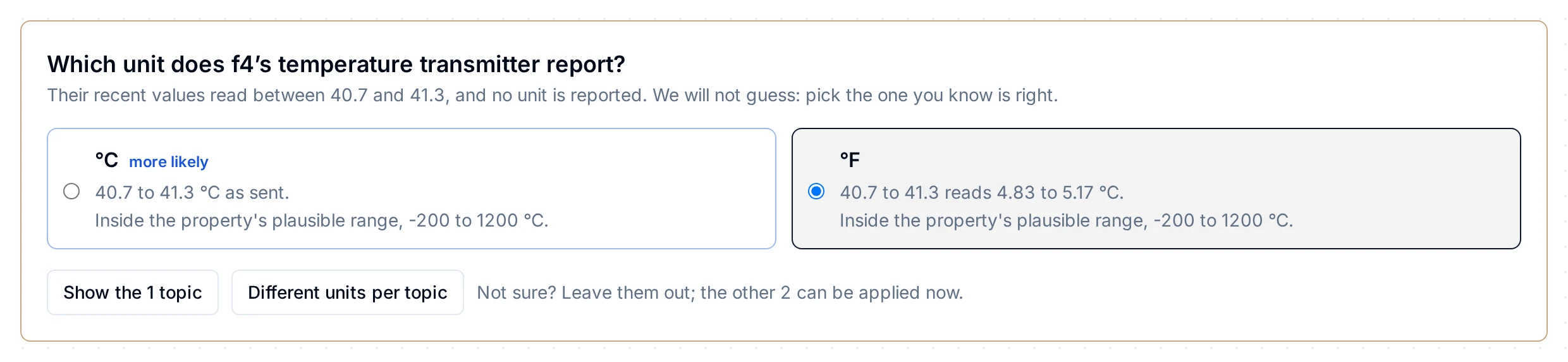
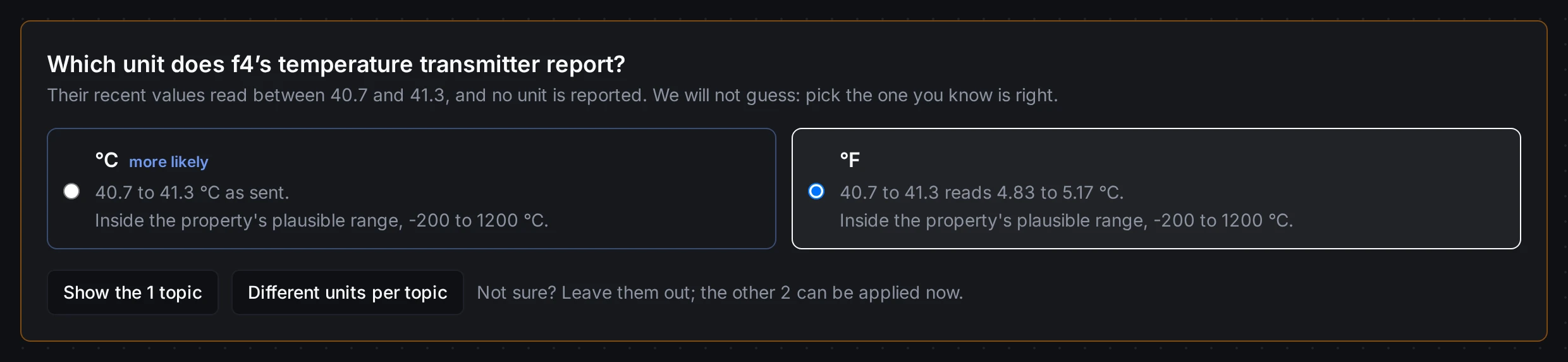
Pick °F, the unit you know the vendor's gateway sends.
Answer the other questions the same way, then untick the rows that are not product temperatures (here, the pumps' bearing temperatures, which deserve a meaning of their own).
3. Choose the meaning and apply
Under When you apply, keep Temperature (built-in), or choose A meaning of their own… to give the four product temperatures their own name and alarm (One measurement, many tag names). If any pipeline, dashboard or app reads these topics, the page names them and asks you to confirm you have checked them: from now on they read °C. Then click Apply to N topics (for the built-in meaning), or Give them this meaning in the dialog (for a meaning of their own).
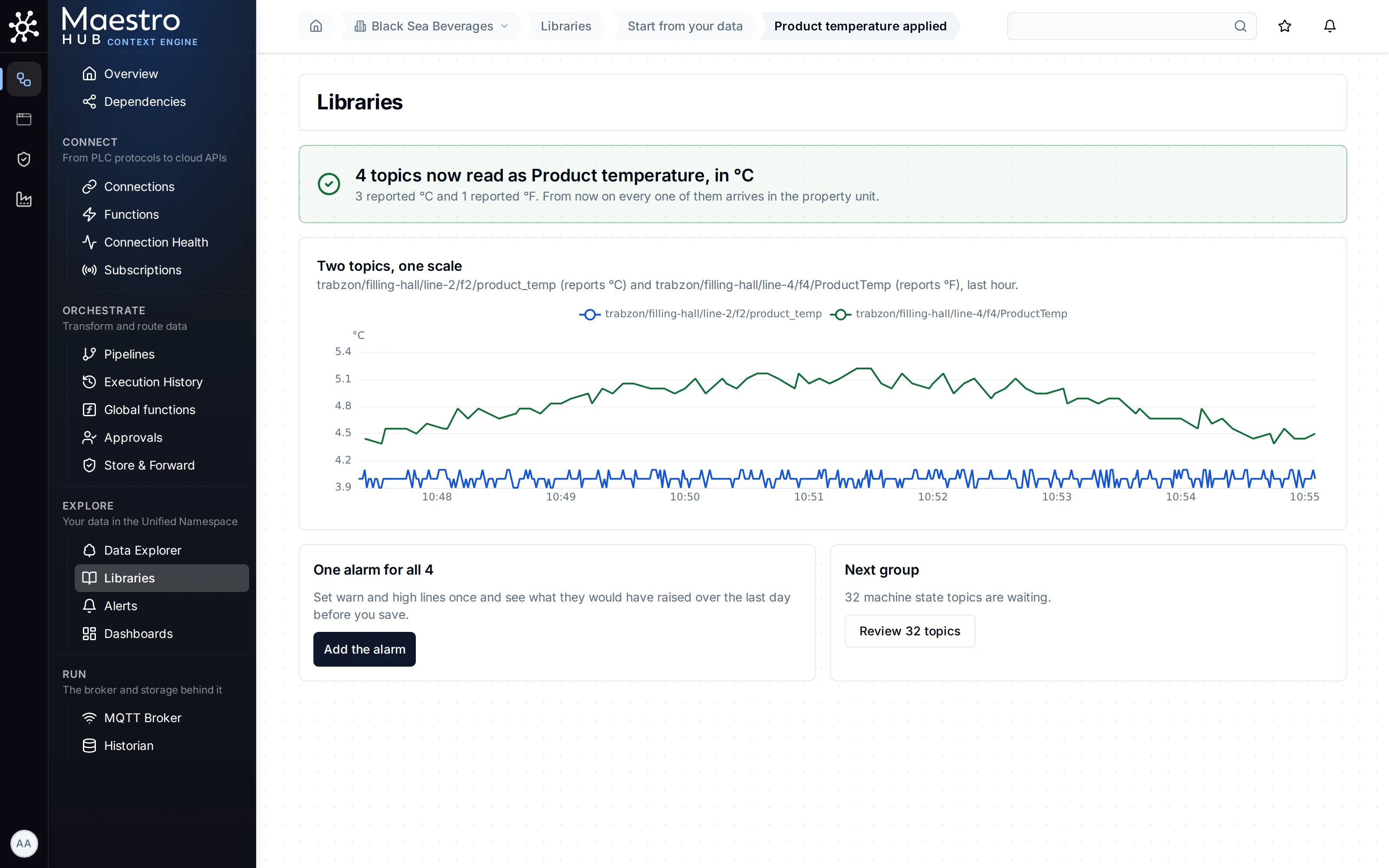
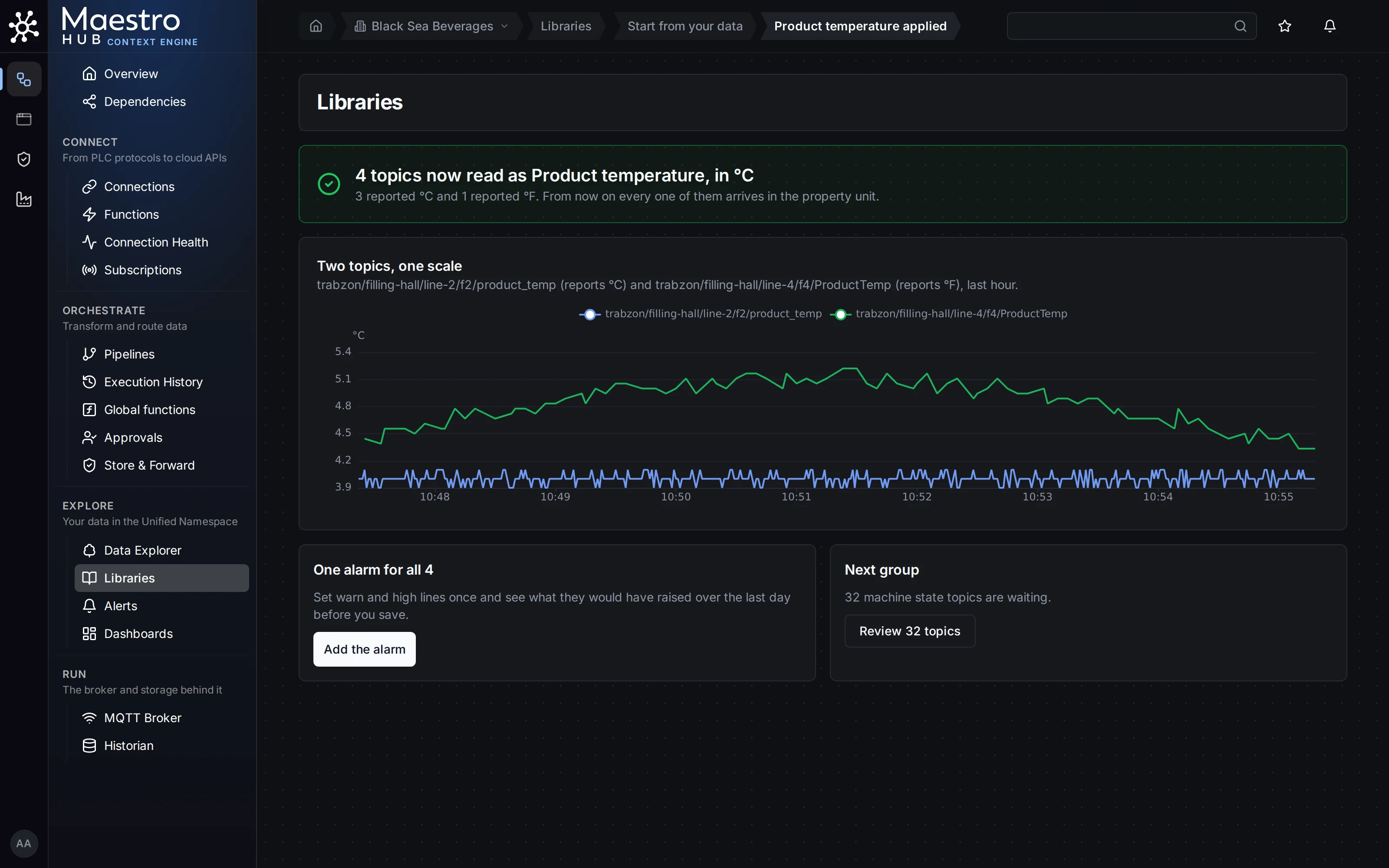
Right after the apply: Line 2 (°C) and Line 4 (°F) on one °C scale, Line 4's older values included.
All the ticked topics get their meaning in one change: all of them or none.
Check the result
Open Line 4's ProductTemp in Explore › Data Explorer. The topic page says what it means and what the device sends, and the live value is in °C.
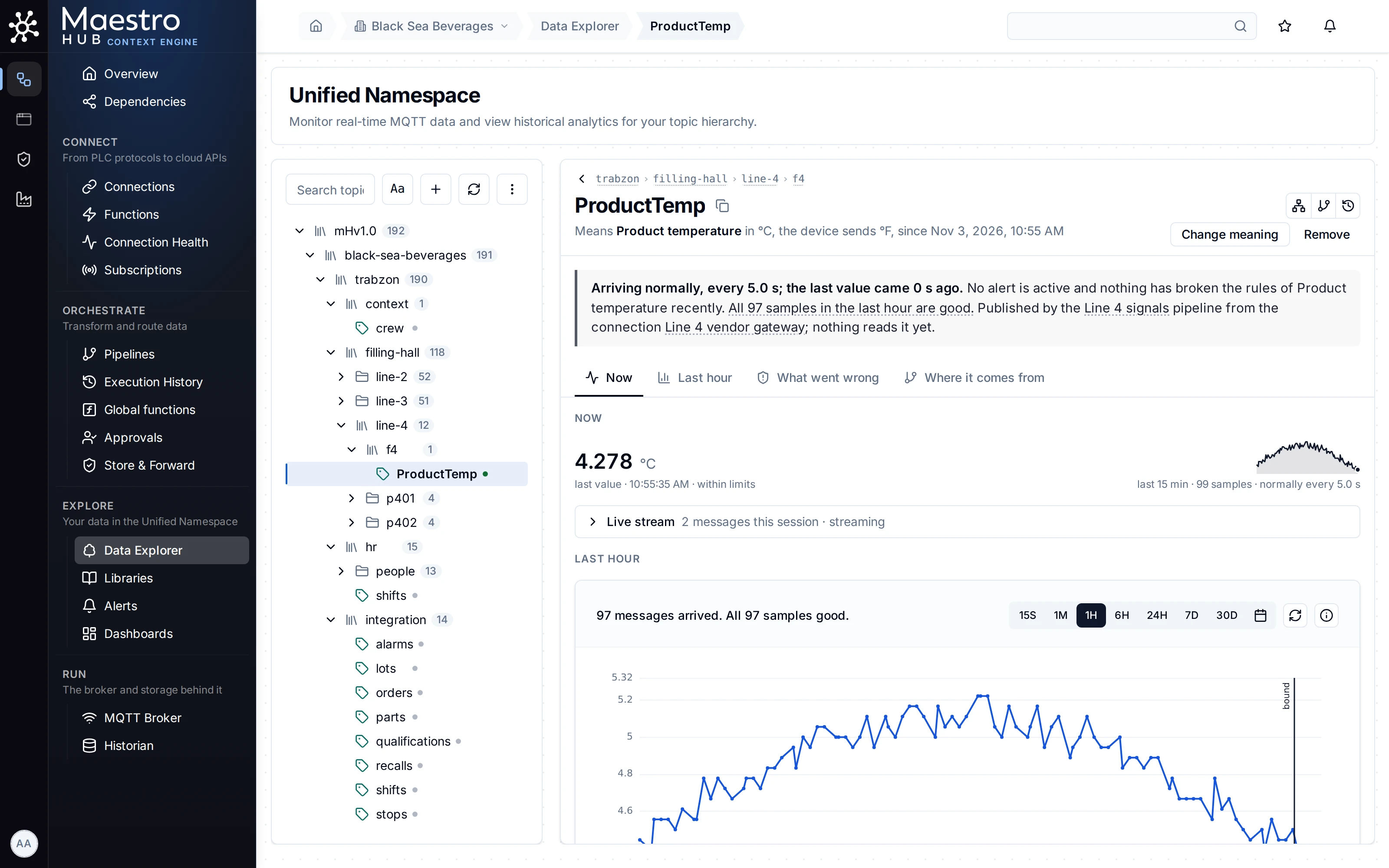
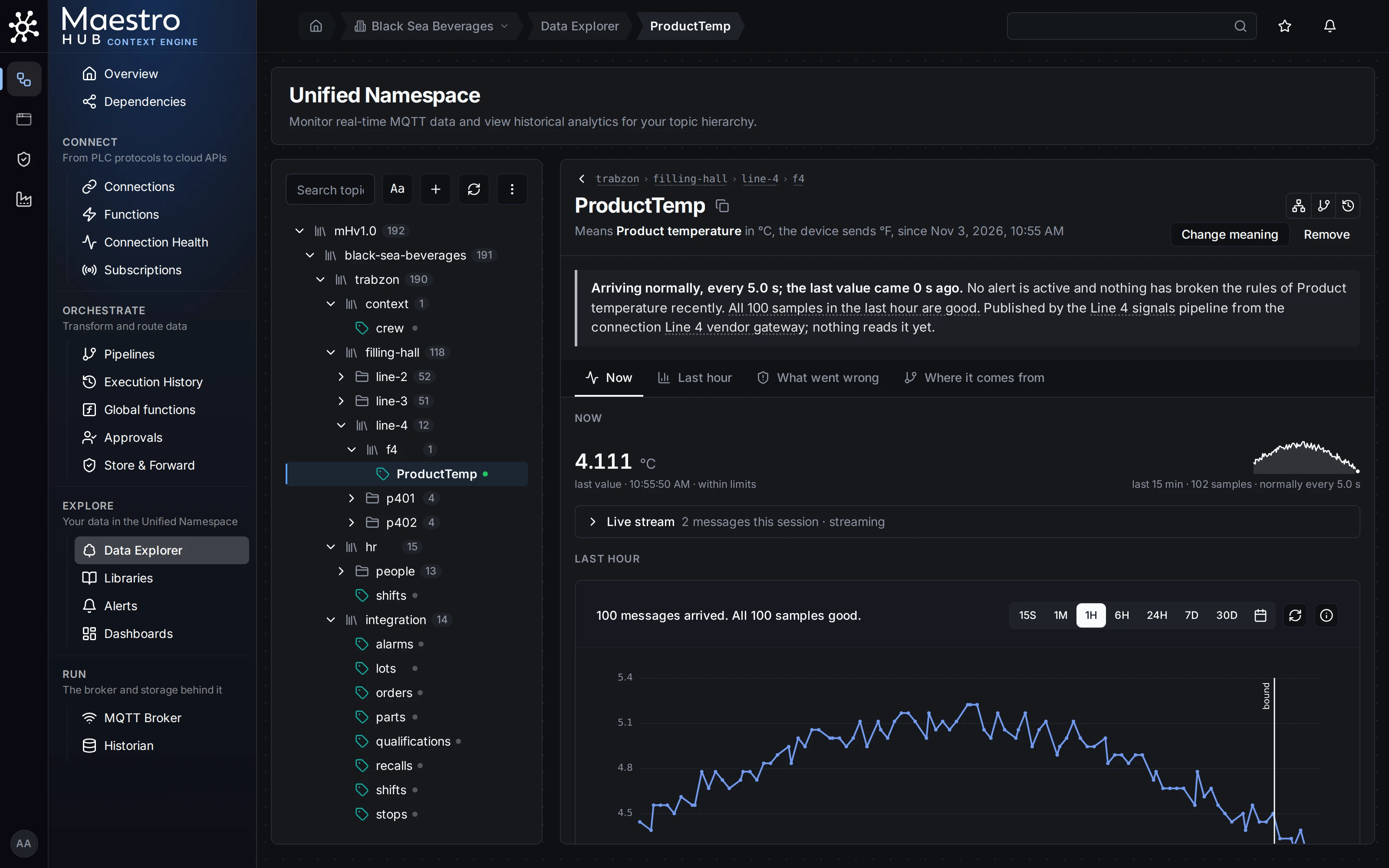
The device sends °F; everyone reading it gets °C.
To check what a script or a report receives, see What readers receive.
Only one topic?
Open the topic in Explore › Data Explorer and click Give this topic a meaning. The panel asks what it measures and which unit the device sends, shows the last value converted for you to confirm, and lists who reads the topic before you save. See Giving a topic a meaning.
Good to know
- History is never rewritten. Values stored before the meaning stay as they were sent. Read back, they are shown in the new unit and marked as converted from before the meaning (the REST history answers them with
"trust": "converted_before_binding"). - The two-lines chart shows only right after an apply. Reload the page and it says so, and keeps the count and a link to the meaning.
- Converted values carry floating-point tails in the API, for example
4.944444444444443. Round them where you show them. - The device changes unit later? On the topic page, Change meaning asks why: The device now sends another unit converts from now on with the new unit; The unit was set wrong also marks older values as possibly in the wrong unit. Nothing stored is rewritten either way.
- Remove stops the conversion: readers receive values as the device sends them again. Values stored while the meaning was in force keep it.
- Readers that already convert °F themselves must be told the unit changed, or they convert twice. The apply step names who reads the topics so you can tell them.