MQTT broker and historian
Choose where topic history is stored, and see how the built-in MQTT broker serves the namespace: how to connect, who is connected, and its settings.
- Where
- Context Engine › Run
- Who
- Platform administrators only
- Defaults
- Embedded Pebble · built-in MQTT broker
- Licence feature
- Custom UNS Infrastructure (TimescaleDB)
Two pages configure the infrastructure behind the Unified Namespace: Historian chooses where topics' history is stored, and MQTT Broker shows the broker that hands the namespace to outside systems: whether it does its job, how a device connects, who is connected, and its settings. The historian starts embedded and can be switched to TimescaleDB at any time without restarting the application. The broker is always MaestroHub's own, built in: there is no other broker to choose.
Open them from Context Engine > Run in the sidebar: MQTT Broker for the broker, Historian for storage.
Zero-configuration start: MaestroHub starts with an embedded Pebble historian and its built-in MQTT broker. You can begin ingesting and exploring data immediately, and move history to TimescaleDB later when your scale requires it.
Who can open these pages
There is one broker and one historian per installation, shared by every workspace. Both pages need the uns_settings:update permission, which only a platform administrator (System.Admin) holds. The two sidebar entries are hidden from everyone else, and a workspace administrator who opens one of the pages by link is told to ask their platform administrator.
Choosing a historian
The Historian page lists the supported historians as cards:
- The active card is the historian that runs now. It shows the live connection state (Active or Down) and its key facts, such as the address or how much history it keeps.
- Click another card's Switch to open its settings below the cards. The card then reads Configure below, then Save to switch. Nothing changes until you save.
- The TimescaleDB card needs the Custom UNS Infrastructure feature in your license. Without it the card is shown disabled with that reason, and a notice on the page lists what the feature adds.
Historian
The historian stores the history of UNS topics. Topic definitions, dashboards, retained values and settings are not kept here: they live in the platform's system database and are not affected when you change the historian.
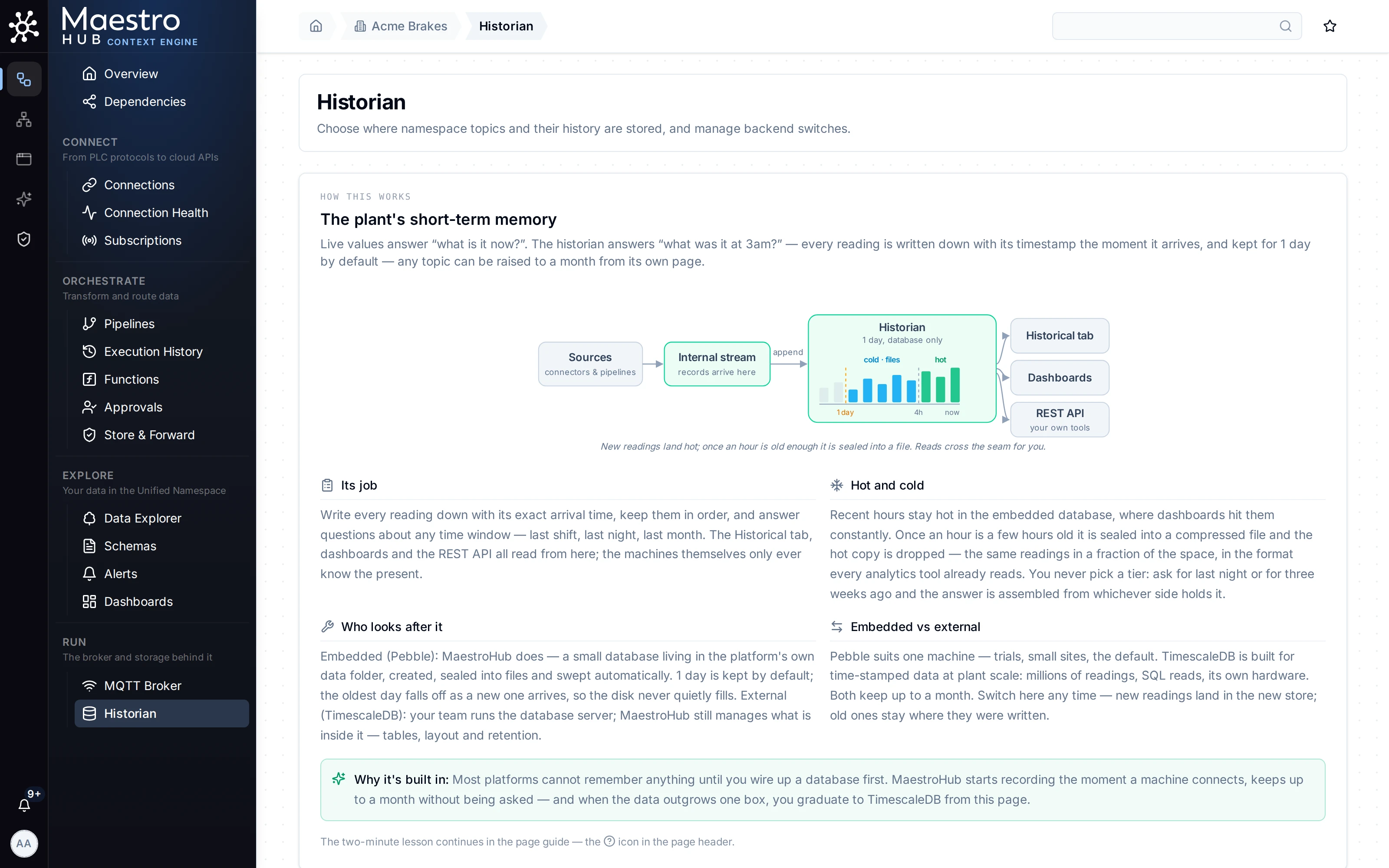
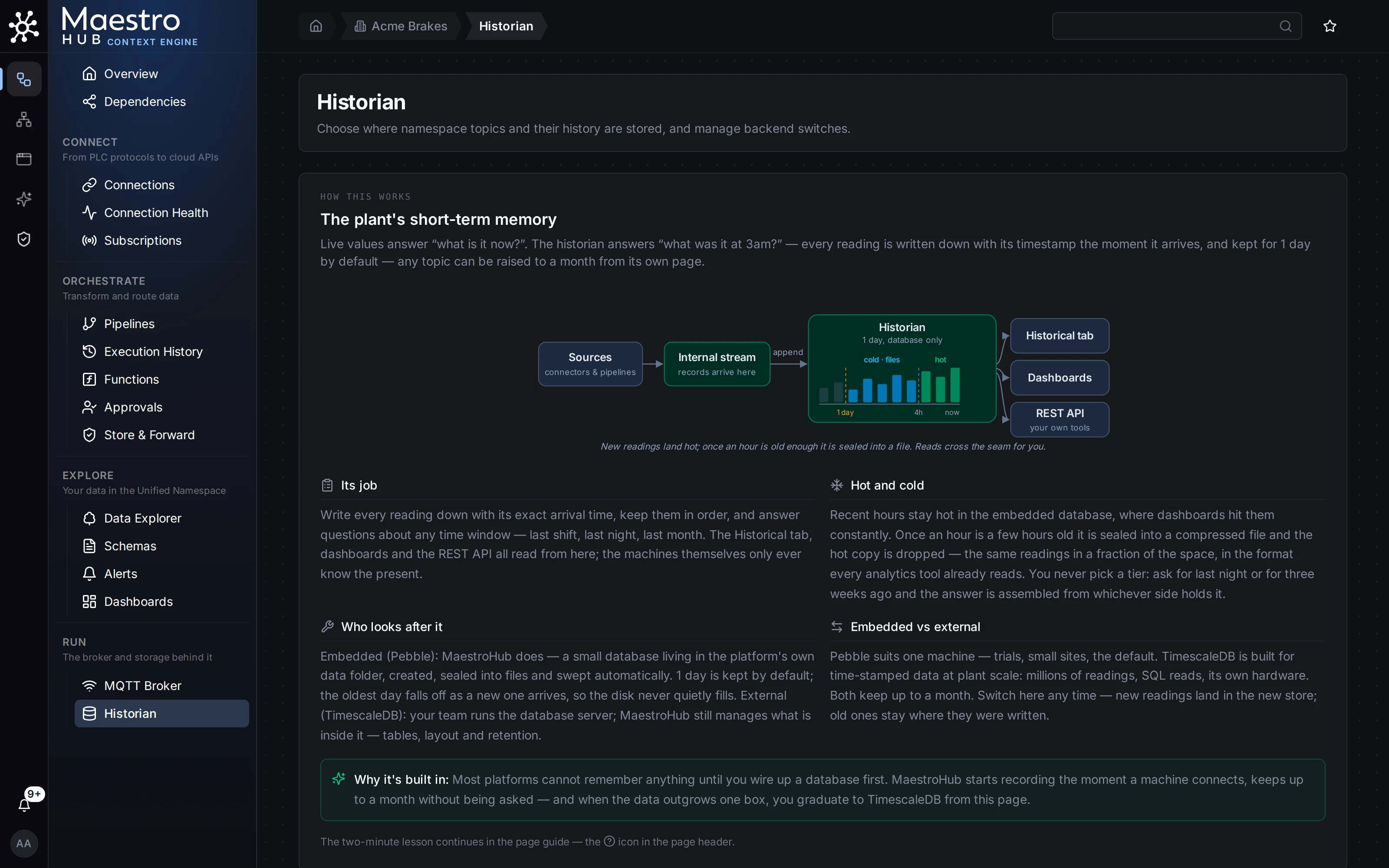
Historian: backend cards with Pebble active, and the Pebble settings
Pebble (embedded): default
Pebble is an embedded key-value database (CockroachDB Pebble) that runs inside MaestroHub. No external database is required.
| Field | Description | Default |
|---|---|---|
| Database Path | Directory where time-series data files are stored. Set at install; moving the data folder is a migration, not a setting. | unsdata in the data directory |
| History kept by default | How far back a read reaches for a topic that sets nothing of its own: 1 day, 7 days, 14 days or 32 days. A topic, or a whole branch, can keep a different length from its configuration in the Data Explorer. More than a day keeps the recent hours in the database and seals older days into Parquet files beside it; every reader spans both tiers. One day keeps a topic in the database alone, with no cold files written. | 1 day |
Hot — in the database / Cold — in files | Read-only. Shown when history is longer than a day and cold files are on: how long readings stay in the database, and when sealed files are deleted. | - |
| Cold files | Shown only on an installation that predates the cold tier, where it is off: turn it on to let topics that keep more than a day seal days older than the hot window into files. | on |
A change to the history applies within seconds: the historian is reopened with the new setting, and readings already on disk are kept. Thirty-two days is the ceiling for raw readings on both historians, so a full calendar month is always covered. See How history retention works.
Pebble suits single-node deployments, edge gateways and evaluation environments, where simplicity and fast startup matter more than scale.
TimescaleDB (external)
TimescaleDB is a PostgreSQL extension built for time-series data. Select the TimescaleDB card to connect to a database you run.
| Field | Description | Default |
|---|---|---|
| Host | Hostname or IP address of the database server | localhost |
| Port | TCP port | 5432 |
| Database | Database name | uns |
| SSL Mode | Disable (No Encryption) or Require (Encrypted) | Disable |
| Username | Database user | - |
| Password | Database password, stored encrypted | - |
| Chunk Interval | How data is partitioned: 6 Hours, 12 Hours, 1 Day, 3 Days or 7 Days. Changes apply to new data only. A smaller chunk keeps the uncompressed span closer to the newest day (see Compression). | 12 Hours |
| Retention Policy | Data older than this is deleted automatically: 1 day, 7 days, 14 days or 32 days, the same choices as the embedded historian | 7 days |
| Max Open Connections | Upper limit on simultaneous connections from MaestroHub to the database. Keep it below PostgreSQL's max_connections, with room for maintenance and admin sessions. | 50 |
Click Test Connection before saving to check that MaestroHub can reach the database with these credentials. The result shows success or the error, and the measured latency.
Changing Chunk Interval, Retention Policy or Max Open Connections on the running TimescaleDB is applied in place: nothing is switched and no data moves.
Compression
The newest day of readings stays uncompressed and everything older is compressed. TimescaleDB compresses whole chunks, and a chunk only once all of it is older than a day, so what stays uncompressed is the newest day plus the chunk being filled:
| Chunk Interval | Uncompressed |
|---|---|
6 Hours | the newest 24 to 30 hours |
12 Hours | the newest 24 to 36 hours |
1 Day | the newest 24 to 48 hours |
On an installation set up with the earlier default, 1 Day, the first start after the upgrade moves the chunk interval to 12 Hours and says so in the log. It applies to new chunks only; nothing already stored is rewritten. Any other chunk interval you chose is kept, and so is 1 Day if you set it again afterwards. The historian log says which span applies when it connects. Compressed readings read and accept late values and corrections like any others.
The length of the uncompressed window is a deployment setting, hotWindow under modules.uns.defaults.historian.timescale in config.yaml (Helm: uns.storage.timescale.hotWindow), default 24h. It must be longer than 3h, and it is read at every start: change it and restart.
TimescaleDB is recommended for production installations with high-volume ingestion or SQL-based analytics. Both historians keep raw readings for at most 32 days; TimescaleDB also keeps summaries for longer (see How history retention works).
How history retention works
Which number applies. Each topic keeps its history for 1, 7, 14 or 32 days. A topic that sets nothing follows the nearest branch above it that does, and if none does, the installation default above (History kept by default on Pebble, Retention Policy on TimescaleDB). This is worked out every time it is needed, so setting a branch takes effect for every topic under it at once; nothing is copied down. Set a topic or a branch from Configure… in the Data Explorer.
Changing it.
- Shorter: readings older than the new length are deleted at the historian's next cleanup: within about an hour on Pebble; on TimescaleDB within minutes for topics with their own setting, and at TimescaleDB's daily retention run for topics that follow the default. Deleted readings cannot be brought back.
- Longer: new readings are kept for longer. History that was already deleted does not come back.
When old history goes. The historian deletes whole blocks of time, not single readings: whole days on Pebble, whole chunks on TimescaleDB for topics that use the default. Until a block is entirely older than the setting, everything in it stays readable. So a topic can show up to about one block more than the number you picked (a day on Pebble; up to the Chunk Interval on TimescaleDB).
Nothing is lost while MaestroHub is off. On Pebble, a topic kept for more than a day has each day sealed into a file once the whole day is a day old, about 48 hours after it starts. The newest day is always in the database. Cleanup never deletes readings that have not been sealed yet, so a machine switched off for a weekend loses nothing: when it starts again, the backlog is sealed and history continues.
The two historians differ in what outlives the raw readings.
| Pebble (embedded) | TimescaleDB | |
|---|---|---|
| Recent readings | In the database: always the newest day, and each day until it is sealed (about 48 hours after it starts) | In the database |
| Older readings | Sealed into one Parquet file per day (only for topics kept longer than 1 day) | In the database, in chunks |
| A topic kept for 1 day | Database only, no files written | Same as any other length |
| Summaries (hourly, daily averages and ranges) | Calculated when you read, from the raw readings. When the readings expire, the trend goes with them. | Stored separately and kept longer than the readings: 1-minute for 32 days, 5-minute for 1 year, hourly for 5 years, daily forever |
| Default for a new installation | 1 day | 7 days |
So on Pebble, a topic kept for 7 days has no history at all from day 8 on, not even daily averages. On TimescaleDB, its raw readings go after 7 days but its hourly trend stays for years. The Configure topic dialog says which applies on your installation.
Deleted topics keep their history for 7 days and can be restored with it, then it is purged. See Deleted topics.
Retain latest value is a separate setting and does not change how long history is kept: see Topic Configuration.
Saving a historian change
Click Save Storage. If the save points the historian at a different store (another backend type, or for TimescaleDB another host, port, database, user or SSL mode), a Change Historian Storage dialog asks you to confirm first:
- The history in the current historian is not copied to the new one. It stays in the old database, where you can recover it by hand, but MaestroHub no longer reads it.
- Topic configurations, dashboards, retained values and settings are kept.
Tick the acknowledgement and click Confirm Change.
The switch then runs in the background, while the page shows what it is doing: checking the connection, opening the new historian (the current one keeps serving meanwhile), waiting for reads and writes in progress to finish, and switching over. New reads and writes wait during the short final step. If the reads and writes in progress do not finish within 30 seconds, the switch is abandoned and the current historian stays in use.
When it finishes, the page shows whether the switch succeeded and how long it took, or the error. Dismiss the message with its close button. A failed switch is not saved: the stored settings keep describing the historian that is running.
If the active historian is disconnected, the save button reads Save & Reconnect even with no changes: saving rebuilds the connection from the settings shown, without a restart.
MQTT Broker
Inside MaestroHub, data travels on an internal stream, and every reading is stored first. The broker then republishes it so outside systems such as SCADA, MES or any MQTT client can subscribe live, and MQTT devices can publish in through the MQTT write endpoint. Topic permissions are checked in both directions.
MaestroHub's built-in MQTT broker is the only broker. It runs inside the application (on Kubernetes, inside every UNS replica) and needs no separate infrastructure. Earlier versions could hand MQTT to an external EMQX broker instead; that option has been removed (see The external broker is no longer used).
The page is the same for every deployment. From the top: one line that says whether the broker is doing its job, Connect a device, Security, Cluster (or, on one machine, a note that there is one broker), Your data, the clients, and Settings. Refresh reads everything again at once, and the ? beside the title explains the page.
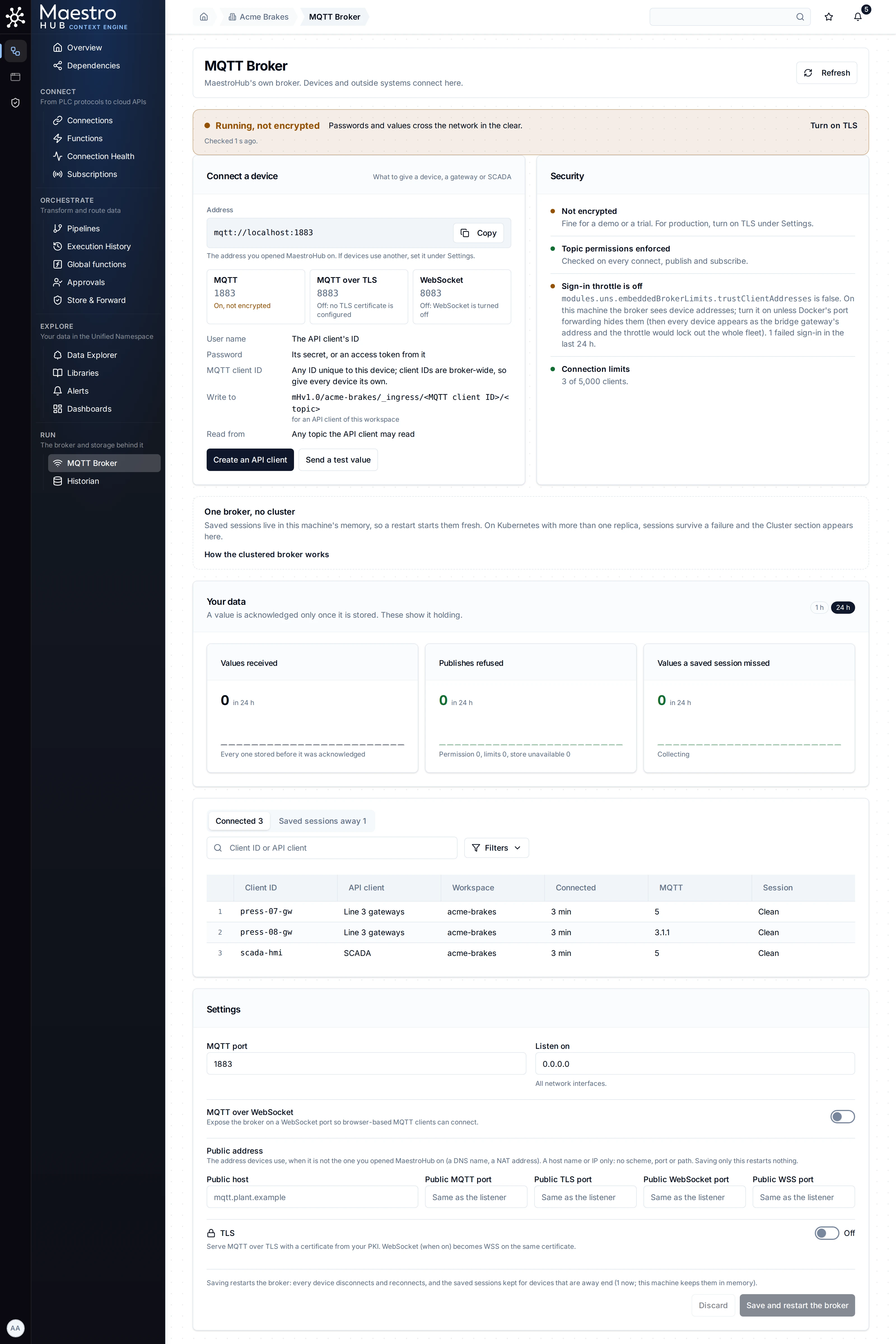
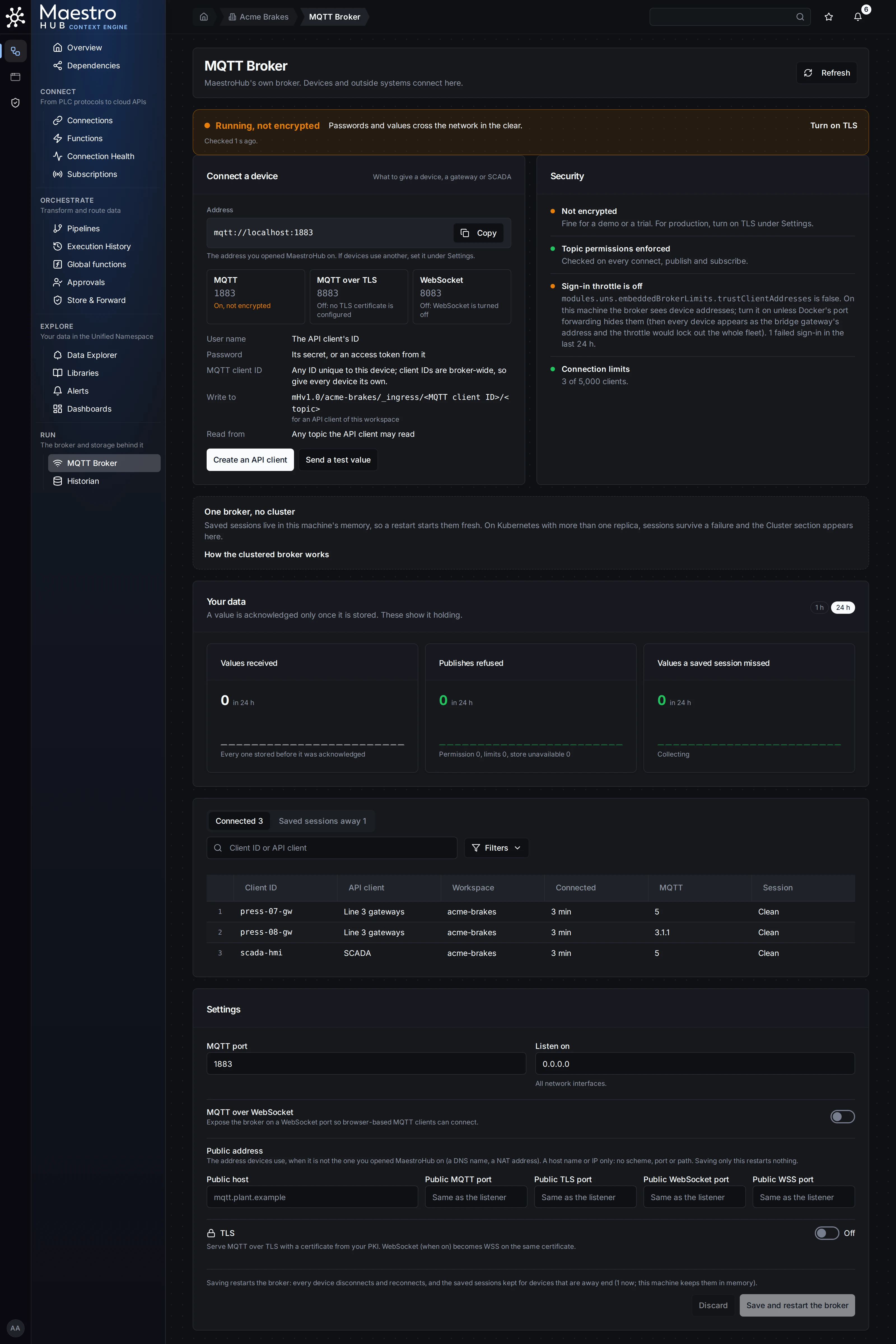
MQTT Broker on a single machine: the top line, Connect a device, Security, Your data, the clients and Settings
On a phone the page is one column, in the same order; tables scroll inside their card.

The same page on a phone: one column
How often it refreshes. While the page is open and on screen, the status is read every 10 seconds, the client lists every 15 seconds and the charts every minute (on Kubernetes, the UNS pods every 30 seconds). A tab in the background reads nothing. When a read fails, the last answer stays on screen with Could not refresh: <reason>. Retrying., and the page tries again after 10, 20 and 40 seconds, then once a minute, until it gets an answer. A failure is shown in its own section, never as a pop-up.
Each view is one replica's. On Kubernetes each answer comes from whichever UNS replica took the request, and the page says which. Two refreshes can come from two replicas, so the name can change between them.
The top line
One line sums the broker up: a coloured dot, a verdict and one sentence. Under it the page says when it checked and, on Kubernetes, which replica answered: Checked 4 s ago, from replica maestrohub-uns-1. When that replica has not caught up with the others yet, it adds This replica's view may be behind.; the next refresh usually clears it.
The first row that applies decides the verdict:
| Verdict | When | The sentence |
|---|---|---|
| No replica answered (red) | The status read got no answer: the request failed, or the gateway found no ready UNS replica (502, 503, 504). | No UNS replica answered. When NATS is unreachable every replica steps aside and leaves the Service, so devices cannot connect either. Check NATS first, then the UNS pods. It links to the runbook No broker replica answers. The last answer stays below, dimmed, with the time it was read. |
| Off (grey) | The broker mode is disabled. | Turned off by the deployment (<key>)., or Turned off by a save on this page. when an earlier save set it. |
| Down (red) | The broker is not running. | The broker's own message. |
| Not protected (red) | Topic permissions are not enforced. | The reason, and what to do. |
| Degraded (amber) | On Kubernetes: the replica that answered is fenced, cannot reach the shared store, runs under another process's replica ID, or reads less than the cluster's format floor. | That replica's reason. Such a replica fails its readiness check and leaves the Service within seconds, so this is short-lived. |
| Degraded: 2 of 3 replicas serving (amber) | On Kubernetes: fewer replicas serve than the deployment runs, or a replica stepped aside. | Each replica that stepped aside, for example maestrohub-uns-2 stepped aside: not a member for 41 s. It adds No acknowledged value was lost. only when the loss counters of the last 24 hours are known and zero. It links to A replica stepped aside. |
| Degraded (amber) | On Kubernetes: a mesh link between replicas is down, or there is no mesh. | Which replicas are not linked, (as seen from <replica>). |
| Degraded (amber) | On Kubernetes: saved sessions wait at a value written by a newer release. | 2 saved sessions on <replica> wait at a value written by a newer release. They resume once every replica runs it. |
| Running, not encrypted (amber) | No TLS listener serves. | Passwords and values cross the network in the clear., with Turn on TLS: a link to the TLS settings, or the key to set where the deployment owns TLS. |
| Healthy (green) | Otherwise. | For example 3 replicas, all linked · 214 devices connected · topic permissions enforced on every connect, publish and subscribe; on a single machine it starts One broker on this machine. |
How many replicas the deployment runs comes from the UNS pods, which the page reads only for someone who also holds monitoring.metrics:read. Without it the verdict counts only what the cluster itself knows (its members, and the replicas that stepped aside) and reads, for example, Degraded: 2 replicas serving.
The broker can be turned off for an installation, in the deployment configuration: modules.uns.defaults.broker.mode: disabled (Helm: uns.mqtt.mode, single-node chart: mqtt.mode). The page has no switch for it. No MQTT client can then connect, and the namespace is not republished over MQTT. The top line shows Off and names the key that sets it. Set the mode to embedded (the default) to turn the broker on again.
Connect a device
What to give a device, a gateway or SCADA: the address, the listeners, and how it signs in.
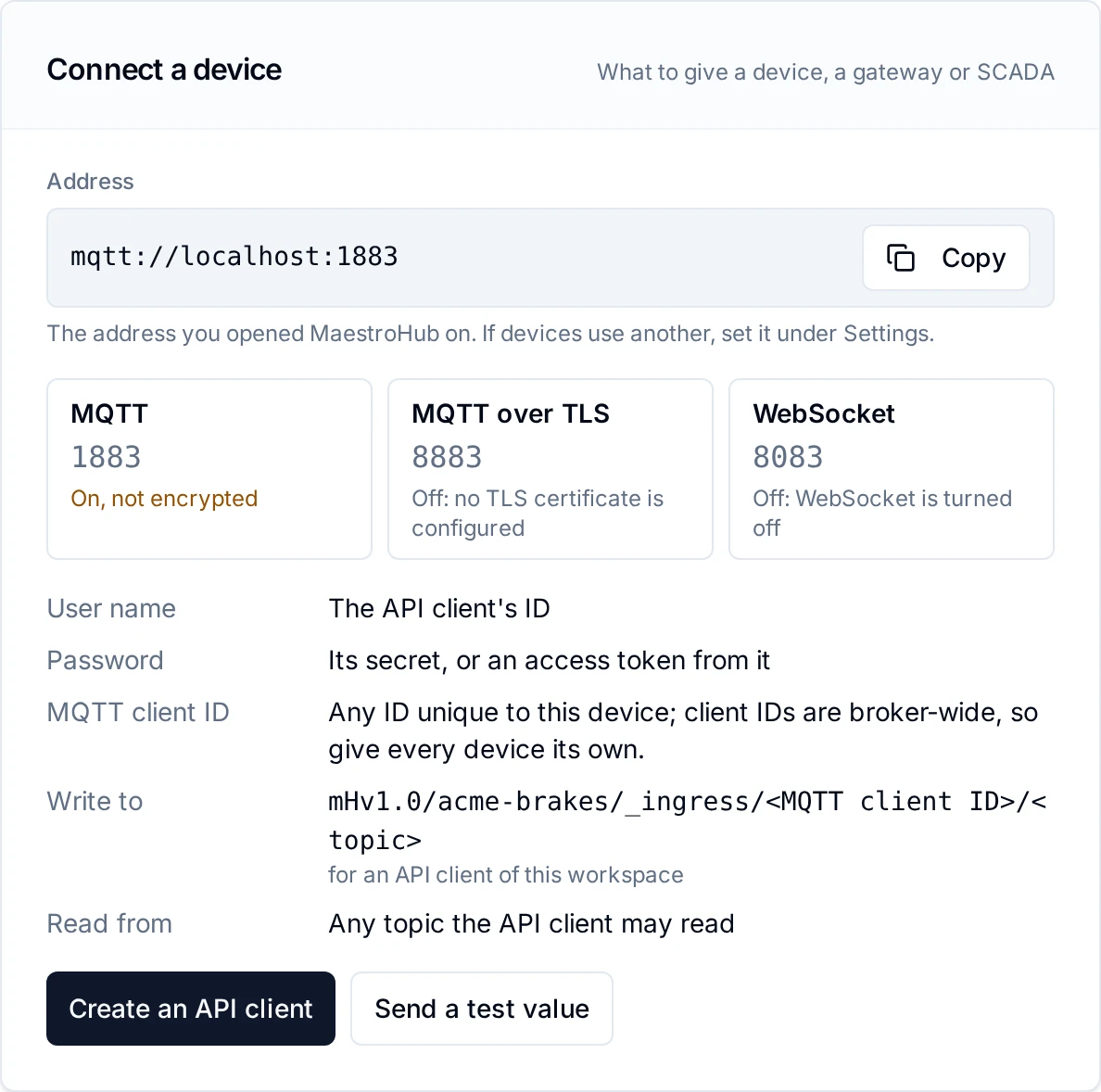
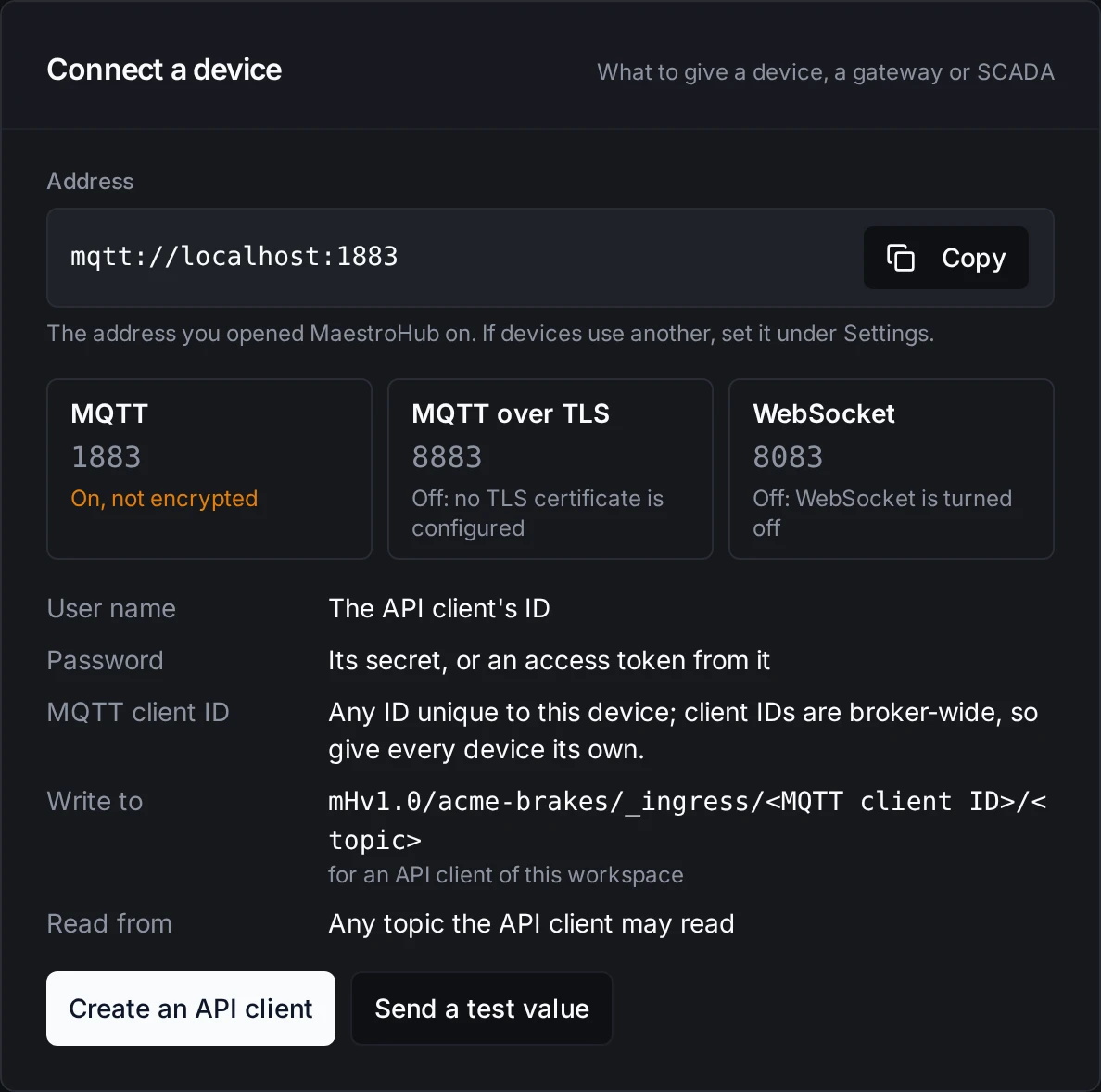
Connect a device: the address with Copy, the listeners, the sign-in, Create an API client and Send a test value
Address. The address devices use, with Copy. It starts with mqtts:// when TLS serves and mqtt:// otherwise, and is never 0.0.0.0. The host is the first of these that applies, and the caption under it says which:
- The public address, when one is set: under Settings, Public address (see The public address); on Kubernetes, the Helm value
uns.mqtt.service.publicHost. Caption on a single machine: This machine's address on the plant network. On Kubernetes: Every replica answers on this address; a device lands on any one. - The Service, on Kubernetes when no public address is set: its name inside the cluster,
<release>-uns-mqtt.<namespace>.svc. The caption says every replica answers on it but it is reachable inside the cluster only, and to setuns.mqtt.service.publicHostto the address devices outside use. With a Service of typeNodePortand no public ports, it says instead that devices outside use the node ports of the Service, and to setuns.mqtt.service.publicPortsso the page shows them. - The address you opened MaestroHub on, otherwise. Caption: The address you opened MaestroHub on. If devices use another, set it under Settings.
The port is the public port of that listener when one is set (for a NodePort, a load balancer or a Docker port mapping that changes it), otherwise the port the listener serves on.
Listeners. One tile per listener of the running broker: MQTT (MQTT, plaintext when a TLS listener is beside it), MQTT over TLS, WebSocket and WebSocket (WSS). Each shows its port, with (devices: 30883) when devices use another port, and its state: On, encrypted, On, not encrypted, or Off or Closed with the reason. The tiles show what runs, so a changed setting appears once its save is applied.
The public address
Where devices reach the broker at another address than the one you opened MaestroHub on (a DNS name, a NAT address, a Docker port mapping), set it under Settings, Public address:
| Field | What it is |
|---|---|
| Public host | A host name or an IP address only: no scheme, port or path. 0.0.0.0 and :: are refused. localhost and 127.0.0.1 are accepted with a warning: they reach only the machine itself. |
| Public MQTT port, Public TLS port, Public WebSocket port, Public WSS port | The port devices use where it differs from the listener's, between 1 and 65535. Empty: Same as the listener. |
No listener reads these, so a save that changes only the public address restarts nothing: the button reads Save instead of Save and restart the broker. On Kubernetes they are Helm values, uns.mqtt.service.publicHost and uns.mqtt.service.publicPorts (for example {mqtts: 30883} for a NodePort), shown read-only.
How MQTT clients connect
The card lists what a device needs:
| Row | What it says |
|---|---|
| User name | The API client's ID |
| Password | Its secret, or an access token from it |
| MQTT client ID | Any ID unique to this device; client IDs are broker-wide, so give every device its own. |
| Write to | mHv1.0/<workspace slug>/_ingress/<MQTT client ID>/<topic>, for an API client of this workspace |
| Read from | Any topic the API client may read |
Each MQTT client signs in as its own API client: the API client's ID as the MQTT user name and its secret as the MQTT password. An OAuth2 access token from that API client is also accepted as the password, but it expires after about an hour. The device then gets exactly the topic permissions its API client has. The MQTT client ID is a different thing from the user name: it names the device's connection, and it is also the inbox segment of the topic it writes to (see MQTT write endpoint). A read-only subscriber needs the Data Stream Viewer role, or subscribe access shared on only the topics it needs.
Create an API client opens the form for a new API client in the current workspace. It needs oauth2_client:create in that workspace; without it the button is disabled and says Creating an API client needs oauth2_client:create in this workspace. Ask a workspace administrator.
2.6's shared read-only login, uns_reader, no longer exists. See The shared uns_reader MQTT login is gone if you upgrade from 2.6.
Send a test value
Send a test value opens a command to try the connection from any machine that reaches the broker, before wiring a real device. Set the MQTT client ID (filled in as test- and six random characters), the Topic and the Value; the command follows:
mosquitto_pub -h mqtt.plant.example -p 8883 --cafile <ca.pem> -i test-k3x9q2 \
  -u <API client ID> -P <API client secret> \
  -t 'mHv1.0/plant-a/_ingress/test-k3x9q2/test/value' -m '42'
-iis the MQTT client ID. It is also the inbox segment of the topic, so the two change together.-uis the API client's ID, a different thing.-Pis a placeholder: the page never has the secret, so use the one shown when the API client was created.--cafileappears only when the address is TLS: give it the CA that issued the broker's certificate.
Copy command copies it; Watch it arrive opens the topic, mHv1.0/<workspace slug>/test/value, in the Data Explorer. The value lands on that topic only if the API client may publish there. The page sends nothing itself and needs no extra permission. When no MQTT listener is on, the button is disabled and says No MQTT listener is on, so there is nothing to send to.
Security
One row per safeguard, each with a coloured dot:
- Encryption. Not encrypted: Fine for a demo or a trial. For production, turn on TLS under Settings (or with <key> where the deployment owns TLS). With TLS: where the certificate comes from (TLS from the deployment's certificate files. or TLS with the certificate saved on this page.) and Certificate valid until 14 Mar 2027. Under 30 days before it expires the row turns amber and says how many days are left; once it has expired it turns red, Certificate expired: devices that check it refuse to connect. With mutual TLS it adds Devices must also present a client certificate.
- Plaintext listener, only with TLS: Plaintext listener open beside TLS (the plaintext port still accepts unencrypted connections; close it once every device uses TLS), or Plaintext listener closed.
- Topic permissions. Topic permissions enforced: Checked on every connect, publish and subscribe., or Topic permissions not enforced with the reason and what to do. While the broker is not running the row says the state is not known.
- Sign-in throttle. The throttle holds back a source address after too many failed sign-ins, and works only where the broker sees the devices' own addresses (
trustClientAddresses, see Limits). Off on a single machine (amber): the key is false; turn it on unless Docker's port forwarding hides the device addresses, because then every device appears as the bridge gateway's address and the throttle would lock out the whole fleet. Off on Kubernetes (grey): behind the load balancer the broker cannot see device addresses (uns.mqtt.embedded.limits.trustClientAddresses). On: No address throttled, or 2 addresses throttled with up to five addresses named (1,024+ past that many), on Kubernetes (as seen from <replica>): each replica keeps its own throttle. Every row adds how many sign-ins failed in the last 24 hours. - Connection limits. 214 of 15,000 clients (5,000 per replica).: the clients connected now against
maxClientstimes the replicas serving (see Capacity limits). Amber above 80 %. - Client ID conflicts, only once there is one: how many connections the broker refused since it started because their client ID was held by another identity, possibly of another workspace. Client IDs are broker-wide, not per workspace, so two devices with the same client ID conflict even in different workspaces. An MQTT 5 device is told why (CONNACK client identifier not valid, with a reason string); an MQTT 3.1.1 device gets identifier rejected. The broker log names each client ID and the workspace holding it, at most once a minute per user name (or per address, where client addresses are trusted). Give every device its own client ID. On Kubernetes the count is the answering replica's.
TLS is optional, so a demo or trial installation works without a certificate. For production, add one (see TLS) and, once every device uses the TLS port, turn off the unencrypted listener. Every broker start logs a warning while MQTT is served without TLS.
Cluster
On Kubernetes the section shows one tile per replica, ordered by name, as the replica that answered sees them. A tile is named after its pod, for example maestrohub-uns-0; hovering the name shows the replica's full ID, the pod name with a suffix that is new at every start of the pod. Each tile has a state:
| State | What the tile shows |
|---|---|
| Serving | Devices and Saved sessions on that replica, counted from the same record as the client list. The answering replica's own tile says how it is linked (Linked to the other 2 replicas, Linked to 1 of 2 other replicas, or No mesh: live values stay on this replica) and whether the shared store answers. Another replica's tile says Linked to <answering replica> or Not linked to <answering replica>, and Member (its heartbeat reaches the store). |
| Stepped aside (amber) | A replica that left the cluster and has no live successor under its pod name: 0 devices, how many of its devices are reconnecting, Not a member for 41 s, and Takes no connections until it rejoins. |
| Not reporting (red) | A UNS pod that is neither a member nor stepped aside, with its pod line: Pod maestrohub-uns-2: Pending, ready: no, restarts 3. |
- A restarted pod is not a second tile. Every start of a pod is a new member with a new ID under the same pod name. The live member's tile then says Restarted 12 s ago; the old member does not count as stepped aside.
- Links as seen from one replica. Under the tiles: Links as seen from <replica>. Only the answering replica knows its own links, so the links of the others are shown as they reach it.
- Pods need
monitoring.metrics:read. The pod lines and the Not reporting tiles come from the UNS pods (labelapp.kubernetes.io/name=uns, ready or not), read only for someone who also holdsmonitoring.metrics:read. Without it, or when that read fails, they are left out and the member tiles stay.
The footer says how live values travel (an encrypted mesh, or no mesh) and that saved sessions, retained values and wills are kept in NATS JetStream with the number of copies, so a device that reconnects to another replica finds its session there.
What happened, in order
Under the tiles, the cluster's history of the last 14 days: which replica stepped aside and why, where its devices went, what happened to their wills, when it came back, which replica the others took for gone, when a replica could not reach its stores, and when the format floor went up. Times are each replica's clock.
The history is grouped into episodes, newest first, each read from top to bottom. A replica stepping aside, stopping or being taken for gone starts an episode, and what followed from it is told inside it:
| Row | What it says |
|---|---|
| uns-2's membership writes to NATS stopped landing. | The time of the last membership write that landed: the moment the replica lost NATS. Only for a replica whose writes stopped landing. |
| uns-2 stepped aside: closed its 71 connections (MQTT 5 devices were told "server shutting down") and handed 71 wills over. | The fence, with its cause: writes not landing, its entry gone from NATS, its shared stores silent, or a release below the format floor. |
| 14:02:24 to 14:02:31 At least 71 of uns-2's devices reconnected to uns-0 and uns-1. 39 saved sessions resumed with their values. | The devices that came back elsewhere, counted by the replicas they came back to. |
| No will was sent: every device came back before its will was due. | Every will the replica handed over was cancelled, because its device came back in time (or kept by the replica, its connection still open). Otherwise the row counts what was sent, withheld and cancelled. |
| uns-2 was a member again, after 53 s aside. | The end of the fence. |
- "At least". A device is counted when the client ID it reconnects with was last held by the replica that went away. A device with a clean session (MQTT 5 clean start, MQTT 3.1.1 clean session) gives its client ID up when its connection ends, as long as the replica can still write to NATS: after a graceful stop such a device is not counted, nor is a device whose client ID the sweeper released after taking its replica for gone. Saved sessions keep their client ID, so the count of resumed sessions is exact.
- "With their values" is said only when no resumed session missed a value its session log had already dropped. Otherwise the row says how many did; those values are in the historian.
- A move on its own. Devices that moved from one replica to another with no stop, fence or loss of that replica around it (a device that simply reconnected elsewhere) are shown as 12 devices moved from uns-1 to uns-0.
- Notes under a row. Reported by uns-2 when it could reach NATS again, at 14:03:17: a replica cut off from NATS keeps its events and writes them when it can, with the time they happened. uns-0's clock stepped back here and uns-1's clock is ahead of NATS by about 3 s point at a clock to fix. uns-1 recorded 2 events here that were not kept: the replica had more events waiting than it holds while it could not write.
- Under the list. uns-1 runs a release that does not record its own events, during a rolling upgrade; and how many events a newer release wrote that this page does not show.
- Show earlier reads the next older page. The list refreshes every 10 seconds while the page is open; a refresh that fails keeps what is shown and says Could not refresh.
- Nothing to show. Nothing happened in the last 14 days: no replica stepped aside, came back, or was taken for gone. When NATS does not answer: The cluster's event history cannot be read right now, and the broker is not affected.
The history counts devices and wills, and never names them: which devices moved, and whose wills were sent, is in the replicas' logs.
On a single machine the section is a dashed card instead, One broker, no cluster: Saved sessions live in this machine's memory, so a restart starts them fresh. It links to How the clustered broker works.
Your data
A value is acknowledged only once it is stored. These show it holding. Four cards count, over the range picked with 1 h, 24 h or 7 d (24 h at first), for the whole installation:
| Card | What it counts | The line under it, when all is well |
|---|---|---|
| Values received | Values devices published to the broker and MaestroHub stored | Every one stored before it was acknowledged |
| Publishes refused | Device publishes refused, by group: permission (no publish right, no right to create the topic, another workspace's topic, an unknown workspace), limits (a rate limit, a timestamp in the future, a value or a payload the topic cannot take, a retained request), store unavailable (the historian did not answer, a session log refused the value), and other | Permission 31, limits 6, store unavailable 0 |
| Values a saved session missed | On Kubernetes, values a workspace's session log dropped before a saved session read them; on a single machine, values dropped from a full saved session and sessions not kept | Nothing dropped from a saved session |
| Live values lost between replicas | On Kubernetes with a mesh only: live values from another replica that never arrived | Mesh links held every value |
The bars are 5 minutes each over 1 hour, 1 hour each over 24 hours, and 6 hours each over 7 days. A card with nothing recorded yet says Collecting. The two loss cards also say Collecting until the broker's history covers a whole day: a loss counter has no series until its first count, so until then "nothing" could mean "nothing lost" or "not collected yet". When the read fails, the cards say so instead of drawing zero.
When the 7 d range is there. The page offers a range only where the deployment keeps that much history, as its configuration declares:
| Deployment | Ranges |
|---|---|
| Native binary, and Docker Compose files without their own Prometheus | 1 h and 24 h: the built-in metrics store keeps a day |
| Single-node Docker Compose | 1 h, 24 h and 7 d: config.yaml declares the bundled Prometheus's retention, modules.monitoring.prometheusRetention: 15d |
| Single-node chart | 7 d when the Prometheus keeps at least 7 days: the bundled one's prometheus.bundled.retention is declared for you; with an external Prometheus, set prometheus.externalRetention |
| Enterprise chart | 7 d when monitoring.prometheusRetention (default 10d) is at least 7d. It must equal the bundled Prometheus's retention, kube-prometheus-stack.prometheus.prometheusSpec.retention: the chart refuses to render when they differ. With an external Prometheus, set it to that Prometheus's retention. |
With Prometheus but no retention declared, the page offers 1 h and 24 h, and the monitoring service logs once at start 7 d range hidden: set monitoring.prometheusRetention …. The setting is read at start, so a change applies on the next restart or rollout.
Clients
Who is connected now, and which saved sessions wait for a device that is away, for every workspace and, on Kubernetes, every replica.
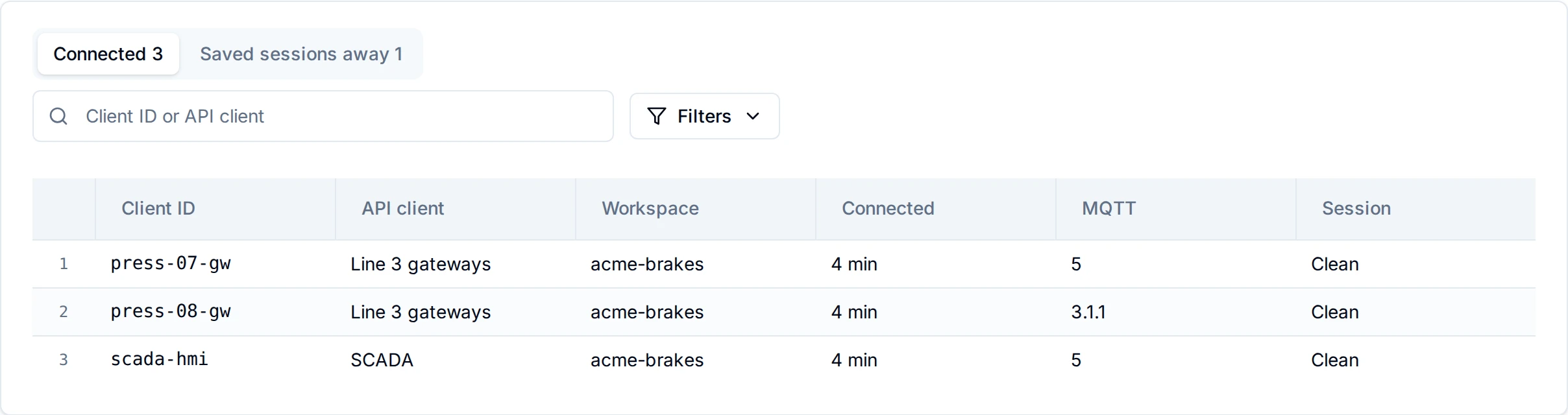
Clients: the Connected tab, with the API client and workspace of every MQTT client
Two tabs, each with its count, 50 rows a page. Client ID or API client searches both: the MQTT client ID, the API client's ID and its name. When more API clients match a name than are searched, the table says More API clients match this name than are searched; type more of it.
Connected. One row per connected MQTT client:
| Column | What it shows |
|---|---|
| Client ID | The MQTT client ID |
| API client | The API client it signed in as: its name, or its ID, or unknown (deleted) |
| Workspace | The API client's workspace |
| Replica | On Kubernetes only: the replica it is connected to |
| Connected | How long it has been connected |
| MQTT | 3.1.1 or 5. Unknown for a client whose connection was recorded by a replica of an earlier release. |
| Session | Clean, or Saved, 1 h expiry for a persistent session |
Reconnecting rows. On Kubernetes, when a replica leaves, its devices are still recorded on it until the cluster releases them. Those rows are not counted as connected anywhere on the page (not in the tab, the top line or a tile): they are listed at the end with Reconnecting: was on <replica>, and the tab reads, for example, Connected 214 · 71 reconnecting. A device that reconnects to another replica moves back up.
Saved sessions away. One row per persistent session kept for a device that is not connected: Client ID, API client, Workspace, Kept by (Kubernetes only: the replica that kept it), Away since, Expires, and Waiting, what waits for the device:
| Waiting | Meaning |
|---|---|
| 12 values, Nothing waiting | On a single machine: exactly how many values are queued for the device. |
| Values written since it left (behind) | On Kubernetes: its workspace's session log holds values past where this session stopped reading. The page does not count them: a count would read the workspace's log once per session. |
| Nothing waiting (caught up) | On Kubernetes: the session has read everything its workspace's log holds. |
| Values lost: the log dropped values it had not read (lost, red) | On Kubernetes: the log dropped, at its size or age limit, values the session had not read. They are still in the historian. See Values were missed. |
| Unknown: <reason> (unknown) | On Kubernetes: the session's read position or its workspace's log could not be read. When the cluster store does not answer within 2 seconds, the rows it did not answer for say so, and the table adds The cluster store did not answer in time for some sessions, so what waits for them is not known. The sessions are still listed. |
With nobody connected the tab says No device is connected. Give a device the address above.; with no session away, No saved session is waiting for its device. On a phone the table scrolls inside its card.
Ask Maestro. A System Administrator can ask Maestro the same questions in chat, for example Which devices are connected to the broker? or Which device has been away longest? Maestro reads both tabs with the list_broker_clients tool, from the same lists the page shows. Access tokens (personal access tokens, agents, OAuth2 clients) cannot use the tool: it needs a signed-in System Administrator.
Settings
What the section shows depends on what the deployment owns (see Settings the deployment owns):
- Nothing owned (the native binary, or a
config.yamlwithoutdeploymentOwns): every field below is editable. - Some owned (the single-node chart, and the Docker Compose files with
deploymentOwns: [mode, listeners]): a banner, Some settings are set by the deployment; the mode, MQTT port, Listen on and WebSocket port are disabled, each saying Set by the deployment: and the key. MQTT over WebSocket, Public address and TLS stay editable. - Everything owned (the Enterprise chart): a read-only list instead of a form, On Kubernetes these are set in the deployment's Helm values. A rolling upgrade applies them one replica at a time, so devices keep a broker to connect to. Each row names the key that sets it: MQTT port, Listen on, TLS certificate, TLS port, Plaintext listener, WebSocket, Public address, Mode, and the limits the broker runs with, Clients per replica (
uns.mqtt.embedded.limits.maxClients), Longest session expiry (uns.mqtt.embedded.limits.maxSessionExpiry), Will grace after a replica stops (uns.mqtt.embedded.willStopGrace) and Membership TTL (uns.mqtt.embedded.memberTTL). There is no Save button.
When the broker is off, the form gives way to The broker is off: no device can connect, and the namespace is not republished over MQTT. and who turned it off (on the Enterprise chart the list stays, with Mode reading Off).
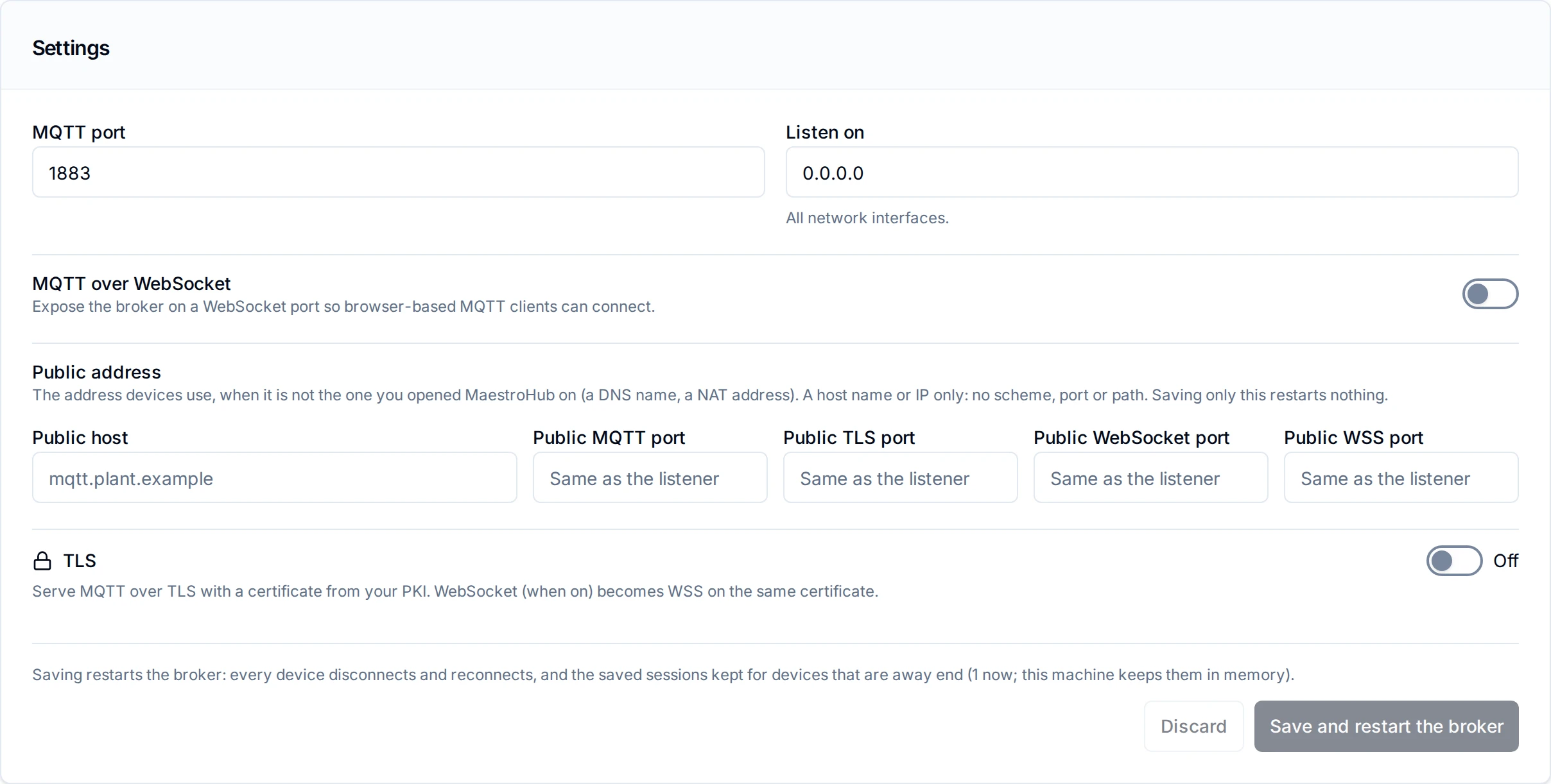
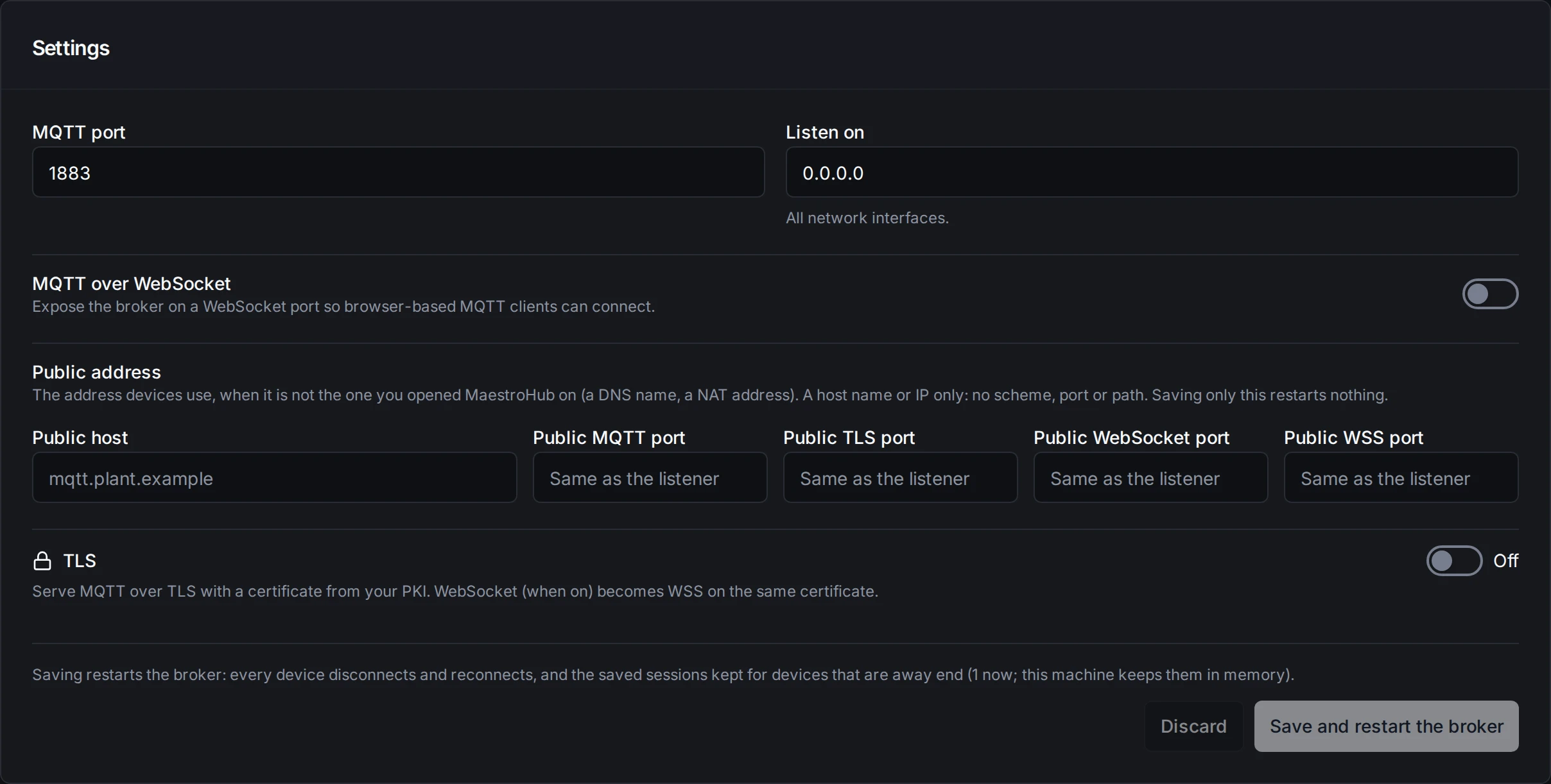
Settings: the listeners, the public address and TLS, with Discard and Save and restart the broker
| Field | Description | Default |
|---|---|---|
| MQTT port | The MQTT listener's port | 1883 |
| Listen on | The network interface the broker listens on. 0.0.0.0 reads All network interfaces. | 0.0.0.0 |
| MQTT over WebSocket | Also listen on a WebSocket port, for browser-based MQTT clients | off |
| WebSocket port | Shown when WebSocket is on | 8083 |
| Public address | The address and ports devices use, shown under Connect a device (see The public address) | empty |
| TLS | Serve MQTT over TLS (see TLS) | off |
Discard puts back what was loaded. How a save behaves is under Saving a broker change.
Settings the deployment owns
On Kubernetes the Service, the NetworkPolicy and the pod ports come from the Helm chart; on Docker the published ports come from the compose file. A port edited on this page would move the listener away from where devices are sent, and on Kubernetes one save would restart the broker of every replica at once. So the deployment says which groups of broker settings it owns, and those come from its configuration at every start:
| Deployment | Owns | Still on this page | Where the owned values are set |
|---|---|---|---|
| Enterprise (Helm chart) | mode, listeners, tls, webSocket, publicHost | nothing: the section is read-only | uns.mqtt.mode; uns.mqtt.embedded.tcpPort and uns.mqtt.embedded.webSocket.port (the chart listens on every interface); uns.mqtt.embedded.tls.secretName and uns.mqtt.embedded.tlsPort; uns.mqtt.embedded.webSocket.enabled; uns.mqtt.service.publicHost and uns.mqtt.service.publicPorts |
| Single-node chart | mode, listeners | WebSocket on/off, TLS, public address | mqtt.mode, mqtt.embedded.tcpPort, mqtt.embedded.webSocket.port |
Docker Compose files, when deploymentOwns is set (the shipped ones set it) | mode, listeners | WebSocket on/off, TLS, public address | config.yaml: modules.uns.defaults.broker.mode and modules.uns.defaults.broker.embedded.host, .tcpPort, .webSocketPort, matching the ports the compose file publishes; a stack without a config.yaml (Portainer) sets it with the environment variable |
Native binary, or a config.yaml without the key | nothing | everything | this page |
The groups are mode, listeners (the bind address, the MQTT port and the WebSocket port), tls (TLS on or off, its port, the certificate, the client CA bundle and the plaintext choice), webSocket (WebSocket on or off) and publicHost (the public host and ports).
modules:
  uns:
    defaults:
      broker:
        deploymentOwns: [mode, listeners]   # any of: mode, listeners, tls, webSocket, publicHost
The environment variable is MAESTROHUB_MODULES_UNS_DEFAULTS_BROKER_DEPLOYMENTOWNS (comma-separated, e.g. mode,listeners). The Enterprise uns service reads defaults.broker.deploymentOwns (env UNS_DEFAULTS_BROKER_DEPLOYMENTOWNS); the chart sets it.
- Read-only, with the key. Each owned field is disabled and says Set by the deployment: followed by the key that sets it in this deployment: the Helm value on Kubernetes, the
config.yamlkey (and its environment variable) on Docker. - A change is refused. A save, or an API call, that changes an owned field is answered
409 BROKER_SETTING_MANAGED_BY_DEPLOYMENT, naming each field and its key. The page shows it as Not saved: These are set by the deployment, so they cannot be changed here:, each field with its key, and what to do instead. Sending back the value the page shows, or leaving the field out, is accepted. A connection test (POST /system/uns/settings/test-broker) for a mode other than the one that runs is refused the same way. A change to TLS served from certificate files keeps its own code,409 BROKER_TLS_MANAGED_BY_CONFIG(see Certificate from the deployment). - A port changed in the deployment applies. The owned values are read at every start, so a port changed in the chart or
config.yamlreaches the listener on the next restart or rollout. - No save restarts every replica. Each replica builds its broker from the deployment's values, so a settings-changed event, from a save or a redelivery, finds nothing to apply there.
- The start log says what is owned, once: the owned settings, and that the settings page shows them read-only.
After an upgrade, nothing a save set changes silently. On the first start with ownership, a value saved on this page can differ from the deployment's:
- Listener ports and the bind address: the deployment's value applies (the Service or the published port already pointed there).
- Mode, WebSocket on/off and a TLS certificate: the deployment's value applies only where it states one (
uns.mqtt.mode;uns.mqtt.embedded.webSocket.enabled;uns.mqtt.embedded.tls.secretNameor certificate files). Otherwise the saved value keeps running, read-only: see the next section. The start log says the same, once per value.
Docker Compose installs keep their own config.yaml, which an image upgrade does not rewrite: add deploymentOwns: [mode, listeners] to it (the shipped files have it). Without the key nothing is owned and the page stays editable, as before: a port saved on the page then moves the listener, also away from the port the compose file publishes.
Values kept from an earlier save
Where the deployment owns the mode, WebSocket on/off or TLS but does not state a value, a value saved on this page before keeps running: a mode other than embedded, a WebSocket switched on, or a certificate saved on the page. The section shows each one at its top, read-only:
WebSocket: Set by an earlier save on this page. To manage it in the deployment, set
uns.mqtt.embedded.webSocket.enabled; then press Use the deployment's value.
Use the deployment's value asks first, stating what changes, for example that WebSocket follows the deployment and, unless the deployment turns it on, devices on port 8083 lose their connection. It then clears the stored value so the deployment's applies (DELETE /api/v1/system/uns/settings/broker-kept/{mode|webSocket|tls}, audited). Every replica rebuilds its broker when that changes what it serves, so do it when devices can reconnect. For a certificate it also removes the stored private key. A group with no kept value is answered 409 BROKER_SETTING_NOT_KEPT.
TLS
Turn on TLS to serve MQTT over TLS with a certificate from your PKI. When WebSocket is on, it is upgraded to WSS on the same WebSocket port, with the same certificate.
| Field | Description | Default |
|---|---|---|
| TLS Port | MQTT over TLS listener port | 8883 |
| Server Certificate | PEM certificate (or chain). It must cover the host name or IP your devices use to reach the broker. | - |
| Server Private Key | PEM private key, stored encrypted and never returned after saving | - |
| Client CA Bundle (mutual TLS) | Optional. When set, every TLS client, WebSocket clients included, must also present a certificate signed by one of these CAs, on top of its user name and password. | - |
| Disable unencrypted listener | Close the plaintext port so the broker is reachable only over TLS. The page warns that devices still on the plaintext port lose their connection the moment this is saved. | off |
Where the deployment owns TLS without certificate files (Kubernetes without uns.mqtt.embedded.tls.secretName), the section shows TLS: a certificate saved on this page earlier, read-only, or TLS is off.
Certificate from the deployment
Instead of pasting the certificate on this page, the deployment can provide it as files, for example a Kubernetes Secret mounted into the pod or files next to config.yaml. When the files are configured, they win: the broker serves TLS from them, and this page shows the TLS section read-only, with a banner, TLS is set by the deployment, naming the certificate file. The fields are disabled, and hovering one says why. The page also shows who the certificate is issued to, the names it covers, when it expires, and whether client certificates are required.
modules:
  uns:
    defaults:
      broker:
        embedded:
          tls:
            certFile: /etc/maestrohub/mqtt-tls/tls.crt   # PEM chain, leaf first
            keyFile: /etc/maestrohub/mqtt-tls/tls.key    # PEM private key
            clientCAFile: ""        # optional: PEM CA bundle, turns on mutual TLS
            port: 8883              # optional: 0 or unset means 8883
            disablePlaintext: false # optional: close the plain TCP port
Each key can also be set as an environment variable: MAESTROHUB_MODULES_UNS_DEFAULTS_BROKER_EMBEDDED_TLS_CERTFILE, …_KEYFILE, …_CLIENTCAFILE, …_PORT and …_DISABLEPLAINTEXT.
- Renewal needs no restart. MaestroHub checks the files about every 10 seconds. A renewed certificate, such as a cert-manager renewal or an updated Secret, is served to the next client that connects. Clients that are already connected keep their session. If the new files cannot be loaded, for example a key that does not match the certificate, the previous certificate stays in service and a warning is logged until the files are fixed.
- Read at every start, never saved. Unlike the other
defaultskeys, these are not copied into the stored settings. A TLS certificate saved earlier on this page is kept but not used while the files are configured. Remove the keys and restart to use it again. - Both files, or neither.
certFilewithoutkeyFile, or the reverse, stops MaestroHub at startup. So doesclientCAFile,portordisablePlaintextwithout the certificate files, and so do files that cannot be read or do not belong together. The broker never starts without the TLS the deployment asked for. - Other broker settings stay editable unless the deployment owns them (see Settings the deployment owns). Otherwise you can still change the MQTT port, Listen on, WebSocket and the public address here. Saving them keeps the TLS from the files. A save that tries to change TLS is refused with
409 BROKER_TLS_MANAGED_BY_CONFIG. An MQTT or WebSocket port that matches the TLS port is refused too.
The external broker is no longer used
Earlier versions could use an external EMQX broker instead of the built-in one. That option is gone. If the stored broker settings of an installation say external, the first start of this version moves the installation to the built-in broker:
- The previous settings stay in the settings history.
- An audit event,
uns_broker.reconfigured, records the change. - The top of Settings shows a notice, The external broker is no longer used: "MaestroHub's built-in broker replaced the external broker at <host:port> on <date>…". It stays until someone clicks Dismiss (
DELETE /api/v1/system/uns/settings/broker-replaced). While it is up,GET /api/v1/system/uns/settingsreturns it asbroker.replaced(from,host,port,at).
Point devices and gateways that used EMQX at MaestroHub's MQTT address, shown under Connect a device on this page. Nothing is carried over from EMQX: a device that relied on a persistent session there subscribes again when it connects, and retained values are retained again the next time they are published.
The config.yaml keys of the external broker are ignored. See Changes in 3.0 for the list.
Saving a broker change
What a save does depends on what it changes and where the broker runs.
On a single machine, a broker change restarts the broker. The button reads Save and restart the broker, and the line above it says what that does: Saving restarts the broker: every device disconnects and reconnects, and the saved sessions kept for devices that are away end (6 now; this machine keeps them in memory). An Apply Broker Change dialog states the effect again before anything runs:
- Every connected MQTT client is disconnected and must reconnect. Clients without automatic reconnect have to be restarted.
- The saved sessions this machine keeps for devices that are away end, with the values queued for them: those devices start over when they reconnect.
- Pipelines publishing during the restart may see brief publish errors.
- If the broker fails to start with the new settings, it is restarted with its previous settings and the change is not saved.
Tick the acknowledgement and click Apply Broker Change. The old listeners use the same ports, so they stop first, and MQTT is unavailable until the broker is up again. When it is, the page says Saved., or, when saved sessions ended, for example Saved. The broker restarted; 6 saved sessions of away devices ended.
A change of only the public address restarts nothing. The button reads Save, no dialog opens, and devices stay connected. The save is audited like every broker save.
On Kubernetes the deployment owns the broker settings, so the section has no Save button: change the Helm values and roll out. A rolling upgrade restarts one replica at a time, so devices always have a broker to reconnect to, and the saved sessions are kept in NATS JetStream. Avoid saving broker settings through the API while a rollout runs: a replica of the previous release still applies a save to its own broker until it is replaced (the chart's UPGRADING.md).
Settings the deployment owns are never changed by a save and restart nothing (see Settings the deployment owns).
Capacity limits
How many clients the embedded broker accepts, and how much it buffers for each, is set in config.yaml, not on this page: the right values depend on the host and the number of devices. MaestroHub reads them at every start, so restart after a change.
modules:
  uns:
    embeddedBrokerLimits:
      maxClients: 5000
      maxClientWritesPending: 1000
      maxSubscriberQueue: 10000
      receiveMaximum: 1000
      maxSessionExpiry: 1h
      maxOfflineSessions: 100
Every embeddedBrokerLimits key (24 of them, the MQTT 5 options topicAliasMaximum and subscriptionIdentifiers among them), with its default and its allowed range, is in one table: Limits. What happens when one of the keys above is reached:
maxClients: the next client is refused with CONNACK server busy (MQTT 5) or server unavailable (MQTT 3.1.1) and retries on its own schedule. MaestroHub's own internal connection does not count. The default was1000before it became5000; a value set inconfig.yamlis kept.maxClientWritesPending: further messages for that subscriber wait in its queue (maxSubscriberQueue).maxSubscriberQueue: a subscriber that cannot take more yet (it reads more slowly than messages arrive, or already has the broker's maximum of unacknowledged QoS 1 or 2 messages, or its own Receive Maximum) has messages queued, in the order they arrived; memory is used only while it is behind. Once this many wait, the oldest queued message is dropped for each new one, so the subscriber keeps receiving the newest values. It stays connected and the publisher is not told.receiveMaximum: an MQTT 5 client that sends more unacknowledged QoS 1 and QoS 2 messages is disconnected with reason receive maximum exceeded. An MQTT 3.1.1 client, which is not told the limit, is not read from until an acknowledgment frees a slot.maxSessionExpiry: a persistent session ends this long after its client disconnects (see Persistent sessions); its subscriptions and the messages kept for it are discarded. An MQTT 5 client may ask for less, never more.0keeps no session.maxOfflineSessions: a session whose client disconnects is ended at once instead of kept; the client gets a new session when it reconnects. Each kept session holds up to 8,192 +maxSubscriberQueuemessages, about 1 KB each plus the payload: about 16 MB at the defaults, so about 1.6 GB for 100 sessions in the worst case.
Memory, worst case. A subscriber that falls behind can hold up to 8,192 unacknowledged plus maxSubscriberQueue queued messages, about 1 KB each plus the payload: about 16 MB at the defaults. Connected: if every one of maxClients clients were such a subscriber, that would be about 80 GB at 5,000. That is a theoretical bound: a queue only fills behind a subscriber that is not keeping up. Disconnected: at most maxOfflineSessions sessions, about 1.6 GB at 100. Lower maxSubscriberQueue to shrink both.
Each key has its own range (the Range column of Limits): most counts start at 1, but maxTopicLevels starts at 8, maxTopicBytes at 256 and maxConnectPacketBytes at 1024, and the durations have their own bounds; maxSessionExpiry and topicAliasMaximum may be 0. A value out of range stops MaestroHub from starting, with an error that names the key and the range.
Persistent sessions
A client that connects with a persistent session (MQTT 3.1.1 CleanSession 0, or MQTT 5 with a Session Expiry Interval) keeps its session when it disconnects, for maxSessionExpiry (MQTT 5: the shorter of that and what it asked for; the CONNACK says what it got). While it is away, the broker keeps its subscriptions and the QoS 1 and QoS 2 messages published for it. When it reconnects within that time with the same client ID, it receives them, in the order they were published, then the live values. QoS 0 messages are not kept.
- Up to 8,192 +
maxSubscriberQueuemessages are kept per session (18,192 by default). Past that the oldest kept message is dropped for each new one, counted inmaestrohub_uns_broker_messages_dropped_total{reason="offline_queue_full_oldest_dropped"}. The log shows one warning at the session's first drop, and one when it reconnects or expires with how many it lost. The values are stored either way: read them from history. - Permissions are checked for every message, as for a connected client: when it is kept, and again when the client reconnects. A permission withdrawn while the client is away keeps from it even what was kept before. A client whose credential is disabled or deleted loses its session.
- The session belongs to its identity. A client that connects with a client ID whose session (connected, or kept) belongs to another API client is refused, as under Client ID conflicts in Security: CONNACK client identifier not valid (0x85, with a reason string) for MQTT 5, identifier rejected for MQTT 3.1.1. It is counted in
maestrohub_uns_broker_connect_refused_total{reason="client_id_in_use"}and logged. Give every device its own client ID. - At most
maxOfflineSessionsare kept at once. Past that, a session whose client disconnects is ended at once, counted inmaestrohub_uns_broker_sessions_not_kept_total{reason="offline_cap"}and logged at most once a minute. - On a single instance, sessions are kept in memory. Restarting MaestroHub, or saving a broker change that restarts the broker, ends every session: clients reconnect to new sessions and receive nothing that was published while they were away. Read missed values from history.
- In Enterprise, sessions are shared by the replicas. Every UNS replica serves MQTT, and each persistent session's identity, subscriptions and expiry are kept in NATS JetStream. A client that reconnects to another replica, for example because its replica was restarted or removed, takes up its session there with its subscriptions. See The broker in Enterprise.
The log says at every start how long sessions are kept, how many and how many messages each, or that they are not kept (maxSessionExpiry: 0).
Acknowledged once decided. The built-in broker sends a device's QoS 1 acknowledgment (PUBACK; PUBREC at QoS 2) only once MaestroHub has stored the value or refused it. If MaestroHub stops or crashes before that, the device has no acknowledgment and still holds the value.
- Stored: PUBACK 0x00. "Stored" means written to the historian. With the built-in Pebble historian's default (
historian.pebble.syncWritesoff), a written value reaches the disk within 100 ms: a clean stop or restart loses nothing, but a crash (a killed process, a power loss) can lose the last ~100 ms of acknowledged values. Where a crash must lose nothing, turnsyncWriteson (every write is synced to disk before it is acknowledged, at some cost in throughput), or use the TimescaleDB historian (needs the Custom UNS Infrastructure licence feature; withasyncCommitoff, the default, an acknowledged value is committed). - Refused: an MQTT 5 device gets the reason in the PUBACK: not authorized (0x87) for a permission, licence or namespace refusal, payload format invalid (0x99) for a value the topic cannot take, quota exceeded (0x97) for a rate limit, unspecified error (0x80) for a failure on MaestroHub's side, and implementation specific error (0x83) otherwise. MQTT 3.1.1 has no reason codes, so a refusal of the value itself (a permission, the value) is acknowledged as before (the device would only be refused again if it resent it), while a rate limit (the same value is accepted a moment later) and a failure on MaestroHub's side (
internal_error: the historian down for the whole retry budget, an internal fault) are never acknowledged: the device is disconnected without a PUBACK for that message, after the acknowledgments of the messages before it, and sends it again when it reconnects. A PUBACK never acknowledges a value MaestroHub knows it failed to keep. The one exception is a quarantined value (below): its write hung on every delivery, so an MQTT 3.1.1 device is acknowledged to stop it resending, although whether the value is stored is not known. SeeMaestroHubUNSIngestQuarantined. Every device hears the reason on its_errorstopic, and every refusal is listed in the reject feed. - The historian does not answer: the value is retried, backing off to every 2 seconds, for up to 30 seconds. Only failures that say the store is unreachable are retried (a timeout, a lost database connection, a storage switch in progress); anything else is a refusal. After 30 seconds the value is refused as
internal_error(0x80 for MQTT 5; an MQTT 3.1.1 device is disconnected without the PUBACK and resends it). Every held value gets the whole 30 seconds, however many are waiting: between attempts a value waits without holding a worker, so one device's backlog does not slow other devices' values. Retries run only on the broker's handler workers (512), so an outage never runs more store attempts at once than that, plus one per connection for its own first attempt; a value whose next attempt finds every worker busy waits for one, and may then be answered later than 30 seconds. How many values one device can have waiting is bounded by its in-flight window (the broker's Receive Maximum, 1,000 by default), because each one holds back its acknowledgment. An MQTT 5 client library does not resend a refused value, so it is lost unless the device acts on the refusal. The refusal is in the reject feed, and retries are counted inmaestrohub_uns_broker_ingest_store_retries_total. - A write that hangs: a store attempt still running after 25 seconds (it ignored its own deadline, for example a write stuck on a lock) no longer holds the device's acknowledgments behind it. Whether the value will be stored is not known yet, and any acknowledgment would be final, so the device's connection is ended without one: it sends that value and the ones behind it again when it reconnects (a device with a clean session loses them, as on any disconnect). The attempt runs on, and the log says so. Counted as
outcome="hung". A value whose write hangs on 5 deliveries (within an hour) is quarantined instead: answered as not handled (0x80 for MQTT 5; MQTT 3.1.1 is acknowledged) so the device stops resending it, logged, and counted asoutcome="quarantined"(the Overview card).
Acknowledgments leave in the order the messages arrived on a connection, so a slow write holds back the acknowledgments behind it on that connection; other devices are not affected. When every handler worker is busy, a message's first attempt runs on its connection's own reader; if the historian does not answer, the message waits and is retried off that reader like any other, so a store outage never stalls a connection for the 30-second budget. An MQTT 3.1.1 device whose in-flight window is full is not read from until a value is acknowledged; if that lasts longer than its keep-alive, the device disconnects and, with a persistent session (CleanSession 0), resends what was not acknowledged.
The same keys can be set as environment variables, for example MAESTROHUB_MODULES_UNS_EMBEDDEDBROKERLIMITS_MAXCLIENTS=5000.
Before raising maxClients, make sure the host allows enough open files for the process (ulimit -n), because every connection uses one.
A limit that is reached is reported, not just enforced:
-
Refused connections are counted in
maestrohub_uns_broker_connect_refused_total{reason="max_clients"}(reason="client_id_in_use": see Persistent sessions). The log shows a warning at most once a minute, with how many clients were refused since the last warning and the key to raise. -
Dropped messages are counted in
maestrohub_uns_broker_messages_dropped_total{reason="queue_full_oldest_dropped"}: the subscriber's queue was full (maxSubscriberQueue), so the oldest queued message was dropped for a newer one. (Before MaestroHub moved to the queue, the newest message was dropped instead, under the reasonsclient_writes_pending,inflight_fullandpacket_ids_exhausted; they no longer occur.)The value is stored either way; only that subscriber's live view misses it. The log shows at most one warning a minute per subscriber, with its client ID and how many messages were dropped since its last warning. The Overview shows a warning while messages are being dropped and clears 15 minutes after the drops stop.
-
The broker status (
GET /api/v1/uns/broker/status) reportsclients(connected now) next tomaxClients(the limit).
The broker in Enterprise
In an Enterprise deployment every UNS replica serves MQTT, and the replicas act as one broker:
-
Any replica serves any client. Devices connect to one address, the UNS MQTT Service, and a subscriber on one replica receives what a device publishes on another. The replicas pass live values to each other over a direct, mutually authenticated TLS mesh.
-
Persistent sessions survive their replica. Each persistent session is kept in NATS JetStream, which the replicas share, so a client that reconnects after its replica was restarted or removed takes up its session on another one (see Persistent sessions).
-
A persistent session's SUBACK means every replica knows it. Each replica decides on its own view of the persistent sessions whether a value published on it is kept for them, and that view follows a moment behind. So the SUBACK of a SUBSCRIBE of a persistent session waits until every replica's view has the new subscriptions, or that replica has been told of them over the mesh and decides nothing on its view until it has them, for at most 2 seconds: from the SUBACK on, a value published on any replica is kept for the session, also if it goes away at once. A replica that is slow or unreachable does not hold SUBACKs longer than that: the SUBACK then goes anyway, counted in
maestrohub_uns_broker_subscribe_index_wait_timeouts_totaland logged. Every broker of more than one replica has the mesh: a replica without one refuses to start while another replica runs (see the cluster's own settings). -
One client ID, one connection. A client ID connected on one replica and then on another is taken over by the newer connection, as on a single broker, when the same identity connects. Another identity, in any workspace, is refused while the client ID is held (see Client ID conflicts under Security).
-
What a persistent session is kept is capped per workspace. The QoS 1 and QoS 2 values a workspace's persistent sessions want are kept in one NATS JetStream log per workspace, for
maxSessionExpiryand up tomodules.uns.brokerSessionLogMaxBytes(256 MiB by default; JetStream reserves it for every workspace with persistent sessions). Past the cap the oldest values go first. Size it for the values the workspace's sessions want over the longest time one stays away: at 1,000 values a second of about 1 KB, 256 MiB lasts about 4 minutes, so one SCADA client subscribed to#at that rate misses values after 4 minutes away. A session that misses values is told nothing over MQTT, but the broker says so: they are counted inmaestrohub_uns_broker_session_log_values_missed_total{reason="evicted"}and in the broker status (cluster.sessionLogValuesMissed), and the log shows a warning, once per connection, with the client ID, how many values and which sequences were lost. The log says at every start what the cap is and how long it lasts at that example rate. Read missed values from history. -
A value is never acknowledged and then lost for want of room. When NATS JetStream takes the values persistent sessions want slower than devices send them, up to 64 MiB of them per workspace wait to be appended (a workspace whose log stalls holds only its own devices); past that, a device's value waits for room with its acknowledgment for up to
modules.uns.brokerSessionLogAppendWait(10 s by default). If there is still no room, the publish is refused: an MQTT 5 device gets PUBACK 0x80, an MQTT 3.1.1 device's connection is ended after the acknowledgments before it, and the device sends the value again. The same holds when NATS is down: a value whose workspace log is not open waits for it for up tobrokerSessionLogAppendWait, and one whose appends NATS refuses for 15 seconds is refused the same way. A device's value on a topic that retains is acknowledged once the replicas' shared retained store (NATS JetStream) has it, too, and is refused the same way if the store does not take it withinbrokerSessionLogAppendWait. The session log's holds are counted inmaestrohub_uns_broker_session_log_appends_held_totalbyreason(roomfor no room,log_openingandindex_behindfor the waits of a replica that is starting or catching up) and its refusals inmaestrohub_uns_broker_session_log_appends_refused_total; both are logged. A retained value the retained store did not take in time is logged. -
A replica going away is not its devices going offline. When a replica stops (a rolling restart), fences itself (below), or is found gone, the Last Will of each device connected to it is not sent at once: it waits for the device to reconnect, for
modules.uns.brokerWillStopGrace(30 s by default), or the will's own Will Delay Interval if that is longer. A device that reconnects to any replica within that time does not have its will sent, whatever its Clean Start; one that does not is sent its will once, by another replica, after its credential is checked again. Each stopping replica logs how many wills it handed over. This hand-over applies only once the cluster writes session-state format 2 (see Rolling upgrades): until then, during a rolling upgrade from the release before, each replica keeps its own connections' wills to itself, as that release did, and nothing waits for the grace. A broker alone (Lite, Docker Compose, the single-node chart) that stops or restarts sends no undelayed wills at all: a device that reconnects after the restart was never gone. -
A replica cut off from the others stops serving before they decide for its devices. A replica that cannot renew its membership in NATS (an entry rewritten every second that expires 10 s after its last write; the others take a replica for gone once its entry has been missing 5 s more; a write that lands late counts from when it was sent, so a NATS slow but answering fences nobody up to about 6 s per round trip; see Supported NATS latency) closes every MQTT connection about 11.7 seconds after its last renewal that landed, or at once when it finds its entry gone, before the others can take it for gone: MQTT 5 clients get DISCONNECT 0x8B (server shutting down), MQTT 3.1.1 connections are closed. It refuses new connections (server unavailable, counted in
maestrohub_uns_broker_connect_refused_total{reason="fenced"}) and reports itself not ready until it is a member again; its clients reconnect to the other replicas. A replica of an older release that finds the cluster's format floor above what it reads does the same and stays out (see Rolling upgrades).
On Kubernetes, devices and gateways connect to the Service <release>-uns-mqtt: MQTT on port 1883, and MQTT over TLS on 8883 once a certificate is set (uns.mqtt.embedded.tls.secretName). TLS is optional but recommended for production; see Encryption under Security. uns.mqtt.service.type can be ClusterIP (the default), LoadBalancer or NodePort to reach it from outside the cluster, and networkPolicy.mqttFrom narrows which peers may connect. Set uns.mqtt.service.publicHost (and uns.mqtt.service.publicPorts where the Service remaps the ports) so Connect a device shows the address devices outside use (see The public address). The chart's README.md (section MQTT broker) and UPGRADING.md (section EMQX removed) give the full address pattern and values.
On a single node (Docker Compose or the single-node chart), MaestroHub publishes the broker's ports itself: 1883 (MQTT), 8883 (MQTT over TLS) and 8083 (WebSocket).
Alerts. The Kubernetes chart (alerts.enabled) ships these alerts for the broker's ingest and its cluster. What each one means and what to do is on MQTT broker runbooks; what survives a failure is on How the broker cluster behaves.
MaestroHubUNSIngestQuarantined(warning): incoming values were given up on. Each one's write hung past its 25-second limit on 5 deliveries within an hour, so the device was told to stop resending it (MQTT 5: PUBACK 0x80; MQTT 3.1.1: acknowledged). The hung attempts may still store it; it is not in the reject feed.MaestroHubUNSIngestStoreUnavailable(warning): the historian did not answer ingest writes for a whole 30-second retry budget, or a write hung.MaestroHubUNSLiveMirrorDropping(warning): the live MQTT copies of stored values are not published.MaestroHubUNSBrokerMeshLinksDown(warning): for 5 minutes, a replica has had fewer mesh links than other replicas, so live values published on it miss the subscribers of the replicas it is not linked to. It readsmaestrohub_uns_broker_cluster_membersandmaestrohub_uns_broker_cluster_mesh_links_up, which each replica reports.MaestroHubUNSBrokerSessionLogValuesMissed(warning): persistent sessions missed values their workspace's session log dropped before they read them (maestrohub_uns_broker_session_log_values_missed_total). Read them from history; sizemodules.uns.brokerSessionLogMaxBytesas above.MaestroHubUNSBrokerSessionLogAppendsHeld(warning, after 10 minutes) andMaestroHubUNSBrokerSessionLogAppendsRefused(warning): a pod's values kept waiting for room in their session log for 10 minutes, their devices' acknowledgments with them (maestrohub_uns_broker_session_log_appends_held_total{reason="room"}; the values that wait while a replica starts,reason="log_opening"orreason="index_behind", do not count), and publishes were refused afterbrokerSessionLogAppendWait(the devices send them again). NATS JetStream is not keeping up.MaestroHubUNSBrokerSessionLogAppendsReordered(warning): values were stored in a session log ahead of an earlier value of their topic (maestrohub_uns_broker_session_log_appends_reordered_total), so persistent sessions reading the topic got them out of order; nothing was lost. A NATS JetStream stream leader change causes it and it settles; a steady rate means the leader keeps changing.MaestroHubUNSBrokerSessionSubscriptionsKept(critical): a write of a persistent session's state tried to change its stored subscriptions without a SUBSCRIBE, an UNSUBSCRIBE or a new session (maestrohub_uns_broker_session_subscriptions_kept_total). The broker kept them, so the device keeps receiving; the write is a MaestroHub fault to report.MaestroHubUNSBrokerRoutesLate(warning, after 5 minutes): subscriptions are acknowledged before the other replicas know them, so values published elsewhere miss them until the route is stored.MaestroHubUNSBrokerMeshValuesLost(warning): live values from another replica never arrived (maestrohub_uns_broker_cluster_mesh_values_lost_total). Each replica holds at most 64 MiB of live values for each other replica while its link is down or slow; past that the oldest are dropped, logged on both sides. Live subscribers missed them; persistent sessions did not, they read their session log.MaestroHubUNSBrokerClusterFormatUnreadable(critical): a replica met cluster state in a format newer than it reads (maestrohub_uns_broker_cluster_format_unreadable_total{kind}); a persistent session's later values wait on it. Finish the rolling upgrade (see Rolling upgrades).
Readiness. A replica that cannot reach the stores it shares with the others (NATS unreachable, a bucket or log deleted) for 15 seconds reports itself not ready: /health/ready answers 503 with the reason, the broker status shows cluster.storeUnreachable, and Kubernetes stops sending it connections (MaestroHubPodNotReady fires if it lasts). It is not restarted, and is ready again as soon as the stores answer. A replica that fenced itself (it could not renew its membership, which happens before the 15 seconds), that runs under another process's replica ID, or that reads less than the cluster's format floor is not ready either, with that reason; the broker status then shows cluster.fenced (the reason), cluster.duplicateReplicaId or cluster.belowFormatFloor, and the broker as unhealthy.
The MQTT Broker page reads GET /api/v1/system/uns/broker/status (needs uns_settings:update), whose broker.cluster adds to the fields below each member's display name (displayName, the pod name), its devices and saved sessions, the replicas that left (left), how many serve (serving) and how many copies the cluster store keeps (storeReplicas); the client lists are GET /api/v1/system/uns/broker/clients and GET /api/v1/system/uns/broker/sessions-away, the charts GET /api/v1/monitoring/broker-activity, all with the same permission. The cluster block (broker.cluster) is also in GET /api/v1/system/uns/settings/status (needs uns_settings:update). GET /api/v1/uns/health, the UNS health probe, needs no sign-in and so says only whether the broker and the historian are healthy (with the broker's mode and the historian's type), never why. Its fields: replica, mesh, members (replica, self, linked), memberCount, linksUp, and, only when set, storeUnreachable, fenced, duplicateReplicaId, belowFormatFloor, sessionLogValuesMissed and sessionLogReadsHeld. GET /api/v1/uns/broker/status has no cluster block. In Enterprise each answer is the replica's that served the request.
The chart sets every embeddedBrokerLimits key under uns.mqtt.embedded.limits, brokerSessionLogAppendWait as uns.mqtt.embedded.sessionLogAppendWait and brokerWillStopGrace as uns.mqtt.embedded.willStopGrace; a key left null keeps the broker's default.
Rolling upgrades
The UNS replicas can be upgraded one at a time while devices keep publishing. During the upgrade, replicas of the old and the new release run side by side, so the broker never writes data that a running replica cannot read:
- Each replica says what it can read. When it joins, a replica records which version of each kind of stored data (sessions, cursors, messages) and of the mesh protocol it reads.
- New formats wait for the last old replica. The replicas keep writing the formats that every running replica reads. Only when the last replica of the old release has left do they switch to a newer format, if the new release has one. The switch is logged on each replica: every live replica reads the newer formats; writing them from now on.
- The mesh agrees on a version per link. Two replicas link at the highest mesh protocol version both speak. Two releases with no version in common do not link; each logs a warning naming both version ranges. Upgrade one release at a time, every replica to the next release before the one after it.
What this release switches to. Two formats are newer in this release than in the one before it, and each is written only once every live replica reads it:
- Cursors, format 2. Where each persistent session has read up to in its workspace's session log (the cursor) is stored with its format stated in it, together with the deliveries past it that the session had not yet acknowledged. A session resumed on another replica gets exactly those again: an unacknowledged QoS 1 value is never lost, and a QoS 2 value it completed is not delivered twice.
- Session state, format 2. A persistent session's QoS 2 flows and its connection's will are kept for the whole cluster, so a session resumed on another replica forwards a QoS 2 message exactly once (a device's QoS 2 value on its UNS topic included, see What exactly once covers), and a will is sent once by whichever replica, and cancelled by a resume on any. They are kept beside the session in two NATS JetStream buckets of their own:
mqtt-session-qos2(the session's QoS 2 flows) andmqtt-session-will(the will, with the identity that declared it). Every entry in either bucket carries its ownformatfield, version 1 in this release. Until the switch, each replica keeps the QoS 2 flows and wills of its own connections to itself, as the release before it did: a resume on another replica may then forward a QoS 2 message twice (a device's QoS 2 value too), and a will is sent by the replica that served the connection. A replica that meets an entry in either bucket in a later format than it reads leaves it alone and logs a warning with the client ID.
The format floor. When the replicas switch to a newer format, they first record it as the cluster's floor (the mqtt-cluster-floor bucket in NATS JetStream). The floor is the oldest format a replica must read to join, and it only goes up. A replica too old for the floor refuses to start: it logs an error naming the format, the version it needs, the version it reads and the replica that raised the floor, and the UNS service on that replica does not start. A running replica that finds the floor raised above what it reads reports itself unhealthy, with the same text in the broker status (cluster.belowFormatFloor). To fix either, run that replica on the release the other replicas run, or a later one.
The floor means a rollback has a limit: once the replicas have switched to a format, a release that cannot read it cannot join that cluster again. Roll back before the last old replica is replaced. Releases from before this version do not read the floor at all, so the oldest release a mixed cluster may run is this one.
Reading the hold signals. If a replica still meets data in a format it cannot read, it never skips it, because skipping it would lose a value:
- A persistent session whose stored values reach one such value stops there. The value and every later value of that session wait; none is lost. Once a replica that reads the format serves the session (after its replica is upgraded, or when the client reconnects to an upgraded one), the session gets them all, in order.
- Each such occurrence is counted in
maestrohub_uns_broker_cluster_format_unreadable_total, bykind(message,cursor), and logged as a warning with the client ID. The broker status shows how many sessions wait right now (cluster.sessionLogReadsHeld), and the health message says so. - The counter stays at 0 in a healthy cluster, during an upgrade too. A value above 0 means a replica of an older release is serving clients beside replicas that write formats it does not read. Finish the rolling upgrade.
Delivery guarantee of live values (QoS)
Every value MaestroHub stores is then published on its topic, so subscribers see it live. The QoS of that publish is the higher of two:
- The QoS the device published the value at, for a value that came in over MQTT. A device that publishes at QoS 2 has its value published again at QoS 2, so a QoS 2 subscriber gets it exactly once (see what exactly once covers).
liveMirror.qos, set inconfig.yaml. It is the QoS of every value no device published (from the REST API, a pipeline or a connector) and of a QoS 0 device's value. MaestroHub reads it at every start, so restart after a change.
modules:
  uns:
    liveMirror:
      qos: 1
liveMirror.qos is a floor, not a ceiling: it never lowers what a device asked for. A subscriber always receives the lower of the publish QoS and the QoS it subscribed at, so a subscriber that wants less (for throughput) subscribes at QoS 0 or 1.
liveMirror.qos | Device QoS 0, REST, pipelines, connectors | Device QoS 1 | Device QoS 2 |
|---|---|---|---|
1 (default) | Published at QoS 1 | QoS 1 | QoS 2 |
0 | Published at QoS 0 | QoS 1 | QoS 2 |
What a subscriber gets at each publish QoS:
| Publish QoS | What a subscriber gets |
|---|---|
| 2 | At the QoS 2 it subscribed at: each value exactly once. A persistent session that is offline gets the values it missed when it reconnects (within maxSessionExpiry, see Persistent sessions), each once. |
| 1 | Each value at least once, if the subscriber subscribed at QoS 1 or 2. The broker keeps the value until the subscriber acknowledges it. A persistent session (clean start off) that is offline gets the values it missed when it reconnects. |
| 0 | Each value at most once, whatever the subscriber's subscription QoS. A value on its way when the subscriber's connection drops is lost and is not sent again when it reconnects, even with a persistent session. The broker also keeps no QoS 0 value for an offline session. |
A lower QoS is cheaper for the broker per value; QoS 2 costs a write to the cluster's store per delivery to a persistent QoS 2 session (Enterprise). None of it affects what is stored: history, the historian and pipelines see every value at any QoS. liveMirror.qos: 2 is not accepted: exactly once is chosen per device, by publishing at QoS 2.
Any value other than 0 or 1 stops MaestroHub from starting, with an error that names the key. The environment variable is MAESTROHUB_MODULES_UNS_LIVEMIRROR_QOS. The log states the value in effect at startup.
Hot-swap: switching without a restart
The historian can be switched while the application runs. (A broker change restarts the broker instead: see Saving a broker change.)
How a historian switch works
- The new historian's connection is validated.
- The new historian is opened while the current one keeps serving.
- New reads and writes are held, and the ones in progress are allowed to finish (up to 30 seconds).
- The new historian is installed and the held operations continue on it.
- The old historian is closed.
A change to the embedded historian's own settings, such as the history kept, reopens the same database in place instead, and keeps its data.
A historian switch briefly holds writes while it completes, and a broker change disconnects every MQTT client. Plan both for a quiet period.
Settings persistence and startup
On the very first start of a new installation, the historian and broker settings are taken from the configuration file (config.yaml) and environment variables, and saved to the application database. From then on, the saved settings are what runs, and the pages edit them.
After the first start, changing the historian or broker in config.yaml or in environment variables has no effect on a running installation. Change them on these pages. The exception is the broker settings the deployment owns (modules.uns.defaults.broker.deploymentOwns): they are read from the configuration at every start.