FTP / SFTP Nodes
FTP/SFTP nodes enable pipelines to transfer files to and from remote servers. Use these nodes to automate file-based integrations, data imports/exports, and partner data exchanges. All four node types support both FTP and SFTP protocols through your configured connections.
Configuration Quick Reference
| Field | What you choose | Details |
|---|---|---|
| Parameters | Connection, Function, Function Parameters, Timeout Override | Select the connection profile, function, configure function parameters with expression support, and optionally override timeout. |
| Settings | Description, Timeout (seconds), Retry on Timeout, Retry on Fail, On Error | Node description, maximum execution time, retry behavior on timeout or failure, and error handling strategy. All execution settings default to pipeline-level values. |
FTP Upload Node
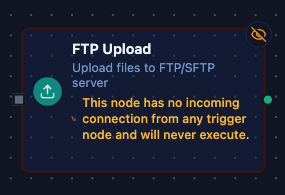
FTP Upload Node
Upload files to remote FTP/SFTP servers.
Supported Function Types:
| Function Name | Purpose | Common Use Cases |
|---|---|---|
| Upload | Upload file content to remote server | Data exports, report distribution, configuration deployment |
Node Configuration
| Parameter | Type | Required | Description |
|---|---|---|---|
| Connection | Selection | Yes | FTP/SFTP connection profile to use |
| Function | Selection | Yes | Upload function from the selected connection |
| Function Parameters | Dynamic | Varies | Auto-populated from the function schema. See your FTP/SFTP connection functions for full parameter details. |
| Timeout Override | Number (seconds) | No | Override the default function timeout |
All function parameters support expression syntax ({{ expression }}) for dynamic values from the pipeline context.
Input
The node receives the output of the previous node as input. Input data can be referenced in function parameter expressions using $input.
Output Structure
On success the node produces:
{
  "success": true,
  "functionId": "<function-id>",
  "data": {
    "remotePath": "/uploads/data/report.csv",
    "bytesWritten": 2048,
    "created": true
  },
  "durationMs": 156,
  "timestamp": "2026-01-15T08:30:00Z"
}
| Field | Type | Description |
|---|---|---|
success | boolean | true when the function executed without errors |
functionId | string | ID of the executed function |
data | object | Upload result details (see below) |
durationMs | number | Execution time in milliseconds |
timestamp | string | ISO 8601 / RFC 3339 UTC timestamp |
Upload Result Fields
| Field | Type | Description |
|---|---|---|
remotePath | string | Full path where the file was uploaded |
bytesWritten | number | Number of bytes written to the remote server |
created | boolean | Whether the file was newly created (vs. overwritten) |
FTP Download Node
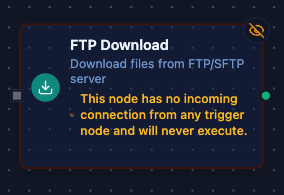
FTP Download Node
Download files from remote FTP/SFTP servers.
Supported Function Types:
| Function Name | Purpose | Common Use Cases |
|---|---|---|
| Download | Download file content from remote server | Data imports, report retrieval, configuration fetch |
Node Configuration
| Parameter | Type | Required | Description |
|---|---|---|---|
| Connection | Selection | Yes | FTP/SFTP connection profile to use |
| Function | Selection | Yes | Download function from the selected connection |
| Function Parameters | Dynamic | Varies | Auto-populated from the function schema (e.g., remotePath). See your FTP/SFTP connection functions for full parameter details. |
| Timeout Override | Number (seconds) | No | Override the default function timeout |
Input
The node receives the output of the previous node as input. Use expressions like {{ $input.data.fileName }} to dynamically specify which file to download.
Output Structure
On success the node produces:
{
  "success": true,
  "functionId": "<function-id>",
  "data": {
    "remotePath": "/data/exports/sales.csv",
    "content": "header1,header2\nvalue1,value2\n...",
    "size": 4096,
    "encoding": "utf-8"
  },
  "durationMs": 234,
  "timestamp": "2026-01-15T08:30:00Z"
}
Download Result Fields
| Field | Type | Description |
|---|---|---|
remotePath | string | Path of the downloaded file |
content | string | File content (text or base64-encoded for binary) |
size | number | File size in bytes |
encoding | string | Content encoding (utf-8 for text, base64 for binary) |
FTP List Node
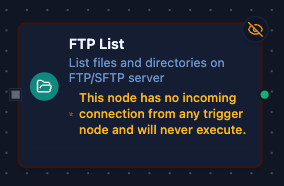
FTP List Node
List files and directories on remote FTP/SFTP servers.
Supported Function Types:
| Function Name | Purpose | Common Use Cases |
|---|---|---|
| List | List files and directories | Check for new files, inventory contents, monitor availability |
Node Configuration
| Parameter | Type | Required | Description |
|---|---|---|---|
| Connection | Selection | Yes | FTP/SFTP connection profile to use |
| Function | Selection | Yes | List function from the selected connection |
| Function Parameters | Dynamic | Varies | Auto-populated from the function schema (e.g., remotePath, pattern). See your FTP/SFTP connection functions for full parameter details. |
| Timeout Override | Number (seconds) | No | Override the default function timeout |
Input
The node receives the output of the previous node as input. Use expressions to dynamically specify the directory path or file pattern.
Output Structure
On success the node produces:
{
  "success": true,
  "functionId": "<function-id>",
  "data": {
    "remotePath": "/incoming/data",
    "files": [
      {
        "name": "sales_2026-01-15.csv",
        "size": 2048,
        "modifiedAt": "2026-01-15T06:00:00Z",
        "isDir": false
      },
      {
        "name": "archive",
        "size": 0,
        "modifiedAt": "2026-01-14T12:00:00Z",
        "isDir": true
      }
    ],
    "count": 2
  },
  "durationMs": 89,
  "timestamp": "2026-01-15T08:30:00Z"
}
List Result Fields
| Field | Type | Description |
|---|---|---|
remotePath | string | Directory that was listed |
files | array | Array of file/directory entries |
count | number | Total number of entries returned |
File Entry Fields
| Field | Type | Description |
|---|---|---|
name | string | File or directory name |
size | number | File size in bytes (0 for directories) |
modifiedAt | string | Last modification timestamp (ISO 8601) |
isDir | boolean | true if the entry is a directory |
FTP Delete Node
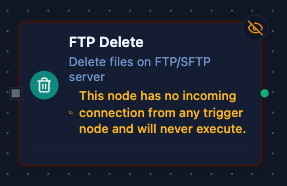
FTP Delete Node
Delete files on remote FTP/SFTP servers.
Supported Function Types:
| Function Name | Purpose | Common Use Cases |
|---|---|---|
| Delete | Delete a file from remote server | Clean up processed files, remove temporary data |
Node Configuration
| Parameter | Type | Required | Description |
|---|---|---|---|
| Connection | Selection | Yes | FTP/SFTP connection profile to use |
| Function | Selection | Yes | Delete function from the selected connection |
| Function Parameters | Dynamic | Varies | Auto-populated from the function schema (e.g., remotePath). See your FTP/SFTP connection functions for full parameter details. |
| Timeout Override | Number (seconds) | No | Override the default function timeout |
Input
The node receives the output of the previous node as input. Use expressions like {{ $input.data.files[0].name }} to dynamically specify which file to delete.
Output Structure
On success the node produces:
{
  "success": true,
  "functionId": "<function-id>",
  "data": {
    "remotePath": "/processed/old_data.csv",
    "deleted": true
  },
  "durationMs": 67,
  "timestamp": "2026-01-15T08:30:00Z"
}
Delete Result Fields
| Field | Type | Description |
|---|---|---|
remotePath | string | Path of the deleted file |
deleted | boolean | true if the file was successfully deleted |
Common Use Cases
Download and Process New Files
Poll for new files, download them, and process the contents:
- Use FTP List to find files matching a pattern (e.g.,
*.csv) - Use For Each Loop to iterate over the file list
- Use FTP Download to retrieve each file
- Use File Extractor to parse CSV content into JSON
- Process the data with subsequent nodes
[Schedule] → [FTP List] → [For Each] → [FTP Download] → [File Extractor] → [Process]
Export Data to Partner SFTP
Generate a report and upload it to a partner's SFTP server:
- Generate or transform data in previous nodes
- Use Data Serializer to format as CSV/JSON
- Use FTP Upload to send the file
[Fetch Data] → [Transform] → [Data Serializer] → [FTP Upload]
Process and Clean Up Files
Download files, process them, then delete the originals:
- FTP List to find files to process
- FTP Download to retrieve file content
- Process the data
- FTP Delete to remove the original file
[FTP List] → [For Each] → [FTP Download] → [Process] → [FTP Delete]
Dynamic File Paths
Use expressions to build file paths dynamically:
// Upload with date-based path
Remote Path: {{ '/exports/' + ($execution.startedAt | date: 'YYYY-MM-DD') + '/report.csv' }}

// Download file from previous node's output
Remote Path: {{ '/incoming/' + $input.data.fileName }}

// Delete processed file
Remote Path: {{ $input.data.remotePath }}
Settings Tab
All FTP/SFTP node types share the same Settings tab:
| Setting | Type | Default | Description |
|---|---|---|---|
| Description | Text | — | Optional description displayed on the node |
| Timeout (seconds) | Number | Pipeline default | Maximum time the node may run before timing out |
| Retry on Timeout | Toggle | Pipeline default | Automatically retry the node if it times out |
| Retry on Fail | Toggle | Pipeline default | Automatically retry the node if it fails |
| On Error | Selection | Pipeline default | Error strategy: stop the pipeline, continue to the next node, or follow the error output path |
When left at their defaults, these settings inherit from the pipeline-level execution configuration.
Integration with Other Nodes
File Extractor
The FTP Download node is commonly used with the File Extractor node to parse CSV and Excel files:
- FTP Download retrieves the raw file content
- File Extractor parses the content into structured JSON rows
Ensure the File Extractor's inputField matches the FTP Download output path (default: data.content).
For Each Loop
Use For Each Loop to process multiple files from an FTP List result:
- FTP List returns an array of files
- For Each Loop iterates over
data.files - Each iteration processes one file
Data Serializer
Use Data Serializer before FTP Upload to format data:
- Transform and prepare data in previous nodes
- Data Serializer converts to CSV, JSON, or XML
- FTP Upload sends the formatted content
Best Practices
- Use specific file paths when possible for better performance and clarity
- Set appropriate timeouts for large file transfers or slow connections
- Implement error handling with the "On Error" setting for critical transfers
- Use parameterized paths for date-based or dynamic file organization
- Delete processed files to prevent duplicate processing
- Monitor connection health to catch server issues before pipeline failures
For unreliable network connections, enable "Retry on Timeout" and "Retry on Fail" with appropriate retry counts. This improves pipeline resilience without manual intervention.
Related Documentation
- FTP/SFTP Connection Guide — connection configuration, function builder, and detailed parameter reference
- File Extractor Node — parse CSV and Excel files into structured JSON
- For Each Loop Node — iterate over file lists for batch processing
- Data Serializer Node — format data for upload