SMB / CIFS Nodes
SMB nodes connect a MaestroHub pipeline to a remote Windows or Samba file share over SMB/CIFS. Use them to ingest file drops, export daily reports, archive processed files, and discover what files are available without leaving the pipeline canvas. All five nodes are backed by SMB connections and functions.
Configuration Quick Reference
| Field | What you choose | Details |
|---|---|---|
| Parameters | Connection, Function, Function Parameters, Timeout Override | Select the SMB connection, the function (Fetch / Write / List / Delete / Move), configure function parameters (with expression support), and optionally override the timeout. |
| Settings | Description, Timeout (seconds), Retry on Timeout, Retry on Fail, On Error | Node description, max execution time, retry behavior on timeout / failure, and error handling. Defaults inherit from the pipeline. |
Every node wraps the function output in a consistent envelope:
{
  "success": true,
  "functionId": "<function-uuid>",
  "data": { /* function-specific payload, see below */ },
  "durationMs": 156000000,
  "timestamp": "2026-01-15T08:30:00Z"
}
| Field | Type | Description |
|---|---|---|
success | boolean | true when the function executed without errors. On failure the node returns an error result and success is false. |
functionId | string | ID of the SMB function that was executed (the saved function on the connection, not the function type). |
data | object | Function‑specific payload. The shape differs by node type; see each section below. |
durationMs | number | Function execution duration (the connector's internal duration, in nanoseconds; divide by 1,000,000 for milliseconds). |
timestamp | string | RFC 3339 / ISO 8601 UTC timestamp of when the node emitted the result. |
SMB Fetch File

SMB Fetch File Node
Read a file from the share by literal name, glob, or regex; optionally recursive.
Supported Function Types:
| Function Name | Purpose | Common Use Cases |
|---|---|---|
| Fetch File | Read a file from the SMB share | Ingest CSV/JSON drops, fetch reports, locate files by name across subfolders |
Node Configuration
| Parameter | Type | Required | Description |
|---|---|---|---|
| Connection | Selection | Yes | SMB connection profile to use |
| Function | Selection | Yes | A smb.fetch.file function defined on the selected connection |
| Function Parameters | Dynamic | Varies | Auto‑populated from the function schema (fileName, recursive, outputFormat, timeoutMs, maxFileSizeMB, discoveryLimit). See SMB connection functions for parameter details. |
| Timeout Override | Number (seconds) | No | Override the function's default timeout |
All function parameters support expression syntax ({{ expression }}), e.g., {{ $input.data.files[0].name }} to fetch a file the previous node picked.
Input
The node receives the previous node's output as $input. Reference upstream data inside function parameters with expressions.
Output Structure
{
  "success": true,
  "functionId": "fn_smb_fetch_inbound",
  "data": {
    "data": "aWQsbmFtZSx2YWx1ZQoxLGFscGhhLDEwMAo...",
    "metadata": {
      "fileName": "data_2026-01-15.csv",
      "filePath": "inbound/data_2026-01-15.csv",
      "fileType": "csv",
      "sizeBytes": 2048,
      "lastModified": "2026-01-15T08:30:00Z",
      "discoveryPattern": "data_*.csv",
      "outputFormat": "base64"
    }
  },
  "durationMs": 156000000,
  "timestamp": "2026-01-15T08:30:00Z"
}
Fetch Result Fields
| Field | Type | Description |
|---|---|---|
data.data | string | File content. Base64‑encoded when outputFormat=base64 (default), raw UTF‑8 string when outputFormat=text. With text and a UTF‑8 BOM source, the BOM is stripped automatically. |
data.metadata.fileName | string | Basename of the resolved file. |
data.metadata.filePath | string | Share‑relative path of the resolved file. |
data.metadata.fileType | string | Extension without the leading dot (csv, json, …). Empty when the file has no extension. |
data.metadata.sizeBytes | number | File size in bytes. |
data.metadata.lastModified | string | RFC 3339 / ISO 8601 UTC timestamp of last modification. |
data.metadata.discoveryPattern | string | Effective pattern used (the literal name or compiled regex). Useful for debugging templated fileNames. |
data.metadata.outputFormat | string | base64 or text, echoing the request. |
data.metadata.encodingHint | string | Optional. Present when a BOM was detected: utf-8-bom, utf-16le-bom, utf-16be-bom. Absent otherwise. |
The SMB Fetch node puts the file content at data.data. When piping into a File Extractor node, set its Input Field to data.data (not the default data).
SMB Write File
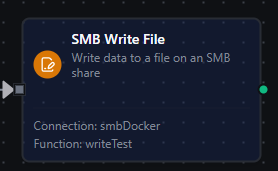
SMB Write File Node
Write content to the share: create, overwrite, or append, with encoding control. Non‑append writes are atomic (temp file + rename), so concurrent readers always see either the old file or the new file.
Supported Function Types:
| Function Name | Purpose | Common Use Cases |
|---|---|---|
| Write File | Create / overwrite / append a file on the share | CSV exports, log appends, dropping JSON metadata next to binaries |
Node Configuration
| Parameter | Type | Required | Description |
|---|---|---|---|
| Connection | Selection | Yes | SMB connection profile to use |
| Function | Selection | Yes | A smb.write.file function defined on the selected connection |
| Function Parameters | Dynamic | Varies | Auto‑populated from the function schema (fileName, data, createFile, appendToFile, appendNewline, overwriteExisting, encoding, timeoutMs, maxFileSizeMB). See SMB connection functions for parameter details. |
| Timeout Override | Number (seconds) | No | Override the function's default timeout |
Input
The node receives the previous node's output as $input. Use expressions to source content (e.g., {{ $input.data.csv }}) and file paths (e.g., {{ '/exports/' + ($execution.startedAt | date: 'YYYY-MM-DD') + '/orders.csv' }}).
Output Structure
{
  "success": true,
  "functionId": "fn_smb_write_export",
  "data": {
    "filePath": "inbound/output/2026-01-15/orders.csv",
    "bytesWritten": 4096,
    "encoding": "utf-8",
    "created": true,
    "appended": false,
    "duration": 87
  },
  "durationMs": 89000000,
  "timestamp": "2026-01-15T08:30:00Z"
}
Write Result Fields
| Field | Type | Description |
|---|---|---|
data.filePath | string | Path actually written. May differ from the input when Overwrite Existing is off and a timestamped variant was written instead. |
data.bytesWritten | number | Bytes written after encoding transformation (UTF‑16 strings are larger than UTF‑8). |
data.encoding | string | Encoding actually applied. When the function used auto, this reveals the encoding the connector picked. |
data.created | boolean | true if the file did not exist before this call. |
data.appended | boolean | true if the call appended (rather than wrote whole). |
data.duration | number | Server‑side write duration in milliseconds. |
SMB List Directory

SMB List Directory Node
Enumerate files and folders under a path on the share, optionally recursive and pattern‑filtered. The natural source for a For‑Each loop.
Supported Function Types:
| Function Name | Purpose | Common Use Cases |
|---|---|---|
| List Directory | List entries in a directory | Discover new files to process, inventory drop folders, confirm uploads |
Node Configuration
| Parameter | Type | Required | Description |
|---|---|---|---|
| Connection | Selection | Yes | SMB connection profile to use |
| Function | Selection | Yes | A smb.list.directory function defined on the selected connection |
| Function Parameters | Dynamic | Varies | Auto‑populated from the function schema (path, pattern, recursive, timeoutMs). See SMB connection functions for parameter details. |
| Timeout Override | Number (seconds) | No | Override the function's default timeout |
Input
The node receives the previous node's output as $input. Use expressions to drive the directory path (e.g., {{ '/inbound/' + $input.data.partner }}) or the pattern.
Output Structure
{
  "success": true,
  "functionId": "fn_smb_list_inbound",
  "data": {
    "path": "/",
    "count": 2,
    "files": [
      {
        "name": "data_2026-01-15.csv",
        "path": "inbound/data_2026-01-15.csv",
        "size": 2048,
        "isDir": false,
        "modified": "2026-01-15T08:30:00Z"
      },
      {
        "name": "archive",
        "path": "inbound/archive",
        "size": 0,
        "isDir": true,
        "modified": "2026-01-14T12:00:00Z"
      }
    ]
  },
  "durationMs": 42000000,
  "timestamp": "2026-01-15T08:30:00Z"
}
List Result Fields
| Field | Type | Description |
|---|---|---|
data.path | string | Directory that was listed, relative to the connection's Base Path. / means Base Path root. |
data.count | number | Number of entries returned (after the pattern filter). |
data.files | array | List of file / directory entries. |
File Entry Fields
| Field | Type | Description |
|---|---|---|
name | string | Basename of the entry. |
path | string | Share‑relative path of the entry (useful as input to a Fetch / Move / Delete node). |
size | number | File size in bytes; 0 for directories. |
isDir | boolean | true if the entry is a directory. |
modified | string | RFC 3339 / ISO 8601 UTC timestamp of last modification. |
Wire SMB List Directory into a For Each Loop bound to data.files. Each iteration receives one entry and can branch on isDir.
SMB Delete File

SMB Delete File Node
Delete a single file from the share. Directories are not supported by design; use Move into a "trash" folder if you need batch cleanup.
Supported Function Types:
| Function Name | Purpose | Common Use Cases |
|---|---|---|
| Delete File | Remove a file from the share | Clean up after processing, remove temp / staging files |
Node Configuration
| Parameter | Type | Required | Description |
|---|---|---|---|
| Connection | Selection | Yes | SMB connection profile to use |
| Function | Selection | Yes | A smb.delete.file function defined on the selected connection |
| Function Parameters | Dynamic | Varies | Auto‑populated from the function schema (fileName, timeoutMs). See SMB connection functions for parameter details. |
| Timeout Override | Number (seconds) | No | Override the function's default timeout |
Input
The node receives the previous node's output as $input. Use {{ $input.data.metadata.filePath }} to delete a file an earlier Fetch node returned, or {{ $input.data.files[0].path }} after a List.
Output Structure
{
  "success": true,
  "functionId": "fn_smb_delete_processed",
  "data": {
    "filePath": "inbound/processed/old.csv",
    "deleted": true
  },
  "durationMs": 23000000,
  "timestamp": "2026-01-15T08:30:00Z"
}
Delete Result Fields
| Field | Type | Description |
|---|---|---|
data.filePath | string | Share‑relative path of the deleted file. |
data.deleted | boolean | Always true on success. |
SMB Move File

SMB Move File Node
Rename or move a file inside the share. The rename is server‑atomic within one share: readers either see the file at the source or the destination, never neither.
Supported Function Types:
| Function Name | Purpose | Common Use Cases |
|---|---|---|
| Move/Rename File | Move or rename a file within the share | Rotate inbound/ → processed/, rename a download in place |
Node Configuration
| Parameter | Type | Required | Description |
|---|---|---|---|
| Connection | Selection | Yes | SMB connection profile to use |
| Function | Selection | Yes | A smb.move.file function defined on the selected connection |
| Function Parameters | Dynamic | Varies | Auto‑populated from the function schema (sourcePath, destinationPath, overwrite, timeoutMs). See SMB connection functions for parameter details. |
| Timeout Override | Number (seconds) | No | Override the function's default timeout |
Input
The node receives the previous node's output as $input. Most commonly, Source Path is bound to {{ $input.data.metadata.filePath }} from an upstream Fetch, and Destination Path is templated with a date / partner from the execution context.
Output Structure
{
  "success": true,
  "functionId": "fn_smb_archive_processed",
  "data": {
    "sourcePath": "inbound/orders.csv",
    "destinationPath": "inbound/processed/2026-01-15/orders.csv",
    "moved": true
  },
  "durationMs": 31000000,
  "timestamp": "2026-01-15T08:30:00Z"
}
Move Result Fields
| Field | Type | Description |
|---|---|---|
data.sourcePath | string | Resolved source path (share‑relative). |
data.destinationPath | string | Resolved destination path (share‑relative). |
data.moved | boolean | Always true on success. |
Source and destination must both resolve under the connection's Base Path. To move across shares, use Fetch + Write + Delete instead.
Common Use Cases
Ingest a File Drop
A partner / PLC / MES drops CSV files onto the share. The pipeline lists, parses, publishes, and archives:
- SMB List with pattern
*.csvto discover today's drops. - For Each over
data.files. - SMB Fetch with
fileName = {{ $loop.item.name }}. - File Extractor (with
inputField = data.data) to parse the CSV. - MQTT Publish / UNS Publish / wherever the data needs to go.
- SMB Move with
sourcePath = {{ $loop.item.path }}anddestinationPath = processed/{{ $execution.startedAt | date: 'YYYY-MM-DD' }}/{{ $loop.item.name }}.
[Schedule] → [SMB List] → [For Each] → [SMB Fetch] → [File Extractor] → [UNS Publish] → [SMB Move]
Daily Export
Aggregate today's data, format it as CSV, and drop it on a partner share:
[Schedule] → [SQL Query] → [Data Serializer (CSV)] → [SMB Write]
For the SMB Write node:
fileName={{ '/exports/' + ($execution.startedAt | date: 'YYYY-MM-DD') + '/orders.csv' }}data={{ $input.data.csv }}createFile=trueoverwriteExisting=true
Find a File Anywhere
The drop folder layout isn't predictable: files appear under arbitrary subdirectories. SMB Fetch with Recursive finds them by name:
fileName={{ $input.report.name }}recursive=true
The connector walks the tree under Base Path and returns the first file whose basename matches.
Cleanup After Processing
After a successful step, archive instead of deleting so audit can trace it:
[Process] → [SMB Move (inbound/file → archive/((date))/file)]
Or, when retention is short and storage is tight, delete:
[Process] → [SMB Delete (processed/((fileName)))]
Settings Tab
All SMB node types share the same Settings tab:
| Setting | Type | Default | Description |
|---|---|---|---|
| Description | Text | - | Optional description shown on the node. |
| Timeout (seconds) | Number | Pipeline default | Maximum time the node may run before timing out. |
| Retry on Timeout | Toggle | Pipeline default | Automatically retry the node if it times out. |
| Retry on Fail | Toggle | Pipeline default | Automatically retry the node if the function returns an error. |
| On Error | Selection | Pipeline default | Error strategy: stop the pipeline, continue to the next node, or follow the error output path. |
When left at their defaults, these settings inherit from the pipeline‑level execution configuration.
Integration with Other Nodes
File Extractor
The most common downstream of SMB Fetch is the File Extractor node, which parses CSV / Excel content into structured rows.
The SMB Fetch node returns the file content at data.data (the outer data is the function envelope; the inner data is the byte payload). Set the File Extractor's Input Field accordingly:
| If you are fetching | Set File Extractor's inputField to | And outputFormat to |
|---|---|---|
CSV with outputFormat=base64 (default) | data.data | base64 input is auto‑decoded |
CSV with outputFormat=text | data.data | text input is taken verbatim |
| Excel | data.data (base64) | base64 is required for binary |
Both SMB Fetch and File Extractor enforce a maximum file size: by default 25 MB on the connector and 256 MB on the File Extractor. If you raise the connector cap above the extractor's, the extractor will reject the file even though the fetch succeeded.
For Each Loop
Use For Each Loop to process every entry from a list:
- SMB List returns
data.files, an array of entries. - For Each Loop iterates over
data.files. - Each iteration exposes
$loop.itemwithname,path,size,isDir,modified.
A guard inside the loop on $loop.item.isDir keeps directories out of file‑only steps.
Data Serializer
Use Data Serializer before SMB Write to turn structured data into CSV / JSON / XML:
[SQL Query] → [Data Serializer] → [SMB Write]
The Data Serializer's output becomes the data parameter of the SMB Write node.
Best Practices
- Scope Base Path narrowly. A connection with
basePath=inboundcannot accidentally read or writeC:\Windows\…even with a buggy template. - Use literal filenames when you can. Literal names skip the directory walk entirely, so they're an order of magnitude faster than glob / regex on large shares.
- Use Recursive + bare names sparingly. Recursive walks scale with directory size; on a share with 100k files, a recursive Fetch may need to scan thousands of entries before finding a match. Lower Discovery Limit to fail loud instead of slow.
- Set realistic timeouts. Default 60 s is fine for normal CSV; long Excel or wildcard‑heavy patterns deserve a higher per‑call Timeout Override so a slow file doesn't break the pipeline.
- Move, don't delete. Archive processed files into
processed/<date>/<name>so reruns and audits can still trace what happened. - Enable Require Message Signing on every share: modern Samba and Windows servers support it out of the box, and it cheaply blocks on-path tampering. For confidentiality (the share carries personal data or credentials) put the connector and the server on a trusted network: a VPN, IPsec tunnel, or segmented VLAN. Wire-level encryption is not yet enforceable from the connector.
- Tune Idle Reconnect. If your Windows server kills idle sessions aggressively (≤ 10 min), drop Idle Reconnect Threshold below the server's timeout so the connector re‑mounts before the next call.
For unreliable WAN links to a share, enable Retry on Timeout and Retry on Fail on each SMB node. The connector itself reconnects silently after long idle periods, but transient network blips still need pipeline‑level retry to recover cleanly.
Related Documentation
- SMB / CIFS Connection Guide: connection configuration, function builder, pattern matching, and troubleshooting.
- File Extractor Node: parse CSV / Excel content from SMB Fetch.
- For Each Loop Node: iterate over SMB List results.
- Data Serializer Node: format data for SMB Write.
- Local File Nodes: same five operations against the MaestroHub host's local filesystem instead of a remote share.
- FTP / SFTP Nodes: for servers that don't expose SMB.