Amazon SQS Nodes
Amazon Simple Queue Service (SQS) is AWS's fully managed message queue. MaestroHub exposes SQS as both pipeline action nodes (send / receive / delete / list) and as a pipeline trigger that fires once per received message.
Configuration Quick Reference
| Field | What you choose | Details |
|---|---|---|
| Parameters | Connection, Function, Function Parameters, Timeout Override | Select the connection profile, function, configure function parameters with expression support, and optionally override the per-call timeout. |
| Settings | Description, Timeout (seconds), Retry on Timeout, Retry on Fail, On Error | Node description, maximum execution time, retry behavior on timeout or failure, and error handling strategy. All execution settings default to pipeline-level values. |
Amazon SQS Send Node
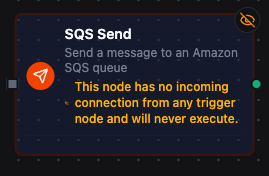
Amazon SQS Send Node
Send a single message to a Standard or FIFO SQS queue. Supports message attributes, delay seconds on Standard queues, and group/dedup IDs on FIFO queues. Address the queue by URL or by name (resolved + cached).
Supported Function Types:
| Function Name | Purpose | Common Use Cases |
|---|---|---|
| Send | Send one message to an SQS queue | Forward processed telemetry to a worker queue, emit task messages for a consumer fleet, bridge MQTT events into SQS |
How It Works
- Resolves the configured SQS connection profile and loads AWS credentials.
- Renders all templated fields (Queue, Message Body, Message Attributes, Message Group ID, Message Deduplication ID) against the current pipeline context.
- If the queue identifier is a bare name, resolves it to a Queue URL via
GetQueueUrl(cached per connection). - Validates FIFO-only requirements when the queue name ends in
.fifo(Message Group ID must be present). - Sends the message and returns the SQS-assigned
messageId(andsequenceNumberfor FIFO queues).
Configuration
| Field | What you choose | Details |
|---|---|---|
| Connection | Amazon SQS connection profile | Select a pre-configured connection from your connection library |
| Function | Send function | Choose an SQS Send function that defines the queue, payload, attributes, and FIFO settings |
| Function Parameters | Message values | Configure dynamic values for Queue, Message Body, Message Attributes, Message Group ID, Message Deduplication ID using expressions or constants |
| Timeout Override | Per-call timeout (seconds) | Optional. Overrides the connection-level request timeout for this node only. |
For detailed function configuration options, see the Amazon SQS Send Function documentation.
If your queue name ends in .fifo, the Message Group ID parameter is required. Bind it to a stable per-entity value (e.g. ((machineId)), ((orderId))) so messages within the same group are delivered in order to consumers.
Amazon SQS Receive Node
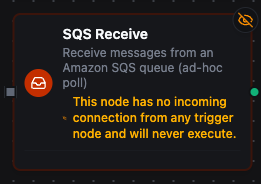
Amazon SQS Receive Node
Receive up to 10 messages from an SQS queue in a single call. Returns receipt handles you can pass to a downstream Delete node to acknowledge.
| Function Name | Purpose | Common Use Cases |
|---|---|---|
| Receive | Pull a batch of messages from a queue | Drain a worker queue in a scheduled pipeline; inspect pending messages for debugging |
Output Shape
The Receive node returns:
{
  "messages": [
    {
      "messageId": "abc-123",
      "body": "<message body>",
      "receiptHandle": "AQEB...",
      "messageAttributes": { ... }
    }
  ],
  "count": 1
}
Wire messages[0].receiptHandle (or iterate with a forEach) into a downstream Delete node to acknowledge.
Set the function's Wait Time (Long-Poll Seconds) to 20 to switch from short-poll to long-poll. This eliminates empty receives without holding the connection in a tight loop. The node's request timeout is auto-extended to cover the long-poll window.
For continuous queue consumption that fires a pipeline per message, use the SQS Trigger below instead of a scheduled Receive node. The trigger long-polls in the background and handles acknowledgement (auto-delete on success, redrive on failure) for you.
Amazon SQS Delete Node
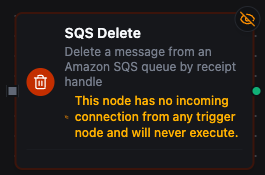
Amazon SQS Delete Node
Delete a single message from a queue by receipt handle. Used to acknowledge a message after the pipeline has processed it successfully.
| Function Name | Purpose | Common Use Cases |
|---|---|---|
| Delete | Acknowledge a message by receipt handle | Pair with Receive in an ad-hoc drain flow; clean up after a manual process |
Configuration
The Receipt Handle field is almost always a parameter: bind it to the receiptHandle returned by an upstream Receive node.
Each connected.sqs.delete call is one round-trip. If you receive 10 messages and need to ack all of them, you currently issue 10 deletes — SQS supports DeleteMessageBatch (up to 10 receipts per call) but the bulk variant is not yet exposed.
For high-volume consumption, use the SQS Trigger below — it acks one message per pipeline fire (which is the natural shape), not one per loop iteration.
Amazon SQS List Queues Node
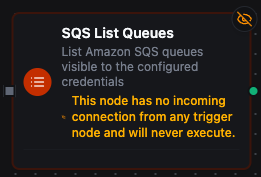
Amazon SQS List Queues Node
List queue URLs visible to the configured credentials. Useful for discovery and inventory.
| Field | Default | Details |
|---|---|---|
| Name Prefix | - | Only return queues whose names start with this prefix |
| Max Items | 1000 | Maximum queues to return (1-10000). The connector paginates internally up to the budget. |
Amazon SQS Trigger
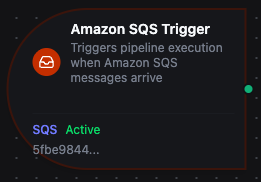
Amazon SQS Trigger Node
The SQS Trigger node fires a pipeline once per message received from a subscribed queue. Behind the scenes, the connector runs a long-running consumer goroutine per trigger that long-polls the queue, dispatches each message into the pipeline, and (when autoDelete is on) deletes the message after the pipeline succeeds.
Configuration
| Field | What you choose | Details |
|---|---|---|
| Connection | Amazon SQS connection profile | Select a pre-configured connection |
| Function | A Receive function | The function provides the queue, maxMessages, waitTimeSeconds, visibilityTimeoutSeconds, and autoDelete settings |
Trigger Output
Each fire delivers the message body as payload and metadata under _metadata:
| Metadata Field | Description |
|---|---|
connection_id | The connection profile ID |
function_id | The subscribe function ID |
queueUrl | The full Queue URL |
messageId | SQS-assigned message ID |
receiptHandle | Receipt handle (only useful when autoDelete: false) |
messageGroupId | FIFO group ID, if present |
messageDeduplicationId | FIFO dedup ID, if present |
sentTimestamp | When SQS received the message (RFC3339) |
approximateReceiveCount | How many times this message has been received |
timestamp | When the trigger fired (RFC3339) |
With autoDelete: true (default), the subscriber deletes the message after the pipeline handler returns success. On failure, the message is left in flight; after the queue's visibility timeout passes, SQS makes it visible again and another consumer (or this one) will receive it. This is the canonical at-least-once delivery shape.
If you need to ack manually — for example, your pipeline may report success but you want to ack inside a transaction at the end — set autoDelete: false on the Receive function. The receiptHandle is then available in the trigger's _metadata so a downstream Delete node can ack it explicitly.
SQS is the coordinator: multiple consumer replicas can long-poll the same queue safely. The connector's scaling capability is shared / fixed with no instance cap — run as many replicas as you need for throughput, and SQS will hand each message to exactly one of them.