MQTT Nodes
MQTT is the de facto standard for IoT and event-driven architectures. MaestroHub supports both MQTT v3.1.1 and v5.0 with full feature parity so you can deliver real-time messaging reliably.
Configuration Quick Reference
| Field | What you choose | Details |
|---|---|---|
| Parameters | Connection, Function, Function Parameters, optional Message Options | Select the shared MQTT connection profile and configure topics, QoS, payload handling, and retention behavior. |
| Settings | Retry on Fail, On Error, Notes, Display Note In Pipeline | Control pipeline behavior with retries, error routing, and operator notes surfaced on the canvas. |
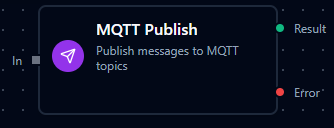
MQTT Publish Node
MQTT Publish Node
Publish messages to MQTT topics for real-time communication.
Supported Function Types:
| Function Name | Purpose | Common Use Cases |
|---|---|---|
| Publish Message | Send payloads to MQTT brokers using shared connections | Telemetry feeds, alarm broadcasts, command dispatch |
MQTT Subscribe Node

MQTT Subscribe Node
Receive messages from MQTT topics within your pipeline flow. The Subscribe node connects to MQTT brokers and listens for incoming messages on specified topics.
Supported Function Types:
| Function Name | Purpose | Common Use Cases |
|---|---|---|
| Subscribe | Receive messages from MQTT topics using shared connections | Sensor data collection, event processing, status monitoring |
How It Works
When the pipeline executes, the Subscribe node:
- Connects to the MQTT broker using the selected connection profile
- Subscribes to the configured topic patterns
- Receives incoming messages and passes them to downstream nodes
- Supports MQTT wildcards (
+for single-level,#for multi-level) for flexible topic matching
Configuration
| Field | What you choose | Details |
|---|---|---|
| Connection | MQTT connection profile | Select a pre-configured MQTT connection from your connection library |
| Function | Subscribe function | Choose an MQTT Subscribe function that defines topic filters and QoS settings |
| Function Parameters | Topic filters, QoS level | Configure topic patterns and quality of service (inherited from function) |
For detailed function configuration options including MQTT v5.0 features (No Local, Retain Handling, Subscription Identifiers), see the MQTT Function Builder documentation.
If you want to automatically start a pipeline when MQTT messages arrive (rather than subscribe within an already-running pipeline), use the MQTT Trigger Node instead.