UNS (Unified Namespace) Connector Nodes
Unified Namespace (UNS) nodes enable pipelines to publish live data to the UNS, search within the namespace, and access historical datasets stored in the UNS Manager. Each UNS node comes with common features such as the defaultIn input, result and error outputs, retry/error handling policies, and documentation links. This allows developers to manage real-time signals and time-series data with a consistent and predictable behavior model.
Supported Nodes
UNS Publish
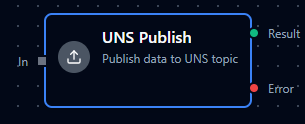
UNS Publish Node
Publishes data packets into the UNS hierarchy.
| Parameter | Type | Required | Default | Description |
|---|---|---|---|---|
UNS Topic | string / expression | Yes | "" | Target UNS topic path supporting free-form entry and expressions. |
Data Source | string / expression | Yes | "" | Logical source identifier for the publishing entity. |
Value | string / expression | Yes | "" | Payload to publish, including raw text, JSON strings, or expression-driven data. |
Custom Timestamp | string / expression | No | "" | Optional RFC3339 timestamp or expression; falls back to current time. |
Debug Mode | boolean | No | false | Enables verbose logging within the connector. |
Common Uses
- Streaming telemetry into enterprise, site, area, or machine topics.
- Broadcasting maintenance events and operator input to downstream consumers.
- Normalizing producer payloads before forwarding to historians or analytics platforms.
UNS Fetch Data
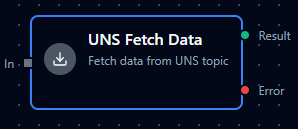
UNS Fetch Data Node
Retrieves historical data stored in the UNS via recent or range queries.
| Parameter | Type | Required | Default | Description |
|---|---|---|---|---|
UNS Topic | string / expression | Yes | "" | Topic to read from, using the UNSTopicSelector. |
Fetch Mode | "Recent Records" / "Data Range" | Yes | "recent" | Determines which parameter set is active. |
Limit (recent) | number / expression | Yes when fetchMode = "recent" | 10 | Number of records to pull (1–1000). |
Start Time (RFC3339) (range) | string / expression | Yes when fetchMode = "range" | "" | Start timestamp supplied in RFC3339 format or as an expression. |
End Time (RFC3339) (range) | string / expression | Yes when fetchMode = "range" | "" | End timestamp supplied in RFC3339 format or as an expression. |
Range Limit (range) | number / expression | No | undefined | Optional cap on returned rows greater than zero. |
Debug Mode | boolean | No | false | Enables verbose logging within the connector. |
Common Uses
- Pulling the latest sensor snapshots for dashboards or HMIs.
- Fetching time-bounded slices for analytics, anomaly detection, or reconciliation.
- Comparing UNS records against MES, SCADA, or other data stores.
UNS Search Nodes
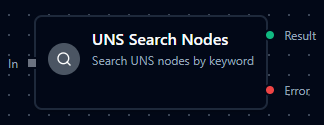
UNS Search Nodes
Discovers UNS nodes (topics) by keyword with pagination support.
| Parameter | Type | Required | Default | Description |
|---|---|---|---|---|
Search Keyword | string / expression | Yes | "" | Search string with a three-character minimum unless expression-driven. |
Offset | number / expression | No | 0 | Number of results to skip for pagination (0 or greater). |
Limit | number / expression | No | 10 | Maximum entries to return (1–1000). |
Debug Mode | boolean | No | false | Enables verbose logging within the connector. |
Common Uses
- Building guided topic selection flows ahead of publish or fetch nodes.
- Auto-discovering assets, lines, or sensors that match user-defined filters.
- Inspecting namespace inventory during commissioning or troubleshooting.